Lema Fernandez February 9, 2023 No Comments

9 Easy Steps to Get Your Pre-Press Designs Aligned for Print

[vc_row][vc_column][vc_column_text] Introduction Printing may seem like a straightforward job. However, getting a design printed correctly involves a lot of work in the background to ensure that the designer can perfectly translate the client’s requirements onto paper. It is for this reason that editorial and pre-press solutions exist. However, an essential process aligns the design with the print perfectly. Let’s take you through 9 steps to prepare your designs in pre-press editorials and prepare them for printing. The Essential Pre-Press Checklist in 9 Steps The quality of published press material has an immense bearing on how your target audience perceives your brand or publishing house. This makes it essential to publish only the best-composed designs – necessitating a well-formed pre-press process that checks all the boxes. Listed below are the nine steps you should check to ensure that your designs are truly ready for paper. Proofreading If you think proofreading your text isn’t going to affect your sales, you may want to think again. Standing Dog Interactive researched how grammatical errors affect buyer perception of a business, and it found that only 3% of the audience was willing to overlook such errors. The rest of the 97% were ready to churn to competitors. You want to avoid formatting, grammatical, typesetting, and spelling errors at all costs, and this makes thorough proofreading your first step. Typography Much like proofreading is for cleaning up the text, typography is meant to help clean up how the typed text looks. Cleaning up the typography includes: Text leading Tracking Kerning Although all the fonts are pretty much out-of-the-box and come with their own spacing and settings, it is best to take a visual judgment call and decide whether a tweak is necessary to achieve your envisioned design. Doing this can help you achieve the oomph factor from your printed letters. Image Checks After you finish the text, it is time to move on to images. Ideally, the graphics sent for print should be as high quality as possible; this makes it necessary to keep the lowest image resolution at 300 dpi. Ensure that your final draft has a graphics resolution higher than that number. As a general rule of thumb, always work with the graphics set at their highest resolution so that image quality isn’t a problem in the later stages of pre-press. Also, try not to enlarge any graphics more than 20% of their size to retain image quality. Color Correctness Checking the color correctness of all the graphics cannot be emphasized more if you want graphics that pop. Typically, all the editorial and pre-press solutions are configured to work in the RGB color mode. However, a printer needs the corresponding CMYK codes to understand those colors and print them on paper. Ensure that your pre-press solution has the option to simulate CMYK colors as you work on your design. Doing this helps you create a near-likeness to your RGB spectrum, creating images that pop even on paper. Screen Calibration Much like translating RGB into CMYK helps with creating vibrant images that look vivid on paper, screen calibration is another aspect of ensuring the color accuracy of the prints. You may have noticed your mobile phone with display options like “Standard,” “Vibrant,” or “Night Light” – all these are preset calibrations that change how colors appear on the screen. Your design software also has color configurations that allow you to calibrate the screen to best reflect the true colors of your graphics. Page Settings One of the most overlooked aspects of the pre-press process is the page setting. Every piece of paper can be configured on the design software before it is sent to the printer, and this includes demarcating the bleed lines and the crop lines. Crop lines are specified to help the printer understand where to cut the paper. On the other hand, bleed lines mark which areas are not to be printed. Doing this is important because it separates the design boundaries from the rest of the paper. Imposition Imposition is the process where you arrange your printing sequence in a way that best utilizes the paper you are printing on with a view to reducing wastage. Remember, paper is costly.  By using advanced software like Publisher or InDesign, you can automatically execute imposition in the software itself to some extent. It then goes back to adjusting the binding margins, bleeds, and crop marks to ensure that printing does not impact your design. PDF Creation Do you know why PDFs are so popular? It is because they are mostly lossless. Very little tampering can be done to a PDF file, which helps preserve the final composition you give to your design. You don’t want accidental spaces or typos entering your final design, which is why w recommend investing in a good quality PDF converter and getting your final proof saved in this format. This is the file that should be forwarded for printing. Paper Selection Paper selection is underrated. For example, if you have extremely vibrant colors in your design, choosing pure white paper with a matte finish would help you make the design pop. However, for most subdued tones, an off-white printing paper would help create a better visual overall. There are papers with a variety of textures and finishes as well that impact how colors and text would finally appear on them after printing. Additionally, there is the matter of paper finishes – textured, glossy, matte, handmade, decorated, etc. Lastly, there is the consideration of paper GSM – the thickness of the sheet, which impacts cost and printability. Thus, paper selection depends on your graphics, budget, and the overall visuals you wish to achieve. Wrapping Up Pre-press doesn’t have to be complicated, even if you need to prepare designs for editorials that are print-ready. To simplify it even further, you can utilize Hurix Digital’s editorial and pre-press solutions to your benefit. Our platform features all the tools necessary to digitize your manuscripts, customize them and polish them in the
Lema Fernandez February 9, 2023 No Comments

Tips to remember for creating flawless Pre-Press Editorials

[vc_row][vc_column][vc_column_text]It is sufficiently evident how important the pre-press process is in a publishing house. The quality of the published products depends largely on the effectiveness of the editorial and pre-press solutions that a publishing agency employs. To streamline the entire pre-press aspect of publishing, here we discuss ten amazing tips that can help you make a big difference. 10 Excellent Tips for Pre-Press Process Pre-press and pilot runs are necessary to ensure that your publishing material turns out the way you want on paper or other screens. The Pre-press process can be broadly divided into two major categories: Working with colors Working with the text and composition We will cover some handy tips for both categories. Working With Colors Work with The Right Color Mode Traditionally, publishers worked with the CMYK (Cyan, Magenta, Yellow, and Key/Black) color mode for all printing purposes (because printers require CMYK codes to print on paper). This color mode isn’t as bright and saturated as the standard RGB (Red, Green, and Blue) that the monitors use today. In order to truly reflect the character of print and design, publishers and designers today choose to work with RGB. With the advent of digital editorial and pre-press solutions, it has become possible to correctly translate RGB colors to CMYK while retaining the vibrance of the design. Check the Color Mode on Your Design Suite Publishers are spoilt for choice with the availability of software that aid design and digital publishing. However, each software comes with its default configurations in color mode. For example, Adobe suites follow the Standard RGB. In addition, some solutions by pre-press services may have their design platforms set to CMYK as their default color mode. Before you begin working on your publishing design, always check which color mode the design suite is set to. Working with RGB and then translating it to CMYK allows you to achieve excellent color translation that appears vibrant despite being on paper. Calibrate the Screen You Are Working On Electronic screens use light as a medium to display colors (much like printers that use ink). So regardless of what color palette your design and publishing suites are set to, your screens display the colors they are calibrated for. Ensure that you regularly check whether your screen is calibrated to the standard configurations of RGB (or CMYK, if that is what you are working with). Modern computers allow you to calibrate screen color modes, so it shouldn’t be difficult. Simulate CMYK Colors on The Monitor When working in the RGB color palette, you must periodically check your file for corresponding CMYK output to ensure that your design is translating as desired. Simulating the CMYK palette while designing helps you make adjustments as you go instead of piling up on you at the very end. Many digital publishing platforms offer simulations; you can also find this option with Adobe’s design software (like InDesign). Working With Text and Composition Image Quality and Size Matter It is a well-known fact that an image’s wrong size and resolution can make it look stretched out or cramped in, pixelated, or blown up in the final print. In order to avoid distorting the graphics in your design, ensure that the resolution and sizes you are using resonate well with the size of the document. Good publishing is all about making sure everything fits and looks good as a unit. Don’t Forget to Proofread Proofreading is the one step you cannot skip over if you want to ensure that you publish a well-composed document. Proofreading involves checking for the correctness of the following aspects of your document: Typesetting Grammar and sentence structure Design and composition The flow of the content Before entering the preflight phase of publishing, ensure that you have proofread your publishing material at least once. Demarcate the Bleed/Trim Areas Clearly To ensure that you don’t expend more resources and time on a document than is necessary for publishing, you should properly demarcate the bleed area and the trim marks for your design. The trim marks help to discern the boundaries of a layout, which aids in cropping the paper after printing. The bleed area highlights the parts of the design that appear on the screen but won’t be printed on the paper. Run a Preflight Preflight is a necessary step in pre-processing: it is like a practice run. The final draft of your layout is printed on paper to check whether the output is aligned with the requirements. By running a preflight, you do a final check before sending the files out for bulk printing. It, thus, helps you save on unnecessary expenses that would show up later as corrections if preflight is skipped. Optimize Your Files for Printing File optimization is the final step that helps you ensure that your print layout is as it should be. You can check for the following aspects to help things run smoothly: Check whether the printer has all the resources needed to generate the print Print your final file as a high-resolution PDF with a laser printer Send all the images in the document separately – regardless of whether or not they are embedded The source file should contain all the typesetting information which the printer can process Check the Resolution of The Final File The final file to the printer should be set to high-resolution printing in PDF. You must check these settings on your pre-press suite and your printers. The resolutions should be aligned to avoid image distortion and printing errors. Wrapping Up Since digital publishing has caught on, pre-press activities have undergone certain changes to assimilate the new technology. Modern digital pre-press services make it easy and streamlined to execute the preliminary stages of final printing. To help the pre-press process, Hurix offers end-to-end processing and content conversion services for publishers to smoothen out all the creases in their publishing process. We digitalize, customize, and polish all manuscripts and aid you with speeding up the process. Visit Hurix today to learn

Lema Fernandez February 8, 2023 No Comments

How to Create E-books with Accessibility Features?

[vc_row][vc_column][vc_column_text]As per the 2019 EU directive contained in the European Accessibility Act, it is mandatory to make products and services (including eBooks) accessible for people with disabilities. These requirements will come into effect in June 2025, which means all eBooks will have to mandatorily meet the accessibility standards from 2025.  If you’re a publisher or an author who’s wondering how web accessibility solutions apply to eBooks, then this guide is for you! However, before diving into designing an accessible eBook, let’s first understand the meaning of an accessible eBook. What is an Accessible eBook? An accessible eBook is an electronic book whose content can be modified using assistive technologies to meet the distinct reading needs of print-disabled users. The following 4 key principles define it: Perceptible: Readers with disabilities should be able to grasp the content of the eBook. Usable: The reader should be able to interact effortlessly with the eBook. Understandable: The eBook’s content should have a sequential and simple structure. Solid: The content should be durable, i.e., accessible over time. Advantages of an Accessible eBook Here are some advantages of making your eBook more accessible: Wider audience reach and increased sales Compliance with legislation Better search engine optimization Guide for Creating an Accessible eBook Building an accessible eBook is not very complex. You just have to follow some simple guidelines to design useful and accessible eBooks for all readers. To ensure your eBook is accessible to everyone, including those who have a partial visual impairment or are blind, or have reading disabilities like dyslexia, we suggest the following tips: Ensure the Markup is ProperEach kind of content in your eBook should have proper markup usage. It is important to ensure proper HTML tagging in the content. This means using proper heading tags, maintaining a logical reading order, and using HTML elements such as tables, sections, etc. Additionally, your files must have semantic markup tags along with ARIA and EPUB attributes. Generally, all EPUB vendors take care of these details as a part of their web accessibility solutions. However, in case your vendor is not following this, consider changing your vendor.    Select the Correct eBook Format After you’ve chosen the platform for publishing your eBook, your next step is to pick the right eBook format. Keep in mind that not all eReading devices are compatible with all eBook formats. However, you can always use an eBook conversion tool to transform your files into any format supported by your eReading device. The various eBook file formats include MOBI, HTML5, accessible PDF, etc. EPUB3 is one of the latest file formats that offers everything required to create an accessible eBook. In case you’re doubtful about which format to select, begin with one and then transform it later to another format if you change your mind.  Include Good Navigation Features Make sure to include a linkable table of contents that lists each chapter along with subheadings to help readers find and navigate quickly to any specific information. You can also put in markers that show where the corresponding print pages break and include a page list to enable readers to navigate to particular pages. While working with illustrations, wherever applicable, ensure to include captions next to every table or image. It is better to avoid any images of tables and texts.   Use Videos and Images Smartly Videos and images can go a long way in improving your eBook’s user experience, provided that you use them wisely. As a result, they are an important part of web accessibility solutions. While including meaningful images, ensure that they have text alternatives or are explained by the surrounding text. This will help visually impaired readers comprehend them. Also, make sure you fix the alt attribute of decorative images to null.  While including videos, add transcripts so that readers with hearing disabilities can understand them. Furthermore, make sure that the videos have text alternatives for blind users. Ensure the Content is Clear and Concise Using clear and concise language while designing an eBook is very important. This will help readers with disabilities understand the content of your eBook. Additionally, ensure that the non-textual content has text descriptions. You must also ensure that these text descriptions are meaningful in your eBook’s context.  Ensure your eBook Supports Multiple Languages Your eBook may be written in one language, but it might also contain some text or phrases in another language. For a print book, this isn’t an issue. But in the case of an accessible eBook, it is important to mark such phrases accurately to guide eReading devices appropriately. Also, there are chances that the eReading device might not recognize the font, or the reader might not have installed the correct font on the system. Therefore, consider embedding the relevant fonts into your eBooks.    Choose High-Contrast Colours Color choice is another essential accessibility consideration for both images and text in web accessibility solutions.  While designing your eBook, it is always best to choose high-contrast colors such as light yellow on dark red or black on white. This will be very helpful for readers with color blindness and low vision to view your text.  However, using a lot of colors can confuse visually impaired readers. So make sure that you stick to 2 or 3 text colors maximum.  Include Accessibility Metadata Accessibility metadata can be embedded on your websites and in your ePubs. This informs the readers about the accessibility features included in the ePub and also guides them on how to access those features. Though this is not commonly done, it is an important step every publisher must follow.   Test the Accessibility of your eBook     After you complete the design and creation of your eBook, you should test it before publishing. There are many accessibility testing tools available online that help in detecting any potential errors with the accessibility of your eBook. Hurix, DAISY’s Ace Checker, EPUB Checker tool, Flightdeck, etc., are a few of the many accessibility tools available.   Conclusion Accessibility in eBooks is good to have

Lema Fernandez February 8, 2023 No Comments

7 Digital Content Conversion Technologies for Ebooks in 2023

[vc_row][vc_column][vc_column_text]Having the best eReading device but still unable to view an eBook on it? Wondering why? Well, it happens when your eBook format is incompatible with your eReading device. But there’s nothing to worry about, thanks to the various eBook conversion tools. The EBook content conversion services or eBook conversion software convert your eBooks into recognizable file formats for your eReading device. Unfortunately, given the numerous digital book file formats, it is nearly impossible for any eReading device to recognize them. This is where an eBook converter comes in handy. In this article, we’ve listed 7 of the best eBook conversion tools supporting around 12 eBook formats for conversion. The best part is that they are free to download on a PC. Let’s look at the benefits of an eBook converter before diving into the tools in detail. Benefits of an eBook Conversion Tool Here’s why you should use an eBook converter. Simplified Publishing Process The traditional book publishing cycle involves multiple stages that a typical publisher passes through. But digitization has beautifully transformed the way the publishing industry operates. The various modern digital publishing tools and e-Learning content solutions have made the publishing process easier and more efficient. Time-Saving and Cost-Effective Method By trimming down the lengthy list of the publishing process, modern tools help publishers save more money and time. The digital publishing method begins with an eBook converter that helps in the digital conversion process.  7 Best eBook Converters for PC It is important to decide on the final eBook format as not all eReading devices recognize every eBook file format. For example, the ePUB format is supported by all eReading devices except Kindle. After you’ve decided on your eBook format and the eReading device, the next step is to select an eBook converter. Here are some of the best eBook conversion tools.   1. Hurix Digital Hurix Digital enables you to transform your books into a fixed-layout ePUB that can be accessed from any platform. The software also considers the requirements of clients or publishers depending on their customized readers for static-layout ePUBs. It offers features like glossary pop-up, read-aloud, text highlight, search functionality, audio/video integration, page zoom, etc. The content conversion services follow the IDPF standard guidelines that allow easy upload and distribution of digital content. Pros Interactivity-driven and high-quality digital content Reduced turnaround time and error-free output eBooks can be published and viewed on Android, Kindle, Windows, and iOS Cons Users will have to swipe the screen to view the start and finish of the text A lot of blank space while accessing the text at a greater resolution 2. Icecream PDF Converter PDF files are perfect for eBook conversion as they can hold images, bookmarks, and texts. Icecream PDF Converter is a tool that can convert any file to PDF format. For example, it can convert JPG to PDF, Word to PDF, epub to PDF, etc. The tool supports password-protected files and has built-in technology, enabling it to work as a basic PDF reader. Pros Quick conversion of any file to and from PDF Intuitive and easy-to-use interface Doubles as a PDF reader Cons Fluctuations in speed Limited features in the free version 3. Epubor Ultimate Being one of the best eBook converters, Epubor Ultimate is premium software with many outstanding features. The tool allows you to access eBooks from any location, convert them to your chosen eBook format, and perform DRM removal. The various input formats supported by the software include PDF, EPUB, AZW, Mobi, AZW1, AZW3, PRC, AZW4, Topaz, TPZ, HTML, and TXT. Additionally, you can create Mobi, EPUB, and PDF output formats post-conversion. Pros Converts DRM-signed and DRM-free eBooks No external software or add-ons are required for file viewing Offers batch conversion privilege Cons Limited features in the trial version Access to premium tools requires a subscription 4. Online Convert Online Convert is a free eBook conversion tool that enables the conversion of a wide range of file formats to an eBook. It supports eBook formats such as PDF, ePUB, TCR, LRF, MOBI, FB2, AZW, LIT, PDB, etc. Additionally, the tool can also be used as an audio, image, video, document converter, etc. While the free version allows the conversion of up to 20 files, signed-up users are allowed to convert around 200 files at a time.     Pros Available as an Android application Supports metadata file editing Supports almost all different file formats Cons Confusing website navigation Limitations for file upload size Slow conversion speed 5. Calibre Caliber is an easy-to-use and powerful open-source ePUB converter with all the required tools for eBook conversion. In addition, the software enables you to download eBooks on your device and organize them according to their categories. Additionally, you can also create a table of contents, edit metadata, and change the font and size of the text. The formats it supports for editing are AZW3 and EPUB formats. Pros Free downloads without any advertisements Output page size customization Supports text replacement Cons Complex for new users Doesn’t support DRM-protected files Difficult to understand help files 6. SodaPDF Soda PDF is a conversion app that enables you to read and convert any eBook at any time on any device. The software offers one of the best e-Learning content solutions for reading books and PDF documents. It enables users to read any book in 3D, equal to flipping a book. With multi-functioning abilities and the PDF converter, the app allows you to adapt any eBooks depending on your choices.   Pros Split or merge several PDF files Side-by-side feature to view and work with 2 eBooks at the same time on the same screen Supports online and offline reading Cons Registration is required for the trial version Issues in PDF creator 7. Convertio Convertio is an easy-to-use web application that can transform thousands of file formats. For example, the software can handle scanned PDFs and scanned pictures and export them to different editable formats such as Word. It can also convert the text of an image file

Lema Fernandez February 8, 2023 No Comments

How can E-Books impact online education?

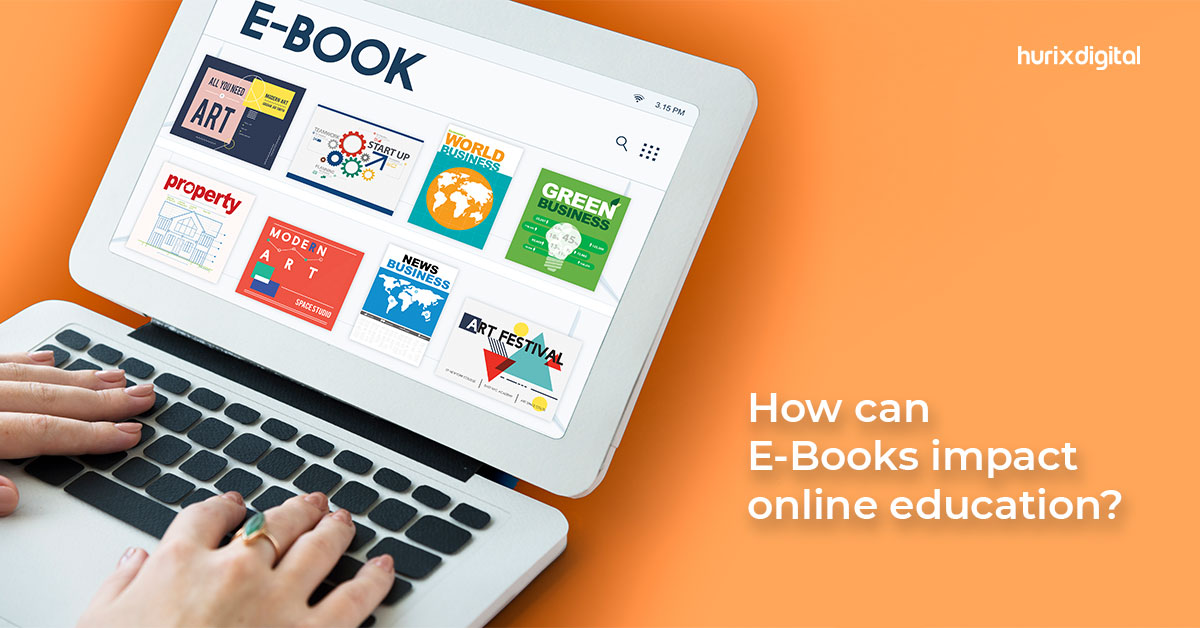
[vc_row][vc_column][vc_column_text]We are now in the digital stage of education. Gone are the days of students having to lug around huge backpacks filled with books. Today, students worldwide can access all the knowledge they need from the palm of their hand, and eBooks have made this possible.  Online learning platforms rely heavily on eBooks as they are a popular means of learning among students and educators alike. Statisticians project that the number of eBook users worldwide will hit the 1 billion mark in 2023.  To that end, this blog will dive deep into how eBooks can impact online education and how they revolutionize our learning. How Are eBooks Impacting Online Education? eBooks are undoubtedly one of the best online learning solutions in use today. Here are a few areas where they are helping make vast advancements in online education: Improved Access to Education Worldwide eBooks have opened the doors of education to the world regardless of where students have easy access to course material, irrespective of location.  Moreover, they go a long way in bridging the education gap between students from privileged backgrounds and those from weaker socio-economic backgrounds.  eBooks are also easy to translate into multiple languages, which further helps break down language barriers and level the playing field for education no matter how diverse the student population is.  eBooks Provide Unmatched Flexibility Unlike traditional textbooks, online learning platforms provide unmatched flexibility by being accessible from anywhere and anytime.  Students no longer have to wait for the school library to open if they need access to additional material to aid their studies. This is a boon for students with mobility challenges.  Another reason eBooks are the most flexible online learning solutions available today is their multi-device compatibility. Students can access eBooks from any smart device they own with an active internet connection.  eBooks Provide an Immersive Learning Experience Unlike traditional textbooks, online learning platforms can design eBooks with various interactive features, such as vivid pictures, detailed illustrations, animations, videos, and more. These features go a long way in making a subject more engaging and also help students to retain information better.  This diverse range of learning mediums makes it easier for students to understand complex subjects and can benefit students who respond better to audio-visual learning than reading.  eBooks Can Provide Personalized Learning Personalized learning is one of the most significant benefits of online learning solutions such as an eBook.  Traditional learning methods, i.e., a classroom setting with textbooks, were, up until now, a one size fits all solution. But unfortunately, this teaching method only worked best for some students.  Online learning platforms can design eBooks customized to provide personalized lessons and assessments based on each student’s learning ability, reading style, and interests.  This type of learning can be altered to increase in complexity just enough to challenge the students rather than overwhelm them as they progress, which can be a significant motivating factor for them.  eBooks Provide Better Accessibility Traditional textbooks could never meet the specialized needs of students with visual impairments or other learning or cognitive disabilities.  Online learning platforms can design eBooks compatible with assistive tech, such as screen readers, capable of reading text aloud, which is a game changer for students with visual impairments.  eBooks also allow students to increase font sizes or change the font or background color, which can significantly help students with partial visual impairments such as color blindness. The choice of increasing the font size can be of benefit to all students, disabled or not.  eBooks Are Eco-Friendly and Cost-Effective Let’s face it; traditional textbooks are not eco-friendly. For example, paper is sourced from trees, and the amount of water used to make the paper can be considered criminal in today’s eco-conscious society. And let’s not forget the carbon footprint of printing and distributing textbooks all across the country or the world.  This is where eBooks are a more eco-friendly online learning solution. Of course, one could argue that smart devices are not eco-friendly, but there is a difference.  One smart device can replace all the textbooks a student needs, not just for that one year of learning but for as many years as required. eBooks can be updated quickly, so there is no longer the need to reprint and distribute new textbooks with updated information every few years.  This can be a massive cost-saving for schools and governments alike, and those funds can be better invested in improving this revolutionary technology further.  eBooks Can Be Used to Track Individual Student Progress eBooks can track student progress and performance, providing teachers with real-time data on how well students understand the subject and where they may struggle. Online learning platforms can also design eBooks to track student engagement through activities such as note-taking and highlighting, thus providing further insights into a student’s engagement levels.  In addition, eBooks can be integrated with other online learning solutions, such as a Learning Management System (LMS), which can provide teachers with more detailed data on student performance.  These features can help teachers understand where students need additional assistance and even give students a clear idea of where to focus their efforts.  Summing It Up eBooks are great online learning solutions that revolutionize how we approach education. They offer a multitude of benefits that traditional textbooks can’t match.  From improved accessibility for people with disabilities to personalized learning and interactive features, eBooks have the potential to make the learning experience more engaging, efficient, and effective. Let’s not forget the analytics and tracking capabilities that online learning platforms can integrate into eBooks which can have the ability to provide teachers and students alike valuable insights into their performance and progress.  So, next time you consider picking up a traditional textbook, give eBooks a try instead. It just might change the way you learn forever. Hurix Digital’s Digital Content Transformation Services are ideal for educational institutions that want to modernize their learning materials and stay ahead of the competition.  Our team of experts will work with you to transform