Quick Tips for Large-Scale Flash to HTML5 Migration

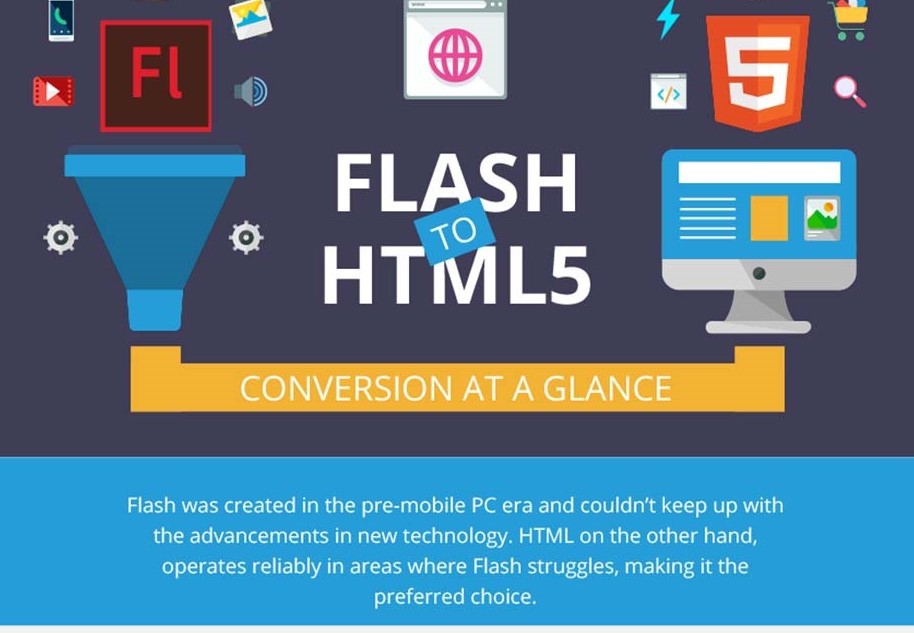
[vc_row][vc_column][vc_custom_heading text=”Why the rush to convert Flash to HTML5?” font_container=”tag:h1|font_size:18|text_align:left” google_fonts=”font_family:Lato%3A100%2C100italic%2C300%2C300italic%2Cregular%2Citalic%2C700%2C700italic%2C900%2C900italic|font_style:900%20bold%20regular%3A900%3Anormal” css=”.vc_custom_1586186330185{margin-top: 0px !important;margin-bottom: 0px !important;border-top-width: 0px !important;border-bottom-width: 0px !important;padding-top: 0px !important;padding-bottom: 10px !important;}”][vc_column_text]Here are some quick tips for large-scale Flash to HTML5 migration. Adobe has announced its decision to stop supporting Flash at the end of the year 2020. What this means is that if your eLearning courses contain Flash animations, they will no longer work. But this does not mean that all is lost. You can still salvage your Flash eLearning content by converting it into HTML5. Adobe Flash was once the trusted tool for creating eLearning content. However, with the coming of age of other authoring tools that provide more functionality, ease of use, flexibility and other advantages, Flash could no longer keep pace, necessitating the company to discontinue its use. In fact, the death knell for Flash was sounded when Apple founder, Steve Jobs decided not to use it in any of his iOS devices. Most major browsers have already blocked Flash or are set to block it by the year end. Flash has several limitations which make it incompatible for today’s needs, it is not compatible with mobiles, has several security issues and drains battery power. Besides, Flash was created for the PC era. In the age of the mobile, it fell short on several other counts such as openness, touch, poor quality of third-party development tools, and performance. These factors combined have made Flash obsolete, and Adobe has itself announced that it will discontinue Flash by the end of this year. In this scenario, what do you do with your Flash-based eLearning content? The answer is to convert them to the more popular coding languages of today. While several developers have shifted to HTML, CSS and Javascript, HTML5 has emerged as the language of choice for the flexibility it offers in creating eLearning content of all types whether it is animations, ads, apps or any other type of content. HTML5-based content can be viewed on all platforms such as laptops, PCs, tablets and mobile devices. Here, in this blogpost, we discuss the migration process and tips to convert Flash eLearning content into HTML5.[/vc_column_text][vc_custom_heading text=”What is HTML5?” font_container=”tag:h2|font_size:18|text_align:left” google_fonts=”font_family:Lato%3A100%2C100italic%2C300%2C300italic%2Cregular%2Citalic%2C700%2C700italic%2C900%2C900italic|font_style:900%20bold%20regular%3A900%3Anormal” css=”.vc_custom_1586181873010{margin-top: 0px !important;margin-bottom: 0px !important;border-top-width: 0px !important;border-bottom-width: 0px !important;padding-top: 0px !important;padding-bottom: 10px !important;}”][vc_column_text]Hypertext Markup Language, or HTML, is a markup language used by the World Wide Web. The 5 at the end means that it is the fifth generation of the HTML standard. HTML5 is the coding language of choice for developers because it can be used to create responsive content that can be properly viewed on all types of reader platforms.[/vc_column_text][vc_custom_heading text=”Why convert your Flash content into HTML5?” font_container=”tag:h3|font_size:18|text_align:left” google_fonts=”font_family:Lato%3A100%2C100italic%2C300%2C300italic%2Cregular%2Citalic%2C700%2C700italic%2C900%2C900italic|font_style:900%20bold%20regular%3A900%3Anormal” css=”.vc_custom_1586186047568{margin-top: 0px !important;margin-bottom: 0px !important;border-top-width: 0px !important;border-bottom-width: 0px !important;padding-top: 0px !important;padding-bottom: 10px !important;}”][vc_column_text]You may already have eLearning content in the Flash format. However, given that it will become defunct by the year end, there is an urgent need to convert it into HTML5. By doing this, you will not only be able to salvage your existing content, but you will also make it mobile-ready. There are several advantages of making your content mobile ready. For one, your users can access it anytime, while stationary or on the move. Besides, most people now search for and consume information on their smartphones, so it is important to provide them eLearning content that is mobile-friendly. And secondly, the content will be responsive, which means that it will automatically adjust to the screen size of the device on which it is viewed. Also, audio and video files do not take too much time to load. With responsive content, you can create improved navigation paths to make your content more immersive and engaging. Finally, by converting Flash into HTML5, you can prevent your existing eLearning content from becoming obsolete. While some browsers have already deactivated plug-ins for Flash, others will do it by the end of the year. Click on the infographic below to learn all you need to know about Flash to HTML5 at a glance. [/vc_column_text][vc_custom_heading text=”Tips to convert your Flash content into HTML5″ font_container=”tag:h3|font_size:18|text_align:left” google_fonts=”font_family:Lato%3A100%2C100italic%2C300%2C300italic%2Cregular%2Citalic%2C700%2C700italic%2C900%2C900italic|font_style:900%20bold%20regular%3A900%3Anormal” css=”.vc_custom_1586186060535{margin-top: 0px !important;margin-bottom: 0px !important;border-top-width: 0px !important;border-bottom-width: 0px !important;padding-top: 0px !important;padding-bottom: 10px !important;}”][vc_column_text]This is a good time to evaluate your existing content and separate the relevant from the non-relevant. There may be some course content, program, application or asset that you wish to retire. Once this is done, see whether the course material you have retained needs to be updated or redesigned from the start or if there is a part of it which can be directly converted to HTML5 without any major change. A lot will depend on how many animations and Flash files you have in your existing content. An important thing to point out here is that you can convert your Flash content into HTML5 only if you still have your source files. In case you don’t have them, you will need to redesign your content into the new HTML5 format from the scratch. Once you have evaluated and earmarked the Flash content that you wish to convert into HTML5, the next step is to create a cross-reference list that will help you track your conversion process. As said above, you can convert Flash to HTML5 only if you have your source files for Flash content. So, the next step is to locate your source files which the developers will use to convert the eLearning course. Next, identify the tools you used to create the Flash content. Was it Articulate Storyline, Adobe Captivate or Adobe Animate? Check whether you can use your existing development tools to convert Flash into HTML5. If yes, then do a pilot conversion and see if the content is responsive and runs smoothly on all readers and platforms. In case, some portion does not run smoothly on all mediums, you will have to revamp it or even write a new code altogether. If you don’t have the tools to convert Flash into HTML5, you may use services of third-party eLearning content developers to help you


Anand Kumar March 27, 2020 No Comments

Why Is Online Learning Moving from Flash to HTML5?

[vc_row][vc_column][vc_column_text]This blog talks about reasons online learning is updating the content from Flash to HTML5 Developing effective e-learning solutions involves factoring in a lot of variables to arrive at a model that is best suited to your requirements. There are a host of tools, software, programming languages available to developers to choose from, but when it comes to creating interactive online learning solutions, the choice usually narrows down to two alternatives – Adobe Flash and HTML5. Until recently, Flash was the most popularly used tool for authoring e-learning courses or training programs, thanks to its scope to incorporate engaging animations, immersive graphics, and interactive features. However, with tablets and smartphones emerging as the preferred medium for accessing these learning materials and fewer devices supporting Flash, HTML5 is emerging as a go-to alternative for most developers. That said, there is still a section that is resisting the idea of converting Flash to HTML5, primarily because they are well-versed and more comfortable using Flash. Also, with Flash slated to be discontinued by the end of 2020, there is an urgent need to convert Flash-based content to HTML5.[/vc_column_text][vc_custom_heading text=”How is HTML5 better than Flash? ” font_container=”tag:h1|font_size:18|text_align:left” google_fonts=”font_family:Lato%3A100%2C100italic%2C300%2C300italic%2Cregular%2Citalic%2C700%2C700italic%2C900%2C900italic|font_style:900%20bold%20regular%3A900%3Anormal” css=”.vc_custom_1585317283769{margin-top: 0px !important;margin-bottom: 0px !important;border-top-width: 0px !important;border-bottom-width: 0px !important;padding-top: 0px !important;padding-bottom: 10px !important;}”][vc_column_text]To consider converting Flash to HTML5, you need to be certain that one is better than the other. For that, it’s important to decipher how Flash and HTML5 work: Flash: This tool has been around a lot longer than the counterpart it’s competing with today. For the longest time, if you saw interactive elements not just in online courses but on any website, it meant looking at Flash content. Just because it has reigned supreme all these years doesn’t necessarily mean it is the best available option. That is because Flash stores all interactive content in containers that are delivered using the Flash Player plug-in. Since these containers cannot be tweaked as per the requirements of the platform that they are being accessed on, the content is displayed the same way on a desktop PC as well as a smartphone or tablet. This hinders the responsiveness of the e-learning content. HTML5: On the other hand, HTML5 generates interactive content using pure code, which means the content here isn’t pre-created and stored. Instead, it is built on coded characteristics that a browser uses to render the content as a page is loaded. This fundamental difference allows HTML5 to create pages that can behave differently, as per the device they are being accessed from. Based on this one marked difference, HTML5 becomes the more robust alternative to Flash in the following ways: Mobile-Friendly:User trends indicate that soon the number of mobile users will outgrow the number of desktop users worldwide. With Flash lacking the ability to make interfaces mobile-friendly, it results in subpar mobile user experience. On the other hand, HTML5 is a mobile-ready tool that allows e-learning content to behave differently on different devices. Support Across Browsers:Even the most well-rounded e-learning solutions can fall flat if they aren’t displayed effectively on certain browsers. Converting Flash to HTML5 takes that concern out of the equation, as the latter offers cross-browser support. Enhanced Interactions: HTML5 allows you to build truly responsive solutions that allow the learners to connect with the content. With this tool, you can create online learning modules that are dynamic and make the learner feel like a part of the story that unfolds on their screens. Improved Storage: HTML5 comes with local storage support that facilitates the running of e-learning apps and modules without the need for third-party plug-ins like the Flash Player. This not only results in better storage but also ensures more efficient data security. [/vc_column_text][vc_custom_heading text=”How does HTML5 enhance the eLearning content? ” font_container=”tag:h2|font_size:18|text_align:left” google_fonts=”font_family:Lato%3A100%2C100italic%2C300%2C300italic%2Cregular%2Citalic%2C700%2C700italic%2C900%2C900italic|font_style:900%20bold%20regular%3A900%3Anormal” css=”.vc_custom_1585317399982{margin-top: 0px !important;margin-bottom: 0px !important;border-top-width: 0px !important;border-bottom-width: 0px !important;padding-top: 0px !important;padding-bottom: 10px !important;}”][vc_column_text]Interactive elements such as compelling graphics and quality animations are the pre-requisites for effective e-learning content. Here’s how HTML5 supersedes Flash in enhancing your e-learning content such that it remains effective across devices and platforms: Builds Mass Appeal: Irrespective of demographics, people today are keener to use their smartphones and tablets to consume content of any kind. HTML5 can help you create learning material that is responsive, can intuitively adapt to different screen sizes, and be optimized for handheld devices with the help of meta tags. Promotes Learning On The Go: Upskilling can be a priority for employees as well as organizations. However, time constraints can often come in the way of leveraging the full potential of e-learning for skill development. HTML5 helps you navigate that stumbling block with e-learning content that can be accessed from anywhere, at any time. Customized Course Content: The flexibility offered by HTML5 accords you the scope to tailor employee training content as per user preferences and demographics. Besides, since no plug-in or third-party software is needed to run the content created with HTML5, the content flow is more seamless. This, in itself, is reason enough to consider converting Flash to HTML5. Responsiveness: Cross-domain support, adaptability, and responsiveness of these e-learning modules can motivate your target audience to sign up for more courses, as the content is not hindered by limitations of devices, platforms, browsers, and so on. More Interactive Content: While Flash supports the integration of a wide cross-section of multimedia, its effectiveness can be restricted due to lack of plug-in installation at the learners’ end. Most people are put off by the idea of searching for applications and plug-ins to access a course material optimally. This drawback can be eliminated with code based HTML5. As audios, videos, graphics, and animations play more seamlessly, the learning process becomes more organic. Gamified Learning: Converting Flash to HTML5 can facilitate the use of gamified learning and enhance the interactivity of e-learning programs. HTML5 publishing tools for e-learning such as iSpring, Camtasia Studio, Articulate Storyline, and Adobe Captivate can be used to create gaming modules that can run seamlessly across devices. [/vc_column_text][vc_row_inner css=”.vc_custom_1572956227964{margin-top: 0px !important;margin-bottom: 0px !important;border-top-width: 0px !important;border-bottom-width: 0px !important;background-color: #dee7f0 !important;}”][vc_column_inner width=”2/3″ css=”.vc_custom_1572956198356{margin-top: 30px !important;margin-right: 0px !important;margin-bottom: 0px !important;margin-left:

Anand Kumar March 20, 2020 No Comments

10 Reasons Why You Need a Mobile Learning Management System 

[vc_row][vc_column][vc_column_text]This blog talks about 10 Reasons Why Enterprises Need a Mobile LMS (Learning Management System) With more than 3.5 billion smartphone users around the world, it is safe to say that we are living in a mobile world. In corporate L&D teams, smartphones have become essential, as baby boomers slowly make way for the millennials and Gen Y. That is the reason there is a growing demand for mobile learning management systems. After all, early adopters of mobile LMS have understood that learning shouldn’t be enforced, but flexible and on-demand.[/vc_column_text][vc_custom_heading text=”Let’s look at the top reasons why you might need a mobile LMS for your workforce. ” font_container=”tag:h1|font_size:18|text_align:left” google_fonts=”font_family:Lato%3A100%2C100italic%2C300%2C300italic%2Cregular%2Citalic%2C700%2C700italic%2C900%2C900italic|font_style:900%20bold%20regular%3A900%3Anormal” css=”.vc_custom_1584712323181{margin-top: 0px !important;margin-bottom: 0px !important;border-top-width: 0px !important;border-bottom-width: 0px !important;padding-top: 0px !important;padding-bottom: 10px !important;}”][vc_custom_heading text=”1. Everyone is Going Mobile” font_container=”tag:h2|font_size:18|text_align:left” google_fonts=”font_family:Lato%3A100%2C100italic%2C300%2C300italic%2Cregular%2Citalic%2C700%2C700italic%2C900%2C900italic|font_style:900%20bold%20regular%3A900%3Anormal” css=”.vc_custom_1584712454858{margin-top: 0px !important;margin-bottom: 0px !important;border-top-width: 0px !important;border-bottom-width: 0px !important;padding-top: 0px !important;padding-bottom: 10px !important;}”][vc_column_text]According to RCR Wireless News, the global mobile workforce is expected to be 1.87 billion people by 2022. There is a tectonic shift in primary work devices as the workforce moves towards more portable and smaller devices for their convenience and flexibility. In such a scenario, a mobile LMS is a way to make learning on-demand, even without an internet connection. This will allow your workforce to access learning anytime and from anywhere.[/vc_column_text][vc_custom_heading text=”2. Flexibility” font_container=”tag:h2|font_size:18|text_align:left” google_fonts=”font_family:Lato%3A100%2C100italic%2C300%2C300italic%2Cregular%2Citalic%2C700%2C700italic%2C900%2C900italic|font_style:900%20bold%20regular%3A900%3Anormal” css=”.vc_custom_1584712538325{margin-top: 0px !important;margin-bottom: 0px !important;border-top-width: 0px !important;border-bottom-width: 0px !important;padding-top: 0px !important;padding-bottom: 10px !important;}”][vc_column_text]Another vested power of mobile phones is the flexibility they provide users. A mobile LMS gives users the flexibility to learn on the go rather than being tied down to their laptop or desktop. It spares employees from carrying around the company’s laptops and bring their own personal devices for training and learning. According to a study by Gartner, 70% of on-the-go professionals tended to business needs on their personal mobile devices in 2018.[/vc_column_text][vc_custom_heading text=”3. Encourages JIT Learning” font_container=”tag:h2|font_size:18|text_align:left” google_fonts=”font_family:Lato%3A100%2C100italic%2C300%2C300italic%2Cregular%2Citalic%2C700%2C700italic%2C900%2C900italic|font_style:900%20bold%20regular%3A900%3Anormal” css=”.vc_custom_1584712662434{margin-top: 0px !important;margin-bottom: 0px !important;border-top-width: 0px !important;border-bottom-width: 0px !important;padding-top: 0px !important;padding-bottom: 10px !important;}”][vc_column_text]Since almost everyone uses smartphones and keep them handy, mobile LMS can encourage Just-In-Time (JIT) learning. JIT learning is a modern approach that promotes need-relate training to employees, when and where they need it. Since it is available with or without an internet connection, it can act as the go-to place for JIT learning.[/vc_column_text][vc_custom_heading text=”4. Tracking and Reporting” font_container=”tag:h2|font_size:18|text_align:left” google_fonts=”font_family:Lato%3A100%2C100italic%2C300%2C300italic%2Cregular%2Citalic%2C700%2C700italic%2C900%2C900italic|font_style:900%20bold%20regular%3A900%3Anormal” css=”.vc_custom_1584712744558{margin-top: 0px !important;margin-bottom: 0px !important;border-top-width: 0px !important;border-bottom-width: 0px !important;padding-top: 0px !important;padding-bottom: 10px !important;}”][vc_column_text]You can’t improve what you can’t measure, an adage that is so true to the learning and development function. Learning effectiveness is often calculated based on the data and feedback garnered through reporting. A mobile LMS is great to track results since it is equipped with an online tracking mechanism, similar to a more traditional LMS. It can create reports on top learners, active users, and other learning metrics. This information can then be presented to the management for reviewing the success of training programs, improving the quality of course material and identifying the areas of improvement. Related: How to Create and Deliver the Best Custom Employee Training Program[/vc_column_text][vc_custom_heading text=”5. Native apps” font_container=”tag:h2|font_size:18|text_align:left” google_fonts=”font_family:Lato%3A100%2C100italic%2C300%2C300italic%2Cregular%2Citalic%2C700%2C700italic%2C900%2C900italic|font_style:900%20bold%20regular%3A900%3Anormal” css=”.vc_custom_1584712930336{margin-top: 0px !important;margin-bottom: 0px !important;border-top-width: 0px !important;border-bottom-width: 0px !important;padding-top: 0px !important;padding-bottom: 10px !important;}”][vc_column_text]One of the biggest advantages of a mobile LMS is its offline mode that allows learners to use their offline time in learning new courses or accessing training materials. Mobile users can download the content on their device and access it as many times as they want. The app is able to track the progress through a simple authentication process and is synced to the backend, whenever the app is connected to the internet. For your workforce, it means continuous learning and seamless experience.[/vc_column_text][vc_custom_heading text=”6. Retention” font_container=”tag:h2|font_size:18|text_align:left” google_fonts=”font_family:Lato%3A100%2C100italic%2C300%2C300italic%2Cregular%2Citalic%2C700%2C700italic%2C900%2C900italic|font_style:900%20bold%20regular%3A900%3Anormal” css=”.vc_custom_1584713023103{margin-top: 0px !important;margin-bottom: 0px !important;border-top-width: 0px !important;border-bottom-width: 0px !important;padding-top: 0px !important;padding-bottom: 10px !important;}”][vc_column_text]In a connected, multi-screened world, learners have several options when it comes to the consumption of content. The screens are as varied as the content that is consumed through them, and a by-product of such diversity is the decreasing attention span of the audiences. A Mobile LMS makes for a better case than other forms because it is available on a screen that people use the most. Mobile LMS uses all multimedia to its advantage. The platform provides the creators to use numerous engaging forms of media to convey the information and make the learning process interesting. Accessibility, combined with the multimedia features of mobile LMS, almost guarantees the retention of information.[/vc_column_text][vc_custom_heading text=”7. Increases Engagement” font_container=”tag:h2|font_size:18|text_align:left” google_fonts=”font_family:Lato%3A100%2C100italic%2C300%2C300italic%2Cregular%2Citalic%2C700%2C700italic%2C900%2C900italic|font_style:900%20bold%20regular%3A900%3Anormal” css=”.vc_custom_1584713126144{margin-top: 0px !important;margin-bottom: 0px !important;border-top-width: 0px !important;border-bottom-width: 0px !important;padding-top: 0px !important;padding-bottom: 10px !important;}”][vc_column_text]Mobile LMS increases engagement by allowing employees to access, learn, and interact with different types of content when and where they want. A well-developed solution uses gamification, interactive videos, and microlearning to make the entire training experience a delight. It makes learning more impactful and a preferred choice for all types of users.[/vc_column_text][vc_custom_heading text=”8. Relevant and Personal” font_container=”tag:h2|font_size:18|text_align:left” google_fonts=”font_family:Lato%3A100%2C100italic%2C300%2C300italic%2Cregular%2Citalic%2C700%2C700italic%2C900%2C900italic|font_style:900%20bold%20regular%3A900%3Anormal” css=”.vc_custom_1584713201630{margin-top: 0px !important;margin-bottom: 0px !important;border-top-width: 0px !important;border-bottom-width: 0px !important;padding-top: 0px !important;padding-bottom: 10px !important;}”][vc_column_text]Mobile LMS offers unmatched personalization and relevance based on the user’s preferences. It focuses on targeted learning through advanced features like voice-based searches and search patterns to deliver a personalized and relevant learning experience for each user. What’s more, voice-based searches allow users to get just-in-time answers to all the questions.[/vc_column_text][vc_custom_heading text=”9. Stay Ahead of the Curve” font_container=”tag:h2|font_size:18|text_align:left” google_fonts=”font_family:Lato%3A100%2C100italic%2C300%2C300italic%2Cregular%2Citalic%2C700%2C700italic%2C900%2C900italic|font_style:900%20bold%20regular%3A900%3Anormal” css=”.vc_custom_1584713270868{margin-top: 0px !important;margin-bottom: 0px !important;border-top-width: 0px !important;border-bottom-width: 0px !important;padding-top: 0px !important;padding-bottom: 10px !important;}”][vc_column_text]Contrary to popular belief, mobile LMS is not a thing of the future but a thing to stay ahead of the curve. When connected with advanced wearable technologies like augmented reality and virtual reality, it can open endless possibilities of providing an unmatched learning experience. It is by far the most advanced learning technology available in today’s time.[/vc_column_text][vc_custom_heading text=”10. Cost-effective” font_container=”tag:h2|font_size:18|text_align:left” google_fonts=”font_family:Lato%3A100%2C100italic%2C300%2C300italic%2Cregular%2Citalic%2C700%2C700italic%2C900%2C900italic|font_style:900%20bold%20regular%3A900%3Anormal” css=”.vc_custom_1584713344018{margin-top: 0px !important;margin-bottom: 0px !important;border-top-width: 0px !important;border-bottom-width: 0px !important;padding-top: 0px !important;padding-bottom: 10px !important;}”][vc_column_text css=”.vc_custom_1584716046989{margin-bottom: 5px !important;}”]Online training has its own benefits when it comes to costs since it saves travel expenses, venue hire and catering in addition to the fee of facilitators and training material like stationary. Moreover, online training can be re-used and updated without

Anand Kumar March 18, 2020 No Comments

How to Enhance Your Existing Corporate Training Programs

[vc_row][vc_column][vc_column_text]In these highly challenging times, your business cannot standstill and neither can your corporate training programs. You need to constantly upgrade the knowledge and skills of your employees to retain them in the long run and also stay relevant in the competition. And one way to achieve this is to constantly enhance your corporate training programs. Modern technology has simplified the process of creating online corporate training programs. Here are some reasons why you should continuously enhance your corporate training- Relevant training leads to happy employees, who are more likely to stick around in the organization Employees stay abreast of the industry changes with constant skill development With constant upskilling, you can fill mid-level and senior roles with internal talent Corporate training is valuable when it is done right, using the best practices to impart knowledge. It may be that you already have existing training content. So, instead of designing a new training program, you can enhance your existing corporate training program to suit your current needs.[/vc_column_text][vc_custom_heading text=”Here, in this post, we look at some steps you can take to enhance your existing corporate training programs. ” font_container=”tag:h1|font_size:18|text_align:left” google_fonts=”font_family:Lato%3A100%2C100italic%2C300%2C300italic%2Cregular%2Citalic%2C700%2C700italic%2C900%2C900italic|font_style:900%20bold%20regular%3A900%3Anormal” css=”.vc_custom_1584542217032{margin-top: 0px !important;margin-bottom: 0px !important;border-top-width: 0px !important;border-bottom-width: 0px !important;padding-top: 0px !important;padding-bottom: 10px !important;}”][vc_custom_heading text=”1. Use an LMS” font_container=”tag:h2|font_size:18|text_align:left” google_fonts=”font_family:Lato%3A100%2C100italic%2C300%2C300italic%2Cregular%2Citalic%2C700%2C700italic%2C900%2C900italic|font_style:900%20bold%20regular%3A900%3Anormal” css=”.vc_custom_1584537956101{margin-top: 0px !important;margin-bottom: 0px !important;border-top-width: 0px !important;border-bottom-width: 0px !important;padding-top: 0px !important;padding-bottom: 10px !important;}”][vc_column_text]Your employees are now busier than ever. Marking out time for training can be difficult when they are already walking a tight rope balancing a range of activities that demand their time and attention. It is therefore important that you make your learning more flexible and accessible. One way to go about this is to host all your learning and development content on a cloud-based Learning Management System (LMS). An LMS is an easy-to-use option to upload, disburse and update your existing training content. Your employees can login from anywhere and anytime and take the training as per their own convenience.  While choosing an LMS, consider one that offers features such as a user-friendly interface, authoring tools, content management tools, and reporting and tracking tools.[/vc_column_text][vc_row_inner css=”.vc_custom_1572956227964{margin-top: 0px !important;margin-bottom: 0px !important;border-top-width: 0px !important;border-bottom-width: 0px !important;background-color: #dee7f0 !important;}”][vc_column_inner width=”2/3″ css=”.vc_custom_1572956198356{margin-top: 30px !important;margin-right: 0px !important;margin-bottom: 0px !important;margin-left: 20px !important;border-right-width: 0px !important;padding-right: 0px !important;}”][vc_column_text]Guide: How to Choose the Right LMS for Your Business [/vc_column_text][/vc_column_inner][vc_column_inner width=”1/3″ css=”.vc_custom_1572956165932{margin-top: 30px !important;margin-right: 20px !important;margin-bottom: 30px !important;margin-left: 0px !important;border-left-width: 0px !important;padding-left: 0px !important;}”][button size=”mediumlarge_rd_bt” use_icon=”yes” icon_color=”#ffffff” t_color=”#ffffff” b_color=”#f55744″ b_hover_color=”#3ac77f” url=”https://stag.hurix.com/how-to-guides/how-to-choose-right-lms-for-business/” target=”yes” position=”ta_right” icon=”wb-download”]Download Now![/button][/vc_column_inner][/vc_row_inner][vc_custom_heading text=”2. Create Mobile-Friendly Content” font_container=”tag:h2|font_size:18|text_align:left” google_fonts=”font_family:Lato%3A100%2C100italic%2C300%2C300italic%2Cregular%2Citalic%2C700%2C700italic%2C900%2C900italic|font_style:900%20bold%20regular%3A900%3Anormal” css=”.vc_custom_1584538048579{margin-top: 0px !important;margin-bottom: 0px !important;border-top-width: 0px !important;border-bottom-width: 0px !important;padding-top: 0px !important;padding-bottom: 10px !important;}”][vc_column_text]All working individuals today have a smartphone which they use to access all types of content. You can enhance your existing content by making it mobile-friendly. This can be done by creating microlearning content. As the name suggests, microlearning refers to content that is packaged in small bites. Here are Microlearning Design Techniques for a Great Learning Experience. Your employees can access these micro nuggets on their phones, tablets, or any other device of their choice. Let us assume you have a very lengthy training PDF file on a subject. You can break down the content into small sub-sections and for each sub-section, create a micro nugget, around 3 to 5 minutes long. This micro nugget provides to-the-point information about a particular subject. Microlearning is a great way to provide instant performance support. It is ideal for time-challenged employees and it also prevents cognitive overload. Learn How to Implement Microlearning in Corporate Training[/vc_column_text][vc_custom_heading text=”3. Use Digital Tools to Create Interactive Content” font_container=”tag:h2|font_size:18|text_align:left” google_fonts=”font_family:Lato%3A100%2C100italic%2C300%2C300italic%2Cregular%2Citalic%2C700%2C700italic%2C900%2C900italic|font_style:900%20bold%20regular%3A900%3Anormal” css=”.vc_custom_1584538149217{margin-top: 0px !important;margin-bottom: 0px !important;border-top-width: 0px !important;border-bottom-width: 0px !important;padding-top: 0px !important;padding-bottom: 10px !important;}”][vc_column_text]You can breathe new life into your existing content by repackaging it using digital technology. Content in the form of audio, video, graphics, infographics, and presentations is more immersive and engaging. Besides, you can also use tools and techniques such as gamification, virtual reality and augmented reality to make online corporate training more relevant and contextual. Learn Everything You Must Know Before Selecting Gamification Services. With digital tools, you can convert linear learning into an interactive experience. Instead of being passive absorbers of information, your employees will be active participants in the learning journey.[/vc_column_text][vc_custom_heading text=”4. Incorporate Blended Learning” font_container=”tag:h2|font_size:18|text_align:left” google_fonts=”font_family:Lato%3A100%2C100italic%2C300%2C300italic%2Cregular%2Citalic%2C700%2C700italic%2C900%2C900italic|font_style:900%20bold%20regular%3A900%3Anormal” css=”.vc_custom_1584538277714{margin-top: 0px !important;margin-bottom: 0px !important;border-top-width: 0px !important;border-bottom-width: 0px !important;padding-top: 0px !important;padding-bottom: 10px !important;}”][vc_column_text]While learning at your own pace has its advantages, the role of the instructor and the importance of peer interaction cannot be overlooked. There are certain skills that are best taught in person, for example, operating hardware equipment. Blended learning, as the name suggests, blends traditional classroom learning with online learning techniques. This form of training delivery combines Instructor-Led Training (ILT) with regular eLearning. The instructor does not have to be present at a physical location but can deliver the training using an online platform. The participants too, can access the training from their own location. Another form of blended learning is where the instructor uses online resources in a classroom to supplement the lesson. Learn How Enterprises Get Better Training ROI with Blended Learning Solutions.[/vc_column_text][vc_custom_heading text=”5. Make Use of Online Resources” font_container=”tag:h2|font_size:18|text_align:left” google_fonts=”font_family:Lato%3A100%2C100italic%2C300%2C300italic%2Cregular%2Citalic%2C700%2C700italic%2C900%2C900italic|font_style:900%20bold%20regular%3A900%3Anormal” css=”.vc_custom_1584538363666{margin-top: 0px !important;margin-bottom: 0px !important;border-top-width: 0px !important;border-bottom-width: 0px !important;padding-top: 0px !important;padding-bottom: 10px !important;}”][vc_column_text]Another way to enhance your existing corporate training programs is to make the best use of online resources. You can hyperlink your content to the online resource, for example, a YouTube video, a PDF article or a presentation. This saves you time in creating your own teaching resources. And the time thus saved, can be utilized in more constructive interactions with the learners. Here are 5 Ways to Create Effective Interactive Training Content.[/vc_column_text][vc_custom_heading text=”6. Use Communication Tools” font_container=”tag:h2|font_size:18|text_align:left” google_fonts=”font_family:Lato%3A100%2C100italic%2C300%2C300italic%2Cregular%2Citalic%2C700%2C700italic%2C900%2C900italic|font_style:900%20bold%20regular%3A900%3Anormal” css=”.vc_custom_1584538458885{margin-top: 0px !important;margin-bottom: 0px !important;border-top-width: 0px !important;border-bottom-width: 0px !important;padding-top: 10px !important;padding-bottom: 0px !important;}”][vc_column_text]In today’s dispersed workplaces, it can be difficult to design courses that serve both in-house and remote employees. If you are using an LMS to develop and deploy your corporate training program, you can leverage a host of communication tools such as emails, live chats, forums, message boards, social media etc., to allow your employees to share their opinions and experiences to a wide audience. These communication

Gamification – The Secret Sauce for Employee Engagement?

[vc_row][vc_column][vc_column_text]In this blog we talk about why gamification for employee engagement is the secret sauce to better learning experiences and engagement. Technology today has a strong influence on all aspects of the society. In the context of learning, it has given rise to the concept of gamification, or learning through games. Gamification is seen to increase learner motivation and engagement, capture their interest to continuous learning, and also influencing their classroom behaviour. This is because it makes the learning experience more enjoyable and effective.  Science too, supports gamification in eLearning. It has been scientifically proven that when we participate in activities such as sports and games, we release hormones known as endorphins which stimulate both our bodies and minds. Applying the principle to eLearning, gamification is a form of activity-based learning that challenges learners to achieve a particular goal, and on achieving it, gain a reward, which can be in the form of recognition or the opportunity to move to the next level. During such activity when the hormones endorphins are released, the learners are not only more stimulated, but they also feel a sense of achievement. They not only have more fun during the learning process but also tend to retain knowledge in the long run. Here are Top 10 Advantages of Game-Based Learning. This is why gamification is important to learners – it creates a sense of excitement and a feeling of accomplishment. This in turn, adds to the motivation and make the learning experience more powerful and enduring. Gamification is, thus, the secret ingredient for employee engagement, providing them with a host of benefits.[/vc_column_text][vc_custom_heading text=”Here are the top benefits of gamification in employee engagement ” font_container=”tag:h1|font_size:18|text_align:left” google_fonts=”font_family:Lato%3A100%2C100italic%2C300%2C300italic%2Cregular%2Citalic%2C700%2C700italic%2C900%2C900italic|font_style:900%20bold%20regular%3A900%3Anormal”][vc_custom_heading text=”1. Increases Learner Engagement: ” font_container=”tag:h2|font_size:18|text_align:left” google_fonts=”font_family:Lato%3A100%2C100italic%2C300%2C300italic%2Cregular%2Citalic%2C700%2C700italic%2C900%2C900italic|font_style:900%20bold%20regular%3A900%3Anormal” css=”.vc_custom_1583223336863{margin-top: 0px !important;margin-bottom: 0px !important;border-top-width: 0px !important;border-bottom-width: 0px !important;padding-top: 0px !important;padding-bottom: 5px !important;}”][vc_column_text]With gamification you can create eLearning courses that can fully engage your employees. Here are 7 Reasons Why You Should Revamp Your Old eLearning Courses. Gamified learning consists of learning that is divided into many levels. Each level has its own end learning goal, presented in the form of an activity or a challenge, which the employees have to overcome. The level also has multiple branching scenarios, enabling employees to make a choice and pursue a certain direction and then retrace their footsteps till they reach the right course of action. They thus learn by trial and error, and change paths to achieve the right set of goals. Gamification holds their attention, stimulates their curiosity and urges them on their learning journey, towards a reward that awaits them at successful completion. So, with gamification, employees transform from passive participants to active participants. By doing, they are effectively able to absorb the information and commit to long-term memory. Also, since the whole learning experience is favourable, there is less resistance to exploring new pastures. Here all you need to know about Gamification in the Workplace: Design, Development, And Implementation.[/vc_column_text][vc_custom_heading text=”2. Makes Learning More Interactive:” font_container=”tag:h2|font_size:18|text_align:left” google_fonts=”font_family:Lato%3A100%2C100italic%2C300%2C300italic%2Cregular%2Citalic%2C700%2C700italic%2C900%2C900italic|font_style:900%20bold%20regular%3A900%3Anormal” css=”.vc_custom_1583223352895{margin-top: 0px !important;margin-bottom: 0px !important;border-top-width: 0px !important;border-bottom-width: 0px !important;padding-top: 0px !important;padding-bottom: 5px !important;}”][vc_column_text]Gamification adds an element of fun and excitement to the learning process. In a traditional classroom setting, learners are merely passive absorbers of information and so their attention is likely to wane over a period of time. And so, in case you have a variety of learning goals and outcomes, your employees are unlikely to achieve them if they are not motivated about what they are learning. Gamification helps to overcome the monotony since it is an interactive process – learners learn through doing rather than sponging up information. This creates a sense of immersion with the process, making them feel like a part of the overall learning process rather than just taking in a ring-side view. Learn How to Create Online Course Modules for Employee Training[/vc_column_text][vc_custom_heading text=”3. Improves Retention: ” font_container=”tag:h2|font_size:18|text_align:left” google_fonts=”font_family:Lato%3A100%2C100italic%2C300%2C300italic%2Cregular%2Citalic%2C700%2C700italic%2C900%2C900italic|font_style:900%20bold%20regular%3A900%3Anormal” css=”.vc_custom_1583223386832{margin-top: 0px !important;margin-bottom: 0px !important;border-top-width: 0px !important;border-bottom-width: 0px !important;padding-top: 0px !important;padding-bottom: 5px !important;}”][vc_column_text]Gamification involves the use of audio visual elements to make learning a multisensory experience. It is believed multi-sensory experiences are more likely to be retained to long-term memory, which means learning will be retained for longer duration. So, gamification not only improves employee engagement, it also improves knowledge absorption and retention. Learn Is Gamified Learning More Effective in the Modern Workplace[/vc_column_text][vc_custom_heading text=”4. More Connected to The Real world: ” font_container=”tag:h2|font_size:18|text_align:left” google_fonts=”font_family:Lato%3A100%2C100italic%2C300%2C300italic%2Cregular%2Citalic%2C700%2C700italic%2C900%2C900italic|font_style:900%20bold%20regular%3A900%3Anormal” css=”.vc_custom_1583223432311{margin-top: 0px !important;margin-bottom: 0px !important;border-top-width: 0px !important;border-bottom-width: 0px !important;padding-top: 0px !important;padding-bottom: 5px !important;}”][vc_column_text]Gamification involves the use of technologies such as artificial intelligence (AI), augmented reality (AR) and virtual reality (AR), apart from the use of audio, video, graphics, etc. These digital technologies are used to bring alive real-world situations, which makes the learning more practical and contextual. For example, gamified learning can be about pitching for sales in the real-world. Learners can experience first-hand the consequences of the choices they make within the game. These choices will result in either consequences or rewards. If they don’t fare well, they face consequences, which is that they don’t progress to the next level and they have to try out alternative scenarios of dealing with the situation. With gamification, you give them the chance to explore a topic at length in a virtual and risk-free environment. Then, when they venture out in the actual world, they are less prone to making the mistakes they have made during the learning process. Learn How to Setup Effective Game-Based Learning for Enterprises.[/vc_column_text][vc_custom_heading text=”5. Provides an Enhanced Learning Experience: ” font_container=”tag:h2|font_size:18|text_align:left” google_fonts=”font_family:Lato%3A100%2C100italic%2C300%2C300italic%2Cregular%2Citalic%2C700%2C700italic%2C900%2C900italic|font_style:900%20bold%20regular%3A900%3Anormal” css=”.vc_custom_1583223471511{margin-top: 0px !important;margin-bottom: 0px !important;border-top-width: 0px !important;border-bottom-width: 0px !important;padding-top: 0px !important;padding-bottom: 5px !important;}”][vc_column_text]Regardless of how simple or complex your learning goals, the overall learning experience is much more effective if your employees are excited about learning. Gamification ensures that even the dullest subject matter can be absorbed more easily. Without even realizing it, the learners absorb the information and so knowledge absorption becomes the by-product of the process rather than the primary objective. Gamification removes the stress involved with learning – the learners are too busy having fun that they don’t realize that the learning has actually taken

Anand Kumar February 19, 2020 No Comments

Infographic: Flash To HTML5 Conversion at a Glance

[vc_row][vc_column][vc_custom_heading text=”Here’s everything you need to know about flash to html5 conversion” font_container=”tag:h1|font_size:16|text_align:left” google_fonts=”font_family:Lato%3A100%2C100italic%2C300%2C300italic%2Cregular%2Citalic%2C700%2C700italic%2C900%2C900italic|font_style:900%20bold%20regular%3A900%3Anormal”][/vc_column][vc_column][vc_single_image image=”23636″ img_size=”full” alignment=”center”][vc_column_text] For more insights write to us at marketing@hurix.com You may also like: How to Convert Flash to HTML5 at Scale 5 Reasons Why You Should Convert Flash to HTML5 Best Content Authoring Tools for Flash to HTML5 Conversion Time to Migrate eLearning Courses from Flash to HTML5 How to Convert your Content from Flash to HTML5? [/vc_column_text][vc_column_text] Don’t forget to share this infographic! [/vc_column_text][vc_row_inner][vc_column_inner width=”1/4″][vc_single_image image=”23652″ img_size=”50×50″ alignment=”center” onclick=”custom_link” img_link_target=”_blank” animation=”rda_flash” link=”https://www.facebook.com/sharer/sharer.php?u=https%3A//hurix.com/infographic-flash-to-html5-conversion/”][/vc_column_inner][vc_column_inner width=”1/4″][vc_single_image image=”23649″ img_size=”50×50″ alignment=”center” onclick=”custom_link” img_link_target=”_blank” animation=”rda_flash” link=”https://twitter.com/intent/tweet?text=Infographic%3A%20Flash%20To%20HTML5%20Conversion%20at%20a%20glance%20via%20%40hurix_digital”][/vc_column_inner][vc_column_inner width=”1/4″][vc_single_image image=”23651″ img_size=”50×50″ alignment=”center” onclick=”custom_link” img_link_target=”_blank” animation=”rda_flash” link=”https://pinterest.com/pin/create/button/?url=https%3A//hurix.com/infographic-flash-to-html5-conversion/&media=https%3A//hurix.com/wp-content/uploads/2020/02/Flash_to_HTML5_Conversion_at_a_glance.jpg&description=”][/vc_column_inner][vc_column_inner width=”1/4″][vc_single_image image=”23650″ img_size=”50×50″ alignment=”center” onclick=”custom_link” img_link_target=”_blank” animation=”rda_flash” link=”https://www.linkedin.com/shareArticle?mini=true&url=https%3A//hurix.com/infographic-flash-to-html5-conversion/&title=Infographic%3A%20Flash%20To%20HTML5%20Conversion%20at%20a%20glance&summary=&source=”][/vc_column_inner][/vc_row_inner][vc_column_text]For more process infographic templates, visit venngage.com[/vc_column_text][/vc_column][/vc_row]

Anand Kumar February 5, 2020 No Comments

10 Best LMS Solutions to Consider for Employee Training

[vc_row][vc_column][vc_column_text]Professional development opportunities are one of the most important things that employees seek from their employers. That is why it is absolutely critical to invest in the best LMS solutions available in the market. However, selecting the right LMS software can be an overwhelming experience, especially with so many LMS vendors.[/vc_column_text][vc_custom_heading text=”To help you select the best LMS solutions, here is our list of the top LMS providers.” font_container=”tag:h1|font_size:18|text_align:left” google_fonts=”font_family:Lato%3A100%2C100italic%2C300%2C300italic%2Cregular%2Citalic%2C700%2C700italic%2C900%2C900italic|font_style:900%20bold%20regular%3A900%3Anormal” css=”.vc_custom_1580903863713{margin-top: 0px !important;margin-bottom: 0px !important;border-top-width: 0px !important;border-bottom-width: 0px !important;padding-top: 0px !important;padding-bottom: 10px !important;}”][vc_custom_heading text=”1. TalentLMS” font_container=”tag:h2|font_size:18|text_align:left” google_fonts=”font_family:Lato%3A100%2C100italic%2C300%2C300italic%2Cregular%2Citalic%2C700%2C700italic%2C900%2C900italic|font_style:900%20bold%20regular%3A900%3Anormal” css=”.vc_custom_1580902147175{margin-top: 0px !important;margin-bottom: 0px !important;border-top-width: 0px !important;border-bottom-width: 0px !important;padding-top: 0px !important;padding-bottom: 10px !important;}”][vc_column_text]TalentLMS is one of the best LMS solutions for both small and big companies alike. A cloud-based, mobile-ready application, it comes with exhaustive, user-friendly course management, learning delivery, and administrative management modules. It allows the user to author courses, foster collaboration, engage learners, evaluate the performance of the enrolled staff and monitor the progress of your training. TalentLMS can be configured according to users’ needs and includes features that let them create bespoke learning paths. This implies that users can set certain rules on course completion or selected classes. The platform also comes with a comprehensive REST-API tool and integration support to allow seamless connectivity between diverse business systems within an organization.[/vc_column_text][vc_custom_heading text=”2. Litmos LMS” font_container=”tag:h2|font_size:18|text_align:left” google_fonts=”font_family:Lato%3A100%2C100italic%2C300%2C300italic%2Cregular%2Citalic%2C700%2C700italic%2C900%2C900italic|font_style:900%20bold%20regular%3A900%3Anormal” css=”.vc_custom_1580902313428{margin-top: 0px !important;margin-bottom: 0px !important;border-top-width: 0px !important;border-bottom-width: 0px !important;padding-top: 0px !important;padding-bottom: 10px !important;}”][vc_column_text]With over 1 million users, SAP Litmos is a popular LMS solution for corporate training providing opportunities to staff, customers and channel partners to upskill. It comes packed with several features that help build online courses, assessments as well as gamification. Litmos is a SCORM-certified platform and hosts several reporting tools and customizable dashboards for enhanced course management. Here’s How to Create a SCORM Compliant Course on a Budget. Litmos can also help customers and partners to stay informed about business policies and compliance. It works well on smartphones and tablets as well, so that users can complete training on the go. It also boasts of a messaging system for continuous communication, ILT module for hands-on training, and a feedback tool for future course improvement.[/vc_column_text][vc_custom_heading text=”3. Looop” font_container=”tag:h2|font_size:18|text_align:left” google_fonts=”font_family:Lato%3A100%2C100italic%2C300%2C300italic%2Cregular%2Citalic%2C700%2C700italic%2C900%2C900italic|font_style:900%20bold%20regular%3A900%3Anormal” css=”.vc_custom_1580902368890{margin-top: 0px !important;margin-bottom: 0px !important;border-top-width: 0px !important;border-bottom-width: 0px !important;padding-top: 0px !important;padding-bottom: 10px !important;}”][vc_column_text]Looop is the best LMS for tech-averse users since it lets you create, share or edit training without any technical know-how. It automatically designs and formats courses for mobile based on the inputs provided by the users. It lets users customize the learning environment, and has a series of handy features such as automated invitations, RSVP tracking, meet-ups, etc. Its intuitive features like drag and drop text, images, videos, and links make course creation a breeze. Here’s a list of the 8 LMS Options to Enable Online Course Creation for your Employees. Looop is a cloud based LMS that lets users track and analyze team performance, garner feedback and generate detailed performance reports on teams, individuals, etc. First-time users can take advantage of the free trial of the solution or quickly sign up for a demo to get up to speed with the LMS.[/vc_column_text][vc_custom_heading text=”4. Hurix Digital” font_container=”tag:h2|font_size:18|text_align:left” google_fonts=”font_family:Lato%3A100%2C100italic%2C300%2C300italic%2Cregular%2Citalic%2C700%2C700italic%2C900%2C900italic|font_style:900%20bold%20regular%3A900%3Anormal” css=”.vc_custom_1580902417926{margin-top: 0px !important;margin-bottom: 0px !important;border-top-width: 0px !important;border-bottom-width: 0px !important;padding-top: 0px !important;padding-bottom: 10px !important;}”][vc_column_text]Hurix Digital provides a cloud-based employee training solution used by numerous users who want to unify, virtual and mobile training experiences. This award-winning platform called Kitaboo Insight  lets users create accessible, intuitive and engaging content with corporate branding and theme. It fosters collaboration by letting trainees and trainers communicate and colloborate. In addition to robust, multilingual support, Hurix Digital also lets its users customize the LMS according to the organization-specific training workflows and user hierarchy. Users can host the training on either Hurix-managed AWS cloud-based hosting or any internal cloud. With data security a top priority, enterprises can create a seamless training experience catering to the needs of new-gen users. Related: Custom LMS- An Effective Way to Transform Employee Training[/vc_column_text][vc_custom_heading text=”5. Canvas” font_container=”tag:h2|font_size:18|text_align:left” google_fonts=”font_family:Lato%3A100%2C100italic%2C300%2C300italic%2Cregular%2Citalic%2C700%2C700italic%2C900%2C900italic|font_style:900%20bold%20regular%3A900%3Anormal” css=”.vc_custom_1580902467603{margin-top: 0px !important;margin-bottom: 0px !important;border-top-width: 0px !important;border-bottom-width: 0px !important;padding-top: 0px !important;padding-bottom: 10px !important;}”][vc_column_text]Canvas is an open-source software that is quickly gaining popularity among small and medium-sized businesses. The LMS is developed by Instructure Inc and has several simple yet intuitive features like web conferencing, customized course creation, audio and video messaging. The platform also has advanced reporting features to provide deep insights to users on the progress of the trainees. Here’s How to Create Online Course Modules for Employee Training. Canvas has a highly flexible interface, often overwhelming its first-time users. Its advanced analytics feature and innovative assessment solutions make it easy for users to create data-driven courses.[/vc_column_text][vc_column_text][/vc_column_text][vc_custom_heading text=”6. iSpring Learn” font_container=”tag:h2|font_size:18|text_align:left” google_fonts=”font_family:Lato%3A100%2C100italic%2C300%2C300italic%2Cregular%2Citalic%2C700%2C700italic%2C900%2C900italic|font_style:900%20bold%20regular%3A900%3Anormal” css=”.vc_custom_1580902523978{margin-top: 0px !important;margin-bottom: 0px !important;border-top-width: 0px !important;border-bottom-width: 0px !important;padding-top: 0px !important;padding-bottom: 10px !important;}”][vc_column_text]iSpring Learn is a robust LMS solution known for its ability to streamline employee training and development. It can assist users in onboarding new hires, employee assessment and product training for every department. With iSpring Learn, trainees have the flexibility to access the training material from all types of devices, including smartphones, laptops, and tablets. The powerful platform allows users to customize the branding based on their company’s requirements and offers various API integrations for a seamless flow of data. To make things more interesting for trainees, iSpring Learn also provides badges for completion of training.[/vc_column_text][vc_custom_heading text=”7. Docebo” font_container=”tag:h2|font_size:18|text_align:left” google_fonts=”font_family:Lato%3A100%2C100italic%2C300%2C300italic%2Cregular%2Citalic%2C700%2C700italic%2C900%2C900italic|font_style:900%20bold%20regular%3A900%3Anormal” css=”.vc_custom_1580902570736{margin-top: 0px !important;margin-bottom: 0px !important;border-top-width: 0px !important;border-bottom-width: 0px !important;padding-top: 0px !important;padding-bottom: 10px !important;}”][vc_column_text]A cloud hosted LMS, Docebo is popular for its integrated system of features and interface. This platform is backed by artificial intelligence to provide automation in learning management, personalize learning experiences for each student, and facilitate informal classes for businesses. To integrate with other business tools, Docebo has open API tools to make the integration easy as a breeze. Docebo is considered the best LMS available for online training. It can create mobile-friendly courses that are device-agnostic. Additionally, it also offers a unique blend of social learning initiatives, making it possible for users to encourage participation. Related: Is a Mobile-First Content Delivery Platform the Future of LMS[/vc_column_text][vc_custom_heading text=”8. Adobe Captivate Prime” font_container=”tag:h2|font_size:18|text_align:left” google_fonts=”font_family:Lato%3A100%2C100italic%2C300%2C300italic%2Cregular%2Citalic%2C700%2C700italic%2C900%2C900italic|font_style:900%20bold%20regular%3A900%3Anormal” css=”.vc_custom_1580902614609{margin-top: 0px