The Business Benefits of Digital Content Testing

[vc_row][vc_column][vc_custom_heading text=”What is digital content testing?” font_container=”tag:h1|font_size:18|text_align:left” google_fonts=”font_family:Lato%3A100%2C100italic%2C300%2C300italic%2Cregular%2Citalic%2C700%2C700italic%2C900%2C900italic|font_style:900%20bold%20regular%3A900%3Anormal” css=”.vc_custom_1614352691627{margin-top: 0px !important;margin-bottom: 0px !important;border-top-width: 0px !important;border-bottom-width: 0px !important;padding-top: 0px !important;padding-bottom: 10px !important;}”][vc_column_text]From retailers to corporate organizations, to small and mid-sized companies, – everyone today wants a share of the online content pie. As the result, the online space is crowded with millions of websites clamoring for attention. There is a need to stand out from the crowd and digital content helps to achieve just that. Content is your representative online that engages with your audience, build trust and enables successful business outcomes. Online media has also shifted power to the customer, driving businesses to offer customer-centric experiences to remain relevant. And customers will be loyal if they perceive you as a genuine brand offering the best products and services and following ethical practices at all times. Digital content in the form of text, videos, audio files, graphics, podcasts, webinars, blogs, social media posts and infographics is a means to connect and bond with your audience. Also Read: 9 Reasons Why You Should Adopt Digital Content Testing[/vc_column_text][vc_custom_heading text=”Here’s why businesses should opt for digital content testing-” font_container=”tag:h2|font_size:18|text_align:left” google_fonts=”font_family:Lato%3A100%2C100italic%2C300%2C300italic%2Cregular%2Citalic%2C700%2C700italic%2C900%2C900italic|font_style:900%20bold%20regular%3A900%3Anormal” css=”.vc_custom_1614352811636{margin-top: 0px !important;margin-bottom: 0px !important;border-top-width: 0px !important;border-bottom-width: 0px !important;padding-top: 0px !important;padding-bottom: 10px !important;}”][vc_column_text]With so much at stake, digital content testing becomes a must for your business. As the name suggests, digital content testing refers to the testing of all online content to ensure an optimal user experience. Customers are fickle – one small mistake and a few clicks of a mouse are all it takes to shift loyalties to your competitor. In the highly competitive online arena, it becomes important to adopt a systematic approach to testing digital content to reach and retain customers. As said above, digital content is a means to engage with the audience, address all their queries, set all doubts to rest and finally, direct them to take action. This said, even as businesses create data-driven content based on customer attitude and behavior, it is difficult to gauge which messaging hits the bullseye. Or for the matter, which form of content, that is, audio, demo video, infographics, or email campaigns works best with the audience? With the best tracking, analytics and reporting, brands may still fail to correctly interpret human behavior. Further, the behavior is constantly evolving, implying that the messaging that worked yesterday may not be relevant today. There is therefore, the constant need to monitor and test digital content to understand what your audience wants and how they react to the messages you promote. Digital content testing is a scientific approach to creating content that best resonates with your audience.[/vc_column_text][vc_custom_heading text=”Types of digital content testing strategies” font_container=”tag:h3|font_size:18|text_align:left” google_fonts=”font_family:Lato%3A100%2C100italic%2C300%2C300italic%2Cregular%2Citalic%2C700%2C700italic%2C900%2C900italic|font_style:900%20bold%20regular%3A900%3Anormal” css=”.vc_custom_1614352884125{margin-top: 0px !important;margin-bottom: 0px !important;border-top-width: 0px !important;border-bottom-width: 0px !important;padding-top: 0px !important;padding-bottom: 10px !important;}”][vc_column_text]Digital Media Testing Digital media provides businesses with effective and affordable means to test digital content with specific audiences. You may have rolled out an ad campaign to promote your products or services. Here is how to conduct digital media testing. First, set aside some budget for digital content testing. The minor amount spent on testing will ensure that your larger amount of budget on running the ad campaign provides full value for money. Determine the section of digital copies that you wish to test within your digital content testing strategy. For instance, you want to test a product against a lifestyle copy. The next step is to define an audience to test your digital content. The audience can be your social media followers, subscribers to a blog or newsletter, or members of your mailing list. Based on the number of creative copies you have, divide the audience into smaller groups and ensure that each user sees only one version of the ad. Use audience feedback to understand which digital content showed the best performance based on select variables. Apart from the creatives themselves, digital content testing will also provide insights into details such as color, font size, placement of call to actions, eye movement across the content etc. Digital content testing will help you gain insights into various aspects of your digital content. With this data in hand, you can identify the best ad creative to achieve maximum impact. Tracking and Analytics You may also conduct digital content testing of your website content. For instance, data tracking, reporting and analytics help you trace audience behavior on various pages of your website. You can gauge which page attracts the maximum eyeballs depending on the number of page visits and the time spent on it. You can use data to reimagine your content, for instance, shift from long paragraphs to bullet points, accompany step-by-step text instructions with demo videos etc. Data-driven testing of audience behavior helps you to tailor customer-centric content and activities. Questionnaires and Surveys The third strategy to test the effectiveness of digital content is surveys. You may ask your existing customers to take a short survey to gauge their reaction to your online content across platforms such as websites, blogs, and social media. To ensure greater participation in the survey, you can also offer some sort of rewards, for instance, a discount or cashback on the next purchase.  Design the survey to test digital content on various metrics such as creativity, content format, and presentation. You can then modify content on the responses.[/vc_column_text][vc_custom_heading text=”In conclusion” font_container=”tag:h4|font_size:18|text_align:left” google_fonts=”font_family:Lato%3A100%2C100italic%2C300%2C300italic%2Cregular%2Citalic%2C700%2C700italic%2C900%2C900italic|font_style:900%20bold%20regular%3A900%3Anormal” css=”.vc_custom_1614353005914{margin-top: 0px !important;margin-bottom: 0px !important;border-top-width: 0px !important;border-bottom-width: 0px !important;padding-top: 0px !important;padding-bottom: 10px !important;}”][vc_column_text]The role of content in the online environment cannot be overstated. Digital content is the face of your brand, it is your ability to engage the audience and turn them into loyal clients or customers. In any traditional setting, your human resources are at hand to support the customer in the engagement journey and identify and rectify any errors along the way. However, in the online space, even with the best strategies it is very difficult to completely predict and respond to customer behavior. Digital content is one of the primary means to engage with the audience and keep them hooked and loyal to the business.


Why Should Businesses Look for CPACC Certified Accessibility Service Providers

[vc_row][vc_column][vc_column_text]A World Health Organization research reports that approximately 15% of the world’s population experiences some form of disability. This figure reads 26% for adults in the US alone. People having any form of disability often struggle to access business websites and the services provided and therefore have a poor online browsing experience. The disability can range from hearing impairment, and visual impairment, to movement disabilities, and a non-accessible website will lead to a poor user experience for this section of the population.  Around 13.7% have a mobility disability Around 10.8% have a cognitive disability Around 5.9% have a hearing impairment Around 4.6% are visually impaired Around 10.5% have self-care or independent living difficulties (Source)[/vc_column_text][vc_custom_heading text=”Importance of accessibility” font_container=”tag:h1|font_size:18|text_align:left” google_fonts=”font_family:Lato%3A100%2C100italic%2C300%2C300italic%2Cregular%2Citalic%2C700%2C700italic%2C900%2C900italic|font_style:900%20bold%20regular%3A900%3Anormal” css=”.vc_custom_1628606432183{margin-top: 0px !important;margin-bottom: 0px !important;border-top-width: 0px !important;border-bottom-width: 0px !important;padding-top: 0px !important;padding-bottom: 10px !important;}”][vc_column_text]As we live in a digitally connected world, it becomes increasingly important for business owners to create an online presence that is accessible and inclusive. Business websites should be accessible to people with disabilities. This will not only help them comply with the rules and regulations but also increase their reach amongst people with disabilities.  As a business owner serving the public, you have to ensure that your business environment is accommodating to the disabled. Accessibility under the Americans with Disabilities Act (ADA) extends beyond the physical environment. Your website should be equally available and accessible to people who have physical limitations that keep them from accessing your site or are sight or hearing impaired. Only then your business website is considered to be fully ADA accessible website. Also Read: How to Make Your Website ADA/WCAG Compliant[/vc_column_text][vc_custom_heading text=”CPACC Certification” font_container=”tag:h2|font_size:18|text_align:left” google_fonts=”font_family:Lato%3A100%2C100italic%2C300%2C300italic%2Cregular%2Citalic%2C700%2C700italic%2C900%2C900italic|font_style:900%20bold%20regular%3A900%3Anormal” css=”.vc_custom_1628606506285{margin-top: 0px !important;margin-bottom: 0px !important;border-top-width: 0px !important;border-bottom-width: 0px !important;padding-top: 0px !important;padding-bottom: 10px !important;}”][vc_column_text]Certified Professional in Accessibility Core Competencies (CPACC) is a certification offered by the International Association of Accessibility Professionals (IAAP). The IAAP Certified CPACC credential is the foundation certification, representing broad, cross-disciplinary conceptual knowledge about disabilities, accessibility and universal design, and accessibility-related standards, laws, and management strategies.  There are various relevant domains for attaining the CPACC credential. Any domain in which thoughtful designing is required along with policy management that can improve disability access is a relevant domain. These include the web and other digital technologies, industrial and consumer experience design and the built-in environment and architecture of systems.  The CPACC certification requires successfully passing a computer-based exam with 100 multiple choice questions and a two-hour exam administration where additional time may be requested as an accommodation.(source)  For those who manage and support accessibility and want to create a digital presence for businesses that is accessible and inclusive, the CPACC is a must-have credential. Also Read: All You Need to Know to Ensure Web Accessibility[/vc_column_text][vc_custom_heading text=”Why should businesses look for CPACC certified accessibility service providers?” font_container=”tag:h3|font_size:18|text_align:left” google_fonts=”font_family:Lato%3A100%2C100italic%2C300%2C300italic%2Cregular%2Citalic%2C700%2C700italic%2C900%2C900italic|font_style:900%20bold%20regular%3A900%3Anormal” css=”.vc_custom_1628606584861{margin-top: 0px !important;margin-bottom: 0px !important;border-top-width: 0px !important;border-bottom-width: 0px !important;padding-top: 0px !important;padding-bottom: 10px !important;}”][vc_column_text]The need to make digital experiences accessible to everyone has become one of the main tenets of every business that wants to prosper through digital mediums. There are various laws and regulations stating that business websites should be equally accessible to everyone irrespective of their disabilities. Failing to comply with these laws and regulations can lead to potential risks of legal action, not to mention the damage it would cause to your brand image.  A CPACC certified accessibility service provider will help you build an inclusive digital presence for your business. A CPACC certified service provider will not only help you comply with accessibility laws but also help you reach a wider audience and contribute to your business growth. Businesses that make conscious efforts to create an inclusive and accessible presence, gain the trust and loyalty of their users. Also Read: How does Accessibility Testing Improve your Website Performance?[/vc_column_text][vc_custom_heading text=”Business benefits of accessibility” font_container=”tag:h4|font_size:18|text_align:left” google_fonts=”font_family:Lato%3A100%2C100italic%2C300%2C300italic%2Cregular%2Citalic%2C700%2C700italic%2C900%2C900italic|font_style:900%20bold%20regular%3A900%3Anormal” css=”.vc_custom_1628606643106{margin-top: 0px !important;margin-bottom: 0px !important;border-top-width: 0px !important;border-bottom-width: 0px !important;padding-top: 0px !important;padding-bottom: 10px !important;}”][vc_column_text]1. Abide by rules and avoid discrimination It is important to ensure that people with disabilities can enjoy equal access to information and the associated opportunities. In the ADA legislation, web accessibility is an accepted feature across the world as a means to avoid discrimination and provide access to information to all.  With the help of a CPACC certified accessibility service provider, business owners can create an inclusive digital space to avoid discrimination lawsuits and at the same time accommodate people with disabilities. 2. Reach a wider audience With some minor modifications, some thought to design and intelligent use of assistive technology, you can make your content inclusive and accessible to everyone irrespective of their disabilities. This can be easily achieved with the help of a CPACC certified professional.  Inclusive features such as closed captions and transcripts along with mobile-responsiveness to make navigation simple benefit everyone and not just those with disabilities. This will help users understand your business offerings better and eventually help your business grow.  3. Improves business reputation Today, people trust businesses that abide by ethical practices. An ethical brand image drives their loyalty. Customers prefer brands that make conscious efforts towards the betterment of the society and public welfare.  By ensuring an inclusive and accessible digital presence, you lay a strong foundation for your business. This leads to a positive brand image and people find it easy to trust your business offerings.  4. SEO benefits It is important to attain complete accessibility and inclusivity not only to increase your audience across geographies but also to ensure proper indexing by Google. A CPACC certified service provider helps your content reach higher positions in the search results. As Google delivers only the best search results to its users, search engine crawlers review and rank your website according to its usability and user experience.  5. User experience Ultimately, accessibility is about user experience. The user experience should be focused on serving people with and without disabilities equally. By compromising on the UX and not making your website accessible, you automatically exclude a large portion of your users having some form of disability.  Talking from the SERP ranking perspective, google crawlers rank websites with

Accessibility Testing: Top 5 Reasons Why Enterprises Need to Perform Accessibility Testing

[vc_row][vc_column][vc_column_text]The constantly evolving technology is significantly changing the way we live. However, there is not enough discussion happening around how we access this technology. It takes a great deal of effort to create a technological landscape that everyone can use or access.  For instance, if a website, app, or product is released in the market, it must be accessible by every individual, even those with special needs. This is where accessibility testing comes in. Accessibility testing helps enterprises ensure that their digital content is easy to access by people with and without disabilities. In this blog, we explore accessibility testing and the reasons it is important for enterprises.[/vc_column_text][vc_custom_heading text=”What is accessibility testing?” font_container=”tag:h1|font_size:18|text_align:left” google_fonts=”font_family:Lato%3A100%2C100italic%2C300%2C300italic%2Cregular%2Citalic%2C700%2C700italic%2C900%2C900italic|font_style:900%20bold%20regular%3A900%3Anormal” css=”.vc_custom_1622560618332{margin-top: 0px !important;margin-bottom: 0px !important;border-top-width: 0px !important;border-bottom-width: 0px !important;padding-top: 0px !important;padding-bottom: 10px !important;}”][vc_column_text]Accessibility testing refers to the practice of ensuring that the web/mobile applications are fully accessible for people with disabilities such as blindness, motor or cognitive impairments, or hearing problems. The process ensures that the content on the web is reachable to anyone without any barriers. Accessibility testing, in most cases, is considered a part of usability testing. As per World Wide Consortium (W3C), there are certain specific guidelines for accessibility testing, which can be classified under the following principles- Perceivable: Both the information and user interface should be presentable to users in a way they can easily perceive. For example- including alternate text for images Understandable: The content on the UI must be legible. For instance, there must be a meaningful message instead of just the color-driven instructions Operable: Navigation through the user interface must be easily accessible and operable. For example, keyboard navigation, where every link on the page must be accessible with a simple keyboard stroke. Robust: The UI content must be powerful enough so that it can be accessible for different users. For instance, accessibility of a website URL on the desktop, web as well as on mobile. [/vc_column_text][vc_custom_heading text=”Reasons why accessibility testing is important for enterprises” font_container=”tag:h2|font_size:18|text_align:left” google_fonts=”font_family:Lato%3A100%2C100italic%2C300%2C300italic%2Cregular%2Citalic%2C700%2C700italic%2C900%2C900italic|font_style:900%20bold%20regular%3A900%3Anormal” css=”.vc_custom_1622560726394{margin-top: 0px !important;margin-bottom: 0px !important;border-top-width: 0px !important;border-bottom-width: 0px !important;padding-top: 0px !important;padding-bottom: 10px !important;}”][vc_column_text]Accessibility testing not only allows enterprises to ensure that the application is accessible to everyone, but also offers several other benefits, as discussed below- 1. Better performance Accessibility testing can be seen as an overlapping concept of usability, aiming to improve the ease of use and user experience of a product or service.  For instance, there is a requirement by the web accessibility standards that the websites need to be entirely usable and navigable with only the keyboard (i.e., without the use of a mouse). While this largely benefits people with disabilities, making the website navigable simply with a keyboard also helps the business’s wider user base. Once all the navigational elements of your website are well thought through and organized in a strict hierarchy, it will help users across the board to locate the content they are looking for more easily. 2. Improves website SEO Creating an accessible website also makes the content more likely to be found by users by improving Search Engine Optimization (SEO). The main objective of SEO is to drive more traffic to your content by improving the website’s ranking in top search engines such as Google. But, in many cases, the goals of both web accessibility and SEO are aligned. Creating apps and websites with cleaner interfaces and easier navigation also helps you improve your bounce rate (the percentage of visitors who exit from your website after the only one-page visit).  3. Helps you write better-quality code Websites and applications that are created with accessibility in mind tend to have a better-quality codebase. This is largely because accessibility testing tools can also identify various errors that create general problems with its usability. The ability to write cleaner code leads to fewer bugs, a better user interface, and much faster loading times. For this reason, accessibility testing of websites should be seen as an investment in your codebase and the future of your enterprise. 4. Reaches a wider audience Accessibility testing or improving your website’s accessibility allows you to reach a much wider audience. This is because accessible content can be viewed and used in different ways including text alternatives, written transcripts, captions, keyboard navigation, resizable text, less distracting clutter, fewer timeouts and more. Such accessibility features are very helpful for people who are-  Not fluent in English Using the content in a mobile environment Suffering from temporary injuries Elderly with age-related decline  Adding features such as seamless support for mobile devices, transcripts, closed captions, and a clean, simple site design will generally benefit all users. 5. Enhanced quality Accessibility testing enhances the quality of the application manifolds. It helps in transcribing the sounds and music into easy descriptions for people with hearing disabilities. There are multiple tools available in the market for closed captioning. Captioned software typically contains text that easily transcribes the narration and offers descriptions of the sounds and music in the content. The software is not only useful for people with hearing difficulties, but also benefits people unfamiliar with the vocabulary and those who aren’t native speakers of the language used in the video. Closed captioning is a great way to improve the quality of your content by ensuring that the accurate message is sent to the user. And here’s a bonus reason which may not be business critical but just as important in the long run – Moral responsibility People with various kinds of impairments are an equal part of the larger society. This makes it a moral responsibility for enterprises to release software and applications that are easily accessible to them. Overall, building accessible products should be done in a collaborative environment where every stakeholder contributes and works in this direction. A designer needs to ensure the typography and design elements are appropriate for all users, developers need to make use of semantic HTML, whereas copywriters should write meaningful, screen reader-friendly content.[/vc_column_text][vc_custom_heading text=”To conclude” font_container=”tag:h3|font_size:18|text_align:left” google_fonts=”font_family:Lato%3A100%2C100italic%2C300%2C300italic%2Cregular%2Citalic%2C700%2C700italic%2C900%2C900italic|font_style:900%20bold%20regular%3A900%3Anormal” css=”.vc_custom_1622561286145{margin-top: 0px !important;margin-bottom: 0px !important;border-top-width: 0px !important;border-bottom-width: 0px !important;padding-top: 0px !important;padding-bottom: 10px

The Impact of Accessibility Solutions on User Experience

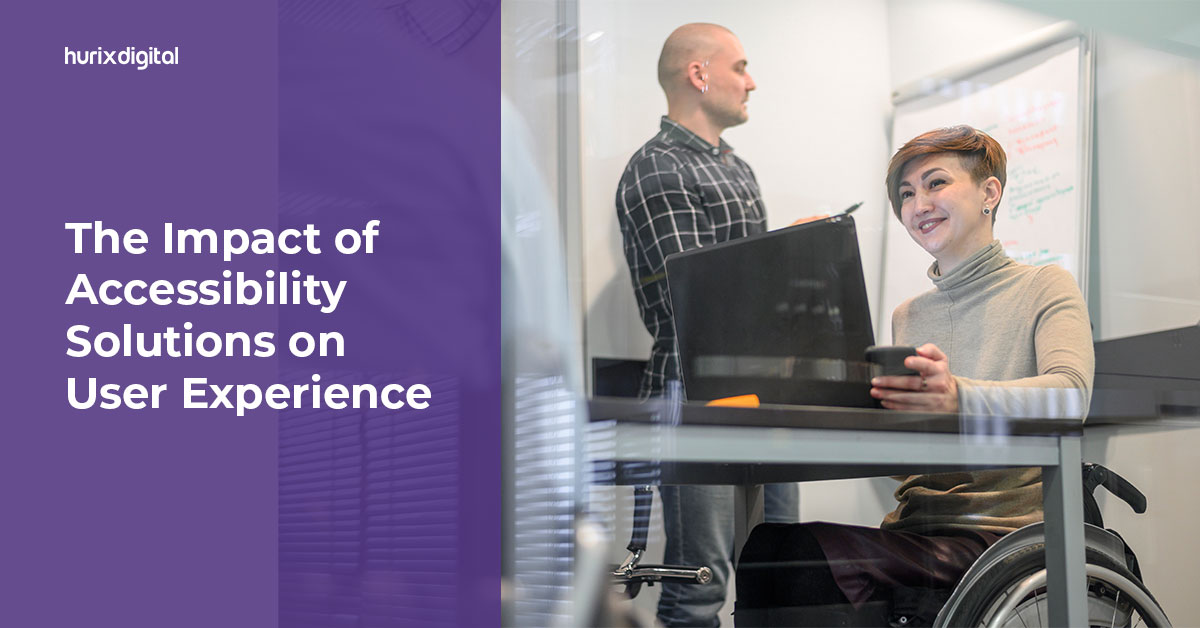
[vc_row][vc_column][vc_column_text]While constructing a new building, the architect must follow inclusive design solutions and ensure accessibility is integrated into the planning. Like including a ramp at the entrance of a building, accessibility solutions should also be considered when creating a website. Digital accessibility warrants inclusivity, ensuring that everyone who uses the digital space for various tasks like booking flights, online shopping, virtual meetings, restaurant reservation, etc., can do so quickly and conveniently. What is Digital Accessibility? The World Health Organization reports that 16% of the global population has a disability. Approximately 1.3 billion people worldwide face barriers to accessing basic infrastructure like transport or education.  Digital accessibility refers to designing and developing digital content and technologies accessible to all people, regardless of their disabilities or impairments. This comprises websites, software, mobile applications, and other digital products or services. Digital accessibility is an important consideration for a variety of reasons. Not only is it a legal requirement in many countries, but it also promotes social inclusion, increases user usability, and improves search engine optimization and overall user experience. Some common examples of digital accessibility are: Alternative text descriptions for images Captioning videos Using clear and simple language Using the right color contrast Designing easy-to-navigate interfaces Incorporating assistive technologies like screen readers Impact of Accessibility Solutions on User Experience Some commonly reported digital accessibility issues are the absence of alternative text for images, poor color contrast, inappropriate website hierarchy, ill-formatted form labels, usage of non-descriptive links, lack of keyboard accessibility, and much more. WebAIM reports that 31.3% of home pages globally do not have alternative texts. This absence of web accessibility solutions can severely impact the user experience.  Web accessibility greatly enhances and improves the user experience. Accessible digital content and technologies increase usability and functionality for all users, regardless of their abilities or impairments. When accessibility solutions are applied, users with disabilities can navigate and interact with digital content and technologies the same way as users without disabilities. Additionally, web accessibility solutions often lead to enhanced user engagement and satisfaction. For instance, captions for videos not only benefit people who are deaf but also make it easier for users in loud surroundings to understand the content. Similarly, larger font sizes and high-contrast color schemes help users with visual impairments, but they can also make content easier to read for users without visual impairments. Best Accessibility Design Solutions of 2023 There are many different web accessibility trends that can enhance the accessibility of websites, digital content, and technologies. Mentioned below are some of the best practices and inclusive design solutions: Images with Alternative Text Descriptions Providing descriptive text for images is essential for users who are blind or have low vision. It also benefits those who have images turned off or who are on slow internet connections. Keyboard Navigation Allowing users to navigate through digital content and technologies using only the keyboard is important for users with mobility impairments or who have difficulty using a mouse. For instance, you can assign an access key to a link or button to allow users to quickly jump to that element using a keyboard shortcut. Captioning and Transcripts Captions and transcripts provide essential access to audio and video content for users who are deaf or hard of hearing and those who prefer to read instead of listen. Several free and paid software options online can help create transcripts. High Contrast Color Schemes and Larger Font Sizes These features benefit users with visual impairments, as high color contrast makes the object more visible against the background. It also makes reading easy for people accessing digital content in dim lighting or small screens. Closed Captions and Audio Descriptions for Videos These features allow users who are blind or have low vision to access video content by providing audio descriptions of what is happening on screen.   Semantic Markup Semantically structured HTML helps screen readers and other assistive technologies understand the content better. Therefore, assistive technologies like screen readers not only perform text-to-speech functions, but they can also provide extra navigation controls for graphs or data tables, list the headings on a page, and much more.  Simplified and Concise Language Using clear and simple language is essential for users with cognitive impairments or who have difficulty understanding difficult language. For simplified language, use short sentences, avoid idioms, follow proper heading hierarchy, use descriptive links, etc.  Accessibility for Mobile Phones Smartphone users make up over 6 billion of the world’s population. Users shop online, consume and create content, attend telehealth appointments, and do much more on their smartphones. Therefore, accessibility solutions must also be designed for the mobile experience, from small-screen optimization to read-aloud features. Advantages of Web Accessibility Apart from enhancing the user experience, mentioned here are some additional advantages of digital accessibility: An expanded audience of a website or any web-based application Improved and strengthened search engine optimization (SEO) Avoidance of legal issues and penalties More diverse and inclusive brand reputation Increased sales and conversions Enhanced social responsibility Promotes innovation, new technologies, and design approaches Reduced costs in the long run Closing Thoughts The best accessibility solutions are rapidly evolving as new technologies and innovations emerge. It’s important to stay updated with the latest trends in web accessibility solutions and best practices to continually test digital products with users with disabilities to ensure they are accessible to all. If you want to make your content more accessible and user-friendly, contact us at HurixDigital. We are known to provide cutting-edge technology and digital solutions for all your problems. [/vc_column_text][/vc_column][/vc_row]

VPAT – What is it and How Should You Use It?

[vc_row][vc_column][vc_column_text]A VPAT, also regarded as a voluntary product accessibility template, is a document that enables a business or an organization to offer a thorough analysis of their compliance with the use of Section 508 of the Rehabilitation Act’s accessibility standards. Developed by the Information Technology Industry Council, VPAT makes it easier for contracting officials as well as buyers to make initial evaluations of IT products and services.  VPAT testing largely encourages vendors to prioritize accessibility features in their product development procedures.  The Web AIM Million Report, which looked at one million websites, found that each home page had an average of 50.8 detectable accessibility errors. If your goal is to secure a contract for providing ICT products and services in today’s age, keep in mind that the accessibility requirements will be stricter than before. Even if an ICT product or service is superior to those with Section 508 compliance certification, it cannot participate in federal procurement processes if it does not have VPAT accessibility. In this article, we will discuss VPAT compliance, from its importance to its uses.  Upsides of Using VPATs VPATs are beneficial not only for business organizations but also for individuals and government agencies. Here are some of the upsides of using VPATs: 1. Becoming More Accessible As more businesses and government agencies understand the value of accessibility, they are investing a lot of money into making their products usable by those with disabilities. Disability discrimination violates fundamental human rights; by using VPATs, organizations not only become inclusive but also grow their businesses rapidly.  Some of the biggest companies, like Apple, Microsoft, and Google, use VPATs because they know how much of an impact having appropriate documentation makes. Plus, this way, they prioritize producing devices and services that can be operated by everyone right from the start.  2. Avert Legal Action The risk of legal action under current federal and state laws can be reduced by carrying out an audit on the accessibility of your ICT products and services and creating a VPAT on the matter. Accessibility auditing helps identify potential obstacles that people with disabilities might face while using your products and services, and VPAT offers information on how to eliminate them.  How is VPAT Used? By now, it’s pretty evident that VPAT is a must for organizations to be inclusive and stand out from the competition. There are a variety of ways VPATs are used, as discussed below: VPATs are highly useful for people with disabilities – they can accurately determine if an organization has what it takes to live up to their needs. VPATs include all sorts of information about a product or service of an organization, making it easy for them to make well-informed decisions.  Organizations that use VPATs make a good impression on all sorts of audiences. It shows that they are committed to growth and accessibility and that they are inclusive of each of their audiences, irrespective of their abilities. Many government agencies also utilize VPATs during accessibility evaluation to understand which areas need more work.   How You Can Get a VPAT If your VPAT is inaccurate or incomplete, it might prevent you from submitting a winning proposal. Make sure your VPAT has all the required components by selecting a reputable digital accessibility vendor to prevent this. Here are the steps you will need to take: Step 1: Audit Your Accessibility You must be aware of the areas that need improvement before you get started with the VPAT process. Conduct a thorough audit and create a checklist to improve your web presence.  Step 2: Fill Out the Voluntary Product Accessibility Template Plenty of training courses available online can help you ace this step. By heading to the Information Technology Industry Council’s official website, you can get the latest voluntary product accessibility template and get started. You might want to consider appointing an expert for this step, as it’s a very extensive process. Some voluntary accessibility templates can be up to 10,000 pages long; only a person with technical knowledge and evaluation skills can handle this part.  Step 3: Maintain Integrity It’s highly crucial that you keep all the documents up to date and be honest regarding the data. Create a standardized procedure for testing accuracy and making changes. Step 4: Publish the VPAT Lastly, place a link to your VPAT on your official website or make sure it can be obtained upon request. Tips for Creating Effective VPATs All your efforts will go down the drain if your VPAT is not good enough. Follow the given tips to create effective VPATs: 1. Include Branding Make sure that the VPAT you have created includes the organization’s name, as it will help you establish credibility. It can further be utilized for promoting your organization’s commitment to accessibility.  2. Maintain Transparency If you decide to make any changes to the VPAT, make sure that you report the same. Update your VPAT document when you change your mind regarding any accessibility matters. Additionally, share the methods of evaluation you have used in the process, as it will give the audience a better understanding of your organization’s accessibility. 3. Include a Legal Disclaimer The inclusion of a legal disclaimer in VPAT will offer added protection to your organization. A standard legal disclaimer should include all the limitations related to the product or service’s accessibility.  Conclusion While creating a VPAT may be an extensive process that requires expertise and several resources, it’s highly beneficial for an organization in the long run. It assists people with disabilities in selecting the products and services that best suit their needs. In an age where inclusivity is a priority, VPAT certification is a must-have.  One can fill out VPAT by themselves, but experts highly recommend taking professional help. If you are in search of a prompt and thorough accessibility testing service, you might want to check out Hurix. We offer accessibility audits, 508 compliance testing, PDF testing, video accessibility, and more to allow organizations to create an all-inclusive web presence.

The Importance of Accessibility in eLearning: Strategies for Inclusive Training

[vc_row][vc_column][vc_column_text]With the rise of e-learning, accessibility solutions have become essential to ensuring inclusivity in online education. Accessibility in eLearning means creating educational content that is easily accessible to people with disabilities.  In addition, inclusive training is necessary to cater to the needs of a diverse group of learners, ensuring that everyone can learn and succeed on an even playing field.  In this blog, we’ll look at some best practices for accessibility in eLearning. Understanding Accessibility Accessibility in eLearning refers to making online educational content available to people with disabilities, such as the cognitively impaired, the visually impaired, or the deaf.  Making eLearning content accessible can provide significant benefits, including the opportunity for learners with disabilities to access educational material that they may not have been able to before. Additionally, accessibility solutions in education and learning can promote an inclusive learning environment and help ensure compliance with legal requirements for accessibility.  Though the laws and regulations related to accessibility in e-learning vary from country to country, the Web Content Accessibility Guidelines (WCAG) are a great starting point to work towards this.  Best Practices for Inclusive e-Learning Designing e-learning courses with accessibility in mind is the best way to ensure inclusivity. Below are some tips for creating accessible eLearning courses: Ensuring compatibility with assistive technologies:  Ensure your e-learning courses are compatible with assistive technologies such as screen readers, magnifiers, and Braille displays can help visually impaired learners the ability to access educational content.  Using simple language:  Using concise language is another best practice essential for accessibility. Avoid using complex or jargon-filled language that may be difficult for learners with cognitive disabilities to understand. Remember, not everyone has the luxury of a fancy education.  Providing multiple ways to access information: Providing various ways for anyone with disabilities to access content, such as via providing text-based and audio-based content in your courses, can greatly benefit learners with hearing disabilities. Similarly, Braille displays can do the same for visually impaired learners. Making multimedia content accessible is also crucial in creating inclusive e-learning. Here are some tips for creating accessible multimedia content: Adding captions and transcripts to videos: Adding closed captions and transcripts to videos can help deaf or hard-of-hearing learners access the content. It can also help learners who may not be able to listen to the audio, such as those in a noisy environment. Providing audio descriptions for visual elements: Audio descriptions are an excellent way to help visually impaired learners understand visual elements in multimedia content. They can be used to describe actions, scenery, and characters. Using appropriate color contrast for text and images: Using proper color contrast is crucial for readability. Ensure that there is sufficient contrast between the text and background color. Similarly, use appropriate color contrast between images and their background. Creating accessible assessments and evaluations is essential to ensure inclusivity in e-learning. Here are some tips for creating accessible assessments and evaluations: Providing alternative exam formats, such as Braille or large print, can help learners with visual impairments take exams. Allowing extra time for completion Allowing spare time for learners with disabilities can be helpful for them to complete exams and assessments. Providing multiple ways to respond Providing numerous ways for learners to respond to questions is crucial in inclusive assessments. For example, learners can be provided with multiple-choice questions, short-answer questions, and fill-in-the-blank questions. Tools and Resources for Accessibility Now we know how crucial ensuring accessibility in e-learning is. That being said, fortunately, there are many accessibility tools and resources available that can help you create accessible e-learning courses.  Here are some tools and resources for accessibility. Accessibility Tools that enable inclusive e-Learning Here is an overview of some accessibility tools that can help you create more accessible e-learning courses.  1. Screen Readers and Magnifiers Screen readers and magnifiers are assistive technologies that can help visually impaired learners access e-learning content. A screen reader is a software program that reads aloud the content displayed on the screen, while a magnifier magnifies the content on the screen.  These tools can be used to enlarge the text, change the color contrast, or even read the content aloud to learners with visual impairments. 2. Text-to-Speech Software Text-to-speech software is another assistive technology that can convert text-based content into audio content. This can be helpful for learners with hearing disabilities.  The software can read the text, and learners can listen to the content without reading it.  It can also be helpful for learners with difficulty reading or a learning disability. 3. Braille Displays Braille displays are another assistive technology that can help visually impaired learners access e-learning content. It uses small pins to create Braille characters, allowing learners with visual impairments to read the content in Braille.  Braille displays can be connected to computers, smartphones, and other devices to provide access to e-learning content. Accessibility Resources for e-Learning Here is an introduction to some of the accessibility resources that can help you create more accessible e-learning courses. 1. Web Content Accessibility Guidelines (WCAG) The WCAG is a set of guidelines developed by the World Wide Web Consortium (W3C) for creating accessible online content, including e-learning courses. The policies provide a framework for creating accessible content. It covers a wide range of topics, including color contrast, keyboard navigation, and audio and video content.  Following the WCAG can help ensure your e-learning courses are accessible to learners with disabilities. 2.  Accessible Rich Internet Applications (ARIA) ARIA is a set of guidelines developed by the W3C to help developers create accessible web applications, including e-learning applications.  ARIA provides additional information to assistive technologies such as screen readers and magnifiers, making it easier for learners with disabilities to access the content.  ARIA can enhance the accessibility of interactive elements in e-learning courses, such as quizzes and assessments. Summing It Up Ensuring inclusivity in e-learning through accessibility solutions is essential to cater to the needs of diverse learners. By creating accessible e-learning courses, we can ensure everyone can access educational content and succeed in their learning

Understanding WCAG Principles and Guidelines

[vc_row][vc_column][vc_column_text]If you are seeking to enhance your knowledge of web accessibility, then understanding the importance of WCAG website compliance is fundamental. In today’s digital age, the internet is a crucial aspect of daily life. That being said, a vast population suffers from some form of disability, making web accessibility even more critical. Web Content Accessibility Guidelines (WCAG) is a global set of standards that guides the designing and development of web content accessible to everyone, including those with disabilities. Compliance with WCAG is crucial for businesses, organizations, and governments to ensure that their websites and digital content are accessible to all. Non-compliance can have legal, financial, and reputational repercussions and negative impacts on customer satisfaction. This comprehensive guide aims to provide you with expert-level insights. It will help you gain valuable knowledge of the importance of web accessibility and the significance of WCAG compliance in today’s digital landscape. The Four Principles of WCAG Compliance WCAG guidelines are organized into four primary principles; implementing each is essential to ensure your website is accessible to everyone. 1. Perceivable The first principle, Perceivable, focuses on ensuring that web content is presented in a way that users with different abilities can perceive. This principle requires you to provide text alternatives for non-text content such as images, videos, and audio and ensure that the content is easy to read and understand. To implement it, use clear and concise language, provide descriptive headings, and ensure your content is structured logically. 2. Operable The second principle, Operable, ensures that users can navigate and interact with web content using various devices and input methods. This principle requires you to ensure your website is keyboard accessible, provide clear and consistent navigation, and avoid content that flashes or moves rapidly. To implement it, use meaningful link text, give a skip link to bypass repetitive content, and ensure that your website is compatible with assistive technologies such as screen readers.  3. Understandable The third principle, Understandable, is about ensuring that web content is presented in a way that is easy to understand. This principle requires you to use simple language, provide clear instructions and feedback, and avoid jargon and abbreviations. To implement it, use simple and familiar words, break down complex concepts into smaller pieces, and provide feedback on user actions. 4. Robust The fourth principle, Robust, focuses on ensuring that web content is compatible with a range of technologies and devices, both current and future. This principle requires you to use coding techniques that are widely supported, avoid proprietary technologies, and ensure that your website is compatible with the latest web standards. To implement it, use valid and semantic HTML, separate content from presentation, and ensure your website is responsive and works well on different devices. Following these guidelines and implementing each of the four principles of WCAG will ensure your website is accessible to people with disabilities. In addition, doing so can make your website more user-friendly, comply with legal requirements, and enhance your reputation as an inclusive and responsible business or organization. Testing Methods for WCAG website Compliance There are two main methods to test for WCAG website compliance: automated testing and manual testing. 1. Automated Testing Automated testing uses software tools to scan web pages automatically for potential accessibility issues. These tools can quickly identify problems such as missing alternative text for images, missing labels for form elements, and insufficient color contrast. 2. Manual Testing Manual testing involves testing web pages using assistive technologies, such as screen readers, to simulate the experience of users with disabilities. This method can identify issues that automated testing tools may miss, such as issues related to keyboard accessibility and screen reader compatibility. Tools and Resources for Testing There are many tools and resources available for testing web accessibility.  Automated Testing Tools  Web Accessibility Evaluation Tool (WAVE) Accessibility Insights for Web Axe Accessibility Browser Extension Manual Testing Tools  NVDA (NonVisual Desktop Access) Screen Reader VoiceOver Screen Reader JAWS (Job Access With Speech) Screen Reader Other Resources WCAG Quick Reference Guide WebAIM’s Accessibility Checklist ARIA (Accessible Rich Internet Applications) Authoring Practices Steps for Achieving WCAG website Compliance WCAG website compliance can be achieved by following a structured approach. The following steps can help you achieve this. Conduct an Accessibility Audit: The first step is to conduct an accessibility audit of your website to identify any accessibility issues that need to be addressed. This can be done either through automated or manual testing methods. Develop a Plan: Based on the results of the accessibility audit, develop a plan to address the accessibility issues. The plan should prioritize the issues based on their severity and user impact. Implement Accessibility Changes: Implement the changes identified in the plan to address the accessibility issues.  Test for Compliance: Once the accessibility changes have been implemented, test the website again for compliance. Use automated and manual testing methods to ensure the website meets WCAG guidelines. Publish an Accessibility Statement: Publish an accessibility statement on your website that describes your commitment to accessibility and the measures you have taken to make your website accessible to users with disabilities. Importance of Ongoing Maintenance and Updates Maintaining web accessibility is an ongoing process that requires regular updates and maintenance. New technologies, devices, and user needs may arise over time, requiring website updates. Additionally, website content is constantly changing, and it is crucial to ensure new content is accessible to users with disabilities. Ongoing maintenance and updates can help ensure that the website remains compliant with the WCAG guidelines and is accessible to all users. This can help improve the user experience, increase user engagement, and reduce legal risks associated with non-compliance. Summing it up Web accessibility is a critical aspect of web design and development that should not be overlooked. WCAG website compliance ensures that websites are accessible to users with disabilities and provides a framework for designing and developing accessible websites. Following the WCAG guidelines and implementing accessibility best practices allows website owners to create websites accessible to all users

Key Considerations When Implementing QA Testing

[vc_row][vc_column][vc_column_text]Quality Assurance (QA) testing is a crucial function in software development, where developers test software products for bugs, errors, and issues before they are released to the common public in the market. Nevertheless, implementing a successful QA software testing process is not an uncomplicated task. It needs careful consideration, planning, and the implementation of best practices. Keep reading to learn key considerations when implementing QA testing in software development. What Do We Mean By QA Testing, And How Does It Work? The purpose of QA testing is to determine faults or problems in the software application and guarantee that it fulfills the functional prerequisites, security, performance, and usability norms. QA testing is an important procedure in the software development lifecycle. It is generally performed by a reliable team of experts skilled in determining, tracking, and fixing faults in software applications. The QA software testing process includes trials designed to guarantee the software application meets the desired quality standards. In addition, the testing process comprises different stages, each designed to identify, track, and resolve defects in the software application. The following are the standard steps in the QA testing process. Planning: The primary step in the QA testing process is planning. During this stage, the QA team works with the development team to determine the software requirements and create a testing plan. The testing plan should include the testing environment, testing types, and the testing schedule. Design: The QA team then designs test cases and plans based on the software requirements. The test cases should be developed to ensure the software application fulfills the functional requirements, performance, security, and usability standards. Execution: During the execution phase, the QA team performs the tests designed during the planning and design phases. The QA team uses performance, functionality, security, and usability testing techniques. Reporting: The QA team documents and reports the testing results to the development team. The report should comprise the defects found during testing, their severity level, and efforts to reproduce them. The development team then resolves the defects found during testing. Retesting: After correcting the faults found during testing, the development team retests to guarantee that the defects have been settled. The QA team then verifies that the software application fulfills the desired quality benchmarks. Principal Considerations When Implementing QA Software Testing The significance of QA testing cannot be overstated, as it guarantees that software products are high quality, fulfill user requirements, and are free from crucial errors and bugs. Below are some primary considerations when implementing QA testing.  Setting Clear Testing Goals Setting clear testing purposes is the primary step in executing a QA software testing process. It concerns determining what the testing process is intended to accomplish and what objectives it aims to achieve. The testing purposes should be specific, measurable, achievable, relevant, and time-bound (SMART). It will help guarantee that the testing process is streamlined with the overall project purposes and that the team comprehends what is expected. Defining the Scope of Testing The scope of testing is another critical consideration when implementing QA testing. It is essential to determine what parts of the software product will be tested and what testing methods will be used. It can be based on different aspects, such as the project requirements, the intricacy of the software product, and the available resources. Picking the Right Tools and Technologies When implementing QA software testing, picking the right tools and technologies is another essential consideration. Different tools are available for testing types, such as automated, security, and load testing. Hence, it is important to choose the tools and technologies best suited for the project needs, which can help enhance the efficiency and effectiveness of the testing procedure. Identifying the Types of Testing Different types of testing can be used during the QA process. These comprise performance testing, functional testing, security testing, usability testing, and compatibility testing, among others. It is necessary to identify the types of testing used and how they will be incorporated into the testing process. Selecting the Right Team Selecting the right team is crucial for the success of the QA testing process. The team should have the skills and expertise to conduct the testing process effectively. Ensuring that the team is adequately trained and understands the testing objectives and scope is also important. Creating a Testing Plan Building a testing plan is important for implementing QA testing. The testing plan should include details on the testing objectives, the scope of testing, the types of testing that will be used, the testing schedule, and the roles and responsibilities of the testing team. It should also include details on the tools and technologies that will be used and any testing benchmarks that will be followed. Performing Thorough Testing Performing thorough testing is necessary to guarantee the success of the QA process. The testing should be carried out systematically and comprise all software product aspects. In addition, the testing should also be performed in a controlled setting to ensure the results are accurate and reliable. Documenting the Testing Process Documenting the testing process is essential for ensuring that the testing results are valid and can be used to enhance the software product. The documentation should comprise details on the testing purposes, the scope of testing, the testing methods used, and the testing outcomes. It should also comprise any problems or bugs specified during the testing process and the steps to address them. Continuous Testing Continuous testing is usually the end consideration when implementing QA software testing. It concerns testing the software product at frequent intervals throughout the development process. It can help determine defects or bugs early on, saving time and resources in the long run. Importance Of Developing Effective Test Cases Developing practical test cases is critical to guarantee that the testing process is comprehensive and covers all aspects of the application. Test cases should be: Reusable: Test cases should be reusable to save time and effort in prospective testing cycles. Clear and concise: Test cases should be easy to understand

All You Need to Know About Accessibility Testing

[vc_row][vc_column][vc_column_text]Every business aims to expand the reach of its software application to the maximum number of users possible. However, many businesses fail to do so simply because the implementation or design of the application doesn’t keep every kind of end-user in mind. A weak testing strategy can keep your application from being accessible to all. As per the World Health Organization (WHO), 16% of the global population lives with a disability, which makes accessibility testing important. In this article, we will cover everything you need to know about accessibility testing. Table of Contents: What is Accessibility Testing? Rules and Regulations Governing Digital Accessibility Which Disabilities Should Accessibility Testing Support? Facts and Myths about Accessibility Testing Importance of Accessibility Testing How to Perform Accessibility Testing? Accessibility Test Scenarios/Checklist Conclusion What is Accessibility Testing? In software QA, accessibility testing is the practice of confirming that all the content within your web application is usable or reachable to as many people as possible, including people with disabilities like hearing problems, vision impairment, and cognitive conditions. In other words, testing a web application to ensure that anyone can easily access the website is known as accessibility testing. Testing teams usually make use of accessibility testing tools while performing these tests to make sure their applications are compatible with assistive technology, including screen reader software, speech recognition software, special keyboards, and screen magnification software. Rules and Regulations Governing Digital Accessibility These are some guidelines and laws for accessibility testing that must be followed: Section 504 and 508 of The Rehabilitation Act of 1973: Section 504 accommodates all users with disabilities to access education, the workplace, and other organizations. Section 508 accommodates access to technology for everyone. Americans with Disabilities Act: This law states that all the domains like schools, public buildings, and organizations must make technology accessible to everyone. The Web Content Accessibility Guidelines (WCAG): These protocols suggest types and examples of accessibility testing so that QA and development teams can discover ways to improve the accessibility of a website. Which Disabilities Should Accessibility Testing Support? The following are some common disabilities that accessibility guidelines try to address: Type of Disability Disability Description Physical Disability Not able to use the keyboard or mouse with one hand. Vision Disability Complete blindness or poor vision or color blindness Hearing Disability Hearing impairments and auditory problems like deafness Literacy Disability Reading problems Cognitive Disability Poor memory or learning difficulties Facts and Myths about Accessibility Testing Myths Facts It is expensive to create an accessible website. Accessibility testing is not expensive if you identify accessibility issues at the design phase besides extensive testing. This not only helps in reducing costs but also saves a lot of rework. Converting inaccessible websites to accessible websites is a time-consuming process. It is not essential to incorporate all the changes at the same time. You can prioritize things and work on the basics first. Accessibility is boring and plain. Accessibility doesn’t mean that a web page must contain only text. You can make websites attractive by adding images, but they should be accessible to all. Accessibility is for disabled and blind people. Accessibility guidelines aim to improve the overall usability of the software, which is helpful for regular users as well. Importance of Accessibility Testing The following are some of the benefits of accessibility testing: Expands audience reach and increases market share. Efficient and easy access to users with challenges or disabilities. Compliance with legal requirements and helps follow ethics. Improves maintainability and supports internationalization. Assists in providing access to low-bandwidth users.   How to Perform Accessibility Testing? You can perform accessibility testing both manually and with the help of automation. First, let’s see how to perform accessibility testing manually: A. Manual Method Though several tools are available in the market for accessibility testing, there might be some issues like budget, lack of skilled resources, etc. To overcome these problems, you can perform accessibility testing manually. The following are some ways to test web page accessibility manually: a.1. Turn Off Access to Images – Some users may not have access to images, or sometimes it takes a long time to load them. By turning off access to images temporarily, for the time being, you can see if the text justifies the content. a.2. Use the High-Contrast Mode – To highlight the content of the website, you can use a high-contrast mode. When you turn on the high contrast mode, the website content turns yellow or white and gets highlighted automatically as the background turns black. a.3. Turn Off the Cascading Style Sheet (CSS) – CSS is usually used to explain the presentation of the document. By turning this off, you can check for the text style, background color, and text presentation style. a.4. Check for Captions – Check if a caption is visible and ensure it is expressive. For example, while accessing the Facebook app, often the images or videos take a long time to load, but the captions help in understanding the content of the pictures or videos. B. Automation Method Automation is becoming increasingly popular in the testing field. The following are some tools to perform accessibility testing: b.1. WebAnywhere – WebAnywhere is an open-source tool that serves as a web-based screen reader for the web. The screen reader enables blind people to access the network from any device. The tool doesn’t require any special installation. This helps users read the web page as it is easily accessed on any device. b.2. aDesigner – The aDesigner tool developed by IBM helps test the software from the perspective of visually impaired persons. Thus, designers can identify the requirements of people with disabilities and create applications accordingly. b.3. Hera – Hera is a web accessibility testing tool based on the WCAG requirement. It finds automatically detectable issues and helps in manual modification by highlighting the parts of the page. It also checks for the style of the application and comes with multilingual options. b.4. TAW – TAW is a tool that helps

7 Reasons Why You Must Consider Web Accessibility Solutions

[vc_row][vc_column][vc_column_text]The internet is a huge place, and getting your content in front of your target audience is essential. It’s also important that your website is accessible. This means that it can be used by everyone who visits it, regardless of ability or disability. There are several advantages to having web accessibility solutions. Improved Search Engine Optimization (SEO) Better Web Design Increase in Traffic Improve Conversion Rates Better User Experience Brand Reputation Increased Sales 1. Improved Search Engine Optimization (SEO) When you create a website, it’s only natural that you want it to be found online. Search engine optimization (SEO) is the process of improving search engine rankings to drive more traffic to your site. With an accessible website, you will increase your chances of getting higher rankings on Google and other search engines. Due to the nature of its features, an accessible website has a better user experience (UX), which translates into increased sales and conversion rates. This means business owners who make their websites accessible can expect increased sales leads and revenue over time. 2. Better Web Design If you’re a business owner or designer, why should you care about web accessibility? By making your website more accessible, you’ll be able to create a better user experience for all of your customers. This means the design of your site will be more appealing and easier to navigate for people who have low vision or other disabilities. It also means that it will be more professional-looking and user-friendly for everyone. If you’re a business owner who wants to make your website more accessible, it’s important to know the guidelines and how they might apply to your site. 3. Increase in Traffic When people visit your website, they want to be able to engage with it as easily as possible. This means if your site is inaccessible, you’re making it more difficult for people who need access to the site. For example, if you have an image map navigation system on your website and someone uses a screen reader to interpret the content of the page or relies on assistive technology like a keyboard shortcut to navigate from link to link within the page, then they will struggle to find their way around. As a result of this poor experience, these visitors may be less likely to return, which can impact user engagement metrics over time. To address these issues, we recommend that you test all new pages added since April 2014 so that anyone who visits them has a positive experience irrespective of their device type or operating system – whether it’s on a desktop PC/laptop, tablet, or mobile phone device. 4. Improve Conversion Rates Conversion rate is the percentage of people who take an action you want them to take. A higher conversion rate means more sales, but it’s affected by many factors, including web accessibility. Making your website more accessible could help you achieve revenue goals even if it doesn’t result in a higher conversion rate. For example, suppose your website is indeed optimized for mobile users who can access your content and make purchases on the go. However, if those mobile users have trouble accessing certain parts of your site because they have disabilities that cause vision problems or require assistive technologies like screen readers, they may not be able to complete their purchase as easily as they would if there were no barriers. Their experience might end up being confusing, borderline frustrating, and undesirable. This can happen even though there was nothing wrong with either the product or the process itself – they may choose not to return at all or make another purchase later down the line. In this way, web accessibility eliminates the barriers that might prevent a customer from purchasing your online store, thereby increasing conversion rates. 5. Better User Experience As a business owner, you would want your website to have a good user experience and for people who visit your site to enjoy their time there. But what does that mean? A good user experience means that people are satisfied with their visit and return because of it. And one way in which you can increase satisfaction is by providing content that’s accessible to all users, regardless of their abilities or devices. An accessible user interface makes life easier for people with vision problems or cognitive disabilities – and makes them more likely to return when they need more information about a topic they’re interested in learning. 6. Brand Reputation You might not realize it, but accessibility can have a huge impact on your brand reputation. Accessibility is an important part of the user experience and a key factor in improving user engagement and purchase conversions. Many are even claiming that the end of the inaccessible web is finally here, owing to the overall damage it can have to a firm’s brand reputation. Inaccessible websites can also hurt business in other ways: Potential customers may feel you don’t care about their needs if your website isn’t accessible. You risk losing out on sales opportunities because potential customers can’t access your site. The bottom line is clear – if you want to build an effective website that will drive traffic and boost revenue for your business, then make sure it’s accessible to avoid driving away customers that might have difficulty using it. 7. Increased Sales A site that is not accessible will tend to be less useful than one that is. But there are other benefits too, increased sales being one of them. When web accessibility solutions are utilized on your website, your site becomes more attractive to search engines and potential customers alike. This means more people can access your content and make purchases without worrying about getting stuck with a broken page or running into usability issues that prevent them from completing their tasks quickly and efficiently. In addition, making your website accessible lowers the number of time employees spend troubleshooting accessibility issues – this means they can focus