Blog

Publishing Services: End-to-End Services for Journal Publishers

[vc_row][vc_column][vc_column_text]End-to-end services for a journal publisher typically include a range of activities related to the publication process, from manuscript submission to final publication. Some of the key services that a publisher might offer include: Manuscript submission and management: This involves providing authors with a platform to submit their manuscripts, and managing the review process, including coordinating peer review, managing author revisions, and communicating with authors and reviewers throughout the process. Copy editing and proofreading: This involves reviewing manuscripts for errors in grammar, punctuation, and syntax, and ensuring that they are formatted according to the publisher’s style guidelines. Typesetting and layout: This involves formatting the manuscript for publication, including designing the layout, selecting fonts, and arranging images and tables. Production and printing: This involves coordinating the printing and distribution of the journal, including overseeing the printing process, managing inventory, and ensuring timely delivery to subscribers. Online publishing and hosting: This involves providing an online platform for the journal, including hosting the journal’s website, managing subscriptions, and providing access to articles and other content. Marketing and promotion: This involves promoting the journal to potential authors, subscribers, and readers, through advertising, social media, and other marketing channels. Overall, the goal of end-to-end services for a journal publisher is to ensure that the publication process runs smoothly and that the journal is produced and distributed in a timely and efficient manner while maintaining high standards of quality and professionalism. Manuscript Submission Manuscript submission is the process by which authors submit their work to a publisher or a journal for consideration for publication. Here are some of the key steps involved in manuscript submission: Research and select a suitable publisher or journal for submission. This may involve checking the scope of the journal and its previous publications to ensure that the manuscript is a good fit. Prepare the manuscript according to the publisher or journal’s guidelines. This may involve formatting the manuscript, including figures and tables, and ensuring that it meets the required word count and style. Submit the manuscript through the publisher or journal’s online submission system. This may involve creating an account and uploading the manuscript, along with any supplementary material such as cover letters, author information, or data files. Wait for the editor’s response. The editor will typically send an acknowledgment of receipt and may also provide an estimated time frame for the review process. Respond to any queries or requests for revisions from the editor or peer reviewers. This may involve revising the manuscript, providing additional information or data, or addressing any concerns raised during the review process. Receive a final decision from the editor. This may be acceptance, rejection, or a request for further revisions. If the manuscript is accepted, sign a publishing agreement and prepare the final version of the manuscript for publication. The manuscript submission process can vary depending on the publisher or journal, so it is important to carefully read and follow the submission guidelines provided by the publisher or journal. Copyediting and Proofreading Copyediting and proofreading are essential steps in the publishing process that help ensure that a manuscript is clear, correct, and consistent in its presentation. Here are some of the key steps involved in copyediting and proofreading: Copyediting: This is the process of reviewing a manuscript to correct errors in spelling, grammar, punctuation, and syntax, as well as to ensure consistency in style and formatting. This may also involve checking for factual accuracy and suggesting revisions to improve the overall clarity and coherence of the text. Proofreading: This is the final stage of editing, which involves reviewing the manuscript after it has been typeset or formatted for publication. The goal of proofreading is to catch any remaining errors in spelling, grammar, or formatting that may have been missed during copyediting. Tools: Copyediting and proofreading can be done manually or with the help of various software tools. Some popular tools for copyediting and proofreading include Grammarly, Hemingway Editor, and ProWritingAid. Professional Services: Publishers may also choose to outsource copyediting and proofreading to professional editors who specialize in the field. Professional editors may work freelance or as part of a publishing services company, and they may offer a range of editing services, including developmental editing, line editing, copyediting, and proofreading. The copyediting and proofreading process can vary depending on the specific requirements of the manuscript and the publisher’s standards. However, both processes are essential for ensuring that a manuscript is clear, correct, and consistent in its presentation. Typesetting and layout Typesetting and layout are important steps in the publishing process that involve formatting a manuscript for publication. Here are some of the key steps involved in typesetting and layout: Preparing the manuscript: Before typesetting and layout can begin, the manuscript must be finalized and edited. This may involve working with the author to make any necessary revisions, checking for accuracy and consistency, and ensuring that all necessary components (such as figures, tables, and references) are included. Choosing a software tool: There are many different software tools available for typesetting and layout, including Adobe InDesign, LaTeX, and Microsoft Publisher. The choice of tool will depend on the publisher’s preferences, as well as the complexity of the manuscript. Setting up the template: Once a software tool has been selected, a template must be created for the manuscript. This template will dictate the overall layout and design of the manuscript, including the font, margins, headers and footers, and any special formatting. Formatting the text: The text of the manuscript must be formatted according to the template, including adjusting line spacing, paragraph indents, and hyphenation. Adding images and figures: If the manuscript includes images or figures, these must be placed in the layout and formatted according to the template. This may involve resizing, cropping, or adjusting the resolution of the images. Finalizing the layout: Once all of the elements of the manuscript have been added to the layout, the final version must be reviewed and approved by the publisher. This may involve making minor adjustments to the layout or

Unlocking the Potential of XML: 5 Ways It Can Transform Your Workflow

[vc_row][vc_column][vc_column_text]XML (Extensible Markup Language) is a markup language that is commonly used for storing and exchanging data between different software systems. XML is significant for several reasons: Platform-independent: XML is platform-independent, meaning it can be used on any system regardless of the operating system, programming language or software application. Self-Describing: XML is a self-describing language, meaning it provides a clear and easy-to-understand description of the data it contains. This makes it easy for different systems to understand and interpret the data. Extensible: XML is extensible, meaning it allows developers to create their own tags and elements, making it suitable for a wide range of applications. Human-Readable: XML is human-readable, meaning it can be easily read and understood by humans. This makes it easy for developers to create, modify, and debug XML files. Interoperable: XML is interoperable, meaning it can be used to exchange data between different systems and applications, even if they are developed by different vendors or on different platforms. Overall, the significance of using XML lies in its ability to provide a standardized, flexible, and interoperable format for storing and exchanging data between different software systems. Platform-independent XML Platform-independent XML refers to XML documents that can be exchanged and processed across different hardware and software platforms without modification. In other words, the structure, syntax, and content of platform-independent XML documents are designed to be portable and not tied to any specific operating system or software application. This is achieved by adhering to standards and best practices for XML development, such as using a consistent and well-defined document structure, avoiding platform-specific coding practices or extensions, and defining XML schemas and document type definitions (DTDs) that are themselves platform-independent. Platform-independent XML is particularly useful for data interchange between different software applications or systems that run on different platforms or use different programming languages. By using platform-independent XML, these applications can communicate and share data in a standardized and interoperable way, without requiring any modifications to the XML documents or the underlying software. Self-Describing XML Self-describing XML refers to the ability of an XML document to describe its structure and content in a clear and well-defined way, without requiring any external documentation or context. In other words, a self-describing XML document is designed to be easily understood by humans and software applications alike, without relying on any additional information beyond the XML document itself. This is achieved by using well-defined XML tags and attributes that provide meaningful descriptions of the data elements they represent, along with a consistent document structure and format. For example, an XML document that contains information about a person might use tags like <first-name>, <last-name>, <email>, and <phone> to describe the different pieces of data, along with attributes like “type” or “format” to provide additional context. By being self-describing, XML documents can be easily exchanged and processed by different software applications or systems, without requiring any prior knowledge or external documentation. This makes them particularly useful for data interchange and integration in a wide range of industries and applications. Extensible XML Extensible XML refers to the ability to customize and extend the structure and content of XML documents beyond the standard XML tags and attributes defined by the XML specification. In other words, an extensible XML document is designed to allow developers to add their own custom tags, attributes, and elements to the document structure, in order to better represent the specific data elements or business processes that the XML document is intended to capture. This is achieved by using XML schema or document type definition (DTD) languages to define the structure, constraints, and validation rules for the XML document. These schema or DTD definitions can be used to specify custom tags and elements that are specific to the particular application or domain being represented by the XML document. For example, an XML document that contains information about a product might use a custom tag like <product-description> or <product-image> to capture specific details about the product that are not covered by the standard XML tags and attributes. By being extensible, XML documents can be tailored to the specific needs and requirements of different applications or industries, while still maintaining the interoperability and compatibility benefits of the standard XML format. This makes them a powerful tool for data integration, exchange, and representation in a wide range of contexts. Human-Readable XML Human-readable XML refers to the ability of an XML document to be easily read and understood by humans, without requiring any special tools or technical knowledge. In other words, a human-readable XML document is designed to have a clear and well-defined structure, with meaningful and descriptive tags and attributes that make it easy for humans to interpret the data and understand its intended purpose. This is achieved by following established best practices and guidelines for XML development, such as using consistent and meaningful tag and attribute names, using indentation and formatting to make the document structure clear and easy to follow, and providing comments or annotations to explain the purpose or context of different data elements. For example, an XML document that contains information about a person might use tags like <first-name>, <last-name>, <email>, and <phone> to clearly and concisely represent the different pieces of data, with attributes like “type” or “format” to provide additional context. By being human-readable, XML documents can be easily shared and understood by developers, data analysts, and other stakeholders, without requiring any specialized software or training. This makes them a powerful tool for data exchange, integration, and representation in a wide range of contexts, including web development, data processing, and enterprise application integration. Interoperable XML Interoperable XML refers to the ability of XML documents to be exchanged and processed seamlessly between different software applications or systems, regardless of the platforms or technologies involved. In other words, interoperable XML documents are designed to be compatible and consistent with the XML standards and best practices, and to follow established conventions for data representation and exchange. This is achieved by using standard XML schemas or

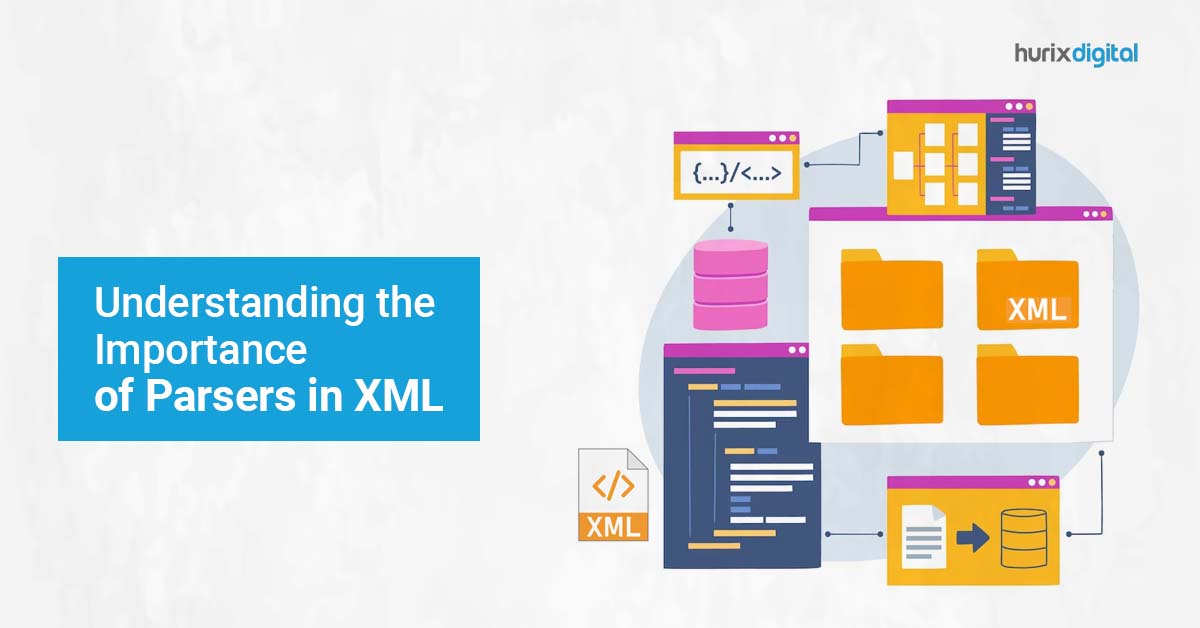
Understanding the Importance of Parsers in XML

[vc_row][vc_column][vc_column_text]A parser in XML is software that is responsible for reading and processing XML documents. Its main purpose is to validate the structure of the document and to extract data from it in a way that can be easily processed by other software applications. There are two types of XML parsers: SAX and DOM. A SAX (Simple API for XML) parser reads an XML document sequentially and generates events, which are notifications of the parser’s progress through the document. This type of parser is generally faster and uses less memory than a DOM parser. However, it is less convenient for random access to the document’s content. A DOM (Document Object Model) parser loads the entire XML document into memory and creates a tree-like structure that represents the document’s elements and their relationships. This type of parser is slower and uses more memory than a SAX parser but provides random access to the document’s content. The significance of a parser in XML lies in its ability to validate the structure of an XML document and extract data from it in a way that can be easily processed by other software applications. A parser ensures that the XML document adheres to the rules of the XML standard and that the data within the document is properly formatted. It also makes it possible to access and manipulate the data in the document programmatically, which is essential for many types of software applications that deal with XML data. 8 Essential Rules to Follow for XML Standards XML (Extensible Markup Language) is a standard for creating and sharing structured data in a machine-readable format. The rules of the XML standard define how an XML document should be structured and formatted. Here are some of the key rules: XML documents must have a single root element. All XML elements must be properly nested within their parent elements. XML elements must be properly closed. An element can be closed either with a closing tag or with a self-closing tag. XML tags are case-sensitive. For example, “Title” and “title” are considered two different tags. XML attribute values must be enclosed in quotes. XML documents must use a specific character encoding, such as UTF-8 or UTF-16. XML documents can define their own custom tags and attributes using a Document Type Definition (DTD) or an XML Schema. XML documents can also include comments using the <!– –> syntax. By adhering to these rules, an XML document can be easily processed and understood by other software applications, regardless of the programming language or platform being used. Character Encoding Character encoding is the process of assigning a unique numerical value (code point) to each character in a given set of characters. In the context of XML, character encoding refers to the method used to represent the characters in an XML document as a sequence of bytes that can be transmitted or stored. There are several character encoding schemes available, such as UTF-8, UTF-16, ISO-8859-1, and ASCII. However, the most commonly used character encoding for XML is UTF-8 (Unicode Transformation Format 8-bit). UTF-8 is a variable-length encoding scheme that uses one to four bytes to represent each character in the Unicode character set, which includes most of the world’s writing systems. UTF-8 is backward compatible with ASCII, which means that ASCII-encoded characters can be represented in UTF-8 using a single byte. The advantages of using UTF-8 for XML documents are: It supports all the characters in the Unicode character set, including those used in non-Latin scripts. It is backward compatible with ASCII, which ensures that existing ASCII-encoded documents can be easily migrated to UTF-8. It is widely supported by modern software applications, programming languages, and platforms. It provides a compact representation of text that reduces storage and transmission costs. When creating an XML document, it is important to specify the character encoding being used, either in the XML declaration at the beginning of the document or in the HTTP header if the document is being transmitted over the web. This ensures that the receiving software application can correctly interpret the document’s content. UTF-8 UTF-8 (Unicode Transformation Format, 8-bit) is a character encoding scheme that is widely used for representing characters in a variety of electronic communication protocols and file formats, including XML. UTF-8 is designed to be backward-compatible with ASCII, which means that any text that can be represented in ASCII can also be represented in UTF-8 using a single byte. However, UTF-8 can also represent any Unicode character, which includes characters from most of the world’s writing systems. In UTF-8, each character is represented by a variable-length sequence of one to four bytes, depending on its Unicode code point value. The first byte of each sequence indicates the number of bytes used to represent the character, and subsequent bytes contains the binary representation of the character’s Unicode code point value. UTF-8 has several advantages over other character encoding schemes, including: Compatibility with ASCII: UTF-8 is fully compatible with ASCII, which ensures that existing ASCII-encoded documents can be easily migrated to UTF-8 without losing any data. Support for all Unicode characters: UTF-8 can represent any Unicode character, including those used in non-Latin scripts and special symbols. Space efficiency: UTF-8 uses a variable-length encoding scheme that minimizes the amount of space required to store or transmit text. Robustness: UTF-8 is designed to be robust in the face of errors and can detect and recover from many common errors that can occur during transmission or storage. Overall, UTF-8 is a widely used and versatile character encoding scheme that is well-suited for representing text in a wide range of contexts, including XML documents. Difference between ASCII and UTF-8 Characters ASCII and UTF-8 are both character encoding schemes that are used to represent characters as binary data. However, there are some key differences between the two. ASCII, or American Standard Code for Information Interchange, is a 7-bit character encoding scheme that was first developed in the 1960s. It is a very basic encoding scheme that can

Understanding DTD in XML: Advantages and Disadvantages

[vc_row][vc_column][vc_column_text]DTD, which stands for Document Type Definition, is a formal description of the structure and constraints of an XML document. It is used to define the rules and guidelines for the content, format, and organization of the XML document, and to ensure that the document conforms to a specific standard or set of requirements. There are several reasons why DTD is useful for XML documents: Data validation: DTD can be used to define the data types, elements, attributes, and relationships that are allowed in an XML document. This allows software applications to validate the structure and content of the document against the DTD, and to identify any errors or inconsistencies that may be present. Interoperability: By providing a standardized structure and format for XML documents, DTD can promote interoperability between different software applications and systems. This makes it easier to exchange and process data between different platforms or technologies, without requiring custom or proprietary formats. Documentation: DTD can serve as a documentation tool for XML documents, providing a clear and concise description of the structure and content of the document. This can help developers and other stakeholders understand the purpose and context of the data elements, and ensure that the document is being used correctly. Maintenance: DTD can be used to manage the evolution and maintenance of XML documents over time. By defining the rules and constraints for the document, DTD can help ensure that changes to the document are made consistently and in accordance with established standards. Overall, DTD is an important tool for XML documents, providing a formal framework for defining and validating the structure, content, and constraints of the document. Pros and Cons in using DTD for XML documents Here are some pros and cons of using DTD for XML documents: Pros: Data validation: DTD provides a formal framework for defining the structure and constraints of an XML document, making it possible to validate the document against a set of rules and requirements. This helps to ensure the accuracy and consistency of the data, and can prevent errors or inconsistencies from occurring. Interoperability: DTD promotes interoperability by providing a standardized format and structure for XML documents. This makes it easier to exchange and process data between different software applications or systems, without requiring custom or proprietary formats. Documentation: DTD can serve as a documentation tool for XML documents, providing a clear and concise description of the structure and content of the document. This can help developers and other stakeholders understand the purpose and context of the data elements, and ensure that the document is being used correctly. Maintenance: DTD can be used to manage the evolution and maintenance of XML documents over time. By defining the rules and constraints for the document, DTD can help ensure that changes to the document are made consistently and in accordance with established standards. Cons: Complexity: DTD can be complex and difficult to understand, especially for non-technical users. This can make it challenging to create and maintain DTDs, and may require specialized training or expertise. Limited functionality: DTD has some limitations in terms of its functionality and expressiveness. It may not be able to handle certain types of data or constraints, and may not be as powerful or flexible as other XML schema languages, such as XML Schema or RelaxNG. Versioning: DTD does not provide built-in support for versioning or evolution of XML documents. This can make it challenging to manage changes to the document structure or content over time and may require additional tools or processes to ensure compatibility and consistency. Lack of vendor support: Some software vendors may not provide full support for DTD, or may prefer to use other XML schema languages that offer more features and functionality. This can limit the adoption and use of DTD in certain contexts. Importance of Schema in XML In XML, a schema is a set of rules and guidelines for defining the structure and constraints of an XML document. It provides a formal definition of the elements, attributes, data types, and relationships that are allowed in the document, and specifies how they should be organized and validated. There are several different types of XML schema languages, including Document Type Definition (DTD), XML Schema (XSD), and RelaxNG. Each of these languages has its own syntax and features, but they all share the same basic goal of defining the structure and constraints of an XML document. XML schema can be used to provide a more powerful and flexible way of defining the structure and constraints of an XML document compared to DTDs.  Four benefits of using XML schema include: Support for more complex data types: XML schema supports a wider range of data types and constraints than DTDs, including regular expressions, enumeration, and pattern matching. Namespace support: XML schema provides support for XML namespaces, which makes it easier to define and manage complex XML documents that involve multiple XML vocabularies. Modularization: XML schema allows the document structure to be defined in separate, reusable modules, which can be combined together to create more complex XML schemas. Validation: XML schema can be used to validate XML documents against a set of rules and constraints, ensuring that they conform to a specific standard or set of requirements. Overall, XML schema provides a powerful and flexible way of defining the structure and constraints of XML documents, allowing for greater interoperability and data exchange between different software applications and systems. Data Validation XML Validating an XML document involves checking whether the document conforms to a particular schema or DTD (Document Type Definition). Here are the steps to proceed with data validation for an XML document: Determine the schema or DTD that your XML document should conform to. This may be provided by the organization that you’re submitting the document, or you may need to create your own. Use a validating XML parser to check the document against the schema or DTD. Some examples of validating XML parsers include Xerces and SAX. If the XML document doesn’t conform

The Basics of Data Integration Applications: Why They Matter for Businesses

[vc_row][vc_column][vc_column_text]Data integration applications can also contribute to XML in several ways. XML (eXtensible Markup Language) is a language that is designed to store and transport data, and data integration involves combining data from multiple sources into a unified view. Here are a few examples of how data integration applications can contribute to XML: XML can be used as a common format for data integration. Data integration applications can use XML as a common format for exchanging data between different systems and applications, making it easier to integrate data from multiple sources. XML can be used to map data between different formats. Data integration applications can use XML to map data between different formats, such as mapping data from a database to a web service or from a spreadsheet to a database. XML can be used to define data transformation rules. Data integration applications can use XML to define transformation rules that can be applied to data during integration, such as converting data to a different format or filtering data based on specific criteria. XML can be used to define metadata for data integration. Data integration applications can use XML to define metadata that can be used to describe the structure and format of data, such as defining the data types, field names, and relationships between data elements. Overall, data integration applications can contribute to XML by using it as a tool for data exchange, data mapping, data transformation, and metadata definition. By leveraging XML for data integration, applications can help ensure data consistency, reduce data redundancy, and improve the accuracy and efficiency of data integration processes. 5 Beneficial Tools for Data Exchange in XML XML (Extensible Markup Language) is a popular markup language used for data exchange between applications. There are several tools available for data exchange in XML, some of the popular ones are: XMLSpy: It is a powerful XML editor and IDE (Integrated Development Environment) that provides graphical editing, XSLT editing, debugging, and more. It also supports XML Schema, XPath, XQuery, and WSDL. Altova MapForce: It is a graphical data mapping tool that allowsto map data between XML, databases, flat files, and other formats. It supports advanced mapping features like conditional mapping, looping, and filtering. Oxygen XML Editor: It is a cross-platform XML editor that provides advanced XML editing, validation, transformation, and debugging. It also supports XML Schema, XPath, XQuery, and XSLT. Liquid XML Studio: It is a comprehensive XML development environment that supports XML editing, validation, schema design, and XSLT development. It also provides an intuitive interface for XML mapping, code generation, and data conversion. XML Notepad: It is a simple XML editor that provides basic editing features like syntax highlighting, tag completion, and attribute editing. It also supports XPath queries and simple transformations. These tools can help create, edit, validate, and transform XML data for seamless data exchange between applications. What is Data Mapping in XML? Data mapping in XML involves the process of converting data from one XML format to another XML format. This is typically done when integrating different systems or applications that use different XML formats for data exchange. The data mapping process involves the following steps: Analyze the source and target XML schemas: The first step is to analyze the source and target XML schemas to understand the differences between them. This will help identify the data elements that need to be mapped. Create a mapping document: Once have identified the data elements that need to be mapped, create a mapping document that specifies how the data will be transformed from the source to the target format. This can be done using a graphical data mappings tool like Altova MapForce or Liquid XML Studio. Define the mapping rules: The mapping document should define the rules for transforming the data from the source to the target format. This can include simple mapping rules like changing element names or more complex rules like concatenating data from multiple elements. Implement the mapping: Once the mapping document is complete, implement the mapping in the application. This can involve using an XML parser to read the source XML data, applying the mapping rules, and then generating the target XML data. Test the mapping: Finally, test the mapping to ensure that it is working correctly. This can involve validating the target XML data against the target schema and verifying that the data has been correctly transformed from the source to the target format. Overall, data mapping in XML is a critical process for integrating different systems and applications that use different XML formats for data exchange. Using a graphical data mapping tool can make the process faster and more efficient by automating many of the mapping tasks. What is Data Transformation in XML? Data transformation in XML involves the process of converting data from one XML format to another XML format. This is typically done when integrating different systems or applications that use different XML formats for data exchange. The data transformation process involves the following steps: Analyze the source and target XML schemas: The first step is to analyze the source and target XML schemas to understand the differences between them. This will help identify the data elements that need to be transformed. Create a transformation document: Once have identified the data elements that need to be transformed, create a transformation document that specifies how the data will be transformed from the source to the target format. This can be done using XSLT (Extensible Stylesheet Language Transformation) or XQuery. Define the transformation rules: The transformation document should define the rules for transforming the data from the source to the target format. This can include simple transformation rules like changing element names or more complex rules like calculating values based on multiple input elements. Implement the transformation: Once the transformation document is complete, implement the transformation in the application. This can involve using an XML parser to read the source XML data, applying the transformation rules using XSLT or XQuery, and then generating the target XML data.

7 Best Education Tech (EdTech) Companies for K-12 Institutes in 2023

[vc_row][vc_column][vc_column_text]Owing to the COVID-induced boom, the edtech space continues to attract increased private equity and venture capital investments. In 2020 alone, the K-12 sector garnered $35.9 billion from investors, according to The Learning Council (source). The spending was utilized in providing remote-learning resources to students and updating classroom technology, including the software and hardware systems. This inadvertently led to the rise and proliferation of education tech companies. But how do you weed out the education software companies that are just part of the noise and pick the ones that really stand out? Read this article to skip the painstaking research and get yourself familiar with the 7 best k12 education software and edtech companies.[/vc_column_text][vc_column_text css=”.vc_custom_1677212770564{padding-top: 10px !important;padding-right: 10px !important;padding-bottom: 10px !important;padding-left: 10px !important;background-color: #eaeaea !important;}”] Also Read:- Top 15 K-12 Curriculum Development Companies in 2023 for Online Learning [/vc_column_text][vc_column_text] 7 Best K-12 Education Technology Companies in 2023 [/vc_column_text][vc_column_text] The Minerva Project Panorama Education Outschool Nearpeer AllHere Hurix NovaKid The Minerva Project Established in 2011 by Ben Nelson, The Minerva Project focuses on an evidence-based learning approach. Ben seeks to reform higher education by nurturing critical wisdom in students. Since its launch in 2011, The Minerva Project has expanded to 10 countries across the globe. Minerva teaches students that there are many ways of thinking, and they need not stick to a template of what and how to think. This is accomplished by teaching them concepts related to interdisciplinary education and then encouraging them to apply those concepts across variegated disciplines. Without a doubt, The Minerva Project is one of the top k-12 edtech companies in the U.S. right now.[/vc_column_text][vc_column_text] Panorama Education Panorama offers tools to measure student success, support social-emotional learning, and capture feedback from students. The company offers an all-in-one SaaS platform for schools. You can monitor student progress, guide student interventions, and create district-wide reports using their tools for student success. Apart from that, the social-emotional learning assessments allow you to create an environment where students can develop their emotional and social capabilities. Lastly, using feedback surveys (distributed to students, families, and teachers), you can continue to realign your strategy according to their needs and your goals.[/vc_column_text][vc_column_text] Outschool With the vision to give wings to every talent out there, Amir Nathoo founded Outschool in 2015. One of the top education tech companies now, Outschool has raised funding of $130 million since its inception. By connecting learners with real-life teachers in small-group settings, they let students explore everything from literature, algebra, coding, languages, and chemistry to cooking, Pokemon, and Minecraft.  Outschool offers more than 140,000 engaging online classes to students aged between 3-18 years. Apart from that, they also have a one-on-one learning program for personalized tutoring on any subject. [/vc_column_text][vc_column_text] Nearpeer A pioneer edtech company specializing in student engagement solutions, Nearpeer came into being in 2017.  It allows students to conduct targeted searches on social media platforms to connect with their peers who have similar interests. Using targeted search on Instagram and Facebook, students pursuing similar areas of study can connect with each other. Near peer offers higher-ed institutions the ability to recognize student interaction patterns, thanks to their powerful data analytics functionality. Higher-ed institutions that wish to inculcate a sense of community in their students should partner with Nearpeer. This would likely help you improve student retention in return.[/vc_column_text][vc_column_text] AllHere AllHere utilizes artificial intelligence (AI) to interact with students and their families using chatbots as well as monitor student attendance. Joanna Smith founded AllHere in 2017 with the vision to prevent student-related problems before they even arise. This AI-powered platform sends alerts or reminders to students’ families and facilitates interactive “nudges” through two-way messaging. It means that families can, too, text questions to the AllHere chatbot. Therefore, higher-ed institutions can track the reasons for absenteeism. By doing so, they can offer proactive and personalized intervention outreach to families. Ultimately, this helps reduce drop-out rates, increase enrollment and engagement. No wonder this education tech company has received funding of $8 million from investors.[/vc_column_text][vc_column_text] Hurix Hurix is an all-in-one education tech company that offers eLearning solutions for higher education institutions and K-12 institutes. Besides, Hurix also offers a robust content delivery platform to help higher-ed institutions explore, measure, and track all learning activities in one place.  At Hurix, you’ll find a myriad of learning solutions, including: Micro-learning: It reduces the learner’s cognitive overload by providing smaller, more focused content segments rather than a comprehensive course. This allows students to retain the information and recall it when needed.  Story-based approach: Who doesn’t like stories? This age-old method is carefully aligned with learning objectives to engage students and make learning more fun.  Gamification: There’s a reason why people love games – the thrill, excitement, and satisfaction of achieving something, followed by rewards. Hurix offers gamification solutions to enhance student engagement.  Scenario-based learning: In this method, students learn by making decisions in a simulated real-life environment.  If you’re looking for a best-in-class education technology service that does it all, Hurix is your answer.  [/vc_column_text][vc_column_text css=”.vc_custom_1677212784507{padding-top: 10px !important;padding-right: 10px !important;padding-bottom: 10px !important;padding-left: 10px !important;background-color: #eaeaea !important;}”] Recommended Reading:- How Can Hurix Learning Solutions Help Employees Succeed? [/vc_column_text][vc_column_text] NovaKid Not having access to the right guidance or mentorship is what misguides many students who otherwise have no dearth of talent or skills. Every student needs the right kind of exposure to pursue what they love or find what they love. Mentor Collective is one of the leading education tech companies that fill this gap by connecting students with mentors. These mentors empower students by forming a meaningful connection and helping them in their journey. Founded by Jackson Boyar and James Lu Morrissey in 2012, Mentor Collective is focused on improving the completion and retention rates at universities. Based on student surveys and research-driven algorithms, they match the perfect mentor for a student. Besides, they employ large-scale mentorship programs to train and recruit mentors who keep track of key outcomes, including career results, self-efficacy, and retention rates.[/vc_column_text][vc_column_text] To sum up [/vc_column_text][vc_column_text]As a higher-ed institution, if

10 Reasons to Invest in Corporate Training Solutions

[vc_row][vc_column][vc_column_text]Companies of all sizes are gradually taking the online route to provide their employee and corporate training solutions. eLearning and mLearning are now supplementing traditional teaching methods to leverage online resources, reach a worldwide audience and provide learners the opportunity to learn anywhere at their own pace. These benefits apart, it makes business sense to invest in corporate training solutions. Reports show that businesses can save by up to 5% by replacing traditional instructor-led training with online training. Further, they can also cut down instruction time by around 60%.[/vc_column_text][vc_custom_heading text=”For companies that may still be sitting on the fence about whether they should invest in corporate training solutions, here, we list 10 reasons why this could be a smart strategy. ” font_container=”tag:h1|font_size:18|text_align:left” google_fonts=”font_family:Lato%3A100%2C100italic%2C300%2C300italic%2Cregular%2Citalic%2C700%2C700italic%2C900%2C900italic|font_style:900%20bold%20regular%3A900%3Anormal” css=”.vc_custom_1578921276078{margin-top: 0px !important;margin-bottom: 0px !important;border-top-width: 0px !important;border-bottom-width: 0px !important;padding-top: 0px !important;padding-bottom: 10px !important;}”][vc_custom_heading text=”1. Reduce Training Costs” font_container=”tag:h2|font_size:18|text_align:left” google_fonts=”font_family:Lato%3A100%2C100italic%2C300%2C300italic%2Cregular%2Citalic%2C700%2C700italic%2C900%2C900italic|font_style:900%20bold%20regular%3A900%3Anormal” css=”.vc_custom_1578921337991{margin-top: 0px !important;margin-bottom: 0px !important;border-top-width: 0px !important;border-bottom-width: 0px !important;padding-top: 0px !important;padding-bottom: 10px !important;}”][vc_column_text]One of the primary benefits of online corporate training solutions is that it helps to bring down your training costs. Learn more about How to Optimize Your eLearning ROI. With online training, there is no need for printing training material or hiring on-site facilitators. While there is initial investment in creating online corporate courses, the upkeep costs are minimal when you compare them to traditional teaching methodologies. Apart from maintenance, it is also relatively easy to update the courses using a Learning Management System (LMS). Also, cloud-hosted corporate training makes training cost-effective and flexible.[/vc_column_text][vc_custom_heading text=”2. Rapidly Deploy Content” font_container=”tag:h2|font_size:18|text_align:left” google_fonts=”font_family:Lato%3A100%2C100italic%2C300%2C300italic%2Cregular%2Citalic%2C700%2C700italic%2C900%2C900italic|font_style:900%20bold%20regular%3A900%3Anormal” css=”.vc_custom_1578921387421{margin-top: 0px !important;margin-bottom: 0px !important;border-top-width: 0px !important;border-bottom-width: 0px !important;padding-top: 0px !important;padding-bottom: 10px !important;}”][vc_column_text]Online corporate training solutions enable quicker delivery of courses. So instead of waiting for content to be printed, you can simply upload it on the LMS, share it across your organization, and provide your employees with a wealth of information with just a few clicks of the mouse. It may be a case where your sales personnel need additional training on a new product or service, you can use your LMS to deliver training. Here are 8 Advantages of Using a Cloud-based Platform for Sales Training. Thus, offering them the opportunity to access information when they need it the most. By investing in online corporate training, you can keep all your employees informed and updated, thus improving customer satisfaction and your business processes.[/vc_column_text][vc_custom_heading text=”3. Better Retention of Knowledge” font_container=”tag:h2|font_size:18|text_align:left” google_fonts=”font_family:Lato%3A100%2C100italic%2C300%2C300italic%2Cregular%2Citalic%2C700%2C700italic%2C900%2C900italic|font_style:900%20bold%20regular%3A900%3Anormal” css=”.vc_custom_1578921533718{margin-top: 0px !important;margin-bottom: 0px !important;border-top-width: 0px !important;border-bottom-width: 0px !important;padding-top: 0px !important;padding-bottom: 10px !important;}”][vc_column_text]Online learning is interactive, as learners learn by doing. For example, learners learn through interactive games (Gamification in Corporate Training: Your Checklist for Training Success), reality-based scenarios and assessments that enable them to digest and assimilate new information. Besides, they have access to a wealth of both online and offline resources and communities to clarify their concepts and make the subject under discussion more exciting and relevant. Employees can thus effectively use new information and data in their working environment.[/vc_column_text][vc_custom_heading text=”4. Ensure 24×7 Access to Information” font_container=”tag:h2|font_size:18|text_align:left” google_fonts=”font_family:Lato%3A100%2C100italic%2C300%2C300italic%2Cregular%2Citalic%2C700%2C700italic%2C900%2C900italic|font_style:900%20bold%20regular%3A900%3Anormal” css=”.vc_custom_1578921523115{margin-top: 0px !important;margin-bottom: 0px !important;border-top-width: 0px !important;border-bottom-width: 0px !important;padding-top: 0px !important;padding-bottom: 10px !important;}”][vc_column_text]Online corporate training can be offered through a cloud based LMS, which means that your employees can login to the system, from any corner of the world with access to the internet and a laptop, tablet, or mobile phone. This round the clock access to information ensures that employees have instant online performance support. Employees can also download content and access it offline for future use in case they have to go to a place with limited internet access or while they are on a flight or any such situation.[/vc_column_text][vc_custom_heading text=”5. Learn at Your Own Pace” font_container=”tag:h2|font_size:18|text_align:left” google_fonts=”font_family:Lato%3A100%2C100italic%2C300%2C300italic%2Cregular%2Citalic%2C700%2C700italic%2C900%2C900italic|font_style:900%20bold%20regular%3A900%3Anormal” css=”.vc_custom_1578921626196{margin-top: 0px !important;margin-bottom: 0px !important;border-top-width: 0px !important;border-bottom-width: 0px !important;padding-top: 0px !important;padding-bottom: 10px !important;}”][vc_column_text]Given their hectic schedules and complexity of the job, it is becoming increasingly difficult for organizations to carve out special time and venue to impart corporate training. By investing in online corporate training, you can provide your staff the opportunity to access new learning at their own pace. They don’t have to rush through the content in traditional classrooms or move at the same pace as their co-workers. Rather, they can revisit concepts as many times as they want, till they fully absorb the content and then move on with the training course. Here’s a Guide to use Blended Learning for Corporate Training[/vc_column_text][vc_custom_heading text=”6. Reduce Dependence on Onsite Instructors” font_container=”tag:h2|font_size:18|text_align:left” google_fonts=”font_family:Lato%3A100%2C100italic%2C300%2C300italic%2Cregular%2Citalic%2C700%2C700italic%2C900%2C900italic|font_style:900%20bold%20regular%3A900%3Anormal” css=”.vc_custom_1578921698348{margin-top: 0px !important;margin-bottom: 0px !important;border-top-width: 0px !important;border-bottom-width: 0px !important;padding-top: 0px !important;padding-bottom: 10px !important;}”][vc_column_text]Another major benefit of investing in corporate training solutions is that you don’t need the presence of an onsite instructor, which means you don’t have to pay for their travel and accommodation. Also, you are spared the need to allocate valuable working hours for training. This does not mean that you can completely do away with instructors, however, when ever needed, they can use an online environment to deliver training to employees located in different cities or even countries.[/vc_column_text][vc_custom_heading text=”7. Quick Updates to Training Content” font_container=”tag:h2|font_size:18|text_align:left” google_fonts=”font_family:Lato%3A100%2C100italic%2C300%2C300italic%2Cregular%2Citalic%2C700%2C700italic%2C900%2C900italic|font_style:900%20bold%20regular%3A900%3Anormal” css=”.vc_custom_1578921761578{margin-top: 0px !important;margin-bottom: 0px !important;border-top-width: 0px !important;border-bottom-width: 0px !important;padding-top: 0px !important;padding-bottom: 10px !important;}”][vc_column_text]It may be that you have updated your company policies or that there are new compliance modules and regulations in place that need immediate attention. You can do this by simply updating new policies on the LMS without having to rewrite existing manual or printing guides. You can also use the LMS communication features to send out mails, making it mandatory for employees to login to the LMS and learn about the new procedures and protocols within a stipulated time frame. This will ensure that your staff is always updated on important policies and are well-equipped to take on competition.[/vc_column_text][vc_custom_heading text=”8. Instant Access to Information” font_container=”tag:h2|font_size:18|text_align:left” google_fonts=”font_family:Lato%3A100%2C100italic%2C300%2C300italic%2Cregular%2Citalic%2C700%2C700italic%2C900%2C900italic|font_style:900%20bold%20regular%3A900%3Anormal” css=”.vc_custom_1578921835276{margin-top: 0px !important;margin-bottom: 0px !important;border-top-width: 0px !important;border-bottom-width: 0px !important;padding-top: 0px !important;padding-bottom: 10px !important;}”][vc_column_text]With online corporate training, you can provide your employees with the right information at the right time to expand their knowledge, fine-tune their skills, or make a crucial business decision. The resources can be delivered through an LMS in the form

How to Create Online Course Modules for Employee Training

[vc_row][vc_column][vc_column_text]A recent survey conducted by Deloitte shows that when it comes to benefits, young professionals find ‘opportunity to learn’ to be the most desirable than any other reward or incentive. This builds the case for organizations to provide high-quality content and training to their staff. This blog talks about How to Create an Online Course Module for Employee Training Building courses can be a complex task – not only do you have to ensure that they are educational but at the same time, also manageable for your learners to complete and assimilate. Here, in this article we look at How to Create an Online Course Module for Employee Training and Learning. Let us first understand what an online training module is- Simply put, an online employee training module refers to one structured section of an eLearning program. Each module is a building block focused on a particular topic or skill. Online course modules can be in the form of various content types such as video tutorials, demonstrations, presentations, interactive eBooks, informational e-courses or quizzes or assessments. By creating these modules in different content types, you can provide your learners with a richer and more robust learning experience. These modules are then delivered through a learning management system (LMS). Related: How to Transform Employee Training with Bespoke L&D Solutions[/vc_column_text][vc_row_inner css=”.vc_custom_1572956227964{margin-top: 0px !important;margin-bottom: 0px !important;border-top-width: 0px !important;border-bottom-width: 0px !important;background-color: #dee7f0 !important;}”][vc_column_inner width=”2/3″ css=”.vc_custom_1572956198356{margin-top: 30px !important;margin-right: 0px !important;margin-bottom: 0px !important;margin-left: 20px !important;border-right-width: 0px !important;padding-right: 0px !important;}”][vc_column_text] Guide: How to Choose the Right LMS for Your Business [/vc_column_text][/vc_column_inner][vc_column_inner width=”1/3″ css=”.vc_custom_1572956165932{margin-top: 30px !important;margin-right: 20px !important;margin-bottom: 30px !important;margin-left: 0px !important;border-left-width: 0px !important;padding-left: 0px !important;}”][button size=”mediumlarge_rd_bt” use_icon=”yes” icon_color=”#ffffff” t_color=”#ffffff” b_color=”#f55744″ b_hover_color=”#3ac77f” url=”https://stag.hurix.com/how-to-guides/how-to-choose-right-lms-for-business/” target=”yes” position=”ta_right” icon=”wb-download”]Download Now![/button][/vc_column_inner][/vc_row_inner][vc_custom_heading text=”Here is a step-by-step guide on How to Create an Online Course Module for Employee Training:” font_container=”tag:h1|font_size:18|text_align:left” google_fonts=”font_family:Lato%3A100%2C100italic%2C300%2C300italic%2Cregular%2Citalic%2C700%2C700italic%2C900%2C900italic|font_style:900%20bold%20regular%3A900%3Anormal” css=”.vc_custom_1579267861113{margin-top: 0px !important;margin-bottom: 0px !important;border-top-width: 0px !important;border-bottom-width: 0px !important;padding-top: 0px !important;padding-bottom: 10px !important;}”][vc_custom_heading text=”Step 1: Understand Your Audience- ” font_container=”tag:h2|font_size:18|text_align:left” google_fonts=”font_family:Lato%3A100%2C100italic%2C300%2C300italic%2Cregular%2Citalic%2C700%2C700italic%2C900%2C900italic|font_style:900%20bold%20regular%3A900%3Anormal” css=”.vc_custom_1579268081238{margin-top: 0px !important;margin-bottom: 0px !important;border-top-width: 0px !important;border-bottom-width: 0px !important;padding-top: 0px !important;padding-bottom: 10px !important;}”][vc_column_text]The first step is to identify or know your audience, or the people who will be taking this course. This will help you determine the content format and the tone you will use within each online course module. For example, your course may be focused on senior executives to improve their decision-making skills, in this case, a more formal tone would be suitable. Then again, if your sales personnel are the focus of training, the online course module in the form of a theme-based game would do the trick. Case study: Here’s How Hurix Developed Collaborative Training Solutions for Pre-Sales Consultants Knowing your audience will help you decide how long the course should be and how many modules you require. It may be that your learners take the training while on the go or in between tasks; in such a case, microlearning modules designed for mobile devices would be more appropriate. If they are taking the training on their desks, then the modules could be longer and denser. Here are the Benefits & Use Cases of Mobile Learning in Enterprise Training. It is also vital to communicate with your audience to understand the nature of the problem to be solved, know the knowledge or skill gap to be filled, know their current level of knowledge and performance, and understand what is the expected level of knowledge or performance they should have on a particular topic.[/vc_column_text][vc_custom_heading text=”Step 2: Break Your Course into Modules-” font_container=”tag:h2|font_size:18|text_align:left” google_fonts=”font_family:Lato%3A100%2C100italic%2C300%2C300italic%2Cregular%2Citalic%2C700%2C700italic%2C900%2C900italic|font_style:900%20bold%20regular%3A900%3Anormal” css=”.vc_custom_1579268191741{margin-top: 0px !important;margin-bottom: 0px !important;border-top-width: 0px !important;border-bottom-width: 0px !important;padding-top: 0px !important;padding-bottom: 10px !important;}”][vc_column_text]Once you know your audience, the next step is to think about how to organize your course content into different modules. To explain with an example, you have to create an onboarding course for your new sales hires, which they have to complete on their day of joining. Here’s all you need to know about eLearning Content Development for Effective Training The course can be broken down in the following modules: Introduction:This module will provide the company background, main departments and teams, and roles and entitlements. It will provide your new employees with an insight into the working of your organization and what they can expect in their new roles. Company Culture:The second module can provide an insight into the company’s culture, its core values, support teams and social groups within the company, etc. The module will help them to settle down before taking up the more challenging aspects of onboarding. Sales Team Overview: This could focus on a brief introduction to the sales team with an explanation to their roles within the organization. [/vc_column_text][vc_custom_heading text=”Step 3: Plan the Content Format-” font_container=”tag:h2|font_size:18|text_align:left” google_fonts=”font_family:Lato%3A100%2C100italic%2C300%2C300italic%2Cregular%2Citalic%2C700%2C700italic%2C900%2C900italic|font_style:900%20bold%20regular%3A900%3Anormal” css=”.vc_custom_1579268244870{margin-top: 0px !important;margin-bottom: 0px !important;border-top-width: 0px !important;border-bottom-width: 0px !important;padding-top: 0px !important;padding-bottom: 10px !important;}”][vc_column_text]To plan the content format, keep the learner engagement in mind. As said earlier, the format you choose for creating your online course modules will depend on the audience – a more formal tone would suit senior executives, while a more informal would work for your junior staff. The bottom line is the format you choose should be able to hold the attention of your learners. There are various content types to choose from, for example, videos, presentations, demonstration, simulations, webinars and so on. You can use an LMS to create content in various formats. Besides, it’s a good idea to take feedback from your learners on their training content preferences and update the content of your online course modules regularly.[/vc_column_text][vc_custom_heading text=”Step 4: Add Knowledge Checks-” font_container=”tag:h2|font_size:18|text_align:left” google_fonts=”font_family:Lato%3A100%2C100italic%2C300%2C300italic%2Cregular%2Citalic%2C700%2C700italic%2C900%2C900italic|font_style:900%20bold%20regular%3A900%3Anormal” css=”.vc_custom_1579268621379{margin-top: 0px !important;margin-bottom: 0px !important;border-top-width: 0px !important;border-bottom-width: 0px !important;padding-top: 0px !important;padding-bottom: 10px !important;}”][vc_column_text]Each module of our online course should have assessments and quizzes, which the learners clear before they move up to the next module. These assessments are a great way to reiterate the important points covered in the course. Taking forward the example of sales personnel onboarding course, a quiz at the end of the introduction module will help the learners recall all the information they have acquired. Secondly, putting checks on the modules, for example, that you have to achieve a

7 Tips to Create Custom E-Learning Content on a Budget

[vc_row][vc_column][vc_column_text]The way we learn has undergone a significant shift in the past decade, thanks to e-learning. E-learning portals have ensured that everyone can get access to learning material irrespective of their location. It has simplified and revolutionized the teaching process. From students to employees, everyone can reap the benefits of e-learning. Custom e-learning content takes this process one step further. It provides courses tailored to meet the specific needs of the learners. However, many feel that creating custom e-learning content is an extravagant exercise and therefore, stick to the material that is readily available. This approach puts them at a disadvantage and prevents them from providing a holistic learning experience to their learners. Custom e-learning content doesn’t have to be expensive. You can create a custom course within your budget.[/vc_column_text][vc_custom_heading text=”Importance of Custom E-Learning Content ” font_container=”tag:h3|font_size:18|text_align:left” google_fonts=”font_family:Lato%3A100%2C100italic%2C300%2C300italic%2Cregular%2Citalic%2C700%2C700italic%2C900%2C900italic|font_style:900%20bold%20regular%3A900%3Anormal” css=”.vc_custom_1581947628132{margin-top: 0px !important;margin-bottom: 0px !important;border-top-width: 0px !important;border-bottom-width: 0px !important;padding-top: 0px !important;padding-bottom: 10px !important;}”][vc_column_text]Before moving on to how to create custom content, it is pertinent to understand the importance of customized learning and how it benefits the end-users. 1. Industry-Specific Learning: A generic course on the subject may cover a wide range of topics. Some of them are useful for your employees, others not so much. Why should employees spend their precious time learning something that doesn’t apply to them? A customized course will cover only those topics that are needed for your industry or niche. Even the examples and applications will be industry-specific in a customized course module. Not only does it cut down on unwanted clutter in the learning material, but it also helps the employees engage with the course material better. Learn more about The Best eLearning Course to Fit Custom Requirements. 2. Make the Training More Efficient: When a course is relevant and contains only the necessary topics, your employees will be able to make the optimum usage of their time. Moreover, when the examples and applications are relevant to the job at hand, they relate to the topics and grasp the concepts in lesser time. It also helps them recall the concepts later. 3. Cost-Efficient Learning: Creating a custom e-learning course costs more than off-the-shelf courses. But it will definitely be more beneficial than subscribing to generic e-learning courses. By creating the course material, yourself, you can cut down on the license and royalty fees. Learn which is the Best Elearning Courses for You: Custom Content or Off-the-shelf Courses Here are other Benefits of Investing in Custom eLearning Courses for your Enterprise[/vc_column_text][vc_custom_heading text=”How Can Enterprises Create Custom E-Learning Content on a Budget?” font_container=”tag:h1|font_size:18|text_align:left” google_fonts=”font_family:Lato%3A100%2C100italic%2C300%2C300italic%2Cregular%2Citalic%2C700%2C700italic%2C900%2C900italic|font_style:900%20bold%20regular%3A900%3Anormal” css=”.vc_custom_1581947749036{margin-top: 0px !important;margin-bottom: 0px !important;border-top-width: 0px !important;border-bottom-width: 0px !important;padding-top: 0px !important;padding-bottom: 10px !important;}”][vc_column_text]Creating a customized e-learning course may seem like a daunting task, but it doesn’t have to be. While it does involve some work and research, the payout is worth the time and effort. Here is how you can create custom e-learning content on a budget-[/vc_column_text][vc_custom_heading text=”1. Create a Plan ” font_container=”tag:h2|font_size:18|text_align:left” google_fonts=”font_family:Lato%3A100%2C100italic%2C300%2C300italic%2Cregular%2Citalic%2C700%2C700italic%2C900%2C900italic|font_style:900%20bold%20regular%3A900%3Anormal” css=”.vc_custom_1581947999771{margin-top: 0px !important;margin-bottom: 0px !important;border-top-width: 0px !important;border-bottom-width: 0px !important;padding-top: 0px !important;padding-bottom: 10px !important;}”][vc_column_text]When you are on a budget, there is no scope for mistakes. Create a detailed plan for the e-learning course. Make sure you have considered every aspect of the course. Try to involve people with different viewpoints in designing the course. Here are the Top Tips to Design, Develop and Deliver e-Learning Content!.[/vc_column_text][vc_custom_heading text=”2. Reuse Existing Material” font_container=”tag:h2|font_size:18|text_align:left” google_fonts=”font_family:Lato%3A100%2C100italic%2C300%2C300italic%2Cregular%2Citalic%2C700%2C700italic%2C900%2C900italic|font_style:900%20bold%20regular%3A900%3Anormal” css=”.vc_custom_1581947820018{margin-top: 0px !important;margin-bottom: 0px !important;border-top-width: 0px !important;border-bottom-width: 0px !important;padding-top: 0px !important;padding-bottom: 10px !important;}”][vc_column_text]Most of the time, the content is already available online. Instead of trying to create the whole course from scratch, try to reuse what is already there and create fresh content to bridge the gaps. This way you save the time and effort in recreating content that is already there. Here are top 7 Reasons Why You Should Revamp Your Old eLearning Courses If the course requires employees to have basic knowledge about some concept, then provide links to free online training materials so that they can brush up their knowledge before starting the course.[/vc_column_text][vc_custom_heading text=”3. Use an eLearning Authoring Tool” font_container=”tag:h2|font_size:18|text_align:left” google_fonts=”font_family:Lato%3A100%2C100italic%2C300%2C300italic%2Cregular%2Citalic%2C700%2C700italic%2C900%2C900italic|font_style:900%20bold%20regular%3A900%3Anormal” css=”.vc_custom_1581947846341{margin-top: 0px !important;margin-bottom: 0px !important;border-top-width: 0px !important;border-bottom-width: 0px !important;padding-top: 0px !important;padding-bottom: 10px !important;}”][vc_column_text]The process of creating a custom e-learning course can be simplified by using an e-learning authoring tool. The tool will let you choose the layout, type of interactions and even make the course compatible on different platforms. It can help you save a considerable amount of time. These tools won’t stretch your budget much since most of them are low-cost. Here’s more on eLearning Authoring Tools and Why You Should Invest in them.[/vc_column_text][vc_custom_heading text=”4. Use In-House Talent” font_container=”tag:h2|font_size:18|text_align:left” google_fonts=”font_family:Lato%3A100%2C100italic%2C300%2C300italic%2Cregular%2Citalic%2C700%2C700italic%2C900%2C900italic|font_style:900%20bold%20regular%3A900%3Anormal” css=”.vc_custom_1581947870413{margin-top: 0px !important;margin-bottom: 0px !important;border-top-width: 0px !important;border-bottom-width: 0px !important;padding-top: 0px !important;padding-bottom: 10px !important;}”][vc_column_text]You can take the help of designers and developers working in your office to help with course creation. In case you are creating video-based training, you can take the help of your employees to narrate the script. Or you can have someone with a good screen presence to face the camera. Utilizing in-house talent empowers employees to be a part of the training process and you can get your content made without hiring external resources.[/vc_column_text][vc_custom_heading text=”5. Create a Community” font_container=”tag:h2|font_size:18|text_align:left” google_fonts=”font_family:Lato%3A100%2C100italic%2C300%2C300italic%2Cregular%2Citalic%2C700%2C700italic%2C900%2C900italic|font_style:900%20bold%20regular%3A900%3Anormal” css=”.vc_custom_1581947904268{margin-top: 0px !important;margin-bottom: 0px !important;border-top-width: 0px !important;border-bottom-width: 0px !important;padding-top: 0px !important;padding-bottom: 10px !important;}”][vc_column_text]Hiring a trainer or an SME to clear your employee’s doubts is another unnecessary expense that can be reduced by creating an online community. The employees taking the course can help each other understand the concepts better through online forums. The ones who have already completed the course can also help those who are currently taking it. This online community can also include in-house experts or SMEs who are willing to help their co-workers.[/vc_column_text][vc_custom_heading text=”6. Create a Personal Learning Map” font_container=”tag:h2|font_size:18|text_align:left” google_fonts=”font_family:Lato%3A100%2C100italic%2C300%2C300italic%2Cregular%2Citalic%2C700%2C700italic%2C900%2C900italic|font_style:900%20bold%20regular%3A900%3Anormal” css=”.vc_custom_1581947940444{margin-top: 0px !important;margin-bottom: 0px !important;border-top-width: 0px !important;border-bottom-width: 0px !important;padding-top: 0px !important;padding-bottom: 10px !important;}”][vc_column_text]Each person learns at a different pace and has different learning patterns. Create a clickable learning map listing all the modules and let the employees choose where they want to start their journey. You provide a general structure, and they

Best Practices for Creating Engaging Microlearning Content

[vc_row][vc_column][vc_column_text]In a fast-paced, digital world, it is bite-sized information that matters. And so, enterprises are now adopting microlearning content as a means to impart training to their employees and also to provide the information they need in a fraction of time. Microlearning offers great convenience of time and access in a fast-paced world. It is particularly appealing to learners who need precise and just-in-time information for performance support. (How Can Microlearning Nuggets Influence Sales Performance) Microlearning can be formal or informal, however, in most cases, it is the latter. It is more learner-centric in nature and provides instant needs-based information. Besides, since each bite-sized nugget is about 3 to 5 minutes long, there is no information overload, and so the learners can learn, assimilate and retain better. Microlearning is also appealing to businesses because it is fast-paced, affordable and lasts for a short duration. It costs less than traditional eLearning and can be developed, updated and deployed conveniently and quickly. This being said, creating microlearning content is no easy task – given the short duration, you have to ensure that the information you provide is concise and accurate, closes all immediate information gaps, and is packaged in an engaging way using various media formats. Discover Does Microlearning Lead to Training Success?[/vc_column_text][vc_custom_heading text=”Some tips for creating engaging microlearning content that your employees will retain -” font_container=”tag:h2|font_size:18|text_align:left” google_fonts=”font_family:Lato%3A100%2C100italic%2C300%2C300italic%2Cregular%2Citalic%2C700%2C700italic%2C900%2C900italic|font_style:900%20bold%20regular%3A900%3Anormal”][vc_custom_heading text=”1. Know Your Audience” font_container=”tag:h3|font_size:18|text_align:left” google_fonts=”font_family:Lato%3A100%2C100italic%2C300%2C300italic%2Cregular%2Citalic%2C700%2C700italic%2C900%2C900italic|font_style:900%20bold%20regular%3A900%3Anormal” css=”.vc_custom_1629802578830{margin-top: 0px !important;margin-bottom: 0px !important;border-top-width: 0px !important;border-bottom-width: 0px !important;padding-top: 0px !important;padding-bottom: 10px !important;}”][vc_column_text]It is important to understand your target audience, their current level of skills and the knowledge gaps that need to be plugged. In today’s digital era, people are bombarded with information and so it is difficult to capture and retain their attention. For microlearning to be effective, you should be able to cut through the noise and drive engagement, and the first step in this direction is to know your audience, what they want, and in what format they want their content. Here are some Microlearning Design Techniques for a Great Learning Experience.[/vc_column_text][vc_custom_heading text=”2. Use a Responsive eLearning Authoring Tool” font_container=”tag:h3|font_size:18|text_align:left” google_fonts=”font_family:Lato%3A100%2C100italic%2C300%2C300italic%2Cregular%2Citalic%2C700%2C700italic%2C900%2C900italic|font_style:900%20bold%20regular%3A900%3Anormal” css=”.vc_custom_1629802614078{margin-top: 0px !important;margin-bottom: 0px !important;border-top-width: 0px !important;border-bottom-width: 0px !important;padding-top: 0px !important;padding-bottom: 10px !important;}”][vc_column_text]A responsive mobile-first learning tool empowers you to create a master layout, which can be effectively viewed on all types of browsers. The tool will automatically reframe your content based on the screen size and resolution of the screen on which it is being viewed. So, whether your employees view the microlearning content on a tablet, laptop or smartphone, they will receive the same benefit from the course. The other benefit is that they will be able to access mobile-ready content while on the move, on-the-job or when they have some free time in their busy schedule. Here’s a list of 5 Best Content Authoring Tools for Your E-learning Needs and more on How to Select the Right eLearning Authoring Tools and Services[/vc_column_text][vc_custom_heading text=”3. Create Short Videos to Target a Wide Range of Needs” font_container=”tag:h3|font_size:18|text_align:left” google_fonts=”font_family:Lato%3A100%2C100italic%2C300%2C300italic%2Cregular%2Citalic%2C700%2C700italic%2C900%2C900italic|font_style:900%20bold%20regular%3A900%3Anormal” css=”.vc_custom_1629802642567{margin-top: 0px !important;margin-bottom: 0px !important;border-top-width: 0px !important;border-bottom-width: 0px !important;padding-top: 0px !important;padding-bottom: 10px !important;}”][vc_column_text]Microlearning content is mostly in the form of videos usually 3 to 5 minutes in length. Learners can quickly watch these videos to explore a topic or know the steps to follow for a particular task. Auditory learners also benefit since they can absorb the content presented in the form of audio while visual learners benefit from images and graphics. And for the hearing-impaired learners, you can even add captions and subtitles. While creating a video, do make sure to provide complete control to your learners, for example, they should be able to rewind, forward or pause to fully grasp the subject. Here are 9 Ways to Create Highly Effective Learning Videos.[/vc_column_text][vc_custom_heading text=”4. Focus on a Specific Topic” font_container=”tag:h3|font_size:18|text_align:left” google_fonts=”font_family:Lato%3A100%2C100italic%2C300%2C300italic%2Cregular%2Citalic%2C700%2C700italic%2C900%2C900italic|font_style:900%20bold%20regular%3A900%3Anormal” css=”.vc_custom_1629802720721{margin-top: 0px !important;margin-bottom: 0px !important;border-top-width: 0px !important;border-bottom-width: 0px !important;padding-top: 0px !important;padding-bottom: 10px !important;}”][vc_column_text]Your microlearning content should focus on the subject at hand to prevent cognitive overload. It’s very important to understand what you wish to convey and that you filter through the information so that you don’t cover too much ground in a single nugget. The best way forward is to stick to the topic and then provide links for additional information so the learners can explore sub-topics in their free time and access articles and other online resources. Including linked resources also saves time as employees don’t have to browse through the Internet in search of additional information. Know More: Use Case Scenarios and Benefits of Microlearning[/vc_column_text][vc_custom_heading text=”5. Avoid Repetition” font_container=”tag:h3|font_size:18|text_align:left” google_fonts=”font_family:Lato%3A100%2C100italic%2C300%2C300italic%2Cregular%2Citalic%2C700%2C700italic%2C900%2C900italic|font_style:900%20bold%20regular%3A900%3Anormal” css=”.vc_custom_1629802742034{margin-top: 0px !important;margin-bottom: 0px !important;border-top-width: 0px !important;border-bottom-width: 0px !important;padding-top: 0px !important;padding-bottom: 10px !important;}”][vc_column_text]While repetition is effective in online learning, keep in mind that this may not work in the microlearning context. As said, the ideal duration of a microlearning video is generally three to five minutes, which learners can access anytime, anywhere, during commuting or work breaks. And during this time, they will not be able to sit through a 15-minutes video. Also, in case they feel the need to repeat a task, they simply have to replay the video and review the steps again. Know More: Microlearning Videos – To Cut a Long Story Short[/vc_column_text][vc_custom_heading text=”6. Deploy Visually Rich Content” font_container=”tag:h3|font_size:18|text_align:left” google_fonts=”font_family:Lato%3A100%2C100italic%2C300%2C300italic%2Cregular%2Citalic%2C700%2C700italic%2C900%2C900italic|font_style:900%20bold%20regular%3A900%3Anormal” css=”.vc_custom_1629802762049{margin-top: 0px !important;margin-bottom: 0px !important;border-top-width: 0px !important;border-bottom-width: 0px !important;padding-top: 0px !important;padding-bottom: 10px !important;}”][vc_column_text]The best thing about microlearning is that you can leverage different types of digital media to create interesting and immersive content. For example, you can present your content in the form of infographics highlighting facts, stats and trends that your employees should be familiar with. There are a vast variety of microlearning authoring tools you can use to create audio-visual content with stunning graphics; or even use virtual reality, simulations and animations to create an interactive video that allows your learners to learn by doing.[/vc_column_text][vc_custom_heading text=”7. Use the Power of Storytelling” font_container=”tag:h3|font_size:18|text_align:left” google_fonts=”font_family:Lato%3A100%2C100italic%2C300%2C300italic%2Cregular%2Citalic%2C700%2C700italic%2C900%2C900italic|font_style:900%20bold%20regular%3A900%3Anormal” css=”.vc_custom_1629802788703{margin-top: 0px !important;margin-bottom: 0px !important;border-top-width: 0px !important;border-bottom-width: 0px !important;padding-top: 0px !important;padding-bottom: 10px !important;}”][vc_column_text]Nothing captures imagination than an interesting, well-told story. Stories are emotionally compelling that draw in the audience, taking them along a journey, while marking out several milestones