7 Tips for Finding the Best Digital Prepress Services for Your Needs

[vc_row][vc_column][vc_column_text]In today’s era of marketing and digital services, printing plays a critical role in any business. With ever-growing organizational costs and backend expenses, many companies are outsourcing their prepress and print services to several vendors across the world. It’s no wonder that the global commercial printing outsourcing market is expected to grow with a significant CAGR (Compound Annual Growth Rate) during 2021-2029. Digital prepress services allow companies to produce high-quality printed materials while saving significant time and money. Prepress is a key element of the broadcasting, marketing, and publishing industries. Table of Contents: What are Digital Prepress Services? Tips to Choose the Right Digital Prepress Services Vendor Project Creation and Graphic Designing Experience Reputation Pricing Customer Service Versatile Language Typesetting Content Digitization and Proofing Wrapping Up Outsourcing prepress services can relieve publicists of a huge burden. But with so many vendors available, how can you find one worth the investment? Here are some tips to help you hire the best digital prepress service provider. What are Digital Prepress Services? Digital prepress services involve the process of converting a digital file into a printable format. In other words, it is the process of developing a digital file for printing on a press. These services utilize advanced equipment and software to produce high-quality printed products that meet the client’s expectations. The prepress process comprises several tasks that can be broken down into multiple stages: file creation, image retouching, color correction, and page layout. Whether you want to produce large-scale signage or custom printed materials, digital prepress services offer various benefits to enable your company to achieve its printing objectives. Also Read: Digital Prepress – Simplifying the Workflow for Publishers Tips to Choose the Right Digital Prepress Services Vendor 1. Project Creation and Graphic Designing One of the most essential things to consider while analyzing potential vendors is the application they use for creating a project. The final product outcome depends completely on the manner the project was produced. Using the latest applications like QuarkXPress and Adobe InDesign not only gives the best outcomes but also reduces the time needed to convert an idea into a document. Whether it is a product handbook, retailing pamphlet, or a trade copy, they must appeal to the customer. So choose a vendor that uses the correct software to create engaging and expert graphics while providing a variety of services such as redrawing, revising, color fixing, resizing, graphical offprint, etc.     2. Experience A vendor with good experience will possess all the relevant skills and knowledge required to achieve the best results. There are a lot of vendors who have been in the printing business for years. You can always check out the vendor’s experience on their website. Get in touch with them to know more about the current trends in digital prepress services. Experienced vendors can help you combine all the excellent features to produce the best final product. 3. Reputation Hiring a reputable digital prepress services provider can significantly reduce your chances of being scammed or disappointed. Perform extensive research to learn about the vendor’s reputation. Visit their social media accounts or website and check out the client testimonials and reviews. Find out how long they have been in the industry and do they have experienced and competent staff. Do not rush things. Take adequate time to find out basic details about the vendor. Online reviews are a great source to find out if the vendor is known for exceptional service or not. Once you’ve learned about the company’s reputation, selecting the best vendor for your needs becomes easier.   4. Pricing What can be better than a company that offers you the best quality with great value? Choose a vendor that provides the perfect balance between the two. If the prices are too good to be true, the vendor might be overvaluing their services. And if the pricing is too expensive, it signifies that the vendor lacks essential supplies or equipment required for your product. So ensure to verify the pricing of different vendors. Remember not to select a poor prepress service provider just due to their cheap price range. Determining the overall prepress service costs well in advance helps with budget planning and calculating the expected ROI (Return on Investment).     5. Customer Service Professional, trustworthy, and responsive vendors ensure that your project is well-handled. Choosing a service provider that can listen to and understand all your needs thoroughly will make things smoother for you. You need a vendor with good troubleshooting and communication skills. Another factor to consider is smooth and reliable customer service. The company must be able to handle your account from start to finish efficiently and seamlessly. Proper and prompt communication with clients makes working with them a pleasure. So select a vendor that will be able to work well with you.   6. Versatile Language Typesetting Make sure to choose a vendor with versatile language typesetting services, which include print media in addition to various electronic compositions. The vendor must create records and later upload them to a secured server based on your specification for quick review. It is always best to ensure the vendor uses the newest software like Adobe InDesign, Adobe PageMaker, Quark, etc. 7. Content Digitization and Proofing Vendors must have the capacity and support to convert a group of records into the desired digital or e-format. Make sure they can scan your pictures and text records and then implement Intelligent Character Recognition (ICR) & Optical Character Recognition (OCR) to transform your data into digital format. They must have the ability to generate outcomes even when you provide non-editable PDFs and JPEGs. In other words, outcomes must come from various unreadable e-formats.   Assuring that the ultimate output is correct without errors is as important as the digital prepress process. Vendors must pay attention to proofing and guarantee comprehensive precision with recurring quality tests. Also Read: The Latest Trends in Prepress Services: What You Need to Know Wrapping Up! Ultimately, it all depends on how much you’re willing to
Web Accessibility: The Importance of Heading Levels and How to Use Them Effectively

[vc_row][vc_column][vc_column_text]Headings are an essential component of web accessibility, as they help users navigate and understand the content of a web page. The World Wide Web Consortium (W3C) has developed Web Content Accessibility Guidelines (WCAG) that outline the standards for web accessibility, including guidelines for heading levels. WCAG guidelines recommend that heading levels should be used in a hierarchical manner, with the main heading being the highest level (h1) and subheadings being subsequent lower levels (h2, h3, h4, etc.). This structure helps users with visual impairments, cognitive disabilities, and learning disabilities to understand the content of a web page more easily. Using heading levels correctly can also help improve the page’s search engine ranking by helping search engines understand the content structure. It’s important to avoid using headings purely for styling purposes and to ensure that the headings accurately reflect the content that follows. Additionally, headings should be visually distinguishable from regular text and not skipped or repeated. In this article, we’ll explore the importance of following WCAG guidelines for heading levels and provide tips and tricks for using heading levels effectively to ensure that web pages are accessible and easy to navigate for all users. Importance of heading levels: Heading levels help users with screen readers and other assistive technologies to understand the structure of a web page. When heading levels are used correctly, users can quickly and easily navigate to the information they need. Heading levels also help search engines understand the content of a web page, which can improve its ranking in search results. Who benefits from heading levels: People with visual impairments, cognitive disabilities, and learning disabilities can benefit from heading levels. Users who rely on assistive technology such as screen readers or voice recognition software can also benefit from correctly used heading levels. Techniques for using heading levels: The main title or heading of a web page should always be h1. Subheadings should follow a hierarchical structure, with h2 as the primary subheading and subsequent subheadings following in order (h3, h4, etc.). Each heading should be descriptive of the content that follows and should not be skipped or repeated. Tips and tricks for using heading levels: When using heading levels, it’s important to avoid using headings purely for styling purposes. Headings should accurately reflect the structure and content of the web page. It’s also important to avoid using too many heading levels, as this can make the page difficult to navigate. It’s recommended to use no more than six heading levels. Things to know about heading levels: When using heading levels, it’s important to ensure that the headings are visually distinguishable from regular text. This can be done using styles such as font size, weight, and color. It’s also important to avoid skipping heading levels or using the wrong heading level, as this can confuse users and make the page difficult to navigate. Headings help screen readers and other assistive technologies to understand the structure of a web page and read its content in a logical order. For example, when a user with a visual impairment uses a screen reader to access a web page, the screen reader will read the headings in order, starting with the main heading (h1) and moving down to the subheadings (h2, h3, h4, etc.). Read More: The Difference Between WCAG A and WCAG AA Conformance Using heading levels in a hierarchical manner ensures that the screen reader can accurately convey the structure of the web page to the user. This helps the user understand the content more easily and navigate the page more efficiently. For example, if a user is looking for specific information on a web page, they can quickly navigate to the relevant heading using the screen reader’s navigation tools. If the heading levels are not used correctly or are missing, the user may have difficulty understanding the content or may miss important information. In addition to helping users with visual impairments, using heading levels correctly can also benefit users with cognitive disabilities and learning disabilities. By providing a clear structure and organization to the content, heading levels can make it easier for these users to understand and process the information on a web page. In summary, heading levels help screen readers and other assistive technologies read the content of a web page in a logical order, which benefits users with visual impairments, cognitive disabilities, and learning disabilities.  By following the WCAG guidelines for heading levels, content creators can ensure that their web pages are accessible and easy to navigate for all users. Contact us for more information![/vc_column_text][/vc_column][/vc_row]

Accessibility Checker: Is Your Website Accessible?

[vc_row][vc_column][vc_column_text]Web accessibility refers to the practice of making websites and digital content available and usable by all individuals, regardless of their disabilities.  People with disabilities, such as visual, hearing, or motor impairments, may face challenges in accessing web content, which can limit their participation in online activities. To ensure that your website is accessible to all, it’s crucial to identify and remove any barriers that might prevent disabled users from accessing and using your website. The internet has become an essential tool for information, communication, and participation in modern society, and it’s critical to ensure that everyone can use it regardless of their physical or cognitive abilities. However, there are many different disabilities that can affect a person’s ability to access web content. Visual impairments are one of the most common types of disabilities that affect web accessibility. People with visual impairments may be completely blind, have low vision, or have color blindness.  Websites that are designed without considering these disabilities can be challenging or impossible to use for people with visual impairments. For example, websites that rely on color to convey information or navigation may be inaccessible to color-blind users. Hearing impairments are another type of disability that can affect web accessibility. Deaf or hard-of-hearing users may not be able to access audio content on websites. Therefore, it is essential to provide closed captioning or transcripts for videos to ensure that everyone can access the content. Cognitive or learning disabilities, such as dyslexia or attention deficit disorder, can also make it challenging to access web content. Websites with poor readability, complex navigation, or confusing layouts can be difficult or impossible for users with cognitive or learning disabilities to use. Motor impairments, such as paralysis or tremors, can also affect web accessibility. People with motor impairments may not be able to use a mouse or keyboard, making it challenging to navigate through websites. Websites should be designed to be navigable using only a keyboard, and the user should be able to operate all website features without using a mouse. Challenges of disabled people to access web: People with disabilities may face a range of challenges when accessing web content, including: Inaccessible or poorly designed websites: Websites that are inaccessible or poorly designed can be challenging for people with disabilities to navigate. This can include issues such as insufficient color contrast, small or hard-to-read text, or confusing layout and navigation.  For example, individuals with low vision or color blindness may have difficulty distinguishing between different elements on a page if there is not enough contrast between them. Similarly, people with motor impairments may struggle to use websites that are not designed with keyboard navigation in mind. Difficult to understand or interact with content: Web content that is presented in a way that is difficult to understand or interact with can pose a challenge to individuals with disabilities. This may include content that is presented in a format that is not accessible to assistive technologies, such as PDF documents that are not properly tagged for accessibility. Additionally, content that relies heavily on visual elements, such as videos or infographics, may be difficult for individuals with visual impairments to access and understand. Relying on certain technologies or devices: Websites that rely on certain technologies or devices that are not accessible to everyone can present barriers to accessibility.  For example, websites that require the use of a mouse may be difficult or impossible for individuals with motor impairments to navigate. Similarly, websites that rely on Flash or other technologies that are not compatible with assistive technologies can make it difficult for individuals with disabilities to access content. Barriers to using assistive technologies: Assistive technologies such as screen readers, magnifiers, and voice recognition software can be invaluable tools for individuals with disabilities who are accessing web content.  However, barriers to using these technologies, such as inaccessible software or websites that are not designed with assistive technology in mind, can make it difficult for individuals with disabilities to access content. Things to be made accessible in website for accessibility: To make a website accessible, there are a number of things that need to be taken into consideration, including: Providing alternative text for images and other non-text content. Making sure that all content can be accessed using only a keyboard. Ensuring that videos are captioned, and audio descriptions are provided. Using headings and other structural elements to organize content. Providing transcripts and audio descriptions for videos and other multimedia content. Making sure that color is not the only way information is conveyed. Ensuring that links and other interactive elements are easily identifiable and usable. Hurix is a company that provides accessibility auditing and remediation services for websites and digital content. They can help their clients identify and address accessibility issues, such as missing alternative text, improperly structured content, and inaccessible multimedia content.  By working with Hurix, clients can ensure that their websites are accessible to everyone, regardless of their abilities. Contact us for more information![/vc_column_text][/vc_column][/vc_row]

3 Ways to Make Learning Accessible to All Students

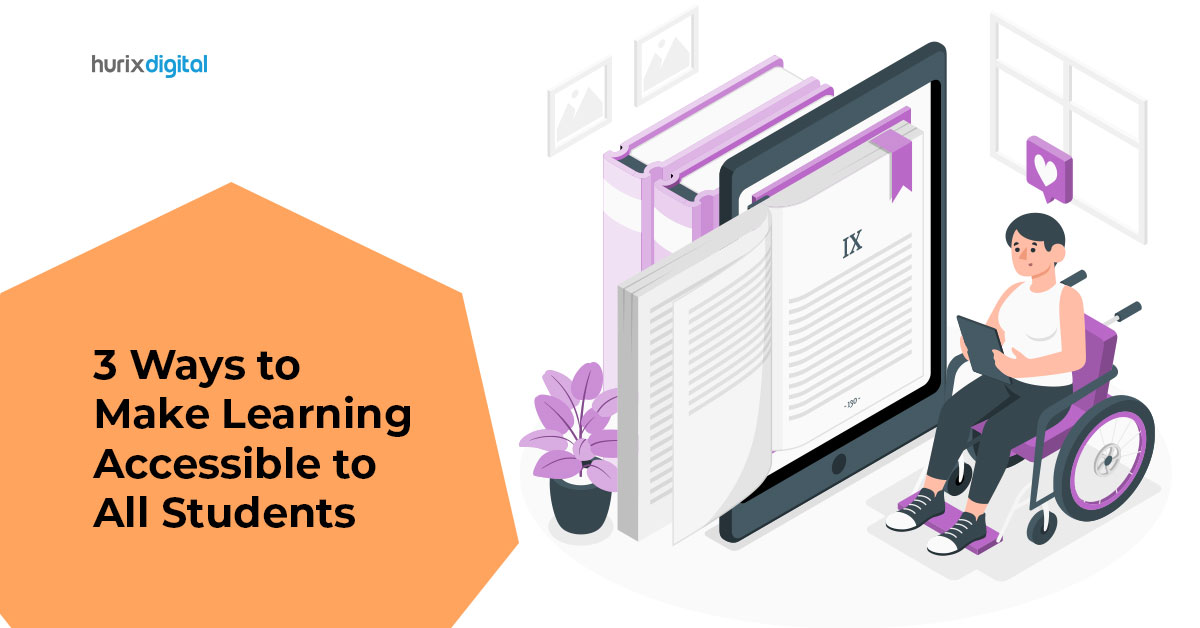
[vc_row][vc_column][vc_column_text]In today’s diverse and rapidly changing world, education plays a crucial role in preparing individuals to succeed in their personal and professional lives.  However, the traditional one-size-fits-all approach to education does not cater to the unique needs and abilities of every student, making it essential to create accessible learning materials that can be easily understood and accessed by all.  This is particularly crucial for students with disabilities or learning difficulties who may require additional support and accommodations to ensure equal access to education. In this context, Hurix, a leading learning technology solutions provider, offers a comprehensive range of services to develop fully accessible learning materials that cater to all students, regardless of their abilities or disabilities.  In this article, we will explore some of the strategies that Hurix employs to help its clients create accessible learning materials and promote inclusive education. How to make education accessible to all the students? When creating learning materials, it is essential to consider the diverse needs of students with different abilities and disabilities. To ensure accessibility in education, it is crucial to use plain language, provide audio and visual aids, and incorporate assistive technology.  For example, text-to-speech software can read the text aloud for students with visual impairments or learning difficulties, while subtitles and captions can help those who are deaf or hard of hearing. Additionally, providing alternative formats, such as braille, large print, or audio, can ensure that students with disabilities can access the same content as their peers. Creating accessible documents is critical for ensuring that all students can access and understand the content. This involves designing documents in a way that is easy to navigate, using clear headings and tables of contents, and providing alt-text descriptions for images. Additionally, using high-contrast colors, larger fonts, and simple language can help students with visual impairments or learning difficulties to access and understand the material. Top 3 strategies for hybrid learning classrooms Hybrid learning combines online and in-person learning, providing students with more flexibility and accessibility. To ensure that all students can benefit from hybrid learning, it is important to use a range of strategies, such as: Providing recorded lectures and video lessons: Recorded lectures and video lessons can be accessed by students at any time, allowing them to learn at their own pace and review the material as needed. Using online discussion forums and group projects: Online discussion forums and group projects can provide students with opportunities to collaborate and engage with their peers, regardless of their location or ability. Incorporating interactive activities and quizzes: Interactive activities and quizzes can help to keep students engaged and motivated, while also providing instant feedback on their progress. How Hurix is helping their clients to develop their learning materials fully accessible: Hurix provides a range of services to help their clients develop fully accessible learning materials that cater to all students. This includes: Conducting accessibility audits:  Hurix conducts accessibility audits to identify any barriers that may prevent students with disabilities from accessing and understanding the content. Providing accessible design and development:  Hurix provides accessible design and development services, ensuring that learning materials are designed in a way that is easy to navigate and understand, with alt-text descriptions for images, clear headings, and tables of contents. Using assistive technology:  Hurix incorporates assistive technology, such as text-to-speech software and screen readers, to ensure that students with disabilities can access the same content as their peers. Ensuring that learning materials are fully accessible to all students is essential for providing inclusive and effective education.  By following best practices for making content and documents accessible, and using strategies for hybrid learning classrooms, educators can create an environment where all students can learn and succeed.  Hurix’s services provide an excellent resource for creating fully accessible learning materials, making education more accessible and inclusive for all students. Contact us for more details![/vc_column_text][/vc_column][/vc_row]

Manuscript Preparation: A Connecting Process Between The Editorial Team And An Editor

[vc_row][vc_column][vc_column_text]There’s nothing like a printed book; the weight, the woody scent, the feel, the look. ―E. A. Bucchianeri[/vc_column_text][vc_custom_heading text=”What is manuscript preparation?” font_container=”tag:h1|font_size:18|text_align:left” google_fonts=”font_family:Lato%3A100%2C100italic%2C300%2C300italic%2Cregular%2Citalic%2C700%2C700italic%2C900%2C900italic|font_style:900%20bold%20regular%3A900%3Anormal” css=”.vc_custom_1622800348437{margin-top: 0px !important;margin-bottom: 0px !important;border-top-width: 0px !important;border-bottom-width: 0px !important;padding-top: 0px !important;padding-bottom: 10px !important;}”][vc_column_text]A fully formatted book goes through a series of processes and involves the contribution of multiple teams before it finally hits the market. Formatting a book is also a time-consuming task. To make things easier for all the processes involved, it is necessary to prepare the book in a proper manner prior to formatting.  Manuscript preparation is a process that includes checking whether all the contents of the book, be it a first edition or a revised edition, are provided by the author, followed by appropriate call-outs for the artworks, placement of the tables, box elements etc. This helps the typesetter and other involved teams to proceed with the formatting process. Before the book goes into production, it is important to have a thorough check of all essential elements and permissions to avoid last-minute delays.[/vc_column_text][vc_custom_heading text=”Who is a preparer?” font_container=”tag:h2|font_size:18|text_align:left” google_fonts=”font_family:Lato%3A100%2C100italic%2C300%2C300italic%2Cregular%2Citalic%2C700%2C700italic%2C900%2C900italic|font_style:900%20bold%20regular%3A900%3Anormal” css=”.vc_custom_1622804461748{margin-top: 0px !important;margin-bottom: 0px !important;border-top-width: 0px !important;border-bottom-width: 0px !important;padding-top: 0px !important;padding-bottom: 10px !important;}”][vc_column_text]A book is transmitted from the hands of the Editorial to the Production team. A manuscript preparer is a person who is a link between the Editorial and the Production team. Before a book goes into production, the role of a manuscript preparer comes into play. A manuscript preparer checks whether all the contents of the book are available, provides proper call-outs for artworks and other elements of a book, checks for the table of contents and aligns them with the input chapters, and prepares book info sheet based on the data provided, to be transferred to production process which involves the role of a copy editor and a typesetter. A manuscript preparer receives files, usually in the form of a Word document, from the Editorial team, prepares the manuscript, resolves any discrepancies with the Editorial team and finally proposes the final transmittal notice.[/vc_column_text][vc_custom_heading text=”Processes in manuscript prepping” font_container=”tag:h3|font_size:18|text_align:left” google_fonts=”font_family:Lato%3A100%2C100italic%2C300%2C300italic%2Cregular%2Citalic%2C700%2C700italic%2C900%2C900italic|font_style:900%20bold%20regular%3A900%3Anormal” css=”.vc_custom_1622804547703{margin-top: 0px !important;margin-bottom: 0px !important;border-top-width: 0px !important;border-bottom-width: 0px !important;padding-top: 0px !important;padding-bottom: 10px !important;}”][vc_column_text]Manuscript preparation is categorized into two processes: Manuscript Prep Preparing Book Info Sheet Let us see what these processes are. Manuscript Prep: When a book is received for manuscript preparation from the Editorial team, firstly, the input is analyzed, checking whether the book is a first edition or a revised edition, and then it is cross-checked for all essential elements against the notes document that has been shared.  Steps in manuscript prep: Folder creation: Appropriate folder creation with the author name and edition, followed by sub-folder creation of all the inputs shared. Files that are to be transmitted to Production are the ones that will be placed in these folders.  File naming: A standardized file naming convention is followed, which helps in avoiding confusion during the production process. Checking table of contents: Table of Contents (TOC) is a very crucial element, which needs to match correctly with the chapters and contents of chapters in a book. Matching the contents from the chapters and creating a detailed TOC is the next important step in manuscript preparation.  Labeling/call-outs: Callouts for every piece of text in the manuscript will have a unique design treatment.  Credit line vs Source line: Checking permissions log for appropriate credit and source info is also a part of the Manuscript prep process. Any instruction to be added for the author, typesetter, Production Editor, or copy editor will be given near the content in a defined standard format.  Call-outs fall under the following two categories: New call-outs: Insertion of new figures, photos, tables will be called out under this category. Pick-up call-outs: Any figure, photo or table that needs to be used from a previous edition will fall under this category. Both types of call-outs have their own standard way of representation. Preparing Book Info Sheet After prepping the manuscript, the next step in the transmittal process is to fill out the Book Info Sheet and Castoff-o-matic in an Excel with the required template and design mentioned. This step involves tracking individual manuscript elements, estimating the number of MS pages that each MS file will take up, and calculating the final book length.[/vc_column_text][vc_custom_heading text=”Key Terms in Prepping” font_container=”tag:h4|font_size:18|text_align:left” google_fonts=”font_family:Lato%3A100%2C100italic%2C300%2C300italic%2Cregular%2Citalic%2C700%2C700italic%2C900%2C900italic|font_style:900%20bold%20regular%3A900%3Anormal” css=”.vc_custom_1622805069871{margin-top: 0px !important;margin-bottom: 0px !important;border-top-width: 0px !important;border-bottom-width: 0px !important;padding-top: 0px !important;padding-bottom: 10px !important;}”][vc_column_text]Some of the key terms and terminologies in manuscript prepping include the following: Transmittal A transmittal refers to delivering the input manuscript and all of its elements from the hands of Editorial into the hands of Production. It is the beginning of the production cycle, during which Production and Editorial work closely together to bring a book to life. The ideal transmittal is a complete manuscript, with all front matter, back matter, figures and artwork included, all photos selected and downloaded or requested, and all third-party permissions requested, if not already secured.  The next most ideal transmittal is one with fully prepped manuscript, that is, providing complete callouts for photos, figures, boxes, and other features; clear identification of items to come, that is, a permissions log as complete as possible; and available photos and figures/artwork provided and properly labeled.  Call-outs A callout is, in simple terms, an instruction that tells the typesetter where to place things in the book. The callout itself is not meant to appear in text, so it is usually flagged in red and in brackets to indicate that it is a set of instructions.  Permissions log A log that lists a book’s third-party content, whether permission is required to reprint that content, the dates on which permission was requested and obtained, and the credit line that should appear with the reprinted material. Credit lines Third-party material that is being reprinted exactly as it appears in a different publication needs a credit line. Photos always have credit lines. Figures get credit lines if someone else made them.  Source lines Any artwork made using data that the author did not create themselves needs a

Can Pre-Press Services Help Your Business To Save Time And Money

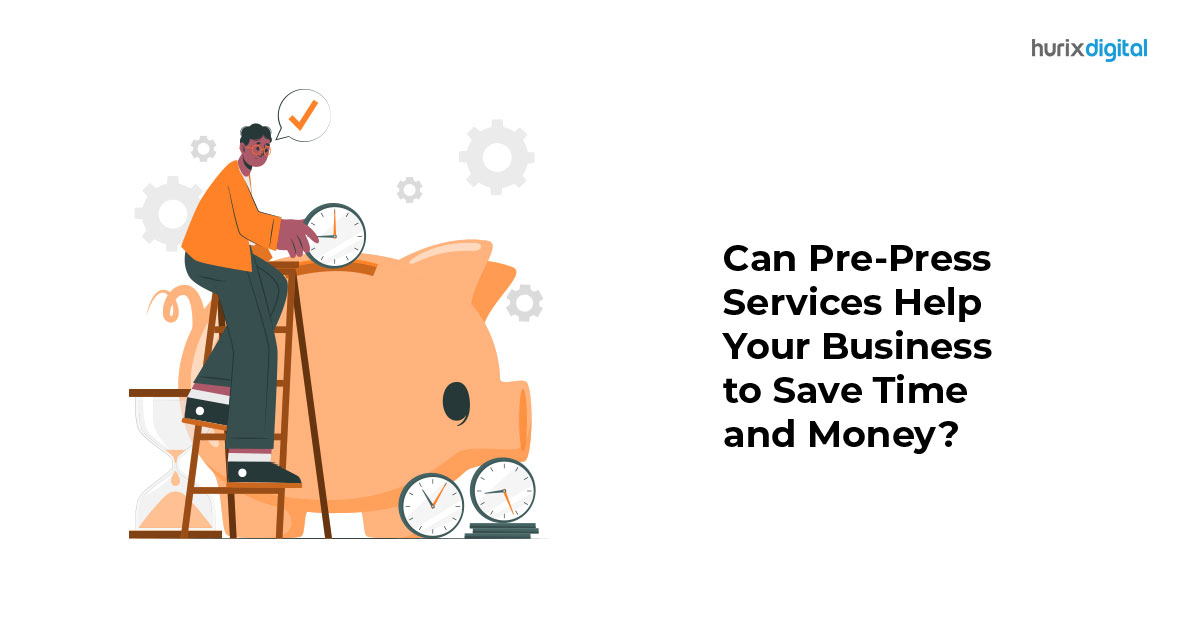
[vc_row][vc_column][vc_column_text]The advent of digital media has significantly altered the consumption of print media, throwing conventional publishing into disarray. Pre-press professionals, confronted with an increasingly digitized world, are geared for future challenges by resorting to the latest trends in publishing. Pre-press services continue to open new avenues, boost client retention, and generate higher revenues and are the pillar of high-quality commercial printing, a crucial component of the customer relationship strategy. The advancements in traditional pre-press services have revolutionized how publishers produce and distribute content, making it more appealing, efficient, and cost-effective. Publishers are harnessing the professional pre-press printing services available today to deliver high-quality and interactive content to their target audience with quicker turnaround times to magnify their digital content distribution channels and procure sales. Publishers can ensure their content is flawless and up to the highest standards. Pre-press services are an often-overlooked aspect of printing that can extend significant cost savings to businesses.  Pre-Press Services Explained Pre-press services refer to various procedures, including file preparation, color adjustment, proofreading, and imposition, performed prior to the final printing. Pre-press specialists ensure that the content’s caliber is upheld throughout the publishing process by detecting mistakes, inconsistent formatting, and other issues that could degrade the content’s overall quality. The process also incorporates all aspects of artwork correction by ensuring a high-quality outcome adhering to the customer’s specifications for size, font, and colors for a finished file that is perfect for print standards. Advantages of Utilizing Of Pre-Press Services Let’s delve into the advantages of pre-press printing services that improve employee workflow. 1. Quality Control When it comes to marketing and advertising, first impressions are crucial, and customers often perceive a company’s professionalism based on the appearance of its marketing materials. Impeccably designed printed materials convey that your company is dependable, competent, and dedicated to providing a pleasant customer experience. On the other hand, a business with poorly executed printed materials portrays a company as unreliable, sub-standard, or unable to pay attention to detail. Pre-press specialists conduct extensive quality control tests to produce a finished product of the highest printing standards. This level of attention to detail is essential when working in the printing industry, where even minor errors can be expensive. Investing in pre-press services assures high-quality printing and design, contributing to a positive image for your brand while improving your likelihood of attracting and retaining customers. Pre-press technicians harness specialized software to ensure the digital files are optimized for printing, appropriately formatted, and color corrected with a suitable resolution. 2. Streamlined process translates to quicker turnaround time As a digital publisher, you can’t afford to lose weeks of production time. Digital pre-press services are an excellent option for those who value their time and must swiftly produce high-quality printed materials. Pre-press technicians work closely to ensure the files are prepared for accurate printing. Outsourcing pre-press services reduces the time needed for setup allowing businesses to meet tight deadlines by delivering fast turnaround times. Streamlining the printing process reduces the time spent on reprints and allows a quicker turnaround time for printing jobs. Pre-press service companies are equipped with the necessary resources and expertise to produce quality content swiftly without compromising quality. Outsourcing pre-press services is the most effective technique to enhance a business’s reach to its clients and enhance its scalability. 3. Early error detection minimizes reprinting expenses The complete publishing process demands significant time, money, and resources, from developing engaging content to meeting timeframes for delivering the finished material to the intended audience. Pre-press services limit the cost of reprints by determining errors and rectifying them before printing, fetching you the best quality prints. They enable organizations to offload substantial expenses by eliminating the need for reprinting pages. Pre-press technicians may advise layout or design adjustments that can lower printing expenses by reducing paper waste and ink usage. For instance, they can recommend altering the layout to accommodate more copies onto a single sheet of paper or reducing the number of colors used to minimize the amount of ink required. Over time, these adjustments may amount to considerable cost reductions for enterprises. 4. Design Consistency translates to a positive brand perception Pre-press experts scrutinize the content for text overruns, disarranged text chunks, and text concealed behind images before finalizing the layout to ensure that the ultimate print-ready file contains no glaring mistakes. They ascertain that all files are uniform, with no disparity in the colors, fonts, or design components. The printed product’s quality is preserved across all materials, saving businesses time and money while enhancing organizational efficiency, thanks to this level of consistency and precision. Pre-press services’ capacity to uphold uniformity in design aids in developing a professional image for the company. The Bottom Line In a highly competitive business world, companies must seek ways to save time and money without compromising quality. The pre-press stage is crucial because any errors or issues that are not detected and corrected can lead to costly reprints and delays in delivery. Therefore, working with a reliable pre-press service provider with the expertise and technology to ensure printed materials are generated to the highest standards is vital. Printing accomplishes more than simply rendering a digital file tangible. It involves transforming your idea into print materials that accurately translate your client’s expectations on paper. For a quick turnaround and impeccable print quality, work with Hurix’s team of design professionals that offer each manuscript their undivided attention and ensure accurate reproduction of each text block and pagination. [/vc_column_text][/vc_column][/vc_row]

Why Is It Essential To Get the Right Digital Assessment Tool?

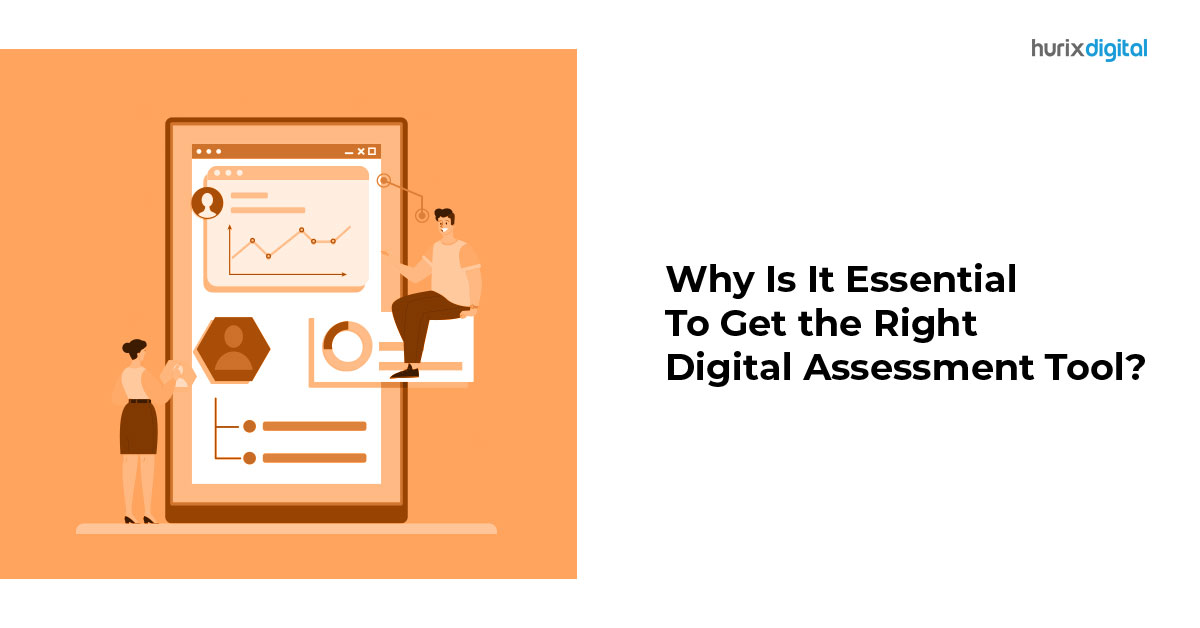
[vc_row][vc_column][vc_column_text]Over the last decade, online educational technologies have gained immense traction, with more and more educational institutions using digital assessment tools for summative and formative assessment. The global eLearning market is projected to reach around $325 billion by 2025 with a CAGR (Compound Annual Growth Rate) of 7%. As an increasing number of students are comfortable using them, paper testing is losing its significance when it comes to knowledge assessment. Investing in the software will future-proof your online assessment strategy. Choosing the tools that align with your strategy will not only help in solving current issues but also assist in solving future problems. Let’s dig deeper into how digital assessment tools can help you take the learning environment to the next level. Understanding Digital Assessment Tools Digital assessment tools help evaluate students’ behaviors, abilities, and characteristics through online questionnaires, tests, and quizzes. They enable teachers to track students’ progress effectively and recognize opportunities to motivate and encourage them to excel in their assessments. The major goal of digital assessment is to reduce faculty members’ workload, improve the system’s efficiency, and provide examination flexibility. You must choose technology that meets your requirements rather than trying to match your needs with the technology that’s already available.   How Teachers Leverage Digital Assessment Tools To Provide Exceptional Learning Experiences Reviewing, evaluating, and grading assessments can be a highly hectic addition to the routine work of a teacher. But with the advancement in technology, educators can now assess students’ performance easily and quickly, saving significant time for actual learning. Thanks to feedback tools and learning management systems, students get fair and quick assessment results right after taking a test. The software provides an evaluation report, including students’ grades and feedback. This allows the educator to assess student’s learning progress in different subjects easily.    Importance Of Digital Assessment Tools In Education The main aim of educators is to help students grasp and learn various concepts and hone their skills. Here’s how digital assessment tools can help in judging and tracking the knowledge level of students in a hassle-free way: 1. Offers Flexibility To Students Flexibility is one of the most significant benefits of digital assessment tools. Your students enjoy the liberty to attend their examinations from anywhere at any time. The best part is that online assessment tools allow you to personalize the exam settings in case your student wishes to appear for the test at a specific interval of time. Students living far away or in another country can get the best perks based on location. Even students with physical disabilities can leverage digital assessment tools.   2. Easy To Set The Exam Guidelines And Rules With digital assessment tools, setting exam guidelines and rules has become easier than ever before. You can now schedule digital skills evaluation tests for tens of thousands of students – year-wise, class-wise, and section-wise. This can save you significant time and effort. From fixing the marks of each question to the total exam time to deciding some criteria such as bonus points and negative marking, you get full liberty to conduct and organize the online assessment process.     3. Various Assessment Formats With Proctoring Technology To focus on students’ skill development, it’s important to frame questions in different formats. That’s exactly what digital assessment tools can help you with. Whether you want a descriptive test pattern or MCQs, they can help you in conducting the online assessments in a format that meets your goals. What’s more, with the help of proctoring technology, you can monitor students while they attend the digital assessment to ensure nil malpractices. As the grades are auto-evaluated, you can refer to the question-wise student performance report for detailed analysis. 4. Interactive, Engaging, And Fun Multimedia Sessions Gone are the days when exams were conducted on boring black-and-white papers! The thought of holding the question paper in hand during the test was nothing short of a nightmare for many. The good news is that modern assessment tools allow you to frame questions with fun multimedia audio and videos that help students to focus better rather than being nervous. Students with physical disabilities can leverage voice-to-text converters to carry out their online examinations.    5. Gamification Of Answers Some digital assessment tools allow teachers to develop the learning process in the form of a game by framing MCQs or utilizing the existing games. The teachers can upload images and media files to build a different game or use ready-made formats. Although this test requires students to use their desktops, it also creates the perfect opportunity for a group activity. The questions are displayed on a shared screen, and students can discuss them among themselves if required. This format ensures 100% class engagement as students try to give their best in a competitive atmosphere. 6. AI-Powered Analysis The digital assessment tool leverages AI (Artificial Intelligence) technology for in-depth analysis of the evaluation report. With AI-based analysis, teachers can improvise their teaching methodology to achieve better learning results. Additionally, the system also allows the stakeholders to make data-driven decisions. What’s even better, it facilitates the graphical representation of data in multiple forms, such as graphs, tables, and pie charts.    7. Accurate Assessment Reports From drafting question papers, and evaluating answer sheets, to invigilating students, teachers were responsible for all these duties under the traditional examination method. But thanks to the digital assessment method, all the hectic and manual work has been reduced to a significant extent. You can now get highly accurate and automated reports in various formats such as Word, PDF, and docs under the online assessment system. This not only helps the teachers to identify students’ problems but also brings down the institutes’ expenses considerably.    8. Technology Integration The digital assessment tool can be integrated with other technologies like student information systems, admission management software, and learning management software to ensure seamless workflow and functioning of all institute’s operations. This data can be stored, accessed, retrieved, and managed by various departments and faculty members of the institute at the

Tips And Best Practices For Converting Content Formats From Print To Digital

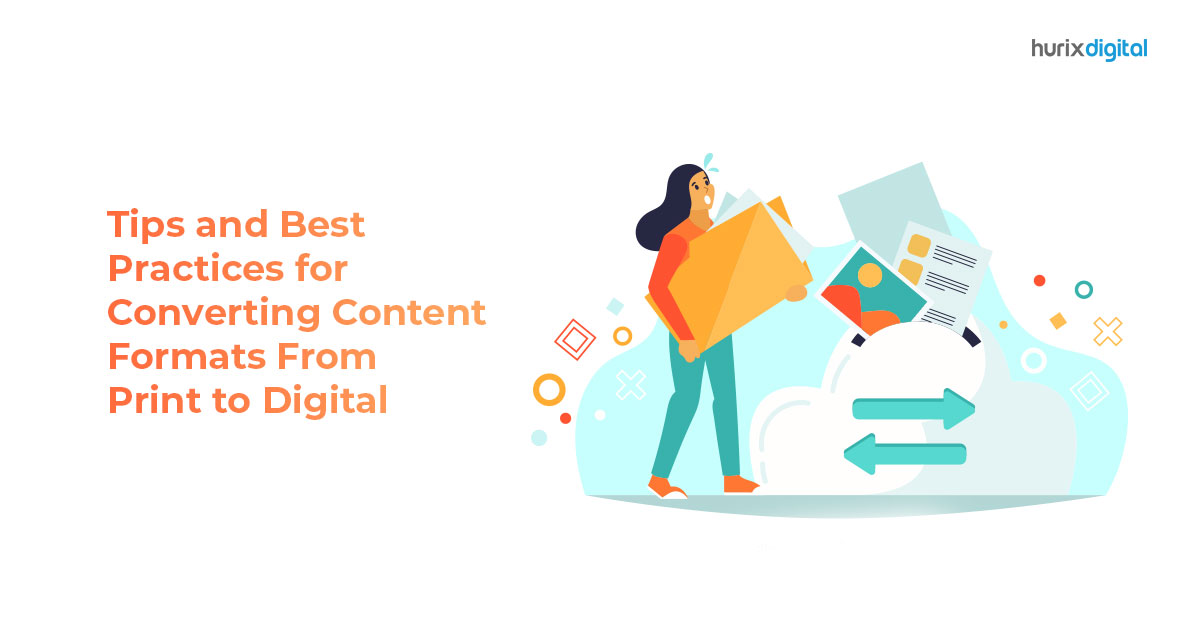
[vc_row][vc_column][vc_column_text]Digital technologies have changed the way people consume information today. Owing to it, many organizations are converting their content format from print to digital. But not everyone is finding the journey easy. This is because digital content transformation is not as simple as uploading a PDF file online. Businesses must carefully plan their content conversion strategy to make the content engaging and accessible across devices and platforms. This article will explore some best practices for converting content formats from print to digital. Following these tips, you can successfully transform your print assets into high-quality digital content that resonates with your audience. Benefits Of Converting Content From Print To Digital Before we talk about the ‘how,’ let’s understand the ‘why’ of digital content conversion:  Digital Content Is More Accessible People with different abilities can access digital content more easily than printed materials. With videos, sounds, al texts, transcripts, and screen readers, a much wider audience can consume your content. Digital Content Is Portable You can easily transport and access digital content from any part of the world. This feature of digital content makes it convenient for users to access it from different locations, even on the go. Digital Content Is Searchable With digital content, the information is right there for users whenever they need it. They can access the content anytime with a simple search. Since online experiences begin with a search for most, it’s crucial for businesses to make their content easily searchable. Creating Digital Content Is Cost-Effective It’s a lot cheaper to create digital content than print content. No money is spent on printing, shipping, or storing physical copies of the content. Digital media also allows for easier updates and revisions without having to reprint time and again. Digital Content Is More Interactive You can also include multimedia like video, audio, animations, and other interactive elements to digital content, providing a more wholesome and engaging reading experience. Digital Content Is Easier to Track With digital content, you can track metrics like how many people viewed your content, how long they engaged with it, what action they took after reading, etc. They help you identify what works for you and what needs improvement. Tips To Convert Content Formats From Print To Digital Now that you know the benefits of digital content, you’re probably ready to turn your print collateral into digital content. But before you jump the gun, consider these tips to make the content transformation process smooth and fruitful: Know Your Audience Your digital audience can be very different from your print audience. So before you start the content transformation, it’s important to understand your audience. What is the demographic of your target audience? What are they looking for from your content? This knowledge will help you determine what information to provide your audience and the most effective format to present that information. Choose The Right Digital Format A downloadable PDF is believed to be the most convenient method for digitizing custom publications,  annual reports, and promotional materials. But while PDF content transformation is faster and easier, you may miss out on key digital elements such as mobile-friendliness, interactivity, and SEO. The World Bank learned it the hard way a decade ago when it found that almost one-third of its PDF report was not downloaded once in five years. This was not because the content was unimportant but because PDFs do not provide a good web reading experience. Hence, choosing the right content conversion format is crucial for all businesses. Depending on your audience, you can convert print content to ebooks, web pages, and mobile apps. You can even consider infographics for annual reports or data sheets. Their strong visuals and readability make them more engaging than traditional text-turned-PDF. No wonder 67% of B2B marketers used infographics in their digital content in 2020. Design For Digital Content transformation is not just about copying the content from print media and pasting it to digital media. Digital content requires a different approach than print media. You must consider the appropriate layout and ensure they are easy to navigate on digital devices. Today, many people prefer to consume content on mobile devices. Therefore, selecting a publishing tool compatible with mobile devices,  such as smartphones and tablets, and desktops, is important. Further, ensure that the display and layout of your content are optimized for different screen sizes and resolutions so users can get a superb experience no matter which digital device they use. Use Multimedia Elements If you want the content to work for you, you should also endeavor to make it more engaging and interactive. Use multimedia elements, such as images, animations, and videos, to add a fresh breath of air to your old print assets. Optimize For Search Engine According to recent research, nearly 53% of a website’s traffic comes from organic search. Hence, to improve your website traffic with digital content, you need to optimize it for search engines. You can do this by following the SEO best practices, like using relevant keywords and adding metadata. It will make your content appear higher in search engines, so your users can easily discover it. Consider Accessibility When converting content from print to digital, keep accessibility in mind. Your digital users can be people with different abilities. It’s important you use elements such as alt texts for images, transcripts for videos, navigation aids, etc., to make your content easier to consume for everyone. Check out the detailed list of do’s and don’ts for creating accessible content. Update Regularly Unlike print content, you can edit and update digital content as often as you like. Make the most of this advantage to keep your content fresh and relevant. Monitor user engagement and analytics to optimize and improve your content over time. Final Words Converting content from print to digital can bring numerous benefits of better accessibility, portability, searchability, interactivity, and cost-effectiveness. However, it is essential to consider various aspects of digital content to make your content transformation successful and effective. Follow the best

How to Design Responsive eLearning Courses Using Authoring Tools?

[vc_row][vc_column][vc_column_text]The popularity of eLearning has skyrocketed in the last few years due to the outbreak of the COVID-19 pandemic. Even though eLearning was still quite popular among learners before that, 2020 was the year that made educators and learners of all age groups understand how beneficial online learning can be. Things have come a long way ever since. New technologies are being introduced regularly to improve the learning experience online. By 2025, the market for eLearning, presently worth several billion dollars, is expected to rise significantly and reach $350 billion.  All kinds of learners, even the kinetic ones, have enjoyed the benefits of eLearning. eLearning courses have grown very popular in the education sector as well as the corporate sector. Due to high demand, experts strive to make eLearning courses an exceptional experience for learners. And to make that happen, they need access to the best eLearning authoring tools. In this article, we’ll discuss the top five features of an ideal responsive design eLearning authoring tool and how one can create great courses for learners using them.  What Makes Responsive Design eLearning Authoring Tools Worth The Hype? It goes without saying that with each passing day, learners’ expectations increase when it comes to eLearning courses. About 81% of college students in the United States claim that eLearning technology helps them raise their GPAs.  That’s because the curriculums used in eLearning courses are thoroughly researched to meet today’s learners’ expectations. Here are a few of the many reasons why responsive design eLearning authoring tools are beneficial: Learner Can Learn At Their Convenience In the fast-paced world that we live in today, it’s not always possible to follow a routine every day. Keeping that in mind, responsive authoring tools make it possible for learners to learn on any device of their choice at any time. A smooth interface can be guaranteed on any device with a responsive authoring tool and cross-device compatibility so that nothing gets in the way of learning.  Learners Can Customise Their Course Layout Another great thing about authoring tools is that they allow learners to take control of their learning. Learners can customize their learning materials based on their requirements and make their learning experience worth remembering. Some platforms also offer a wide range of pre-designed templates for learners to pick the right one for themselves. This makes them more eager to participate and retain information more effectively. Cost Saving Unlike traditional courses, eLearning courses are way more cost-effective. The user and eLearning course developer save money in the process, enhancing the learning experience on a budget. Working from home also helps trainers and trainees save money on transportation costs.  Allows Course Creators To Preview Their Work When we put hours of hard work into something, we want to ensure it’s working without fail – eLearning courses are no different. It can take creators months to design the perfect course for students, and authoring tools can be their best friend. That’s because authoring tools give creators all kinds of support they need to make the impossible happen – creators can check how well their course works on multiple devices and even collect user feedback. Previewing the course before sending it live is crucial to avoid getting into trouble later on – this leaves a great impression on course learners and keeps them coming back.  Offers Improved Accessibility Features As discussed earlier, all kinds of learners benefit from eLearning courses. Learners with disabilities can pick their perfect mode of learning minutes after enrolling for their course – text-to-speech, interactive video content, or audio – responsive design takes care of everything. Futuristic Design In a world where trends come and go quickly, creators need to ensure that the eLearning courses they are coming up with are relevant in the long run. eLearning courses designed with the help of authoring tools ensure creators have all the features they can use for the benefit of educators and learners for an enhanced learning experience.  How Can One Design Highly Responsive eLearning Courses With Authoring Tools? Now that we are well-acquainted with the benefits of authoring tools, it’s time to understand how creators can make the most of them. The steps associated with the process of creating highly responsive eLearning courses with authoring tools are: Step-1: Understand What Kind Of Audience Will Benefit From Your Course And What Their Learning Goals Are The first step to success is understanding what works for your target audience. Before making big moves, take a pen and paper and plan what your target audience is searching for in an eLearning course. Once you finish the research, check if you can provide them with what they want.  Step-2: Pick An Authoring Tool That Accommodates Responsive Design Once you have a solid plan, it’s time to shop around for authoring tools to make your vision come to life. With the right authoring tool, you can complete hours of tasks in minutes and get the desired outcomes. Therefore, make your decision wisely and ensure that the authoring tool you choose ticks all the boxes for you.  Step-3: Form A Storyboard And Get To Work Once you are done with step-2, consider your job half done – because all you need to do now is form an outline of your project and get to work. Take your time creating the storyboard so that nothing gets in the way while you materialize your vision. The best eLearning authoring tools will provide you with videos, audio, images, and many other interactive elements.  Step-4: Test Out Your Outcome On Multiple Devices Your job does not end after creating the course – you have to ensure it’s functioning properly on all kinds of devices before you publish it on the market. Carrying out this step will help you detect all the potential risks associated with your course and give you a chance to fix them.  Step-5: Publish Your Course After you’re done carrying out all the aforesaid steps, it’s time to publish your eLearning course