Blog

How IoT Will Impact Your Mobile App Development

[vc_row][vc_column][vc_column_text]“Internet of Things” refers to a network of physical devices, vehicles, buildings, and other objects that are embedded with sensors, software, mobile applications, and network connectivity, allowing them to collect and exchange data. This data can be used to monitor and control various aspects such as temperature, lighting, air quality, security, health, device status, and more. IoT technology is being used in many different industries, including healthcare, agriculture, manufacturing, transportation, and smart homes. The potential benefits of IoT include increased efficiency, improved safety and security, and better directing based on real-time data analysis. How Mobile App Development Interfaces with IoT Mobile app development is increasingly dominated by IoT, as connecting devices to smartphones to control devices and report data is proving more useful to all types of users.  The largest use of IoT is observed in the healthcare industry, relevant information like a heartbeat, and BP is monitored using sensors and relayed to the user through the mobile application. Such type of information plays a critical role in monitoring a person’s health. Mobile apps can be used to control and monitor IoT devices, such as smart thermostats, security cameras, and lighting systems. Mobile apps can be integrated with third-party applications to share and use the data generated through IoT devices.  The Impact of IoT in Mobile App Development The Internet of Things (IoT) has the potential to greatly impact mobile app development. IoT refers to the network of interconnected devices that can communicate and share data with each other over the internet. When it comes to mobile app development, IoT opens up new possibilities and challenges. Here are some ways IoT implementation can impact mobile app development: IoT and Mobile App Integration: Mobile apps can be developed to communicate and interact with various IoT devices such as smart thermostats, wearable devices, home automation systems, and more. This integration allows users to control and monitor IoT devices remotely through their mobile apps, offering convenience and enhanced functionality. Data Collection and Analysis: IoT devices generate vast amounts of data, and mobile apps can be developed to collect, analyze, and present this data to users in a meaningful way. For example, a fitness app can collect data from a user’s wearable device and provide insights on their activity levels, heart rate, sleep patterns, and more. Enhanced User Experiences: IoT can enable mobile apps to provide personalized and context-aware experiences. By leveraging data from IoT devices and sensors, apps can deliver tailored content, recommendations, and notifications based on a user’s preferences, location, and real-time data. Improved Automation and Control: Mobile apps can serve as a control center for IoT devices, allowing users to automate and manage various aspects of their connected environment. For instance, an app can enable users to remotely control their home security systems, lighting, or even appliances. Security and Privacy Considerations: With the increasing number of IoT devices and their integration with mobile apps, security and privacy become critical concerns. Developers need to implement robust security measures to protect the data transmitted between devices and ensure user privacy. Development Complexity: IoT integration adds complexity to the development process. Developers must consider compatibility with different IoT platforms, protocols, and device specifications. They need to possess the necessary skills and knowledge to work with IoT technologies and understand the unique challenges they present. Increased Collaboration: IoT app development often requires collaboration between different teams, including mobile app developers, hardware engineers, cloud architects, and data scientists. Effective collaboration and coordination become crucial to create comprehensive IoT solutions. Continuous Iteration and Updates: IoT technologies are evolving rapidly, and developers need to stay updated with the latest advancements and standards. Mobile apps integrating IoT may require continuous iteration and updates to adapt to new devices, protocols, or security measures. In conclusion, IoT has the potential to transform mobile app development by enabling integration with a wide range of devices, enhancing user experiences, collecting and analyzing data, and providing automation and control functionalities. However, developers must also address security and privacy concerns and adapt to the complexities introduced by IoT technologies. Conclusion Overall, mobile app development can enhance the functionality and usability of IoT devices, making them more accessible and useful for users. The Internet of Things has also created a way to secure apps by protecting consumer identities and ensuring data encryption. If you are still confused about interfacing IoT with your mobile app, then the Hurix team of experts can guide you to make the right decision.  We mainly focus on providing the app user with a personalized user experience by integrating the app with mobile device functionalities. Our experienced team will help you understand and implement features like push notifications, user engagement, reminders, and security that can be effectively implemented using IoT to deliver an exceptional mobile application. Contact us or drop a mail to marketing@hurix.com for more information.[/vc_column_text][/vc_column][/vc_row]

What is Digital Content Conversion and How Does it Work?

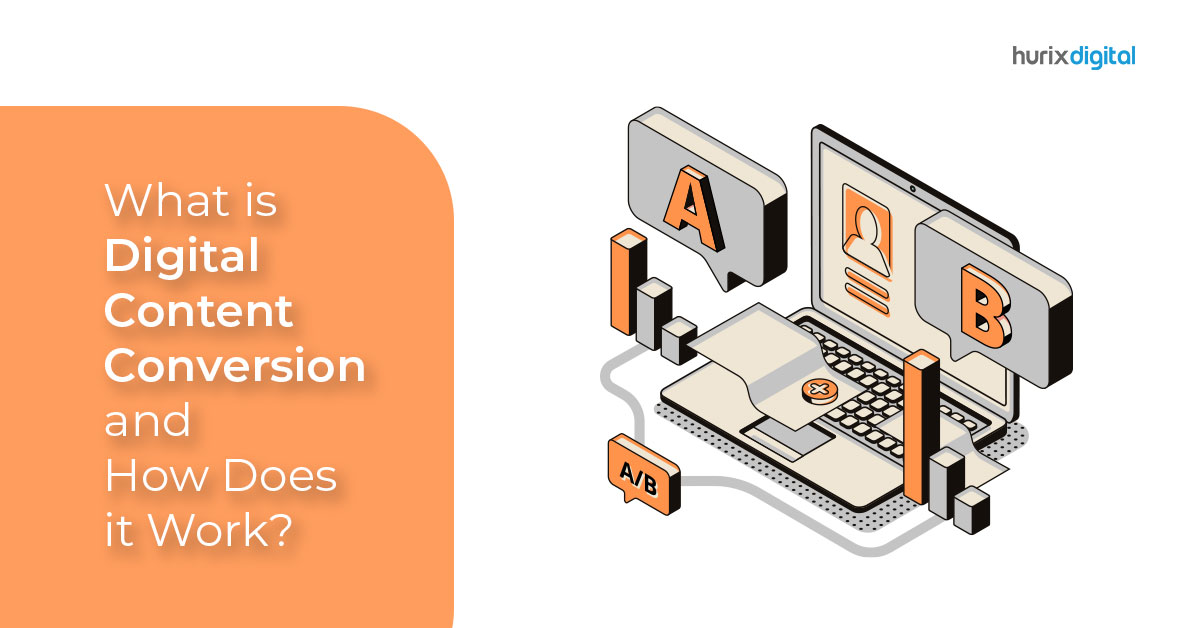
[vc_row][vc_column][vc_column_text]Digital content conversion has led to a change in the way we think about content. We’re no longer limited to just one content format, such as books or newspapers – now there are podcasts and audiobooks, video games and apps, movies, and social media channels. All of these different media formats have been created by repurposing existing content into newer electronic formats, making it easier for consumers to enjoy their favorite content on multiple devices at once. Digital Content Conversion is an important part of this process since it allows companies to take their existing materials (such as ebooks) and create new versions for different platforms like smartphones or tablets so that customers can access them more easily than ever. What is Digital Content Conversion? DCC is the process of converting existing content into a new format. This new format can be used to display the content on multiple devices, collect data about the content’s effectiveness and improve collaboration between authors and publishers. You can create video and audio files for your website or even share them on social media platforms like Facebook, Twitter, and Instagram. But what about print? DCC makes it easy to turn your digital marketing materials into printed materials such as brochures, flyers, posters, and more. Let’s look at why digital content conversion is so important and how it works in more detail. Why is Digital Content Conversion so Important? You might wonder what exactly goes into DCC and how it works, but before we get into that, let’s look at why this process matters so much. The digital revolution has changed the way we think about content. We’re no longer bound by the limits of a physical object like a book or magazine – we can access all kinds of information from anywhere at any time. Digital media has taken over as one of the top ways people consume information today – and with so many different sources out there competing for attention, businesses need to make sure their site ranks highly on search engines to reach as many people as possible. Top 5 Benefits of Opting for Digital Content Conversion. 1.Enhanced Revenues If you’re looking to build your audience and increase revenue, digital content conversion can help. When you implement it, you’re able to create more engaging content that reaches more people. This increases your sales and revenue and customer satisfaction- which is a win-win situation for everyone involved. 2. Better Data Collection Data can be gathered in real-time and from multiple sources—your employees’ devices, the field (or on-site), and other locations. You can gather more information from each individual by using digital content conversion as well since it gives you access to their workstation or personal device rather than just their phone or laptop. The data will also be much more accurate than before because it’s been gathered directly from your employees’ devices rather than their phones or laptops – which means that there are fewer opportunities for human error during the process. 3. Improved Collaboration Digital content conversion allows for improved collaboration on a global scale.  When you collaborate with people from different cultures and backgrounds and who have different skill sets, you can create more relevant content for your audience. Digital content conversion also allows easier collaboration for people who are not available in person. You don’t need everyone in the same place to be able to work together on a project. 4. Multiple Device Support One of the biggest benefits of using DCC for digital assets is that it allows you to use your existing assets across multiple devices. For example, if you have an ebook published on Amazon Kindle and want to distribute it through Apple iBooks as well – without having to create an entirely new version of your ebook – then digital content conversion might be right for you! 5. Improved Quality As mentioned above, when it comes time to convert your original documents into another format, they’ll undergo changes along the way. These changes can include things like reformatting text or images, so they fit better within different dimensions (for example, 4″ x 6″ prints vs. 11″ x 17″). Often, content can be remastered or upscaled depending on your requirement, meaning that you could considerably increase the quality of your content when performing the digital content conversion. How Does Digital Content Conversion Work? The main goal of digital content conversion is to create files that are compatible with multiple devices so that you don’t have to purchase multiple versions of your documents to access them on all your devices. We all know the importance of quality content and its ability to impact audiences in a significant way. The question you might have at this point is probably, “but how can I make sure my content is optimized for search engines?” Well, we have some good news: it all comes down to digital content conversion. For decades, this knowledge has driven the creation of new and exciting content formats designed to make the content appealing to audiences and boost its overall effectiveness. When it comes to digital content conversion, there are two main types of formats: Static images: These are images that don’t change over time while being displayed on a screen (e.g., photos or illustrations). A static image can be converted into a gif or jpg file format through software like Photoshop or GIMP. Dynamic elements: These include videos, animations, charts, graphs, and other interactive features that require users’ input for them to work properly. You can convert your content to icon, illustration, and story-based whiteboard animations, cartoon and flat graphic illustration, interactive storyboards, 2D and 3D animation, product illustration, and more. Digital content conversion serves to save time, which is a massive benefit. You can get the information you require in real-time and from multiple sources, so you don’t have to wait for results or waste time collecting them. Conclusion Digital content conversion is thus making it possible to create more engaging content in a whole host of formats. It’s

Top 6 Digital Content Conversion Formats Every Company Needs

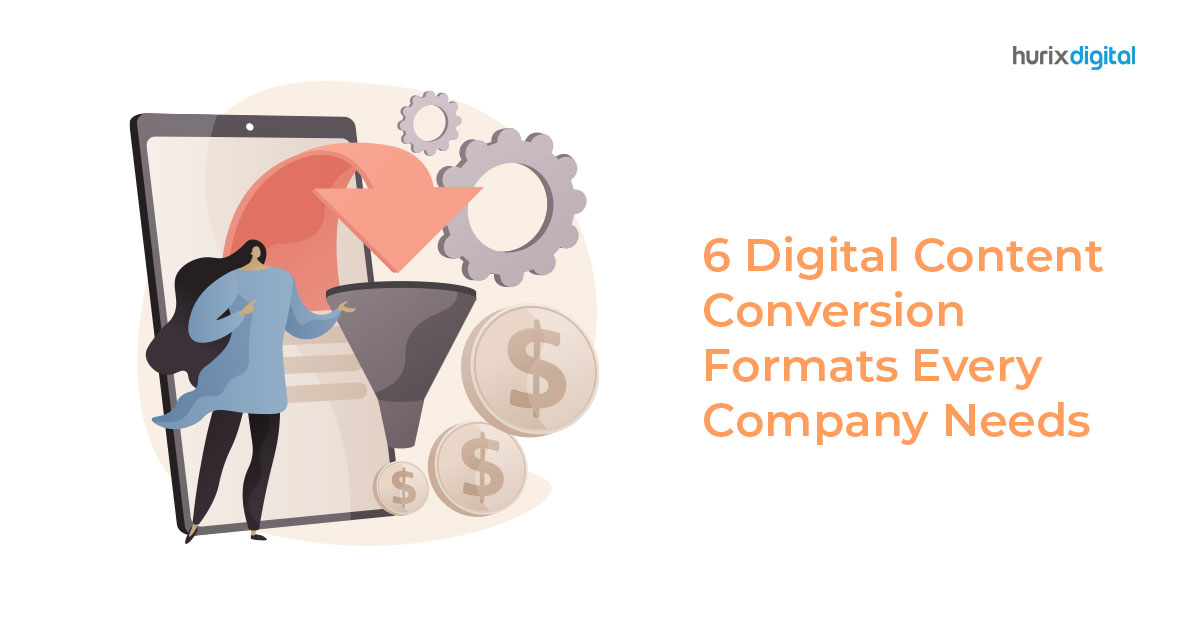
[vc_row][vc_column][vc_column_text]With the rise of smartphones and tablets, digital content conversion has become a crucial part of any company’s marketing strategy. To reach your target audience, you need to make sure your content is available on all popular platforms, whether it’s an ebook or a white paper. However, not every format will be right for every type of content or audience. Six formats that you should consider when planning your next digital content conversion project: 1. HTML5 HTML5 is the latest version of HTML, and it’s rapidly becoming the most widely used format for digital content conversion. It has several advantages over other formats: It supports all major browsers. Although some browsers still have limited support for HTML5-based audio and video files, they’re catching up quickly. It’s cross-platform compatible. If you build a video player in HTML5, it will work on all operating systems that support HTML5 (which includes iOS and Android). It’s mobile-friendly. This is an important consideration, especially if you want your video player to work on smartphones and tablets. HTML5 supports the same features that make desktop computers easy to use – touchscreen support and high-resolution graphics – which means that your video player will look good no matter what device someone uses it on. It’s a good choice for developers. HTML5 is easier to work with than other formats because it uses standard web technologies like CSS and JavaScript (JS). This makes it easier for you to make changes to your video player as needed. It’s accessible. HTML5 supports accessibility features such as closed captions and subtitles, which means that people who are hard of hearing or visually impaired will be able to enjoy your content. 2. EPUB EPUB is an open, XML-based standard for electronic books. It’s supported by all major eReader devices and apps, making it the most universally compatible format on the market. The key benefit of this format is its ability to deliver enriched content – including video, audio, images, webpages, and other interactive elements – to your readers. Plus, if you want to include links within your book that lead back to external sources (such as a website), EPUB will allow you to do so seamlessly. EPUB is a popular choice among self-publishing authors because it’s a universal format. As long as your reader knows how to read EPUB files, they can access your work without any problem. 3. PDF PDFs are a common document format, and many companies and individuals use them. PDFs are used to share documents with others via email or on GitHub. They can be read on many devices, including phones and tablets. They can even be created using word processing software like Microsoft Word or Google Docs! The most important thing to know about PDFs is that they are not only created from scratch. Instead, they are also made from a source file in another format (such as Word or a webpage), which is then processed by software that converts it into a PDF. This conversion process can take anywhere from seconds to hours, depending on the size of your document and how powerful your computer is. PDFs are great for security because they can be encrypted and password protected. Important documents like bank statements, transcripts, and other official softcopies often use PDF password protection because it’s both reliable and safe. 4. MOBI MOBI files are one of the widely available ebook formats. They’re used to distribute content on Amazon Kindle devices and Android apps, as well as other devices that support the open format. The MOBI file structure is an open standard, meaning it can be used by anyone without restriction. This also means that any device can read a MOBI file, regardless of the operating system it uses. This is one of the main reasons Amazon developed MOBI files in the first place – to ensure that all Kindle users could access their documents on any device they wanted. It’s important to note that the MOBI file format isn’t just for ebooks. It can also be used to distribute any type of digital content, including documents and images. The only difference is that these files are usually smaller than other types of files, such as PDFs or Microsoft Word documents. 5. KF8 (Kindle Format 8) KF8 is a new ebook format that Amazon created in 2012. It was designed to replace KF7, which was the previous Kindle e-reader format. The advantage of KF8 over KF7 is that publishers can use it to create electronic books (eBooks) with better formatting and more features than before. Another important benefit is that it supports embedded fonts and allows for richer typesetting options through CSS styling. These factors make it easier for publishers to create eBooks with enhanced layouts, text styles, and images that are compatible across Amazon’s entire range of devices. These devices include Kindle Fire tablets, smartphones, and other mobile devices, as well as PC/Macs running Windows 7 or later versions of OS X operating systems with any browser that supports HTML5 web standards (such as Google Chrome). 6. XML XML (eXtensible Markup Language) is a markup language that’s used for document formatting, data storage, and transmission. It’s also used to represent data structures in applications like a web browser or any other program that uses XML. You might be wondering why you would ever want to use XML as a content conversion format. Well, there are several reasons, two of the most prominent are: It’s a universal format that can be used for storing and transmitting data between different programs. It’s easy to read and write. It makes it easier for developers to integrate applications because they all use the same markup language. It’s easy to create applications that can read and write XML. It’s a good format for storing data, especially if you want to use it later in another program. Conclusion Not only are these digital content conversion formats important for companies to know, but they also need to understand which format is

4 Most Common Mistakes in Automation and How to Avoid Them

[vc_row][vc_column][vc_column_text]Automation offers numerous benefits saving time and money, and quality and speed improvements; however, it can also be problematic, especially with increasing hyperautomation and newer technologies such as Robotic Process Automation (RPA).  Automation has become an integral part of modern businesses, and implementing automation best practices can streamline processes, increase efficiency, and improve overall productivity. Organizations often seek automation integration and consulting services to ensure a smooth and successful automation journey. Automation integration involves seamlessly incorporating automated systems and tools into existing workflows. By leveraging the expertise of automation consulting services, businesses can identify areas where automation can deliver maximum impact and develop a strategic roadmap for implementation. These consulting services provide guidance on selecting the right automation solutions, customizing them to meet specific business needs, and integrating them into the existing infrastructure. One critical aspect of automation best practices is automation testing. Automation testing involves utilizing automated tools and frameworks to verify and validate software applications, systems, or processes. It ensures the reliability and functionality of automated processes and minimizes the risk of errors or failures. Automation testing allows organizations to detect issues early, reduce manual testing efforts, and accelerate the overall testing process. 7 Best Automation Best Practices  To effectively implement automation and achieve desired results, it is important to follow some automation best practices. These include: Clearly Define Objectives: Clearly define the goals and objectives of automation initiatives. Understand the specific processes or tasks that can benefit from automation and set realistic expectations. Start Small and Scale: Begin with automating simple and repetitive tasks before moving on to complex processes. Gradually scale automation efforts to cover more areas and processes as confidence and expertise grow. Select the Right Automation Tools: Choose automation tools that align with the organization’s requirements and technical landscape. Evaluate factors such as ease of use, compatibility, scalability, and support. Involve Stakeholders: Involve key stakeholders from different departments or teams throughout the automation journey. Collaboration and communication are essential to ensure that automation initiatives align with organizational goals and meet specific departmental needs. Establish Clear Metrics: Define metrics to measure the success and effectiveness of automation efforts. These metrics may include time saved, error reduction, cost savings, and overall process efficiency. Continuous Monitoring and Maintenance: Regularly monitor and maintain automated processes to ensure they are functioning correctly and delivering the expected results. Proactively identify and address any issues or bottlenecks that may arise. Invest in Training and Skill Development: Provide training and skill development opportunities to employees involved in automation initiatives. This empowers them to effectively utilize automation tools, troubleshoot issues, and optimize automated processes. By following these automation best practices, organizations can maximize the benefits of automation, streamline operations, and achieve higher levels of efficiency and productivity. Automation integration and consulting services play a crucial role in guiding businesses through the automation journey, ensuring successful implementation, and leveraging automation tools effectively. What are the 4 Most Common Mistakes in Automation? Here are the most common mistakes that can hamper automation efforts and actions to avoid these mistakes. 1.Not engaging all stakeholders As we know, automation impacts the enterprise on a broad level, therefore it becomes critical to engage stakeholders from across the organization in the decision-making process. Automation should be viewed as an end-to-end process. Often individual company departments have isolated solutions and do not coordinate their automation strategies. This results in a lack of overarching, clearly defined strategy. Only when you put everything together and have someone to control the operation, it becomes a well-defined strategy and process. Action: Assign responsibility for coordination and stakeholder management to a team member so that roadmap and strategy can be clearly outlined. 2. Believing that anyone can do automation without the need for IT With the further adoption of RPA and low-code/no-code applications, many business users believe that they can automate a process without the assistance of IT. However, many of those applications are integrated with other systems which require technical expertise and knowledge in order to manage and control. If the IT team isn’t involved, there is a risk of failures during certain system changes and upgrades. Action: Involve individuals who are knowledgeable and skilled across technical, business and operations for successful implementation. 3. Deploying automation is always the solution Many enterprises believe that automation is the solution to many business processes to improve efficiency or to cover up gaps in systems. In the process, multiple automation tools are deployed all at once across the enterprise too soon. This can create issues and challenges to manage multiple automated systems efficiently. Action: Evaluate the benefits and drawbacks of automation individually for every potential system by considering system functionality, integration and maintenance strategy. 4. Inefficient monitoring post-production  Automation projects require extensive monitoring and regular quality checks after implementation. Automation reduces manual effort but increases the need for monitoring and if necessary, correction effort. For example, for RPA rollouts, it is important to ensure that robots are working as expected.  Action: Establish processes to enable post-production continuous monitoring. AI can be used to have automatic controls that detect faults and if possible independently correct the faults. Implementing the recommendations to avoid these four automation mistakes can help businesses to achieve desirable outcomes and maximum efficiency in their automation projects.  Contact us or drop a mail to marketing@hurix.com for more information. [/vc_column_text][/vc_column][/vc_row]

Top 7 Emerging Trends in Educational Technology In 2023

[vc_row][vc_column][vc_column_text]Educational technology is a rapidly evolving field, with newer technological modules and resources being introduced at an alarming speed. The entire educational landscape has undergone a sea change in the aftermath of the Covid-19 pandemic and continues to develop with advancements in educational technology. According to a projection by online marketing and consumer data platform Statista, the worldwide e-learning market is predicted to reach almost 400 billion U.S. dollars by 2026.  Emerging trends in educational technology are set to revolutionize the field of education in 2023 and the years to come. Educational technology makes learning accessible to a larger section of society and makes education more engaging for students. Institutions can also use EdTech to create customized learning programs for different categories of students, including those with learning difficulties. If you want to remain relevant in the coming years, there is no way you can afford to miss these top emerging trends in educational technology. Also Read: The Scope of Higher Education with e-Learning in the Digital Era Table of Contents: Top 7 Emerging Trends in Educational Technology Artificial Intelligence (AI) Powered Tutoring Systems  Microlearning Augmented and Virtual Reality (AR/VR) Gamification Personalized Learning Processes Blockchain Technology in Education  Automated Assessment Conclusion  Top 7 Emerging Trends in Educational Technology 1. Artificial Intelligence (AI) Powered Tutoring Systems  One of the most important emerging trends in educational technology, AI-powered tutoring systems, has been around for a while now. However, the scale of their usage is expected to increase manifold soon. AI-powered systems are computer-based learning systems that employ AI to simulate human educators and can provide effective lessons without a human teacher. AI-powered systems can create personalized learning experiences for students, complete with on-demand instruction and feedback to learners. Why Are AI-Powered Tutoring Systems Here To Stay?  Human-Like Learning Experience  AI-powered tutoring systems can provide interactive learning and collaborate with learners just the way human teachers can. They can be engaging and are different from basic menu-based AI bots. In a randomized clinical trial involving medical students, AI-powered instructional systems demonstrated superior performance outcomes and skill transfer.  Personalized Feedback AI tutors can give relevant feedback to students, similar to the way human teachers do. Such personalized feedback helps motivate learners and encourages them when needed.  Multimedia Learning  AI-powered tutoring systems offer a variety of learning mediums and can host multimedia learning through text, video, audio, simulations, and games.  Encourage Self-Paced Learning AI-powered tutoring systems are great for educational modules aimed at promoting self-paced learning. AI tutors can constantly monitor and track learners’ progress and give them feedback accordingly. Constantly Evolving AI-powered tutoring systems are constantly evolving with advancements in edtech. Newer methods and techniques can be added to the learning modules every year.  Also Read: AI-Powered Education: Revolutionizing K-12 Learning through Robotics and AI 2. Microlearning  Microlearning is an approach to digital education in which information is broken down into smaller, easily digestible chunks and delivered in under ten minutes per session. Microlearning is already happening through YouTube shorts, Instagram reels, and TikTok. This trend is among the significant emerging trends in educational technology that will grow in 2023 and beyond.  Benefits of Microlearning Less time to deliver and consume the content Better information retention Increases learners’ engagement  Encourages learning on the go through mobile learnings Enables personalized learning Supports self-paced learning  3. Augmented and Virtual Reality (AR/VR) Augmented and Virtual Reality (AR/VR) are emerging trends in educational technology that have grown multifold in usage over the past decade. AR provides an interactive experience to the viewer wherein a computer-generated image is superimposed on the viewer’s image of the real world. Technology makes learning more fun and engaging and helps the learner easily acquire, process, and retain information. VR provides a simulated experience to the user utilizing a 3D image or environment that they can interact with in a seemingly “real” way by using special electronic equipment. VR allows learners to learn through experience, making education more engaging.  4. Gamification  Gamification in education is a strategy that incorporates elements of games like scorecards, leaderboards, and trophies into educational modules and learning environments. Gamification can make education a more interactive experience for learners by adding elements of fun, engagement, and healthy competition. It helps improve intrinsic motivation in the learners and encourages them to learn enjoyably.  Benefits of Gamification in Education Higher levels of engagement Makes learning fun and interactive  Improved knowledge retention  Instant feedback and reinforcement Connects education with real-world applications Encourages healthy competition among peers  Enhances the overall learning experience for different categories of students  Motivates learners to learn from their mistakes  5. Personalized Learning Processes One of the major emerging trends in educational technology in the current era is personalized learning experiences. Data analytics and machine learning technology can gather relevant information about learners’ abilities, interests, preferred learning styles, etc., to create customized learning programs with a student-centric approach. This trend is expected to become widespread in 2023. Advancement in EdTech has made it possible to design targeted lesson plans and assignments that are tailored to each student’s needs. This technology allows students to learn at their own pace, leading to increased engagement.  Also Read: Creating Personalized Learning Experiences with K-12 Content Solutions 6. Blockchain Technology in Education  Blockchain is a decentralized, digital ledger of transactions that enables the secure sharing of information. In other words, it is a digital database that can be shared across a private or public network. Global spending on blockchain solutions is predicted to reach almost $19 billion by 2024. Given its rising popularity, Blockchain technology can potentially change how academic data is stored and how instructors and students interact with each other soon. This EdTech innovation can revolutionize the way education is imparted in numerous ways.  How Can Blockchain Technology Impact the Education Sector? Aid educators in developing lessons and courses Digitize report cards and degrees Incentivize and tokenize education Streamline fees payment Improve accessibility of education to different sections of society Lower costs in the long-run 7. Automated Assessment  Automated assessment technology helps

Web Accessibility: The Importance of Heading Levels and How to Use Them Effectively

[vc_row][vc_column][vc_column_text]Headings are an essential component of web accessibility, as they help users navigate and understand the content of a web page. The World Wide Web Consortium (W3C) has developed Web Content Accessibility Guidelines (WCAG) that outline the standards for web accessibility, including guidelines for heading levels. WCAG guidelines recommend that heading levels should be used in a hierarchical manner, with the main heading being the highest level (h1) and subheadings being subsequent lower levels (h2, h3, h4, etc.). This structure helps users with visual impairments, cognitive disabilities, and learning disabilities to understand the content of a web page more easily. Using heading levels correctly can also help improve the page’s search engine ranking by helping search engines understand the content structure. It’s important to avoid using headings purely for styling purposes and to ensure that the headings accurately reflect the content that follows. Additionally, headings should be visually distinguishable from regular text and not skipped or repeated. In this article, we’ll explore the importance of following WCAG guidelines for heading levels and provide tips and tricks for using heading levels effectively to ensure that web pages are accessible and easy to navigate for all users. Importance of heading levels: Heading levels help users with screen readers and other assistive technologies to understand the structure of a web page. When heading levels are used correctly, users can quickly and easily navigate to the information they need. Heading levels also help search engines understand the content of a web page, which can improve its ranking in search results. Who benefits from heading levels: People with visual impairments, cognitive disabilities, and learning disabilities can benefit from heading levels. Users who rely on assistive technology such as screen readers or voice recognition software can also benefit from correctly used heading levels. Techniques for using heading levels: The main title or heading of a web page should always be h1. Subheadings should follow a hierarchical structure, with h2 as the primary subheading and subsequent subheadings following in order (h3, h4, etc.). Each heading should be descriptive of the content that follows and should not be skipped or repeated. Tips and tricks for using heading levels: When using heading levels, it’s important to avoid using headings purely for styling purposes. Headings should accurately reflect the structure and content of the web page. It’s also important to avoid using too many heading levels, as this can make the page difficult to navigate. It’s recommended to use no more than six heading levels. Things to know about heading levels: When using heading levels, it’s important to ensure that the headings are visually distinguishable from regular text. This can be done using styles such as font size, weight, and color. It’s also important to avoid skipping heading levels or using the wrong heading level, as this can confuse users and make the page difficult to navigate. Headings help screen readers and other assistive technologies to understand the structure of a web page and read its content in a logical order. For example, when a user with a visual impairment uses a screen reader to access a web page, the screen reader will read the headings in order, starting with the main heading (h1) and moving down to the subheadings (h2, h3, h4, etc.). Read More: The Difference Between WCAG A and WCAG AA Conformance Using heading levels in a hierarchical manner ensures that the screen reader can accurately convey the structure of the web page to the user. This helps the user understand the content more easily and navigate the page more efficiently. For example, if a user is looking for specific information on a web page, they can quickly navigate to the relevant heading using the screen reader’s navigation tools. If the heading levels are not used correctly or are missing, the user may have difficulty understanding the content or may miss important information. In addition to helping users with visual impairments, using heading levels correctly can also benefit users with cognitive disabilities and learning disabilities. By providing a clear structure and organization to the content, heading levels can make it easier for these users to understand and process the information on a web page. In summary, heading levels help screen readers and other assistive technologies read the content of a web page in a logical order, which benefits users with visual impairments, cognitive disabilities, and learning disabilities.  By following the WCAG guidelines for heading levels, content creators can ensure that their web pages are accessible and easy to navigate for all users. Contact us for more information![/vc_column_text][/vc_column][/vc_row]

Accessibility Checker: Is Your Website Accessible?

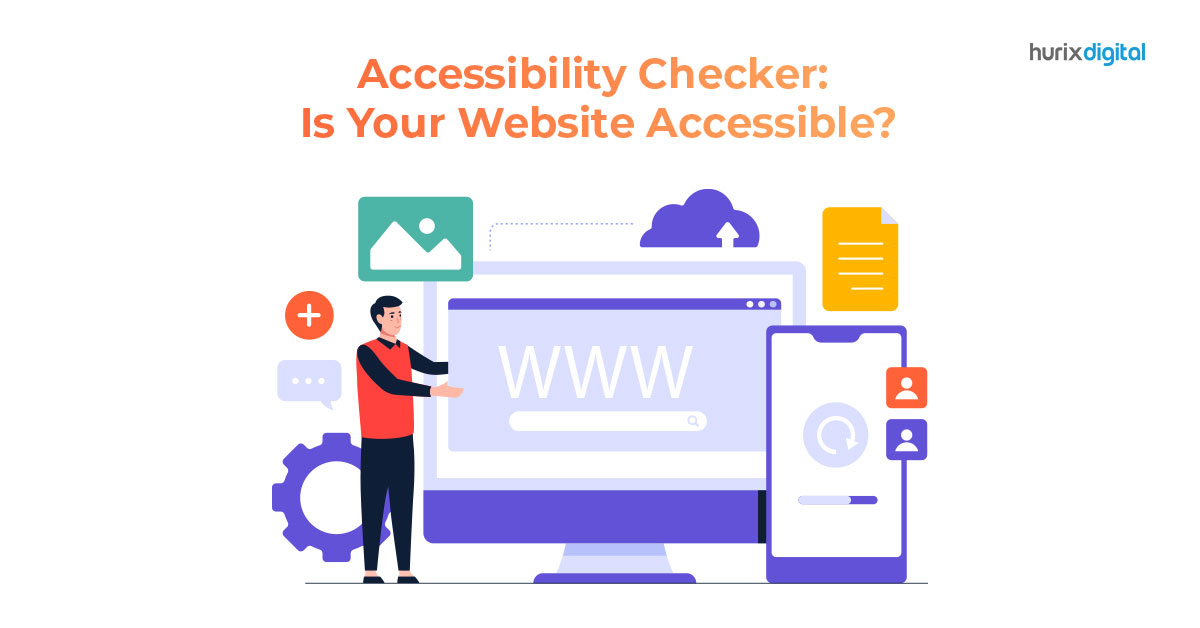
[vc_row][vc_column][vc_column_text]Web accessibility refers to the practice of making websites and digital content available and usable by all individuals, regardless of their disabilities.  People with disabilities, such as visual, hearing, or motor impairments, may face challenges in accessing web content, which can limit their participation in online activities. To ensure that your website is accessible to all, it’s crucial to identify and remove any barriers that might prevent disabled users from accessing and using your website. The internet has become an essential tool for information, communication, and participation in modern society, and it’s critical to ensure that everyone can use it regardless of their physical or cognitive abilities. However, there are many different disabilities that can affect a person’s ability to access web content. Visual impairments are one of the most common types of disabilities that affect web accessibility. People with visual impairments may be completely blind, have low vision, or have color blindness.  Websites that are designed without considering these disabilities can be challenging or impossible to use for people with visual impairments. For example, websites that rely on color to convey information or navigation may be inaccessible to color-blind users. Hearing impairments are another type of disability that can affect web accessibility. Deaf or hard-of-hearing users may not be able to access audio content on websites. Therefore, it is essential to provide closed captioning or transcripts for videos to ensure that everyone can access the content. Cognitive or learning disabilities, such as dyslexia or attention deficit disorder, can also make it challenging to access web content. Websites with poor readability, complex navigation, or confusing layouts can be difficult or impossible for users with cognitive or learning disabilities to use. Motor impairments, such as paralysis or tremors, can also affect web accessibility. People with motor impairments may not be able to use a mouse or keyboard, making it challenging to navigate through websites. Websites should be designed to be navigable using only a keyboard, and the user should be able to operate all website features without using a mouse. Challenges of disabled people to access web: People with disabilities may face a range of challenges when accessing web content, including: Inaccessible or poorly designed websites: Websites that are inaccessible or poorly designed can be challenging for people with disabilities to navigate. This can include issues such as insufficient color contrast, small or hard-to-read text, or confusing layout and navigation.  For example, individuals with low vision or color blindness may have difficulty distinguishing between different elements on a page if there is not enough contrast between them. Similarly, people with motor impairments may struggle to use websites that are not designed with keyboard navigation in mind. Difficult to understand or interact with content: Web content that is presented in a way that is difficult to understand or interact with can pose a challenge to individuals with disabilities. This may include content that is presented in a format that is not accessible to assistive technologies, such as PDF documents that are not properly tagged for accessibility. Additionally, content that relies heavily on visual elements, such as videos or infographics, may be difficult for individuals with visual impairments to access and understand. Relying on certain technologies or devices: Websites that rely on certain technologies or devices that are not accessible to everyone can present barriers to accessibility.  For example, websites that require the use of a mouse may be difficult or impossible for individuals with motor impairments to navigate. Similarly, websites that rely on Flash or other technologies that are not compatible with assistive technologies can make it difficult for individuals with disabilities to access content. Barriers to using assistive technologies: Assistive technologies such as screen readers, magnifiers, and voice recognition software can be invaluable tools for individuals with disabilities who are accessing web content.  However, barriers to using these technologies, such as inaccessible software or websites that are not designed with assistive technology in mind, can make it difficult for individuals with disabilities to access content. Things to be made accessible in website for accessibility: To make a website accessible, there are a number of things that need to be taken into consideration, including: Providing alternative text for images and other non-text content. Making sure that all content can be accessed using only a keyboard. Ensuring that videos are captioned, and audio descriptions are provided. Using headings and other structural elements to organize content. Providing transcripts and audio descriptions for videos and other multimedia content. Making sure that color is not the only way information is conveyed. Ensuring that links and other interactive elements are easily identifiable and usable. Hurix is a company that provides accessibility auditing and remediation services for websites and digital content. They can help their clients identify and address accessibility issues, such as missing alternative text, improperly structured content, and inaccessible multimedia content.  By working with Hurix, clients can ensure that their websites are accessible to everyone, regardless of their abilities. Contact us for more information![/vc_column_text][/vc_column][/vc_row]

3 Ways to Make Learning Accessible to All Students

[vc_row][vc_column][vc_column_text]In today’s diverse and rapidly changing world, education plays a crucial role in preparing individuals to succeed in their personal and professional lives.  However, the traditional one-size-fits-all approach to education does not cater to the unique needs and abilities of every student, making it essential to create accessible learning materials that can be easily understood and accessed by all.  This is particularly crucial for students with disabilities or learning difficulties who may require additional support and accommodations to ensure equal access to education. In this context, Hurix, a leading learning technology solutions provider, offers a comprehensive range of services to develop fully accessible learning materials that cater to all students, regardless of their abilities or disabilities.  In this article, we will explore some of the strategies that Hurix employs to help its clients create accessible learning materials and promote inclusive education. How to make education accessible to all the students? When creating learning materials, it is essential to consider the diverse needs of students with different abilities and disabilities. To ensure accessibility in education, it is crucial to use plain language, provide audio and visual aids, and incorporate assistive technology.  For example, text-to-speech software can read the text aloud for students with visual impairments or learning difficulties, while subtitles and captions can help those who are deaf or hard of hearing. Additionally, providing alternative formats, such as braille, large print, or audio, can ensure that students with disabilities can access the same content as their peers. Creating accessible documents is critical for ensuring that all students can access and understand the content. This involves designing documents in a way that is easy to navigate, using clear headings and tables of contents, and providing alt-text descriptions for images. Additionally, using high-contrast colors, larger fonts, and simple language can help students with visual impairments or learning difficulties to access and understand the material. Top 3 strategies for hybrid learning classrooms Hybrid learning combines online and in-person learning, providing students with more flexibility and accessibility. To ensure that all students can benefit from hybrid learning, it is important to use a range of strategies, such as: Providing recorded lectures and video lessons: Recorded lectures and video lessons can be accessed by students at any time, allowing them to learn at their own pace and review the material as needed. Using online discussion forums and group projects: Online discussion forums and group projects can provide students with opportunities to collaborate and engage with their peers, regardless of their location or ability. Incorporating interactive activities and quizzes: Interactive activities and quizzes can help to keep students engaged and motivated, while also providing instant feedback on their progress. How Hurix is helping their clients to develop their learning materials fully accessible: Hurix provides a range of services to help their clients develop fully accessible learning materials that cater to all students. This includes: Conducting accessibility audits:  Hurix conducts accessibility audits to identify any barriers that may prevent students with disabilities from accessing and understanding the content. Providing accessible design and development:  Hurix provides accessible design and development services, ensuring that learning materials are designed in a way that is easy to navigate and understand, with alt-text descriptions for images, clear headings, and tables of contents. Using assistive technology:  Hurix incorporates assistive technology, such as text-to-speech software and screen readers, to ensure that students with disabilities can access the same content as their peers. Ensuring that learning materials are fully accessible to all students is essential for providing inclusive and effective education.  By following best practices for making content and documents accessible, and using strategies for hybrid learning classrooms, educators can create an environment where all students can learn and succeed.  Hurix’s services provide an excellent resource for creating fully accessible learning materials, making education more accessible and inclusive for all students. Contact us for more details![/vc_column_text][/vc_column][/vc_row]

Why Integrating IoT Technology into Your LMS is the Future of Learning

[vc_row][vc_column][vc_column_text]An LMS that has the ability to use advanced technology to deliver a personalized, automated, and adaptive learning experience is a Smart LMS. Any regular web-based LMS or LMS mobile app can be taken to the next level by integrating it with IoT technology. Increasing demand for flexible, personalized, and efficient learning experiences in today’s digital age has created a need for interactive Smart Learning Environment (SLE) systems based on new IoT technologies. 8 Reasons Why IoT in LMS is the Future of Learning Integrating IoT (Internet of Things) technology into Learning Management Systems (LMS) has the potential to revolutionize the future of learning. Here are some reasons why: Real-time Data and Analytics: IoT-enabled devices can collect and transmit data in real time. By integrating IoT technology into an LMS, educational institutions can gather valuable insights into student behavior, engagement, and performance. This data can be used to personalize learning experiences, identify areas for improvement, and provide timely interventions to support student success. Personalized and Adaptive Learning: IoT can enable personalized and adaptive learning experiences by collecting data on individual students’ preferences, learning styles, and progress. By integrating this data into the LMS, educational content and resources can be dynamically tailored to each student’s needs, providing a more effective and engaging learning experience. Smart Classrooms: IoT devices such as smart boards, sensors, and wearable devices can transform traditional classrooms into smart learning environments. These devices can interact with the LMS to automate administrative tasks, monitor student attendance, track learning progress, and provide real-time feedback. Smart classrooms equipped with IoT technology can enhance collaboration, interactivity, and overall learning outcomes. Seamless Access and Connectivity: IoT devices can enable seamless connectivity and access to educational resources. For example, students can use their IoT-enabled devices, such as smartphones or tablets, to access course materials, participate in virtual classrooms, and interact with online learning platforms. This flexibility and convenience promote anytime, anywhere learning, breaking down barriers of time and location. Experiential and Immersive Learning: IoT technology can facilitate immersive and experiential learning experiences. For instance, augmented reality (AR) and virtual reality (VR) devices can be integrated with the LMS to provide simulated environments and interactive content, enabling students to explore complex concepts, engage in hands-on activities, and develop practical skills. Collaboration and Remote Learning: IoT-enabled devices can foster collaboration among students and educators, even in remote or distributed learning settings. By integrating IoT technology into the LMS, students can collaborate on projects, share resources, and communicate seamlessly with peers and instructors. This enhances social learning, teamwork, and knowledge sharing. Enhanced Safety and Security: IoT devices can contribute to a safer learning environment. For example, connected sensors can monitor classroom conditions, detect hazards, and ensure the safety of students. In emergency situations, IoT-enabled systems can facilitate prompt communication and response, ensuring the well-being of students and staff. Continuous Learning and Feedback: IoT technology can enable continuous learning and feedback loops. By tracking student progress, collecting data on learning activities, and providing real-time feedback, the LMS can support students in their ongoing learning journey. Adaptive assessments and personalized recommendations based on IoT data can help students identify areas for improvement and guide their learning paths. In summary, integrating IoT technology into Learning Management Systems offers numerous advantages, including real-time data insights, personalized learning experiences, smart classrooms, seamless connectivity, experiential learning, collaboration, enhanced safety, and continuous feedback. By embracing the potential of IoT, educational institutions can create a future of learning that is dynamic, engaging, and tailored to the needs of individual learners. 3 IoT technologies to deliver the smart LMS Virtual Reality (VR) and Augmented Reality (AR): VR and AR can be implemented in LMS to achieve simulation-based learning, interactive and engaging content like 3D objects, deliver a personalized learning experience, establish remote and collaborative learning, especially for language learners, and performance tracking and analytics. Smartboards: An interactive whiteboard can highly engage learners and save training and support costs. Features like write, erase, and an on-screen keyboard will help save the instructor time and make learning fun for the kids. Wearable devices: This technology can be implemented mainly to send notifications, reminders, and updates of courses, tests, assignments, and classes. It can be useful to collect personalized data and create an analysis based on this data. All of the above mentioned technologies can also be useful in implementing an advanced Authoring tool to create and authorize e-learning content. Conclusion The use of IoT technologies in LMS can help to create more personalized and efficient learning experiences, while also improving the management of educational resources.  Integrating IoT technology into Learning Management Systems (LMS) is the future of learning, providing innovative solutions that enhance the educational experience. Several top LMS platforms and providers offer comprehensive LMS services and solutions that incorporate IoT capabilities. These platforms, recognized as the best in the industry, understand the significance of AR and VR integration in LMS to create immersive and engaging learning environments. By integrating AR and VR technology into the LMS, students can experience interactive and experiential learning. The LMS solution facilitates the seamless integration of AR and VR, allowing educators to incorporate augmented and virtual reality experiences into their lessons. These technologies enable students to explore complex concepts through simulated environments, hands-on activities, and interactive content, enhancing their understanding and retention. Furthermore, smartboard software and apps are instrumental in enabling smartboards in classrooms. With the integration of IoT, these smartboards can connect to the LMS, providing teachers with advanced teaching tools and capabilities. Teachers can access digital resources, interactive presentations, and collaborate with students using smartboards. This integration fosters dynamic and interactive classroom experiences, improving student engagement and learning outcomes. When considering LMS providers, it is essential to choose top LMS platforms known for their robust features, user-friendly interfaces, and comprehensive support. These platforms offer a range of LMS services, including IoT integration, AR and VR capabilities, and smartboard compatibility. By selecting the best LMS platforms, educational institutions can harness the power of IoT technology and provide a cutting-edge learning