WCAG Accessibility Checker: What it is and Why You Need it

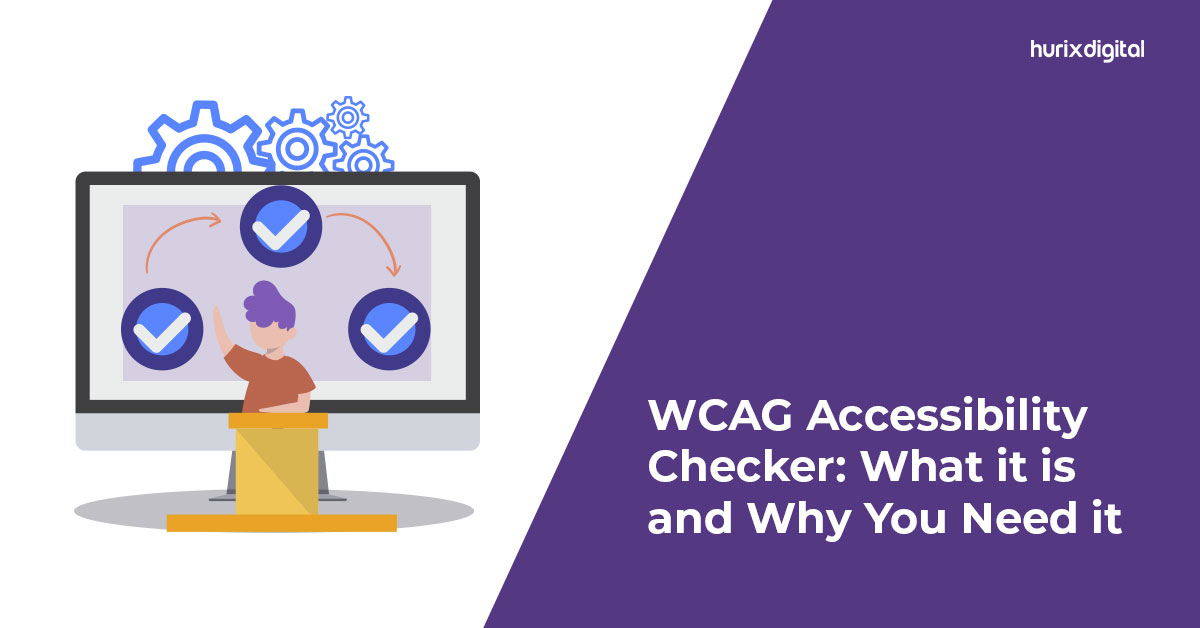
[vc_row][vc_column][vc_column_text]In today’s day and age, accessibility on the web is increasingly important. Not only should websites be accessible to all potential customers, but they must also meet the World Wide Web Consortium’s (W3C) Web Content Accessibility Guidelines (WCAG). To ensure a website meets these guidelines, businesses should consider utilizing website accessibility testing. This blog features everything you need to know about the WCAG accessibility checker, its features, and why you need one for your website. So let’s dive in! What is a WCAG Accessibility Checker?  A WCAG accessibility checker is an online tool for testing the accessibility of web content for people with disabilities. It assesses a range of features, following the Web Content Accessibility Guidelines (WCAG) and ensuring that content is accessible to all users. The WCAG testing tool looks for potential issues related to text alternatives, keyboard access, color contrast, and other accessibility standards. The most important feature of a WCAG accessibility checker is that it is an automated tool that can evaluate a web page in around 3 hours on average. A small website can be assessed using an accessibility tool in less than a day. It also provides detailed reports and recommendations on how to fix any issues identified. It is especially important for developers to use the tool on a regular basis to ensure that their websites are accessible and compliant with accessibility standards. Top Features of WCAG Accessibility Checkers The most important features of the WCAG accessibility checkers include the following: Automatic Web Access Checks: WCAG accessibility solutions automatically check if a web page complies with accessibility rules and regulations. Manual Web Access Checks: Manual web access checks allow users to check accessibility against specific criteria. Testing Scenarios: Users can create scenarios to test how a web page behaves in different situations. Accessibility Results: Results are presented in a detailed report showing which WCAG criteria have been met and which need further attention. Accessibility Status: This feature provides detailed information on the current status of a website, including any potential problem areas. Overall, using a WCAG accessibility checker is a great way for developers to ensure their websites fully comply with accessibility standards. It provides them with detailed information on the current status of a website and helps them identify any potential issues that may need to be addressed. How Does a WCAG Accessibility Checker Work? A WCAG accessibility checker works by scanning a website or digital content and identifying accessibility issues based on the WCAG 2.1 criteria. The tool uses algorithms and heuristics to identify any accessibility barriers and provide guidance on how to fix them. When a user inputs a website into a WCAG checking tool, it analyzes the content and generates a report listing all the potential accessibility issues. The report may include a list of errors, warnings, and suggestions for improvement based on the WCAG guidelines. In addition, the website accessibility testing tool may highlight specific areas of the website that are not accessible, such as images without alt text, videos without captions, or text that is too small. It may also provide guidance on how to fix these issues, for example, adding alt text to images or using a larger font size. Top 8 Reasons Why You Need a WCAG Accessibility Checker For Your Website WCAG accessibility checkers can automatically identify and flag any potential issues with a website’s content or design. They help ensure that a website meets all the guidelines and standards required for accessibility, ensuring it can be enjoyed and used by people with all types of disabilities. Here are the top 8 reasons why you need a WCAG testing tool for your website: More Accessible Content: WCAG accessibility checkers can detect any potential issues with the website’s content, ensuring that it is easy to understand and can be used by people with all types of disabilities. Increased Engagement: Making sure that your website meets all the WCAG standards will result in increased engagement from customers who have disabilities or who require assistive technology. Improved Brand Value: Having a website that is fully accessible will help improve your brand value, as potential customers will know that your company is committed to making sure that everyone can access its content. Easily Integrate Accessibility Tools: With WCAG accessibility checkers, it is easy for any website to integrate accessibility tools and features, making sure that everyone can enjoy the content on it. Increase SEO Rankings: Websites that are accessible to a wide range of users tend to rank higher in search engine rankings. Search engines recognize websites that provide a good user experience and reward them accordingly. Avoid Accessibility Flaws: Accessibility issues can be difficult to detect. A WCAG accessibility checker can detect potential flaws such as inaccessible text, lack of alternative text for images, and poor keyboard navigation. Get an Objective Opinion: Having a third party assess the website for accessibility can provide an objective opinion on the website’s overall level of accessibility compliance. Keep Up With Industry Standards: WCAG guidelines are constantly changing and evolving. Regularly using a WCAG accessibility checker can help ensure the website stays updated with the latest industry standards and is accessible to all. The End Note Web accessibility testing tools are essential for website owners who want to create an inclusive and user-friendly online environment for everyone. By ensuring that your website adheres to WCAG guidelines, you can make your website accessible to people with disabilities, as well as those who use assistive technologies. Ultimately, investing in an accessibility tool can benefit your website in numerous ways, including improved user engagement. So, take the time to understand the importance of WCAG accessibility, and make sure your website is accessible to all. Hurix Digital is a digital learning solutions company that specializes in providing web accessibility solutions for organizations. Through our strong focus on inclusivity, we provide a range of web accessibility solutions and services. Our team of accessibility experts uses the latest assistive technologies and techniques to ensure that their client’s
What is Web Content Accessibility (WCAG) Audit?

[vc_row][vc_column][vc_column_text]Approximately 1.3 billion people worldwide have some form of disability. People with disabilities often face barriers to equal participation in social activities. Consequently, web accessibility is imperative in ensuring all individuals can access and use web content regardless of their abilities. Additionally, web accessibility is also a matter of social responsibility. Inaccessible websites may be seen as discriminatory and can harm the reputation of the website owner or organization. How can organizations ensure that their websites are accessible? They can do so by conducting web accessibility audits or WCAG audits to determine their compliance with web content accessibility guidelines (WCAG). What is WCAG? WCAG or web content accessibility guidelines have been developed by W3C, i.e., the world wide web consortium. It provides a framework for making digital content accessible to people with disabilities. The objective is to ensure that people with disabilities can access web content like others. The guidelines are designed to make web content more accessible to individuals with visual, auditory, physical, and cognitive disabilities. It also helps individuals with temporary disabilities or situational limitations, like those using a small screen or in an extremely loud environment. Levels of WCAG Accessibility All the WCAG accessibility guidelines have been organized into three levels, A, AA, and AAA. Level A is the minimum requirement, whereas AAA is the highest level of web accessibility. Level A This is the minimum level of accessibility and ensures that each web content is designed with all the basic aspects of web accessibility. Level A guidelines address the most fundamental aspects of web accessibility, and failure to meet these guidelines can create significant difficulties for people with disabilities. Some of the Level A guidelines are: Alternative text must be provided for all non-text content like videos, images, graphs, etc. All multimedia content should have captions and transcripts. All the content on a page should be arranged according to relevant headings. All forms and interactive elements should be accessible from the keyboard alone. There should be clear and consistent navigation throughout the website. Level AA This is the most recommended level of accessibility, which builds on the Level A guidelines and includes additional requirements to enhance accessibility. Level AA guidelines address a wide range of accessibility issues, including those related to text, images, multimedia, forms, and navigation. Some of the level AA guidelines are: Provide clear and consistent navigation across the website, including a sitemap or table of contents. Provide labels or instructions for user input in forms. Provide functionality to allow users to adjust the text size and line height to improve readability. Ensure that the color contrast between text and background meets specific requirements to make it easier to read. Level AAA This is the highest level of accessibility and includes all the requirements of Level A and Level AA and additional guidelines to provide the most comprehensive level of accessibility. Level AAA guidelines are the strictest and cover a range of advanced accessibility features like sign language interpretation, extended audio descriptions, cognitive accessibility, and more. Some of the level AAA guidelines are: Provide sign language interpretation for all audio content. Provide a mechanism to bypass blocks of content. Ensure that all content can be operated using voice commands. Provide content in multiple languages. Ensure that all content is accessible regardless of the technological device used to access it. What is Web Accessibility Testing? Web accessibility testing refers to testing a website’s compliance with accessibility standards and guidelines to ensure that it can be easily accessed and used by people with disabilities. The accessibility testing is conducted by experts in web accessibility who perform a detailed review of the website’s design, content, and code. For testing, experts use various tools and techniques to evaluate the website’s accessibility. They use automated testing tools to identify common accessibility issues, such as missing alt text for images or invalid HTML code. They also perform manual testing to evaluate the website’s navigation, keyboard accessibility, and other aspects of user interaction. What is WCAG Audit? WCAG audit refers to a website’s accessibility evaluation using the WCAG guidelines. The guidelines provide a framework for creating web content that is perceivable, operable, understandable, and robust for all users, especially those with disabilities. The results of a WCAG audit are then compiled into a report that outlines any accessibility issues found, along with recommendations for corrections. The report may include detailed information about which WCAG guidelines were violated, the severity of the problems, and suggested solutions to address them. By detecting and addressing accessibility concerns, website owners can improve the user experience for all users and ensure that their websites comply with legal requirements and regulations regarding accessibility. Who are Web Accessibility Vendors? Web accessibility vendors provide services and tools to help website owners asses their site’s accessibility. These expert vendors usually offer services like website accessibility audits, accessibility consulting, training, and tools. Working with a web accessibility vendor is very beneficial for website owners who do not have the expertise or resources to ensure that their websites are accessible to all users. These vendors can provide significant guidance and support in meeting accessibility requirements and improving the user experience for all users, with or without disabilities. Closing Thoughts If you are looking for web accessibility vendors to conduct an accessibility audit for your website, contact us at HurixDigital. We can handle all your WCAG audit needs, inform you about the latest accessibility trends, and provide you with other digital content solutions like content management, LMS platform solutions, and more. Contact our experts now and get started! [/vc_column_text][/vc_column][/vc_row]

How to Check if Your Website is ADA-Compliant

[vc_row][vc_column][vc_column_text]ADA compliance on websites has become a major accessibility concern for businesses. ADA compliance means meeting the standards set by the Americans with Disabilities Act (ADA), known as the Standards for Accessible Design. The Act lays down standards for accessibility in electronic and information technology, particularly website accessibility.  The website accessibility rules in the ADA apply to almost all businesses and web developers. You can check ADA compliance using an ADA-compliant website checker.  To comply with the Act, the information on your website has to be easy to access for people with disabilities. For instance, visually impaired people should be able to read your content using a text reader, browse through categories, and shop for products. You can ensure this through ADA compliance testing. Read on to learn more. How to Check ADA Compliance?  There are different ways to check whether your site is ADA-compliant, as we discuss below.  Online Tools  There are online ADA compliance checkers such as WAVE and Lighthouse. These tools check certain features on your site, such as the color contrast, the size of the text, image alt text, and more. These online checkers can be used to assess one page at a time. There are several web accessibility solutions that you can consider using to check your site for ADA compliance. Some tools focus on specific compliance aspects, such as color contrast. Online tools like WAVE assess and grade your website according to a list of criteria that are based on ADA compliance requirements. There are also online tools that help you check how your website performs through a web accessibility report or evaluation. There are free and paid options available. For instance, you can enter a URL, and the tool will generate an accessibility report. This can help you check whether your site is accessible and what changes you need to incorporate for ADA web compliance.  Manual Assessment You can also check if your website is ADA-compliant manually. A manual assessment involves checking each page of your website for accessibility. You can do this using the Web Content Accessibility Guidelines (WCAG), which contain a checklist for ADA compliance. There are four main principles for ADA compliance. These are given below. A WCAG compliance checker will check your website to ensure it meets the guidelines. Perceivable All the information and user interface features should be visible or perceivable. This includes text, images, and video. If it is not possible to view it directly, an alternative option should be provided, like a transcript for a video.  Operable Users should be able to use the interface easily. Any interactions or operations that cannot be performed should be removed.  People who visit your website should be able to navigate it and use its features.  Understandable  The information and user interface should be easy to understand. The website and its content should be accessible. For instance, this can be done by adding instructions for how to use a feature on the website.  Robust The content should be robust, which means that different kinds of users should be able to use it. The website should provide different site visitors with the same experience. For example, a video transcript should cover all the content of the video.  Professional Assessment  In most cases, manual accessibility testing is not feasible for a business. Given the consequences of not complying with ADA standards, it is worth considering a professional audit to ensure your website is ADA-compliant. You can hire a professional web design agency to build an ADA-compliant website for you or an accessibility agency to audit your website for ADA compliance.  Best Practices for ADA Compliance Here are some best practices to ensure that your website is ADA-compliant.  1. Accessible Content  Some ways to ensure that your content is accessible are given below: Keep sentences short so they are easy to read Use bullet points instead of long paragraphs  Use bold for important phrases  Use headings with a proper heading structure  2. Add Alt Text to Your Media Content Adding alt text to images, audio, video, and controls ensures that viewers can read a description of the content even if they cannot hear it or see it properly. 3. Use Color Contrast  An ADA-compliant website checker will check color contrast. Color contrast is an important part of user-friendly design and makes your website more visually accessible.  4. Provide Transcripts and Captions  Transcripts and captions for audio and video content ensure that people with hearing impairments can still read the content.  5. Use Descriptive Links and HTML Labels Descriptive links tell a viewer where a link will lead them to. HTML labels indicate what the function of a button is. For example, an “x” sign indicates that clicking on it will close the pop-up.  Why Is ADA Compliance Important?  ADA compliance is important, not just because it is legally required. It also has several benefits for your business website and your customers.  It Promotes Equal Access If your website is ADA compliant, it makes it more inclusive for people with disabilities and a wider range of people in general. This also improves your brand image and reach.  It Avoids Legal Penalties  A report found that 2,352 web accessibility lawsuits were filed against U.S. businesses in 2021, which was a 14.3% increase from the year 2020. Ensuring ADA compliance helps avoid legal penalties and costly lawsuits. In addition to legal fees, you may incur costs in settlements and rebuilding your website.  It Improves the User Experience  By making your website more accessible, you ensure a better user experience. A study found that 71% of website visitors who have disabilities will leave a website if it is not accessible. The more accessible your website is, the more users you can reach.  Summing Up ADA compliance helps your website stay legally compliant as well as user-friendly. Using an ADA-compliant website checker is one of the simplest ways to check ADA compliance.  Hurix offers design solutions to help make your website more accessible and ensure ADA compliance.

15 Web Accessibility Testing Tools and Their Testing Capabilities

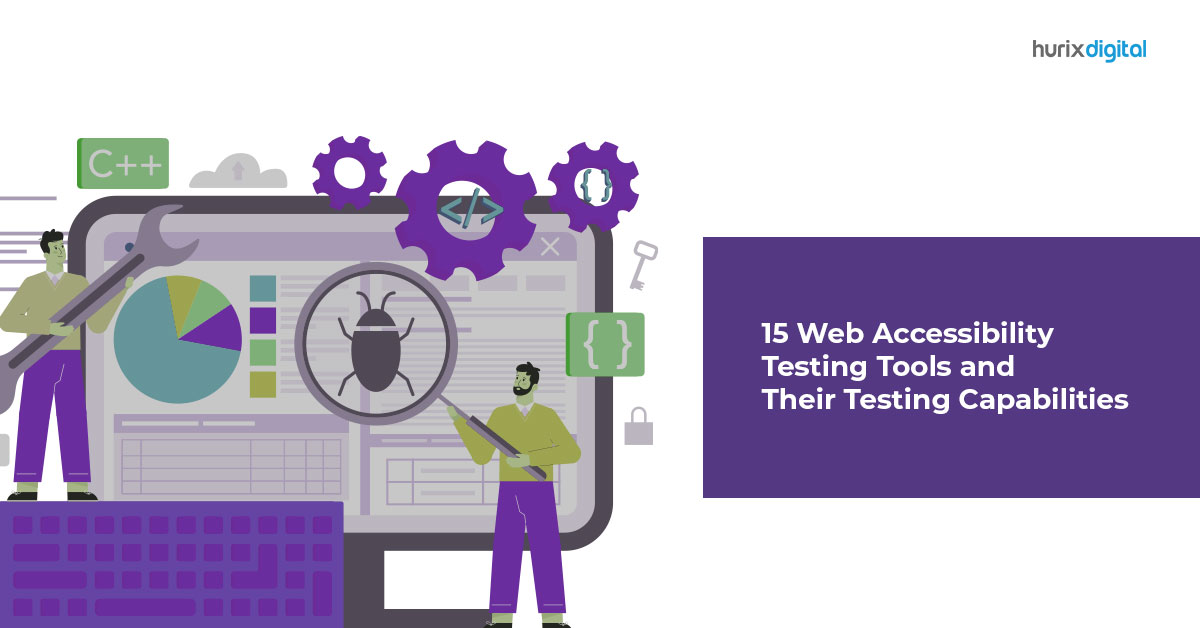
[vc_row][vc_column][vc_column_text]Today’s internet has grown magnanimously, bringing together information of all types on a singular platform. It allows users to access information quickly, making our life extremely simple. However, despite the great strides that we have made, web accessibility still remains a big question. Web accessibility means that all websites, tools, applications, and interfaces have to be designed to make them accessible to users of all types, including those with physical disabilities such as hearing issues, visual impairments, cognitive or motor impairments, or others. However, despite the advanced technology and accessibility testing tools available today, WebAIM’s testing found that: Home page complexity has increased by over 34% in the last 4 years, with 4.8% of all home pages detecting some disability error. Users with disabilities can encounter disability errors on every 1 in 21 home pages As per new guidelines initiated by governing bodies across the globe, providing equal access to technology is critical for businesses. In addition, federal laws and guidelines, such as Section 508, ADA, WCAG, and others, make it imperative for any website or company to ensure web accessibility to people with disabilities. This blog will discuss 15 web accessibility testing tools and some WCAG testing features that can help you identify and fix accessibility issues. These tools cover comprehensive testing capabilities, including web accessibility, keyboard navigation, color contrast, alternative text for images, audio capabilities, and more. So, let’s dive in. Top 15 Web Accessibility Testing Tools You Need to Know With the increasing importance of web accessibility today, it is crucial for website owners and developers to use practical testing tools to identify and fix accessibility issues. Remember, accessibility matters, so here are 15 accessibility testing tools that can be invaluable in enhancing the app or your website. 1. WAVE WAVE is a popular web accessibility testing tool developed by WebAIm and Utah State University. It can help you run WCAG testing and other accessibility testing for any webpage. You have to enter the webpage address and get the results, also offered as an extension for Chrome and Firefox. 2. A11y Color Contrast Accessibility Validator A11y Color Contrast Accessibility Validator is a free tool that focuses specifically on color contrast accessibility, which is a crucial aspect of web accessibility. It helps developers ensure that text and other visual elements on their websites have sufficient contrast to be easily readable for users with visual impairments. 3. ACTF aDesigner ACTF aDesigner is a free disability simulator that provides a simulation of how web pages would be rendered for users with visual impairments. It also helps developers understand the visual experience of users with different visual abilities and test voice browsers, screen readers, and other visual elements. 4. CSS and HTML Validator CSS and HTML Validator is a tool that tests the website for technical capabilities such as HTML, HTML5, CSS, Accessibility, SEO, Link Checker, and more. This tool allows web developers, agencies, and owners to test their websites for technical capabilities. 5. Siteimprove Siteimprove is a comprehensive web accessibility testing tool that allows you to track and identify multiple issues with performance and accessibility. It scans websites for accessibility issues and provides detailed reports with prioritized recommendations for fixing them. 6. ComplianceSheriff ComplianceSheriff is an end-to-end web accessibility and compliance standard management solution that makes sure you comply with regulations as per EU, US, Canada, and other jurisdictions. In addition, it provides comprehensive testing capabilities and allows developers to create custom rulesets for their websites to ensure compliance with WCAG and other accessibility standards. 7. HTML_CodeSniffer HTML_CodeSniffer is an open-source web accessibility testing tool that can be integrated into a web browser or used as a standalone tool. It scans web pages for accessibility issues and provides detailed reports with recommendations for fixing accessibility problems. It supports multiple accessibility standards, including WCAG and Section 508. 8. Tota11y Tota11y is an accessibility testing and visualization toolkit developed in partnership with Khan Academy. It is designed to be used by even users with no technical background. It helps identify and fix issues like visual overlay, images with alt text, labels, and insufficient color contrast. 9. Tenon Tenon is a cloud-based, API-first accessibility testing tool that offers automated testing and reporting for accessibility issues. In addition, it provides detailed reports with prioritized recommendations for fixing accessibility problems, making it a valuable tool for developers to ensure their websites meet accessibility standards. 10. Level Access Level Access is an integrated Digital Accessibility platform ideal for developers and designers to test user experience from ADA to WCAG regulations. It is designed by a team with subject matter expertise in this domain for 25+ years. It can test apps, websites, and digital products like augmented reality, met averse, gaming, and others for accessibility issues. 11. IBM Dynamic Assessment Plugin IBM’s Dynamic Assessment Plugin is a Chrome extension that can scan websites and applications for accessibility issues – including violations and potential violations, or recommend manual checks. This is perfect for businesses with multiple websites or apps, as well as web developers and agencies, to make sure that they are adhering to the best practices in web accessibility. 12. forApp forApp is an online service that tests websites and apps for multiple accessibility regulations and provides results that can be downloaded in PDF format to be shared with your teams. 13. SortSite Desktop SortSite Desktop is an accessibility tool that federal agencies and Fortune 100 companies use to analyze websites for compatibility guidelines and standards, including WCAG, Section 508, and others. It helps prevent not just accessibility but also search engine issues which can help improve website traffic and help you increase your reach. 14. Accessibility Checker by CK Source Accessibility Checker by CK Editor is an accessibility evaluation tool that inspects websites created in CKEditor for accessibility issues. You can use it to identify and fix technical and accessibility issues quickly, and the tool continuously monitors your pages using the CKEditor dashboard. 15. UsableNet AQA UsableNet AQA is a complete cloud-based accessibility management platform

What are Accessibility Solutions? 9 Best Web Accessibility Solutions to Consider

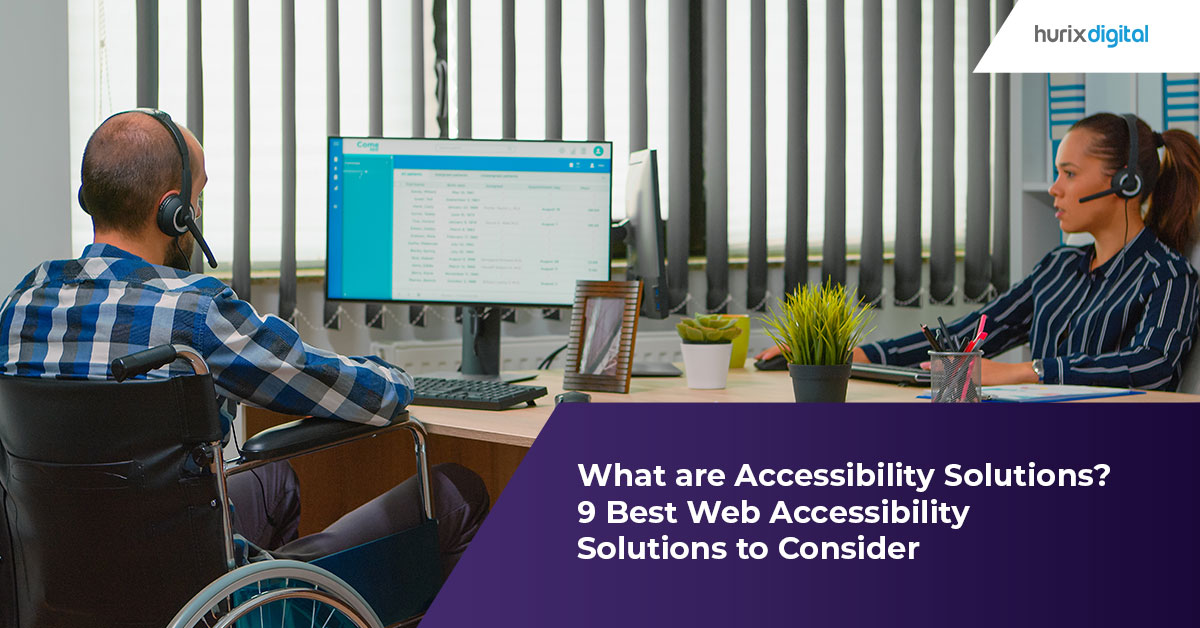
[vc_row][vc_column][vc_column_text]It is crucial to create a website that everyone can access, regardless of their abilities.  The best accessibility solutions make websites more user-friendly for individuals with impairments. Since they enhance a website’s general accessibility and user experience, these solutions can also be helpful to users without impairments. Over 16% of the world’s population lives with a disability, according to the World Health Organization (WHO). This number is expected to increase in the coming years, highlighting the importance of web accessibility in ensuring equal access to digital content for all users. In this article, we will discuss the 9 best web accessibility solutions. What Is Web Accessibility? Web accessibility is the need to make websites and digital material easily accessible for all, including people with disabilities. This is done using technology that improves navigation and understanding for everyone engaging with web content.  One can create accessible websites by following the Web Content Accessibility Guidelines (WCAG), established by the World Wide Web Consortium (W3C). These guidelines provide clear requirements for accessibility professionals, content creators, and web developers. It also provides a framework for designing and developing accessible websites. Examples of Web Accessibility Alternative text for pictures, captions, transcripts for videos, and keyboard accessibility for people who cannot use a mouse are some examples of web accessibility features. Online accessibility also entails ensuring that websites are easy to navigate and comprehend, have clear and concise information, and are compatible with assistive devices like screen readers and speech recognition software. Why is Web Accessibility Important? Web accessibility is crucial because it guarantees that persons with disabilities have equal access to information and services on the Internet.  Organizations may reach a larger audience and demonstrate their commitment to diversity and inclusivity by designing websites with accessibility in mind. Top 9 Web Accessibility Solutions 1.Conduct a Website Accessibility Audit Doing a website accessibility audit is the first step in making your website more accessible. By doing this, you can prioritize the necessary adjustments for any accessibility problems your website may have.  You can carry out a website accessibility audit or hire an accessibility consultant who specializes in the field. A thorough report of any vulnerabilities discovered will be sent to you after an accessibility audit compares your website to accessibility standards such as the Web Content Accessibility Guidelines (WCAG). 2.Implement Alternative Text for Images A screen reader will read an image’s description aloud, sometimes referred to as alternative or alt text. Using alternate text for photos can increase the accessibility of your website for those with limited vision or blindness. Ensuring that the alt text appropriately represents the image and its function is crucial. 3.Use Descriptive Headings Using descriptive headings can help users with disabilities navigate your website more easily. Headings should be clear and concise, and they should accurately describe the content that follows. This can assist users in understanding the structure of your website and finding the content they want more quickly & easily. 4.Ensure Keyboard Accessibility Keyboard accessibility is essential for people who cannot use a mouse, such as those with motor disabilities. All functionality on your website should be accessible using the keyboard alone. This includes navigation, forms, and interactive elements. You can test keyboard accessibility by navigating your website using only the Tab key. 5.Provide Captions and Transcripts for Videos Providing captions and transcripts for videos can make your website more accessible for people who are deaf or hard of hearing. Captions are text that appears on the screen, while transcripts are written versions of the audio content. Both captions and transcripts should accurately reflect the audio content of the video. 6.Use High Contrast Colors Your website can be more accessible for those who are color blind or have low vision by using high-contrast colors. Discerning foreground and background items is simpler when the colors have high contrast. An easy-to-read font and size will also help guarantee the content is readable. 7.Make Links Descriptive Making links descriptive can help users understand where the link will take them. Use descriptive text that precisely defines the content of the link rather than general words like “click here.” This can make it easier for users to navigate your website. 8.Ensure Form Fields are Accessible Make sure form fields are simple to access with just the keyboard by giving them clear labels and instructions. It’s crucial to offer error messages that are clear and simple to comprehend. 9.Provide Alternative Content for Non-Text Content Non-text content such as images, videos, and audio should have alternative content that can be accessed by users who cannot see or hear the content. This includes providing alternative text for images, video captions and transcripts, and audio content text descriptions. Methods for Testing Web Accessibility To make sure that websites and digital material are accessible to individuals with impairments, digital accessibility testing is crucial. Accessibility problems can make it difficult or impossible for people with disabilities to utilize and access digital content, and testing can assist in detecting these problems. Below are a few techniques and resources to assess online accessibility and guarantee adherence to accessibility guidelines. Manual Testing: Employee WCAG experts who have experience in manually evaluating websites and digital content to find accessibility problems.  Automated Testing: Testing involves checking for accessibility concerns on websites and digital content using tools and software.  User Testing: Users with disabilities can navigate websites to demonstrate how individuals with specific impairments use websites and determine a site’s accessibility.  Conclusion In conclusion, web accessibility is essential for creating a user-friendly website accessible to all users, regardless of their abilities. By implementing these top 9 web accessibility solutions, you can make your website more accessible and improve the user experience for all visitors. It is important to remember that improving accessibility is an ongoing process. Interested in making your website more accessible to all users? Contact Hurix today to learn how our accessibility solutions can help you create a more inclusive online experience for your audience. Click to get started.[/vc_column_text][/vc_column][/vc_row]

How to Conduct an Accessibility Audit on Your Website?

[vc_row][vc_column][vc_column_text]Globally, 1.3 billion people experience some kind of disability. You don’t want to lose about 16 percent of the world’s population from becoming visitors to your website.  And to ensure this doesn’t happen, making your website accessible to everyone is important.  Now, how do you know or determine that your website is accessible? The solution lies in conducting accessibility audit or accessibility testing.  An accessibility audit means comprehensively testing a web application to ensure that everyone, including people with disabilities, can access its content. It ensures that your website is easily operable, perceivable, and understandable. It also improves productivity and helps you to avoid legal issues.  Besides improving your website performance and usability, a web accessibility audit has many other benefits. It expands your reach to new demographics, improves the SEO for your website, supports internationalization, and helps your business adhere to legal requirements.  Types of Accessibility Audits There are two types of audits you can opt for – automated audits and manual audits.  Automated audits are useful for checking the accessibility of websites that have a large number of pages. These types of audits use software that automatically scans your web pages and provides results immediately. These results help you evaluate the accessibility compliance level of your website.  Manual audits require an audit expert to check for access barriers manually across your website. The audit expert simulates the issues people with disabilities may face while checking your website. These types of audits help ensure thorough testing and comprehensive feedback but are extremely time-extensive.  Before choosing either of the two audits, you should check whether they comply with non-negotiable laws, such as Section 508, WCAG (Web Content Accessibility Guidelines), and ADA (Americans with Disabilities Act).  Since now you know about the types of audits that exist – let’s find out how you can conduct one.  Go through the WCAG 2.0 WCAG 2.0 provides helpful suggestions and rules to make your website and its content more accessible to people who suffer from disabilities such as deafness, photosensitivity, blindness, etc.  For your website to be considered accessible by law, it should meet the four major principles of WCAG 2.0 – perceptible, robustness, understandability, and operability.  More specifically, your website should follow goals like: Alt-text should be present for non-text content.  Content should be easy to find and navigate for users.  Language should be readable and understandable.  Web pages should follow a consistent and predictable pattern.  Content should be presented in different mediums.  Make a Sample for Web Pages Once you have understood the main aspects of WCAG 2.0, you need to make a sample from every website you have. This sample needs to include the following things: Website homepage Text-based content pages Interactive transactions and tools like forms Pages containing login function Pages with audio, image, video, and pop-up windows PDFs and similar documents embedded in your website Navigation pages containing features like your search feature Pages containing information about how to contact you, your privacy policy, terms and conditions, etc.  Run Checks on the Sample 1.Begin with WCAG compliance checks on the text-based content pages by checking the following: Your heading is coded and styled properly When the stylesheets are disabled, your pages are still usable Your instructions are displayed appropriately Your links explain the purpose of being there, and it makes sense Your pages are titled properly 2.Now, run audits on the multimedia-based pages by checking the following: Images, along with charts and diagrams, have an alt-text description Video-based content is properly described with subtitles An additional audio explanation is present for image-based content in videos and audio The text contained within images is properly styled 3.Now, run checks on the interactive transactions and tools-based pages by checking the following: Form fields are marked-up correctly Field labels in forms make clear what information the users need to provide Form labels are consistent from one form to another A warning is issued before the users are timed-out When incorrect information is provided, the users receive helpful error messages to help them correct it.  Users are provided with a chance to review their answers before the submission of a form.  4.Once you are done with the above checks, run checks on the technological aspect of your sample by checking the following: Your website is accessible on all devices, such as a phone, tablets, etc., with flexible page orientation.  Users are able to navigate your website easily with only a keyboard.  Color contrast is set correctly on web pages Pop-ups and flashing content are easy to disable Your website is navigable in different ways The language your web pages are using is correctly specified.  When you are through with these checks, you can create a WCAG review checklist and then compare it with your WCAG audit to know the areas in which your website’s accessibility is lagging. Doing this will help you prioritize the things you need to improve and help you understand the expense and time it will take to fix the accessibility issues.  Once you are done with this, you can start modifying your website by making changes to it in compliance with the WCAG 2.0 criteria. The End Note Conducting an accessibility audit compliant with legal guidelines helps avoid lawsuits, deliver a better user experience, enhance your website’s and business’s reputation, and build brand recognition.  However, conducting an audit can be a very time-consuming process. That’s why it’s always better to take the help of accessibility consulting services to conduct audits. For this, you can take the help of Hurix Digital. Hurix provides the best of both worlds – we use software tools and manual intervention for conducting accessibility audits.  Equipped with a team of top-notch IAAP-certified professionals who are well-versed in global accessibility requirements, Hurix also offers WCAG audit reports and VPAT (Voluntary Product Accessibility Template) reports. Moreover, Hurix helps you improve the accessibility of your website and extend your reach to more people. To have access to the best accessibility solutions, get in touch with us.[/vc_column_text][/vc_column][/vc_row]

10 Tips to Make Your Website Accessible to Everyone

[vc_row][vc_column][vc_column_text]An accessible website is a key element of digital inclusion. It ensures that everyone, irrespective of their physical ability, can access vital information on the internet. Unfortunately, many websites are not accessible. Almost 98% of web home pages, according to a WebAIM survey, contain at least one WCAG 2.0 failure. To enhance website accessibility, many companies implement the Web Content Accessibility Guidelines (WCAG). WCAG website compliance is widely regarded as the industry standard for website accessibility solutions. By implementing the ten tips mentioned in this article, you may broaden the audience you reach, increase the usability and inclusiveness of your website, and show that you value equality and inclusion. Why Should a Website be Accessible? A website should be accessible due to the following factors : Inclusivity: Being inclusive will guarantee that users and visitors of all abilities may use and access your website. This promotes the development of an online community where all members have access to the same resources and information. Legal Requirements: Websites must be accessible to individuals with disabilities according to numerous national laws and regulations. For instance, the Americans with Disabilities Act (ADA compliance for websites) in the United States mandates that companies and organizations make their websites accessible to individuals with impairments. Business Benefits: Your business may benefit from making your website accessible. You may reach a larger audience and increase consumer satisfaction by developing an inclusive online environment. Accessible websites can also help you rank higher in search results and get more visitors to your website. Ethical Considerations: Being accessible on your website is the correct thing to do. It demonstrates your appreciation for diversity and inclusion and your commitment to ensuring everyone has access to your website. How to Check Your Site’s Web Accessibility To check your site’s web accessibility, you can: Use accessibility checkers like WAVE, Axe Accessibility, or A11Y Accessibility Checker. Employ automated testing tools, such as WebAIM’s accessibility testing tools or Google Lighthouse. Employ assistive technology, such as screen readers, keyboard-only navigation, and speech recognition software, to carry out manual testing. Work with a knowledgeable accessibility specialist to assess your website. 10 Proven Strategies to Make a Website Accessible to Everyone 1. Understand the Guidelines and Standards It’s important to understand the standards and accessibility requirements for websites before you start making your website accessible. The most extensively used set of principles for producing accessible web content is WCAG 2.1. Although these guidelines are usually used as the standard for digital accessibility, they are not enforceable by law. 2. Color Contrast Matters For people with limited eyesight or color blindness, color contrast is crucial. Make sure there is a strong contrast between the text and backdrop colors to make the text clearly readable. For standard text and large text, the WCAG specifies a contrast ratio of at least 4.5:1 and 3:1, respectively. 3. Use Descriptive Headings Making your website accessible to everyone requires using descriptive headings. Headings make your website easier to navigate and understand for those using screen readers and other assistive devices. Simply arrange your information using HTML heading tags (H1-H6) in a logical sequence that reflects the hierarchy of your content to employ descriptive headings. The content that follows should be accurately summarised in the headings, which should be descriptive. Users will find it simpler to understand your website’s arrangement and structure as a result. 4. Use Alt Text for Images Making your website accessible to all users requires using alt text for photos. Screen readers and other assistive technologies can read an image’s alt text, which is a brief description of the image. It makes it easier for those with visual impairments to comprehend an image’s information and its placement on a webpage. To use alt text for images, simply add descriptive text in the “alt” attribute of the HTML image tag. Alt text should be concise, accurate, and convey the essential information of the image. In short, adding alt text to images is a simple and effective way to improve the digital accessibility of your website. 5. Include Captions and Transcripts for Multimedia Add subtitles and multimedia transcripts to improve your website’s WCAG compliance score. Transcripts are written versions of video or audio content, whereas captions are text descriptions of audio content. Adding captions and transcripts to multimedia content helps people with hearing impairments to understand the content and context of the media. To provide captions, add a text track to your video or audio file. To provide transcripts, create a text document that includes a written version of the audio content. Both captions and transcripts should be accurate, complete, and synchronized with the media.  6. Ensure Keyboard Accessibility Accessibility to the keyboard is crucial for individuals who might be unable to use a mouse. Ensure that your website’s keyboard interface can access all of its features and that users can traverse it using only the Tab key. 7. Use ARIA Roles and Attributes ARIA (Accessible Rich Internet Applications) is a set of attributes that can be added to HTML elements to make them more accessible. Use ARIA roles and attributes to provide additional information to screen readers and other assistive technologies. 8. Make Forms Accessible Forms are an essential part of many websites, but they can be difficult to navigate for users with disabilities. Ensure that your forms are accessible by providing labels for each input field, using ARIA attributes, and ensuring that error messages are clear and easy to understand. 9. Provide Clear Navigation For all users, but especially for those with disabilities, clear navigation is crucial. Make sure users can quickly locate what they’re looking for on your website and that the navigation is simple to understand. Make sure that your website’s navigation is consistent throughout by using labels for links and buttons that are clear and descriptive. 10. Test Your Website for Accessibility It’s crucial to assess your website’s accessibility to ensure everyone can use it. The WAVE Online Accessibility Assessment Tool and the A11Y Accessibility Checker are only

Gokulnath B February 27, 2023 No Comments

How to Automate Your Publishing Workflow Management

[vc_row][vc_column][vc_column_text]There was a time when the entire publishing system was operated by the collaborative efforts of numerous people. Hence, it was extremely labour-intensive. Still, the process was manageable as organizations had in-house resources for writing, editing, communication management, and the publication was restricted to hard copy printing.  But, in today’s digital world, this kind of work culture might fall apart as companies are working with a distributed workforce. Even the work processes have evolved over time, and content pieces are getting published on multiple platforms at a time. The whole process has become more elaborate with a lot of email communication going on between the writer, editor, designer, publishing team, and so on. So, without a proper publishing workflow management system, there is a high chance of version control issues, missed deadlines, and so on. Therefore, it’s time to think about the automation of publishing workflow management systems. That way, multiple publishing workflow steps can be automated to simplify and streamline the whole process. Several tools are available in the market today to automate different steps of the publishing process. For instance, software for the content management process can ease the writer’s responsibility of sending the article to an editor. Such software can even detect simple grammatical mistakes and fix them. After editing, the editor can publish content pieces simultaneously on multiple platforms with just a click of a button.[/vc_column_text][vc_custom_heading text=”Benefits of publishing workflow management” font_container=”tag:h1|font_size:18|text_align:left” google_fonts=”font_family:Lato%3A100%2C100italic%2C300%2C300italic%2Cregular%2Citalic%2C700%2C700italic%2C900%2C900italic|font_style:900%20bold%20regular%3A900%3Anormal” css=”.vc_custom_1628779048725{margin-top: 0px !important;margin-bottom: 0px !important;border-top-width: 0px !important;border-bottom-width: 0px !important;padding-top: 0px !important;padding-bottom: 10px !important;}”][vc_column_text]The use of automation software in publishing workflow management can improve the work experience, accelerate the process speed, and streamline the system. Here are the key advantages of using automated publishing management solutions for better workflow management: 1. Simplifies the editing process Editing has enormous importance in the world of publishing. So, a tool checking for simple grammatical errors, punctuation mistakes, or typos, with suggestions for correction, makes the editing job easy. Such solutions can help expedite the editing process, reduce the editor’s workload, and produce error-free content. 2.  Improves communication Workflow management systems ensure that writers, editors, and other team members remain well-connected and can collaborate effectively. It is good to use communication tools to stay connected and keep track of all conversations to avoid any miscommunication.  3. Increases productivity With better communication and virtual collaboration facilities, all the team members can work together effectively, thus improving productivity.  With a well-established publishing workflow management system, the exact requirement can be promptly communicated to the writers or designers, reducing the need for rework. With a publishing workflow management system, coordination and version control can become much more manageable. It also helps decision-makers to map the complete publishing schedule for every project. 4. Eliminates redundant manual tasks When multiple people work on their own copies to make changes, with a workflow management system, all the changes are automatically synchronized on the central document. This way, any confusion related to the latest changes made to the document and finalized copy of the content can be avoided. Along with this, unnecessary data generation can be restricted.   5. Increases trust, transparency, and control With workflow automation, the duties of each job role and their goals become clearly defined, thus eliminating the need for micromanagement. As a result, an open and transparent work culture can be maintained throughout the organization.[/vc_column_text][vc_custom_heading text=”How to automate publishing workflow management” font_container=”tag:h2|font_size:18|text_align:left” google_fonts=”font_family:Lato%3A100%2C100italic%2C300%2C300italic%2Cregular%2Citalic%2C700%2C700italic%2C900%2C900italic|font_style:900%20bold%20regular%3A900%3Anormal” css=”.vc_custom_1628779161246{margin-top: 0px !important;margin-bottom: 0px !important;border-top-width: 0px !important;border-bottom-width: 0px !important;padding-top: 0px !important;padding-bottom: 10px !important;}”][vc_column_text]In the current situation, when organizations are working with a distributed workforce from different locations, using an automated publishing workflow management system has become crucial. A well-constructed content and workflow management system can streamline content creation, editing, designing, and managing workflows for publishing on different platforms.  Here are the steps to automate a publishing workflow: 1. Integration of a Content Management System (CMS) The first step is to opt for the right CMS according to your organization’s requirement and budget. The integration of a CMS will instantly create a centralized repository for all the content pieces with a complete tracking facility. CMS allows organizations to create, edit, add, review, publish, distribute, track, archive and update their content with proper tracking and management systems. It also allows users to deploy content across different platforms along with content performance tracking in real-time. 2. Provide secure access to users Once the content management system is created, each of the users can be provided with secure access to the system to log in, create content, edit or design the same, according to their dedicated roles.   3. Enable plugins to automate cross-media publishing Generally, publishers need to make their content available for print as well as electronic media. Therefore, format conversion becomes a crucial aspect of the content management process. This once-tedious task can be automated by using the appropriate plugins in your CMS. Be it XML, Microsoft Word, QuarkXPress, or InDesign, no matter which format is required, everything is possible with plugins. 4. Simplify the workflow with customizations All good CMS software solutions come with a plethora of plugins, so that the software can be customized according to the organization’s requirements. The addition of specific plugins allows an organization to customize and automate the workflow. For example, using particular plugins, users can automate the detection of grammatical errors and correction. Moreover, the publishing of the content can be automated on different platforms simultaneously, using plugins.[/vc_column_text][vc_custom_heading text=”Conclusion:” font_container=”tag:h3|font_size:18|text_align:left” google_fonts=”font_family:Lato%3A100%2C100italic%2C300%2C300italic%2Cregular%2Citalic%2C700%2C700italic%2C900%2C900italic|font_style:900%20bold%20regular%3A900%3Anormal” css=”.vc_custom_1628779258658{margin-top: 0px !important;margin-bottom: 0px !important;border-top-width: 0px !important;border-bottom-width: 0px !important;padding-top: 0px !important;padding-bottom: 10px !important;}”][vc_column_text]Publishing workflow management software is an indispensable component of the modern publishing world. Automation is not just a choice anymore; it’s a necessity so that the publishing processes can be streamlined. To cope with the industry’s changing demands, especially after the pandemic, automating workflow management has become crucial. With proper implementation of automation software in the publishing industry, not only can the work process be simplified, but the productivity of an organization can also improve. [/vc_column_text][/vc_column][/vc_row][vc_row][vc_column][vc_column_text] Need to know more about our Products & Services? Drop us a note

Gokulnath B February 21, 2023 No Comments

Why Do Publishers Need An XML Workflow?

[vc_row][vc_column][vc_column_text]Table of Contents: What is an XML workflow? Benefits of an XML Workflow Conclusion [/vc_column_text][vc_custom_heading text=”What is an XML workflow?” font_container=”tag:h1|font_size:18|text_align:left” google_fonts=”font_family:Lato%3A100%2C100italic%2C300%2C300italic%2Cregular%2Citalic%2C700%2C700italic%2C900%2C900italic|font_style:900%20bold%20regular%3A900%3Anormal” css=”.vc_custom_1676955980553{margin-top: 0px !important;margin-bottom: 0px !important;border-top-width: 0px !important;border-bottom-width: 0px !important;padding-top: 0px !important;padding-bottom: 10px !important;}” el_id=”What”][vc_column_text]Publishers generally receive manuscripts in a Word file format from the authors, subject matter experts and other contributors. They then have to typeset on publishing software such as InDesign to create interactive PDF files as end deliverables. This kind of workflow is however not dynamic in nature. A better approach is to use a markup language which is ideal as a publishing process in any digital publishing environment. Extensible Markup Language or XML is the new standard in digital publishing. An XML workflow is extensible as it allows you to define your own tags in the order they occur and the way they should be processed or displayed. Markup means that you can define each element in the XML as a tag or a set of tags. XML is also a meta-language, similar to HTML but much more flexible. Related Read – Role of XML Publishing Software in Print and Digital Publishing An XML workflow removes all limitations of size and layout and can convert all types of document formats into information-ready files which can be displayed and interpreted on all device types. The XML-first approach is common with all publishers who use it to produce any form of digital content. This new style of publishing is based on the size and layout-agnostic principle. In the traditional publishing approach, content is first created and edited, then converted into the PDF and finally, the XML tags are inserted. In the XML publishing approach, the XML tags are inserted first and the entire documents are then formulated with the XML retrospective effect. The XML then severs all ties between the content and format, making the content secure and editable and ready to consume on virtually all device types. With XML, publishers can simplify the publishing process and deliver content in multiple formats such as PDF, HTML, ePapers, eMagazines and ePub. And since XML breaks the ties between content and format, with XML workflow, publishers can also repurpose the layouts and content across various platforms such as QuarkXPress and InDesign. Related Read – How to Convert an XML ePUB – Step-by-Step Guide[/vc_column_text][vc_custom_heading text=”If you are a publisher, here are some ways you will benefit from an XML workflow.” font_container=”tag:h2|font_size:18|text_align:left” google_fonts=”font_family:Lato%3A100%2C100italic%2C300%2C300italic%2Cregular%2Citalic%2C700%2C700italic%2C900%2C900italic|font_style:900%20bold%20regular%3A900%3Anormal” css=”.vc_custom_1676955992876{margin-top: 0px !important;margin-bottom: 0px !important;border-top-width: 0px !important;border-bottom-width: 0px !important;padding-top: 0px !important;padding-bottom: 10px !important;}” el_id=”Benefits”][vc_column_text] Intuitive documents – With an XML workflow, you can create intuitive documents that can be adapted to any publishing medium. You can also easily repackage the content to edit and remove redundancies. An XML workflow also minimizes the need to convert content from one format to another, thereby reducing costs and efforts while increasing efficiency. Ease of collaboration – An XML workflow incorporates XML tags right at the first step of the authoring stage and so different editors/SMEs can collaborate together and handle independent chapters simultaneously. XML, therefore, makes it possible to effortlessly incorporate changes and design content that is ideal for the online environment and an international audience. Web-ready content  – An XML workflow enables web-ready content. As a publisher, you stand to benefit as you can effortlessly restructure your content across different platforms and channels and amplify your messaging and marketing leadership. Common file formats  – An XML workflow creates common information formats which you can share on the internet, intranets and other places using standard ASCII text. It also encodes the documents in a format that can be read by both humans and search engines, thereby increasing the visibility of the content. Greater consumer value – As said, XML-based content can be viewed across all reader devices and multiple formats. With XML workflows you can attract more readers and hold their attention. Besides, with XML, you can ensure uniformity in presentation, which will help you build your brand and at the same time, ensure greater value to your customers. Cross-browser capabilities – XML files are compatible with all browsers and therefore have greater cross-browser capabilities for the documents. You can increase your audience reach and improve your business prospects since more people can access your content. Increased productivity – With an XML workflow, you can convert all your documents into a common format. This will enable your employees to easily find any document and carry out their jobs without having to waste their time searching for data in various formats. Improved search engine optimization – An XML workflow allows you to arrange your data sequentially, which makes it easier for the search engine to index it and present it in a readable format. This will improve the searchability of your content, making it visible to your target audience. Highly flexible content – XML content is highly adaptable, scalable, and highly flexible, allowing you to repurpose it as many times as you like, in the format of your choice, and customize it to meet specific requirements. You can add XML-first as a new step in your workflow without having to overhaul your entire system. Economical and effective – XML is a schema-driven language that does not require any programming which means that you can economically and easily format to publish your content on the web. Case Study – Hurix Digital Converts XML Files to HTML and Publishes 250,000 Backlist Titles[/vc_column_text][vc_custom_heading text=”In conclusion” font_container=”tag:h3|font_size:18|text_align:left” google_fonts=”font_family:Lato%3A100%2C100italic%2C300%2C300italic%2Cregular%2Citalic%2C700%2C700italic%2C900%2C900italic|font_style:900%20bold%20regular%3A900%3Anormal” css=”.vc_custom_1676956014487{margin-top: 0px !important;margin-bottom: 0px !important;border-top-width: 0px !important;border-bottom-width: 0px !important;padding-top: 0px !important;padding-bottom: 10px !important;}” el_id=”Conclusion”][vc_column_text]By adding XML workflows in your digital documents, you can provide your readers with an enriched and consistent reading experience. If you are doing your typesetting in-house, you can apply an XML-first workflow without overhauling the entire system. By adopting XML workflows, you can produce adaptable content that is easily compatible with the constantly evolving digital channels, browsers and devices. Apart from implementing XML workflows in new content, you can also choose a process for your old content which exists in other formats.  By converting

Gokulnath B February 17, 2023 No Comments

Discovering the Myriad Benefits of Publish Ahead of Print (PAP)

[vc_row][vc_column][vc_column_text] Without publication, science is dead. —Gerard Piel   [/vc_column_text][vc_custom_heading text=”Importance of Publishing” font_container=”tag:h1|font_size:18|text_align:left” google_fonts=”font_family:Lato%3A100%2C100italic%2C300%2C300italic%2Cregular%2Citalic%2C700%2C700italic%2C900%2C900italic|font_style:900%20bold%20regular%3A900%3Anormal” css=”.vc_custom_1620195871608{margin-top: 0px !important;margin-bottom: 0px !important;border-top-width: 0px !important;border-bottom-width: 0px !important;padding-top: 0px !important;padding-bottom: 10px !important;}”][vc_column_text]Research holds great relevance across the globe. Every day new challenges evolve, leading to new research and developments. In order for the details of the inventions and discoveries to reach the mass audience, publishing the research is very important.  Apart from ensuring in-depth knowledge over a topic, scientific and historical research works also contribute to the world of knowledge, becoming the helping hands for future researchers, students, and industry experts as a guideline. Publishing these studies also helps budding researchers to understand the way of looking into research and to further upgrade their knowledge and approach.[/vc_column_text][vc_custom_heading text=”Evolution of Online Publishing” font_container=”tag:h2|font_size:18|text_align:left” google_fonts=”font_family:Lato%3A100%2C100italic%2C300%2C300italic%2Cregular%2Citalic%2C700%2C700italic%2C900%2C900italic|font_style:900%20bold%20regular%3A900%3Anormal” css=”.vc_custom_1620196018875{margin-top: 0px !important;margin-bottom: 0px !important;border-top-width: 0px !important;border-bottom-width: 0px !important;padding-top: 0px !important;padding-bottom: 10px !important;}”][vc_column_text]It is important for an author or researcher to publish their new research documents as quickly as possible to make the information available to the fellow researchers and future authors.  Earlier, the authors had to wait for a long time for their work to be published in a printed issue. A scholarly article can inspire other authors to make inroads into their area of research or help similar researchers in their work. Therefore, a delayed publication could severely affect the works of other researchers and authors. However, with the widespread availability of the Internet, online publishing became possible, where authors can publish their articles and instantly make it available across the world. And that is when authors began Publishing Ahead of Print. Also Read: The Role of Technology in Digital Publishing[/vc_column_text][vc_custom_heading text=”What is Publish Ahead of Print?” font_container=”tag:h3|font_size:18|text_align:left” google_fonts=”font_family:Lato%3A100%2C100italic%2C300%2C300italic%2Cregular%2Citalic%2C700%2C700italic%2C900%2C900italic|font_style:900%20bold%20regular%3A900%3Anormal” css=”.vc_custom_1620196178192{margin-top: 0px !important;margin-bottom: 0px !important;border-top-width: 0px !important;border-bottom-width: 0px !important;padding-top: 0px !important;padding-bottom: 10px !important;}”][vc_column_text]The term Publish Ahead of Print, in short, PAP in publishing terminology, means that an article is being listed electronically before it is available in print. This facility allows the author’s research to be published online before it is published in the print edition of a journal. A feature that allows final revision articles, completed but in queue for assignment to an upcoming issue to be hosted online prior to their inclusion in a journal volume/issue. This feature is referred to as publish ahead of print.   The final article, which is in the queue to be assigned to an upcoming issue, is hosted online before it is included in the print issue.  PAP articles usually go through a formal peer-review process and are then accepted for publication. These articles go through the standard production processes of copy editing, typesetting, author proofing, and final revisions.  These articles are called by various names: publish ahead of print, article in progress, article in press, online ahead of print, or online first, to name a few. Once an article is ready for publication, they are often made available online with a crossref DOI before being formally published.[/vc_column_text][vc_custom_heading text=”What is DOI?” font_container=”tag:h4|font_size:18|text_align:left” google_fonts=”font_family:Lato%3A100%2C100italic%2C300%2C300italic%2Cregular%2Citalic%2C700%2C700italic%2C900%2C900italic|font_style:900%20bold%20regular%3A900%3Anormal” css=”.vc_custom_1620196443034{margin-top: 0px !important;margin-bottom: 0px !important;border-top-width: 0px !important;border-bottom-width: 0px !important;padding-top: 0px !important;padding-bottom: 10px !important;}”][vc_column_text]DOI stands for “digital object identifier” and is a unique, persistent, and resolvable link to a research output. Each article accepted for publication in a journal is assigned with this unique identifier, which will be a permanent way to identify manuscripts published in the online environment.[/vc_column_text][vc_custom_heading text=”Citing PAP Articles” font_container=”tag:h4|font_size:18|text_align:left” google_fonts=”font_family:Lato%3A100%2C100italic%2C300%2C300italic%2Cregular%2Citalic%2C700%2C700italic%2C900%2C900italic|font_style:900%20bold%20regular%3A900%3Anormal” css=”.vc_custom_1620196558685{margin-top: 0px !important;margin-bottom: 0px !important;border-top-width: 0px !important;border-bottom-width: 0px !important;padding-top: 0px !important;padding-bottom: 10px !important;}”][vc_column_text]An Online First / PAP article is citable by journal title and DOI and information on “Advance online publication”. Information such as volume, issue, and page numbers are not allocated to Online First articles, as that information will be available only when the article is assigned to an issue. An example of listing a PAP article is as follows: Author, A. A., & Autor, B B. (year). Title of the article. Journal Name. Advance online publication. doi:10.1177.XXXX These articles get counted in the calculation of Impact Factors, provided it is cited according to the above example. After the article is assigned to a specific issue, new citations should be made using volume and page number information, and also indicating the DOI.[/vc_column_text][vc_custom_heading text=”How is PAP beneficial for authors?” font_container=”tag:h4|font_size:18|text_align:left” google_fonts=”font_family:Lato%3A100%2C100italic%2C300%2C300italic%2Cregular%2Citalic%2C700%2C700italic%2C900%2C900italic|font_style:900%20bold%20regular%3A900%3Anormal” css=”.vc_custom_1620196700553{margin-top: 0px !important;margin-bottom: 0px !important;border-top-width: 0px !important;border-bottom-width: 0px !important;padding-top: 0px !important;padding-bottom: 10px !important;}”][vc_column_text] Faster publication of recent research developments Helps in reaching a broader research audience and scientists It helps important research to reach the scientists and the public faster If articles are published with a fast turnaround, these can drive media interest It is a stepping stone to online-only publication Latest referral guide and up-to-date information for student researchers Helps the author to initiate further improvements in the research study Provides greater exposure to an author’s research  Provides earlier citation opportunities by related work for the authors Readers benefit from faster publication as access to the latest research developments can potentially change the direction of other scientists’ research During emergency times, such as the COVID-19 pandemic, new ideas and information are published immediately, giving scope for remedial research Any corrections to the information or data can be implemented immediately, followed by the updated versions in the print publication and will be reflected in the final electronic version of the issue[/vc_column_text][vc_custom_heading text=”How is PAP Beneficial for Publishers?” font_container=”tag:h4|font_size:18|text_align:left” google_fonts=”font_family:Lato%3A100%2C100italic%2C300%2C300italic%2Cregular%2Citalic%2C700%2C700italic%2C900%2C900italic|font_style:900%20bold%20regular%3A900%3Anormal” css=”.vc_custom_1620196790316{margin-top: 0px !important;margin-bottom: 0px !important;border-top-width: 0px !important;border-bottom-width: 0px !important;padding-top: 0px !important;padding-bottom: 10px !important;}”][vc_column_text] Faster publication pleases authors who would recommend fellow researchers to publish with the publisher Improves impact factor of journals Publishing critical and need-of-the-hour topics faster will enhance publishers’ reputation and business, making them stand ahead  Kindles new ways of review and production processes to stay competitive in the industry Quicker and timely publications increase submissions from a wider author base across the globe Also Read: Digital Prepress – Simplifying the Workflow for Publishers[/vc_column_text][vc_custom_heading text=”In conclusion” font_container=”tag:h4|font_size:18|text_align:left” google_fonts=”font_family:Lato%3A100%2C100italic%2C300%2C300italic%2Cregular%2Citalic%2C700%2C700italic%2C900%2C900italic|font_style:900%20bold%20regular%3A900%3Anormal” css=”.vc_custom_1620196890946{margin-top: 0px !important;margin-bottom: 0px !important;border-top-width: 0px !important;border-bottom-width: 0px !important;padding-top: 0px !important;padding-bottom: 10px !important;}”][vc_column_text]Publish Ahead of Print (PAP) is a solid example of making information reach a wider audience with latest advancements in a short time. We