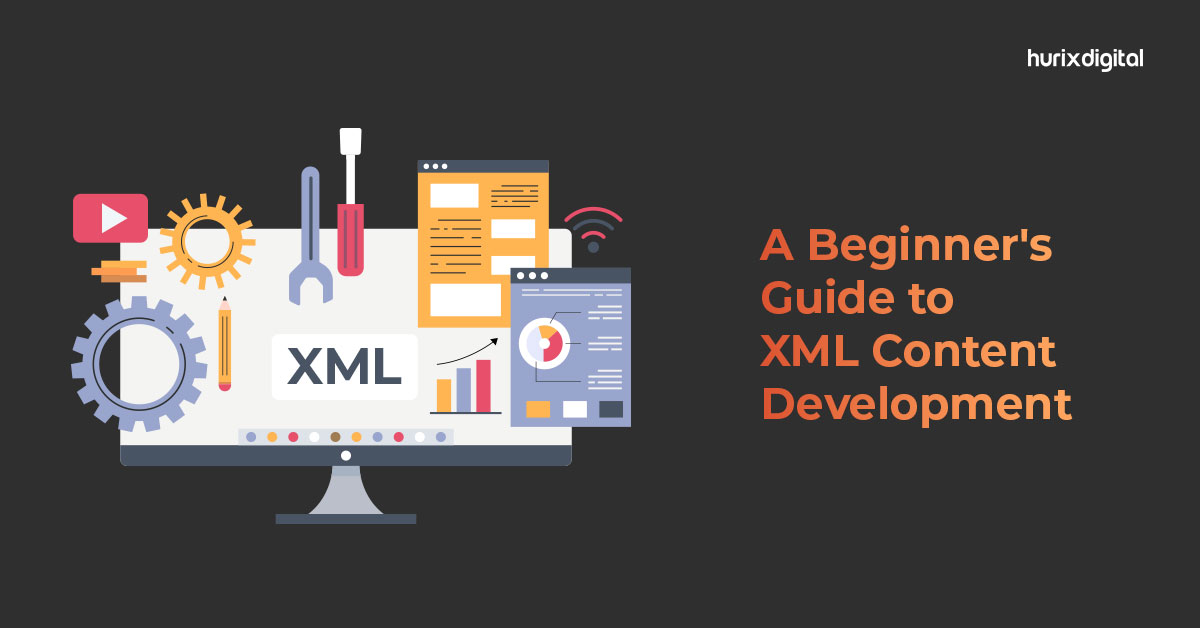
A Beginner’s Guide to XML Content Development

[vc_row][vc_column][vc_column_text]Content development can also contribute to XML in several ways. XML (eXtensible Markup Language) is a language that is designed to store and transport data, and content development involves creating and managing digital content, such as text, images, and videos, for various platforms and media. Four Best Examples of How Content Development Can Contribute to XML: XML can be used to structure and organize content. Content developers can use XML to define the structure of their content, such as defining the hierarchy of headings, paragraphs, lists, and other elements, which can help make the content more accessible and machine-readable. XML can be used to create content that can be reused and repurposed. Content developers can use XML to create modular content that can be easily combined with other content and repurposed for different platforms and media, such as ebooks, websites, and mobile apps. XML can be used to facilitate content translation and localization. Content developers can use XML to separate content from presentation and define the metadata needed for translation, making it easier to translate and localize content for different markets and languages. XML can be used to create content that is accessible and inclusive. Content developers can use XML to create structured content that is designed to be accessible to people with disabilities, such as using semantic markup to identify headings, links, and other elements. Overall, content development can contribute to XML by using it as a tool for structuring and organizing content, creating content that can be reused and repurposed, facilitating content translation and localization, and creating accessible and inclusive content. 5 Tools for Structuring and Organizing Content in XML There are several tools available for structuring and organizing content in XML. Here are a few popular ones: XML editors: XML editors such as XMLSpy, oXygen XML Editor, and Altova XML Editor are powerful tools that allow you to create, edit, and validate XML documents. These editors typically come with features like syntax highlighting, auto-completion, and XML schema validation, which can help you structure XML content efficiently. XML schema editors: XML schema editors like Altova XMLSpy and Liquid XML Studio allow you to define and manage XML schemas, which can help you enforce consistency and structure in XML content. XSLT processors: XSLT processors like Saxon and Xalan allow you to transform XML documents into other formats, such as HTML or PDF. These tools can be used to structure and organize content in a way that makes it more accessible or readable. Content management systems: Content management systems (CMS) like Drupal and WordPress can be used to structure and organize content in XML. These systems typically come with features like content types, taxonomies, and metadata management, which can help you create a well-organized content structure. Programming languages: Programming languages like Java and Python have built-in XML parsing libraries that can be used to structure and manipulate XML content. These languages can be used to create custom tools and applications for organizing and managing XML content. Overall, the choice of tool will depend on specific needs and requirements. Creating Content that can be Reused and Repurposed in XML Creating content that can be reused and repurposed in XML requires careful planning and implementation. Here are some steps to follow: Define a clear and consistent structure for content: This can be done using an XML schema or a document type definition (DTD). The structure should be flexible enough to accommodate different types of content while maintaining consistency. Use meaningful and descriptive elements and attribute names: This will make it easier to understand the content and reuse it in different contexts. Apply metadata to content: Metadata can help describe the content and provide additional information about its intended use. This can include information like author, date, and keywords. Use semantic markup: Semantic markup adds meaning to content by defining the relationships between elements. This makes it easier to repurpose content in different contexts. Create modular content: Break up content into smaller, reusable chunks that can be combined in different ways. This will make it easier to reuse and repurpose our content in different contexts. Avoid formatting and styling in the content: Instead, use Cascading Style Sheets (CSS) or other styling techniques to apply formatting and presentation. This will make it easier to repurpose the content for different mediums. By following these steps, can create content that is well-structured, flexible, and easy to reuse and repurpose in different contexts. Six Tips on Facilitating Content Translation and Localization in XML Facilitating content translation and localization in XML involves designing XML structure and content with localization in mind. Here are some tips: Use Unicode character encoding: Unicode allows for multilingual support and is a standard for character encoding. Using Unicode, can ensure that content can be translated into any language without loss of data. Separate content from the presentation: Ensure that the XML document separates content from the presentation. This allows for easier translation without interfering with formatting or styling. Use a consistent and well-defined XML schema: A well-defined schema helps ensure consistency and accuracy during translation. By using a consistent schema, it becomes easier to locate content that requires translation. Use XML comments for context: Adding XML comments can provide contextual information for translators. This information can help them better understand the content and improve the translation quality. Use a Translation Memory tool: A Translation Memory tool helps to save previously translated content in a database, which can be used to quickly translate similar or identical content in the future. This saves time and ensures consistency in translations. Ensure that text expansions and contractions are taken into account: Different languages can have text expansions or contractions that impact the layout and design of the document. Be sure to allow for these differences when designing XML content. By following these tips, can ensure that XML content is optimized for translation and localization, making it easier to reach a global audience. Seven Tips on Creating Accessible and Inclusive Content Creating accessible and inclusive content in
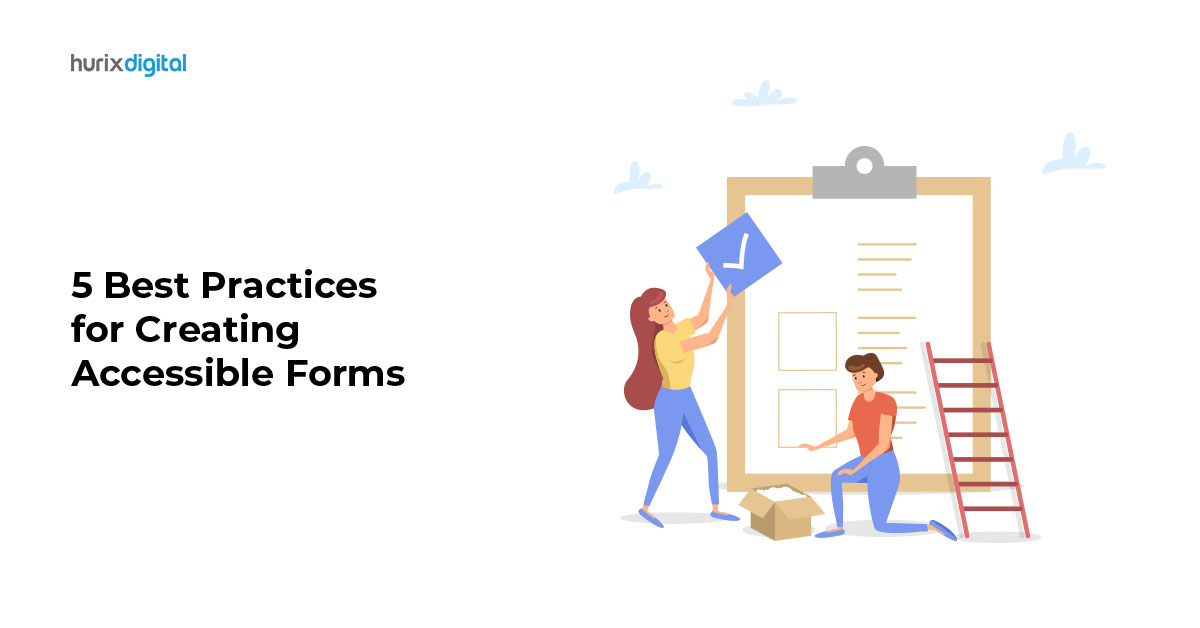
5 Best Practices for Creating Accessible Forms

[vc_row][vc_column][vc_column_text]Forms are a critical component of many websites, applications, and digital services. They are used for a wide range of purposes, including signing up for newsletters, registering for events, completing purchases, and filling out surveys. However, for people with disabilities, completing forms can be a challenging and frustrating experience. From unclear instructions to confusing layouts, there are many barriers that can prevent people with disabilities from successfully completing forms. Ensuring that forms are accessible is essential for creating an inclusive web that works for everyone. Accessible forms enable people with disabilities to complete tasks independently and efficiently, providing them with the same level of access to information and services as other users. Accessible forms also benefit organizations by improving usability, reducing errors, and increasing overall user satisfaction. In this blog post, we will explore best practices for designing accessible forms. We will cover various aspects and best practices for form design, including structure, labels and instructions, input types, error handling, and testing. Whether you’re designing a simple contact form or a complex application form, these best practices will help you create forms that are accessible to all users. Forms are a common feature on many websites and applications, used for a variety of purposes, such as registration, feedback, surveys, and checkout processes. There are several types of forms, including simple forms, multipage forms, and complex forms, such as those used for online applications or e-commerce transactions. Accessible forms are essential for ensuring that all users, including those with disabilities, can complete them effectively. Accessible forms enable users with disabilities to interact with the form elements and submit information without any barriers. There are several benefits of designing accessible forms, including: Improved usability: Accessible forms improve the overall usability of your website or application, making it easier for all users to complete the forms without confusion or frustration. Better user experience: Accessible forms provide a better user experience for users with disabilities, allowing them to complete tasks independently and efficiently. Increased conversions: Accessible forms can help increase conversions and reduce form abandonment rates by ensuring that users can complete the form quickly and accurately. 5 Best Practices for Designing Accessible Forms: Structure: The structure of the form should be clear and organized. Use headings and subheadings to break up the form into sections, and ensure that the tab order follows the logical flow of the form. Labels and instructions: All form elements should have clear and descriptive labels. Use placeholder text sparingly, as it disappears once the user starts entering data. Include clear and concise instructions that help users understand what information is required and how to complete the form. Input types: Use appropriate input types for each field, such as text, date, email, or phone. Ensure that the input type is correctly associated with the label, which helps users who rely on screen readers or other assistive technologies. Error handling: Provide clear error messages that describe the problem and how to fix it. Use visual cues, such as highlighting the field in error, and ensure that the error message is located near the field in question. Testing: Test your form with a range of assistive technologies and devices, such as screen readers, keyboard-only navigation, and voice input. Test the form on different browsers and operating systems to ensure that it is compatible and accessible. By following these best practices, you can create forms that are accessible to all users, including those with disabilities. Designing accessible forms is not only the right thing to do but also makes good business sense. Accessible forms can help increase conversions, reduce form abandonment rates, and improve user satisfaction. At Hurix, we offer web accessibility solutions, including form accessibility best practices like testing and remediation, to help organizations create accessible forms that meet compliance standards and improve user experience. Contact us to learn more about our digital accessibility services and how we can help you create accessible forms.[/vc_column_text][/vc_column][/vc_row]

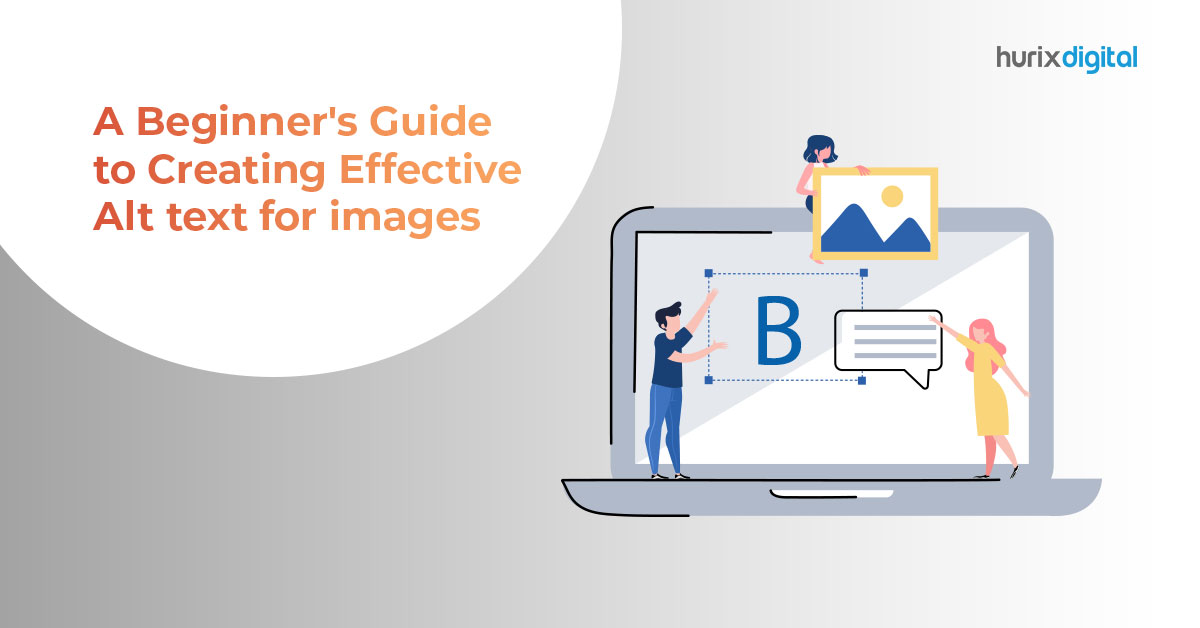
A Beginner’s Guide to Creating Effective Alt Text for Images

[vc_row][vc_column][vc_column_text]Images are an essential part of digital products, in books, in documents, in content & Web pages, to communicate visually with the user. Alternate text, also called alt text, refers to a text description that is added to an image, video, or other non-textual elements on a web page.  Alt text (alternative text) of an image can be read by screen readers and other assistive technologies used by people with visual impairments or disabilities with a means of understanding the content of the media. Providing alt text for images and time-based media can have several important uses, including: Accessibility: Alt text is essential for people who are visually impaired or have a disability that makes it difficult to see images. Screen readers can read alt text aloud, making it possible for these users to understand the content of the image. SEO: Search engines use alt text to understand what an image is about. By providing descriptive alt text, you can improve the search engine optimization (SEO) of your website and help your content rank higher in search engine results. Content comprehension: Alt text can also help users who are on slow internet connections or have limited bandwidth. Providing a textual description of an image can help these users understand what the image is about even if it doesn’t load properly or takes too long to load. Legal compliance: In some cases, providing alt text may be legally required. For example, under the Americans with Disabilities Act (ADA), websites must be accessible to people with disabilities, which includes providing alt text for images. Clarification: In the case of time-based media, alt text can provide important context and clarification. For example, providing alt text for a video can help users understand the content of the video even if they are unable to watch it (e.g., due to a slow internet connection or a hearing impairment). Here are some best practices for writing alt text that is effective and helpful for users who rely on it:  Writing good alt text is important because it provides context and information about the image, making it accessible to a wider audience. Here are some things to consider when writing alt text for images: Be descriptive: The alt text should provide a clear and concise description of the image. It should convey the most important information, such as the subject matter, action, or context. Avoid using generic terms like “picture” or “graphic” and instead provide specific details such as colours, shapes, and actions. Keep it concise: Avoid lengthy descriptions that may not be useful to the user. Instead, focus on the essential details that convey the image’s meaning. Be specific: Avoid using generic descriptions, such as “picture of a woman” or “image of a tree.” Instead, be more specific, such as “woman wearing a red dress” or “oak tree in a park.” Use proper grammar and punctuation: Alt text should be written using proper grammar and punctuation. This makes it easier for screen readers to read the text correctly. Avoid using “image of” or “picture of”: Since screen readers already identify the image as an image, there’s no need to include “image of” or “picture of” in the alt text. Don’t include non-essential information: Stick to the important information related to the image. Avoid adding unnecessary information that doesn’t add value to the description. Purpose of the image: Consider why the image is on the webpage and what purpose it serves. This will help you write alt text that accurately and clearly describes the image. Context: Consider the context in which the image appears. Is it part of a larger narrative or story? Is it meant to convey a specific message or emotion? The alt text should reflect this context. Length: Keep the alt text concise, but also provide enough detail to accurately describe the image. A good rule of thumb is to keep the text between 50-125 characters. Avoid redundancy: Avoid duplicating information that is already provided on the webpage. For example, if there is a caption for the image, the alt text should not simply repeat the caption. Be mindful of cultural references: Consider whether the image contains cultural or historical references that may not be widely known or understood. In such cases, provide additional context in the alt text. Test your alt text: Test your alt text with assistive technologies such as screen readers to ensure that it accurately conveys the visual information in the image and is useful for those who rely on it. Types of Images that need Alt Text: Informational images: Any image that conveys important information or data should have alt text that describes what the image represents. Examples include charts, graphs, diagrams, and maps. Decorative images: Images that are purely decorative or don’t convey any important information should have empty alt attributes or “alt” text that describes the image as decorative. Functional images: Images that serve a specific function, such as buttons or icons, should have alt text that describes their function. This helps users with visual impairments understand what the button or icon does. Images containing text: If an image contains text, the alt text should describe the text content so that visually impaired individuals can understand the message. Complex images: Images that are complex or have multiple elements should have alt text that describes the overall content and context of the image. Types of people who need alternative text: Screen reader users – Alt text is used by individuals with visual impairments who use screen readers or other assistive technologies to access content on websites. Cognitive disability users – Alt text is also useful for people with cognitive and learning disabilities. For example, individuals with dyslexia or attention deficit hyperactivity disorder (ADHD) may have difficulty processing visual information quickly or accurately. Learning disabilities – People with intellectual disabilities or developmental disabilities may benefit from alt text because it can provide additional context and explanation for complex or abstract concepts. Alt text can also help to reduce

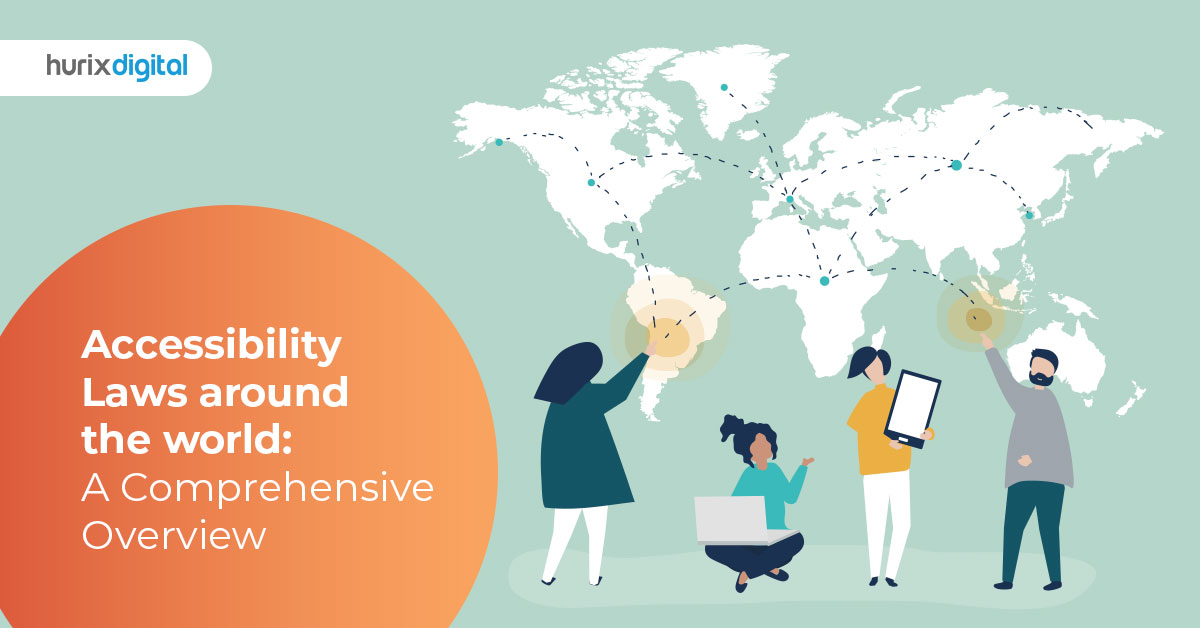
Accessibility Laws around the world: A Comprehensive Overview

[vc_row][vc_column][vc_column_text]The Americans with Disabilities Act (ADA) became law in 1990. The ADA is a civil rights law that prohibits discrimination against individuals with disabilities in all areas of public life, including jobs, schools, transportation, and all public and private places that are open to the general public. The purpose of the law is to make sure that people with disabilities have the same rights and opportunities as everyone else. The ADA gives civil rights protections to individuals with disabilities similar to those provided to individuals on the basis of race, color, sex, national origin, age, and religion. It guarantees equal opportunity for individuals with disabilities in public accommodations, employment, transportation, state and local government services, and telecommunications. The ADA is divided into five titles (or sections) that relate to different areas of public life. In 2008, the Americans with Disabilities Act Amendments Act (ADAAA) was signed into law and became effective on January 1, 2009. The ADAAA made a number of significant changes to the definition of “disability.” The ADA is divided into five titles, each of which covers a different area of public life: Title I (Employment) – Equal Employment Opportunity for Individuals with Disabilities Title II (State and Local Government) – Nondiscrimination on the Basis of Disability in State and Local Government Services   Title III (Public Accommodations) – Nondiscrimination on the Basis of Disability by Public Accommodations and in Commercial Facilities  Title IV (Telecommunications) Title V (Miscellaneous Provisions) Section 508:  Section 508 refers to a federal law in the United States (WCAG 508 compliance) that requires federal agencies to make their electronic and information technology (EIT) accessible to people with disabilities. The law was enacted in 1998 as an amendment to the Rehabilitation Act of 1973. Under Section 508, federal agencies must ensure that their EIT is accessible to individuals with disabilities, including employees and members of the public. This includes websites, software applications, electronic documents, multimedia, and other forms of digital content. The law requires that EIT be designed, developed, and maintained in a way that makes it accessible to people with disabilities, including those with visual, auditory, cognitive, and motor disabilities. The law also sets out technical standards for accessibility, known as the Section 508 Standards, which are based on WCAG compliance standards developed by the World Wide Web Consortium (W3C). In addition to federal agencies, many state and local government agencies, as well as private organizations that receive federal funding, are also required to comply with Section 508. Failure to comply with Section 508 can result in legal action and penalties. Overall, Section 508 is an important law that helps to ensure that people with disabilities have equal access to digital information and services provided by the federal government. Disability Discrimination Act :  The Disability Discrimination Act (DDA) is a law in the United Kingdom that aims to protect people with disabilities from discrimination in various areas of life. The law was first introduced in 1995 and was later replaced by the Equality Act 2010, which continues to protect people with disabilities from discrimination. The DDA covers a wide range of areas, including employment, education, access to goods and services, and housing. The law requires employers, service providers, and others to make “reasonable adjustments” to accommodate the needs of people with disabilities, so that they are not at a disadvantage compared to people without disabilities. For example, a reasonable adjustment for a person with a visual impairment might be providing materials in an alternative format, such as audio or large print. A reasonable adjustment for a person with a mobility impairment might be providing ramps or other accessible features in a building. The DDA also covers issues related to harassment and victimization of people with disabilities, and prohibits discrimination based on association with a person with a disability. Overall, the Disability Discrimination Act (DDA) and its successor, the Equality Act 2010, are important laws that help to protect the rights of people with disabilities in the United Kingdom and ensure that they are not excluded or disadvantaged in various areas of life. The Equality Act 2010:  The Equality Act 2010 is a law in the United Kingdom that consolidates and strengthens previous laws against discrimination based on various characteristics, including age, disability, gender reassignment, marriage and civil partnership, pregnancy and maternity, race, religion or belief, sex, and sexual orientation. The law applies to a wide range of areas, including employment, education, access to goods and services, and housing. It requires employers, service providers, and others to make reasonable adjustments to accommodate the needs of people with disabilities, and prohibits discrimination based on the other protected characteristics. The Equality Act 2010 defines several forms of discrimination, including direct discrimination, indirect discrimination, harassment, victimization, and discrimination arising from disability. The law also provides for positive action, which allows employers and service providers to take steps to address under-representation or disadvantage faced by people with certain protected characteristics. Overall, the Equality Act 2010 is an important law that helps to protect the rights of people in the United Kingdom and ensure that they are not excluded or disadvantaged based on their characteristics. The law has played a significant role in promoting equality and diversity in the UK, and continues to be an important tool for combating discrimination and promoting social justice. The European Accessibility Act (EAA): The European Accessibility Act (EAA) is a law that was adopted by the European Union (EU) in 2019 with the aim of improving accessibility of products and services for people with disabilities. The EAA sets out a range of accessibility requirements that certain products and services must meet to measure digital accessibility compliance. The products and services covered by the EAA include: Computers and operating systems ATMs and banking services E-commerce websites and mobile applications Telephony services and related equipment Audio-visual media services and related equipment Electronic book readers and related services Transportation services EN 301 549:  EN 301 549 is a European standard that was developed to establish accessibility

Why Colour Contrast Matters for Web Accessibility?

[vc_row][vc_column][vc_column_text]Colour contrast is the degree of difference in hue, lightness, or saturation between two or more colours. It is the visual distinction between foreground and background colours, text and background colours, or any two elements within a design. High contrast means that the colours are very different from each other, while low contrast means that the colours are similar or have less of a difference between them. Colour contrast plays an important role in design, particularly in ensuring accessibility for individuals with visual impairments. It can also affect the readability and overall visual impact of a design. Color contrast is also important for accessibility, as it can affect the ability of people with visual impairments to read and understand content. High-contrast color combinations are generally easier for people with low vision or color blindness to perceive and differentiate, while low-contrast combinations can be more difficult to see and distinguish. 7 reasons why color contrast is important for accessibility Readability: A design with good color contrast is easier to read and understand. This is particularly important for people with visual impairments, but also for anyone who may be reading content in low light or on a small screen. Accessibility: Color contrast is a key factor in creating accessible designs that can be used by people with various types of visual impairments, including color blindness. By ensuring that there is enough contrast between elements, designers can make sure that everyone can access and interact with their content. Hierarchy and emphasis: Color contrast can be used to create a visual hierarchy in a design, where more important elements stand out more prominently. This can help users understand the structure and meaning of a design more easily. Aesthetics: Color contrast is also important for creating visually appealing designs. By choosing colors that complement each other and provide sufficient contrast, designers can create designs that are not only functional, but also attractive and engaging. Colour contrast is very helpful for those with disabilities. Those disabilities are Color blindness: Color blindness is a condition where a person has difficulty distinguishing between certain colors, particularly red and green. By using high-contrast color combinations, designers can ensure that people with color blindness can still differentiate between different elements in a design  Low vision: People with low vision have difficulty seeing small or low-contrast details. High-contrast designs with clear color distinctions can help make content easier to read and understand.  Photophobia: Photophobia is a condition where a person is sensitive to light. High-contrast designs with dark backgrounds and light text can help reduce eye strain and make content easier to read.  When using color for images and text, here are the few things to keep in mind when designing our products. Use high contrast: High contrast between text and background colors makes it easier for people with visual impairments to read. The text should be darker than the background or vice versa. Choose colors carefully: Be mindful of the colors you use and how they appear to individuals with color blindness or other visual impairments. Avoid using colors that are similar or blend together, as this can make it difficult to distinguish between text and background. Test your color contrast: Use online tools to test the contrast ratio of your text and background colors. This can help you ensure that your design meets the recommended contrast ratios for accessibility. Use patterns or textures: Instead of relying solely on color to distinguish between elements, consider using patterns or textures to add visual interest and improve accessibility. Consider the context: Keep in mind the context in which your design will be used. For example, text that appears on a small mobile screen may require higher contrast than text that appears on a large desktop monitor. Color contrast accessibility can be tested using various tools and techniques. A color contrast analyser tool is a software application that helps designers and developers evaluate the contrast between two colors in a design. This type of tool is particularly useful for ensuring that a design meets accessibility standards, as it can help identify color combinations that may be difficult for people with visual impairments to perceive. There are several color contrast analyzer tools available, both as standalone applications and as browser extensions. These tools typically work by analyzing the colors in a design and calculating the contrast ratio between them. They can then provide feedback on whether the contrast ratio meets accessibility guidelines, such as those set by the Web Content Accessibility Guidelines (WCAG).  Some color contrast analyzer tools also provide suggestions for alternative color combinations that would provide better contrast, or allow designers to adjust the colors in real-time to see how changes affect the contrast ratio. Contrast ratio: Contrast ratio is a measure of the relative brightness of two colors, expressed as a ratio. It is typically calculated using the formula (L1 + 0.05) / (L2 + 0.05), where L1 and L2 are the relative luminance values of the two colours. The contrast ratio can range from 1:1 (no contrast) to 21:1 (maximum contrast). Color contrast checker: A color contrast checker is a tool that can be used to evaluate the contrast between two colors. There are many online accessibility color checkers available that can help designers test their designs for digital accessibility. Colorimeter: A colorimeter is a device that measures the color and luminance of a surface. It can be used to measure the contrast between two colors, as well as to calibrate displays and printers. Photoshop: Adobe Photoshop has a built-in feature called “eyedropper tool” that can be used to measure the contrast between two colors. By selecting one color with the eyedropper tool and then moving the cursor to another color, the contrast ratio will be displayed in the info panel. Color contrast guidelines explained in WCAG: WCAG (Web Content Accessibility Guidelines) provides guidelines on how to make web content more accessible to people with disabilities, including those with visual impairments. One of the key guidelines in WCAG is

PDF Accessibility: Why It Matters and How to Achieve It

[vc_row][vc_column][vc_column_text]PDF documents have become one of the most popular formats for digitizing print material. This is because they are easy to share and maintain their original formatting across devices. However, ensuring that these documents are accessible to everyone, including those with disabilities, is crucial. This is where the concept of accessible PDFs comes in. Making PDFs accessible involves ensuring that the document or form is properly tagged and well-structured. This allows people with disabilities to use assistive technology, such as screen readers, to access the information in the document. It is important to note that just like websites and mobile applications, PDF documents are also subject to accessibility guidelines such as WCAG 2.0 & WCAG 2.1 AA standards. Hurix accessibility solutions for remediation and testing services ensure that your documents conform to these accessibility standards and guidelines. Our team of accessibility experts use assistive technology, work with the WCAG 2.0 & WCAG 2.1 and – PDF Techniques & PDF U/A (PDF) standard to remediate a fully accessible document that meets ADA, AODA & Section 508 accessibility standards and guidelines. We are providing pdf accessibility services to clients in the UK, USA, and across the Globe. At Hurix, we follow a comprehensive workflow to ensure that your PDF documents are accessible and comply with accessibility standards such as WCAG 2.0 & 2.1, Section 508, ADA, and AODA. Our PDF accessibility workflow includes the following five steps: Evaluation: The first step in our workflow is to evaluate the accessibility of the PDF document. We use Adobe Acrobat Pro DC and other industry-standard tools to evaluate the document’s accessibility level. Our experts review the document for structure, tags, and other accessibility elements to determine its compliance with accessibility standards. Tagging: After evaluation, our accessibility experts tag the document to ensure that it is properly structured and accessible to screen readers. We use appropriate tags for headings, paragraphs, lists, tables, and other elements to ensure that the document’s content is properly structured. Remediation: In the remediation stage, we address any accessibility issues identified during the evaluation stage. This may include adding missing tags, adjusting the reading order, and other fixes to ensure that the document is fully accessible. Alternative Text: We also provide image descriptions to images, graphs, and pictures in your document. This helps people who use screen readers to understand the visual content of the document. Quality Check: PDF accessibility quality checking is an important part of ensuring that PDF documents are fully accessible to people with disabilities. At Hurix, we follow a comprehensive quality checking process to ensure that the PDF documents we create are accessible and meet industry standards. Our PDF accessibility quality checking process includes the following steps:  Manual Review: Our accessibility experts conduct a manual review of the document to ensure that it is properly tagged and structured. This involves reviewing the document’s headings, lists, tables, and other elements to ensure that they are properly tagged and accessible. Automated Checks: We use industry-standard tools such as Adobe Acrobat Pro DC (PDF accessibility software) to perform automated checks on the document. This helps us identify any accessibility issues that may have been missed during the manual review. Alt Text Checks: Our team checks the alternative text (alt text) for images, charts, and graphs in the document to ensure that they are properly described. This helps people who use screen readers to understand the visual content of the document. Color Contrast Checks: We check the color contrast of the document to ensure that it meets accessibility guidelines. This helps people with visual impairments to read and understand the content of the document. Navigation Checks: We check the document’s navigation to ensure that it is easy to use and accessible to people with disabilities. This involves checking the document’s reading order, bookmarks, and other elements to ensure that they are properly structured. Assistive Technology Checks: Our team uses a variety of assistive technologies such as screen readers and magnifiers to test the document’s accessibility. This helps us identify any issues that may have been missed during the manual and automated checks. User Testing: We conduct user testing with people who have disabilities to ensure that the document is fully accessible and easy to use. This helps us identify any issues that may have been missed during the previous steps. Delivery: Finally, we deliver the fully accessible PDF document to the client, along with a detailed accessibility report. At Hurix, we are committed to delivering high-quality, accessible PDF documents that meet industry standards and guidelines. We have a team of experienced accessibility experts who work with the latest accessibility standards and guidelines to ensure that your PDF documents are fully accessible. Our PDF accessibility quality checking process is designed to ensure that every document we create is fully accessible and meets the needs of people with disabilities.[/vc_column_text][/vc_column][/vc_row]

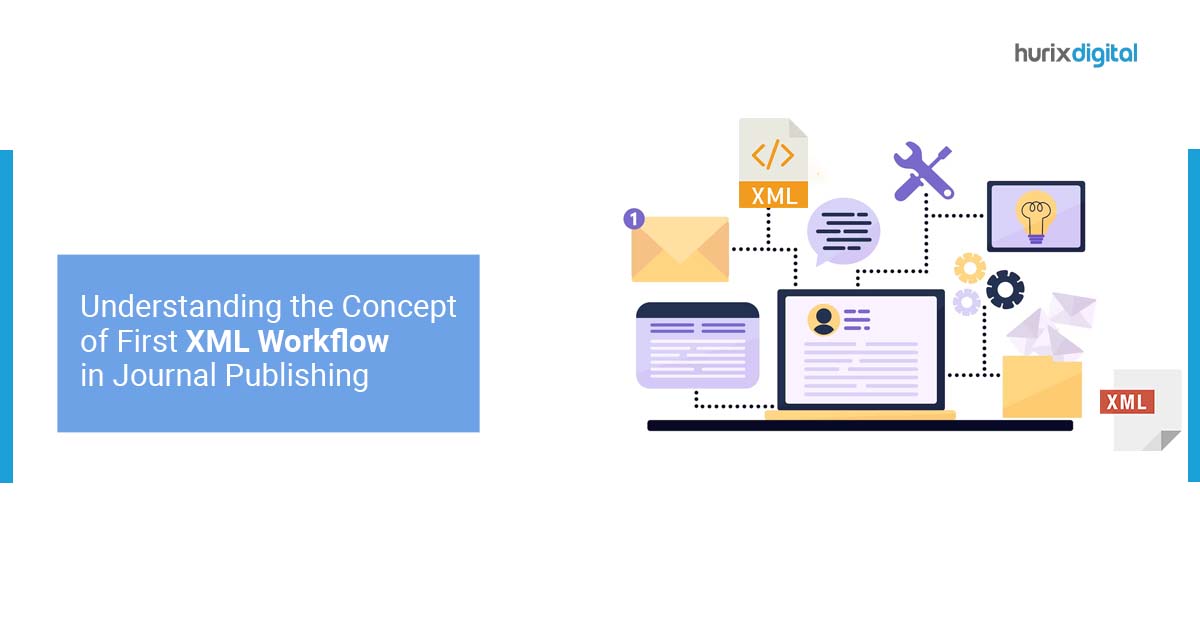
Understanding the Concept of First XML Workflow in Journal Publishing

[vc_row][vc_column][vc_column_text]XML (Extensible Markup Language) workflow refers to a process or sequence of steps involving the creation, manipulation, and transformation of XML documents. XML is a popular markup language used for structuring and storing data in a human-readable and machine-readable format. Here is a general overview of a typical XML workflow: XML Document Creation: The workflow begins with the creation of an XML document using an XML editor or authoring tool. The document is structured using XML tags, which define the elements and their relationships within the document. XML Document Validation: Once the XML document is created, it may need to be validated against a specific XML schema or Document Type Definition (DTD). This step ensures that the document adheres to the defined structure, data types, and constraints. XML Document Editing: XML documents often require modifications or updates. The workflow may involve editing the XML document to add, remove, or modify elements, attributes, or values. This can be done manually or through automated processes. XML Document Transformation: XML documents can be transformed from one format to another using technologies like XSLT (Extensible Stylesheet Language Transformations). Transformation allows you to extract, restructure, or present data from the XML document in a different format, such as HTML, PDF, or another XML schema. XML Document Parsing and Processing: In many workflows, XML documents need to be parsed and processed by software applications. This involves extracting data from the XML document, performing calculations or operations, and generating outputs or performing specific actions based on the data contained within the XML. XML Document Integration: XML is commonly used for data interchange between different systems or applications. Integration involves sending or receiving XML documents between different software components or systems, enabling seamless communication and data exchange. XML Document Storage and Retrieval: XML documents may be stored in databases, file systems, or document management systems for future retrieval and reference. Appropriate storage and retrieval mechanisms are employed to ensure efficient management of XML data. It’s important to note that XML workflows can vary greatly depending on the specific requirements of a project or application. Different tools, technologies, and processes may be employed at various stages to facilitate the desired XML-related tasks. Journal publishing has a long and rich history that dates back several centuries. A brief overview of the key milestones in the history of journal publishing. Early journals: The first academic journal, the Journal des Sçavans, was established in France in 1665. This was followed by the Philosophical Transactions of the Royal Society in England in 1666. 18th and 19th centuries: The 18th and 19th centuries saw significant growth in the number of academic journals, as new fields of study emerged and scientific discoveries accelerated. Many of these journals were published by learned societies, which were established to promote the advancement of knowledge in specific fields. Rise of commercial publishing: In the late 19th and early 20th centuries, commercial publishers began to play an increasingly important role in journal publishing, as they saw the potential for profit in the growing academic market. Digital publishing: The advent of the internet in the late 20th century revolutionized journal publishing, as it made it possible to disseminate articles electronically, reaching a much larger audience than was previously possible. Electronic publishing also made it easier to search and access articles and facilitated the development of new publishing models, such as open access. Open access: The open access movement, which began in the early 2000s, aims to make research freely available to everyone, regardless of their ability to pay for access. Open-access publishing has grown rapidly in recent years, as more and more funding agencies and institutions require researchers to make their work freely available. Future of journal publishing: The future of journal publishing is likely to be shaped by ongoing technological advances, changing funding models, and evolving reader expectations. Some of the key trends that are likely to shape the future of journal publishing include open science, machine learning, and artificial intelligence, and the increasing importance of data and analytics in academic research. Traditional Way of Publishing Before the first XML workflow was introduced, the traditional way of journal publishing involved a series of manual and time-consuming steps that required a significant amount of effort from editors, typesetters, and printers. Here are the main steps involved in traditional journal publishing: Manuscript Submission: Authors would submit their manuscripts to the journal editor by mail or fax. Manuscript Review: The editor would then review the manuscript and send it out for peer review. Peer Review: Peer reviewers would read the manuscript, provide feedback, and recommend whether it should be accepted, rejected, or revised. Manuscript Revision: If the manuscript was accepted pending revisions, the author would make the necessary changes and resubmit the manuscript. Copyediting: Once the manuscript was accepted, it would be sent to a copy editor, who would check for grammar, spelling, and consistency. Typesetting: The copyedited manuscript would then be sent to a typesetter, who would format the text, add images and figures, and create the final layout of the article. Proofreading: A proofreader would then review the typeset article for errors before it was sent to the printer. Printing: The final typeset manuscript would be sent to the printer, who would print the article and send it back to the publisher. Distribution: Finally, the publisher would distribute the printed journal to subscribers and libraries. Birth of First XML Workflow  The traditional process was time-consuming and often led to delays in publication. With the introduction of XML workflows, many of these steps have been automated, leading to faster publication times and more efficient production processes. Demand for a quick and short turn-around of the article’s life cycle made Publishers implement the First XML workflow which will enable quick delivery of XML packages to Online hosting platforms. There are several reasons why following an XML workflow in journal typesetting is beneficial: Standardization: By using XML as the standard format for journal articles, publishers can ensure that all articles are structured consistently,

What is a Subject Matter Expert? Exploring the Role and Responsibilities

[vc_row][vc_column][vc_column_text]While SME can also stand for “Subject Matter Expert,” in the context of business and economics, SME most commonly refers to “Small and Medium-sized Enterprises.” The term “Subject Matter Expert” is often used in professional and technical contexts to refer to someone who has specialized knowledge and expertise in a particular area or field. For example, in software development, an SME might be an expert in a particular programming language or technology. The term SME as “Small and Medium-sized Enterprises” is used to refer to businesses that are smaller in size and revenue compared to large corporations. The distinction between these two definitions of SME is essential, as they refer to different things and contexts. What is a subject matter expert? A subject matter expert (SME) is an individual who possesses significant expertise, knowledge, and experience in a particular field or subject area. SMEs are recognized as authorities and possess a deep understanding of the subject matter, often surpassing the knowledge of average practitioners in that field. How do subject matter experts work? Subject matter specialists typically contribute to projects or initiatives by providing their specialized knowledge and insights.  The role of subject matter experts is to collaborate with teams or stakeholders to offer guidance, solve complex problems, make informed decisions, and ensure the accuracy and quality of work within their area of expertise. SMEs may be involved in various activities such as advising, training, content creation, quality assurance, and decision-making processes. How to become a subject matter expert? Becoming a subject matter expert typically involves the following steps: Choose a specific field or subject area: Select a domain where you have a genuine passion and interest in acquiring deep knowledge. Pursue education and training: Acquire formal education, certifications, or specialized training in the chosen field to gain a strong foundational understanding. Gain practical experience: Apply your knowledge in real-world scenarios through internships, job roles, or practical projects to build hands-on experience and expertise. Continuously learn and stay updated: Stay current with the latest developments, trends, research, and best practices in your field by reading books, attending conferences, participating in webinars, and engaging with professional communities. Share knowledge and contribute: Actively share your expertise by writing articles, speaking at conferences, mentoring others, participating in online forums, or collaborating on projects, which helps establish your reputation as an authority in your field. Example SME scenarios: In an IT company, a software architect with extensive experience in designing complex systems may act as an SME, guiding and providing technical expertise to development teams. In a healthcare organization, a senior physician specialized in a particular medical domain may serve as an SME, advising on challenging cases, providing training to junior doctors, and participating in research initiatives. In a legal firm, a lawyer with in-depth knowledge of a specific area of law, such as intellectual property or corporate law, may be considered an SME, providing guidance to colleagues and clients on complex legal matters. SME limitations: Narrow perspective: SMEs may have extensive knowledge in their specific area but may lack broader insights or expertise outside their domain. Difficulty in communicating complex ideas: SMEs may find it challenging to explain concepts or ideas to non-experts due to the technical nature of their knowledge. Limited availability: SMEs are often busy professionals with multiple responsibilities, which can make their availability for consultation or collaboration limited. Bias or resistance to change: SMEs may be deeply rooted in traditional practices or established methods, making it difficult for them to adapt to new technologies or approaches. While subject matter experts offer valuable contributions, it’s important to leverage their expertise alongside other perspectives and to address any limitations through effective communication, collaboration, and a holistic approach to problem-solving. Understanding “Subject Matter Expert” The term “Subject Matter Expert” (SME) generally refers to a person who has in-depth knowledge, expertise, and experience in a specific area or field. SMEs are typically sought out for their specialized knowledge and experience to provide insights, guidance, and solutions in their area of expertise. SMEs play a crucial role in various industries, including technology, science, engineering, medicine, law, and business, to name a few. They are often relied upon to provide advice, solve complex problems, and contribute to the development of new products and services. In the context of software development, SMEs can provide guidance and expertise in areas such as programming languages, software frameworks, design patterns, and best practices. They can also offer insights into industry trends, emerging technologies, and new developments in the field. Overall, SMEs are highly valued for their specialized knowledge and expertise and play a vital role in various industries and fields. Services offered by Subject Matter Experts Subject Matter Experts (SMEs) can offer a variety of services depending on their area of expertise and the industry or sector they work in. Here are some examples of services that SMEs may offer: 1. Training and Development SMEs can provide training and development services to individuals or organizations, helping them to build their skills and knowledge in a specific subject area. For example, an SME in data analysis may offer training in statistical analysis or data visualization. 2. Consulting SMEs can work as consultants, providing advice and expertise to individuals or organizations. For example, an SME in cybersecurity may offer consulting services to companies to help them improve their security systems and protocols. 3. Research and Development SMEs can work in research and development, helping organizations to develop new products or services. For example, an SME in pharmaceuticals may work on the development of new drugs or medical devices. 4. Content Creation SMEs can create content for different purposes, such as educational materials, marketing materials, or technical documentation. For example, an SME in software development may create technical manuals or user guides. 5. Writing and Editing SMEs can also work as writers or editors, producing written content that requires specialized knowledge in a particular subject area. For example, an SME in finance may write articles or reports on financial markets or investment

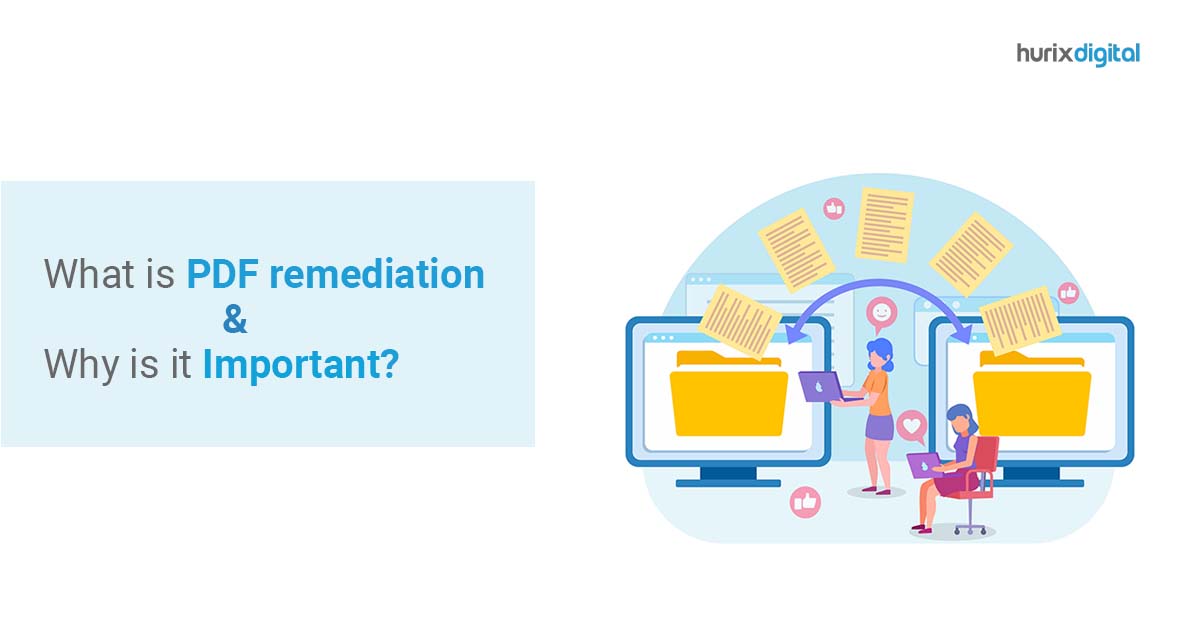
What is PDF remediation and Why is it Important?

[vc_row][vc_column][vc_column_text]For those responsible for creating and managing their organization’s online content and documents, it’s essential to understand key accessibility terms and concepts, including PDF remediation and tags.  What is accessibility? “Accessibility” means usable by all people, including those with disabilities or who use assistive technology. Accessible documents must be readable by assistive technology, as well as understandable and usable on various technology and platforms. Tags play an essential role in this process, as they provide information about the elements in a document, including headings, images, tables, lists, and links. They also help assistive technology users understand the order and hierarchy of the document’s content. What are tags? PDF remediation is the process of “tagging” digital elements in a PDF document, enabling them to be read by assistive technology. While many organizations use the PDF file format because it remains visually consistent across platforms and devices, not all PDF documents are accessible. Even a fully accessible document created in MS Word or Google Docs may not be accessible when saved as a PDF, as not all tags are preserved during the conversion process. Correct PDF tagging offers benefits beyond accessibility solutions, improving SEO and usability for all users. Common elements requiring remediation in PDF documents include images, headings, links, lists, tables, and reading order.  Images: Alt text is essential for images to be accessible to assistive technology users. Failure to include alt text results in an image being identified as “image” or “graphic,” depriving users of the intended information. Alt text is not required for purely decorative images, such as background images, text shadows, or repetitive logos, which can be tagged as “artifacts.” When writing alt text, it should be brief and relevant to the content of the document. Depending on the context, alt text for an image of George Washington Crossing the Delaware might vary. For instance, it could be a document about Presidents, the Revolutionary War, boating in the 1700s, or 18th-century art. The alt text should indicate how the image contributes to the information conveyed in the document. Charts, graphs, flowcharts, and infographics must be described thoroughly and clearly. In some cases, including the data table from which the chart or graph is derived might be the most effective method. Links: Links should be properly tagged to ensure they are recognized as clickable links by assistive technology. However, simply tagging a link as clickable is not enough. The link should also provide a clear indication of where it leads. This is important not only for assistive technology users but for all readers as well. Without a clear indication of where a link leads, readers may hesitate to click on it, or worse, end up on a webpage they didn’t intend to visit. Therefore, it is best to attach the link to descriptive text rather than a string of HTML code. This provides context and makes it easier for readers to determine whether they want to follow the link. Heading: Headings serve as a valuable tool for organizing a document and providing readers with a clear indication of its contents. Like headlines in newspapers, headings inform readers of the type of content that follows. For individuals using assistive technology, headings are particularly crucial as they help to divide the content into easily digestible sections. By solely reading the headings, a person using assistive technology can navigate through the document and locate specific information without having to read every line of text. Without headings, finding specific information can be challenging, especially in lengthy documents like handbooks. By using headings, users can quickly navigate to the relevant section and find what they need. Properly tagged digital headings can be especially helpful for individuals using assistive technology in this regard. Lists: When lists are not tagged, they may appear as an unstructured block of text, making it difficult for readers to comprehend the relationships between different items. It is crucial to tag lists as lists to ensure that the content is properly organized and understood by all users, including those who rely on assistive technology. By using proper list tags, assistive technology can inform the reader that certain items belong to a list and specify their position within the list, such as “item 1 of 12.” Nested lists, or outlines, can be particularly complex, and a table of contents is an example of a list. Without appropriate list tags, the table of contents in a document may appear as an indistinguishable group of items, and readers may not understand the hierarchy of the content. For instance, in the example given, “Research Design,” “Participants,” “Measures,” and “Procedure and Analytic Plan” would not be recognized as sub-sections of “Methods.” Reading Order:  Reading order refers to the sequence in which the elements of a document are meant to be read. Consider a newspaper that has headings, text columns, and boxed items like ads or cross-references to other articles. If the reading order is not specified, assistive technology will not know how to navigate down the first column and start over at the top of the second. It will not recognize that an advertisement placed next to the article being read is separate and should be read before or after, not in between the article. Tables:  Assistive technology users may face difficulties in understanding tables since each cell typically relates to both a row and a column header. Therefore, additional information is necessary to ensure that the data is clear and accessible. Specifically, row and column headers must be labelled to facilitate navigation and comprehension of the data. PDF remediation services refer to the process of labelling and organizing digital information to make it accessible to individuals using assistive technology. This involves tagging the document and requires the use of a pdf remediation software or tool and understanding of remediation procedures. Many organizations are legally obligated to ensure their digital accessibility of the content, as there are laws in many states protecting people with disabilities. These are the fundamental aspects of PDF remediation.[/vc_column_text][/vc_column][/vc_row]

The Importance of Web Accessibility and How Hurix is Making a Difference

[vc_row][vc_column][vc_column_text]In today’s digital age, web accessibility has become a critical aspect of website design and development. With the growing number of people with disabilities using the internet, ensuring accessibility on websites is essential. This has led to an increase in demand for web accessibility testing and remediation services to ensure websites conform to Web Content Accessibility Guidelines (WCAG) 2.1 AA standards. How Hurix Ensures Web Accessibility for All Users At Hurix, we provide web accessibility testing services to ensure that websites and web applications conform to WCAG guidelines and comply with accessibility standards. Our team of WCAG experts conducts thorough manual testing to identify and address any accessibility issues. Our goal is to ensure that all users, regardless of their abilities, can access and interact with digital content with ease and without barriers. Web accessibility testing is the process of evaluating how well a website or web application meets the needs of users with disabilities. Our team of accessibility testers, including testers with disabilities using various assistive technologies, evaluate websites against the WCAG principles. Our web accessibility testing solutions extend to static, dynamic, and transactional websites. We also offer Section 508 testing solutions to ensure that your websites, products, and services adhere to Section 508 accessibility compliance standards. We offer project-based accessibility testing, where our team evaluates your website as per user experience and WCAG 2.1 or WCAG 2.0 website compliance standards. Our accessibility audit includes a thorough analysis of the challenges faced by people with disabilities, and we provide a detailed report of accessibility vulnerabilities and code recommendations to ensure that your website is accessibility compliant. In addition to project-based testing, we also provide on-going testing support to ensure that your website remains accessible over time. Our web accessibility testing team provides you with expert advice on how to integrate accessibility in your website, and we work closely with your team for accessibility audits. At Hurix, we follow a comprehensive workflow for web accessibility testing and remediation. Our process is designed to ensure that websites are accessible to all users, including those with disabilities. Our expert team of web accessibility testers includes individuals with disabilities who use various assistive technologies to test and audit websites to ensure compliance with WCAG 2.1 or 2.0 standards. Six Steps to Follow in Our Workflow for Web Accessibility Testing and Remediation: 1. Initial Consultation  The first step in our workflow is to have an initial consultation with our clients to understand their accessibility needs and requirements. We work with our clients to identify the scope of the project, timeline, and budget. 2. Evaluation and Audit Our team of accessibility testers evaluates the website against WCAG 2.1 or 2.0 guidelines, identifying any accessibility issues. We use various testing tools and techniques, including screen readers, keyboard navigation, and color contrast checkers, to test the website. We also conduct manual testing with actual users with disabilities using various assistive technologies to evaluate the user experience. 3. Accessibility Report After the evaluation and audit, we provide our clients with a comprehensive accessibility report. The report details the accessibility issues identified, along with recommendations for remediation. 4. Remediation Our team of web developers and accessibility experts then work together to remediate the accessibility issues identified in the evaluation and audit. We prioritize the issues identified based on their severity, impact, and complexity. We also work closely with our clients to ensure that the website’s design and functionality are not compromised during the remediation process. 5. Testing After the remediation process, we conduct a retest of the website to ensure that all accessibility issues have been addressed. We use the same testing tools and techniques as in the initial evaluation and audit to ensure compliance with WCAG 2.1 or 2.0 standards. 6. Accessibility Certification Upon successful remediation and testing, we provide our clients with an accessibility certification. The certification indicates that the website is compliant with WCAG 2.1 AA standards and is accessible to all users, including those with disabilities. In conclusion, web accessibility testing, and remediation is an essential aspect of website design and development. At Hurix, we follow a comprehensive workflow for web accessibility testing and remediation to ensure that websites conform to WCAG 2.1 or 2.0 standards and are accessible to all users. Our team of accessibility testers, web developers, and accessibility experts work together to provide cost-effective web accessibility testing services and consultancy to help businesses make their websites accessible to all.[/vc_column_text][/vc_column][/vc_row]