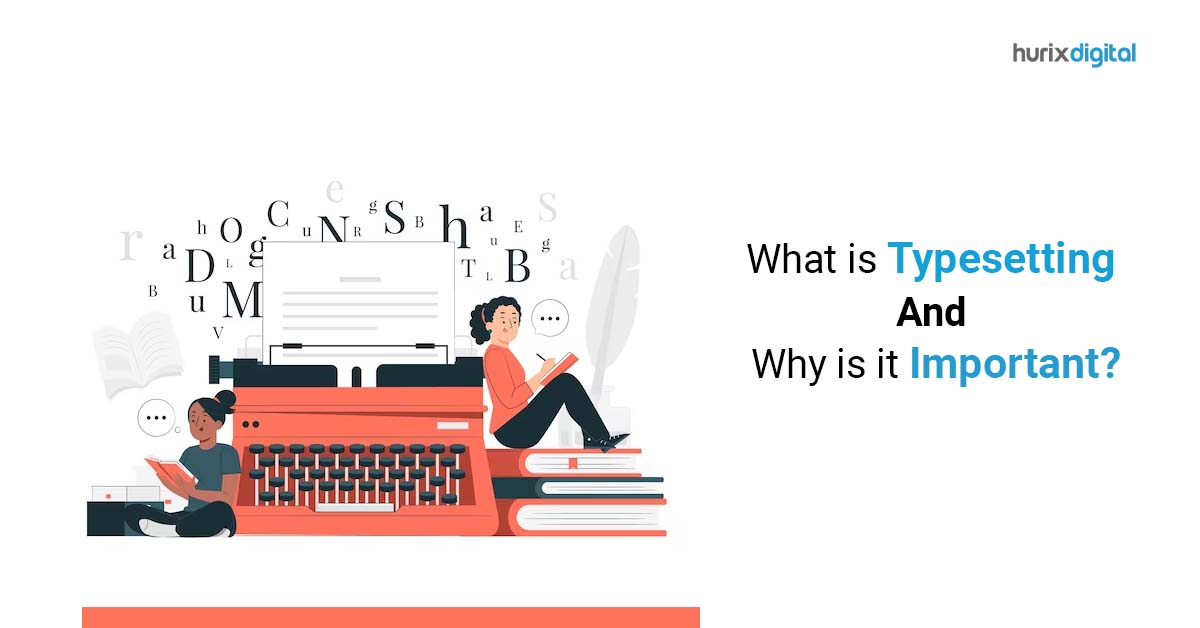
What is Typesetting and Why is it Important?

[vc_row][vc_column][vc_column_text]Journal typesetting is the process of formatting and arranging the content of a journal article or publication so that it appears visually appealing, readable, and professional. This includes selecting fonts, adjusting margins, setting line spacing, and positioning graphics and tables within the text. What is Typesetting? Typesetting is an important step in the publishing process because it ensures that the final product is easy to read and understandable, and meets the standards of the journal or publication. A well-typeset article can also enhance the credibility and reputation of the author and the journal. In the past, typesetting was done manually, but today it is typically done using specialized software such as LaTeX, Arbortext Advanced Print Publisher or Adobe InDesign. These programs allow for precise control over the layout and design of the text and can handle complex mathematical equations, symbols, and other special characters that are often found in scientific and academic writing. Overall, journal typesetting is an essential part of the publishing process that helps to ensure that the content of a journal article or publication is presented in a clear, consistent, and professional manner. Significance of Typesetting: Typesetting is a crucial service for publishers because it plays a significant role in the overall presentation and readability of the content. Investing in a professional typesetting service can help publishers to produce high-quality publications that engage readers and stand out in the market. Here are some reasons why typesetting is important for a publisher: Enhances readability: Typesetting involves careful selection of font, font size, line spacing, margins, and other formatting elements to improve the readability of the text. Proper typesetting makes it easier for readers to engage with the content, reducing the risk of errors, misinterpretations, or confusion. Increases the aesthetic appeal: Typesetting can make the difference between an attractive book or a cluttered one. The choice of font, spacing, and layout can significantly affect the aesthetic appeal of the final product. Good typesetting adds visual interest, and it can help to distinguish the content from similar publications. Provides consistent formatting: Typesetting ensures that the formatting of the content is consistent throughout the book or publication. Consistency helps readers to navigate through the material with ease, and it reinforces the branding and identity of the publisher. Improves the production process: Proper typesetting can streamline the production process, reducing errors and the need for costly revisions. It also helps to ensure that the publication is compatible with various digital and print formats. Current Trend of Journal Typesetting:  As of date, there were several recent updates in journal typesetting: Increased use of digital typesetting tools: Many journals are transitioning from traditional print-based typesetting to digital typesetting tools like LaTeX, Overleaf, and Manuscripts. These tools allow for more efficient and customizable typesetting, as well as easier collaboration between authors and editors. Open-access requirements: Many funding agencies and institutions are requiring researchers to publish their work in open-access journals or make their work freely available. This has led to an increase in the number of open-access journals and changes in their typesetting practices. Standardization of article structure: Many journals are adopting a standardized structure for articles, including a title page, abstract, introduction, methods, results, discussion, and references. This helps to improve the readability and consistency of articles. Increased use of visual elements: Journals are incorporating more visual elements, such as tables, figures, and diagrams, to help illustrate key points and improve understanding. Emphasis on accessibility: Journals are making efforts to ensure that their typesetting is accessible to readers with disabilities. This includes using appropriate fonts, color schemes, and formatting, as well as providing alternative text for images and videos. LaTex Typesetting: LaTeX typesetting (pronounced “lay-tek” or “lah-tek”) is a system and markup language that is often used for scientific and technical documents. It was developed in the 1980s by Leslie Lamport and is now widely used in academia and publishing. Unlike word processors like Microsoft Word, LaTeX uses plain text files with markup codes to define the structure and formatting of a document. This approach provides more control and consistency over the appearance of a document, particularly with complex mathematical equations and scientific symbols. LaTeX is particularly popular in fields such as mathematics, physics, and computer science, where there is a need for complex typesetting and formulas. It is also used in the production of technical and scientific documents such as research papers, theses, and books. LaTeX is free and open-source software, and there are many resources available online for learning how to use it. Many publishers and journals provide LaTeX templates for authors to use when submitting manuscripts, and there are also many tools available for collaborative editing and sharing of LaTeX documents, such as Overleaf and ShareLaTeX. Open Access Journals: An open-access journal is a scholarly journal that provides free and unrestricted access to its articles online. In other words, readers can access and download the articles without needing to pay for a subscription or purchase individual articles. Open-access journals make scientific and scholarly research more accessible to a wider audience, including researchers, students, and the general public. This can lead to increased visibility and impact of research, as well as more opportunities for collaboration and knowledge sharing. There are two main types of open-access journals: Gold open-access journals: These are fully open-access journals that make all of their articles freely available to readers immediately upon publication. The cost of publication is usually covered by charging authors article processing fees, which can vary depending on the journal. Green open-access journals: These are traditional subscription-based journals that allow authors to deposit a version of their article in a publicly accessible repository, such as an institutional repository or a subject-specific repository, after a certain embargo period. This allows readers to access the article for free after the embargo period has ended. Open-access journals can be found in almost all fields of study and are often identified by an “open access” or “OA” label in their title or description. Some examples of well-known open-access

A Beginner’s Guide to UI and UX: What You Need to Know

[vc_row][vc_column][vc_column_text]What is UI? UI stands for “User Interface” It refers to how a user interacts with a software application or a digital device. The user interface can include various elements such as buttons, menus, text boxes, and graphical representations that allow the user to control and interact with the software or device. A good user interface is designed to be intuitive, easy to navigate, and efficient. It should help the user accomplish their goals quickly and without confusion. UI design is an important aspect of software and digital device development as it directly affects the user experience and can impact the adoption and success of the product. What is UX? UX stands for “User Experience” It refers to the overall experience that a user has with a product, such as a software application, website, or digital device. UX design involves understanding the needs, goals, and behaviors of users, and then designing a product that meets those needs in a way that is easy and enjoyable to use. UX design involves several different disciplines, including user research, interaction design, information architecture, usability testing, and visual design. The goal of UX design is to create a product that is both useful and delightful to use, and that meets the needs and expectations of its users. A good user experience is essential for the success of a product, as it can directly impact factors such as user adoption, customer satisfaction, and engagement. UX design is an iterative process that involves continuous testing and refinement to create a product that meets the needs of its users and provides a positive overall experience. Are UI & UX are same? UI (User Interface) and UX (User Experience) are not the same, but they are closely related concepts. UI refers to the visual design and interactive elements of a product, while UX refers to the overall experience a user has with the product. While these two concepts are closely related and often work together, they are not the same thing. UI refers to the visual design and interactive elements of a software application or digital device that enable users to interact with it. This includes everything from the layout of the user interface to the typography, color scheme, icons, buttons, and other visual elements. The goal of UI design is to make the user interface easy to use, visually appealing, and intuitive. UX, on the other hand, is a broader term that encompasses the entire experience a user has with a product, including their emotional response to it. This includes how easy it is to learn and use the product, how enjoyable it is to use, and how well it meets the user’s needs and expectations. UX design considers factors such as user research, user testing, and the overall user journey to create a product that is both useful and enjoyable to use. What are the principles of User Interface? The principles of UI design are a set of guidelines that designers follow to create user interfaces that are visually appealing, easy to use, and effective at achieving their intended goals. Here are some of the key principles of UI design: Keep it simple: A simple and intuitive user interface is easier for users to understand and navigate. Avoid cluttered designs and unnecessary elements that can distract users from their goals. Be consistent: Consistency in design, layout, and typography helps to create a predictable user experience, which makes it easier for users to learn and use the interface. Use clear and concise language: Use language that is easy to understand and avoid technical jargon. Use clear labels and instructions to guide users through the interface. Provide feedback: Feedback helps users to understand the consequences of their actions and provides a sense of control over the interface. Provide visual feedback such as animations or sound effects when users interact with elements on the screen. Use visual hierarchy: Use visual elements such as color, size, and contrast to create a clear visual hierarchy that guides users through the interface and highlights important elements. Provide easy navigation: Provide clear and easy-to-use navigation that allows users to move through the interface quickly and efficiently. Design for accessibility: Ensure that the user interface is accessible to all users, including those with disabilities. Use design techniques such as contrast, font size, and screen reader compatibility to make the interface accessible to everyone. These principles are not exhaustive, but they provide a useful framework for designers to create effective user interfaces that meet the needs of their users. What are the principles of User Experience? Here are some general guidelines for UX design: Conduct User Research: Before designing a product, it’s essential to understand the users who will be using it. Conduct user research to gain insights into their needs, goals, and behaviors. Create Personas: Personas are fictional representations of the target users. Create personas to better understand their motivations, goals, and pain points. Map Out the User Journey: Map out the user journey to understand the flow of the user’s experience with the product, from start to finish. This helps to identify pain points and opportunities for improvement. Design for Mobile Devices: With the rise of mobile devices, it’s essential to design for smaller screens and different user behaviors. Use Prototyping: Use prototyping to quickly iterate design ideas and test them with users. Use White Space: White space is essential for creating a clean and uncluttered design. Use white space to highlight important elements and create a more balanced layout. Use Clear and Simple Language: Use clear and simple language in the product to make it easier for users to understand and use. Consider Accessibility: Design the product to be accessible to everyone, including users with disabilities. Consider factors such as contrast, font size, and screen reader compatibility. Test and Iterate: UX design are an iterative process. Test the product with users and use their feedback to improve the design. These are just a few general guidelines for UX design. The specifics

Top 5 XML Browsers for Efficient Data Visualization

[vc_row][vc_column][vc_column_text]XML (Extensible Markup Language) is a markup language that is commonly used for exchanging data between different systems, and it can be rendered in web browsers using specialized XML browsers. XML browsers are software applications that can parse and display XML documents. Unlike traditional web browsers, XML browsers do not have the ability to render HTML or other markup languages. Instead, they are designed to understand the structure and content of XML documents and present the data in a readable and meaningful way. Some popular XML browsers include: Microsoft XML Notepad – A simple and lightweight XML editor for Windows that allows users to view and edit XML files. Mozilla XML Viewer – A built-in XML viewer that is included in the Firefox web browser. It can be accessed by typing “about:xml” in the address bar. Oxygen XML Editor – A full-featured XML editor that provides advanced functionality for authoring, validating, and publishing XML documents. XMLSpy – A popular XML editor that includes features such as schema validation, XSLT transformation, and XPath queries. Altova XMLSpy – Another comprehensive XML editor that includes features such as intelligent XML editing, XPath auto-completion, and XQuery debugging. These are just a few examples of the many XML browsers that are available. The choice of which XML browser to use will depend on the specific needs and requirements of the user. Microsoft XML Notepad Microsoft XML Notepad is a free, lightweight XML editor developed by Microsoft that provides a user-friendly interface for creating, editing, and validating XML documents. It allows users to view and edit XML data in a hierarchical tree structure, with syntax highlighting and auto-completion features to make the editing process easier. XML Notepad also includes features such as search and replace, find and replace with regular expressions, and XSLT transformations. It supports drag-and-drop functionality for easy manipulation of XML files and provides a way to preview the output of XSLT transformations. Overall, Microsoft XML Notepad is a useful tool for developers and technical writers who need to work with XML files, providing a simple and intuitive interface for editing and validating XML data. Mozilla XML Viewer Mozilla XML Viewer is an add-on for the Mozilla Firefox web browser that allows users to view XML files in a tree-like format directly in the browser window. When installed, it automatically detects and opens XML files in the browser, displaying them in a user-friendly tree structure. The add-on provides a number of features to help users navigate and understand the XML document, including expanding and collapsing nodes, searching for specific elements, and highlighting attributes and elements. It also allows users to modify the XML document and save the changes directly from the viewer. Overall, Mozilla XML Viewer is a useful tool for web developers and technical writers who need to view and edit XML documents within the context of a web browser. Its ease of use and integration with Firefox makes it a popular choice for working with XML files in a web development environment. Oxygen XML Editor Oxygen XML Editor is a powerful XML editing tool developed by Syncro Soft. It is designed to help developers and content authors create, edit, and publish XML content. The tool supports a wide range of XML technologies, including XML Schema, XSLT, XPath, XQuery, HTML, and CSS. One of the key features of Oxygen XML Editor is its advanced XML editing capabilities. It provides a variety of editing modes, such as text mode, grid mode, and tree mode, which allow developers to edit XML documents in the way that is most comfortable for them. The tool also provides syntax highlighting, code completion, and validation features that make it easier to create error-free XML documents. Oxygen XML Editor also includes a range of publishing and collaboration features. It supports publishing to a variety of output formats, including HTML, PDF, and EPUB. It also includes collaboration features, such as track changes and comments, which make it easier for multiple users to work on the same XML document. Overall, Oxygen XML Editor is a powerful and flexible tool that is well-suited to the needs of developers and content authors who work with XML content on a regular basis. XML Spy XML Spy is an integrated development environment (IDE) for XML and related technologies, such as XSLT, XML Schema, XPath, SOAP, WSDL, and more. It is developed by Altova and is available for Windows as well as macOS. XML Spy provides a range of features to assist developers in working with XML, including a graphical XML editor, a schema editor, a WSDL editor, an XPath analyzer, a stylesheet designer, and a SOAP client. It also includes a variety of debugging and testing tools, such as a validator, a profiler, and a debugger. XML Spy supports a variety of XML-related standards and technologies, such as XML Schema, XSLT, XPath, XQuery, SOAP, and WSDL. It also supports many file formats and data sources, including databases, XML files, and Web services. Overall, XML Spy is a powerful tool for developers who work with XML and related technologies, providing a wide range of features and tools to help streamline their development process. Altova XML Spy Altova XMLSpy is an integrated development environment (IDE) for XML and related technologies, such as XSLT, XML Schema, XPath, SOAP, and WSDL. It is developed by Altova and is available for Windows as well as macOS. XMLSpy provides a wide range of features to assist developers in working with XML, including a graphical XML editor, a schema editor, a WSDL editor, an XPath analyzer, a stylesheet designer, and a SOAP client. It also includes a variety of debugging and testing tools, such as a validator, a profiler, and a debugger. One of the key features of XMLSpy is its ability to generate code from XML Schema, XSLT, and WSDL files, allowing developers to quickly and easily create applications that work with XML data. It also includes support for many popular databases and data sources, making it a powerful tool for

The Role of XML in Modern Web Development

[vc_row][vc_column][vc_column_text]Web development applications in XML involve using XML-based technologies like XML, HTML, CSS, and JavaScript to create web pages, web applications, and web services. These technologies enable web developers to create dynamic, interactive, and data-rich web experiences for users. Content management applications in XML involve using XML-based formats like DocBook, DITA, and TEI to create and manage structured content. XML enables content authors to create content that can be easily reused, repurposed, and published in different formats and channels. Data integration applications in XML involve using XML-based data exchange formats like XML, SOAP, and REST to exchange data between different systems and applications. XML enables the exchange of data in a standardized, platform-independent, and human-readable format, making it easier to integrate disparate systems and share data across different platforms and applications. Web Development XML (Extensible Markup Language) is a markup language that is widely used for data exchange and storage. Web development has contributed to XML in several ways: XML is widely used in web services, which are a way for different applications to communicate with each other over the internet. Web developers use XML to define the structure and format of the data that is exchanged between different applications. XML is also used in web development for creating RSS feeds. RSS (Rich Site Summary or Really Simple Syndication) is a way for web publishers to distribute their content to users in a standardized format. Web developers use XML to create RSS feeds that can be read by RSS readers or news aggregators. Web developers also use XML to define the structure and content of HTML documents. XML is used as the underlying markup language for XHTML (Extensible Hypertext Markup Language), which is a stricter and more structured version of HTML. XML is also used in web development for data storage and retrieval. Many databases, such as Microsoft SQL Server and Oracle, support XML as a data type. Web developers can use XML to store and retrieve structured data from these databases. Overall, web development has contributed to the widespread use and adoption of XML as a versatile and flexible markup language for data exchange, storage, and presentation on the web. Content Development Content development can also contribute to XML in several ways. XML (eXtensible Markup Language) is a language that is designed to store and transport data, and content development involves creating and managing digital content, such as text, images, and videos, for various platforms and media. Here are a few examples of how content development can contribute to XML: XML can be used to structure and organize content. Content developers can use XML to define the structure of their content, such as defining the hierarchy of headings, paragraphs, lists, and other elements, which can help make the content more accessible and machine-readable. XML can be used to create content that can be reused and repurposed. Content developers can use XML to create modular content that can be easily combined with other content and repurposed for different platforms and media, such as ebooks, websites, and mobile apps. XML can be used to facilitate content translation and localization. Content developers can use XML to separate content from presentation and define the metadata needed for translation, making it easier to translate and localize content for different markets and languages. XML can be used to create content that is accessible and inclusive. Content developers can use XML to create structured content that is designed to be accessible to people with disabilities, such as using semantic markup to identify headings, links, and other elements. Overall, content development can contribute to XML by using it as a tool for structuring and organizing content, creating content that can be reused and repurposed, facilitating content translation and localization, and creating accessible and inclusive content. Data Integration Application Data integration applications can also contribute to XML in several ways. XML (eXtensible Markup Language) is a language that is designed to store and transport data, and data integration involves combining data from multiple sources into a unified view. Here are a few examples of how data integration applications can contribute to XML: XML can be used as a common format for data integration. Data integration applications can use XML as a common format for exchanging data between different systems and applications, making it easier to integrate data from multiple sources. XML can be used to map data between different formats. Data integration applications can use XML to map data between different formats, such as mapping data from a database to a web service or from a spreadsheet to a database. XML can be used to define data transformation rules. Data integration applications can use XML to define transformation rules that can be applied to data during integration, such as converting data to a different format or filtering data based on specific criteria. XML can be used to define metadata for data integration. Data integration applications can use XML to define metadata that can be used to describe the structure and format of data, such as defining the data types, field names, and relationships between data elements. Overall, data integration applications can contribute to XML by using it as a tool for data exchange, data mapping, data transformation, and metadata definition. By leveraging XML for data integration, applications can help ensure data consistency, reduce data redundancy, and improve the accuracy and efficiency of data integration processes.[/vc_column_text][/vc_column][/vc_row]

The Future of Journal Publishing: Author Editing Platforms at the Forefront

[vc_row][vc_column][vc_column_text]There are several author editing platforms available for journals, and the best one for you will depend on your specific needs and preferences. However, some popular author editing platforms for journals include: ScholarOne Manuscripts: This platform is widely used by journals and publishers and allows for manuscript submission, peer review management, and author editing. Editorial Manager: This platform offers manuscript submission and tracking, peer review management, and author editing features. Open Journal Systems (OJS): This open-source platform is free to use and offers features for manuscript submission, peer review management, and author editing. Typeset: This platform offers features for manuscript submission, peer review management, and author editing, as well as formatting tools and a library of templates. Publons: This platform is designed to help authors track their publications, peer review activity, and citations, and offers author editing tools as well. Ultimately, the best author editing platform for your journal will depend on your specific needs, budget, and preferences. It is recommended to explore the features and capabilities of each platform before making a decision. Background for Necessity for a Journal Author Editing Platform The background for the necessity of an Author Editing Platform for Journals can be traced back to several factors: The rise of digital publishing: With the increasing shift towards digital publishing, many journals have moved away from print-based workflows to online publishing systems. This has created a need for authors to be able to submit their manuscripts online and collaborate with journal editors and reviewers in a digital environment. Increasing competition among journals: The academic publishing industry has become increasingly competitive, with authors and publishers alike striving to publish high-quality research and increase their impact. To stay competitive, journals need to provide authors with tools that help them produce well-written, well-formatted manuscripts that meet the journal’s standards. The need for efficient editorial workflows: With the increasing volume of submissions to many journals, there is a growing need for efficient editorial workflows. Author editing platforms can help streamline the review and revision process by allowing authors to make changes directly in the manuscript, eliminating the need for back-and-forth emails and file attachments. The demand for open-access publishing: Many authors and funders are now demanding open-access publishing, which requires journals to make articles freely available online. Author editing platforms can help facilitate this by providing authors with tools to format their manuscripts for open-access publication. Overall, the rise of digital publishing, increasing competition among journals, the need for efficient editorial workflows, and the demand for open-access publishing have all contributed to the necessity for Author Editing Platforms for Journals. Are authors happy with the current emerging trend of Author Editing platforms? There is no single answer to this question, as opinions on author editing platforms vary widely among authors. Some authors are very happy with the current emerging trend of editing platforms, as they provide an efficient and streamlined way to collaborate with journal editors and reviewers and make revisions to their manuscripts. Other authors may be less satisfied with these platforms, as they may find them difficult to use or restrictive in terms of formatting options or the types of revisions they can make. That being said, there are some potential benefits of author editing platforms that are widely recognized by many authors, including: Improved collaboration: Author editing platforms allow authors to collaborate more effectively with journal editors and reviewers, by providing a centralized location for manuscript revisions and feedback. Increased efficiency: By eliminating the need for back-and-forth emails and file attachments, author editing platforms can help speed up the review and revision process. Greater control over the publication process: Author editing platforms give authors more control over the publication process, by allowing them to make revisions and track the progress of their manuscript through the review process. Improved manuscript quality: By providing authors with tools to format their manuscripts correctly and address common issues, author editing platforms can help improve the overall quality of the final published work. Ultimately, the satisfaction of authors with editing platforms will depend on a range of factors, including the specific platform being used, the needs of the author, and the level of support provided by the journal or publisher. What is the future of Author Editing Platforms for Journals? Author editing platforms for journals are likely to play an increasingly important role in the future of academic publishing. These platforms are designed to help authors prepare their manuscripts for submission to journals, by providing tools for formatting, checking for plagiarism, and ensuring that the manuscript meets the journal’s specific requirements. One trend that is likely to continue in the future is the integration of author editing platforms with other publishing tools and services. For example, some platforms may incorporate tools for peer review or data analysis or may offer services such as language editing or graphic design. This integration can help streamline the publishing process and make it more efficient. Another trend that is likely to continue is the use of artificial intelligence and machine learning to improve the functionality of author editing platforms. For example, these technologies can be used to identify and correct errors in grammar and spelling, suggest alternative phrasing or synonyms, or analyze the manuscript for clarity and readability. Finally, as open-access publishing continues to grow in popularity, author editing platforms may play an increasingly important role in helping authors navigate the complexities of publishing their work in an open-access format. These platforms can help authors understand the different open-access models, comply with funder mandates for open-access publishing, and ensure that their work is discoverable and accessible to readers. Overall, it seems likely that author editing platforms will continue to evolve and play an increasingly important role in academic publishing in the years to come.[/vc_column_text][/vc_column][/vc_row]

Publishing Services: End-to-End Services for Journal Publishers

[vc_row][vc_column][vc_column_text]End-to-end services for a journal publisher typically include a range of activities related to the publication process, from manuscript submission to final publication. Some of the key services that a publisher might offer include: Manuscript submission and management: This involves providing authors with a platform to submit their manuscripts, and managing the review process, including coordinating peer review, managing author revisions, and communicating with authors and reviewers throughout the process. Copy editing and proofreading: This involves reviewing manuscripts for errors in grammar, punctuation, and syntax, and ensuring that they are formatted according to the publisher’s style guidelines. Typesetting and layout: This involves formatting the manuscript for publication, including designing the layout, selecting fonts, and arranging images and tables. Production and printing: This involves coordinating the printing and distribution of the journal, including overseeing the printing process, managing inventory, and ensuring timely delivery to subscribers. Online publishing and hosting: This involves providing an online platform for the journal, including hosting the journal’s website, managing subscriptions, and providing access to articles and other content. Marketing and promotion: This involves promoting the journal to potential authors, subscribers, and readers, through advertising, social media, and other marketing channels. Overall, the goal of end-to-end services for a journal publisher is to ensure that the publication process runs smoothly and that the journal is produced and distributed in a timely and efficient manner while maintaining high standards of quality and professionalism. Manuscript Submission Manuscript submission is the process by which authors submit their work to a publisher or a journal for consideration for publication. Here are some of the key steps involved in manuscript submission: Research and select a suitable publisher or journal for submission. This may involve checking the scope of the journal and its previous publications to ensure that the manuscript is a good fit. Prepare the manuscript according to the publisher or journal’s guidelines. This may involve formatting the manuscript, including figures and tables, and ensuring that it meets the required word count and style. Submit the manuscript through the publisher or journal’s online submission system. This may involve creating an account and uploading the manuscript, along with any supplementary material such as cover letters, author information, or data files. Wait for the editor’s response. The editor will typically send an acknowledgment of receipt and may also provide an estimated time frame for the review process. Respond to any queries or requests for revisions from the editor or peer reviewers. This may involve revising the manuscript, providing additional information or data, or addressing any concerns raised during the review process. Receive a final decision from the editor. This may be acceptance, rejection, or a request for further revisions. If the manuscript is accepted, sign a publishing agreement and prepare the final version of the manuscript for publication. The manuscript submission process can vary depending on the publisher or journal, so it is important to carefully read and follow the submission guidelines provided by the publisher or journal. Copyediting and Proofreading Copyediting and proofreading are essential steps in the publishing process that help ensure that a manuscript is clear, correct, and consistent in its presentation. Here are some of the key steps involved in copyediting and proofreading: Copyediting: This is the process of reviewing a manuscript to correct errors in spelling, grammar, punctuation, and syntax, as well as to ensure consistency in style and formatting. This may also involve checking for factual accuracy and suggesting revisions to improve the overall clarity and coherence of the text. Proofreading: This is the final stage of editing, which involves reviewing the manuscript after it has been typeset or formatted for publication. The goal of proofreading is to catch any remaining errors in spelling, grammar, or formatting that may have been missed during copyediting. Tools: Copyediting and proofreading can be done manually or with the help of various software tools. Some popular tools for copyediting and proofreading include Grammarly, Hemingway Editor, and ProWritingAid. Professional Services: Publishers may also choose to outsource copyediting and proofreading to professional editors who specialize in the field. Professional editors may work freelance or as part of a publishing services company, and they may offer a range of editing services, including developmental editing, line editing, copyediting, and proofreading. The copyediting and proofreading process can vary depending on the specific requirements of the manuscript and the publisher’s standards. However, both processes are essential for ensuring that a manuscript is clear, correct, and consistent in its presentation. Typesetting and layout Typesetting and layout are important steps in the publishing process that involve formatting a manuscript for publication. Here are some of the key steps involved in typesetting and layout: Preparing the manuscript: Before typesetting and layout can begin, the manuscript must be finalized and edited. This may involve working with the author to make any necessary revisions, checking for accuracy and consistency, and ensuring that all necessary components (such as figures, tables, and references) are included. Choosing a software tool: There are many different software tools available for typesetting and layout, including Adobe InDesign, LaTeX, and Microsoft Publisher. The choice of tool will depend on the publisher’s preferences, as well as the complexity of the manuscript. Setting up the template: Once a software tool has been selected, a template must be created for the manuscript. This template will dictate the overall layout and design of the manuscript, including the font, margins, headers and footers, and any special formatting. Formatting the text: The text of the manuscript must be formatted according to the template, including adjusting line spacing, paragraph indents, and hyphenation. Adding images and figures: If the manuscript includes images or figures, these must be placed in the layout and formatted according to the template. This may involve resizing, cropping, or adjusting the resolution of the images. Finalizing the layout: Once all of the elements of the manuscript have been added to the layout, the final version must be reviewed and approved by the publisher. This may involve making minor adjustments to the layout or

Unlocking the Potential of XML: 5 Ways It Can Transform Your Workflow

[vc_row][vc_column][vc_column_text]XML (Extensible Markup Language) is a markup language that is commonly used for storing and exchanging data between different software systems. XML is significant for several reasons: Platform-independent: XML is platform-independent, meaning it can be used on any system regardless of the operating system, programming language or software application. Self-Describing: XML is a self-describing language, meaning it provides a clear and easy-to-understand description of the data it contains. This makes it easy for different systems to understand and interpret the data. Extensible: XML is extensible, meaning it allows developers to create their own tags and elements, making it suitable for a wide range of applications. Human-Readable: XML is human-readable, meaning it can be easily read and understood by humans. This makes it easy for developers to create, modify, and debug XML files. Interoperable: XML is interoperable, meaning it can be used to exchange data between different systems and applications, even if they are developed by different vendors or on different platforms. Overall, the significance of using XML lies in its ability to provide a standardized, flexible, and interoperable format for storing and exchanging data between different software systems. Platform-independent XML Platform-independent XML refers to XML documents that can be exchanged and processed across different hardware and software platforms without modification. In other words, the structure, syntax, and content of platform-independent XML documents are designed to be portable and not tied to any specific operating system or software application. This is achieved by adhering to standards and best practices for XML development, such as using a consistent and well-defined document structure, avoiding platform-specific coding practices or extensions, and defining XML schemas and document type definitions (DTDs) that are themselves platform-independent. Platform-independent XML is particularly useful for data interchange between different software applications or systems that run on different platforms or use different programming languages. By using platform-independent XML, these applications can communicate and share data in a standardized and interoperable way, without requiring any modifications to the XML documents or the underlying software. Self-Describing XML Self-describing XML refers to the ability of an XML document to describe its structure and content in a clear and well-defined way, without requiring any external documentation or context. In other words, a self-describing XML document is designed to be easily understood by humans and software applications alike, without relying on any additional information beyond the XML document itself. This is achieved by using well-defined XML tags and attributes that provide meaningful descriptions of the data elements they represent, along with a consistent document structure and format. For example, an XML document that contains information about a person might use tags like <first-name>, <last-name>, <email>, and <phone> to describe the different pieces of data, along with attributes like “type” or “format” to provide additional context. By being self-describing, XML documents can be easily exchanged and processed by different software applications or systems, without requiring any prior knowledge or external documentation. This makes them particularly useful for data interchange and integration in a wide range of industries and applications. Extensible XML Extensible XML refers to the ability to customize and extend the structure and content of XML documents beyond the standard XML tags and attributes defined by the XML specification. In other words, an extensible XML document is designed to allow developers to add their own custom tags, attributes, and elements to the document structure, in order to better represent the specific data elements or business processes that the XML document is intended to capture. This is achieved by using XML schema or document type definition (DTD) languages to define the structure, constraints, and validation rules for the XML document. These schema or DTD definitions can be used to specify custom tags and elements that are specific to the particular application or domain being represented by the XML document. For example, an XML document that contains information about a product might use a custom tag like <product-description> or <product-image> to capture specific details about the product that are not covered by the standard XML tags and attributes. By being extensible, XML documents can be tailored to the specific needs and requirements of different applications or industries, while still maintaining the interoperability and compatibility benefits of the standard XML format. This makes them a powerful tool for data integration, exchange, and representation in a wide range of contexts. Human-Readable XML Human-readable XML refers to the ability of an XML document to be easily read and understood by humans, without requiring any special tools or technical knowledge. In other words, a human-readable XML document is designed to have a clear and well-defined structure, with meaningful and descriptive tags and attributes that make it easy for humans to interpret the data and understand its intended purpose. This is achieved by following established best practices and guidelines for XML development, such as using consistent and meaningful tag and attribute names, using indentation and formatting to make the document structure clear and easy to follow, and providing comments or annotations to explain the purpose or context of different data elements. For example, an XML document that contains information about a person might use tags like <first-name>, <last-name>, <email>, and <phone> to clearly and concisely represent the different pieces of data, with attributes like “type” or “format” to provide additional context. By being human-readable, XML documents can be easily shared and understood by developers, data analysts, and other stakeholders, without requiring any specialized software or training. This makes them a powerful tool for data exchange, integration, and representation in a wide range of contexts, including web development, data processing, and enterprise application integration. Interoperable XML Interoperable XML refers to the ability of XML documents to be exchanged and processed seamlessly between different software applications or systems, regardless of the platforms or technologies involved. In other words, interoperable XML documents are designed to be compatible and consistent with the XML standards and best practices, and to follow established conventions for data representation and exchange. This is achieved by using standard XML schemas or

Understanding the Importance of Parsers in XML

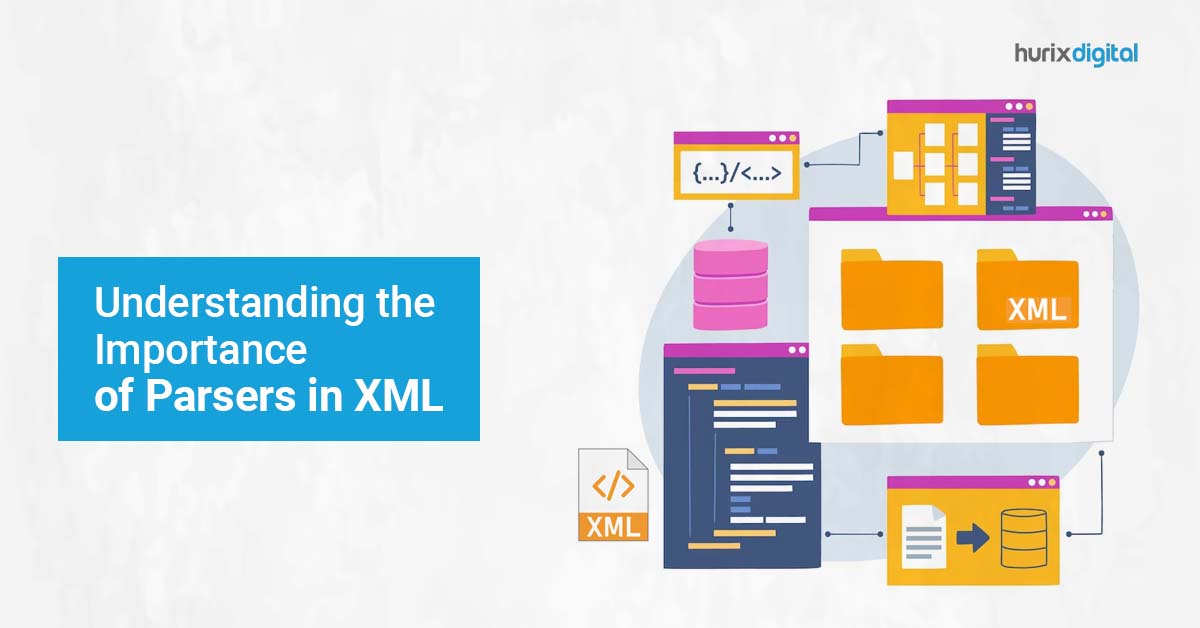
[vc_row][vc_column][vc_column_text]A parser in XML is software that is responsible for reading and processing XML documents. Its main purpose is to validate the structure of the document and to extract data from it in a way that can be easily processed by other software applications. There are two types of XML parsers: SAX and DOM. A SAX (Simple API for XML) parser reads an XML document sequentially and generates events, which are notifications of the parser’s progress through the document. This type of parser is generally faster and uses less memory than a DOM parser. However, it is less convenient for random access to the document’s content. A DOM (Document Object Model) parser loads the entire XML document into memory and creates a tree-like structure that represents the document’s elements and their relationships. This type of parser is slower and uses more memory than a SAX parser but provides random access to the document’s content. The significance of a parser in XML lies in its ability to validate the structure of an XML document and extract data from it in a way that can be easily processed by other software applications. A parser ensures that the XML document adheres to the rules of the XML standard and that the data within the document is properly formatted. It also makes it possible to access and manipulate the data in the document programmatically, which is essential for many types of software applications that deal with XML data. 8 Essential Rules to Follow for XML Standards XML (Extensible Markup Language) is a standard for creating and sharing structured data in a machine-readable format. The rules of the XML standard define how an XML document should be structured and formatted. Here are some of the key rules: XML documents must have a single root element. All XML elements must be properly nested within their parent elements. XML elements must be properly closed. An element can be closed either with a closing tag or with a self-closing tag. XML tags are case-sensitive. For example, “Title” and “title” are considered two different tags. XML attribute values must be enclosed in quotes. XML documents must use a specific character encoding, such as UTF-8 or UTF-16. XML documents can define their own custom tags and attributes using a Document Type Definition (DTD) or an XML Schema. XML documents can also include comments using the <!– –> syntax. By adhering to these rules, an XML document can be easily processed and understood by other software applications, regardless of the programming language or platform being used. Character Encoding Character encoding is the process of assigning a unique numerical value (code point) to each character in a given set of characters. In the context of XML, character encoding refers to the method used to represent the characters in an XML document as a sequence of bytes that can be transmitted or stored. There are several character encoding schemes available, such as UTF-8, UTF-16, ISO-8859-1, and ASCII. However, the most commonly used character encoding for XML is UTF-8 (Unicode Transformation Format 8-bit). UTF-8 is a variable-length encoding scheme that uses one to four bytes to represent each character in the Unicode character set, which includes most of the world’s writing systems. UTF-8 is backward compatible with ASCII, which means that ASCII-encoded characters can be represented in UTF-8 using a single byte. The advantages of using UTF-8 for XML documents are: It supports all the characters in the Unicode character set, including those used in non-Latin scripts. It is backward compatible with ASCII, which ensures that existing ASCII-encoded documents can be easily migrated to UTF-8. It is widely supported by modern software applications, programming languages, and platforms. It provides a compact representation of text that reduces storage and transmission costs. When creating an XML document, it is important to specify the character encoding being used, either in the XML declaration at the beginning of the document or in the HTTP header if the document is being transmitted over the web. This ensures that the receiving software application can correctly interpret the document’s content. UTF-8 UTF-8 (Unicode Transformation Format, 8-bit) is a character encoding scheme that is widely used for representing characters in a variety of electronic communication protocols and file formats, including XML. UTF-8 is designed to be backward-compatible with ASCII, which means that any text that can be represented in ASCII can also be represented in UTF-8 using a single byte. However, UTF-8 can also represent any Unicode character, which includes characters from most of the world’s writing systems. In UTF-8, each character is represented by a variable-length sequence of one to four bytes, depending on its Unicode code point value. The first byte of each sequence indicates the number of bytes used to represent the character, and subsequent bytes contains the binary representation of the character’s Unicode code point value. UTF-8 has several advantages over other character encoding schemes, including: Compatibility with ASCII: UTF-8 is fully compatible with ASCII, which ensures that existing ASCII-encoded documents can be easily migrated to UTF-8 without losing any data. Support for all Unicode characters: UTF-8 can represent any Unicode character, including those used in non-Latin scripts and special symbols. Space efficiency: UTF-8 uses a variable-length encoding scheme that minimizes the amount of space required to store or transmit text. Robustness: UTF-8 is designed to be robust in the face of errors and can detect and recover from many common errors that can occur during transmission or storage. Overall, UTF-8 is a widely used and versatile character encoding scheme that is well-suited for representing text in a wide range of contexts, including XML documents. Difference between ASCII and UTF-8 Characters ASCII and UTF-8 are both character encoding schemes that are used to represent characters as binary data. However, there are some key differences between the two. ASCII, or American Standard Code for Information Interchange, is a 7-bit character encoding scheme that was first developed in the 1960s. It is a very basic encoding scheme that can

Understanding DTD in XML: Advantages and Disadvantages

[vc_row][vc_column][vc_column_text]DTD, which stands for Document Type Definition, is a formal description of the structure and constraints of an XML document. It is used to define the rules and guidelines for the content, format, and organization of the XML document, and to ensure that the document conforms to a specific standard or set of requirements. There are several reasons why DTD is useful for XML documents: Data validation: DTD can be used to define the data types, elements, attributes, and relationships that are allowed in an XML document. This allows software applications to validate the structure and content of the document against the DTD, and to identify any errors or inconsistencies that may be present. Interoperability: By providing a standardized structure and format for XML documents, DTD can promote interoperability between different software applications and systems. This makes it easier to exchange and process data between different platforms or technologies, without requiring custom or proprietary formats. Documentation: DTD can serve as a documentation tool for XML documents, providing a clear and concise description of the structure and content of the document. This can help developers and other stakeholders understand the purpose and context of the data elements, and ensure that the document is being used correctly. Maintenance: DTD can be used to manage the evolution and maintenance of XML documents over time. By defining the rules and constraints for the document, DTD can help ensure that changes to the document are made consistently and in accordance with established standards. Overall, DTD is an important tool for XML documents, providing a formal framework for defining and validating the structure, content, and constraints of the document. Pros and Cons in using DTD for XML documents Here are some pros and cons of using DTD for XML documents: Pros: Data validation: DTD provides a formal framework for defining the structure and constraints of an XML document, making it possible to validate the document against a set of rules and requirements. This helps to ensure the accuracy and consistency of the data, and can prevent errors or inconsistencies from occurring. Interoperability: DTD promotes interoperability by providing a standardized format and structure for XML documents. This makes it easier to exchange and process data between different software applications or systems, without requiring custom or proprietary formats. Documentation: DTD can serve as a documentation tool for XML documents, providing a clear and concise description of the structure and content of the document. This can help developers and other stakeholders understand the purpose and context of the data elements, and ensure that the document is being used correctly. Maintenance: DTD can be used to manage the evolution and maintenance of XML documents over time. By defining the rules and constraints for the document, DTD can help ensure that changes to the document are made consistently and in accordance with established standards. Cons: Complexity: DTD can be complex and difficult to understand, especially for non-technical users. This can make it challenging to create and maintain DTDs, and may require specialized training or expertise. Limited functionality: DTD has some limitations in terms of its functionality and expressiveness. It may not be able to handle certain types of data or constraints, and may not be as powerful or flexible as other XML schema languages, such as XML Schema or RelaxNG. Versioning: DTD does not provide built-in support for versioning or evolution of XML documents. This can make it challenging to manage changes to the document structure or content over time and may require additional tools or processes to ensure compatibility and consistency. Lack of vendor support: Some software vendors may not provide full support for DTD, or may prefer to use other XML schema languages that offer more features and functionality. This can limit the adoption and use of DTD in certain contexts. Importance of Schema in XML In XML, a schema is a set of rules and guidelines for defining the structure and constraints of an XML document. It provides a formal definition of the elements, attributes, data types, and relationships that are allowed in the document, and specifies how they should be organized and validated. There are several different types of XML schema languages, including Document Type Definition (DTD), XML Schema (XSD), and RelaxNG. Each of these languages has its own syntax and features, but they all share the same basic goal of defining the structure and constraints of an XML document. XML schema can be used to provide a more powerful and flexible way of defining the structure and constraints of an XML document compared to DTDs.  Four benefits of using XML schema include: Support for more complex data types: XML schema supports a wider range of data types and constraints than DTDs, including regular expressions, enumeration, and pattern matching. Namespace support: XML schema provides support for XML namespaces, which makes it easier to define and manage complex XML documents that involve multiple XML vocabularies. Modularization: XML schema allows the document structure to be defined in separate, reusable modules, which can be combined together to create more complex XML schemas. Validation: XML schema can be used to validate XML documents against a set of rules and constraints, ensuring that they conform to a specific standard or set of requirements. Overall, XML schema provides a powerful and flexible way of defining the structure and constraints of XML documents, allowing for greater interoperability and data exchange between different software applications and systems. Data Validation XML Validating an XML document involves checking whether the document conforms to a particular schema or DTD (Document Type Definition). Here are the steps to proceed with data validation for an XML document: Determine the schema or DTD that your XML document should conform to. This may be provided by the organization that you’re submitting the document, or you may need to create your own. Use a validating XML parser to check the document against the schema or DTD. Some examples of validating XML parsers include Xerces and SAX. If the XML document doesn’t conform

The Basics of Data Integration Applications: Why They Matter for Businesses

[vc_row][vc_column][vc_column_text]Data integration applications can also contribute to XML in several ways. XML (eXtensible Markup Language) is a language that is designed to store and transport data, and data integration involves combining data from multiple sources into a unified view. Here are a few examples of how data integration applications can contribute to XML: XML can be used as a common format for data integration. Data integration applications can use XML as a common format for exchanging data between different systems and applications, making it easier to integrate data from multiple sources. XML can be used to map data between different formats. Data integration applications can use XML to map data between different formats, such as mapping data from a database to a web service or from a spreadsheet to a database. XML can be used to define data transformation rules. Data integration applications can use XML to define transformation rules that can be applied to data during integration, such as converting data to a different format or filtering data based on specific criteria. XML can be used to define metadata for data integration. Data integration applications can use XML to define metadata that can be used to describe the structure and format of data, such as defining the data types, field names, and relationships between data elements. Overall, data integration applications can contribute to XML by using it as a tool for data exchange, data mapping, data transformation, and metadata definition. By leveraging XML for data integration, applications can help ensure data consistency, reduce data redundancy, and improve the accuracy and efficiency of data integration processes. 5 Beneficial Tools for Data Exchange in XML XML (Extensible Markup Language) is a popular markup language used for data exchange between applications. There are several tools available for data exchange in XML, some of the popular ones are: XMLSpy: It is a powerful XML editor and IDE (Integrated Development Environment) that provides graphical editing, XSLT editing, debugging, and more. It also supports XML Schema, XPath, XQuery, and WSDL. Altova MapForce: It is a graphical data mapping tool that allowsto map data between XML, databases, flat files, and other formats. It supports advanced mapping features like conditional mapping, looping, and filtering. Oxygen XML Editor: It is a cross-platform XML editor that provides advanced XML editing, validation, transformation, and debugging. It also supports XML Schema, XPath, XQuery, and XSLT. Liquid XML Studio: It is a comprehensive XML development environment that supports XML editing, validation, schema design, and XSLT development. It also provides an intuitive interface for XML mapping, code generation, and data conversion. XML Notepad: It is a simple XML editor that provides basic editing features like syntax highlighting, tag completion, and attribute editing. It also supports XPath queries and simple transformations. These tools can help create, edit, validate, and transform XML data for seamless data exchange between applications. What is Data Mapping in XML? Data mapping in XML involves the process of converting data from one XML format to another XML format. This is typically done when integrating different systems or applications that use different XML formats for data exchange. The data mapping process involves the following steps: Analyze the source and target XML schemas: The first step is to analyze the source and target XML schemas to understand the differences between them. This will help identify the data elements that need to be mapped. Create a mapping document: Once have identified the data elements that need to be mapped, create a mapping document that specifies how the data will be transformed from the source to the target format. This can be done using a graphical data mappings tool like Altova MapForce or Liquid XML Studio. Define the mapping rules: The mapping document should define the rules for transforming the data from the source to the target format. This can include simple mapping rules like changing element names or more complex rules like concatenating data from multiple elements. Implement the mapping: Once the mapping document is complete, implement the mapping in the application. This can involve using an XML parser to read the source XML data, applying the mapping rules, and then generating the target XML data. Test the mapping: Finally, test the mapping to ensure that it is working correctly. This can involve validating the target XML data against the target schema and verifying that the data has been correctly transformed from the source to the target format. Overall, data mapping in XML is a critical process for integrating different systems and applications that use different XML formats for data exchange. Using a graphical data mapping tool can make the process faster and more efficient by automating many of the mapping tasks. What is Data Transformation in XML? Data transformation in XML involves the process of converting data from one XML format to another XML format. This is typically done when integrating different systems or applications that use different XML formats for data exchange. The data transformation process involves the following steps: Analyze the source and target XML schemas: The first step is to analyze the source and target XML schemas to understand the differences between them. This will help identify the data elements that need to be transformed. Create a transformation document: Once have identified the data elements that need to be transformed, create a transformation document that specifies how the data will be transformed from the source to the target format. This can be done using XSLT (Extensible Stylesheet Language Transformation) or XQuery. Define the transformation rules: The transformation document should define the rules for transforming the data from the source to the target format. This can include simple transformation rules like changing element names or more complex rules like calculating values based on multiple input elements. Implement the transformation: Once the transformation document is complete, implement the transformation in the application. This can involve using an XML parser to read the source XML data, applying the transformation rules using XSLT or XQuery, and then generating the target XML data.