Why Accessibility Matters in the Workplace?

[vc_row][vc_column][vc_column_text]Rita suffered a traumatic road accident that left her paralyzed from the waist down. After spending months in the hospital undergoing intense physiotherapy and treatment, she could finally return to her previous life. She resumed her job as a senior editor, which she is very passionate about and thoroughly enjoys. However, now when she reaches her workplace, she has to wait 15-20 minutes every day at the door waiting for someone to let her in. Seated in a wheelchair, she finds it extremely difficult to reach the card reader at the gate. She tried talking to the IT office, asking them to allow digital tapping, but they haven’t done anything about it yet. Do you think it’s fair that Rita has to waste 15 minutes every morning despite having informed the administration about her condition? This is where accessibility matters and plays a very important role for people with disabilities. Nearly 1.3 billion people worldwide experience some kind of disability. Additionally, by 2050, the total number of disabled people is expected to double. Therefore, accessibility needs to be an essential component in every workplace. What is Accessibility? Accessibility can be understood as the practice of creating products, environments, services, etc., that can be conveniently used by people with disabilities. It is important to keep in mind that accessibility should not only be associated with individuals having physical and cognitive disabilities but also with those who are pregnant, elderly, or temporarily injured. What is Digital Accessibility? Digital accessibility refers to designing and developing digital products, services, and content inclusively so that they can be conveniently used by people with disabilities. The goal is to ensure people with disabilities can use digital platforms the same way people with no disabilities use them. Examples of digital accessibility features are: Closed captions or transcriptions for videos to make them accessible to people who are deaf or hard of hearing. Alternative text descriptions for images to make them accessible to people who are blind or have low vision. Keyboard accessibility to make sure that people with mobility impairments can navigate digital content using a keyboard instead of a mouse. Color contrast to make digital content easier to read for people with visual impairments. Descriptive links and headings to make digital content easier to navigate for people with cognitive disabilities. More digital accessibility features can be found under WCAG website compliance guidelines created by World Wide Web Consortium (W3C).  WCAG, or web content accessibility guidelines, have been made to make web content more accessible to people with disabilities. Why is Workplace Accessibility Important? Workplace accessibility is significant because it ensures that people with disabilities have equal opportunities to participate in the work and contribute their skills and capacities to their workplaces. Mentioned here are some reasons why accessibility should be the number one priority for each workplace. 1. Reduces Barrier to Employment Often, people with disabilities find it difficult to get jobs or succeed in the workplace. By ensuring accessibility and removing physical and digital accessibility barriers, employers can tap into a wider pool of talent and help individuals with disabilities achieve greater economic independence. 2. Promotes Inclusion and Diversity By creating an accessible workplace, employers can attract and retain a diverse range of employees, including people with disabilities. This can bring new viewpoints and ideas to the workplace and upgrade overall performance. 3. Compliance with Legal Requirements Many countries have laws and regulations that demand employers to provide reasonable accommodations for employees with disabilities. Failure to fulfill these requirements can result in legal penalties and damage to an employer’s reputation. However, legal requirements should not be the driving force behind employers ensuring workplace accessibility. The objective should be to provide an inclusive workplace to people with disability so that they can fully participate in society. How to Ensure Physical Accessibility at the Workplace? Creating a physically accessible workplace involves taking a wide range of steps to ensure that the physical environment is designed to accommodate people with disabilities. Here are some steps that can be followed to create a physically accessible workplace: Conduct an accessibility audit to identify all the potential barriers like limiting entrances/exits, inaccessible restrooms, uncomfortable workstations, etc. Provide accessible parking by ensuring the parking space is near the entrance/exit. A clear sign should be made at the place reserved for disabled people. Create comfortable and accessible workstations with adjustable desk height, ergonomic chairs, etc. Ensure accessibility in common rooms like meeting rooms, break rooms, leisure rooms, cafeteria, etc. Install assistive devices like a ramp, elevators, and automatic doors. Include accessibility in corporate training to teach other employees about it, including teaching them how to interact with people with disabilities. How to Ensure Digital Accessibility at the Workplace? Creating a digitally accessible workplace involves taking various steps to ensure that digital products, services, and content are designed to accommodate people with disabilities. Here are some steps that can be followed to create a digitally accessible workplace: Use accessible design principles while creating digital content, like using appropriate color contrast and clear and concise language and ensuring that content is easy to navigate. Use technology that is accessible to people with disabilities, such as screen readers and other assistive technologies. Follow the WCAG website compliance guidance and conduct regular website accessibility testing. Provide alternative text descriptions for non-text content like images and videos. Ensure that digital content can be navigated using a keyboard so employees who face problems using a mouse can still access the information. Use accessible document formats, such as PDFs with text-based information. Closing Thoughts If the above-mentioned points are kept in mind by all workplaces, then employees like Rita will face no difficulties doing their jobs. By ensuring physical and digital accessibility, employers can reach a wider audience, promote a culture of inclusion and accessibility, and create a more welcoming and inclusive workplace. If you are looking for accessibility companies or website accessibility vendors, contact us at HurixDigital. We excel in all accessibility solutions, and some of our most
WCAG 2.1 Compliance Guidelines: All You Need to Know

[vc_row][vc_column][vc_column_text]Website design and development must include accessibility. Put simply, your website must be accessible to every user, irrespective of ability. According to a WebAim analysis, 49,991,225 different accessibility issues were found across one million home pages—an average of 50.0 faults per page. The Web Content Accessibility Guidelines (WCAG) come into play here. The World Wide Web Consortium (W3C) established WCAG as a collection of principles to offer a framework for making web content one hundred percent accessible to individuals with impairments.  In this article, we will cover all that you need to know about WCAG 2.1 Guidelines. What is WCAG 2.1? WCAG 2.1 is one of the versions of the Web Content Accessibility Guidelines. It was released in 2018 as an update to the previous version, WCAG 2.0.  WCAG 2.1’s goal is to make web content more accessible to persons with disabilities, including those with visual, aural, physical, linguistic, cognitive, and neurological impairments.  WCAG 2.1 comprises 13 guidelines, each with its own set of success criteria.  The concepts are divided into four categories, which we will cover in detail in the following sections. The main aim of these principles is to increase the accessibility of web content by ensuring that it can be viewed, operated, understood, and utilized by a wide range of people all over the world. The Four Principles of WCAG 2.1 1. Perceivable The first principle of WCAG 2.1 aims to make web content perceivable by all users, including those with visual, auditory, and other disabilities.  The following are some of the guidelines under the perceivable principle: Provide text alternatives for non-text content pieces. Examples include images, videos, audio files, etc. Captions and audio descriptions should be provided for videos To increase readability, use contrasting colors for text and backdrop Check that the content may be presented in a variety of ways without losing information or organization Offer alternatives for people who cannot access time-based media, such as audio and video 2. Operable The second principle of WCAG 2.1 specifies that web content should be operable by all users, including those with physical and other disabilities.  The following are some of the guidelines under the operable principle: Provide keyboard access to all functionalities available Ensure that users have enough time to read and use the content Provide consistent and clear navigation throughout your website Make it easy for users to find and navigate to different parts of your website 3. Understandable The third principle of WCAG 2.1 ensures that web content is easy to understand by all users, including those with cognitive and learning disabilities.  The following are some of the guidelines under the understandable principle: Use clear and simple language Organize content in a logical and easy-to-understand manner Use headings and subheadings to structure content Add simple, clear instructions and feedback Use consistent and predictable navigation throughout your website 4. Robust The fourth principle of WCAG 2.1 accessibility states that web content can be interpreted by different user agents, including assistive technologies.  The following are some of the guidelines under the robust principle: Use markup languages that are widely supported Use the latest versions of web technologies to ensure compatibility Provide fallbacks for content that cannot be displayed in certain user agents Use accessibility-supported ways of providing functionality WCAG 2.1 Compliance Levels WCAG 2.1 has three levels of compliance: A, AA, and AAA. Each level has its set of success criteria, with AAA being the most stringent. Level A compliance includes the most basic accessibility requirements and is the minimum level of compliance recommended for all websites.  Level AA compliance includes additional requirements that improve accessibility for a wider range of users. Level AAA compliance includes the most advanced accessibility requirements and is the highest level of compliance. It should also be remembered that achieving complete WCAG 2.1 compliance may not be achievable or essential for all websites. Taking measures to increase accessibility may considerably improve the user experience for individuals with disabilities. How to Conduct a WCAG 2.1 Compliance Audit on Your Website Conducting a WCAG 2.1 compliance audit on your website involves several steps. Here’s a brief overview: Determine the Scope: Decide which pages of your website you want to audit for WCAG compliance. Choose an Audit Method: Decide whether you want to conduct a manual audit or use an automated tool. Evaluate Against WCAG 2.1 Guidelines: To assess the accessibility of your website, use the WCAG 2.1 guidelines. Document Findings: Any compliance concerns identified throughout the audit process should be documented. Develop a Plan for Remediation: Develop a plan to resolve any compliance concerns that are discovered during the audit. Implement Fixes: Make the required adjustments to your website to meet WCAG 2.1 compliance guidelines. Conduct Follow-Up Testing: Do extra testing to confirm that your website is now in compliance with the WCAG 2.1 requirements. Ongoing Monitoring: Create a plan for continuous monitoring and maintenance to verify that WCAG 2.1 criteria are followed. Best Practices for Implementing WCAG 2.1 Accessibility Solutions Here are some best practices for implementing WCAG 2.1 accessibility solutions: Design with Accessibility in Mind: Incorporate accessibility considerations into the design process from the outset. Provide Alternative Text for Images: Ensure all images have descriptive alt text to enable screen readers to convey the content of the image. Use Semantic HTML: Use HTML elements that accurately describe the content and purpose of each element on the page. Ensure Keyboard Accessibility: All functionality on your website should be accessible using a keyboard. Use Descriptive Link Text: Use link text that clearly describes the destination of the link. Ensure Sufficient Color Contrast: Ensure there is sufficient color contrast between text and background to ensure readability. Provide Transcripts and Captions for Video and Audio Content: Ensure all video and audio content has transcripts and captions to enable access for users with hearing disabilities. Wrapping Up WCAG 2.1 compliance guidelines are critical for ensuring that web content is accessible to all users, including users with disabilities.  By following these guidelines, web developers can create

What is Mobile Accessibility? Understanding its Benefits & Importance

[vc_row][vc_column][vc_column_text]Mobile phones have become a vital part of everyone’s life. Around 6.92 billion people in the world use smartphones as of 2023. Out of this significant share, 270 million people are from the US.  Since approximately 86 percent of the world’s population uses smartphones daily, it becomes crucial to ensure that whatever mobile applications they use are easily accessible. Also, since 1.3 billion people live with some disability, ensuring mobile accessibility becomes even more critical.  What is Mobile Accessibility?  Mobile accessibility refers to ensuring that applications and websites are accessible to everyone, especially people with disabilities who use smart devices. The latter typically includes mobile phones, tablets, wearables, Smart TVs, etc.  Mobile accessibility helps people with visual, physical, auditory, cognitive, and other disabilities access your content with ease. It also provides them with a fair environment and better social integration.  Benefits of Mobile Accessibility Having mobile-accessible applications and websites is very important and beneficial as well, in the following ways: 1. Upholds Your Legal Responsibility With the use of smartphones and the internet on the rise, digital accessibility has become a civil right for people with disabilities. In this scenario, ensuring mobile accessibility can save you from legal issues, such as lawsuits filed for discrimination. It also helps you adhere to the three laws and guidelines: Section 508: A US law that requires federal and associated companies to make technology and electronic data accessible to everyone, including people with disabilities. ADA: The Americans with Disabilities Act mandates businesses to make electronic content accessible to people with disabilities.  WCAG: Web Content Accessibility Guidelines are a standard set of guidelines explaining how to make your electronic content accessible to everyone.  2. Enhances SEO SEO (Search Engine Optimization) aims to bring traffic to your website and mobile applications by improving your ranking in search engines like Google. Along with expanding your reach, higher visibility increases the number of conversions.  Mobile accessibility enhances your SEO by making your content easy to find. It also makes your mobile applications user-friendly and improves their navigability. Easy-to-navigate applications and websites decrease the bounce rate, i.e., the percentage of visitors who leave your site after viewing only one page.  3. Builds Brand Recognition and Customer Retention Ensuring mobile accessibility showcases that you have a law-abiding business that is mindful of its customers and their requirements. Being inclusive of every single customer creates a reputable image for your brand. This fostering of a diverse culture attracts partners for collaboration, thereby establishing a good reputation for your brand in the industry.  The fostered inclusivity increases the access of people with disabilities to quality customer services. The provision of good customer services increases customers’ satisfaction and causes them to subscribe to your business and thus resulting in their retention.  4. Increases Your Profits Mobile accessibility equips your mobile applications with content that can be viewed in different ways, including videos, audio, alt-text, written transcripts, etc. This makes your content accessible to people who are experiencing age-related decline, are not fluent in English, are suffering from injuries, etc.  Thus, mobile accessibility enables you to reach a broader customer base with your services and products. This, in turn, improves your likelihood of increasing your sales and profits.  5. Upholds Your Moral Responsibility People with disabilities are an equal part of society, thus making accessible mobile applications and websites a moral responsibility of enterprises around the world.  The creation of mobile-accessible products, when done in a collaborative environment, results in the contribution of every employee in the company towards a noble cause. For example, a designer can work on the design elements of the application and ensure that they are appropriate for all users, a developer can work on developing the language for the application, etc.  6. Offers a Great Degree of Independence Mobile accessibility provides an opportunity for becoming independent to people who live with disabilities. With just a few taps, swipes, and voice commands, they can do things such as: Buy groceries and gifts Handle banking and finances Take an online course Purchase airplane tickets View event calendars Keep in touch with the current news Book a cab Mobile accessibility encourages people with disabilities to participate in activities outside their homes. It makes them self-sufficient, supports active aging, and reduces the cost of senior care services. The reduced demand for special services brings economic benefits to the entire society.  Mobile Accessibility Testing Now you know about the benefits and importance of mobile accessibility, how do you know if your mobile applications are accessible?  Well, a mobile accessibility testing checklist can help you determine the accessibility level of your mobile applications and website. It is typically based on the principles of WCAG – perceivable, operable, understandable, and robust.  The checklist is made up of questions pertaining to: Whether the functionalities can be operated with a keyboard?  Whether the images have a high-quality alt-text?  Whether the color contrast ratio is appropriate?  Whether the videos and audio have proper descriptions (subtitles)  Whether the application page gives a warning before it times out?  Whether the language is readable and error-free?  Whether the mobile application has predictable and consistent features?  Whether the mobile application and website have the option for auto-filling forms?  Besides an accessibility checklist, you can also go for mobile accessibility testing tools. They automate the task of evaluating your application’s accessibility level and offer personalized solutions to improve it as per WCAG criteria.  Wrapping Up Mobile accessibility comes with many benefits. It protects you from lawsuits, widens your reach, builds brand recognition, increases your profits, and improves the quality of life of people with disabilities.  Since mobile accessibility is so important, you need to ensure that your mobile applications and websites are accessible. Reaching out to accessibility companies can make this otherwise time-consuming task a breeze for you.  To begin with, you can reach out to Hurix Digital. Hurix has a team of top-notch IAAP-certified professionals familiar with global accessibility requirements. With the help of automated accessibility testing tools and manual intervention, we

Everything to Know About Section 508 Compliance Testing

[vc_row][vc_column][vc_column_text]It is crucial to ensure that technology goods and services are accessible to everyone in the modern digital era, including those with disabilities. Every Electronic and Information Technology (EIT) created, acquired, maintained, or utilized by the federal government must comply with Section 508 of the Rehabilitation Act, a federal requirement. Testing for Section 508 compliance assures that all users can utilize technology employed by the government. What is Section 508 Compliance? The process of ensuring that technological products or services are accessible to all users, including those with impairments, is referred to as Section 508 compliance. According to the legislation, everything EIT created, acquired, maintained, or utilized by the federal government must be handicap accessible. All federal agencies, contractors, and other organizations that offer services to the federal government are subject to the legislation. Equal access to technology for those with impairments is ensured by Section 508 compliance. It includes providing access for a broad spectrum of disabilities, including visual, hearing, motor, and cognitive system impairments. According to the legislation, technological goods and services must be created with accessibility in mind so that persons with disabilities may use them. Section 508 Requirements Section 508 requirements cover a wide range of technology products and services, including software applications and operating systems, websites and web-based applications, telecommunications equipment, video and multimedia, and self-contained, closed products like kiosks and ATMs. To be Section 508 compliant, technology products and services must meet accessibility standards. The standards are organized into several categories, including: Software Applications and Operating Systems Web-based Intranet and Internet Information and Applications Telecommunications Products Video and Multimedia Products Self-Contained, Closed Products The accessibility standards include requirements for: Text alternatives for non-text content Captions and audio descriptions for multimedia content Keyboard accessibility Time limits for content Color contrast Device compatibility Error prevention and recovery Navigation and links Readability and simplicity Content organization Does Every Website Need to Follow Section 508? No, every website does not need to follow Section 508 of the Rehabilitation Act. Section 508 applies only to technology products and services developed, procured, maintained, or used by the federal government. However, it’s important to note that other laws and regulations may require website accessibility. For example, Title III of the Americans with Disabilities Act (ADA) requires that businesses provide equal access to goods and services, which includes websites. Although websites not associated with the federal government are usually exempt from Section 508 compliance, they must ideally place a high priority on accessibility to be inclusive and provide everyone access. Section 508 Compliance Testing Benefits Businesses that develop, acquire, manage, or make use of technology-related products and services might benefit from 508 testing compliance in a variety of ways. Some of the main advantages of Section 508 compliance testing are listed below: Expand Accessibility: Organizations may broaden their reach to include persons with disabilities by ensuring Section 508 compliance, which may enhance user engagement, customer loyalty, and revenue. This is especially important for government agencies mandated by law to provide equal access to technology products and services. Avoids Litigation: Failure to comply with accessibility laws and regulations can lead to legal challenges and expensive lawsuits. Section 508 accessibility compliance testing can help organizations identify and address accessibility issues before they become legal problems. Improves User Experience: Accessibility features, such as text-to-speech and captioning, can improve the user experience for all users, not just those with disabilities. By ensuring that their technology products and services are accessible, organizations can provide a better user experience for everyone. Enhances Reputation: Organizations prioritizing accessibility and Section 508 compliance can strengthen their reputation as inclusive and socially responsible. This can lead to positive publicity, increased customer loyalty, and improved brand image. Increases Market Share: By providing accessible technology products and services, organizations can tap into a large market of people with disabilities. According to the World Health Organization, over one billion people worldwide have a disability, representing a significant market opportunity. Promotes Innovation: Accessibility requirements can drive innovation and creativity in technology design and development. By designing technology products and services with accessibility in mind, organizations can create new features and functions that benefit all users. Section 508 Compliance Checker A tool that can assess the accessibility of technological goods or services is a Section 508 compliance checker. The instrument determines if the item or service complies with Section 508’s accessibility requirements.  The Web Accessibility Evaluation Tool (WAVE), the Section 508 Checklist, and the Section 508 Compliance Test are just a few online tools available to verify Section 508 compliance.  The compliance auditor assesses the good or service in comparison to the accessibility requirements and then compiles a report outlining any accessibility problems that need to be fixed. The appropriate adjustments can then be made using the report to assure compliance. Accessibility Agency An accessibility agency can help organizations ensure that their technology products or services are Section 508 compliant. These agencies specialize in accessibility and can provide a range of services to help organizations achieve compliance. Some of the services offered by accessibility agencies include: Accessibility audits and assessments Accessibility testing Accessibility training and consulting Accessibility remediation Accessibility monitoring and reporting Accessibility agencies deeply understand the accessibility standards set forth by Section 508 and can provide expert guidance on achieving compliance. Wrapping Up To guarantee that everyone has access to technology, accessibility must be given top priority in all goods and services. Accessibility groups can assist businesses in Section 508 compliance testing by offering various services, including audits, training, rectification, and monitoring. If you’re looking for a reliable partner to assist you with your Section 508 compliance testing needs, Hurix Digital is here to help. We are a leading digital content solutions provider that offers end-to-end accessibility testing and remediation services. Our team of experts uses the latest tools and techniques to ensure that your technology products and services comply with Section 508 and other accessibility regulations. Contact us today to learn more about how an accessibility agency can help you achieve Section 508 compliance

Everything to Know About Section 508 Compliance Testing

[vc_row][vc_column][vc_column_text]It is crucial to ensure that technology goods and services are accessible to everyone in the modern digital era, including those with disabilities. Every Electronic and Information Technology (EIT) created, acquired, maintained, or utilized by the federal government must comply with Section 508 of the Rehabilitation Act, a federal requirement. Testing for Section 508 compliance assures that all users can utilize technology employed by the government. What is Section 508 Compliance? The process of ensuring that technological products or services are accessible to all users, including those with impairments, is referred to as Section 508 compliance. According to the legislation, everything EIT created, acquired, maintained, or utilized by the federal government must be handicap accessible. All federal agencies, contractors, and other organizations that offer services to the federal government are subject to the legislation. Equal access to technology for those with impairments is ensured by Section 508 compliance. It includes providing access for a broad spectrum of disabilities, including visual, hearing, motor, and cognitive system impairments. According to the legislation, technological goods and services must be created with accessibility in mind so that persons with disabilities may use them. Section 508 Requirements Section 508 requirements cover a wide range of technology products and services, including software applications and operating systems, websites and web-based applications, telecommunications equipment, video and multimedia, and self-contained, closed products like kiosks and ATMs. To be Section 508 compliant, technology products and services must meet accessibility standards. The standards are organized into several categories, including: Software Applications and Operating Systems Web-based Intranet and Internet Information and Applications Telecommunications Products Video and Multimedia Products Self-Contained, Closed Products The accessibility standards include requirements for: Text alternatives for non-text content Captions and audio descriptions for multimedia content Keyboard accessibility Time limits for content Color contrast Device compatibility Error prevention and recovery Navigation and links Readability and simplicity Content organization Does Every Website Need to Follow Section 508? No, every website does not need to follow Section 508 of the Rehabilitation Act. Section 508 applies only to technology products and services developed, procured, maintained, or used by the federal government. However, it’s important to note that other laws and regulations may require website accessibility. For example, Title III of the Americans with Disabilities Act (ADA) requires that businesses provide equal access to goods and services, which includes websites. Although websites not associated with the federal government are usually exempt from Section 508 compliance, they must ideally place a high priority on accessibility to be inclusive and provide everyone access. Section 508 Compliance Testing Benefits Businesses that develop, acquire, manage, or make use of technology-related products and services might benefit from 508 testing compliance in a variety of ways. Some of the main advantages of Section 508 compliance testing are listed below: Expand Accessibility: Organizations may broaden their reach to include persons with disabilities by ensuring Section 508 compliance, which may enhance user engagement, customer loyalty, and revenue. This is especially important for government agencies mandated by law to provide equal access to technology products and services. Avoids Litigation: Failure to comply with accessibility laws and regulations can lead to legal challenges and expensive lawsuits. Section 508 accessibility compliance testing can help organizations identify and address accessibility issues before they become legal problems. Improves User Experience: Accessibility features, such as text-to-speech and captioning, can improve the user experience for all users, not just those with disabilities. By ensuring that their technology products and services are accessible, organizations can provide a better user experience for everyone. Enhances Reputation: Organizations prioritizing accessibility and Section 508 compliance can strengthen their reputation as inclusive and socially responsible. This can lead to positive publicity, increased customer loyalty, and improved brand image. Increases Market Share: By providing accessible technology products and services, organizations can tap into a large market of people with disabilities. According to the World Health Organization, over one billion people worldwide have a disability, representing a significant market opportunity. Promotes Innovation: Accessibility requirements can drive innovation and creativity in technology design and development. By designing technology products and services with accessibility in mind, organizations can create new features and functions that benefit all users. Section 508 Compliance Checker A tool that can assess the accessibility of technological goods or services is a Section 508 compliance checker. The instrument determines if the item or service complies with Section 508’s accessibility requirements.  The Web Accessibility Evaluation Tool (WAVE), the Section 508 Checklist, and the Section 508 Compliance Test are just a few online tools available to verify Section 508 compliance.  The compliance auditor assesses the good or service in comparison to the accessibility requirements and then compiles a report outlining any accessibility problems that need to be fixed. The appropriate adjustments can then be made using the report to assure compliance. Accessibility Agency An accessibility agency can help organizations ensure that their technology products or services are Section 508 compliant. These agencies specialize in accessibility and can provide a range of services to help organizations achieve compliance. Some of the services offered by accessibility agencies include: Accessibility audits and assessments Accessibility testing Accessibility training and consulting Accessibility remediation Accessibility monitoring and reporting Accessibility agencies deeply understand the accessibility standards set forth by Section 508 and can provide expert guidance on achieving compliance. Wrapping Up To guarantee that everyone has access to technology, accessibility must be given top priority in all goods and services. Accessibility groups can assist businesses in Section 508 compliance testing by offering various services, including audits, training, rectification, and monitoring. If you’re looking for a reliable partner to assist you with your Section 508 compliance testing needs, Hurix Digital is here to help. We are a leading digital content solutions provider that offers end-to-end accessibility testing and remediation services. Our team of experts uses the latest tools and techniques to ensure that your technology products and services comply with Section 508 and other accessibility regulations. Contact us today to learn more about how an accessibility agency can help you achieve Section 508 compliance

How to Measure the Success of Your Accessibility Solutions?

[vc_row][vc_column][vc_column_text]Accessibility has become a key consideration for businesses and organizations, especially given the increasing cases of accessibility lawsuits. A report found that 2,352 web accessibility lawsuits were filed against U.S. businesses in 2021, which was 14.3% more than the previous year, 2020. However, implementing accessibility solutions is only the first step. Once you have set in place your accessibility solutions, how do you know if they are working? A key part of managing accessibility is developing ways to measure the success of the accessibility solution.  Why Are Accessibility Solutions Important?  Measuring accessibility helps you ensure that your accessibility solutions are serving their purpose. Accessibility is important, not just because it is legal compliance. It also offers multiple benefits for your business, website, and customers.  1. It Promotes Equal Access Accessibility solutions ensure equal access in your organization. This makes it more inclusive for people with disabilities – both employees and clients.  It also improves the scope and the reach of your organization: by welcoming employees and clients with disabilities, it stands to benefit from a larger pool of talent as well as a larger range of customers.  Successful accessibility solutions can improve your brand image. By making your organization more accessible, you convey to customers and prospects that your company values an inclusive culture. You also enable your business to attract new and diverse talent.  2. It Avoids Legal Claims Successful accessibility solutions enable your business to keep up with accessibility compliances that are legally required. This helps avoid legal claims and expensive lawsuits. Legal claims can result in fees and penalties as well as costs incurred in settlements and redesigning systems in your organization.  3. It Improves the Customer Experience  By making your business and company website more accessible, you provide a better experience for users and customers. A study found that 71% of website visitors with disabilities will leave a website if they find that it is not accessible. Better accessibility allows for more customer engagement and a wider range of viewers and prospects, widening the scope of your market. The more accessible your website and organization are, the more viewers and potential customers you can reach.  In the world of digital marketing, where your online presence is increasingly important, a user-friendly website can make all the difference.  How to Measure the Success of Accessibility Solutions? The best way to ensure that your accessibility solutions are working is to find effective ways to measure their success. The Web Content Accessibility Guidelines (WCAG) provide helpful guidelines that can serve as a checklist for your website accessibility.  In addition to following and cross-checking these guidelines, there are other ways to measure the success of your solutions and initiatives. Here are some practical tips that will help you measure the success of your accessibility solutions.  1. Determine Accessibility Metrics  Accessibility metrics enable you to break down the overall goal of accessibility into smaller, measurable milestones. Make sure to cover all the WCAG criteria when determining your accessibility metrics. These metrics should be actionable, and the responsibility for them should be vested in a particular team. For instance, different metrics may apply to the web development team, the IT management team, the management team, etc. You may even have an accessibility team if you have a larger business. Each group will have different metrics to consider based on different key performance indicators.  An example of an accessibility metric for a website is color contrast. Another example of an accessibility metric for an organization is the completion rate for accessibility training. How many employees have completed their accessibility training?  2. Categories Accessibility Metrics  Categorizing accessibility metrics helps you identify the different types of accessibility criteria and enables your team to easily assess and evaluate accessibility based on these metrics. For instance, ARIA, color contrast, multimedia transcripts, text accessibility, and similar design elements can form one category that your web-development team can assess for a web accessibility solution.  3. Monitor Accessibility Solutions One of the best ways to assess the success of accessibility solutions is to monitor the measures set in place. Continuously monitoring the measures allows you to track the accessibility solutions. An effective way to monitor success is through direct feedback from employees or customers. Online surveys could allow them to convey their feedback and rate the accessibility of various aspects of your business.  4. Hire Professionals  Considering the importance of accessibility testing, it’s worth hiring professionals to evaluate the accessibility of your organization. Accessibility professionals, professional web developers, and accessibility companies can inspect various aspects of your business, such as the physical infrastructure, employee programs, customer services, websites, and software. Consultants can conduct WCAG testing and website accessibility testing to assess how ADA-compliant your business is. They can suggest specific areas where you can improve the accessibility for employees and customers with different abilities. They can also ensure that your business complies with the guidelines, which are regularly updated.  5. Adopt a Maturity Model Implementing accessibility solutions to comply with guidelines does not necessarily mean that your business is fully accessible and legally compliant. To ensure accessibility, you can adopt a maturity model to help measure the success of your accessibility efforts. Maturity models allow you to support the adoption of conduct and practices that influence your organization’s culture. These practices focus on continuous improvement, which enables your organization to regularly update its policies and practices to adjust to employee and customer needs. These practices will also encourage employees and help improve their work experience, leading to better retention rates and work performance. Additionally, they can help improve customer satisfaction and reduce customer churn rates.  Summing Up  Measuring the success of your accessibility solutions can help you ensure that they are working to make your organization more accessible for employees and customers. Maintaining and improving the accessibility of your business helps you keep up with accessibility compliances. It also helps you provide a better and more inclusive experience for users, customers, and employees. Hurix offers design solutions to help make

The Role of AI in Enhancing Accessibility Solutions

[vc_row][vc_column][vc_column_text]Artificial Intelligence (AI) is undoubtedly the talk of the town. From the wonderful innovations in AI to the fear of it replacing human jobs altogether, there is no way we can ignore the power of AI in today’s world. As PwC predicts, AI could contribute to about $15.7 trillion of the global economy, and over 300+ use cases are already identified and being worked upon. But while AI is making significant inroads into how we conduct business, this revolution has a positive impact. Using machine learning algorithms and natural language processing, AI can automate complex tasks and help people with disabilities navigate digital environments more effectively. In addition, this digital accessibility solution enables them to get the specific attention and assistance they need, making it the ideal next step in enhancing accessibility solutions. This blog will explore how AI enhances the best accessibility solutions and will revolutionize the industry to provide better access to information for all. What are Accessibility Solutions? Digital Accessibility refers to how we design and develop products, devices, services, and platforms to be accessible to people with disabilities. This is critical because, per a WHO Report, about 16% of the global population, or 1.3 billion people, have some form of disability. If our technology is not built to provide easy access, it can become a significant barrier to equal access to information. Accessibility solutions help brands make their website or app digitally inclusive and comply with web accessibility regulations and standards. Without a web accessibility solution, people with disabilities may face significant barriers in accessing education, employment, healthcare, entertainment, and other essential services. Accessibility solutions can help people with disabilities easily navigate, use, and communicate with technology. This inclusive approach ensures that the needs of the disabled population are looked into and enables brands to gain significant business benefits. It ensures that its platform, website, or app is accessible to a wider section of the audience, promoting its brand and improving customer loyalty. How is AI enhancing Accessibility Solutions? Accessibility solutions are constantly evolving as technology advances. With the emergence of artificial intelligence (AI), there is a growing opportunity to enhance accessibility solutions and improve access for all. AI has the potential to automate complex tasks, improve accuracy, and provide personalized assistance. Some of the ways in which it is enhancing accessibility solutions are: Automated Testing & Scanning It may not necessarily be the case that businesses don’t want to implement the required processes. The key reason is that most companies are unaware of the issues that people with disability face performing simple tasks without proper tools. With automated AI scanners, web accessibility solutions can efficiently perform multiple accessibilities and WCAG tests to inform website owners about issues with their pages. The automated checker can also quickly learn about site navigation and ensure it complies with accessibility regulations. This doesn’t just help make the website accessible for all but also improves usability and experience. Improved Virtual Assistance AI-powered virtual assistants like Siri, Alexa, and Google Assistant already provide excellent features for people with disabilities. For example, they can set reminders, make phone calls, send text messages, read-aloud content, and perform other tasks that may be difficult for people with certain disabilities. With machine learning and AI algorithms, these assistants can be used to personalize accessibility solutions for individual users. For example, AI-powered software can learn the preferences and needs of individual users and adjust accessibility settings accordingly. This can improve the user experience for people with disabilities and make digital technologies more accessible to a wider range of users. Better Video Captioning As per a recent study, AI is already better at lip reading than humans. This makes it ideal for adding automated video captions, enabling those with hearing deformities to access this information. In addition, AI-based speech-to-text solutions can also convert audio files into readable output. This ensures that hard-of-hearing people can access information and understand what is being said in real-time. Image Recognition While it is now mandatory for websites to provide alt-txt for their images, some may miss adding this altogether. AI-powered image recognition tools are adding greater flexibility in this area. Many new platforms and apps use this to automatically add alt-txt to images and make them more accessible to visually impaired people. This technology enables them to understand the contents of images in real-time, providing them access to information more easily. Key Takeaways The benefits of AI-powered accessibility solutions are significant. They can help people with disabilities overcome barriers and access information and services more efficiently. They can also improve the accuracy and efficiency of accessibility solutions, making them more effective for users. So if you still have not worked on leveraging the power of these advanced technologies to make your content more accessible, now is the time to begin. You can even read in-depth about accessibility testing to understand what steps you need to take to include accessibility features on your platform or website.  However, there are also challenges and limitations to using AI in accessibility. If you need a consultation on improving your website or app’s accessibility, consider speaking with expert consultants like HurixDigital, who can help you get started and get the proper framework for your journey. [/vc_column_text][/vc_column][/vc_row]

10 Myths About Accessibility Solutions Debunked

[vc_row][vc_column][vc_column_text]As of January 2023, the world had 5.16 billion internet users, i.e., 64.4 percent of the global population. Global internet usage is continuously growing. However, not all demographics can access the internet. This is due to the limitations posed by technology and a mix of social-economic factors.  For instance, the lack of digital accessibility prevents people with disabilities from using digital products and services on an equal footing. This is where the use of accessibility solutions can help businesses tailor their products to be inclusive and accessible to a larger demographic.  Yet, despite the impact of digital accessibility solutions, several myths have emerged which discourage businesses from using them. In this blog, we explain what accessibility solutions are and why they matter. We also dispel ten common myths around them.  Why Accessibility Solutions Are Good for Business  Digital accessibility is a process of enabling digital products and services to become accessible to all users, irrespective of their challenges and limitations.  Today, a spectrum of tools and technologies are available to empower businesses to make their offering accessible to all. They are built by accessibility professionals who are experts in their domain.  Investing in digital accessibility enables businesses to tap new audiences, capture a larger market share, and increase revenues.  However, lack of knowledge has perpetuated several myths around accessibility solutions, thus limiting businesses from embracing them. We unravel the truth around them.  10 Myths About Accessibility Solutions Here is a snapshot of digital accessibility myths which prevent businesses from upgrading their policies to be inclusive and accessible to all.  1.They Primarily Support People with Disabilities  Many businesses believe that accessibility solutions primarily enable businesses to serve people with disabilities.  However, this is untrue. Language can also prove to be a barrier. Speakers of various regional and national languages are unable to access the content because it may be only available in English and a few other languages.  Accessibility solutions step in to help businesses cater to a wide range of audiences, which all have unique needs. They help businesses reach and engage with new audiences.  2.Only a Small Audience Benefits  There is a common perception that accessibility solutions address only a limited audience. However, the numbers are staggering. For instance, the world is estimated to have 1.3 billion people with disabilities, representing 16% of the world’s population. Of the 8 billion people living on the earth, it is estimated that only 1.5 billion speak English. 1.1 billion speak Chinese, followed by Hindi speakers at 602 million.  Urdu speakers feature in 10th place with 231.3 million.  Accessibility solutions are designed to enable businesses to publish content in all these languages, thus instantly increasing reach.  3.It’s About Adding Alt Text to Images Accessibility solutions are often associated with one of the most notable accessibility features of most websites. This comprises the ability to add all text images, which enables users with a visual limitation to understand what is visualized in the image. However, digital accessibility spans many features, enabling businesses to get creative in product and service design.  4.Following Web Content Accessibility Guidelines (WCAG) Is Enough  Section 508 of the Rehabilitation Act requires that all online platforms run by federal bodies or those receiving federal funding must offer access to all users.  However, if businesses aim to build a competitive edge and become market leaders, it is no longer enough to merely comply through a basic web accessibility solution. They must offer superior products for all users. A shift in mindsets and policies around the usage of technology tools can fuel this transformation.  5.Accessibility Solutions Need to Be Developed from Scratch  This is far from true. Companies do not need to build their accessibility solutions. Several innovative technology companies have already built state-of-the-art tools.  These can either be used in the current form or customized to serve specific outcomes.   6.Accessibility Solutions Are Expensive   This is also far from true.  Accessibility solutions are competitively priced. Another unique aspect is that many solutions have inbuilt accessibility features.  Hence companies do not need to use separate software that enables accessibility.  7.They Interfere with The Functionality  This myth may have emerged from some of the earlier web accessibility toolbars, which only work on specific browsers or software programs.  On the contrary, the best accessibility solutions do not interfere with functionality. They enhance functionality to build a superior product.  8.They Bring Down the Design Aesthetics  The look and feel of any product, whether used by an audience with a specific limitation or challenges, need to be aesthetically appealing.  Hence, holistic accessibility solutions uplift the design of a product or service. Not diminish it.  9.They Are Time-Consuming to Execute  This is far from true. The best accessibility solutions expedite the time in which you can build a product. They enable businesses to scale and produce products and services efficiently and on time.  Hence, this is a core advantage of leveraging accessibility solutions.  10.They Have No Impact on Revenue or SEO When a company can capture a larger market share and reach new audiences, it leads to higher traffic and conversions. Another important aspect to be noted is that digital accessibility enables businesses to improve their Search Engine Optimisation (SEO) without investing additional resources. The software is designed to trigger superior SEO results. Hence accessibility solutions must not be seen as a cost but as an investment in business growth.  In Conclusion  There is a growing demand for accessibility solutions across a spectrum of businesses – from financial services and travel to content creation, medical services, and education.  The digital accessibility solutions market was estimated to be valued at $484.70 million in 2020. It is growing at a compound annual growth rate of 5.99% and is estimated to reach a market size of $ 769.50 million by 2028.  Tools such as digital publishing tools, for instance, enable publishers and other businesses that produce content to make it completely accessible to all audiences. This cutting-edge software allows businesses to create, publish and distribute content that is accessible to all

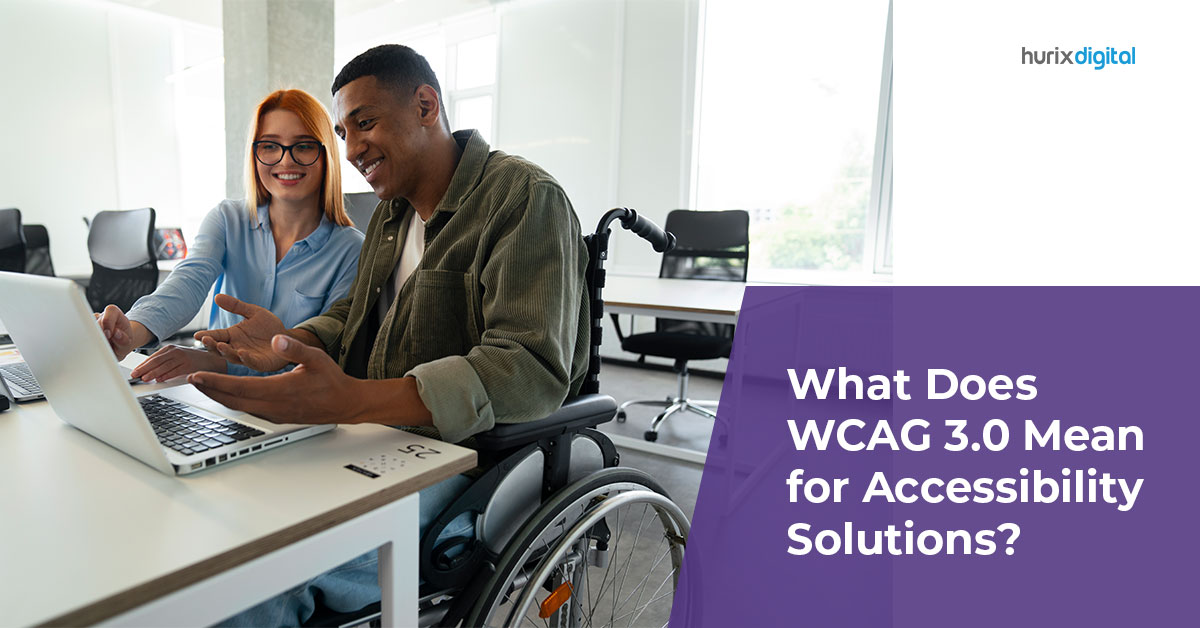
What Does WCAG 3.0 Mean for Accessibility Solutions?

[vc_row][vc_column][vc_column_text]Regardless of the size and nature of the organization, digital accessibility is one of the most important priorities for all businesses.  To navigate this better, Web Content Accessibility Guidelines (WCAG) offer a detailed and comprehensive framework for establishing accessibility as a priority. However, multiple versions of WCAG exist, and many additional versions of the WCAG guidelines are expected to be released in the near future. WCAG 3.0 is the latest version of web content accessibility guidelines which were released on December 7, 2021. Unlike the previous iterations, such as WCAG 2, WCAG 2.1, and WCAG 2.2, the WCAG 3.0 are more flexible and outcome-based standards for better accessibility solutions.  In this post, we will explore this latest iteration and what WCAG 3.0 means for accessibility. How is WCAG 3.0 Expected to Work? Here are the key points discussing how the new WCAG 3.0 compliance is expected to work. In WCAG 3.0, all the guidelines will have outcomes as compared to the previous format guidelines. All the outcomes in WCAG 3.0 will rate on a scale of 0 to 4 and will allow you to assess both page components as well as entire pages on this scale. If there are any critical accessibility violations in WCAG 3.0, such as no alt text for images or unfillable form, it will lead to the lowest possible score outcome. WCAG 3.0 will offer several pieces of critical information on the authoring tool accessibility guidelines and user-agent accessibility guidelines as well.  Main Features of the WCAG 3.0 Among the main features of WCAG 3.0 accessibility solutions include the following: A. More Attention to Specific Disabilities Recommendations for more disabilities are one of the highlights of WCAG 3.0. The latest standards pay more attention to the specific needs of people with varying levels of disabilities, such as vision impairment (low vision) and cognitive impairments. This is included because the needs of people with specific impairments don’t fit the simple true/false statement success criteria mentioned in earlier versions. B. Better Support for Various Web Accessibility Technologies  WCAG 3.0 also aims to offer detailed guidelines for different levels of the accessibility framework. For instance: An enhanced conformance model, where the websites can not just rely on true/false-based success criteria and have to move to more outcome-based results, which takes into account the user needs for specific content types. Considering critical errors on a site (those that do not allow a user to access or finish a task) on the website. Although a limited number of accessibility errors are allowed, websites with many critical errors will be considered WCAG 3.0 non-compliant. There will be no levels used for scoring. These will be replaced by bronze, silver, and gold.  C. Addition of Several New Technologies  Another highlight of WCAG 3.0 is that it is both conscious and flexible enough to include several emerging technologies, such as augmented/virtual reality and voice assistants. Does WCAG 3.0 have Levels A, AA, and AAA? WCAG 3.0 compliance has various models to measure conformance and fulfill different accessibility criteria. Different levels in earlier iterations confirmed if a website meets the required guidelines; however, WCAG 3.0 works in a scoring system and assesses a website on a scale of 0-4. Some of the terms you need to know to better understand the scoring system are as follows: Holistic tests Holistic tests are the accessibility standards that typically take place with various assistive technology tools and are important to get higher final scores. Ratings The WCAG 3.0 gives grades or ratings from 0 to 4 for various functional categories, final averages, grades, and individual outcomes. Atomic tests Atomic tests are accessibility tests against the WCAG 2 Series success criteria that are done using automatic or manual testing. Critical errors Critical errors are the violations by the websites of the basic accessibility features/requirements to a zero rating in WCAG 3.0. Conformance The last or final accessibility grade in the WCAG 3.0 is either Bronze, Silver, and Gold- one of three conformance levels. Functional categories As the name suggests, these categories are primarily based on the disability types such as visual, auditory, hearing, or motor. Understanding Outcome Ratings in WCAG 3.0 Every single outcome in WCAG 3.0 is rated on a scale of 0 to 4, where zero is the least possible score that outcomes with critical errors get. Typically, the ratings in WCAG 3.0 for accessibility companies are as follows: 0 – Very Poor, where there is a critical error or less than 60% of website images contain appropriate text alternatives  1 – Poor, where there are no critical errors but only 60-69% of website images have suitable options for text  2 – Fair, where there are no critical errors and 70-79% of website images have suitable text alternatives  3 – Good, where there are no critical errors and 80-94% of the website images have suitable options for text  4 – Excellent, where there are no critical errors and almost 95-100% of site images have suitable text alternatives  The final score is decided by taking the average of ratings for all the outcomes to be able to determine the website’s conformance. Make the Switch to WCAG 3.0 Easier  WCAG 3.0 is the latest iteration in accessibility standard guidelines and is considered more advanced and flexible than its predecessors due to better scoring, explicit language, and informative results. The key aim of WCAG 3.0 standards is to meet the goals set out by W3C by altering the structure of the guidelines, and conformance model and also by updating the content of the guidelines. While the requirements from the previous guidelines won’t drastically change in WCAG 3.0 because they’re important and necessary things to do for web accessibility, they will be expressed quite differently. If you wish to make your switch to WCAG 3.0 guidelines easier, partner with Hurix. Our team can help ensure your website conforms to all the guidelines mentioned in WCAG 3.0 to get rid of accessibility issues, if any. Contact us to learn more.[/vc_column_text][/vc_column][/vc_row]

5 Innovative Accessibility Solutions You’ve Never Heard Of

[vc_row][vc_column][vc_column_text]Have you ever wondered how technology can transform the lives of individuals with disabilities? Buckle up because we’re about to embark on a thrilling journey to explore five super-innovative accessibility solutions that are truly game-changers. These remarkable creations go beyond the traditional and dare to think outside the box, breaking barriers and creating a more inclusive world for everyone. From playgrounds that put a smile on every child’s face to gloves that give sign language a voice, these innovative accessibility solutions are making the impossible possible. They’re transforming the way people with disabilities interact with the world and shattering stereotypes, one innovation at a time. Read on to find out more! 5 Innovative Accessibility Solutions That Are Game-Changers 1. Inclusive Playgrounds: Play Is For All When we talk about innovative accessibility solutions, inclusive playgrounds are making waves. They are transforming the lives of children with disabilities by providing safe, engaging, and fun spaces where they can play and learn.  Inclusive playgrounds showcase the best practices in accessibility. They often surpass WCAG compliance, by integrating a wide range of accessible play equipment and thoughtfully designed layouts. Children with and without disabilities can benefit from these inclusive spaces as they promote social interaction and foster empathy. A shining example of this is the Magical Bridge Playground in Palo Alto, California. Designed by accessibility companies and community members, the playground features wheelchair-friendly ramps and swings, tactile play areas for visually impaired children, and cozy spaces for those with sensory sensitivities. This web of accessibility solutions ensures that no child feels left out, regardless of their abilities. Another outstanding example is the Tatum’s Garden playground in Salinas, California. This fully inclusive playground boasts a rubberized surface, wheelchair-accessible play structures, and sensory-rich experiences. This is all thanks to the collaborative efforts of accessibility professionals and passionate community members. 2. Braille Smartwatch: Time Beyond Vision Braille smartwatches are an outstanding example of web accessibility solutions that are transforming the lives of visually impaired individuals. Designed by accessibility professionals and visionaries, these smartwatches break the barriers of traditional timekeeping and connectivity by incorporating advanced technology to assist those with vision disabilities. One notable example of such a pioneering device is the Dot Watch. Developed by one of the leading accessibility companies, the Dot Watch offers a sleek design combined with a braille display that keeps users informed of the time, incoming messages, and even social media notifications. The watch can also be paired with smartphones, making it a versatile and practical accessibility solution. Another impressive example is the Blitab, a braille smartwatch that doubles as a tablet for the visually impaired. The Blitab offers a tactile screen with a braille display, enabling users to read e-books, browse the web, and access various applications.  3. Sign Language Gloves: Communication Without Hearing Sign language gloves are a groundbreaking innovation in accessibility solutions, bridging the communication gap between hearing-impaired and hearing individuals. These wearable devices are designed to translate sign language into audible speech in real time, fostering more effective and inclusive communication. One remarkable example of sign language gloves is the SignAloud, created by two University of Washington students. These gloves use sensors to detect hand gestures and movements, which are then translated into spoken language through a connected device.  BrightSign is another interesting innovation that not only translates sign language into speech but also has the capability to send a translated text to smartphones. 4. Assistive Exoskeletons: It’s About the Spirit! Assistive exoskeletons are revolutionizing the realm of accessibility solutions, offering life-changing support to individuals with mobility impairments. These wearable robotic devices provide physical assistance, enabling users to walk, stand, or move with greater ease and independence. A notable example of an assistive exoskeleton is the ReWalk system. This cutting-edge wearable device allows individuals with lower limb disabilities, such as paraplegia, to walk again. The exoskeleton supports users in standing, walking, and even climbing stairs, granting them newfound freedom and autonomy.  Another inspiring example is the Ekso Bionics’ EksoGT exoskeleton. Specifically designed for stroke and spinal cord injury rehabilitation, this device assists patients in regaining their mobility through a combination of motors and sensors that provide real-time feedback to both the user and the therapist. By facilitating gait training and improving mobility, the EksoGT empowers patients on their journey to recovery and independence. 5. Scent-Based Navigation Systems: Let Your Nose Guide the Way! Scent-based navigation systems are accessibility solutions that aim to provide an alternative way for visually impaired individuals to navigate indoor spaces by using distinct scents as markers, ultimately enhancing their independence and autonomy. One interesting example is the “Smelly Maps” project by researchers at the University of Cambridge. This initiative focuses on mapping urban environments based on the smells present in different areas. By providing a sensory-rich representation of the cityscape, visually impaired individuals can gain a better understanding of their surroundings, potentially paving the way for more advanced scent-based navigation systems in the future. One Size Does Not Fit All! Unique accessibility solutions make this world a home for all and not just for a few! While we may call it a “disability” just because someone is different, it might truly be a special ability that makes the world wonderful. These ingenious and innovative accessibility solutions prove that with creativity, perseverance, a touch of ingenuity, and a bit of accessibility testing, we can break down barriers and build an inclusive society for all. So, let’s continue to celebrate these extraordinary innovations and champion the power of accessible technology. After all, a world that embraces everyone’s unique abilities is a world that’s truly worth exploring. Here’s to a future that’s as bright, inclusive, and diverse as the innovations we’ve just discovered together! Are you ready to revolutionize the world of accessibility with cutting-edge solutions? Hurix Digital is at the forefront of creating an inclusive and diverse future, and we invite you to connect with us! At Hurix, we believe that technology has the power to break barriers and create endless possibilities. Get in touch