Blog

The Ultimate Guide to WCAG Compliance for the Website Developers

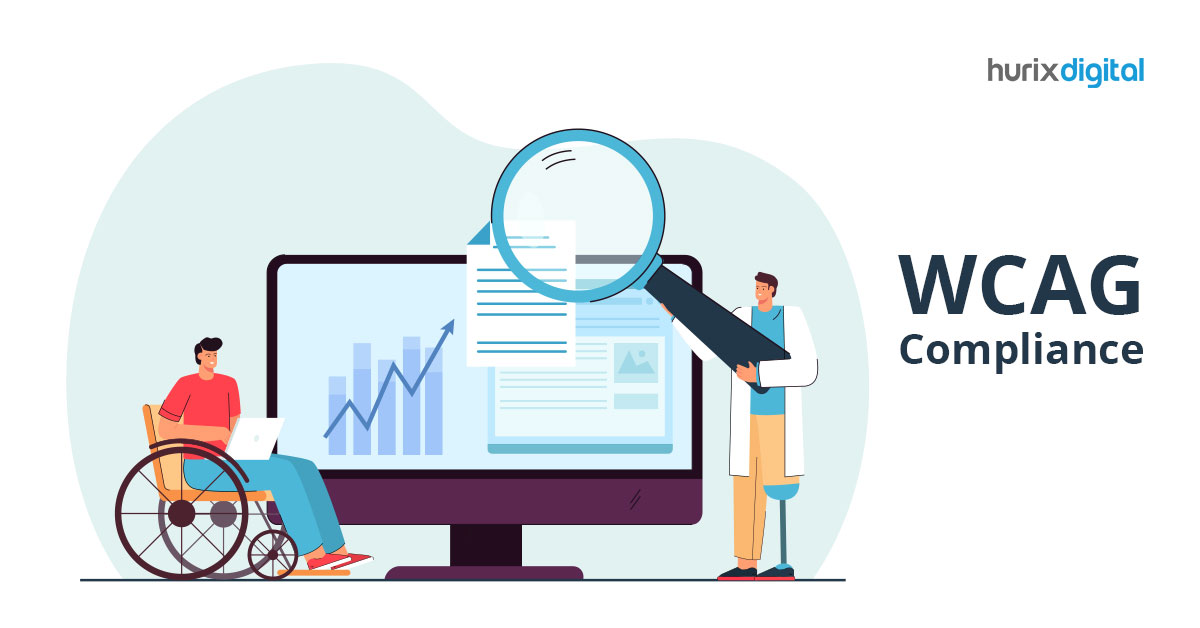
[vc_row][vc_column][vc_column_text]WCAG compliance has become the need of the hour for businesses to stand out among their competitors. Businesses invest significant expense and effort while designing their website as it represents their business to the digital world.  The layout, design, responsiveness, flexibility, visual elements, and multi-device compatibility are all considered while designing a website. Business owners don’t want their websites to be mediocre, so they invest a lot to build top-quality sites.  Despite their efforts, most businesses fail to check one crucial box, web accessibility. Your website looks fresh and user-friendly for most audiences, but what about people with disabilities?  Yes, your audience might comprise a significant number of people with disabilities. Have you made your website accessible to them? If you haven’t considered web accessibility, this article is just what you need. Learn more about web accessibility and why WCAG compliance is necessary for your website.  What is Web Accessibility? The strategy of making websites accessible for all site visitors, including individuals with disabilities, sensory impairments, and limitations, is known as web accessibility. It is estimated that over 1 billion people around the world experience some form of disability. Regular day-to-day activities are harder for them than for most people.  Businesses need to follow certain design principles to ensure that people with disabilities get the same site experience, just like every other visitor. Your website must provide a similar experience to all users, which is why adhering to web accessibility guidelines is important.  Who Dictates Web Accessibility Guidelines?  There are no constitutional laws that make web accessibility compliance mandatory. However, you can be sued or face a lawsuit if your website is not accessible.  The Web Accessibility Initiative (WIP) of the World Wide Web Consortium (W3C) is the governing body that publishes the Web Content Accessibility Guidelines (WCAG). It is important to ensure that anyone may consume, navigate, or access whatever information you share. The simplest method to accomplish this is to follow WCAG, so let’s go over their standards and guidelines. WCAG Compliance Guidelines  As per WCAG 2.1, there are four principles to adhere to when creating your website: Perceivable  Audiences visiting your website should be able to perceive all the available content on the site. This principle is directly tied to the senses, specifically vision, hearing, and tactile interactions. If a visitor lacks one of these senses, your website should still be accessible to them. If a user is blind and unable to see your content, they will use screen reader software to convert text into synthesized speech or braille characters. Your website must be compatible with such software to facilitate accessibility.  Operable  Every user will interact with your website in a variety of ways. Your website must be operable to all of them irrespective of the action they take.  Navigating your website, clicking a button, adding a product to the cart, signing up for your newsletter, etc., should be easily operable for all visitors. They might use only a keyboard or a joystick instead of a mouse, and your website options must be accessible to those devices.  On most sites, voice recognition is used only in the search box. However, allowing access to all your website information through voice search is an option worth considering. Now is the time to optimize your website so you can build on the voice technology options you offer.  Understandable  Visitors should be able to comprehend all of the information on the website. Screen reader software must accurately interpret all content with zero backend issues that render the reader incomprehensible.  This principle relates to all content and its readability. Websites should use simple language and avoid lengthy explanations or difficult technical jargon that most visitors would not comprehend. Enhancing readability is not just helpful for screen readers and people with disabilities; it must be a general practice to deliver a better experience for all your customers.  Make your content easy for machines like screen readers, Google crawlers, etc., to read without issues.  Robust  Your website must be flexible and compatible with any type of technology or devices your visitors might use.  As stated previously, some users might use a joystick instead of a mouse; blind people might use screen readers to comprehend your content. Your website must work with multiple devices and operating systems without hiccups.  Robustness is the crux of web accessibility, so make sure your website is compatible with assistive technologies and devices to be compliant.  WCAG Compliance Levels WCAG compliance has three different levels to categorize the level of compliance: A Level This is the minimum level of compliance for online content. It’s a good place to start, but it shouldn’t be the end objective for any company with a website. A level can save you from a lawsuit, but upgrading to a higher level as you grow is recommended.  AA Level  Private businesses with their own websites usually strive towards AA compliance. These guidelines are attainable for almost any website without being overly tough or complex. Adopting AA level rules will guarantee that people with disabilities experience reasonable access. AAA Level This is the highest level of compliance and is reserved solely for government sites. Average/private businesses might find it hard to implement this level of compliance, and it might not be needed for them either. WCAG compliance is a necessity. The governing body is constantly updating the guidelines. WCAG 2.1 is almost ready to be updated with WCAG 2.2, a new set of web accessibility guidelines.  How to Achieve WCAG Compliance? You can easily achieve WCAG compliance by adhering to some of the common principles set by WCAG: ALT Text  Web crawlers and screen readers cannot read Images. It is essential to add alt text describing the image so the machine can understand that it is an image and read it aloud for a person with a disability.  High Contrast  The background of your website and your web elements, like icons, text, CTA buttons, etc., should be in high contrast with each other. This will make


10 Trends in Education Technology That Will Have A Major Impact in 2023

[vc_row][vc_column][vc_column_text]Technology has always been a major driver of change in the education sector. From the introduction of the printing press to the rise of online learning, technology has always had a profound impact on how we learn. And as we move into the future, it’s clear that technology will continue to shape the education landscape in a variety of ways. In this article, we’ll explore some of the major emerging trends in education technology that are expected to impact the education sector in 2023. We’ll discuss the rise of artificial intelligence, the increasing use of digital resources, and how technology is changing how we learn. 10 Emerging Trends in Education Technology in 2023 Education technology is changing the way students, teachers, and entire educational institutions interact with each other. More powerful and useful trends in the education technology space will inevitably emerge in the coming years, leading to more comprehensive and effective learning environments. Here are the top 10 emerging trends in education technology in 2023.  Mobile Learning and Digital Content Platforms AI-powered Learning Environments Augmented Reality (AR) and Virtual Reality (VR) Gamification of Learning Wearable Technology Automated Assessments Adaptive Learning Cloud Computing Social Media in Learning Mobile Learning 1. Mobile Learning and Digital Content Platforms E-learning platforms have become more popular after the Covid-19 pandemic hit the world. The platforms provide students access to high-quality educational content and instructors from anywhere in the world. Furthermore, digital content platforms offer an immense array of learning resources for students and teachers alike. As the popularity of digital content platforms continues to grow, the impact on how people learn and interact with educational content will no doubt increase.  2. AI-powered Learning Environments AI-enabled technologies such as facial recognition, natural language processing, and machine learning are increasingly used in classrooms, making learning easier and more engaging.  Furthermore, AI-powered learning environments can provide students with personalized learning experiences and enable teachers to tailor lessons to meet individual students’ needs. Hence, it would be safe to say that AI is rapidly being integrated into educational tools, and its impact will certainly be felt in the coming years.  3. Augmented Reality (AR) and Virtual Reality (VR) AR and VR can help to create immersive and engaging learning experiences, regardless of the environment. They will increasingly be used as a tool for immersive and experiential learning.  This allows students to explore virtual worlds, practice tasks, and engage in simulations tailored to their individual needs. As both technologies become more commonplace, their impact on education will be hard to ignore.  4. Gamification of Learning Gamification of learning is a trend already seen in many educational institutions. The primary goal of incorporating game design elements in an educational setting is to make learning more fun and engaging. Some examples of gamification in an education setting includes; earning virtual points for completing tasks, a virtual leaderboard to compete with peers, etc. By turning learning into an interactive and engaging experience, students are able to retain more information and build skills in a fun and engaging way.  5. Wearable Technology As wearable technologies become more widespread and customizable, their impact on learning spaces will be prolific. Wearable technology can help track progress, provide performance feedback, and offer real-time personalized guidance. Furthermore, students can listen to audio lectures, receive class notifications, make voice notes, and more with wearable technology such as smartwatches and VR headsets. This would make learning more accessible and effective and benefit teachers and parents.  6. Automated Assessments The power of automation in the education field cannot be understated. Automated assessment tools will be increasingly used to evaluate students’ progress. This gives teachers and administrators better insights into student performance and areas that need improvement. Automated assessment tools can also provide analytical data to help students identify weak areas and work on them. In addition, automated grading tools allow teachers to quickly and accurately grade assignments, reducing the time needed for this task.   7. Adaptive Learning Adaptive learning will become a major emerging trend in education technology, allowing courses to be tailored to the individual needs of each student. More and more educational institutions are incorporating this innovative data-driven approach to facilitate customized learning experiences. This will help teachers meet the needs of a diverse student population and maximize student learning outcomes. It would also help teachers to customize individual learning paths and learning paces. 8. Cloud Computing Cloud computing will continue to be an important tool for educators, allowing them to access and store data more effectively. It also allows students to save money on expensive books as cloud-based books can be accessed easily anywhere.  As an emerging trend in education technology, cloud computing offers strong authentication facilities to ensure data security. It also facilitates easy collaborations among students and teachers. 9. Social Media in Learning Social media impacts the way we learn. It has created new opportunities for learners to connect with each other and access and share knowledge. Social media has also had a significant impact on the way educators teach. It has given educators new tools to reach and engage learners.  The use of social media in learning is still in its early stages, but it has left a significant impact on the way we learn. In the years to come, social media will continue to have a big impact on how we learn and teach. 10. Mobile Learning Mobile devices are becoming increasingly popular for educational purposes, allowing students to stay connected with their learning wherever they go.  And that is why more and more educational content is being optimized for mobile learners today. Portable devices like mobile phones and tablets are replacing traditional learning mediums because with mobile e-learning solutions, learning never stops. The End Note Education technology has come a long way in the last decade, and its influence on classrooms, curriculum, and teaching methods has dramatically increased. In 2023, these trends will have an even greater impact on the educational landscape, ushering in an era of innovation and improved teaching and

Hurix May 8, 2023 No Comments

Scenario-Based Learning to Boost the eLearning Experience & ROI

[vc_row][vc_column][vc_column_text]Scenario-based learning is mostly used as a tool to make e-Learning more effective. The idea is to put people in situations that they have faced or may face in real life and use those experiences to help them grasp a concept. Imagine a situation where you are learning to dance. You have read about all the movements, and one fine day, you are suddenly pushed onto the stage. Will you be able to perform? Even the most confident and graceful individual will falter, right? Now, imagine learning the dance through little exercises. After you learn about each movement, you are required to perform each of them. This way, by the end of your course, you will have mastered every little detail. This is exactly what Scenario Based Learning is.[/vc_column_text][vc_custom_heading text=”Why is Scenario Based Learning the Way Forward?” font_container=”tag:h1|font_size:18|text_align:left” google_fonts=”font_family:Lato%3A100%2C100italic%2C300%2C300italic%2Cregular%2Citalic%2C700%2C700italic%2C900%2C900italic|font_style:900%20bold%20regular%3A900%3Anormal” css=”.vc_custom_1566562581704{margin-top: 0px !important;margin-bottom: 0px !important;border-top-width: 0px !important;border-bottom-width: 0px !important;padding-top: 0px !important;padding-bottom: 10px !important;}”][vc_column_text]There are innumerable advantages to Scenario Based Learning. From helping the learner gain confidence to perform in high-pressure situations, to giving them the knowledge to handle any situation, it is the best way forward. Here are some advantages: Keeps Morale High – It provides a safe space for learners to polish their skills and also offers a relaxed and stress-free environment for them to fail and learn from their mistakes. It keeps them engaged because they can relate to the content. At the same time, it gives them the required experience to handle similar situations in real-life. Even if they fail to solve a problem, or solve it incorrectly, the scenario can be broken down immediately for them to understand where exactly they went wrong. Such a learning practice allows the learners to stay motivated, and the exercises help in getting the information embedded in their memory, leading to long-term retention. Enhanced Information Retention – Following up on our previous example, real-life exercises are not the only reason learners retain the information longer. Humans are visual learners. Just reading and hearing information does not help us as much as being able to visualize it. With scenario-based learning, learners get to see the theoretical concepts they read or hear about in action. When given a scenario that needs to be analyzed and acted upon, the learners use their critical thinking abilities to complete the task. This hands-on experience helps them grasp concepts better. A Real-Time Test for Real-World Problems – The best way to measure the success of any training exercise is to test how the learners perform during the real-life application of the knowledge they gathered during training. With scenario-based learning, the learning process itself is a series of tasks that puts the learners in real-life situations. The learner is then taught to navigate through those tasks with the help of the theoretical knowledge they have just been taught. Any inadequacy or lack of understanding is solved then and there, minimizing the chances of making mistakes in real life. A variety of well-thought-out problems are enacted on the scene, allowing the learner to immerse themselves in the process. Gradually, they become accustomed to handling such situations with ease. [/vc_column_text][vc_custom_heading text=”Raising Return on Investment for e-Learning” font_container=”tag:h2|font_size:18|text_align:left” google_fonts=”font_family:Lato%3A100%2C100italic%2C300%2C300italic%2Cregular%2Citalic%2C700%2C700italic%2C900%2C900italic|font_style:900%20bold%20regular%3A900%3Anormal” css=”.vc_custom_1566562715697{margin-top: 0px !important;margin-bottom: 0px !important;border-top-width: 0px !important;border-bottom-width: 0px !important;padding-top: 0px !important;padding-bottom: 10px !important;}”][vc_column_text]Often, e-Learning is plagued by a disconnect from realism due to its virtual platform. However, if the learner can be immersed in real examples, their engagement level increases tenfold. As a result, they are more focused and can learn more effectively. Each learner can experience a level of interactivity that is common to any classroom course they’re provided with. Especially scenarios that need learners to team up and perform group tasks, providing them with the true classroom experience. Any learning program takes a lot of financial and intellectual investment. A lot of effort goes into designing the right course for a subject. And e-Learning is no exception. Not only must the curriculum be well thought out, but the execution also has to be perfect. As a result, those efforts must reflect in the results as well. Scenario-based learning, with its unique approach, ensures that the learners are not only able to grasp the concepts but can confidently apply those concepts to their respective fields. With its immersive and hands-on approach, scenario-based learning ensures that learners not only have a deep understanding of the subject but that the information is deep-rooted in their minds and hence retained for a long time. As a result, money or effort spent on any learning experience, which offers hands-on experience, will be a far better and more effective investment than a learning course that expects the learner to simply apply the knowledge at a moment’s notice; especially so for e-learning, where the scope of actual interaction is extremely limited.[/vc_column_text][vc_custom_heading text=”To Conclude” font_container=”tag:h2|font_size:18|text_align:left” google_fonts=”font_family:Lato%3A100%2C100italic%2C300%2C300italic%2Cregular%2Citalic%2C700%2C700italic%2C900%2C900italic|font_style:900%20bold%20regular%3A900%3Anormal” css=”.vc_custom_1566562776143{margin-top: 0px !important;margin-bottom: 0px !important;border-top-width: 0px !important;border-bottom-width: 0px !important;padding-top: 0px !important;padding-bottom: 10px !important;}”][vc_column_text]Scenario-based e-Learning provides the opportunity to build effective programs. Programs that work guarantee that the learner will have improved their understanding of the subject from when they had started. The return on investment is high enough to encourage learners to come back and pursue similar courses. It is, therefore, truly beneficial for employees as well the employers to invest in a scenario-based learning program. Related: 7 Reasons Why You Should Revamp Your Old eLearning Courses Benefits of Investing in Custom eLearning Courses for Your Enterprise Things You Must Consider Before Selecting an eLearning Company Top Tips to Design, Develop and Deliver e-Learning Content! [/vc_column_text][/vc_column][/vc_row]

5 Pro-Tips to Build Cost-Effective Blended Learning Solutions

[vc_row][vc_column][vc_column_text]Leveraging the best of both offline and online modalities, blended learning solutions are a popular trend in today’s corporate world that makes it possible for organizations to formulate an effective training strategy for a large number of learners. An excellent pedagogical approach, it efficiently blends digital and live classroom components, typically with a minimum of 30% of learners’ time being spent on digital components. Further, this learning approach can be extremely cost-effective as it allows certain modules of learning to be done online, with asynchronous scheduling where employees aren’t required to travel or attend in-person training, saving the organization a significant amount of money in travel, boarding and trainer costs. Research has also shown that implementing a robust blended strategy brings down the training costs and allows organizations to divert their resources to other areas of the overall budget, leading to an effective corporate training program.[/vc_column_text][vc_custom_heading text=”5 tips to building a cost-effective blended learning solution” font_container=”tag:h1|font_size:18|text_align:left” google_fonts=”font_family:Lato%3A100%2C100italic%2C300%2C300italic%2Cregular%2Citalic%2C700%2C700italic%2C900%2C900italic|font_style:900%20bold%20regular%3A900%3Anormal” css=”.vc_custom_1584975234323{margin-top: 0px !important;margin-bottom: 0px !important;border-top-width: 0px !important;border-bottom-width: 0px !important;padding-top: 0px !important;padding-bottom: 10px !important;}”][vc_column_text]In this post, we explore how to use blended learning solutions in corporate training in order to create a more cost-efficient, immersive and engaging experience for the corporate learners.[/vc_column_text][vc_custom_heading text=”1. Consider Scale, Reach and Budget” font_container=”tag:h2|font_size:18|text_align:left” google_fonts=”font_family:Lato%3A100%2C100italic%2C300%2C300italic%2Cregular%2Citalic%2C700%2C700italic%2C900%2C900italic|font_style:900%20bold%20regular%3A900%3Anormal” css=”.vc_custom_1584970361318{margin-top: 0px !important;margin-bottom: 0px !important;border-top-width: 0px !important;border-bottom-width: 0px !important;padding-top: 0px !important;padding-bottom: 10px !important;}”][vc_column_text]When it comes to designing a successful and cost-efficient blended learning framework, it should both work for individual learners and make complete business sense along with offering a solid ROI. How can you do this? a) Identify whether your users are remote or spread globally. This is important because organizing physical events can be extremely expensive as you might have to reach a large number of remote learners. The ideal way to manage this is by utilizing digital learning to the maximum capacity or hosting an online virtual event followed by providing support to virtual or local coaches to begin a discussion so that they can take learning and sharing forward. b) Do a thorough assessment of the cost per head of different blended options. Blending approaches that support learning over a longer period of time with short and focused interventions brings great results in terms of performance and are cost-effective.[/vc_column_text][vc_custom_heading text=”2. Prioritize the Content” font_container=”tag:h2|font_size:18|text_align:left” google_fonts=”font_family:Lato%3A100%2C100italic%2C300%2C300italic%2Cregular%2Citalic%2C700%2C700italic%2C900%2C900italic|font_style:900%20bold%20regular%3A900%3Anormal” css=”.vc_custom_1584970480322{margin-top: 0px !important;margin-bottom: 0px !important;border-top-width: 0px !important;border-bottom-width: 0px !important;padding-top: 0px !important;padding-bottom: 10px !important;}”][vc_column_text]To save time and cost, your blended learning solution design should prioritize content that can be taught over time. What this essentially means is that the foundational or critical content should be taught first, so that the learners can go back and apply it on the job. Less critical content, on the other hand, can be made available either as just-in-time performance support or offered as a subsequent course to improve performance, learning retention, and learner satisfaction. Learn How to Create Content for a Blended Learning Model[/vc_column_text][vc_custom_heading text=”3. Experiment with New Blended Learning Concepts and Solutions” font_container=”tag:h2|font_size:18|text_align:left” google_fonts=”font_family:Lato%3A100%2C100italic%2C300%2C300italic%2Cregular%2Citalic%2C700%2C700italic%2C900%2C900italic|font_style:900%20bold%20regular%3A900%3Anormal” css=”.vc_custom_1584970566118{margin-top: 0px !important;margin-bottom: 0px !important;border-top-width: 0px !important;border-bottom-width: 0px !important;padding-top: 0px !important;padding-bottom: 10px !important;}”][vc_column_text]When it comes to seeking and expecting answers to their questions, modern learners want a seamless experience with updated, relevant and personalized information. A successful and budget-friendly learning strategy, in such a scenario, should be people-centric, offering engaging experiences to help them make changes in areas they need most, or will add meaningful impact to what they do. The best approach here is to constantly experiment with various blended learning concepts to meet the specific goals and needs of the target audience by- Considering different kinds of resources and activities to help the learners get there either on their own and in large groups. Think about these questions – Which parts of the training can be done virtually and online? Where does it make the most sense to get learners together? Should you utilize mentors or coaches? Conceptualizing and focusing on how the resources and learning activities would help on the job and in moments of need. Make sure that the blended learning strategy you design should help people explore and practice new skills that are relevant to their job profile. Working around different combinations and concepts such as going digital on one aspect and more face-to-face on another or finding a middle ground that works best both learning and cost-wise. Here are 10 Best Practices in Blended Learning[/vc_column_text][vc_custom_heading text=”4. Assess the Tools and Skills You Need in Your Learners” font_container=”tag:h2|font_size:18|text_align:left” google_fonts=”font_family:Lato%3A100%2C100italic%2C300%2C300italic%2Cregular%2Citalic%2C700%2C700italic%2C900%2C900italic|font_style:900%20bold%20regular%3A900%3Anormal” css=”.vc_custom_1584970673952{margin-top: 0px !important;margin-bottom: 0px !important;border-top-width: 0px !important;border-bottom-width: 0px !important;padding-top: 0px !important;padding-bottom: 10px !important;}”][vc_column_text]To get the best results on a low budget, your blended learning strategy should consistently bring in new tools and skills into your learning team or outsource whenever needed to get what you exactly need. The biggest advantage of blended learning solutions is that you can use the best of your existing content and software solutions. Use and repurpose your content, software tools, and communication channels to provide a cohesive learning experience. Using your existing systems also makes it comfortable for learners who are already familiar with your present software and use it regularly. The idea here is to test out new blended learning design concepts and tweak them as per the specific needs of your learners. For e.g., if you already have a course module, be it online or face-to-face, break it down into smaller chunks or play with the format to give the course a blended twist that will help you drive better learner engagement. Learn Why You Should Switch to Blended Learning for Better Learning Outcomes[/vc_column_text][vc_row_inner css=”.vc_custom_1584715783164{margin-top: 0px !important;margin-bottom: 0px !important;border-top-width: 0px !important;border-bottom-width: 0px !important;padding-top: 0px !important;background-color: #dee7f0 !important;}”][vc_column_inner width=”2/3″ css=”.vc_custom_1584714988859{margin-top: 25px !important;margin-right: 0px !important;margin-bottom: 0px !important;margin-left: 20px !important;border-right-width: 0px !important;padding-right: 0px !important;}”][vc_column_text]Guide: How to Choose the Right LMS for Your Business[/vc_column_text][/vc_column_inner][vc_column_inner width=”1/3″ css=”.vc_custom_1572956165932{margin-top: 30px !important;margin-right: 20px !important;margin-bottom: 30px !important;margin-left: 0px !important;border-left-width: 0px !important;padding-left: 0px !important;}”][button size=”mediumlarge_rd_bt” use_icon=”yes” icon_color=”#ffffff” t_color=”#ffffff” b_color=”#f55744″ b_hover_color=”#3ac77f” url=”https://stag.hurix.com/how-to-guides/how-to-choose-right-lms-for-business/” target=”yes” position=”ta_right” icon=”wb-download”]Download Now![/button][/vc_column_inner][/vc_row_inner][vc_custom_heading text=”5. Personalize Learning Modules by Roles” font_container=”tag:h2|font_size:18|text_align:left” google_fonts=”font_family:Lato%3A100%2C100italic%2C300%2C300italic%2Cregular%2Citalic%2C700%2C700italic%2C900%2C900italic|font_style:900%20bold%20regular%3A900%3Anormal” css=”.vc_custom_1584970765443{margin-top: 0px !important;margin-bottom: 0px !important;border-top-width: 0px !important;border-bottom-width: 0px !important;padding-top: 0px !important;padding-bottom: 10px !important;}”][vc_column_text]Lastly, make sure that your blended learning approach enables delivery of content

eLearning Localization – The Next Big Trend in Employee Training 

[vc_row][vc_column][vc_column_text]With technology making the world a more close-knit community and a large number of companies acquiring a global footprint, eLearning localization has become a pressing need to maintain the effectiveness of training programs. Thankfully, eLearning has come a long way since its early days where printed versions of educational or training materials were simply digitized to make them accessible on different devices. Back then, transforming lengthy, word-heavy content into an engaging or interactive format seemed improbable, let alone localizing it for audiences in different parts of the world. However, today there are a host of tools available that make this process relatively simple and straightforward. Here is everything you need to know about localizing eLearning modules and its benefits for training programs:[/vc_column_text][vc_custom_heading text=”What is eLearning Localization and Translation?” font_container=”tag:h1|font_size:18|text_align:left” google_fonts=”font_family:Lato%3A100%2C100italic%2C300%2C300italic%2Cregular%2Citalic%2C700%2C700italic%2C900%2C900italic|font_style:900%20bold%20regular%3A900%3Anormal” css=”.vc_custom_1584107428940{margin-top: 0px !important;margin-bottom: 0px !important;border-top-width: 0px !important;border-bottom-width: 0px !important;padding-top: 0px !important;padding-bottom: 10px !important;}”][vc_column_text]Today, employee training programs aren’t necessarily restricted to a small cluster of participants in one place. The employees you’d like to extend the benefits of upskilling to may be based out of different cities across the world. That’s where eLearning localization plays a crucial role. It adapts the content of any training program as per the specific local culture of any region. Essentially, this is an improvement on the process of translation. While in translation, the content is merely converted from one language to another, localization also takes into account the cultural reference of a place and adapts the entire training material – not just text – accordingly. The localization of content extends to Graphical User Interface, tone of narration, fonts, colors, symbols, photos, images, measurement units, idioms, phrases and abbreviations, to name a few. The idea here is to convey the exact message as the source content, with the right context, setting and emotion.[/vc_column_text][vc_custom_heading text=”Who Needs to Localize eLearning?” font_container=”tag:h2|font_size:18|text_align:left” google_fonts=”font_family:Lato%3A100%2C100italic%2C300%2C300italic%2Cregular%2Citalic%2C700%2C700italic%2C900%2C900italic|font_style:900%20bold%20regular%3A900%3Anormal” css=”.vc_custom_1584107480255{margin-top: 0px !important;margin-bottom: 0px !important;border-top-width: 0px !important;border-bottom-width: 0px !important;padding-top: 0px !important;padding-bottom: 10px !important;}”][vc_column_text]If your training program is targeted at learners from different parts of the world, it is crucial to go beyond translation and localize the content. Colors, imagery, background, tone of narration and gestures can mean different things in different places. For instance, the Western audience is more used to their teachers/instructors maintaining a friendly tone, while in the East, learning is associated with an authoritative tone. Translation cannot address these finer nuances. If the content is not in line with a learner’s cultural appropriation, it can be hard to relate to. Localizing the training material can, therefore, help improve acquisition and retention of new skills and knowledge.[/vc_column_text][vc_custom_heading text=”Benefits of eLearning localization ” font_container=”tag:h3|font_size:18|text_align:left” google_fonts=”font_family:Lato%3A100%2C100italic%2C300%2C300italic%2Cregular%2Citalic%2C700%2C700italic%2C900%2C900italic|font_style:900%20bold%20regular%3A900%3Anormal” css=”.vc_custom_1584108749854{margin-top: 0px !important;margin-bottom: 0px !important;border-top-width: 0px !important;border-bottom-width: 0px !important;padding-top: 0px !important;padding-bottom: 10px !important;}”][vc_column_text]Implementing eLearning localization can be a win-win for a company and the employees, as it promises optimal targeted opportunities for acquiring new skills and knowledge. Here are the top benefits of going beyond translations and localizing employee training programs:[/vc_column_text][vc_custom_heading text=”1. Diversity in Training Modules ” font_container=”tag:h4|font_size:18|text_align:left” google_fonts=”font_family:Lato%3A100%2C100italic%2C300%2C300italic%2Cregular%2Citalic%2C700%2C700italic%2C900%2C900italic|font_style:900%20bold%20regular%3A900%3Anormal” css=”.vc_custom_1584108801318{margin-top: 0px !important;margin-bottom: 0px !important;border-top-width: 0px !important;border-bottom-width: 0px !important;padding-top: 0px !important;padding-bottom: 10px !important;}”][vc_column_text]Localizing online training modules allows organizations to create one elaborate program and then optimize it to suit the needs of employees in different geographical locations, instead of creating separate ones for different locations. The eLearning localization tools can use the basic information and structure of the source module and adapt the message as per the sensibilities of the target audience. [/vc_column_text][vc_custom_heading text=”2. Broader Reach with Minimal Resources ” font_container=”tag:h4|font_size:18|text_align:left” google_fonts=”font_family:Lato%3A100%2C100italic%2C300%2C300italic%2Cregular%2Citalic%2C700%2C700italic%2C900%2C900italic|font_style:900%20bold%20regular%3A900%3Anormal” css=”.vc_custom_1584108846806{margin-top: 0px !important;margin-bottom: 0px !important;border-top-width: 0px !important;border-bottom-width: 0px !important;padding-top: 0px !important;padding-bottom: 10px !important;}”][vc_column_text]Localizing a base or source training module for participants in different locations can ensure a broader reach for the program in a more cost-effective manner. The resources needed to optimize an existing training module are far lower in comparison to developing different modules from scratch. To make sure that the optimization process is as resource efficient as possible, it is advisable to use simple language in the source module and eliminate the use of complex jargon, graphs and images embedded with text. A clean structure and design are what effective localization rests on.[/vc_column_text][vc_custom_heading text=”3. Uniformity ” font_container=”tag:h4|font_size:18|text_align:left” google_fonts=”font_family:Lato%3A100%2C100italic%2C300%2C300italic%2Cregular%2Citalic%2C700%2C700italic%2C900%2C900italic|font_style:900%20bold%20regular%3A900%3Anormal” css=”.vc_custom_1584108884405{margin-top: 0px !important;margin-bottom: 0px !important;border-top-width: 0px !important;border-bottom-width: 0px !important;padding-top: 0px !important;padding-bottom: 10px !important;}”][vc_column_text]The fact that you are leveraging the same source module to train employees in different locations brings in an element of uniformity in your training initiatives. With the same written and multimedia content being made available to all participants, albeit, in different languages and cultural contexts, you can ensure that your employees in the US and in Asia or Europe are being empowered with the same skill set and knowledge.[/vc_column_text][vc_custom_heading text=”4. Higher ROI ” font_container=”tag:h4|font_size:18|text_align:left” google_fonts=”font_family:Lato%3A100%2C100italic%2C300%2C300italic%2Cregular%2Citalic%2C700%2C700italic%2C900%2C900italic|font_style:900%20bold%20regular%3A900%3Anormal” css=”.vc_custom_1584108943758{margin-top: 0px !important;margin-bottom: 0px !important;border-top-width: 0px !important;border-bottom-width: 0px !important;padding-top: 0px !important;padding-bottom: 10px !important;}”][vc_column_text]High Returns on Investment is the basic goal that drives most business decisions and localizing the training module accords you an opportunity to optimize that. Hiring training experts for different office locations across the world can be a capital-intensive process. By comparison, working with a team of experts to localize high-quality content and deliver it as an online training program can save time, money and effort.[/vc_column_text][vc_custom_heading text=”5. Better Impact ” font_container=”tag:h4|font_size:18|text_align:left” google_fonts=”font_family:Lato%3A100%2C100italic%2C300%2C300italic%2Cregular%2Citalic%2C700%2C700italic%2C900%2C900italic|font_style:900%20bold%20regular%3A900%3Anormal” css=”.vc_custom_1584108968917{margin-top: 0px !important;margin-bottom: 0px !important;border-top-width: 0px !important;border-bottom-width: 0px !important;padding-top: 0px !important;padding-bottom: 10px !important;}”][vc_column_text]Localizing the content lends a personalized touch while dealing with employee needs and makes your workforce feel valued, irrespective of their location. A strong, committed workforce is the backbone that can help an organization gain a competitive edge in the global markets. Employees are more likely to engage with the training material, retain it better, and subsequently, apply it in their work processes – which is the main objective behind training programs.[/vc_column_text][vc_custom_heading text=”6. Helps Boost the Brand Image ” font_container=”tag:h4|font_size:18|text_align:left” google_fonts=”font_family:Lato%3A100%2C100italic%2C300%2C300italic%2Cregular%2Citalic%2C700%2C700italic%2C900%2C900italic|font_style:900%20bold%20regular%3A900%3Anormal” css=”.vc_custom_1584108994966{margin-top: 0px !important;margin-bottom: 0px !important;border-top-width: 0px !important;border-bottom-width: 0px !important;padding-top: 0px !important;padding-bottom: 10px !important;}”][vc_column_text]Investing in eLearning localization for employee training can also serve as a catalyst for boosting your brand image. Being mindful of the cultural values and difference of your workforce and accommodating these factors in your internal processes positions you as a truly inclusive organization that values diversity. This wins

Microlearning Videos – To Cut a Long Story Short

[vc_row][vc_column][vc_column_text]Before understanding what microlearning videos are and how they can enrich your employee training initiatives, take a moment to recollect how often you visit YouTube to look up tutorials for something new. Once there, do you naturally lean in favor of videos that are short, crisp and to the point over long-winding ones? Well, you’re not alone. According to a Cisco report, videos will attract 82 per cent of the global internet traffic by the year 2022. Here too, short videos – anywhere between 30 seconds and 2 minutes – will rule the roost. In today’s hectic, forever on the go lifestyle, these short videos are an effective tool for engaging viewers by delivering relevant information in quick, short bursts. This also extends to employee training programs. At a time when agility is a core element for effective corporate training, it has become imperative for organizations to invest in tools that can enhance their training modules for optimal impact. Microlearning videos make for a fitting piece of that jigsaw. Here’s everything you need know before incorporating this element into your training programs:[/vc_column_text][vc_custom_heading text=”What Sets Microlearning Videos Apart? ” font_container=”tag:h1|font_size:18|text_align:left” google_fonts=”font_family:Lato%3A100%2C100italic%2C300%2C300italic%2Cregular%2Citalic%2C700%2C700italic%2C900%2C900italic|font_style:900%20bold%20regular%3A900%3Anormal” css=”.vc_custom_1583759331084{margin-top: 0px !important;margin-bottom: 0px !important;border-top-width: 0px !important;border-bottom-width: 0px !important;padding-top: 0px !important;padding-bottom: 10px !important;}”][vc_column_text]Microlearning videos, as the name suggests, are short, crisp and focused clips designed to deliver relevant content to the learners in an impactful and engaging manner. These videos are not a substitute for full-blown training modules rather a tool to enhance their effectiveness. They can serve as a standalone nugget used to emphasize on any one key takeaway of learning or be embedded in a bigger learning path to make the content stick. The narrative presented in these videos is tailored to promote ease of retention and higher recall in viewers. Microlearning videos also act as learning aids aimed at helping learners in their moments of need. Here’s what sets them apart from regular training videos: It presents the learner with a more compelling and engaging visual format that is in tune with their attention span. These videos adopt an effective approach toward creating narratives that are relatable to the target audience. Thanks to the engaging nature of these videos, they are better equipped to deliver an engaging learning experience and higher recall value. Interspersing a longer learning path with microlearning videosdelivers on the just-in-time learning experience by allowing the participants to consume vital information in short bursts. These videos also act as an effective short learning aid that can be accessed at any point to refresh and brush up the key points of a training program. [/vc_column_text][vc_custom_heading text=”Popular Microlearning Video Formats ” font_container=”tag:h2|font_size:18|text_align:left” google_fonts=”font_family:Lato%3A100%2C100italic%2C300%2C300italic%2Cregular%2Citalic%2C700%2C700italic%2C900%2C900italic|font_style:900%20bold%20regular%3A900%3Anormal” css=”.vc_custom_1583759376543{margin-top: 0px !important;margin-bottom: 0px !important;border-top-width: 0px !important;border-bottom-width: 0px !important;padding-top: 0px !important;padding-bottom: 10px !important;}”][vc_column_text]This tool of learning doesn’t come with a one-size-fits-all approach. There are different formats designed for different uses and applications. Here are the five most popularly used ones:[/vc_column_text][vc_custom_heading text=”1. Text-based Videos: ” font_container=”tag:h3|font_size:18|text_align:left” google_fonts=”font_family:Lato%3A100%2C100italic%2C300%2C300italic%2Cregular%2Citalic%2C700%2C700italic%2C900%2C900italic|font_style:900%20bold%20regular%3A900%3Anormal” css=”.vc_custom_1583760752366{margin-top: 0px !important;margin-bottom: 0px !important;border-top-width: 0px !important;border-bottom-width: 0px !important;padding-top: 0px !important;padding-bottom: 10px !important;}”][vc_column_text]Text-based or Kinetic Typography videos combine a mix of text in different colors, fonts and shapes with background music to put across a message. These are most commonly used to stress concepts, topics, statistics, fact and figures, without making them seem dull and dry. Keeping the text concise is the key to ensuring the effectiveness of these videos. In addition, it is also important to ensure that the background music serves as a tool that carries the message to the audience and does not become a distraction. One of the key benefits of these microlearning videos is that they are a time and cost-effective way of creating compelling and engaging messaging.[/vc_column_text][vc_custom_heading text=”2. Whiteboard Animation Videos:” font_container=”tag:h3|font_size:18|text_align:left” google_fonts=”font_family:Lato%3A100%2C100italic%2C300%2C300italic%2Cregular%2Citalic%2C700%2C700italic%2C900%2C900italic|font_style:900%20bold%20regular%3A900%3Anormal” css=”.vc_custom_1583760789780{margin-top: 0px !important;margin-bottom: 0px !important;border-top-width: 0px !important;border-bottom-width: 0px !important;padding-top: 0px !important;padding-bottom: 10px !important;}”][vc_column_text]In this format, texts, stats and images are presented to the learners as being drawn on a whiteboard or screen as the video progresses. These illustrations are often accompanied by an audio narration and trace a story through the course of the video. Animation videos are an effective tool for breaking down and presenting complex concepts or topics in a relatable manner. The minimalistic design not only makes these videos engaging but also makes them easy to create and edit.[/vc_column_text][vc_custom_heading text=”3. Live Demo Videos: ” font_container=”tag:h3|font_size:18|text_align:left” google_fonts=”font_family:Lato%3A100%2C100italic%2C300%2C300italic%2Cregular%2Citalic%2C700%2C700italic%2C900%2C900italic|font_style:900%20bold%20regular%3A900%3Anormal” css=”.vc_custom_1583761371809{margin-top: 0px !important;margin-bottom: 0px !important;border-top-width: 0px !important;border-bottom-width: 0px !important;padding-top: 0px !important;padding-bottom: 10px !important;}”][vc_column_text]A live demo video is transmitted through web conferencing tools and facilitates active engagement from participants. Usually, a presentation is delivered live to the audience and is followed up by a Q&A session. However, instead of addressing an entire topic in a single video, microlearning involves demo videos that are broken into small nuggets that focus on one learning point at a time. These can be used as standalone elements or blended into a training framework.[/vc_column_text][vc_custom_heading text=”4. Interactive Videos: ” font_container=”tag:h3|font_size:18|text_align:left” google_fonts=”font_family:Lato%3A100%2C100italic%2C300%2C300italic%2Cregular%2Citalic%2C700%2C700italic%2C900%2C900italic|font_style:900%20bold%20regular%3A900%3Anormal” css=”.vc_custom_1583761400314{margin-top: 0px !important;margin-bottom: 0px !important;border-top-width: 0px !important;border-bottom-width: 0px !important;padding-top: 0px !important;padding-bottom: 10px !important;}”][vc_column_text]As opposed to conventional videos where a viewer can only play, pause, fast forward or rewind, in the interactive format, there are click-and-reveal options that allow learners to actively interact with the video content. Digital actions such as 360-degree views, hover, scroll, hotspots, branching and quizzes ensure that the viewers are constantly engaged with the video content, making the learning experience more active and fun. This, in turn, promotes higher recall and retention.[/vc_column_text][vc_custom_heading text=”5. User-Generated Videos: ” font_container=”tag:h3|font_size:18|text_align:left” google_fonts=”font_family:Lato%3A100%2C100italic%2C300%2C300italic%2Cregular%2Citalic%2C700%2C700italic%2C900%2C900italic|font_style:900%20bold%20regular%3A900%3Anormal” css=”.vc_custom_1583761429601{margin-top: 0px !important;margin-bottom: 0px !important;border-top-width: 0px !important;border-bottom-width: 0px !important;padding-top: 0px !important;padding-bottom: 10px !important;}”][vc_column_text]In this era of ubiquitous smart devices and social media platforms, user-generated videos have become hugely popular. These are a great way to foster an ongoing learning culture within any organization. These short, crisp videos can be created cost-effectively and shared and re-shared with ease. Organizations can leverage their potential by incorporating them in their LMS, allowing experts in different fields to share their expertise with others through these microlearning videos.[/vc_column_text][vc_custom_heading text=”Use Cases of Microlearning Videos ” font_container=”tag:h4|font_size:18|text_align:left” google_fonts=”font_family:Lato%3A100%2C100italic%2C300%2C300italic%2Cregular%2Citalic%2C700%2C700italic%2C900%2C900italic|font_style:900%20bold%20regular%3A900%3Anormal” css=”.vc_custom_1583761549963{margin-top: 0px !important;margin-bottom: 0px !important;border-top-width: 0px !important;border-bottom-width: 0px !important;padding-top: 0px !important;padding-bottom: 10px !important;}”][vc_column_text]More and more organizations today

How to Create and Deliver the Best Custom Employee Training Program

[vc_row][vc_column][vc_column_text]Training holds an important place in today’s workplace culture. More and more organizations are acknowledging that fact and institutionalizing training systems targeted at empowering their workforce with new skills. In recent times, the approach toward employee training programs has seen a paradigm shift – a drift away from a one-size-fits-all model toward more personalized alternatives. This new trend seeks to offer custom training modules that are tailored to the individual needs, abilities and goals of different employees. This model is geared toward enabling employees to pursue skills that are needed at their level of experience and are in line with their professional aspirations. Even though tailoring a training program to suit the individual needs of a diverse cross-section of people can sound daunting, it proves to be extremely beneficial, both for the employees and their employers. If done right, the custom approach toward training programs for employees can be implemented seamlessly and can deliver better learning outcomes.[/vc_column_text][vc_custom_heading text=”Benefits of a Custom Employee Training Program ” font_container=”tag:h3|font_size:18|text_align:left” google_fonts=”font_family:Lato%3A100%2C100italic%2C300%2C300italic%2Cregular%2Citalic%2C700%2C700italic%2C900%2C900italic|font_style:900%20bold%20regular%3A900%3Anormal” css=”.vc_custom_1583930148117{margin-top: 0px !important;margin-bottom: 0px !important;border-top-width: 0px !important;border-bottom-width: 0px !important;padding-top: 0px !important;padding-bottom: 10px !important;}”][vc_column_text]Before you learn the ropes of building and delivering a custom employee training program effectively, it’s important to fully grasp why you need it in the first place. It helps the organization top brass, as well as the L&D teams, get invested in the process. Here are the top benefits personalized training brings to the table: Focused Learning: Since these training modules are designed to meet specific individual needs, the content of the program fills the gap between the existing and desired skill set. Enriched Teams: With different training programs for different employees based on their expertise and future job requirements, all members working on different teams or projects can bring unique skills and experiences to the table. Ease of Application: Any training program in a workplace is considered successful when the participants understand the concepts well enough to apply them in their day-to-day work processes. With case studies and exercises tailored to the actual work environment, customized training programs can facilitate that. Flexibility: Customization also helps in optimizing content, budget and time allocated to the training process, by using the right tools and medium according to the audience. Better Operational Efficiency: A customized employee training program can serve as the blueprint for an organization’s operational procedures and policies, streamlining processes across the board. Cost-Effectiveness: Contrary to the perception that tailoring the program to suit the individual needs of every staff member would cost a lot, this approach can be extremely cost-effective. What you spend on customized training of employees, you recover doubly when it translates into valuable employee output.[/vc_column_text][vc_custom_heading text=”Building and Delivering an Effective Custom Training Program ” font_container=”tag:h1|font_size:18|text_align:left” google_fonts=”font_family:Lato%3A100%2C100italic%2C300%2C300italic%2Cregular%2Citalic%2C700%2C700italic%2C900%2C900italic|font_style:900%20bold%20regular%3A900%3Anormal” css=”.vc_custom_1583932483077{margin-top: 0px !important;margin-bottom: 0px !important;border-top-width: 0px !important;border-bottom-width: 0px !important;padding-top: 0px !important;padding-bottom: 10px !important;}”][vc_column_text]The goal of truly personalized training experience is to engage the participants by offering them unique, relevant insights and experiences. Here are four key elements of building and delivering an employee training program that delivers on that goal:[/vc_column_text][vc_custom_heading text=”1. Aim for Goal-Driven Training” font_container=”tag:h2|font_size:18|text_align:left” google_fonts=”font_family:Lato%3A100%2C100italic%2C300%2C300italic%2Cregular%2Citalic%2C700%2C700italic%2C900%2C900italic|font_style:900%20bold%20italic%3A900%3Aitalic” css=”.vc_custom_1583932547164{margin-top: 0px !important;margin-bottom: 0px !important;border-top-width: 0px !important;border-bottom-width: 0px !important;padding-top: 0px !important;padding-bottom: 10px !important;}”][vc_column_text]Any training initiative holds real meaning for the participants only if it aligns with their own professional goals. This could range from excelling in their current job profiles to learning skills that set them apart from the rest of the workforce. The starting point of any effective employee training program has to be getting the employees to define their own goals. With that achieved, the next part of the puzzle is to ensure that your program helps them work towards those goals. This can mean including task performance-related activities and exercises for some employees and upskilling for a bigger role for others. This ensures that the employees are invested in the training they undergo. Another way to optimize the learning takeaway with custom training programs is to make them engaging through interactive elements such as clickable learning paths, videos, infographics and games. Follow it up with incentivized exercises to promote retention.[/vc_column_text][vc_custom_heading text=”2. Keep Content Relevant ” font_container=”tag:h2|font_size:18|text_align:left” google_fonts=”font_family:Lato%3A100%2C100italic%2C300%2C300italic%2Cregular%2Citalic%2C700%2C700italic%2C900%2C900italic|font_style:900%20bold%20italic%3A900%3Aitalic” css=”.vc_custom_1583932620205{margin-top: 0px !important;margin-bottom: 0px !important;border-top-width: 0px !important;border-bottom-width: 0px !important;padding-top: 0px !important;padding-bottom: 10px !important;}”][vc_column_text]The whole idea behind custom programs is to put participants on a learning path relevant to the skill gaps that need to be filled in order for them to fulfil their goals. For this, it is imperative that the content is concise and pertinent. You can customize the learning module such that your employees can get straight to what they need to learn instead of sifting through stuff they don’t need or brushing up on what they already know. A well-designed, agile learning management system (LMS) can facilitate this by allowing you to assign content, exercises and e-learning resources to different people, as per their specific requirements. Within these highly personalized learning modules too, employees can be given the freedom to choose the content most applicable to their upskilling needs. This approach, known as micro-learning, has proven to keep employees engaged and motivated to complete the training process.[/vc_column_text][vc_row_inner css=”.vc_custom_1572956227964{margin-top: 0px !important;margin-bottom: 0px !important;border-top-width: 0px !important;border-bottom-width: 0px !important;background-color: #dee7f0 !important;}”][vc_column_inner width=”2/3″ css=”.vc_custom_1572956198356{margin-top: 30px !important;margin-right: 0px !important;margin-bottom: 0px !important;margin-left: 20px !important;border-right-width: 0px !important;padding-right: 0px !important;}”][vc_column_text]Guide: How to Choose the Right LMS for Your Business[/vc_column_text][/vc_column_inner][vc_column_inner width=”1/3″ css=”.vc_custom_1572956165932{margin-top: 30px !important;margin-right: 20px !important;margin-bottom: 30px !important;margin-left: 0px !important;border-left-width: 0px !important;padding-left: 0px !important;}”][button size=”mediumlarge_rd_bt” use_icon=”yes” icon_color=”#ffffff” t_color=”#ffffff” b_color=”#f55744″ b_hover_color=”#3ac77f” url=”https://stag.hurix.com/how-to-guides/how-to-choose-right-lms-for-business/” target=”yes” position=”ta_right” icon=”wb-download”]Download Now![/button][/vc_column_inner][/vc_row_inner][vc_custom_heading text=”3. Accommodate Different Learning Approaches” font_container=”tag:h2|font_size:18|text_align:left” google_fonts=”font_family:Lato%3A100%2C100italic%2C300%2C300italic%2Cregular%2Citalic%2C700%2C700italic%2C900%2C900italic|font_style:900%20bold%20italic%3A900%3Aitalic” css=”.vc_custom_1583932672429{margin-top: 0px !important;margin-bottom: 0px !important;border-top-width: 0px !important;border-bottom-width: 0px !important;padding-top: 0px !important;padding-bottom: 10px !important;}”][vc_column_text]Custom training isn’t just about what your employees learn but also how they learn. Sometimes, organizations may need to introduce training programs that are universally applicable to the entire workforce. In such cases, a personalized touch can be added to the training program by taking into account different learning processes and speeds. For example, some employees may be verbal learners, who prefer to do things the old school way of reading from notes, while some others may find it easy to retain things conveyed through visuals and some others

Hurix May 7, 2023 No Comments

Gamification in the Workplace: Design, Development, And Implementation

[vc_row][vc_column][vc_column_text]Gamification in the workplace is the new way to boost your team’s performance. Over the years, gamification has become a norm in many workplaces. It is applied to various e-Learning strategies as well as in employee training all over the world. Companies such as Google and Domino’s Pizza use gamification to drive their employees towards performing better.[/vc_column_text][vc_custom_heading text=”What is Gamification?” font_container=”tag:h2|font_size:18|text_align:left” google_fonts=”font_family:Lato%3A100%2C100italic%2C300%2C300italic%2Cregular%2Citalic%2C700%2C700italic%2C900%2C900italic|font_style:900%20bold%20regular%3A900%3Anormal” css=”.vc_custom_1566999506170{margin-top: 0px !important;margin-bottom: 0px !important;border-top-width: 0px !important;border-bottom-width: 0px !important;padding-top: 0px !important;padding-bottom: 10px !important;}”][vc_column_text] It is defined as the application of game design and elements to non-gaming contexts. It uses the principles of gameplay, such as setting goals and allowing those who have achieved said goals to reap the rewards, as a sort of motivation for better performance. Gamification is a clever way to make work more enjoyable for employees. By tapping into the human need for instant gratification, and recognition & reward for their work, gamification in the workplace pushes employees to put in more effort and achieve more. Not only that, it also reduces employee turnover as job satisfaction soars.[/vc_column_text][vc_custom_heading text=”The Merits of Gamification in the Workplace” font_container=”tag:h1|font_size:18|text_align:left” google_fonts=”font_family:Lato%3A100%2C100italic%2C300%2C300italic%2Cregular%2Citalic%2C700%2C700italic%2C900%2C900italic|font_style:900%20bold%20regular%3A900%3Anormal” css=”.vc_custom_1567000443186{margin-top: 0px !important;margin-bottom: 0px !important;border-top-width: 0px !important;border-bottom-width: 0px !important;padding-top: 0px !important;padding-bottom: 10px !important;}” link=”url:https%3A%2F%2Fhurix.com%2Fgamification-in-business%2F||target:%20_blank|”][vc_column_text]Apart from serving the basic human need for recognition, gamification also brings an array of other benefits to the table – Pushes Employees to Think Out of The Box “Necessity is the mother of invention” – true to the saying, the need to solve a problem drives employees to discover and create newer and more innovative ways to resolve an issue at hand. This not only drives up productivity, but it also allows for the birth of new and revolutionary technologies. Long-term Retention of Knowledge In most companies, teams often find themselves with problems that they have already encountered in the past. However, they cannot seem to find records of how they solved it in the first place. With gamification, thanks to active participation from everyone, the knowledge is not lost. Moreover, due to the high interest in innovative solutions, the impact of such knowledge is far more deep-rooted. Increased Participation With goals being set up and wins being rewarded, every employee finds themselves with the will to achieve. As a result, active and deeper participation by employees is one of the most prominent impacts of gamification in the workplace. Increased Job Satisfaction Gamification ensures a monotony-free workplace. Instant rewards and the challenge of solving time-bound problems makes work all the more interesting. In turn, job satisfaction soars as employees start enjoying the time they spend at work. Related: Gamification in Corporate Training: Your Checklist for Training Success[/vc_column_text][vc_custom_heading text=”Designing Gamified Training Modules” font_container=”tag:h2|font_size:18|text_align:left” google_fonts=”font_family:Lato%3A100%2C100italic%2C300%2C300italic%2Cregular%2Citalic%2C700%2C700italic%2C900%2C900italic|font_style:900%20bold%20regular%3A900%3Anormal” css=”.vc_custom_1566994663998{margin-top: 0px !important;margin-bottom: 0px !important;border-top-width: 0px !important;border-bottom-width: 0px !important;padding-top: 0px !important;padding-bottom: 10px !important;}”][vc_column_text]It is in every employers’ best interest to have happy and engaged employees. When the staff is unhappy and disengaged, they do not care for the products they build or the services they provide. This will affect the overall productivity. To avoid this, gamification is definitely one of the best ways forward. Before running with a design, let’s reiterate what gamification of a training module means – It is simply the application of game design and elements to a non-gaming situation, which, in this case, is a training module. Allowing the employees to solve simulations of real-life problems within a safe, no-risk environment. Mapping game objectives in order to simulate gameplay. With all this in mind, let us delve into two examples. Gamification in the Workplace – Example 1 Imagine designing a module to train employees on “Website Designing”. Just like gaming, we’ll first divide this into levels. For web design, there are three main components – Designing the layout. Creating the separate elements of the layout. Putting it all together. In a gamified module, each of these components will be a gaming level. For example, once an employee finishes the layout for the website, they will be rewarded for completing level one of the exercises. Same goes for the other two components. To make things more interesting, one can apply a point system to the exercise. This taps into the inherently competitive nature of the employees and allows them to engage in the activity. Gamification in the Workplace – Example 2 Imagine a soft-skills training module for managers for interviewing prospective employees. Again, like gaming, we will divide it into levels – Selecting resumes to call back. Conducting face-to-face interviews. Evaluating candidates to choose the right fit. Like the previous example, each level will have reward points as well as penalties. For example, in level one, choosing a correct resume will add points, whereas choosing the wrong candidate will deduct points. At the end of the module, the ones who managed to choose the right fit will end up winning the game.[/vc_column_text][vc_custom_heading text=”Ensuring Success of Gamification Efforts” font_container=”tag:h3|font_size:18|text_align:left” google_fonts=”font_family:Lato%3A100%2C100italic%2C300%2C300italic%2Cregular%2Citalic%2C700%2C700italic%2C900%2C900italic|font_style:900%20bold%20regular%3A900%3Anormal” css=”.vc_custom_1566999457100{margin-top: 0px !important;margin-bottom: 0px !important;border-top-width: 0px !important;border-bottom-width: 0px !important;padding-top: 0px !important;padding-bottom: 10px !important;}”][vc_column_text]Like any other effort towards improving the workplace, gamification can also fail. Employees can simply not warm up to it, or the execution may be faulty. In order to ensure that does not happen, one must first take a look at why gamification might fail in the first place- Disengaged Employees – Sometimes, the problem may not be the workplace or the execution. An employee simply may not be the right fit. They may not enjoy the work enough or may not be interested in participating. In such a case, irrespective of the effort that is being put in, due to lack of employee participation, gamification efforts are guaranteed to fail. Overuse – Sometimes, companies tend to throw in solutions irrespective of the problem. Gamifying every aspect of work may not leave room for employees to enjoy the experience. Instead, they may feel overburdened and overtly monitored. In such a situation, productivity will fall. So, what can be done to ensure that the efforts towards gamification in the workplace succeed? Respond to the need of the situation– The first and most important step is to understand the needs

Hurix May 7, 2023 No Comments

How Can Microlearning Nuggets Influence Sales Performance?

[vc_row][vc_column][vc_column_text]A good sales team is the backbone of a successful business. Sales representatives form the crucial bridge between the brand and its target audience. They are also seen as brand representatives, and therefore, must have detailed knowledge regarding the organization, its products, etc. In addition to this, they also need to be well versed with the product they are selling, so they can forge trust with their audience, helping them increase sales. With a strong sales force, a brand can reach a much larger audience and even increase its revenue manifold. And to add strength to the sales team, each member has to be equipped and supported with the best of tools. However, this is easier said than done because, for these tools to be useful, the staff will have to be trained regularly, which can be a costly endeavor. In such a scenario, microlearning can be your answer.[/vc_column_text][vc_custom_heading text=”What is Microlearning?” font_container=”tag:h1|font_size:18|text_align:left” google_fonts=”font_family:Lato%3A100%2C100italic%2C300%2C300italic%2Cregular%2Citalic%2C700%2C700italic%2C900%2C900italic|font_style:900%20bold%20regular%3A900%3Anormal” css=”.vc_custom_1567166467034{margin-top: 0px !important;margin-bottom: 0px !important;border-top-width: 0px !important;border-bottom-width: 0px !important;padding-top: 0px !important;padding-bottom: 10px !important;}”][vc_column_text]It is the technique of breaking up of information into small knowledge nuggets which can be processed quicker. The bite-sized information is usually packed in 3-5 minutes sessions for a much larger impact. Bite-sized learning improves retention of the knowledge as compared to lengthy training sessions. With m-learning or mobile learning gaining popularity, this technique can bring the information to a large audience; especially to the millennials who prefer using tablets and smartphones for learning. [/vc_column_text][vc_custom_heading text=”How to Improve Sales Staff Performance with Microlearning?” font_container=”tag:h2|font_size:18|text_align:left” google_fonts=”font_family:Lato%3A100%2C100italic%2C300%2C300italic%2Cregular%2Citalic%2C700%2C700italic%2C900%2C900italic|font_style:900%20bold%20regular%3A900%3Anormal” css=”.vc_custom_1567166575007{margin-top: 0px !important;margin-bottom: 0px !important;border-top-width: 0px !important;border-bottom-width: 0px !important;padding-top: 0px !important;padding-bottom: 10px !important;}”][vc_column_text]Dividing the information into small pieces helps deliver great results in a short period of time. When implemented correctly, it can be used to improve the performance of the sales team. Here is how microlearning can be adapted in an organization to improve the performance of your sales team. Improve the learning experience Learning is not always considered a positive outlook. Using small information nuggets, the training can be made concise, saving the time of the employees as well as the organization. It also provides flexibility to the training team as they can train sales representatives from different areas simultaneously. Help gain a better understanding of the products A sales representative can sell more products if they know their products better. Bite-sized learning can help sales teams learn about product features from their smartphones, even while on the move. Create meaningful goals to keep the staff motivated  Using this technique, the organization can create continuous long-term training programs with suitable goals for the sales team to achieve. As is the case with gaming, these levels and goals keep the sales representatives motivated to perform better during the training as well. Curate simplified and retainable content  As the content is in the form of small digestible pieces, more information can be conveyed in a shorter period. This reduces the costs incurred due to a training program, and more resources can be channelled towards increasing the frequency of such training sessions. Build mentors and specialist forums  With the completion of each training module, the top performers can be assigned the role of mentors who can guide and help new team members. This helps make onboarding easier for new employees and imparts a sense of achievement to existing team members, inspiring them to improve constantly. Build and evaluate performance metrics Defining performance metrics helps managers to evaluate the sales reps against their respective goals and targets. Based on these metrics, the management team can make informed decisions for improving sales.[/vc_column_text][vc_custom_heading text=”How to Use Microlearning in Sales Training?” font_container=”tag:h2|font_size:18|text_align:left” google_fonts=”font_family:Lato%3A100%2C100italic%2C300%2C300italic%2Cregular%2Citalic%2C700%2C700italic%2C900%2C900italic|font_style:900%20bold%20regular%3A900%3Anormal” css=”.vc_custom_1567166721265{margin-top: 0px !important;margin-bottom: 0px !important;border-top-width: 0px !important;border-bottom-width: 0px !important;padding-top: 0px !important;padding-bottom: 10px !important;}”][vc_column_text] Create relevant small nuggets of information  Packing a lot of relevant information into small sessions is a daunting task. Pick out the necessary information your sales team needs to win the customers’ trust and finalize the deal. For this technique to be successful, the information needs to be in simplified language for everyone to understand easily. Audio and video content for prolonged retention The human brain interprets and remembers audio-visual information better than traditional texts. This is one of the reasons why we prefer watching short video tutorials instead of reading a long brochure or chapter on the same topic. Gamification to improve engagement People are motivated to perform better if they are competing against someone. This can be incorporated into the training by setting up competitions and contests. It also provides a system for the team members to keep an eye on their performance. Reward system and accreditation Rewards can be a strong motivator for employees to work harder and better. Therefore, the reward system can be a perfect addition to your training program as it encourages people to thrive. With each level the team members achieve in the microlearning module, they are rewarded in the form of awards and certifications. Constant feedback and reports Incorporating a feedback mechanism will help the trainees receive instant feedback from their managers. They can view the reports and gain insights on the sales team’s performance. This insight can help build better training modules in future or redesign the existing one. Knowledge is all around us. However, busy schedules make it difficult to make room for learning sessions. The employees are not keen on balancing the training with their routine work responsibilities. Thus, with sessions in the form of small information nuggets, which can be accessed anywhere anytime, learning becomes flexible and helps the sales team to stay updated with the latest industry trends and product features. Related: MicroLearning vs Mobile Learning – Similarities and Differences How to Implement Microlearning in Corporate Training Microlearning Design Techniques for a Great Learning Experience 5 Reasons to Integrate Microlearning in Mobile Learning Strategy! How Can You Use mLearning in Employee Training? [/vc_column_text][/vc_column][/vc_row]

How to Create and Use Mobile Learning Content for Effective eLearning

[vc_row][vc_column][vc_column_text]Mobile learning has witnessed explosive growth over the past few years and has become an integral feature of eLearning platforms and Learning Management Systems (LMS), either as an alternative or an additional way to supplement online learning. And as more and more L&D departments make the switch to mobile learning, they have realized that mobile-first learning provides a different experience altogether compared to the traditional classroom-based learning and even eLearning as we know it. Some of the more noticeable mobile learning trends are gamification and microlearning. Gamification is learning in the form of games consisting of levels and branching scenarios that allow the learners to trace their own learning paths. On successfully completing a level, they are rewarded in the form of points etc., to motivate them on their learning journey. Microlearning, on the other hand, is a way to divide the lessons into small bite-sized pieces, which learners can consume and assimilate at one go. Both microlearning and gamification point to the benefits of mobile learning and how it can be leveraged to provide engaging and immersive content and transfer control of the learning from the instructors to the learners. Once you have decided to make mobile learning an integral aspect of your overall learning and development strategy, the next step should be to decide on the content that would be a win-win both for your company and your learners.[/vc_column_text][vc_row_inner css=”.vc_custom_1587471203189{margin-top: 0px !important;border-top-width: 0px !important;border-bottom-width: 0px !important;padding-bottom: 0px !important;background-color: #dee7f0 !important;}”][vc_column_inner width=”2/3″ css=”.vc_custom_1587471318013{margin-top: 30px !important;margin-right: 0px !important;margin-bottom: 0px !important;margin-left: 20px !important;border-top-width: 0px !important;border-right-width: 0px !important;padding-right: 0px !important;}”][vc_column_text]Guide: How to Create an Online Training Program for Employees[/vc_column_text][/vc_column_inner][vc_column_inner width=”1/3″ css=”.vc_custom_1587471692344{margin-top: 30px !important;margin-right: 20px !important;margin-bottom: 30px !important;margin-left: 0px !important;border-left-width: 0px !important;padding-left: 0px !important;}”][button size=”medium_rd_bt” use_icon=”yes” t_color=”#ffffff” b_color=”#f55744″ b_hover_color=”#3ac77f” url=”https://kitaboo.com/how-to-create-online-training-program-for-employees/” target=”yes” icon=”wb-download”]Download Now![/button][/vc_column_inner][/vc_row_inner][vc_custom_heading text=”Here in this blogpost, we discuss how to make your traditional eLearning and classroom material ready for mobile learning. ” font_container=”tag:h1|font_size:18|text_align:left” google_fonts=”font_family:Lato%3A100%2C100italic%2C300%2C300italic%2Cregular%2Citalic%2C700%2C700italic%2C900%2C900italic|font_style:900%20bold%20regular%3A900%3Anormal” css=”.vc_custom_1587390951292{margin-top: 0px !important;margin-bottom: 0px !important;border-top-width: 0px !important;border-bottom-width: 0px !important;padding-top: 0px !important;padding-bottom: 10px !important;}”][vc_column_text]These steps will support and encourage your learners to adopt the self-paced learning approach, which is the hallmark of mobile learning.[/vc_column_text][vc_custom_heading text=”1. Organize Your Content” font_container=”tag:h2|font_size:18|text_align:left” google_fonts=”font_family:Lato%3A100%2C100italic%2C300%2C300italic%2Cregular%2Citalic%2C700%2C700italic%2C900%2C900italic|font_style:900%20bold%20regular%3A900%3Anormal” css=”.vc_custom_1587468811304{margin-top: 0px !important;margin-bottom: 0px !important;border-top-width: 0px !important;border-bottom-width: 0px !important;padding-top: 0px !important;padding-bottom: 10px !important;}”][vc_column_text]The content that you currently have as part of your eLearning course may not be directly converted into mobile learning course. It can, however, be repurposed to seamlessly integrate with your mobile learning strategy. Go through your existing content and find patterns and similarities, if any. This will help you break down the content into categories. Continue with the process till large chunks of information become classified into topics and lessons. Next, break down lengthy text in each lesson into bullet points and then highlight the key points, either in bold or different-colored font. Introduce each concept as succinctly as possible, the introduction can be a sentence or a phrase and then followed by the bullet points, diagram or infographics.[/vc_column_text][vc_custom_heading text=”2. Keep it Short” font_container=”tag:h2|font_size:18|text_align:left” google_fonts=”font_family:Lato%3A100%2C100italic%2C300%2C300italic%2Cregular%2Citalic%2C700%2C700italic%2C900%2C900italic|font_style:900%20bold%20regular%3A900%3Anormal” css=”.vc_custom_1587391334995{margin-top: 0px !important;margin-bottom: 0px !important;border-top-width: 0px !important;border-bottom-width: 0px !important;padding-top: 0px !important;padding-bottom: 10px !important;}”][vc_column_text]Keep in mind that your learners will access mobile learning course at one go since they won’t have enough time to sit down and go through a lengthy, say 30 minutes module. Note that the learners are going to access the mobile learning course whenever and wherever. Also, all virtual learners are distracted to some degree, and this is all the more relevant for mobile users since they are dealing with myriads of distractions while trying to absorb information. This is why it is crucial to keep your mobile learning content crisp, information-packed, engaging and powerful. You have to be able to attract attention immediately and then hold it by providing crucial bits of knowledge they need to achieve real-life benefits. In mobile learning, the lesser the cognitive load, the better it is.[/vc_column_text][vc_custom_heading text=”3. Format Your Content for Easy Readability” font_container=”tag:h2|font_size:18|text_align:left” google_fonts=”font_family:Lato%3A100%2C100italic%2C300%2C300italic%2Cregular%2Citalic%2C700%2C700italic%2C900%2C900italic|font_style:900%20bold%20regular%3A900%3Anormal” css=”.vc_custom_1587391429317{margin-top: 0px !important;margin-bottom: 0px !important;border-top-width: 0px !important;border-bottom-width: 0px !important;padding-top: 0px !important;padding-bottom: 10px !important;}”][vc_column_text]Your learners just have a small window to access the mobile learning course, and more often than not, they will be rushed for time and so you need to get in as much information as quickly as possible. A well-thought out design strategy will increase the effectiveness of your mobile learning. You can create templates which you can reuse in all your mobile learning courses. All you have to do is to change the content and multimedia elements in these pre-designed layouts.[/vc_column_text][vc_custom_heading text=”4. Use Various Multimedia Formats” font_container=”tag:h2|font_size:18|text_align:left” google_fonts=”font_family:Lato%3A100%2C100italic%2C300%2C300italic%2Cregular%2Citalic%2C700%2C700italic%2C900%2C900italic|font_style:900%20bold%20regular%3A900%3Anormal” css=”.vc_custom_1587391543807{margin-top: 0px !important;margin-bottom: 0px !important;border-top-width: 0px !important;border-bottom-width: 0px !important;padding-top: 0px !important;padding-bottom: 10px !important;}”][vc_column_text]Mobile learning is effective only if the content is engaging, immersive, and entertaining at the same time. A major benefit of mobile learning is that the content is packaged in a way that learners learn without even realizing it. Gamification and microlearning are just two examples of how mobile learning can be such an enriching experience. Accentuate the visual experience and reduce text to make content more engaging. Add interactive elements to pull in the learners and then hold their attention.[/vc_column_text][vc_custom_heading text=”5. Images” font_container=”tag:h2|font_size:18|text_align:left” google_fonts=”font_family:Lato%3A100%2C100italic%2C300%2C300italic%2Cregular%2Citalic%2C700%2C700italic%2C900%2C900italic|font_style:900%20bold%20regular%3A900%3Anormal” css=”.vc_custom_1587391678283{margin-top: 0px !important;margin-bottom: 0px !important;border-top-width: 0px !important;border-bottom-width: 0px !important;padding-top: 0px !important;padding-bottom: 10px !important;}”][vc_column_text]Choose images wisely such that they reinforce the text, create focal point of interest and facilitate genuine interest in the subject under study. An appealing visual design helps learners stay focussed and attentive.[/vc_column_text][vc_custom_heading text=”6. Use Audio and Video” font_container=”tag:h2|font_size:18|text_align:left” google_fonts=”font_family:Lato%3A100%2C100italic%2C300%2C300italic%2Cregular%2Citalic%2C700%2C700italic%2C900%2C900italic|font_style:900%20bold%20regular%3A900%3Anormal” css=”.vc_custom_1587391736997{margin-top: 0px !important;margin-bottom: 0px !important;border-top-width: 0px !important;border-bottom-width: 0px !important;padding-top: 0px !important;padding-bottom: 10px !important;}”][vc_column_text]Video is one of the most popular formats for mobile learning. You don’t have to invest in expensive videos – there are several free software available online, which you can use to create your course content. You can use your in-house talent for voice overs, and free editing tools to edit the video content. Videos, if made properly, usually guarantee audience engagement and are also effective for long-term learning. If you decide to produce audio-video content, make sure to invest in high-quality recording materials and take time out to understand how to make engaging videos.[/vc_column_text][vc_custom_heading text=”7. Adapt the Learning Pace” font_container=”tag:h2|font_size:18|text_align:left” google_fonts=”font_family:Lato%3A100%2C100italic%2C300%2C300italic%2Cregular%2Citalic%2C700%2C700italic%2C900%2C900italic|font_style:900%20bold%20regular%3A900%3Anormal”