Julia Suk March 24, 2023 No Comments

Streamline Your Editing Process with the Best Copy Editing Software

[vc_row][vc_column][vc_column_text]Businesses today have a wide range of content creation, publishing, and distribution needs. The types of businesses producing content span almost every sector. They are not merely limited to publishing businesses, digital advertising, or media companies.  Businesses are producing white papers, journals, eBooks, eLearning modules, and infographics at scale. Copy editing is one of the key processes associated with the entire content production work life cycle.  But it is a time-consuming one that requires intensive human effort.  However, access to tech-enabled tools is transforming the copy editing process, making it more efficient and optimized for readability and search. This is where state-of-the-art copy editing software comes in handy.  They expedite production and boost the amount of error-free content that can be generated.  In this blog, we review the various copy editing software available and how it can be leveraged for your business needs.  Trends Impacting the State of Copy Editing The copy editing function has been around for a long time, and it plays an important role in the process of content creation and distribution.  Here is a snapshot of how the content creation and consumption trends have affected copy editing.   Traditionally, copy editors spend a large amount of time in processes such as proofreading, formatting, and placement of content. As content goes digital, there is a high demand for content to be produced with speed and scale, putting more pressure on content creators. Another key shift is the creation of content in multiple formats beyond mere text. Today, there is a demand for interactive ebooks, journals, eLearning modules, infographics, and audio content.  Content is also being distributed through more channels than ever before, including social media, messaging apps, Artificial Intelligence-powered chatbots, and email.  Businesses are also highly focused on developing high-quality interactive content, from marketing collateral to sales brochures and eLearning content.  The usage of state-of-the-art copy editing software enables content creators to keep pace with all these rising demands and consumer habits.  What Is Copy Editing Software? Copy editing software is a tech-enabled solution that helps automate several processes associated with the copy editing function. It offers content creators a solution that helps expedite their work and also produces error-free, high-quality content.  Some platforms may also leverage technologies such as artificial intelligence and machine learning to deliver more value to users.  Let’s explore some of the best copy editing software in the market available to content creators today.   Best Copy Editing Software  Content creators have diverse needs, and the market must cater to them accordingly. Here’s a snapshot of the best copy editing software options available in the market today.   1. Hurix Digital  This software is delivered as a single unified platform that enables content creators to produce, publish, and distribute content seamlessly. It offers the full spectrum of editorial processes, such as  prepress,  copy editing,  typesetting,  proofreading and indexing,  template creation,  artwork, and design, among others. The platform also enables seamless conversion services such as PDF to ePUB and Flash to HTML formats. Another valuable service is the seamless and secure distribution of content such as journals, white papers, and eBooks, to name a few.  It comes within an inbuilt digital rights management system that prevents unauthorized access and revenue leaks for paid content.   2. Grammarly  The copy editing tool is in lifeline for writers and long-form text creators. It does the challenging tasks of proofreading the entire content, highlighting spelling errors, and detecting awkward sentence construction.  It also offers metrics such as readability score, which enables content creators to get an idea of how it will rank in the search engines.  This tool offers browser extensions, full-service online apps, mobile apps, and desktop apps for Mac and Windows. It leverages the best use of AI.  3. Hemingway App This is recommended especially for casual bloggers, not professionals. It enables grammar checking and is also accessible offline.  One of the drawbacks of using this app is that if the browser shuts, then you lose all text, as it cannot save the text.  4. SlickWrite This copy editing software enables you to detect errors in copy. However, it does not automatically fix them. It does not offer suggestions. It does offer some explanations, which can feel too technical. Only those with a superior command of basic editorial processes can leverage it to some extent. However, freshers will get too confused.  5. ProWriting Aid  This copyediting app is similar to Grammarly. The app is compatible with Chrome, Google Docs, MS Office (in Windows), Scrivener, and Desktop e app, but only works with the user online, as it leverages AI.  Like Grammarly, it does not work with MS Office on Apple. However, like Grammarly, it does not offer as many one-click fixes, and the navigation is not as intuitive. It offers some reports. 6. LanguageTool This app is a simple one that enables content creators to proofread and correct their copy. One advantage is that they can do so online.  However, one negative aspect of this is that AI cannot be leveraged as much when the product is used offline. It also does not offer a plagiarism checker, which is offered by some other apps.  Conclusion  Making early investments in the right copy editing tools is an important step for businesses in an age where content is king. The right tech-enabled solutions allow businesses to produce cutting-edge content and leverage content for business growth. For instance, publishers of K12 content will need to make the shift to interactive eBooks to stay competitive in the market.  Today, businesses with more complex content creation needs can partner with a digital specialist who can offer customized solutions. Having access to the right copy editing software with additional value-adds, such as secure distribution, is an important step in this direction.  If your business needs superior copy editing software for its publishing, content development, and distribution needs, check out Hurix Digital. We offer customized services to build and deliver a state-of-the-art platform to make it a cost-effective, time-saving, and seamless experience.  Connect with us

Julia Suk March 15, 2023 No Comments

which is the better format for epublishing in 2023?

[vc_row][vc_column][vc_column_text]Are you in the publishing industry and wondering which is the better format for e-publishing in 2023? If your answer to this question is yes, you are at the right place. After the global pandemic of COVID-19, the e-publishing industry has grown rapidly. The expected market size of digital publishing is to become $67.86 billion by 2027. As a self-publishing author or a digital publisher, now is the right time to reconsider your publishing strategies and options. All publishers, big or small, are now looking for the best format for e-publishing. Which is the better format for e-publishing depends on many factors like target audience, size of the book, formatting of the book, genre, web accessibility, and much more. Before we begin to discuss which is the better format for e-publishing in 2023, let us first look into some common e-book formats to help you make an informed choice. Common eBook Formats  1. EPUB This is an open standard format developed by the International Digital Publishing Forum (IDPF). It is designed specifically for e-books and is widely supported by e-readers, tablets, and smartphones. EPUB is a responsive format, which means that the text adjusts to fit the screen size of the device on which it is being read. 2. MOBI This is a format developed by Amazon for use with their Kindle e-reader devices. MOBI files can also be read on other devices using the Kindle app. MOBI files do not support as many formatting options as EPUB but support features such as bookmarks and annotations. 3. PDF  This is a file format developed by Adobe Systems in the 1990s. PDF files can be read on almost any device, including desktop computers, laptops, tablets, and smartphones. PDF preserves the formatting of the original document, including images, fonts, and layout. 4. AZW This is a proprietary format developed by Amazon for use with their Kindle e-reader devices. AZW files are based on the MOBI format but contain additional features such as support for Amazon’s DRM (Digital Rights Management) system. 5. iBooks  This is a format developed by Apple for use with their iBooks app. iBooks files can contain multimedia content such as videos and animations, and they can be read on iPhones, iPads, and Mac computers. 6. HTML  This is a markup language used to create web pages. HTML files can be used to create e-books that can be read on a variety of devices using a web browser. HTML e-books can include multimedia and interactive content, but they do not support as many formatting options as EPUB or PDF. 7. TXT  This is a simple text file format that can be used for e-books. TXT files do not support formatting or multimedia content, but they can be read on almost any device using a text editor or e-reader app. TXT files are often used for public-domain books that have been digitized. However, out of all the formats, two formats stand out the most in 2023, PDF and EPUB. Let us discuss both formats in more detail. PDF Format PDF stands for Portable Document Format. It is a file format developed by Adobe Systems in the 1990s and is widely used for electronic documents. PDF documents can be read on almost any device, including desktop computers, laptops, tablets, and smartphones. One of the main benefits of PDF is that it preserves the original document’s formatting, including images, fonts, and layout. PDF is a popular format for e-publishing because it allows publishers to create digital versions of their printed material. This means publishers can repurpose their existing content without redesigning it for digital platforms. PDFs are also easy to create using software such as Adobe Acrobat or Microsoft Word. However, one major drawback of PDF is that it is not a responsive format. This means that the document does not adjust to fit the screen size of the device on which it is being read. This can make reading PDFs on mobile devices challenging, as users may need to zoom in to read the text. Additionally, PDFs do not support interactive features such as videos, animations, or hyperlinks. EPUB Format EPUB stands for Electronic Publication. It is a file format designed specifically for e-books. EPUB is an open standard format used on various devices, including e-readers, tablets, and smartphones. One of the benefits of EPUB is that it is a responsive format, which means that the text adjusts to fit the screen size of the device on which it is being read. EPUB also supports interactive features such as videos, animations, and hyperlinks. This makes it an ideal format for e-books that contain multimedia content. Additionally, EPUB allows publishers to create dynamic content that can be updated in real-time. This means that readers can access the most up-to-date content without having to download a new version of the book. One of the drawbacks of EPUB is that it can be more challenging to create than PDF. Publishers need specialized software to create EPUB files, and the format requires a significant investment of time and resources. Additionally, EPUB files can be larger than PDF files, making them slower to download. Which Format is Better for e-Publishing in 2023? When it comes to e-publishing in 2023, the answer to which is the better format for e-publishing depends on the type of content being published. For text-heavy content, such as fictional novels and K-12 education textbooks, PDF is the better format. PDF preserves the layout and formatting of the original document, which can make reading on large screens easier. However, EPUB is the better format for content that contains multimedia elements, such as e-books with videos and animations. EPUB supports interactive features, which can enhance the reading experience for users. Additionally, EPUB is a responsive format, which means it adapts to the size of the device on which it is being read. Another factor to consider is the platform on which the content will be published. EPUB is the better format if the content

Julia Suk March 14, 2023 No Comments

What are Epublishing Solutions and How Can They Help You?

[vc_row][vc_column][vc_column_text]The publishing world has evolved significantly in recent years, with the rise of digital publishing and the shift towards online content consumption. Today, eBooks are set to reach a volume of $14.21 billion in 2023, and the number of eBook readers is growing, expected to reach 1557 million by 2027. As a result, many writers and publishers are shifting to ePublishing to reach their target audience. However, this segment is not without challenges and requires the right experience and expertise to succeed. ePublishing solutions can help make this path a lot smoother. With their advanced platforms, software, and tools, these solutions offer publishers a wide range of benefits, including increased efficiency, cost-effectiveness, and expanded reach. In this article, we will explore the world of ePublishing, discuss what they are, how they can help publishers and authors, and the factors you need to consider when considering this provider. What Are ePublishing Solutions? ePublishing solutions refer to a range of digital tools, platforms, and software that enable publishers to create, manage, and distribute content online. These solutions are designed to help publishers streamline their publishing process, reduce costs, and reach a wider audience.  These solutions can encompass a variety of tools and technologies, including digital asset management systems, content management systems, online publishing platforms, digital rights management systems, and more. This can also include converting printed content into digital formats like eBooks, eJournals, digital magazines, and other formats. Typical Challenges in The ePublishing While ePublishing has revolutionized the publishing industry, it is not without challenges. Here are some typical challenges publishers may face when converting their copies into digital formats. 1. Compatibility Issues One of the biggest challenges in the ePublishing market is ensuring that digital content is compatible with various devices and platforms. Different devices and platforms may have different technical requirements, file formats, and display options. This can impact the user experience and make it difficult for publishers to reach their target audience. 2. Security Concerns Digital content is vulnerable to piracy, hacking, and unauthorized distribution, which can impact the revenue and reputation of publishers. ePublishing platforms must implement robust security measures to protect digital content from theft and illegal duplication. 3. Monetization Challenges While the solutions offer cost-effective distribution options, monetizing digital content can be challenging. Readers have grown accustomed to free or low-cost digital content, which can make it difficult for publishers to generate revenue from their content. 4. Changing Reader Preferences The ePublishing market constantly evolves, and publishers must keep up with changing reader preferences and behavior. This can include changes in content consumption habits, device usage, and preferred content formats. How Can ePublishing Solutions Help You Tackle These Issues? ePublishing platforms offer a range of tools and technologies that can help publishers tackle the challenges in the ePublishing market. Here are some ways that ePublishing solutions help writers and publishers in taking their content to the market. 1. Offer Conversion Tools To Support Multiple Formats ePublishers can provide tools to ensure digital content is compatible with various devices and platforms. For example, if the converted digital copy is in XML format, it can be read only on particular devices and software. It is only when you convert XML to ePUB format that it becomes available for a variety of devices and platforms.  2. Data Theft and Piracy Protection ePublishers can implement robust security measures to protect digital content from piracy and unauthorized access. This can include digital rights management (DRM) systems, watermarking, and encryption. 3. Analytics and Monetization Options ePublishing services can offer various monetization options to market digital content, such as subscription-based models, pay-per-view models, and advertising. They also provide tools to help publishers track and analyze their revenue streams on different platforms, helping them understand exactly which are their top revenue generators. 4. Ensures Timely Content Upgradation Digital publication providers can help publishers keep up with changing reader preferences by providing tools to create and distribute content in different formats, such as eBooks, eJournals, and digital magazines. They can also provide data and insights on reader behavior and engagement, enabling publishers to tailor their content offerings to meet the needs and preferences of their audience. 5. Provides Quality Checks To ensure your content is presented per quality standards on multiple devices and platforms, you also get additional services, such as automated quality checks, style and consistency guides, accessibility checks, and editorial formatting By providing these quality check features, ePublishing solutions can help publishers ensure that their digital content is high quality, error-free, and meets the needs and expectations of their readers. Key Factors When Choosing ePublishing solutions Now to the main question, how do you choose an ePublishing solution for your needs? While there are several checks and factors at play, here are a few key points to look at: Cost: Consider the pricing structure of the ePublishing software and whether it fits within your budget. Some solutions may charge based on usage, while others may require a monthly or yearly subscription fee. Scalability: Check whether the solution can scale to accommodate your growing publishing needs over time. User interface and ease of use: Look for an ePublisher tool that is user-friendly and easy to navigate, especially if you have limited technical expertise. Analytics and reporting: Consider whether the solution provides analytics and reporting tools that can help you track the performance of your digital content and make data-driven decisions. Reputation and reviews: Research the reputation of the solution provider and read reviews from other publishers to assess their level of customer satisfaction and quality of service. Additionally, you can also use this guide to ask the top 5 questions when choosing digital publishing tools to help you make the right decision. Conclusion ePublishing solutions offer a range of benefits for publishers looking to optimize their digital content and reach wider audiences. By leveraging these solutions, publishers can address common challenges such as content formatting, distribution, and accessibility. Moreover, these solutions can also streamline the publishing process, reduce costs, and improve the quality

Julia Suk March 14, 2023 No Comments

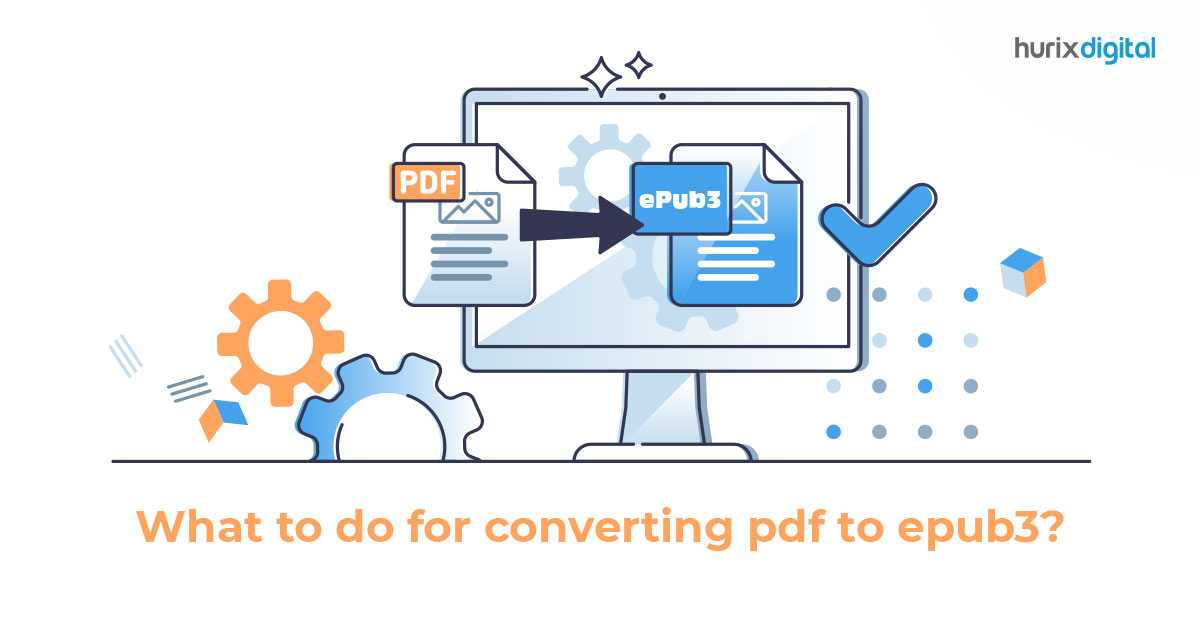
What to do for converting pdf to epub3?

[vc_row][vc_column][vc_column_text]In today’s digital age, content accessibility and interactivity are key factors for publishers looking to engage audiences and stay competitive.  One in every six books sold in 2021 was an eBook, and the numbers are only growing as eBook Readers become more user-friendly with the advancement of technology we are witnessing. While PDFs have long been the standard format for digital documents, they lack the flexibility and interactivity required for modern digital publishing. This is where ePUB3 comes in – a format that allows publishers to create rich, interactive, and accessible content that can be read on various devices. ePUB3 is widely used in eBook readers and digital reading platforms, making it highly interactive and available for a wider audience. In this blog, we’ll explore the benefits of ePUB3 and provide a comprehensive guide on converting PDFs to ePUB3, including best practices, tools, and a step-by-step guide to help you create high-quality digital content that engages and delights your readers. When Should You Convert PDF to ePUB? If you are completely new to digital reading, you may ask whether you need to convert all your materials into ePUB3. The answer is a resounding yes! There are several benefits of converting PDFs to ePUB3. While PDF or Portable Document Format is a widely used file format for reading documents and materials, an ePUB3 is a whole different ball game. Some of the reasons you should shift to ePUB3 are: 1. Accessibility PDFs are often not accessible to readers with visual or hearing impairments, while the ePUB3 format supports various accessibility features such as text-to-speech, adjustable font sizes, and alternative text for images. If accessibility is a priority, converting your PDFs to ePUB3 can make your content more inclusive and accessible to a wider audience. 2. Interactivity PDFs are static documents that offer limited interactivity and multimedia capabilities. With the ePUB3 format, you can use various multimedia elements, including audio, video, and interactive features such as quizzes, forms, and hyperlinks. If you want to add more interactivity and engagement to your content, converting your PDFs to ePUB3 can help you achieve that. 3. Device Compatibility PDFs can be challenging to read on small screens or mobile devices, and the formatting may not display correctly on different devices. Meanwhile, the ePUB3 format is designed to be responsive and can adapt to different screen sizes and orientations, making it easier to read on various devices. 4. Distribution If you plan to distribute your content through digital channels such as online bookstores, libraries, or educational platforms, the ePUB3 format is often preferred as it is a widely recognized standard for digital publishing. Best Practices for Converting PDF to ePUB3 Ready to convert your PDFs to ePUB? While you can always use ePUB conversion services to help you get the ideal output, there are a few easy tips to follow to ensure high-quality results. These include: 1. Always Clean up the Source File Before you start converting your PDF file, it’s essential to clean up the source file by removing any unnecessary elements such as headers, footers, page numbers, and hyperlinks. This will help ensure that the converted ePUB3 file is free of errors and formatting issues. 2. Preserve the Formatting When converting a PDF to ePUB3, it’s essential to preserve the original formatting as much as possible. This includes keeping the same font styles, sizes, and colors and maintaining the layout and structure of the original document. 3. Use a Conversion Tool Various tools are available for converting PDFs to ePUB3, including free and paid options. Using a reputable and reliable tool that supports the ePUB3 format and provides accurate results is recommended. Knowing which tool you are using will also help you understand the level of formatting you need to do in the source file so that the output is ideal for reading. 4. Check for Errors Despite using the best ePUB3 converters, there are still chances of errors being introduced. Therefore, after converting a PDF to ePUB3, checking the file for errors and formatting issues is important. This includes checking for broken links, missing images, or incorrect formatting. In addition, it’s recommended to use an ePUB3 validator tool to ensure that the file meets the required standards. 5. Test on Different Devices Before publishing the ePUB3 file for your readers, it’s crucial to test it on different devices to ensure that it displays correctly and is compatible with various screen sizes and orientations. How to Convert PDF to ePUB3? To convert a PDF to ePUB3, you can follow the simple process outlined below: Choose a conversion tool: Many conversion tools are available online for converting PDFs to ePUB3. Choose a reliable, easy-to-use tool with wider features to make it ideal for long-term usage. Upload the PDF file: Once you have selected your conversion tool, upload your PDF file to the tool. Some tools may require you to create an account or provide basic information. Check the settings: Before converting your file, check the conversion settings. This includes selecting the ePUB format, ensuring the output is compatible with ePUB3, and setting the font, spacing, and other formatting options. Convert the file: After setting up the conversion options, click the convert button to start the conversion process. Depending on your file size and the conversion tool you are using, this process may take some time. Check the output file: Once the conversion is complete, download the output ePUB file and open it in an ePUB3 reader or preview tool to ensure that the formatting is correct and there are no errors. You may need to adjust the formatting or layout to ensure the ePUB3 looks good on various devices. Test the file: After making the necessary changes, test the ePUB file on different devices to ensure it displays correctly and is compatible with various screen sizes and orientations. The Final Word Converting PDF to ePUB3 is essential for publishers, authors, and content creators to make their content more accessible and compatible with various devices.

Julia Suk March 14, 2023 No Comments

fixed layout vs reflowable: What’s the Difference?

[vc_row][vc_column][vc_column_text]As we move further into the digital age, eBooks have become increasingly popular. eBook sales are projected to reach $14.38 billion in 2023, making up 36% of total book sales. This makes it a sizeable market, and the increasing popularity with the push from businesses towards more digital mediums means publishers and writers should consider making their print copies available in digital formats for their customers. In the world of eBooks, there are two main formats that every author, publisher, and reader should be aware of: reflowable or fixed layout. Both of these eBook formats have their own strengths and weaknesses and are suited for different types of eBooks. However, choosing the right option can be tricky, especially for new publishers and writers. This blog post will dive deeper into the differences between these two eBook formats, their advantages and disadvantages, and which format you should choose for your next eBook project. What are Fixed Layout eBooks? Fixed layout eBooks are digital books designed to preserve the same layout as their print counterparts, with images, text, and other elements arranged in a fixed position on the page. In other words, the layout of each page is predetermined and fixed, so readers can’t adjust the font size, line spacing, or margins. These eBooks are ideal for books with complex layouts, such as children’s books, graphic novels, cookbooks, travel guides, and technical manuals, as they allow for precise placement of text, images, and other visual elements. Fixed layout eBooks have several benefits, and can be created in several formats, including EPUB, PDF, and Amazon’s KF8 format. However, it’s important to note that fixed-layout eBooks may not be compatible with all devices and platforms. They require a specific layout and may not adapt well to different screen sizes or resolutions. So, it is recommended to understand the benefits of fixed layout vs. fluid to make the correct choice. What are Reflowable eBooks? Reflowable eBooks are designed to adapt to the screen size and font size selected by the user. This means that the text, images, and other elements will reflow based on the screen size, making them a good choice for novels, non-fiction books, and other text-heavy books. In addition, reflowable eBooks are typically created in EPUB or MOBI format, and they can be read on a wide range of devices that support these formats. Reflowable eBooks are the most common type of eBooks widely used in the digital publishing industry. They are created using HTML and CSS codes, which makes them flexible and adaptable. They can be read on any device, from smartphones to tablets and e-readers. Reflowable eBooks allow the reader to change the font size, line spacing, and margin width according to their preferences, making the reading experience more comfortable and personalized. Thus, they are ideal for text-heavy books like novels, biographies, and non-fiction. Differences between Fixed Layout and Reflowable eBooks Now that we know what fixed layout and reflowable eBooks are, here is a look at the key differences between the two: 1. Layout The most obvious difference between fixed layout vs. reflowable eBooks is the layout. Fixed layout eBooks have a predetermined layout, meaning that the layout of each page cannot be changed by the reader. On the other hand, reflowable eBooks have a flexible layout that adapts to the screen size and orientation of the device being used to read the eBook. 2. Designed for a Particular Category Fixed layout eBooks are typically designed for books that have a lot of images or complex layouts, such as children’s books, cookbooks, or graphic novels. Reflowable eBooks are designed for books with a simpler layout, such as novels, non-fiction, or poetry. 3. Font Size With fixed-layout eBooks, the font size is set and cannot be changed by the reader. However, in reflowable eBooks, the reader can easily adjust the font size to fit their preferences. 4. Compatibility Fixed layout eBooks are not compatible with all devices and eReaders. They are typically designed for specific devices, such as the iPad or Kindle Fire. Reflowable eBooks are compatible with a wider range of devices and eReaders, including smartphones, tablets, and eReaders. 5. File Size Fixed layout eBooks tend to have a larger file size than reflowable eBooks. This is because fixed-layout eBooks contain images and other elements not present in reflowable eBooks. In Summary: Which One to Choose? Still not sure about which option to choose, reflowable or fixed layout? To conclude the blog, the choice between fixed layout vs. reflowable depends on the specific needs and preferences of the reader and the publisher. Fixed layout eBooks are best for content that requires precise layout and design, such as children’s books, cookbooks, and graphic novels. On the other hand, reflowable eBooks are more versatile and accessible, with the ability to adjust to different screen sizes and font sizes. Whether you’re a reader or a publisher, choosing the suitable eBook format can make all the difference in creating a successful and enjoyable reading experience. So, make sure you pick the right option, and if you need professional guidance, consider an eBook transformation partner like Hurix Digital to help you take the right steps and reach your readers effectively. Further, read about the 5 Factors to Consider While Choosing the eBook Conversion Service Provider and get started with your digital publishing journey![/vc_column_text][/vc_column][/vc_row]

Julia Suk March 13, 2023 No Comments

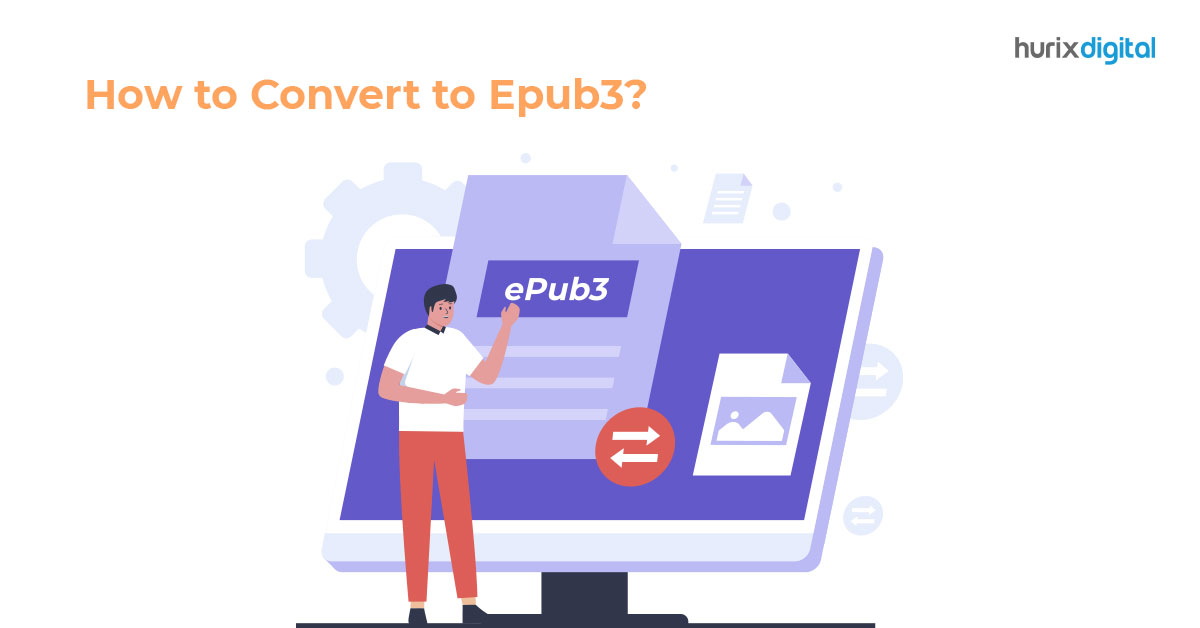
Convert To ePU3 And Turbocharge Content With Interactivity, Accessibility

[vc_row][vc_column][vc_column_text]Two important pillars of contemporary content are interactivity and accessibility. Here’s a simple example. Studies indicate that the use of Augmented Reality enables children to absorb chemistry concepts like the Periodic Table much more easily. Publishers of K12 content are looking for ways to make their existing chemistry content much more interactive.  One of the easiest ways to make content interactive is to convert to ePUB3, which allows interactive multimedia content to be easily embedded. The ePUB3 format also enables content to be made accessible. For instance, the content can be published in multiple languages. However, it is not merely educational publishers who can benefit by using the convert to ePUB3 opportunity. All brands producing content can tap this opportunity to engage consumers and other stakeholders connected to their business.  In this blog, we do a deep dive into the benefits of the ePUB3 format and how businesses can easily convert to ePUB3 using a digital publishing platform.  The Opportunity   A staggering amount of content that has already been created continues to be relevant to newer generations of consumers. This includes eTextbooks, journals, white papers, presentations, and popular fiction and non-fiction books.  Publishers and businesses with legacy content are grappling with ways to upgrade it securely and seamlessly while infusing interactivity and accessibility. Others have yet to conceive of this possibility due to the massive technological challenges. With the arrival of the ePUB or electronic publication file format, publishers can benefit by making ePUB a part of their growth strategy. Its latest version ePUB3 offers even more benefits.  While many publishers have started creating and publishing content in the ePUB3 format, there is a bigger opportunity to repurpose their existing content. They can convert to the ePUB3 format, republish, and securely distribute content using a cost-effective digital publishing platform.   Advantages of ePUB3 file Here is a snapshot of ePUB3 benefits:  ePUB3 enables reflowable text where the content automatically adapts across a wide range of devices, unlike a PDF file. However, it also allows for a fixed format, where the creators can opt for infographics and texts to remain unaltered.  ePUB3 files are much lighter than PDF and other file formats, thus consuming less bandwidth on devices and clouds.  ePUB3 enables the easy embedding of videos, audio, and other interactive multimedia elements, thus making content more engaging. It also enables the embedding of Augmented Reality (AR) and Virtual Reality (VR) to build an immersive experience.  Consumers have more power over the way they consume ePUB3 content. For instance, they can choose the font and text style with a single touch instead of accepting the default setting.   ePUB3 makes content more accessible. For example, earlier file formats struggled to power languages like Arabic, which are written from right to left. ePUB3 is a game changer, enabling publishers to capture global audiences through seamless publication in languages like Urdu and Hebrew.  Publishers of eTextbooks and STEM (Science, Technology, Engineering, and Mathematics) journals have also struggled due to poor quality of Mathematical notations such as formulae. However, the ePUB3 format enables the direct embedding of the XML-based Mathematical Markup Language, an XML-based language.  Process of Converting to ePUB3  Today, content creators and publishers can use several tools to convert to ePUB3. However, choosing the right tool is extremely important for several reasons.  For instance, the security of original content is a major concern in a world where content is continuously plagiarised and duplicated.  Professional publishers are advised to work with digital publishing software, where content security is prioritized. Digital publishing software is essential, a single, Unified platform that enables publishers to create, publish and distribute content securely.  Such software supports the ePUB3 format, both for fresh works and content that needs to be converted to ePUB3.  This is how it works: Publishers can convert content in the form of PDFs, MS Word documents, XML, hard copies, manuscripts, and scanned copies into ePUB3 files.  Users can select the files to be converted to ePUB3 formats and use the edit button to make changes.  They can add the following interactive elements: Read aloud, video and audio, HTML5 interactivities and games, and external links. Once completed, users can use the preview button to check the final output and make changes if desired.  Once satisfied with the result, they can publish the content. The last step is to distribute the content to the relevant audiences.  Benefits of Conversion with A Digital Publishing Suite  There are several ways to convert to ePUB3 formats. However, using the conversion services of a digital publishing suite comes with several advantages, as follows:  Publishers have access to superior data analytics and insights that can help them shape their business strategies going forward.  They can exercise digital rights management tools that give access to consumers with authorized access, thus bringing security to distribution and preventing revenue losses.  The usage of such a tech-enabled solution offers a streamlined publishing and distribution process. Several manual processes are automated, thus saving time, effort, and labor costs.  The Takeaway  A 2013 study indicated that accessibility would increasingly become an influencing factor concerning publishers of content to increase reach. Ten years later, we are seeing this transition playing out in online content, and innovations such as ePUB3 will play a major role in this journey.  Businesses that engage extensively through content must consider making investments in software that enables the revamp of content to make it interactive and accessible.  It is advisable to partner with a digital specialist who can understand your needs and customize solutions to help convert to ePUB3 seamlessly at scale.  Early investments can help businesses increase market share by reaching a wider audience. They can appeal to newer generations of consumers and smash other existing access barriers.  If your business is looking to convert to raise the interactivity and accessibility of your content, check out Hurix Digital. Our platform is geared to support you in meeting all your company’s content reimagination needs. Our state-of-the-art digital publishing platform is available as a licensed version (one-time

Julia Suk March 13, 2023 No Comments

What are Prepress Editorial Services?

[vc_row][vc_column][vc_column_text]The traditional publishing process is a complex and cumbersome one. Over the years, technology has revolutionized the workflow by automating several processes. However, the demands of content creation have significantly evolved due to various consumer shifts.  For instance, K12 education learners are tilting more towards interactive eBooks. K12 publishers will need to upgrade their strategies to keep pace with this trend. For instance, they may need to revamp all existing content and reimagine how the etextbooks of the future are conceived and published.  One way to free up more bandwidth and drive results is to outsource the entire editorial function. Businesses can leverage prepress editorial services by specialists with extensive experience in marrying technological innovation with a deep understanding of the editorial process.  In this blog, we delve into the upcoming market challenges and how companies can benefit through prepress editorial services.  Key Prepress Challenges in The Market Today, specific types of publishers, such as those producing books, journals, textbooks, and periodicals, are facing a host of challenges, as follows:  A massive amount of existing content needs to be upgraded to make it interactive and stay relevant. However, publishers may not have the taken able solutions to infuse interactivity into their products.  Publishers are looking to make their content more relevant to a wider demographic, including senior consumers, those with mobility and learning limitations, and consumers facing language barriers.  Prepress editorial processes can also be manual in nature and hence, be time-consuming. Editorial teams may not have the know-how to leverage technology to expedite processes and produce error-free, optimized digital content at scale. This is where the support of specialist prepress editorial services can help publishers bring efficiency and cost-effectiveness to their operations via a tech-enabled and outcome-focused solution to the table.  What Are Prepress Processes?  Publishers are continuously looking to simplify the workflow in their production operations. They can significantly do so by leveraging prepress editorial services.  These services cover a spectrum of tasks and responsibilities associated with content production before it is ready for publishing.  The shift to digital content has triggered the evolution of digital prepress, which is replacing the traditional ways of producing pages for printing. Here is a snapshot of the main key prepress tasks:   Copyediting ensures that the content is presented in an accurate, engaging, and optimized manner.   Typesetting comprises designing layouts using various design applications. It also includes touching up images and finalizing them.   Proofreading is a necessary step to ensure an error-free copy. Aspects like formatting and other types of errors are also corrected.  The text needs to be digitally structured for the final presentation using a text-coding system called display. This is done using Markup language, which is a means to give instructions about the layout of how the text of the document or book will be displayed. Publishers need to ensure that all data meets the printer’s requirements. For instance, high-resolution PDFs are required to produce high-quality print copies.  Outsourcing Prepress Editorial Services  Today, publishers can outsource the entire prepress editorial operations to a specialist. Publishers can outsource workflow as a whole or some aspects of it. Here is a rundown of popular prepress editorial services: Full-service project management: This entails the complete end-to-end management of a project, covering all aspects of the prepress editorial services.  Pre-editing and copy editing services for eBooks, including formatting, cleaning up, hyperlinking, styling, and indexing of content Backend XML conversion services that enable conversion of eBooks existing with multiple DTDs (Document Type Definition) and schemes with utilities developed for the project  Artwork and designs, which entails adding illustrations and edited images to the final pages before publishing  Typesetting by using relevant design software to design superior layouts for the content  How to Choose a Specialist  There are several stakeholders involved in the publishing of eBooks and other formats of content, including authors, production teams, and consumer lists.  Manual coordination takes up an extensive amount of time, reducing efficiency. Specialists who offer prepress editorial services understand these challenges and leverage tech-enabled, automated solutions to streamline all aspects of the process.  Their team brings a mix of editorial, design, publishing skills, and tech-savviness to help customize solutions.  Impact of Outsourcing Prepress Tasks Here is a snapshot of the potential impact:  Reduction of manual processes, which take up the extensive time of publishing teams. By outsourcing these functions, a team member can instead understand their markets and be more invested in content development and business strategy. The use of technology brings down costs and saves time.  Another key outcome is the superior quality of content, which is produced to enhance the readability of content. Better layouts, high-quality images, and placement of text are s key deliverables.  With interactive eBooks becoming more popular, publishers can bring out embedded videos, animation, audio, and hyperlinks, to improve engagement. This is a valuable enhancement across all kinds of books, from travel stories to children’s books and science textbooks.  The Takeaway  The benefit of outsourcing prepress editorial services is that publishers have a lot of flexibility to decide how much to outsource and how much to keep in-house. Your prepress partner will work collaboratively to value-add to the process and keep pace with digital content trends. However, your chosen partner offering prepress editorial services must not merely be an editorial process specialist. They must essentially be an innovative technology company that brings tech-enabled solutions to the table.  Such a partnership ensures that all the tech and editorial gaps are plugged in. This will be an ongoing journey because consumers will keep involved, and publishers will need to keep evolving.  If your business is looking to revamp its prepress services, Hurix Digital is geared to support you in meeting all your company’s content creation needs. Our state-of-the-art digital publishing platform is available as a licensed version (one-time buy) and via a subscription model. Get in touch with us to start a conversation. [/vc_column_text][/vc_column][/vc_row]

Julia Suk March 13, 2023 No Comments

Which is the Best Corporate Training Platform in 2023?

[vc_row][vc_column][vc_column_text]If you’re working in the corporate world, you probably understand how essential it is to have a team that’s knowledgeable and skilled in its roles. And that’s where corporate training comes in. With the constant changes in technology, market trends, and customer demands, companies need to invest in continuous learning to stay ahead of the game. By providing their employees with regular corporate training, businesses can improve their productivity, enhance customer satisfaction, and ultimately increase their bottom line. With the rise of online learning platforms, companies can access a wide range of tools and resources to enhance their corporate training programs. One of the leading players in this field is Hurix, which provides a comprehensive suite of solutions to meet the corporate training needs of businesses across different industries. Read on to discover why Hurix is the best corporate training platform in the market.  1. Customizable Solutions One of the biggest reasons Hurix is the best corporate training platform available is its ability to customize your training solutions to fit your specific business needs. Hurix offers a range of solutions, including eLearning, mobile learning, and blended learning, that can be tailored to meet your organization’s unique requirements. We have a team of experts who design and develop training programs for various industries, including healthcare, finance, technology, and retail. These experts ensure that the training programs are up-to-date with the latest industry trends and best practices. Therefore, your employees receive high-quality training that is relevant to their job roles with Hurix. 2. User-Friendly Interface Another significant advantage of Hurix as your corporate training platform is its user-friendly interface. The platform is designed to be intuitive and easy to use, even for those who are not tech-savvy. This makes it easy for employees to access training materials and complete their courses without being overwhelmed by complicated navigation or confusing interfaces. 3. Robust Analytics and Reporting Hurix offers powerful analytics and reporting tools that allow you to track your employees’ progress and measure the effectiveness of your corporate training programs. This data can be used to identify areas of improvement, track employee performance, and evaluate the impact of your training initiatives on the overall business outcomes. Additionally, Hurix’s platform allows organizations to provide personalized feedback to their employees, which can enhance their learning experience. For this reason, Hurix is the best corporate training platform you can leverage in 2023. 4. Engaging Content One of the key factors that make Hurix stand out from its competitors is its engaging and interactive e-learning content. The platform offers a wide range of multimedia content, including videos, animations, simulations, and gamification elements, that make the learning experience more engaging and enjoyable for employees. This, in turn, leads to higher retention rates and better learning outcomes. 5. Multi-Language Support Hurix is the best corporate training platform that supports multiple languages, making it an ideal choice for companies operating in different regions. The platform offers support for more than 20 languages, ensuring that employees can access training materials in their preferred language, which can improve engagement and comprehension. 6. Personalized Learning Paths With Hurix, you can create personalized learning paths for each employee based on their job role, skill level, and learning preferences. This ensures that employees receive relevant and effective training for their specific needs, which can lead to better learning outcomes and improved job performance. Listed below are other advantages of creating personalized learning paths: Higher achievement: Research has shown that personalized learning paths can lead to higher achievement levels, as learners are more likely to master the material when it is presented in a way that matches their individual needs.  Flexibility: Personalized learning paths allow learners to work at their own pace and on their own schedule, which can help them to better balance their training and job-related commitments.  Better collaboration: Personalized learning paths can also promote collaboration between peers, as they can work together to achieve common goals and share their knowledge and skills with one another.  With so many benefits, it makes sense to choose Hurix for creating personalized learning paths effortlessly.  7. Strong Customer Support Hurix offers excellent customer support, with a team of experts who are available 24/7 to answer any questions or concerns you may have. The platform also provides comprehensive documentation, tutorials, and training resources to help you get the most out of your corporate training program. This level of support ensures that organizations can maximize the value of their training programs and minimize any disruptions to their business operations. 8. Secure  Hurix’s platform is highly secure, ensuring your confidential information remains safe. The platform complies with industry standards and regulations, such as GDPR and HIPAA, so that your data is protected at all times. This level of security is critical for organizations that deal with sensitive information, such as healthcare and finance. 9. Highly Scalable There is another reason why Hurix is the best corporate training platform in 2023. Whether an organization has ten employees or ten thousand, Hurix’s platform can provide training solutions tailored to their needs. This scalability also means that organizations can expand their training programs as their business grows without worrying about outgrowing the platform. 10. Integration Hurix’s platform integrates easily with other enterprise software, such as learning management systems (LMS), human resource management systems (HRMS), and customer relationship management (CRM) systems. This integration allows organizations to streamline their training programs and synchronizes training data across all systems. Moreover, this feature reduces the administrative burden of managing multiple systems and ensures that training programs are aligned with an organization’s overall goals. Conclusion Hurix is the best corporate training platform for organizations looking to enhance the skills and productivity of their employees. The comprehensive suite of training solutions designed by subject matter experts, user-friendly platform, real-time analytics and reporting, scalability, security, and exceptional customer support make it stand out from its competitors. Choose Hurix to ensure your employees receive high-quality training that is tailored to their specific needs, leading to better learning outcomes and improved

Julia Suk March 12, 2023 No Comments

What is Workflow Automation?

[vc_row][vc_column][vc_column_text]In today’s fast-paced world, time is a precious commodity. With so much to do and so little time to do it, it’s no wonder that people are turning to technology to help them work more efficiently. One of the most popular ways to do this is through workflow automation. It is the process of using technology to automate repetitive tasks and processes, freeing up time and resources for more important work. From processing invoices to onboarding new employees, workflow automation can be applied to a wide variety of tasks across different industries. Whether you’re a business owner looking to streamline your operations or an employee looking to work more efficiently, workflow automation is a topic that’s worth exploring. So, let’s dive in! Understanding Workflow Automation First things first, what defines a workflow? A workflow is a sequence of tasks that are performed in a specific order to achieve a particular goal. Workflows are used in a wide range of industries and can be simple or complex. For example, a simple workflow might involve a salesperson sending an email to a customer to follow up on a purchase. A more complex workflow might involve multiple departments in a company working together to complete a project. Workflow automation refers to the use of technology to automate these workflows. This can involve using software to automate tasks, using artificial intelligence (AI) to make decisions, or using robots to perform tasks. Benefits of Workflow Automation Here are some of the advantages you can expect by implementing workflow automation: Save time: Automating repetitive and manual tasks can free up time for more important activities, such as strategic planning and customer engagement. This can lead to increased productivity and efficiency. Reduce errors: With automation, you can eliminate human errors and ensure that tasks are completed consistently and accurately every time. This can improve the quality of your work and reduce the need for rework. Increase transparency: By automating your workflows, you can gain visibility into your processes and track the progress of tasks in real-time. It helps you pinpoint bottlenecks in your processes. Improve collaboration: Automation can facilitate better collaboration among team members by providing a centralized platform for communication and task management. This can lead to better coordination and faster decision-making. Enhance customer satisfaction: By streamlining your workflows and reducing turnaround time, you can provide faster and more efficient service to your customers. This can result in higher customer satisfaction and loyalty. Reduce costs: Workflow automation can help you reduce costs by eliminating the need for manual labor, reducing errors, and optimizing your processes. This can help you improve your bottom line and invest in other areas of your business. Workflow Automation Technologies There are a variety of workflow automation technologies available on the market today, each with its own unique strengths and features. Here are some of the leading workflow automation technologies you can leverage for your organization: 1. Robotic Process Automation (RPA) RPA is a type of automation technology that allows you to automate routine and repetitive tasks using software robots. Essentially, RPA robots are virtual workers that can perform tasks just like a human would, but faster and more accurately. So, how does it work? RPA robots use software to interact with the user interface (UI) of other applications, just like a human would. They can perform tasks such as data entry, form filling, and report generation. By automating these tasks, RPA can help you improve efficiency, accuracy, and speed while reducing costs and errors. 2. Business Process Management (BPM) BPM is a technology that allows you to model, automate, and optimize your business processes. It involves creating a visual representation of your business processes, which helps you identify any inefficiencies or bottlenecks. Once you’ve identified areas for improvement, you can use BPM software to automate those processes and make them more efficient. One of the great things about BPM is that it’s highly customizable. You can tailor your BPM software to your specific business needs, so you can automate the processes that matter most to you. 3. Artificial Intelligence AI helps you to automate decision-making processes by using algorithms and machine learning models. This technology lets you improve the accuracy and speed of decision-making, reduce errors, and enhance the customer experience. 4. Low-Code and No-Code Platforms These platforms allow you to build custom workflows and applications without the need for extensive programming knowledge. Low-code and no-code platforms can help you reduce development time and costs and improve the flexibility and scalability of your workflows. Use Cases of Workflow Automation Workflow automation has a wide range of applications that can benefit many different industries and organizations. Here are a few examples: Finance and Accounting: Workflow automation can be used to automate tasks such as invoice processing, accounts payable/receivable, and financial reporting.  Human Resources: With workflow automation, you can streamline HR tasks such as employee onboarding, performance evaluations, and benefits enrollment. By automating these tasks, you can free up time for more strategic activities. Healthcare: Workflow automation is extensively used in the healthcare industry to automate tasks such as patient intake, appointment scheduling, and medical record processing. By streamlining these tasks, healthcare facilities can improve patient care, reduce wait times, and improve the accuracy of medical records. Marketing and Sales: Activities such as lead generation, email marketing, and customer segmentation all require the use of workflow automation.  Manufacturing and Logistics: In this industry, businesses leverage automation to streamline activities such as order processing, inventory management, and shipping. Conclusion Workflow automation is an incredible tool for improving efficiency and reducing costs in your business operations. Whether you’re looking to streamline your finance and accounting processes, automate your HR tasks, or enhance your customer experience, workflow automation can help. By implementing the right tools and strategies in place, you can achieve your business goals faster than ever before. With our expert guidance and support, you can unlock the full potential of automation and transform your business for success. Don’t wait – contact Hurix today

Julia Suk March 12, 2023 No Comments

Top 10 E-learning Methods for Training WFH Employees in 2023

[vc_row][vc_column][vc_column_text]As the workforce becomes increasingly remote, ensuring that your team has access to high-quality training and development opportunities is more important than ever. With the right e-learning methods, you can provide your WFH employees with the skills and knowledge they need to be productive and engaged, no matter where they are located. In this article, we’ll explore the top X e-learning methods for training WFH employees in 2023. 1. Interactive Modules Interactive e-learning modules are a great way to engage remote employees and ensure they actively participate in the training process. These modules often include quizzes, games, and other interactive elements that keep learners engaged and help them retain information. They can be accessed from anywhere as long as there is an internet connection, making them ideal for remote teams. Interactive modules are especially useful for training on topics that require a lot of memorization or repetition, such as compliance training or product knowledge. By incorporating quizzes and other interactive elements, you can ensure that your WFH employees are retaining the information they need to succeed. 2. Microlearning It involves breaking down training materials into small, bite-sized pieces that learners can easily consume. This approach is ideal for training WFH employees with limited time or attention spans. By delivering information in short bursts, you can help employees stay engaged and avoid information overload. Microlearning can take many forms, including videos, podcasts, and infographics. The key is to keep each piece of content short and focused on a single topic or concept. This approach can be especially effective for onboarding new employees or introducing them to new products or services. 3. Virtual Simulations Virtual simulations are a powerful e-learning tool that allows learners to practice real-world skills in a safe, controlled environment. They can be especially useful for training WFH employees who may not have access to hands-on training opportunities. Virtual simulations can be used to teach a wide range of skills, from customer service to complex technical tasks. By immersing learners in a virtual environment, you can help them develop critical thinking skills and problem-solving abilities. This method is especially effective when combined with interactive elements such as quizzes and challenges. 4. Gamification Did you know that by implementing gamification, it is possible to boost company productivity by up to 50% and increase employee engagement by 60%? It can be especially effective for training WFH employees who may be struggling to stay motivated in a remote work environment. Gamification can take many forms, including leaderboards, badges, and rewards. By incorporating these elements into e-learning materials, you can encourage learners to stay engaged throughout the training process. This approach can be particularly beneficial for training soft skills such as communication or teamwork. 5. Mobile Learning Mobile learning involves delivering training materials to learners’ mobile devices, such as smartphones and tablets. This e-learning method is ideal for WFH employees who may be on the go or working from multiple locations. Mobile learning can take many forms, including apps, mobile-optimized websites, and messaging platforms. It ensures that learners have access to the information they need, regardless of location. 6. Social Learning In a recent study, a significant proportion of learners (84.6%) expressed their preference for social learning tools as they found them to be effective in improving the teaching-learning process. Social learning refers to the use of social media platforms and other collaborative tools to facilitate learning and knowledge-sharing. This e-learning approach is excellent for training WFH employees who may be feeling isolated or disconnected from their colleagues. Social learning can take many forms, including discussion forums, peer-to-peer mentoring, and online communities. By encouraging learners to collaborate and share their knowledge, you can create a culture of continuous learning and development within your remote team. 7. Personalized Learning It entails tailoring training materials to the unique needs and preferences of individual learners. This technique is ideal for training WFH employees with different learning styles or requiring additional support to complete a complex course. Personalized learning can take many forms, including self-paced courses, adaptive assessments, and one-on-one coaching. By understanding the unique needs of each learner, you can create training materials that are customized to their individual strengths and weaknesses. 8. Augmented Reality (AR) and Virtual Reality (VR) AR and VR are cutting-edge e-learning technologies that can help bring training materials to life. AR involves overlaying digital information in the real world. On the other hand, VR involves creating a virtual environment that is fully immersive. AR and VR can be used to teach a wide range of skills, from product assembly to hazardous material handling. By immersing learners in a realistic and interactive environment, you can help them develop critical thinking and decision-making skills. 9. Peer-to-Peer Learning It involves creating opportunities for employees to learn from their colleagues. Peer-to-peer learning is ideal for WFH employees who may feel disconnected from their team or benefit from additional support and mentorship. Peer-to-peer learning can take many forms, including group projects, cross-functional teams, and mentorship programs. By encouraging employees to learn from one another, you can create a culture of continuous learning and development within your remote team. This approach can be highly useful for training WFH employees on soft skills such as leadership or communication. 10. Personal Development Plans These are highly customized plans for each employee to help them achieve their professional goals. Personal development plans are ideal for WFH employees who may be looking for additional support and guidance to advance their careers. They can be created in collaboration with the employee’s manager and may include training opportunities, stretch assignments, and coaching. By helping employees identify their goals and providing them with the resources they need to achieve them, you can foster a culture of continuous growth and development within your remote team. Conclusion There are many e-learning methods available that can help train and develop WFH employees in 2023. Whatever strategy you choose, the key is to offer a training program that is tailored to the unique needs and preferences of