
Blog

Hurix April 20, 2023 No Comments

How to Implement Microlearning in Corporate Training

[vc_row][vc_column][vc_column_text]Table of Contents: Introduction 7 Advantages of Implementing Microlearning How to Implement Microlearning Into Your Learning and Training Strategy? 5 steps to implement microlearning into Your Learning and Training Strategy Conclusion   What is Microlearning? Microlearning is a way of imparting knowledge in small and very specific nuggets or micro bites. Microlearning breaks down content into small digestible bites and each bite is complete in itself, with complete information about a particular concept. Microlearning is already redefining the educational landscape. As of today, the very concept of a classroom, i.e., learning at a specific time and place, is changing. The role of the educator too is evolving from simply being an agent of information to a facilitator in an individual’s personalized learning journey. In this context, it is safe to say that microlearning is the future of training and learning. Instead of tying learning to a rigid structure, microlearning is ensuring that the content is contextual, real-time, and available for consumption at the time when a learner needs it.[/vc_column_text][vc_custom_heading text=”7 Advantages of Implementing Microlearning in Corporate Training:” font_container=”tag:h2|font_size:20|text_align:left” google_fonts=”font_family:Lato%3A100%2C100italic%2C300%2C300italic%2Cregular%2Citalic%2C700%2C700italic%2C900%2C900italic|font_style:900%20bold%20regular%3A900%3Anormal” css=”.vc_custom_1681996848938{margin-top: 0px !important;margin-bottom: 0px !important;border-top-width: 0px !important;border-bottom-width: 0px !important;padding-top: 0px !important;padding-bottom: 10px !important;}” el_id=”advantages”][vc_custom_heading text=”1. Addressing the Challenges of Limited Attention Span:” font_container=”tag:h3|font_size:16|text_align:left” google_fonts=”font_family:Lato%3A100%2C100italic%2C300%2C300italic%2Cregular%2Citalic%2C700%2C700italic%2C900%2C900italic|font_style:900%20bold%20regular%3A900%3Anormal” css=”.vc_custom_1681996429525{margin-top: 0px !important;margin-bottom: 0px !important;border-top-width: 0px !important;border-bottom-width: 0px !important;padding-top: 0px !important;padding-bottom: 10px !important;}”][vc_column_text]Microlearning is based on the 90/20/8 rule which states that people are more alert during the first 8 minutes of their learning after which their attention begins to wane. After 20 minutes, it undergoes a notable dip, and on reaching the 60-120 minute range, the alertness level slips completely. A microlearning nugget is usually within a 3 to 5 minutes window, which means that learners can effectively understand and retain their learning.[/vc_column_text][vc_custom_heading text=”2. Addressing the Challenges of Limited Time Span:” font_container=”tag:h3|font_size:16|text_align:left” google_fonts=”font_family:Lato%3A100%2C100italic%2C300%2C300italic%2Cregular%2Citalic%2C700%2C700italic%2C900%2C900italic|font_style:900%20bold%20regular%3A900%3Anormal” css=”.vc_custom_1681996439777{margin-top: 0px !important;margin-bottom: 0px !important;border-top-width: 0px !important;border-bottom-width: 0px !important;padding-top: 0px !important;padding-bottom: 10px !important;}”][vc_column_text]It is generally observed that learners can only put aside 1% of their time to training and development. This builds the case for an organization to provide training information in small bites that are available for consumption anytime, anywhere and not restricted to physical classrooms.[/vc_column_text][vc_custom_heading text=”3. Addressing the Challenges of the Forgetting Curve:” font_container=”tag:h3|font_size:16|text_align:left” google_fonts=”font_family:Lato%3A100%2C100italic%2C300%2C300italic%2Cregular%2Citalic%2C700%2C700italic%2C900%2C900italic|font_style:900%20bold%20regular%3A900%3Anormal” css=”.vc_custom_1681996450476{margin-top: 0px !important;margin-bottom: 0px !important;border-top-width: 0px !important;border-bottom-width: 0px !important;padding-top: 0px !important;padding-bottom: 10px !important;}”][vc_column_text]According to the theory of the forgetting curve, learners tend to forget nearly 80% of what they have learnt within 30 days if there is no reinforcement to the learning. Microlearning helps to negate the challenge of the forgetting curve as small, concept-specific nuggets can be used to reinforce formal learning for better retention.[/vc_column_text][vc_custom_heading text=”4. Addressing Specific Learner Needs:” font_container=”tag:h3|font_size:16|text_align:left” google_fonts=”font_family:Lato%3A100%2C100italic%2C300%2C300italic%2Cregular%2Citalic%2C700%2C700italic%2C900%2C900italic|font_style:900%20bold%20regular%3A900%3Anormal” css=”.vc_custom_1681996458880{margin-top: 0px !important;margin-bottom: 0px !important;border-top-width: 0px !important;border-bottom-width: 0px !important;padding-top: 0px !important;padding-bottom: 10px !important;}”][vc_column_text]Microlearning is not just breaking an 8-hour training module into small nuggets to be consumed by learners at their own pace; in fact, each micro bite is designed to address a specific problem, or a definite learner need. Each nugget is kept as crisp as possible while ensuring that it adequately covers a specific learning objective and is easily available to the learners just-in-time. Besides, the microlearning experience is action-oriented, enabling the learners to practice what they are learning in rich media formats.[/vc_column_text][vc_custom_heading text=”5. Empowering Learners:” font_container=”tag:h3|font_size:16|text_align:left” google_fonts=”font_family:Lato%3A100%2C100italic%2C300%2C300italic%2Cregular%2Citalic%2C700%2C700italic%2C900%2C900italic|font_style:900%20bold%20regular%3A900%3Anormal” css=”.vc_custom_1681996467356{margin-top: 0px !important;margin-bottom: 0px !important;border-top-width: 0px !important;border-bottom-width: 0px !important;padding-top: 0px !important;padding-bottom: 10px !important;}”][vc_column_text]Microlearning empowers learners in the following ways: Flexibility: Learners have the flexibility to learn at their own pace on the device of their choice, be it a smartphone or a Besides, they don’t have to log on to their learning management system to access the nugget Learner-centric: These micro bites can be embedded in the learning path in a flexible way, which means that they can learn what they want, at their own pace, and on a device of their choice. These bites also address specific learner styles of end-users and so add an element of personalization to the learning Just-in-time: Microlearning makes for great performance support tools as the micro nuggets are available to the users when they need the information Less Time Consuming: Since these nuggets can be completed quickly, they are more effective and beneficial to the learners Facilitating Innovation: Mobile devices are opening new frontiers of knowledge. Rather than depending on educators, learners are now taking upon themselves to find solutions to their own problems. As the learning journey gets more personalized, people will be more motivated to experiment, innovate, address challenges and suggest strategies for success. [/vc_column_text][vc_custom_heading text=”6. Benefitting from Digital Networks:” font_container=”tag:h3|font_size:16|text_align:left” google_fonts=”font_family:Lato%3A100%2C100italic%2C300%2C300italic%2Cregular%2Citalic%2C700%2C700italic%2C900%2C900italic|font_style:900%20bold%20regular%3A900%3Anormal” css=”.vc_custom_1681996475643{margin-top: 0px !important;margin-bottom: 0px !important;border-top-width: 0px !important;border-bottom-width: 0px !important;padding-top: 0px !important;padding-bottom: 10px !important;}”][vc_column_text]Mobile technology enables learners to connect on various digital networks, platforms, and content resources, thus connecting learners with learning communities across geographies. Thus, micro-learning opens up new vistas of knowledge-sharing, enabling learners to gain worldwide perspectives.[/vc_column_text][vc_custom_heading text=”7. Accessing Real-time Experiences:” font_container=”tag:h3|font_size:16|text_align:left” google_fonts=”font_family:Lato%3A100%2C100italic%2C300%2C300italic%2Cregular%2Citalic%2C700%2C700italic%2C900%2C900italic|font_style:900%20bold%20regular%3A900%3Anormal” css=”.vc_custom_1681996484313{margin-top: 0px !important;margin-bottom: 0px !important;border-top-width: 0px !important;border-bottom-width: 0px !important;padding-top: 0px !important;padding-bottom: 10px !important;}”][vc_column_text]Augmented reality is the new buzzword in training and development. AR uses the real environment and superimposes new computer-generated information to create an enhanced version of what one sees, hears, feels, and smells. Mobile technology enables learners to look at an augmented world through their phone cameras and gain a real-world perspective of the subject under study. To illustrate with an example, several e-commerce sites have their catalog apps that allow you to use your smartphone to zoom in the products and view them in a simulated environment.[/vc_column_text][vc_custom_heading text=”How to Implement Microlearning Into Your Learning and Training Strategy:” font_container=”tag:h2|font_size:20|text_align:left” google_fonts=”font_family:Lato%3A100%2C100italic%2C300%2C300italic%2Cregular%2Citalic%2C700%2C700italic%2C900%2C900italic|font_style:900%20bold%20regular%3A900%3Anormal” css=”.vc_custom_1681996500047{margin-top: 0px !important;margin-bottom: 0px !important;border-top-width: 0px !important;border-bottom-width: 0px !important;padding-top: 0px !important;padding-bottom: 10px !important;}” el_id=”how”][vc_column_text]Microlearning, if properly implemented, can result in improved knowledge retention and reduced cost. Besides, it is compatible with mobile learning, enabling learners to access training while on the move.[/vc_column_text][vc_custom_heading text=”Here are 5 Steps to Implement Microlearning into Your Learning and Training strategy:” font_container=”tag:h2|font_size:18|text_align:left” google_fonts=”font_family:Lato%3A100%2C100italic%2C300%2C300italic%2Cregular%2Citalic%2C700%2C700italic%2C900%2C900italic|font_style:900%20bold%20regular%3A900%3Anormal” css=”.vc_custom_1681996529208{margin-top: 0px !important;margin-bottom: 0px !important;border-top-width: 0px !important;border-bottom-width: 0px !important;padding-top: 0px !important;padding-bottom: 10px !important;}” el_id=”steps”][vc_custom_heading text=”1. Develop Your Training Goals:” font_container=”tag:h3|font_size:16|text_align:left” google_fonts=”font_family:Lato%3A100%2C100italic%2C300%2C300italic%2Cregular%2Citalic%2C700%2C700italic%2C900%2C900italic|font_style:900%20bold%20regular%3A900%3Anormal” css=”.vc_custom_1681996541437{margin-top: 0px !important;margin-bottom: 0px !important;border-top-width: 0px !important;border-bottom-width: 0px !important;padding-top: 0px !important;padding-bottom: 10px !important;}”][vc_column_text]Invest time to first identify and plan the outcomes
Hurix April 20, 2023 No Comments

Everything You Must Know Before Selecting Gamification Services

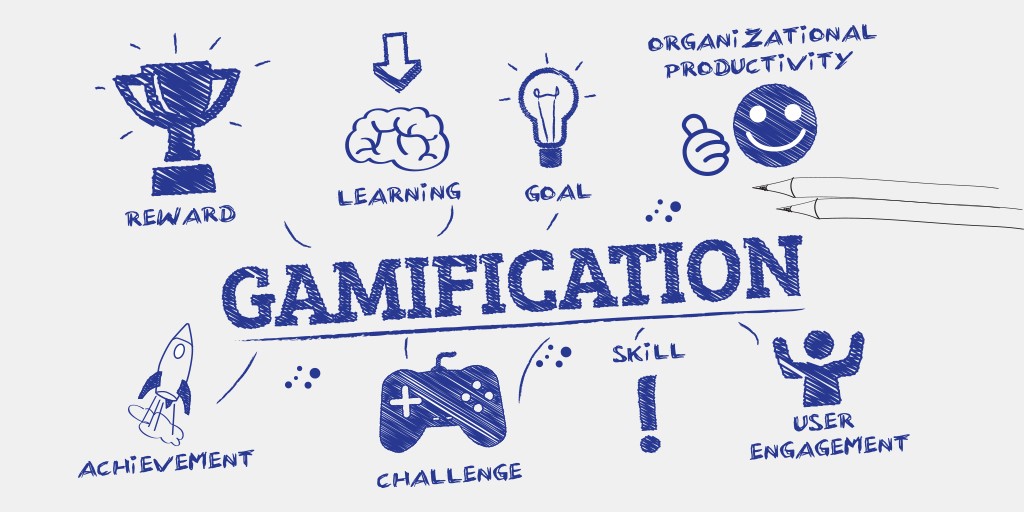
[vc_row][vc_column][vc_column_text]Gamification and games are not the same things – while games are for fun and recreation, gamification refers to an instructional strategy with the aim to increase engagement, motivation, and participation. Gamification integrates game strategies such as point scoring, competition features, rules of play, etc., to an already existing website, enterprise application or an online community. An integral element of any learning or training program, gamification helps to simplify learning and make it more immersive and interactive through active participation and observation. Going further, gamification is more than learning through competition and challenges – it is about bringing about behavioral changes more effectively and ensuring long-term engagement. For learners, to bring about behavioral changes, they need to practice their skills, and this is where the role of gamification assumes importance. Gamification principles include challenges and rewards, competitions, personalization and levels, which prompt people to get hooked and always come back for more. According to a report by Mordor Intelligence the global gamification services market was valued at USD 5.5 billion in 2018. It is estimated to see a CAGR of 30.31% over the forecast period (2019-2024) on the back of an exponential rise in the number of smartphones and mobile devices. Game-based learning when done right, can take training and learning to the next level, from gaining basic knowledge to the application of critical thinking and more accurate decision-making. For best outcomes, organizations must ensure that gamification in enterprise learning goes beyond the fun element and is relevant to the skills of employees that they wish to upgrade.[/vc_column_text][vc_custom_heading text=”Gamification in Enterprise Training” font_container=”tag:h2|font_size:18|text_align:left” google_fonts=”font_family:Lato%3A100%2C100italic%2C300%2C300italic%2Cregular%2Citalic%2C700%2C700italic%2C900%2C900italic|font_style:900%20bold%20regular%3A900%3Anormal” css=”.vc_custom_1681996012583{margin-top: 0px !important;margin-bottom: 0px !important;border-top-width: 0px !important;border-bottom-width: 0px !important;padding-top: 0px !important;padding-bottom: 10px !important;}”][vc_column_text]Gamification training can be of two types: Gamification in a course, implying that it is a one-time event; and gamification in a curriculum, which means that gamification elements are added into the full curriculum.[/vc_column_text][vc_custom_heading text=”While gamification is the way forward in enterprise training, here are some things you need to know before using it to train your workforce and selecting gamification services:” font_container=”tag:h2|font_size:18|text_align:left” google_fonts=”font_family:Lato%3A100%2C100italic%2C300%2C300italic%2Cregular%2Citalic%2C700%2C700italic%2C900%2C900italic|font_style:900%20bold%20regular%3A900%3Anormal” css=”.vc_custom_1555508318456{margin-top: 0px !important;margin-bottom: 0px !important;border-top-width: 0px !important;border-bottom-width: 0px !important;padding-top: 0px !important;padding-bottom: 10px !important;}”][vc_column_text] Gamification is Not a Game: As stated above, gamification is not just a video game at work, rather, it is the use of game mechanics to induce certain behaviors. Humans possess the tendency to alter and influence behavior while playing games, receiving rewards, etc. Gamification harnesses this tendency to influence one’s own thinking and become effective problem-solvers in the real world. Building Empathy: Good gamification practices are not just about good design; rather they focus on encouraging empathy between team players. The main purpose of game-based learning is not to engage learners through games that are over-competitive or manipulative but to encourage empathy and create an experience that helps them to gain a sense of mastery and retain autonomy at work while maintaining their well-being and healthy relationships with their team members. While designing games for your enterprise training, it is important to ask what is in it for your employees. Good gamification implies that each employee is the hero of the game and is never belittled by over-emphasizing peer performance in fierce competitions. Providing an Engaging Experience: Gamification makes learning more meaningful by breaking down concepts into bite-sized chunks or micro-nuggets. In a world of endless diversions and dwindling attention spans, publishers, trainers, and educators can make learning more engaging by designing content in small and very specific nuggets or micro bites. A microlearning nugget is usually within a 3 to 5 minutes window since in this time window learners are more alert, more engaged, and therefore more likely to show interest and retain their learning. Games help to cut training into small sessions, allowing learners to respond positively. Besides, they can be personalized to offer to learn to employees in areas where they are not performing well. Driving Intrinsic Motivation: Research shows that when it comes to performance, employees are more motivated by job satisfaction than high cash rewards. In other words, intrinsic motivation matters more than extrinsic motivation. As mentioned above, gamification is more about influencing human behavior.  It is important to define the rules of the game to ensure that gamification activities meet organizational goals. In 2012, Gartner had predicted that 80% of gamification projects would fail to reach business objectives primarily due to poor design. While implementing gamification in enterprise training, it is important to define and implement the rules to enjoy meaningful enterprise gamification. Changing Organizational Culture: Gamification in enterprise training sets goals for the employees, and these goals can be tied to corporate goals. When employees see their performance in games they know it is objective and fair. So, gamification results in greater transparency, thus, changing the culture and the way performance is viewed and managed. Instead of waiting till end of the year review, employees can see their performance in real-time, allowing them to course-correct, thus, benefiting themselves and the organization. Gaming Versus Traditional Learning: Game-based learning is unique in the sense that it involves a higher level of customization, and participants can learn at their own pace, with ample time for practice and feedback. Learning involves both individual learning and team learning, and an instructor is or can also be present to solve problems that students don’t comprehend. Collaborating with The Team: Since gamification involves a real-world situation, the entire team can collaborate in the learning environment, brainstorm on the possible outcomes and share their ideas to overcome the sales problems. Reducing Chances of Failure in The Real World: Game-based learning resembles the real marketplace, which means that the company benefits by allowing its employees to make and learn from their mistakes in the virtual world, rather than making them in actual situations and costing it dearly in terms of money and reputation. Employees trained extensively through gamification avoid traps and pick up crucial tips and are less likely to fail in the real world. Higher Receptivity to Learning:  Game-based learning is multi-sensory learning which greatly enhances a learner’s ability to grasp and retain concepts. Employees can learn new

Hurix April 20, 2023 No Comments

7 Factors to Consider While Choosing An Online Course Development Partner

[vc_row][vc_column][vc_column_text]The rapid rise of online learning technology in the last decade has created opportunities for higher education institutions to take advantage of a flexible learning environment.  However, to implement this kind of blended learning the right way, a qualified course development service provider is required who can understand your learning goals and work on online course solutions accordingly.  There are several things to consider when you’re looking for a new program development service provider, including top-notch software and the right skills to help you achieve your unique goals and objectives Also Read: Choosing the Right eLearning Content Development Service Provider[/vc_column_text][vc_custom_heading text=”In this blog, we lay out some of the key factors that you need to consider while selecting an online course development service provider for your organization -” font_container=”tag:h2|font_size:18|text_align:left” google_fonts=”font_family:Lato%3A100%2C100italic%2C300%2C300italic%2Cregular%2Citalic%2C700%2C700italic%2C900%2C900italic|font_style:900%20bold%20regular%3A900%3Anormal” css=”.vc_custom_1681980866905{margin-top: 0px !important;margin-bottom: 0px !important;border-top-width: 0px !important;border-bottom-width: 0px !important;padding-top: 0px !important;padding-bottom: 10px !important;}”][vc_column_text]1. Expertise & experience in developing online courses A reputed eLearning course development company should have relevant expertise and experience in developing online courses for higher education institutions. They should have a well-defined strategy with the following elements:  The goal of your overall eLearning initiative and the timeframe in which it is to be implemented A complete outline of the components to be developed Various tools and technologies to be used The frequency of updation of the above components Evaluation criteria A robust implementation plan Such thorough experience in the field allows the vendor to clearly understand your needs and offer the appropriate online learning solution to meet the specific needs of your students. 2. Quality of the course It is critical to pay attention to the educational and professional background of the course designers and their expertise in the subject matter. Additionally, make sure to check the interactivity and engagement level of the course. Features such as gamification, including leaderboards, badges, points, certificates and appropriate tasks/tests after each course, make learning much more effective for higher education students.  3. Ask for recommendations Asking for past clients who are already using the services offered by a course development company you have shortlisted can get you valuable recommendations to help you make an informed decision. Apart from highlighting the key reasons why they chose the said development company, the past users can also offer various other insights in terms of helping you assess the course development service provider’s course portfolio to see if it’s well designed, organized and cohesive.  4. Accommodating different learning styles More and more educational institutions are now embedding UDL or universal design for learning principles into their offerings. Based on the premise that every student learns differently, UDL primarily aims to give each student an equal opportunity to learn and succeed. While some students are visual learners, others prefer auditory or kinesthetic learning methodologies. The online course development partner, therefore, should offer all students with the required tools to effectively navigate their learning process. Some of the other features to look for here include the convenience of taking interactive notes directly on the platform during live lectures or offering students closed captions to allow them to utilize/turn off captions to facilitate their unique learning styles. 5. Willingness to develop sample courses A professional and qualified web-based course development service provider should be willing to collaborate on developing sample projects, without additional costs. Apart from helping you understand their working style, this will also allow you to assess their ability to meet your custom requirements effectively. It is always recommended to go for reputed online course development companies who willingly share/upload various case studies along with examples of their past solutions or your project with custom requirements. This will give you a fair idea of their line of work and allow you to evaluate their approach towards addressing varied learning situations. 6. Choose a vendor that offers both courses & software for learning management  Choosing a service provider that offers both courses and LMS software ensures that your courses are fully compatible with the learning platform. This helps you save a lot of time and effort on course adaptation and fixing mistakes. Further, managing your online courses becomes more effective when you communicate with a single service provider instead of multiple teams as they will have a better understanding of what you and your students need in training. 7. Should follow a comprehensive course development process  Implementing an eLearning project requires a lot of planning and hard work. To streamline the process, you need to make sure your prospective partner follows an organized process for course development.  While there isn’t a single process to follow, it should have a logical progression through different project stages. It is recommended to select someone who follows an approach that makes sense to you and can align with your own team’s approach. Regardless of the methodology, the vendor should use resources that are flexible and adaptable as per the requirement. This is especially important if you’re looking for a partner for recurring projects. Having trust in their capabilities and work process will give you the required confidence to deliver courses smoothly.[/vc_column_text][vc_custom_heading text=”The bottom line” font_container=”tag:h2|font_size:18|text_align:left” google_fonts=”font_family:Lato%3A100%2C100italic%2C300%2C300italic%2Cregular%2Citalic%2C700%2C700italic%2C900%2C900italic|font_style:900%20bold%20regular%3A900%3Anormal” css=”.vc_custom_1620194190937{margin-top: 0px !important;margin-bottom: 0px !important;border-top-width: 0px !important;border-bottom-width: 0px !important;padding-top: 0px !important;padding-bottom: 10px !important;}”][vc_column_text]While there can be multiple ways to run an eLearning project and online courses, it is important to collaborate with a prospective vendor who has a solid plan and appears fully ready and able to implement it.  In the end, the most important aspect of selecting a vendor for online course development is finding someone capable of creating engaging courses for your learners to help them improve their performance and learning outcomes.[/vc_column_text][/vc_column][/vc_row][vc_row][vc_column][vc_column_text] Need to know more about our Products & Services? Drop us a Note. We respect your privacy. We use the information you provide us to send you relevant content about industry trends and our products & services. You may unsubscribe from our list at any time. For more information, check out our Privacy Policy [/vc_column_text][/vc_column][/vc_row]

Hurix April 20, 2023 No Comments

The Importance of Learning Paths in Employee Training

[vc_row][vc_column][vc_column_text]Not every course created has the quality of being a stand-alone one, especially when it comes to employee training and development. Some courses, in essence, are meant to be grouped with others to enhance the overall learning experience. That’s where learner paths or learning paths become relevant. If you are confused about what a learning path is, they are a collection of thoughtfully grouped courses, primed to enable the learners to master a specific program or topic. They are especially useful and crucial for upskilling individuals belonging to the same team or sharing similar responsibilities. Related Read: 6 Pro Tips to Create Great Custom eLearning Paths With learner paths, tutors can pass the control of choice to the learners – making it easier for both parties. To be more precise, there are numerous benefits associated with implementing a learning path in employee training and development. Mentioned below is the importance of learning and development for your consideration. Table of Contents: Top 9 Benefits of Learning Path in Employee Training & Development 1. Brings More Structure 2. Enables Self-Paced Learning 3. Makes it Easier to Define And Pursue Goals 4. Helps in Accelerating L&D Goals 5. Saves Admin Time 6. Promotes Continuous Feedback 7. Makes Learning a Continuous Process 8. Small Bites Are Better for Retention 9. Nurtures a Learning Environment Bottom line  [/vc_column_text][vc_custom_heading text=”Top 9 Benefits of Learning Path in Employee Training & Development” font_container=”tag:h2|font_size:18|text_align:left” google_fonts=”font_family:Lato%3A100%2C100italic%2C300%2C300italic%2Cregular%2Citalic%2C700%2C700italic%2C900%2C900italic|font_style:900%20bold%20regular%3A900%3Anormal” css=”.vc_custom_1681978261145{margin-top: 0px !important;margin-bottom: 0px !important;border-top-width: 0px !important;border-bottom-width: 0px !important;padding-top: 0px !important;padding-bottom: 10px !important;}” el_id=”top”][vc_column_text] 1. Brings More Structure With learner paths, training programs become more structured and sequenced. Although learners can choose the pace and pathways of progression, administrators can control the order in which the courses are assigned and the duration for which a course becomes available. Learning paths for employees can also be implemented to address the needs of multiple learners or teams. Administrators can identify the specific needs of an individual and assign respective courses to only that learner.  2. Enables Self-Paced Learning Employees differ in their abilities to learn, grasp and implement the information they perceive. Without a learning path, they will be forced to stick to a specific pace, making it harder to catch up with the rest. One of the most striking benefits of learner paths is that they make learning self-paced. Learners can choose when, where, and what they want to learn. More precisely, the control of choice shifts from the administrator to the learners. Know More: Pro Tips to Create Custom eLearning Paths 3. Makes it Easier to Define And Pursue Goals One reason why training programs fail is that they are formulated without a goal in sight. Fortunately, learner paths eliminate such inconsistencies and bring more meaning to the learning process with well-defined goals. As these pieces of training become purpose-driven, employees will get a sense of accomplishment and reasons for starting the program in the first place. With instant and visible roadmaps, learners will be motivated to complete the course, enhancing the importance of training, and will have insights into how far they are from reaching their goals. 4. Helps in Accelerating L&D Goals The purpose of employee training is to upskill individuals and align those acquired skills with the organization’s growth and requirements. This can be collectively called the learning and development process, which has the utmost significance for a company’s long-term success. With learner paths, companies can align the courses in such a way that they address the immediate needs of the organization. As several modules collectively contribute to the final goal, employees can quickly implement the skills acquired from each lesson. Know More: Create Personalized Learning Path in Higher Education 5. Saves Admin Time Whether it is an IT employee or an administrator, their time is an invaluable resource. For admin users, utilizing learning paths will help in enrolling a considerable number of learners at the same time and leaving the rest to their comfort and pace of learning. As there will be a well-designed roadmap for reaching the intended goals, learners will be self-sufficient – reducing the burden placed on the administrators. Additionally, when a learner completes a course, they are automatically enrolled in the next, without admin intervention. 6. Promotes Continuous Feedback Training alone won’t help the employees acquire new skills and knowledge. Instead, they must receive continuous and constructive feedback to reassure that they are following the right track. A learner path, coupled with multiple assessments and methods to apply the acquired knowledge, will help both the employee and the organization assess whether the programs are useful from a business perspective. As a learning path covers multiple modules, admins can monitor how each employee engages with each module and tweak the entire program if needed. As feedback is almost immediate, employees will also have the opportunity to correct themselves. Know More: How to Design Learning Path for an Employee Training & Development 7. Makes Learning a Continuous Process Unlike a few decades ago, employees are now more aware of the importance of upskilling and are keen on learning new things. Of course, the “keenness” to learn depends on how interactive and relevant the lessons are to an individual. Additionally, employees tend to prefer organizations that are more enthusiastic about professional development. With learning paths, organizations can continually update their training programs and will have the flexibility to add more modules in between. 8. Small Bites Are Better for Retention Learner paths make it easier to deliver relevant information in an organized manner, throughout a stipulated period. This is especially critical to engage and retain employees as training cannot be performed once and left there. To make the acquired information useful and profitable for the organization, it must be repeatedly engagingly delivered via multiple channels. As learning paths follow bite-sized learning (also known as microlearning), there will be less clutter and lesser cognitive load on the employees. Smaller chunks can also improve retention as learning is more understandable, with a few takeaways and more time to absorb. 9. Nurtures

webadmin April 20, 2023 No Comments

Is Fluid Layout Better Than Fixed Layout?

[vc_row][vc_column][vc_column_text]Fluid layout versus fixed layout – which one is better? The question has plagued publishers for years and there is still no clear answer. Both layouts have their pros and cons but the final decision should depend on the eBook usability. Ideally, before designing an eBook, the publishers must consider the following: Browser choice Screen resolution Whether or not to maximize the browser Extra toolbars open in the browser, for instance, bookmarks, history etc. The operating system and hardware With these factors in mind, the article discusses the pros and cons of both the fluid layout and the fixed layout. Before delving into the difference between the two, it is first important to understand both types of layouts. Related Read: Reflowable or Fixed Layout – Which is the Best Layout for your eBook Table of Contents: What is a Fixed Layout? a) Pros – Fixed Layout b) Cons – Fixed Layout What is Fluid Layout? a) Pros – Fluid Layout b) Cons – Fluid Layout In Conclusion – Is Fluid Layout Better than a Fixed Layout? [/vc_column_text][vc_custom_heading text=”What is a Fixed Layout?” font_container=”tag:h2|font_size:18|text_align:left” google_fonts=”font_family:Lato%3A100%2C100italic%2C300%2C300italic%2Cregular%2Citalic%2C700%2C700italic%2C900%2C900italic|font_style:900%20bold%20regular%3A900%3Anormal” css=”.vc_custom_1681977037358{margin-top: 0px !important;margin-bottom: 0px !important;border-top-width: 0px !important;border-bottom-width: 0px !important;padding-top: 0px !important;padding-bottom: 10px !important;}” el_id=”what”][vc_column_text]Fixed layout, also known as static layout, is an outline with fixed width, measured in pixels. As the name suggests, the layout is programmed to be fixed. So no matter what the screen size or resolution, the width of the elements will remain the same. In other words, the viewing experience of the users will remain the same across all device types be it computer, laptop, smartphone, or tablet.  Most fixed layout eBooks use a width of 960 px based on the assumption that readers browse in 1024×768 resolution or higher. Most publishers prefer fixed layout primarily because it is easier to make from print files. And then there is this sense of assurance that the users see the design the same way as the publisher does. Here are some of the advantages and disadvantages of the fixed layout. Also Read: How ePUB Solutions Streamline Large Scale Digital Publishing Projects a) Pros – Fixed Layout The width of a fixed layout is measured in pixels, which makes the layouts easier to use and customize in terms of design. Width remains the same on all browser types and so the layout provides a uniform viewing experience of all elements in the layout – images, video, forms or any other type of content. There is no concept of minimum or maximum width. Normally, the standard width is 960 px; however, even if the layout is made for the smallest screen resolution, that is, 800×600 px, the content will be easily readable even at a larger resolution. b) Cons – Fixed Layout Since the layout is fixed, readers on small screens will have to use the horizontal scroll bar, which breaks the reading experience. The layout may result in excessive white spaces in case of large screen resolution, upsetting the balance and other design principles. There has to be a seamless continuation of patterns, textures, and images to ensure a smooth viewing experience on screens with larger resolutions. Fixed layouts score low on usability especially when the content is viewed on different screen sizes. Also Read: Best Practices in Professional Copy Editing[/vc_column_text][vc_custom_heading text=”What is Fluid Layout?” font_container=”tag:h2|font_size:18|text_align:left” google_fonts=”font_family:Lato%3A100%2C100italic%2C300%2C300italic%2Cregular%2Citalic%2C700%2C700italic%2C900%2C900italic|font_style:900%20bold%20regular%3A900%3Anormal” css=”.vc_custom_1681977176052{margin-top: 0px !important;margin-bottom: 0px !important;border-top-width: 0px !important;border-bottom-width: 0px !important;padding-top: 0px !important;padding-bottom: 10px !important;}” el_id=”whatis”][vc_column_text]Fluid layout, also known as the liquid or reflowable layout, is more flexible as components within the layout ‘flow’ to adjust with the screen size of the viewing device. In a fluid layout, the width is measured in percentages instead of pixels. The benefit is that when screen size changes, for instance from the laptop to the smartphone, the proportion of elements remains unchanged. Unlike a fixed layout, the view is adjusted for each reader. However, like the fixed layout, the fluid layout too has its pros and cons. a) Pros – Fluid Layout A fluid layout is more user-friendly in that it adjusts itself to the viewer’s screen size. So if you are viewing the content on a small screen, for example, a mobile phone, then you don’t have to scroll horizontally to read the content. The white space remains the same no matter what the screen size or the browser. As a result, the visual experience is more appealing. A fluid layout provides an optimal viewing experience. An added bonus is that this layout also loads pretty fast because there is not much adjustment that has to be made in the size and position of the elements when they are loaded. b) Cons – Fluid Layout A fluid layout requires more effort than a fixed layout and this is one reason why publishers prefer a fixed layout. In a fixed layout what the  Publisher sees is what the readers get. However, in the case of the fluid layout, the publisher has less control over what the user sees and so they may overlook certain aspects simply because the page looks fine on their specific screen resolutions. All content types such as images and videos have to be set at multiple widths to accommodate different types of screen resolutions. Given the very large screen resolution, a lack of content could end up creating excessive white space which would ruin the viewing experience. While the layout flows to fit the user’s screen size, it is very difficult to design a perfectly fluid layout. The problem becomes all the more compounded when you have images or videos that should remain fixed in size on all browser types and screen sizes. Also Read: Best Practices in Editorial Project Management for Publishers[/vc_column_text][vc_custom_heading text=”In Conclusion – Is Fluid Layout Better than Fixed Layout?” font_container=”tag:h3|font_size:18|text_align:left” google_fonts=”font_family:Lato%3A100%2C100italic%2C300%2C300italic%2Cregular%2Citalic%2C700%2C700italic%2C900%2C900italic|font_style:900%20bold%20regular%3A900%3Anormal” css=”.vc_custom_1681977300324{margin-top: 0px !important;margin-bottom: 0px !important;border-top-width: 0px !important;border-bottom-width: 0px !important;padding-top: 0px !important;padding-bottom: 10px !important;}” el_id=”in”][vc_column_text]To answer this question, we are back to where we began. Ultimately, the layout you choose should be the one that provides the greatest usability. At a time when viewers are consuming

Hurix April 20, 2023 No Comments

10 Reasons Why You Should Adopt Mobile Learning Apps

[vc_row][vc_column][vc_column_text]Apps have slowly, yet steadily, begun to dominate the world. They are handy, quick, and accessible. And that’s not even the best part. The icing on the cake is that they come with user-friendly interfaces that are easy to navigate. The field of learning has been transformed with the introduction of mobile learning apps. E-learning has evolved, and students now have all the information they need right in the palm of their hands. Businesses can also tap into the potential of mobile apps to improve employee training.[/vc_column_text][vc_custom_heading text=”If you’re still not convinced, here are 10 reasons why you should adopt mobile learning apps.” font_container=”tag:h1|font_size:18|text_align:left” google_fonts=”font_family:Lato%3A100%2C100italic%2C300%2C300italic%2Cregular%2Citalic%2C700%2C700italic%2C900%2C900italic|font_style:900%20bold%20regular%3A900%3Anormal” css=”.vc_custom_1562935202713{margin-top: 0px !important;margin-bottom: 0px !important;border-top-width: 0px !important;border-bottom-width: 0px !important;padding-top: 0px !important;padding-bottom: 10px !important;}”][vc_column_text] 1. Round-the-clock Accessibility One of the greatest benefits of using mobile learning apps is round-the-clock accessibility. Unlike websites, which are best accessed through a laptop or a desktop, a mobile app works on smartphones. And using a smartphone is easier than plugging in a desktop or a PC. When you switch to apps, your employees can access the content therein anytime they want to. This gives them a chance to catch up on the latest developments in their field even as they are commuting to or from work. 2. Possibility of Offline Usage Offline accessibility is another obvious advantage that mobile learning apps have over websites. To get a site to load, your device needs to be connected to the internet. Offline websites don’t exist, but offline apps do. So, your employees and your customers can quickly open the app and take a look at all the offline content even when they’re not connected to the web. Using mobile apps can help even offline users connect with the pool of knowledge you offer. 3. Convenient for Millennials Data shows that people belonging to the age group of 18 to 24 spend around 93.5 hours a month on mobile apps. And with an increasing number of businesses embracing a younger workforce, it only pays to stay with the times. This is why it’s more advantageous for companies to roll out mobile apps that can train their workforce and keep them updated with the newest trends and skills in their field. Talking to them in a language and format they understand will definitely give you better results. 4. Efficient Progress Tracking Most formal training strategies developed by HR teams consist of various modules. Aspects like compliance training, induction, onboarding training, soft skills education, and product sales training are all important. This may seem overwhelming for a new employee, particularly if it’s presented as a website or as a set of physical documents. Mobile learning apps, however, seem more friendly and less threatening. They also provide a clearer perspective of the overall plan and help employees track their progress easily. 5. Easier Sharing of Data E-learning initially involved the use of websites for educating students or employees regarding the various aspects of their course. However, there is one major downside to using websites for learning and training; it restricts the possibility of collaboration. With mobile learning apps, you can break past this barrier and enable your employees to join hands and learn new aspects of the job as a team. Apps allow employees to share their progress and help others on the team learn faster. This fosters a sense of camaraderie and encourages teamwork. 6. Personalized User Engagement Personalization has quickly become one of the most preferred aspects of marketing. Right from emails to notifications, everything is tailored to connect with the end consumer. In a world that relies so much on the importance of personalization, mobile learning apps help businesses keep up with the times. They allow users to set up their preferences right at the start, and they also use this information to offer custom recommendations and updates. Personalization not only improves user experience, but it also increases conversion rates. 7. No Restriction on Content Formats Content is constantly evolving. The online world has long surpassed plain text and moved on to multiple content formats like infographics, podcasts, and videos. Learners also prefer formats that can keep them engaged for longer periods of time. Mobile learning apps are versatile enough to support all of these formats. In fact, it’s possible to break up massive concepts into bite-sized modules using videos and infographics on mobile apps, so your users can learn faster and understand these concepts better. 8. Opportunity to Harness Advanced Mobile Technology Artificial intelligence, Augmented Reality, and other cutting-edge developments in technology translate better on apps than on websites. Naturally, by developing mobile learning apps, you can tap into the potential of these radical technological solutions to improve user experience. E-learning has paved the way for m-learning (or mobile learning), which is far more advanced than its predecessor. Therefore, it works in your favor in terms of keeping up with the times and taking advantage of the opportunity to harness advanced mobile technology. 9. Improved Speed and Shorter Response Times With attention spans growing shorter by the year, it’s very important to use quick and responsive learning techniques. Apps ace this aspect by a significant margin when compared with websites, mainly because they use compressed data that takes much less time to load. The result is shorter response time and greater speed, which is what most (if not all) users prefer. It’s no wonder then that people switch to an app rather than a website for better user experience and faster responses. 10. Future-Proof Training Techniques As of May 2019, there were around 2.2 million apps in the iOS app store and around 2.6 million apps in the Google Play Store. Stats suggest that consumers are expected to download over 258 billion apps in 2022. The trend is clearly going upward. So, why not future-proof your learning and training modules by creating an app for them? By doing so, you can make the radical but essential shift from the push-style mode of training to the pull-style technique, where users can pull and obtain information as they need.[/vc_column_text][vc_custom_heading text=”So, How Do You Get

Hurix April 20, 2023 No Comments

How to Build a Native App for e-Learning

[vc_row][vc_column][vc_custom_heading text=”What is a Native App?” font_container=”tag:h2|font_size:18|text_align:left” google_fonts=”font_family:Lato%3A100%2C100italic%2C300%2C300italic%2Cregular%2Citalic%2C700%2C700italic%2C900%2C900italic|font_style:900%20bold%20regular%3A900%3Anormal” css=”.vc_custom_1563269785154{margin-top: 0px !important;margin-bottom: 0px !important;border-top-width: 0px !important;border-bottom-width: 0px !important;padding-top: 0px !important;padding-bottom: 10px !important;}”][vc_column_text]Native app is a software program developed for use for specific smartphone operating systems, most commonly Android and iOS. Since these apps can use device-specific operating systems, they perform better and faster and are more flexible than alternative app types. If the native app is meant for use in different devices, then the developers will develop various versions of the apps specific to the operating system of each device. For example, Uber app is a native app, available in two different versions, one for the iOS platform and the other for Android. Building a native app is both time and resource consuming, but the investment pays off in the form of greater user experience which is very crucial if you wish to retain your app users. Here are some benefits of native apps. Performance: These apps offer better performance than web-based or hybrid apps because their components are better optimized. User Interface: Since a native app uses device-specific operating system it runs more smoothly, giving a truly native experience which, the user is familiar with. Security: These apps are more secure as they don’t depend upon third-party frameworks. Access to Hardware: Native apps can take advantage of all the hardware features of the device. Access to Developers: It is seen that many developers are focussed more on native apps and so they can solve many problems related to animations or UI. Set–Up Cost:  It is easy to set up a native app; a hybrid app, on the other hand, needs configuration to an external framework, which is a time-consuming process. Stability: Most native apps are backed by Apple (iOS) and Google (Android). Thus, it is highly unlikely that these companies would drop their own operating systems, which in turn, translates into long-term stability for the app. [/vc_column_text][vc_custom_heading text=”Native Apps for eLearning” font_container=”tag:h1|font_size:18|text_align:left” google_fonts=”font_family:Lato%3A100%2C100italic%2C300%2C300italic%2Cregular%2Citalic%2C700%2C700italic%2C900%2C900italic|font_style:900%20bold%20regular%3A900%3Anormal” css=”.vc_custom_1563269780346{margin-top: 0px !important;margin-bottom: 0px !important;border-top-width: 0px !important;border-bottom-width: 0px !important;padding-top: 0px !important;padding-bottom: 10px !important;}”][vc_column_text]Now that we know what a native app is, let’s now understand how to build a native app for eLearning. According to Forbes, the eLearning industry is expected to grow to $325 billion by the year 2025 and as more and more people use their mobile devices to access their content, it becomes crystal clear that native eLearning apps are the way forward for corporates, digital publishers and educational institutions to disseminate content to their end users. Taking this into account, many companies are now investing in building their own native apps for eLearning. As mentioned above, developing native apps is a time and resource consuming process and not an easy endeavour. It requires technical expertise and experience to build the app and then provide post-launch support services. It is with this in mind, we provide some tips that can help you build a native app for your eLearning requirements.[/vc_column_text][vc_column_text]1. Understand Your Audience: The first and foremost step is to identify your target audience or the end-users who will access your eLearning content through the native app. Questions such as who is your audience and why your audience will use your content will help you understand your future users and set the foundation to build your native app. 2. Understand Why You Wish to Create a Native App: So why do you want a native app? Is it to help elementary school kids with their lessons, help someone learn a foreign language, or provide your employees with critical information to better perform their jobs? Once you know your goals, you will be able to create the technical specifications, along with all necessary tools and features. 3. Choose the Media Formats to Create Your Content: You can format your content to include text, audio, video, graphics, animations and more. Your native app can use any one or a combination of formats to enrich your content. For example, gamification is a great way to capture the attention of young children, while audio may work better for busy professionals on the move. So, it’s important to pick a format that works best for your audience. 4. Make Learning Fun and Smart: The whole point of digital learning is that you can make storytelling more immersive and engaging. We all have our procrastination moments. So, it is important to add elements that will keep learners engaged and motivated. Also, make sure your learners know where they stopped last time and the progress they have made along the way. 5. Create Technical Specifications: Like any other app development project, you need to create your technical specifications document which describes the functions and features of the native app to be developed with the minutest detail possible. In case you don’t have in-house technical expertise, you can approach your native app development company to help you do it. 6. Select Your Developer: This is perhaps one of the most crucial steps in developing a native app. Realize that developing custom app requires money and other resources and so the developer you choose can either make or break your project. You can go by word-of-mouth or search online. Make sure that the native app developer you choose has a proven track record in app development. Also, it is also a good idea to consider developers who specialize in eLearning because they can help you plug loopholes which you have not considered in your technical and other specifications. Also ensure that the terms of engagement are clearly specified. And it’s not all over with the signing of the contract. It is a good idea to keep track of the development process until the release so that there are no untoward surprises later. 7. Test Your Native App After the Launch: Once you launch your native app, make sure to conduct extensive testing by your end users. Have them test the app and provide their feedback. This will allow you to identify any errors or glitches which you can ask your native app developer to address.[/vc_column_text][vc_custom_heading text=”Conclusion:” font_container=”tag:h2|font_size:18|text_align:left” google_fonts=”font_family:Lato%3A100%2C100italic%2C300%2C300italic%2Cregular%2Citalic%2C700%2C700italic%2C900%2C900italic|font_style:900%20bold%20regular%3A900%3Anormal” css=”.vc_custom_1563195185816{margin-top: 0px !important;margin-bottom: 0px !important;border-top-width: 0px !important;border-bottom-width: 0px !important;padding-top: 0px !important;padding-bottom: 10px !important;}”][vc_column_text]As the eLearning industry and the number of smartphone users grow,

Hurix April 20, 2023 No Comments

4 Tips to Create Voice Search Friendly Content

[vc_row][vc_column][vc_column_text]Maya was speeding to work, weaving in and out of traffic for her early morning meeting sighing as she tried to overtake yet another set of cars; she was a little apprehensive about her presentation today.  Some upbeat music might help she thought. “Ok Google, play Eye of the Tiger”. Music was a great way to get her system running; perhaps, an antidote to her harrowed mind.  With the “best route to reach Lower Parel” voice command, she found the fastest route to work and reached her office in record time despite the perennial traffic jams.  In fact, considering she was early, she also managed to “Ok Google” the nearby Starbucks and get herself a cup of coffee. She even called them in advance to keep it ready for her. Maya’s trusted assistant was easy to talk to and delivered quick results. Google, Microsoft, Apple and Amazon are all perfecting voice recognition technology. Voice assistants like OK Google, Siri, Cortana and Alexa are already prevalent in your house, office, car and really, everywhere you go. You carry them around in your phone after all! Voice recognition from Google already has an accuracy of 95%. Is it any wonder then that users prefer the ease of speaking to typing?  Read also: How to get noticed by using the right SEO Here’s what voice search is and can be in the next few years: Google says 20% of all searches are voice based Voice tech is used by 31% smartphone users at least once a week By 2020, 50% of all online searches will be voice based Approximately 20% of voice search queries are triggered by just 25 keywords Global voice commerce is expected to be worth $40B by 2022 The real question for you is how are you going to leverage this to reach your audience better and help your website and business? How do we make “voice-search friendly web content”?[/vc_column_text][vc_custom_heading text=”The First: Keywords ” font_container=”tag:h1|font_size:18|text_align:left” google_fonts=”font_family:Lato%3A100%2C100italic%2C300%2C300italic%2Cregular%2Citalic%2C700%2C700italic%2C900%2C900italic|font_style:900%20bold%20regular%3A900%3Anormal” css=”.vc_custom_1562239338134{margin-top: 0px !important;margin-bottom: 0px !important;border-top-width: 0px !important;border-bottom-width: 0px !important;padding-top: 0px !important;padding-bottom: 10px !important;}”][vc_column_text]If you run a search via a text search, you would type the bare minimum number of keywords to save physical effort. This could be probably what, two-three words? For example: “Pet stores near me” But, when running the same query as a voice search, one would tend to ask complete questions as if they’re in a conversation. And, they actually are in a conversation with one of the Virtual Assistants (VA) like Siri, Google, Alexa or Cortana. Example: “Which pet store is open now?” Voice search uses “natural language” which consists of complete sentences rather than a string of query words.  Does this mean that one should use long phrases as keywords? No. Instead, the focus should be on using the right phrases. Read more about putting this in practice under The Fourth: Featured Snippets. Let’s understand how the keywords have evolved from text to voice with examples.  Say you are trying to rank your website in the fashion space. You may have been using one, two or three keywords similar to text searches such as:  Clothes Partywear Dresses Accessories Jewelry Bags Clutches Shoes Now, you can try using more “voice friendly” keywords like: Dresses for Parties Heeled Shoes Tote Bags for Work Accessories with a White Shirt Remember, they will be more effective if they are conversational.[/vc_column_text][vc_custom_heading text=”The Second: Question phrases” font_container=”tag:h2|font_size:18|text_align:left” google_fonts=”font_family:Lato%3A100%2C100italic%2C300%2C300italic%2Cregular%2Citalic%2C700%2C700italic%2C900%2C900italic|font_style:900%20bold%20regular%3A900%3Anormal” css=”.vc_custom_1562239456246{margin-top: 0px !important;margin-bottom: 0px !important;border-top-width: 0px !important;border-bottom-width: 0px !important;padding-top: 0px !important;padding-bottom: 10px !important;}”][vc_column_text]Approximately 1/5th of voice search queries are triggered by just 25 keywords, consisting mainly of question words like “how” or “what” and adjectives like “best” or “easy”. While running a voice search, as we discussed earlier, it is very natural for users to use complete conversational sentences in their queries.  Let’s understand this with an example of text vs voice Someone looking to buy a new smartphone Text: OnePlus 6 Voice: Where can I buy OnePlus 6? Someone looking for restaurants Text: Chinese restaurants Voice: Which are the best Chinese restaurants nearby? The easiest way to translate these phrases is to have an FAQ page on your website where the possible voice search questions are addressed in basic detail. This is of course not limited to FAQ pages; you can also create landing pages to answer commonly asked queries. To understand this more, you can find out more about the keywords specific to your website. Log in to your Google Analytics account and check out the keywords people use to find your content. Add some relevant question keyword phrases for your industry. Let’s assume you are an apparel website, the keyword phrases you can add could be something like these: Where can I buy the latest Adidas shoes? Buy white shirt online What can I pair with white shoes?[/vc_column_text][vc_custom_heading text=”The Third: Mobile-Friendly Content” font_container=”tag:h2|font_size:18|text_align:left” google_fonts=”font_family:Lato%3A100%2C100italic%2C300%2C300italic%2Cregular%2Citalic%2C700%2C700italic%2C900%2C900italic|font_style:900%20bold%20regular%3A900%3Anormal” css=”.vc_custom_1562239539438{margin-top: 0px !important;margin-bottom: 0px !important;border-top-width: 0px !important;border-bottom-width: 0px !important;padding-top: 0px !important;padding-bottom: 10px !important;}”][vc_column_text]Your audience is probably going to use their phones to search. So, if you do not have mobile-friendly content and optimised pages, then all the other tips, tricks and hacks become moot. To add to this, your voice searches will also come from mobile phones. It is imperative that your content is mobile friendly. Check if your site is mobile friendly here. To make your site mobile friendly, here are some tips: Use plenty of white space Break things down into short paragraphs Use subheadings, bullet points and numbered lists Use optimised scripts Be concise in your content [/vc_column_text][vc_custom_heading text=”The Fourth: Featured Snippets” font_container=”tag:h2|font_size:18|text_align:left” google_fonts=”font_family:Lato%3A100%2C100italic%2C300%2C300italic%2Cregular%2Citalic%2C700%2C700italic%2C900%2C900italic|font_style:900%20bold%20regular%3A900%3Anormal” css=”.vc_custom_1562239604333{margin-top: 0px !important;margin-bottom: 0px !important;border-top-width: 0px !important;border-bottom-width: 0px !important;padding-top: 0px !important;padding-bottom: 10px !important;}”][vc_column_text]Rich snippets can help keep queries and answers in a context that is better understood by the search engines. You may have noticed recently that if you run a search on Google, it displays rich snippets from various websites. A voice search will also result in similar results with “near me” results as well. 99% of these snippets come from the top 10 results. What can you do?  Use analytics

AEM For E-Commerce: The Future Of Online Retail

[vc_row][vc_column][vc_column_text]Since the pandemic, many customers have shifted their focus from physical to online shopping. In 2023, 20.8% of retail purchases are projected to occur online.  So, if you want to boost your sales, diving into an e-commerce venture sounds like a profitable idea. It’s no secret that building and managing e-commerce sites can be very time-consuming. But with the help of AEM, the process can be effectively streamlined.  What Is AEM?  AEM, also known as Adobe Experience Manager, is a part of the Adobe Experience Cloud. It is a content management system that allows e-commerce owners to create, deliver, and manage multimedia-rich content across social media, websites, and mobile apps. It also enables them to manage dynamic digital assets and community portals and generate personalized content that resonates with customers.  Since AEM is part of the Adobe Suite, it’s easy to integrate with solutions like Adobe Target, Adobe Analytics, Adobe Campaign, Adobe Audience Manager, etc. Integration with other Adobe tools makes AEM one of the most efficient marketing tools. Components And Features Of AEM AEM has several components and features that, when combined, can help shape and transform your e-commerce experience. The components/features are: Adobe Content Management (ACM)  This content management tool helps you manage and organize digital assets such as audio, images, videos, and documents. This tool also helps to deliver pertinent content in line with the type of goods and services you offer to your intended market. Besides this, this tool can help you do the following: Create and design pages: With ACM, you can design your e-commerce site page according to your site theme and create the other site pages according to the relevance of the products and services. This will make it easy for your customers to find their desired products.  Edit pages: With ACM, you can edit pages easily without requiring technical expertise. The adjustments can be made in a matter of minutes.  Use customized templates: You can choose a template from the customized templates that ACM provides that effectively presents products and services and accordingly design site pages. This functionality improves the appearance of your user interface and provides a better user experience.  Personalize content: ACM enables you to personalize your content according to the age groups of your target audience. Develop websites and apps: ACM uses relevant APIs to enable you to develop apps and websites for your e-commerce store that can operate on multiple platforms. Digital Asset Management (DAM) DAM helps you manage your assets and inventories, making it simpler for people to configure the items they are looking for. It also reduces the effort and time it takes you to manage each product. Besides this, this asset management tool can help you do the following: Add tags: DAM allows you to add tags with random taps to your products. Tags are crucial as they assist your customers in locating the appropriate items among the mass of goods. Crop pictures: With DAM, you can crop product images and modify them to meet the requirements of your e-commerce website.  Improve search experience: DAM enables you to add all the product-related information in detail. When your customer searches for any terms related to a product, the latter is tracked and presented on the dashboard. Access valuable data: With DAM, you can access valuable data, including clicks on a product, impressions on a product, etc. These insights aid you in providing customized services and improving the customer experience. Digital Enrollment And Forms Your e-commerce store can only offer services and a flawless customer experience when it is aware of your users’ preferences and basic information. Digital enrollment and forms tools can help you with that. These tools allow you to create forms for several purposes, such as registration, payment options, rewards, discount coupons, voucher forms, etc. Besides this, these tools can help you do the following: Customize templates: Digital enrollment and forms tools provide templates for different forms. You can select the ones you like and customize them as per your needs. Render forms quickly: With digital enrollment and forms tools, you can render forms, such as registration forms, personal information input for discount offers, applications for alerts, etc., promptly.  Automate form conversions: With digital enrollment and forms tools, you can convert legacy PDFs and conventional input fields into digital, mobile-friendly, and adaptable forms with ease. Then, you can link these forms to analytics. Create an online signature: Adobe Signatures assists your users in producing their electronic signatures, which they may then use to complete forms and validate their identities. Cloud Services AEM’s cloud service collects the data from AEM’s tools and stores it on Adobe Cloud. The cloud service helps your e-commerce store deliver a seamless experience to your customers. Besides this, Adobe Cloud services can help you do the following: Ensure scalability: Adobe Cloud services are engineered to autoscale instantly in response to your company’s needs. They can handle a lot of traffic and are flexible enough to meet your customers’ growing demands. Ensure data security: Adobe Cloud services prioritize security and ensure that your customers’ data in the cloud is always encrypted and protected.  Access updates automatically: Adobe Cloud services get updated automatically, thus, providing you with access to the updated and advanced version of the cloud services without you having to do anything manually. Benefits Of AEM Using AEM when building an e-commerce store has a lot of advantages and benefits, such as the following: AEM makes it easy to launch marketing campaigns.  AEM provides a personalized shopping experience to your customers.  AEM helps you curate engaging multimedia-rich content for your websites and mobile apps.  AEM provides e-commerce solutions that improve your site’s SEO and increase conversions.  AEM makes your e-commerce store extremely user-friendly.  AEM ensures that your e-commerce store is flexible, scalable, and secure.  Conclusion E-commerce is here to stay, with 24 percent of retail purchases projected to occur online by 2026. So, if you want to capitalize on this, set up or revamp your e-commerce store with the

Hurix April 20, 2023 No Comments

7 Smart Tips for Improving Video SEO

[vc_row][vc_column][vc_column_text]A 5-year-old start-up, Fintech, was doing its best to improve its rankings on the search engine. They regularly churned out fresh, creative and relevant content. They followed all Algo updates and enhanced their platform to rank better than their competitors. But, they didn’t see any improvement in their ranks.  After a careful competitor analysis, they realized that their webpage lacked visually appealing content. And, their competitors had done a great job of incorporating such content.  Fintech decided to use the learnings from the competitor analysis and incorporate a video in its digital marketing strategy. It took them a few months to plan and make a video.  Once the video was uploaded to their site, their rankings improved in less than 20 days. Gradually, they started getting more number of views and their conversion rates doubled!  Currently, their website ranks at the top in a Google search!  This clearly shows that videos have a hegemonic online presence. Videos on the Search Engine If you search ‘Yoga’ in Google, your primary results on the top of the page will be all videos about Yoga Poses, 15 mins Morning Yoga, etc.  These days, most searches on Google contain a video link. Videos are an integral part of Google’s algorithm and are set to shift the paradigms of digital marketing!  Read more- Why and how to use video for marketing But Why Video?  Videos are important for wider digital marketing success. The stats below highlight their importance in today’s digital marketing strategy. According to Cisco, ‘By 2021, video traffic will capture 82% of Internet traffic’.  As per recent reports from HubSpot, about 78% of Internet consumers view online videos every week and 55% every day.  More than 1 billion hours of videos are watched on YouTube daily.  YouTube gets millions of subscriptions each day.  You can navigate YouTube in 76 different languages. This covers 95% of the population on the internet.  Now, take a look at some of the perks of having a video: Allows you to build brand awareness and gain consumer trust.  Improves chances of conversion. Approximately 85% of users are likely to purchase a product after watching a video. Increases appeal. Videos appeal to mobile users. Over 90% of consumers watch videos on their mobile phones. So, you have the ability to increase your reach.  Strengthens the bond with your visitors.  Encourages viewers to visit your site regularly.  Improves recall value. People remember good videos.  These days, most people consume videos to gather information and expand their knowledge.  Hurix Digital understands this trend. We develop strategies incorporating such and other latest trends to enhance your brand’s digital impact.[/vc_column_text][vc_custom_heading text=”Here are a few tips for you to use videos and improve your SEO!” font_container=”tag:h1|font_size:18|text_align:left” google_fonts=”font_family:Lato%3A100%2C100italic%2C300%2C300italic%2Cregular%2Citalic%2C700%2C700italic%2C900%2C900italic|font_style:900%20bold%20regular%3A900%3Anormal” css=”.vc_custom_1562750463601{margin-top: 0px !important;margin-bottom: 0px !important;border-top-width: 0px !important;border-bottom-width: 0px !important;padding-top: 0px !important;padding-bottom: 10px !important;}”][vc_custom_heading text=”1) Use Video on Landing Page” font_container=”tag:h2|font_size:18|text_align:left” google_fonts=”font_family:Lato%3A100%2C100italic%2C300%2C300italic%2Cregular%2Citalic%2C700%2C700italic%2C900%2C900italic|font_style:900%20bold%20regular%3A900%3Anormal” css=”.vc_custom_1562750515325{margin-top: 0px !important;margin-bottom: 0px !important;border-top-width: 0px !important;border-bottom-width: 0px !important;padding-top: 0px !important;padding-bottom: 10px !important;}”][vc_column_text]When users land on your page, you have only a few minutes to catch their attention. An interesting video on your landing page will compel the audience to stay and spend a longer duration on the platform.  With videos, you can share more information in a short time. It can help you communicate better with your audience and share everything they need to know about your product or service. Search engines take note of this when positioning your web page.  There are 2 ways you can incorporate a video on your landing page:  Embedding a video through a hosting platform such as YouTube Hosting a video on your website [/vc_column_text][vc_custom_heading text=”2) Fill-in Technical Details” font_container=”tag:h2|font_size:18|text_align:left” google_fonts=”font_family:Lato%3A100%2C100italic%2C300%2C300italic%2Cregular%2Citalic%2C700%2C700italic%2C900%2C900italic|font_style:900%20bold%20regular%3A900%3Anormal” css=”.vc_custom_1562750594678{margin-top: 0px !important;margin-bottom: 0px !important;border-top-width: 0px !important;border-bottom-width: 0px !important;padding-top: 0px !important;padding-bottom: 10px !important;}”][vc_column_text]When you upload a video, make sure you enter the right information on the backend. Technical details like titles and descriptions play a huge part in how videos are ranked. When people search for something, they enter certain keywords. And, for your video to show up in those searches, you should use them both in titles and descriptions. Additionally, add meta to your video sitemap. The sitemap should include an HTML code that designates video title, descriptions and other tags. HTML tags help search engines to understand the context of the web page. For example, here’s how the code looks:  <head> <meta> <title> </head> The other information you need to enter includes: Title tag information Keywords in description tag Tags Video length No of subscribers after watching Likes & dislikes Comments These all will help your video to rank better. Although it is challenging to get web page rank organically, you can take care of these technical SEO parameters and ensure you have high-quality content on your site. This helps search engine spiders to crawl and prioritize your video.[/vc_column_text][vc_custom_heading text=”3) Position the Video at the Center of the Web Page” font_container=”tag:h2|font_size:18|text_align:left” google_fonts=”font_family:Lato%3A100%2C100italic%2C300%2C300italic%2Cregular%2Citalic%2C700%2C700italic%2C900%2C900italic|font_style:900%20bold%20regular%3A900%3Anormal” css=”.vc_custom_1562750685904{margin-top: 0px !important;margin-bottom: 0px !important;border-top-width: 0px !important;border-bottom-width: 0px !important;padding-top: 0px !important;padding-bottom: 10px !important;}”][vc_column_text]If your audience has to keep scrolling to reach your video, they either may not arrive at it or may lose attention. This will definitely decrease crawling by search engine spiders because they are unlikely to index a hidden video.  A video at the centre of your web page will draw focus and increase your video’s crawlability. Typically, this is a good position to grab the maximum attention of the users. [/vc_column_text][vc_custom_heading text=”4) Use Video on Social Media” font_container=”tag:h2|font_size:18|text_align:left” google_fonts=”font_family:Lato%3A100%2C100italic%2C300%2C300italic%2Cregular%2Citalic%2C700%2C700italic%2C900%2C900italic|font_style:900%20bold%20regular%3A900%3Anormal” css=”.vc_custom_1562750774229{margin-top: 0px !important;margin-bottom: 0px !important;border-top-width: 0px !important;border-bottom-width: 0px !important;padding-top: 0px !important;padding-bottom: 10px !important;}”][vc_column_text]Being active on social media can boost the rank of a website. It can drive traffic to your website. Videos have been recognized to garner higher engagement. Higher traffic means higher possible ranking.  Google takes note of organic followers, views, dwell time, etc. When you post videos, you create engagement amongst the audience. If the audience likes your video, they may come back to watch it often.  Make sure you add subtitles to social media video. Unlike videos without subtitles, those with subtitles encourage your audience to watch them.