Blog

Gokulnath B April 23, 2023 No Comments

What’s The Difference Between An Accessibility Test And An Accessibility Audit?

[vc_row][vc_column][vc_column_text]Today it has become crucial for organizations to ensure that their websites and applications are accessible to all users, including those with disabilities. However, people are often confused about the terminology and methods used in this field. Two terms that are frequently used interchangeably are web accessibility testing and accessibility audit. However, they are not the same thing. Today we will explore the key differences between accessibility testing and accessibility audit and why it is important to understand the difference between them. Whether you are a developer, designer, or accessibility specialist, this blog will provide valuable insights into the world of web accessibility and help you create more inclusive digital experiences for all your users. How Web Accessibility Testing Is Different From Accessibility Audit Accessibility testing and accessibility audits are two different methods we use to assess the accessibility of an application or website. According to the Pew Research Centre, 75% of Americans with a disability use the internet regularly. These numbers indicate the importance of accessibility compliance so that more and more people can access your content. Organizations are working towards creating more accessible content by using detailed accessibility checklists and tools. Accessibility testing and audits are both aimed at helping to identify and resolve any web accessibility issues. However, there are several key differences between them. Here are the top 8 ways in which accessibility testing is different from an accessibility audit: 1. Objectives Web accessibility testing is focused on identifying any accessibility issues, while an accessibility audit is focused on establishing objectives and requirements for creating an accessible digital platform. 2. Scope An accessibility audit assesses the entire digital platform and creates a comprehensive report, while accessibility testing focuses on a limited website or application scope. 3. Guidelines Website accessibility testing focuses on testing against specific guidelines, while an accessibility audit assesses the compliance guidelines and how they are implemented throughout the website or app. 4. Process Web accessibility testing is usually conducted manually or using automated tools, while an accessibility audit is usually conducted using a combination of manual and automated processes. 5. Cost Involved Accessibility testing is typically less costly than an accessibility audit, as it does not involve a full analysis of the digital platform. Also, third-party consultants usually perform WCAG audits. Hence, they are more expensive. 6. Tools Accessibility testing typically uses automated tools to test the application or website. In contrast, an accessibility audit may require additional tools to assess the overall accessibility of the platform. 7. Frequency Website accessibility testing is usually conducted more frequently to keep the website or app’s accessibility in check and up to date. However, a web accessibility audit is conducted less frequently to check overall compliance. 8. Depth Accessibility testing is generally a shallow analysis of the application or website, while an accessibility audit is a far more in-depth assessment of the entire digital platform. These were some of the key differences between accessibility testing and accessibility audits.  Accessibility Testing vs Accessibility Audit Accessibility Testing Accessibility Audit Testing focuses on providing feedback on how people with disabilities interact with a website or application. Audits usually feature a detailed examination of compliance with web accessibility standards, giving a thorough and detailed assessment of a website or application’s accessibility. Accessibility testing is typically done by developers or Quality assurance (QA) engineers. Professional accessibility consultants often carry out audits following a set of procedures and guidelines. Accessibility testing is more focused on usability and user experience. Audits evaluate the conformance of a website or application to accessibility standards. Testing involves interacting with a website or application from the perspective of a person with a disability. Accessibility audits are more focused on checking for compliance. Thus, it’s less interactive. Less complex and less expensive. Complex and more expensive. Accessibility testing is more flexible and generally based on user feedback. Audits are more structured and usually require a set of predetermined activities to be carried out in a certain order. Less time-consuming compared to an accessibility audit. More in-depth and time-consuming process. What Should You Choose: An Accessibility Test Or An Audit? When it comes to evaluating the accessibility of a website or application, both accessibility testing and accessibility audits can be useful tools. The choice between the two depends upon several factors, including the organization’s goals, budget, and timeline. Accessibility testing typically identifies specific accessibility issues on a website or application, such as missing alternative text for images or invalid markup. Testing is often performed using a combination of automated and manual testing tools and can be done quickly and efficiently. Accessibility testing is useful for identifying specific issues and verifying that accessibility guidelines have been met. On the other hand, an accessibility audit is a more detailed review of a website’s overall accessibility. It generally involves reviewing the website against accessibility guidelines such as WCAG 2.1. Furthermore, an audit is a more in-depth process that can take longer and be more costly, but it provides a more thorough understanding of a website’s accessibility. In general, accessibility testing is useful for evaluating specific accessibility issues, while an accessibility audit is better suited for evaluating a website’s overall accessibility. However, organizations may use both approaches to get a complete picture of their website’s accessibility. Ultimately the choice between the two will depend on your goals, budget, and time.  The End Note Accessibility testing and an accessibility audit are critical for ensuring a website or app is accessible to people with disabilities. However, web accessibility testing is focused on testing specific user flows and scenarios, while an accessibility audit is a comprehensive review of the entire system. And finally, accessibility testing is meant to evaluate usability, while an accessibility audit focuses more on compliance with accessibility standards and best practices. Hurix Digital offers various services related to e-learning and digital content solutions, including web accessibility solutions. We provide the best accessibility solutions designed to help organizations ensure that their websites are accessible to people with disabilities in compliance with international accessibility

Gokulnath B April 23, 2023 No Comments

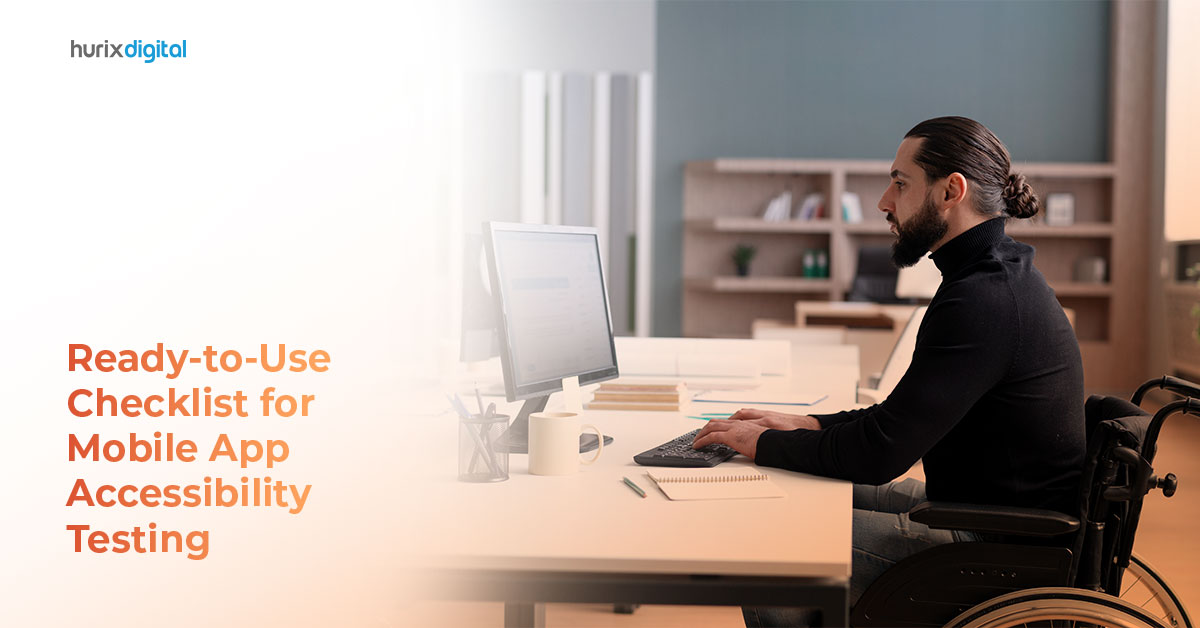
The Only Checklist You Need For Mobile App And Web Accessibility Testing

[vc_row][vc_column][vc_column_text]If you’ve ever hesitated to let a specially-abled person use the mobile app you’ve created, this article is for you. Why? Because there are 1.3 billion people with some disability, about 16% of the world’s population. And 91% of people with disabilities use a smartphone. A study revealed that accessibility issues were massive in apps, and most developers were not aware of different kinds of disabilities. But don’t worry. We’ve got you covered with a thorough checklist for mobile app and web accessibility testing. This checklist that we have created in this article could be your go-to resource for creating digital experiences that are inclusive and for all. It is comprehensive and covers all the crucial aspects of accessibility testing so that you can develop and optimize your mobile apps and websites for maximum reach and impact.  What Is Mobile Accessibility?  Not everyone interacts with their mobile devices in the same way. Some people might have visual, auditory, cognitive, or motor impairments, making using certain apps or websites a real challenge. So, what are mobile app and web accessibility? It is about adapting the mobile app/website for everyone to have a seamless experience. This could include using assistive technologies like magnifying the text, allowing text-to-speech functions, color adjustments, etc.  Why Is Mobile Accessibility Important? Firstly, mobile app and web accessibility are about equal opportunity and inclusivity. Everyone has the right to use digital tools to advance in life or make life easier. Secondly, it can drastically improve user-friendliness and navigation of your mobile app. Thirdly, it can be good for business as it caters to a broader audience. And lastly, just like accessibility for website functions, to meet legal and ethical compliance with acts and regulations like the Americans with Disabilities Act (ADA) and the Web Content Accessibility Guidelines (WCAG).  What Can You Achieve Through Mobile Accessibility Testing? Through mobile app and web accessibility testing, you can do wonders for your app and organization.  Get greater reach by allowing a larger audience to access the app. This means more potential leads. Stay clear of hassles with legal regulations and compliance.  Build a better brand reputation that is ethical and promotes inclusivity.  Increase loyalty and customer retention. Gain a competitive advantage.  Enhance user experience for everyone. The Ultimate Checklist To Follow For Mobile App And Web Accessibility Once you take care of these parameters on your mobile app, it will automatically become accessible.  1. Titles And Text Make sure your app has a title. Implement an ARIA (Accessible Rich Internal Applications) which is in HTML and shows the structure of the app or a page, mentions roles or properties on the app like search, navigation, banners, etc. Maintain hierarchy in the headings. Choose easily readable fonts and make the text size adjustable. 2. Touch Events Don’t use the touch down-event for any activity. If the up-touch starts an action, offer the choice to stop or undo it. It can also have the option to reverse any event due to the down action right after such an unwanted event has occurred. Keep the touch targets like buttons and links large enough (minimum 9 mm height and width each) for the users to avoid accidentally touching something else.  The interactive elements should be placed so anyone can access them (the same for left and right-handers, for example). For example, buttons could be at the center. You can also add accessibility options to use the app. For example, there are hands-free technologies now where users can use audio to interact. Or allow users to navigate through the keyboard or other external devices. 3. Color Contrast  Use sufficient color contrast between the foreground (think text) and background, as well as for interactive elements, to accommodate users with low vision or color blindness. Keep the foreground-to-background color contrast ratio at 4.5:1 for standard text and 3:1 for large text and icons. When the contrast ratio is low, it becomes difficult for specially-abled users to read. 4. Screenreader Compatibility  Test your app with popular screen readers like VoiceOver (iOS) and TalkBack (Android) for visually-impaired individuals. You can ensure all elements are correctly labeled and the content is read in the correct order. If not, you can make changes. 5. Screen Sizes Optimization To allow the users to get the maximum out of the screen and not lose out on features because of zooming in, offer preset screen sizes to choose from that are designed specially. You can also reduce the amount of data present on each app page. Change the link text size according to the width of the app view. 6. Checking Time-Based Interactions Any app interactions should not be time-based to accommodate the needs of everyone. Instead, offer them the option to extend time if such interactions are necessary.  7. Consistent Layouts And Navigation Maintaining consistent navigation throughout the app will make it easier for users to familiarize themselves with the interface and predict where elements will be located. It can overwhelm many to readjust themselves to new layouts and adapt constantly.  8. Simplifying Data Entry Allow users to enter data using methods other than text, like speech or multiple-choice questions. Information that can be auto-entered, like dates, can also help make the app more accessible. Using tools like auto-correct and autofill also goes a long way. 9. Test To Scale Up Your Accessibility  The most important part is to test your app with specially-abled individuals and get feedback from real people. This can give incredible insight that automated tools might miss. Get Started Now! Now that you understand how to do mobile accessibility testing, you can use some of the best accessibility solutions available online to get started.  Accessibility Inspector (iOS) VoiceOver (iOS) Color Contrast Analyzer (iOS) TalkBack (Android) Accessibility Scanner (Android) WAVE (Web Accessibility Evaluation Tool) (Android) You can do one another thing to make it hassle-free. We can do the accessibility for you! Unlock the power of inclusive mobile app experiences with Hurix Digital! Discover how our accessibility testing, helmed by

Hurix April 22, 2023 No Comments

8 Reasons to Transform Your Learning Content to Mobile Learning Nuggets

[vc_row][vc_column][vc_column_text] Did you know, we look at or utilize our smartphone device 221 times in one day? Undoubtedly, mobile usage exceeds desktop usage and here’s how: In total, 80% of individuals have a smartphone, and 27% utilize only this smartphone for digital connectivity. This means that even if you have a web-based learning center, most of your employees are accessing it through their smartphones only. So, why not make it convenient for employees? Over the years, mobile-based learning has proved its importance and efficiency in improving overall learning and training structure at the workplace. If you offer two types of training options to your employees – mobile-based learning and classroom learning – it is highly likely for most of the employees to choose mobile learning. At the same time, it is necessary to remember that mobile-based learning is not a replacement for e-learning. It should be viewed as an enhancement to e-learning. Today, we will discuss how mobile-based learning nuggets can help you improve the employee engagement in your workplace.[/vc_column_text][vc_custom_heading text=”Benefits Employees Can Achieve from Mobile Learning Nuggets” font_container=”tag:h1|font_size:18|text_align:left” google_fonts=”font_family:Lato%3A100%2C100italic%2C300%2C300italic%2Cregular%2Citalic%2C700%2C700italic%2C900%2C900italic|font_style:900%20bold%20regular%3A900%3Anormal” css=”.vc_custom_1569415769305{margin-top: 0px !important;margin-bottom: 0px !important;border-top-width: 0px !important;border-bottom-width: 0px !important;padding-top: 0px !important;padding-bottom: 10px !important;}”][vc_column_text] 1. Extended Training Think of mobile learning as an extension to workplace training programs. The employee can take their training anywhere they go. For instance, an employee who is visiting another city for business can easily access the learning material through their smartphone. Even if you opt for a blended learning approach, you can deliver face-to-face training and ask the employees to learn some of the topics as part of a self-learning exercise. In this way, mLearning acts as an extended learning program which can be continued even outside the office environment. 2. Immediate Access A study revealed that 46% of employees use their phones in bed for mobile learning and 52% use their smartphones for learning after waking up. Offering immediate access to relevant data through mobile-based learning offers the flexibility of on-the-go learning. This means that your employees can immediately access training content anytime they want – when they are commuting or taking a tea break in the office. 3. Collaborative Learning Discussion forums and chat groups can be included to the mLearning platform as part of a collaborative learning process. This helps employees to share their doubts with each other and get them resolved; this group effort helps everyone to learn something new. 4. Instant Feedback Since employees use their smartphones several times in a day, the feedback loop is accelerated. The training manager can offer instant responses to employee queries and offer advice on how to enhance learning. Whenever an employee makes a mistake, the training manager can point out the errors and give an opportunity to enhance personal growth and learning.[/vc_column_text][vc_custom_heading text=”Here’s Why You Should Consider Migrating to Mobile Learning Nuggets” font_container=”tag:h2|font_size:18|text_align:left” google_fonts=”font_family:Lato%3A100%2C100italic%2C300%2C300italic%2Cregular%2Citalic%2C700%2C700italic%2C900%2C900italic|font_style:900%20bold%20regular%3A900%3Anormal” css=”.vc_custom_1569415884514{margin-top: 0px !important;margin-bottom: 0px !important;border-top-width: 0px !important;border-bottom-width: 0px !important;padding-top: 0px !important;padding-bottom: 10px !important;}”][vc_column_text] Enhanced Attention Here’s how mobile-based learning nuggets improve the attention span of the viewer: The attention span of individuals is reducing, so short videos and content pieces are easier to watch and retain. The need for instant gratification is served well with mobile-based learning nuggets. With shorter snippets, the distraction percentage decreases. Take Facebook for example, most of the users on Facebook watch a video for not more than 1 minute; on YouTube, this time is 4-5 minutes. So, keeping videos and written content short and to-the-point improves the attention of the viewer. Improved Retention Due to shorter content, mobile-based learning nuggets reduce the dropout rate, improve attention, and enhance concentration. It is easier to watch and remember a short learning video of 1 minute. Contrary to this, if you deliver a 1-hour long learning video or a lengthy blog post, the dropout rate would be extremely high. All these factors combined enhance the retention rate of the knowledge gained through mobile learning nuggets. Increased Engagement If the delivered content is short, your learners are more likely to switch off from other activities and concentrate all their mental attention towards the snippet. When this happens, the retention is more, and the engagement is even better. They will not want to stop the learning process and would want to know more about the topic, here’s why: If you have a topic named social media marketing, you can divide your mobile-based learning nuggets into short sections. In every nugget, pick up only one aspect, for example, Facebook posts. When you do that, your employee learns about how to post on Facebook, the frequency with which to post, best time of the day to post etc., but they still would long to know more. So, when they next have time, they will explore for other related nuggets such as creating Facebook graphics or measuring engagement. Feasibility  There are employees in a managerial role who simply don’t have any time during the day for training. And then there are those who strive to attain a work-life balance, so they focus only on work in the office. In a situation like this, it is imperative to develop a method so that everyone has access to training programs. With mobile-based learning nuggets, every employee can fit learning in between their tight schedules.[/vc_column_text][vc_custom_heading text=”Utilize Mobile Learning Nuggets for Workplace” font_container=”tag:h2|font_size:18|text_align:left” google_fonts=”font_family:Lato%3A100%2C100italic%2C300%2C300italic%2Cregular%2Citalic%2C700%2C700italic%2C900%2C900italic|font_style:900%20bold%20regular%3A900%3Anormal” css=”.vc_custom_1569416036068{margin-top: 0px !important;margin-bottom: 0px !important;border-top-width: 0px !important;border-bottom-width: 0px !important;padding-top: 0px !important;padding-bottom: 10px !important;}”][vc_column_text]With the increase in popularity of mobile applications and the feasibility of using a smartphone for nearly every task, there is simply no alternative to mobile-based learning. From flexible access to improved engagement, it has a series of benefits for both employees and employers. Just remember to develop a strategy relevant to your audience before implementing mobile-based learning. Related: 6 Ways to Use Mobile Learning to Enhance Employee Productivity 10 Reasons Why You Should Adopt Mobile Learning Apps 5 Reasons to Integrate Microlearning in Mobile Learning Strategy! Benefits of a Mobile-First LMS Platform in Employee Training MicroLearning vs Mobile Learning – Similarities and Differences Advantages of a Mobile-First LMS [/vc_column_text][/vc_column][/vc_row]

Gokulnath B April 22, 2023 No Comments

5 Most Common Web Accessibility Issues to Avoid & Fix

[vc_row][vc_column][vc_column_text]Website accessibility allows users with physical or cognitive disabilities to access information online easily. Given that 15% of the world’s population are differently-abled, having an ADA-compliant (Americans with Disabilities Act, 1990) website ensures your content also reaches a large, untapped audience. But sadly, website accessibility solutions are often overlooked by many developers and website designers. It’s no wonder common accessibility errors, and issues are prevalent in the top 1 million web pages. These accessibility issues create barriers for end users. This is not just ethically wrong but can also lead to significant bottom-line effects. Simply put, it can block many users from interacting with your business. Before we dig deeper into accessibility issues and solutions, let’s brush up on the basics.          What are Website Accessibility Issues?  Web accessibility issues have “notable end-user impact.” In other words, they are barriers that make it impossible for differently-abled people to navigate, access, or engage with your site’s content. Different types of impairments affect web navigation distinctively. To find out these issues, you’ll first have to understand how disabled people use websites. For example, users with immobility in their arms depend on keyboard-only navigation as they cannot use a mouse. Other users with blindness or vision impairment rely on assistive technologies like screen readers to access websites.    Why Should You Care About Website Accessibility Issues?  An accessibility-related lawsuit can be filed against your business if your website doesn’t adhere to the Web Content Accessibility Guidelines (violating WCAG website compliance). Accessibility issues limit the audience who can access your services or products. With a website accessibility checker, you can ensure that your website content reaches a wide range of users. This will broaden your target audience and potential market base, strengthening your brand image. 5 Digital Accessibility Issues and Their Solutions  1. Missing or Vague Link Text Visually impaired users use screen readers to access website content. Links are critical elements that help users navigate sections while looking for particular content. The screen reader often only reads the link text without the words around it. In such cases, displaying pointless or irrelevant link texts can confuse the users and restrict them from accessing the content correctly. Using buttons or images to represent a link without any image alt text will also misguide the users, as assistive technologies cannot interpret any button or image functioning as a link in the absence of alt text. Solution: Ensure that your link text communicates the purpose or function of the destination page. Instead of an ambiguous link text like ‘Click here’ or ‘Read more,’ provide an explanatory link text that’s easy to understand. For example, if the destination page discusses hotels, your link text must be “Best hotels to stay” or “Top 10 hotels”. Also, add alt text to your images if you use images to represent links.   2. Poor Background and Text Color Contrast With over 83% of home pages having low-contrast text, poor color contrast was the most commonly-detected accessibility issue per WebAIM’s programmatic analysis of 1 million web pages. This makes it extremely difficult for users with color blindness or low vision to read the website content or identify the edges and shapes of elements. Solution: Per the WCAG, the text and background colors must have a contrast ratio of 3:1 for large text and 4:5:1 for small text. Complying with this gold standard will make your website information accessible and readable to all. You can also leverage a color contrast checker to ensure that your website’s background colors, text, and interactive elements feature the right color contrast ratio. 3. Inaccessible Forms Users come across various form fields to fill out while navigating a website. But many online forms have empty or inappropriate form labels that don’t convey the intended control information to the screen readers. This becomes an obstacle to visually impaired users who use assistive technologies to navigate and fill out the forms. Solution: To make all input fields or contact forms on your website more user-friendly and accessible, ensure they have a clear label. In other words, use the <label> element in every field code. This will enable the screen reader to read it and convey what information a field requires to the user. Also, make sure there are clear text alternatives for buttons and CAPTCHA so that users know what to click after finishing the form.    4. Missing or Inaccurate Text Alternatives for Images WebAIM’s accessibility study in 2023 revealed that over 58% of the top 1 billion webpages have inaccurate or missing image alt text. Visually-impaired users who use screen readers rely on alt text to understand visual content. Having image alt text is the only way to translate the purpose of non-decorative images to them. Solution: To help users understand informative images, include the right alt attributes or text alternatives to describe the visual content. Use the “ARIA-Label” attribute for background images having a separate tag. Keep the alt text concise, explanatory, and relevant. You can skip the alt text for purely decorative images meant only for visual design.        5. Inaccurate HTML Content Structure Screen readers, which help specially-abled users access a website, require an appropriate HTML page structure. Without headings, your content structure will look confusing and unorganized. Using bold text rather than proper heading structure is a common web accessibility issue. This can frustrate users and adversely impact your SEO. Solution: To make it easier for screen readers to navigate, ensure your headings have appropriate heading tags with subsequent subheadings in an organized way. The right header elements include the main heading <h1>, heading 2 <h2>, and heading <h3>, etc., which benefits all website users.     Wrapping Up! Given the numerous accessibility guidelines, it’s natural for new developers to get overwhelmed while designing a website from scratch. Implementing the above changes in your web page design can go a long way in making your website more accessible. Looking for help adhering to the accessibility guidelines and making your website inclusive? HurixDigital is committed to

Gokulnath B April 22, 2023 No Comments

4 Technology Solutions For Web Browsing Accessibility

[vc_row][vc_column][vc_column_text]Technology solutions can help make the internet more accessible for people with disabilities and enable them to overcome challenges they commonly experience. Accessibility has become a key consideration for businesses and organizations, especially given the increasing cases of accessibility lawsuits. Web accessibility technologies work with accessible content and web design to produce a more inclusive experience.  Why Is Web Browsing Accessibility Important?  Web browsing accessibility is more than just legal compliance. There are several benefits of web accessibility for your business, your website, customers, and website viewers.  It Promotes Equal Digital Access A study found that Americans with disabilities are three times as likely to say they do not use the internet compared to those without a disability. Web browsing accessibility is one of the ways to help close the gap in digital accessibility by making websites more user-friendly and accommodating.  The best accessibility solutions help make the internet a more accessible space. It also makes your website more inclusive for people with disabilities – whether they are viewers or customers.  It can also improve the scope and reach of your websites and digital content. By welcoming prospects and clients with disabilities, your organization stands to benefit from a larger range of customers.  Further, web browsing accessibility can boost your brand image. An accessible website conveys that your organization has an inclusive culture.  It Helps Avoid Legal Claims A study found that digital accessibility lawsuits rose to more than 3,500 cases in 2020. Web browsing accessibility solutions and accessibility testing help your website to meet accessibility compliance required by law consistently. This helps your organization avoid the risk of legal claims. Legal claims can result in costly settlements as well as fees and penalties.  It Makes Digital Spaces More User Friendly By making your digital content, platform, and website more accessible for web browsing, you provide a better experience for users and customers.  This allows for more customer engagement and extends the scope of your market and digital audience. In the world of digital marketing, where an organization’s online presence is increasingly important, a user-friendly website and accessible digital content can make all the difference.  4 Technology Solutions For Web Browsing Accessibility Here are some web accessibility solutions that enable people with disabilities to browse the web more easily.  1. Screen Magnification Software While web browsers allow you to zoom in on content, it is often inconvenient to continue reading with zoom-in since it affects the screen layout. Screen magnification software magnifies a section of the screen, ensuring the page layout remains the same so you can comfortably read one section after the other. This web accessibility solution is particularly helpful for people with vision disabilities or poor vision since it helps to make the content more legible and minimize eye strain. However, as a content creator, it is important to ensure from your end that the content can be “zoomed” without losing its functionality to keep it accessible.  2. Voice Recognition Software Using voice recognition software, you can dictate text instead of typing it, dictate instructions to the browser, and dictate actions or operations to websites using your voice. This is particularly helpful for people who have physical disabilities, cognitive disabilities, or other health conditions that affect their ability to type out text and interact with websites through the device. For instance, you can dictate a command, “Go to the next page,” which will operate the website and take you to the next page. While certain operating systems have built-in speech recognition features, others may require additional software. As a content creator, you can help make the browsing experience more amenable to speech recognition. For example, you can use labels to mark interactive elements on your website. To submit a form, you can have the label “submit” as the speech recognition operator so the viewer can say “submit” to submit the form.  3. Hands-Free Mouse Tracking Mouse tracking technologies allow you to control the cursor without having to use a mouse or rely on keyboard commands physically. Some technologies use a web camera to track and recognize face or head movements. Head movements act as commands that direct clicks and navigate the screen. Certain software even allows you to assign particular movements specific commands. Other technologies monitor the user’s eye movement to track where they are looking and provide keyboard commands on the screen. Another technology solution comes with a device with a laser pointer that is worn on the head. The user can then control the cursor using the laser pointer.  4. Screen Reading Software With screen reading software, you can convert text into speech so that users can listen to the text without reading it. This is particularly useful for people with learning disabilities, cognitive disabilities, visual disabilities, and language or reading issues such as those caused by dyslexia. People with visual disabilities or poor vision often use screen readers to make their browsing experience more accessible. Most screen readers are separate applications or software and do not come built-in with the web browser.  As a content creator or web developer, you can make your website content more accessible for screen reader users. For instance, you can provide text descriptions of non-text media. This would include alt tags for images (describing the image) and transcripts for video and audio media. You can also use clear subheadings in an ordered way, which helps the screen reader scan the page.  Summing Up Web accessibility ensures that people with disabilities can browse the web comfortably and effectively. Technology solutions like screen readers and voice recognition software can make all the difference in their browsing experience. Additionally, as a content creator, there are measures that you can take to ensure that your website and online content remain accessible and convenient to view using accessibility technology. This makes it more inclusive and widens the reach of your website and digital content by enabling more viewers. Hurix offers design solutions to help make your website more accessible and user-friendly. [/vc_column_text][/vc_column][/vc_row]

6 Effective Training Techniques for Enterprises with a Distributed Workforce

[vc_row][vc_column][vc_column_text]The recent pandemic outbreak has made the remote working culture indispensable for enterprises. However, training a distributed workforce continues to be a concern, especially in a landscape where many businesses are suffering losses and need to bounce back soon. Organizations need to adopt remote training models to continue upskilling their employees. However, simple online meeting tools and PowerPoint presentations are not adequate to meet the training requirements of a distributed workforce. The most common remote training challenges that you may face when you start training your employees online are: Lack of face-to-face supervision: Lack of face-to-face interaction and effective communication may lead to difficulty in understanding the actual content of the training.    Lack of access to information: Distributed workforce, especially those who are new to online learning, often struggle with queries like how to access the training content, how to share information with the trainer and colleagues, etc. Social isolation: Without proper communication, and owing to isolated working conditions, many employees feel less engaged. Technical challenges: During remote training sessions, technical issues are a common challenge for users.   While selecting a training strategy, enterprises need to consider these challenges and ensure that the chosen training technique helps employees to learn effectively.[/vc_column_text][vc_custom_heading text=”Here are six effective training techniques for your distributed workforce:” font_container=”tag:h1|font_size:18|text_align:left” google_fonts=”font_family:Lato%3A100%2C100italic%2C300%2C300italic%2Cregular%2Citalic%2C700%2C700italic%2C900%2C900italic|font_style:900%20bold%20regular%3A900%3Anormal” css=”.vc_custom_1634112170680{margin-top: 0px !important;margin-bottom: 0px !important;border-top-width: 0px !important;border-bottom-width: 0px !important;padding-top: 0px !important;padding-bottom: 10px !important;}”][vc_column_text]1. eLearning eLearning is one of the most popular and effective training techniques. You can provide your employees with secure access to specific modules through a content delivery platform, which they can access from anywhere on their devices. eLearning provides employees with the flexibility to learn at their own pace.  A cloud-based eLearning platform enables you to not only deliver content but also create content and add multimedia elements along with different activities like serious games, quizzes, and so on. These things add a new dimension to eLearning and make it more engaging and interactive for the distributed workforce. 2. Virtual Classrooms A virtual classroom is the web version of an instructor-led corporate training session. This synchronous learning technique allows both instructors and employees to participate actively in the learning process. Virtual classes are conducted remotely through conferencing software. This training technique encourages collaboration, active participation of the distributed workforce, and engagement through a video-conference platform, helping to create a productive work environment. The main benefit of virtual classes is the ‘presence’ of an expert throughout the session. It also allows constant interaction and a live learning experience. 3. Simulation Simulation enables immersive learning. It helps employees to learn by practicing in the virtual environment. This way, they get a fair idea of how the concepts can be applied to the actual job. Despite the initial cost of producing tailored software or technology, simulation training can be an effective way for training a distributed workforce.  4. Learning Videos Video-based learning is another modern training technique to educate a remote workforce. Different types of learning videos, including animated or with an actual instructor, are equally effective in conveying your thoughts to the learners. Learning videos encourage asynchronous learning, as employees can access learning videos anytime as per their convenience. They can play the videos as many times as they need to understand a concept. Animated videos, whiteboard animation, text-based kinetic animation, explainer videos, interactive videos, webcast/podcasts—all of these are components of video-based training. Learning through videos is much more efficient than text when it comes to grasping a concept, as graphics-based deliveries are more engaging.  5. Bite-Sized Learning In this training technique, the content is delivered in the form of small chunks of information that comprehensively addresses one learning objective at a time. This learning technique allows employees to retain information more effectively. Bite-sized learning programs are designed to enable employees to access the learning content quickly and easily while on the go. 6. Mobile learning When it comes to training a distributed workforce, making sure they can access the content is very important. Mobile-based learning enables learners to access the training content anytime and anywhere. Certain content delivery apps such as KITABOO help learners to access the content even when offline. Using mobile devices to train employees is an effective way to make sure that they always have access to the essential information and can upskill themselves at their own pace.[/vc_column_text][vc_custom_heading text=”Conclusion” font_container=”tag:h2|font_size:18|text_align:left” google_fonts=”font_family:Lato%3A100%2C100italic%2C300%2C300italic%2Cregular%2Citalic%2C700%2C700italic%2C900%2C900italic|font_style:900%20bold%20regular%3A900%3Anormal” css=”.vc_custom_1634111359162{margin-top: 0px !important;margin-bottom: 0px !important;border-top-width: 0px !important;border-bottom-width: 0px !important;padding-top: 0px !important;padding-bottom: 10px !important;}”][vc_column_text]Today’s remote working culture makes it essential for organizations to have an effective remote training strategy. In many cases, employees prefer digital learning and training as they enjoy the flexibility of eLearning methods. Designing and delivering tailored content in different remote training formats are crucial to develop your distributed workforce’s skills and confidence. To sum up, with the right training techniques, you can increase employee productivity and boost engagement.[/vc_column_text][/vc_column][/vc_row][vc_row][vc_column][vc_column_text] Need to know more about our Products & Services ? Drop us a Note. We respect your privacy. We use the information you provide us to send you relevant content about industry trends and our products & services. You may unsubscribe from our list at any time. For more information, check out our Privacy Policy [/vc_column_text][/vc_column][/vc_row]

Hurix April 21, 2023 No Comments

Benefits & Use Cases of Mobile Learning in Enterprise Training

[vc_row][vc_column][vc_column_text]Today, we cannot imagine staying away from our phones for even five minutes, let alone an hour or two. Thus, it is only natural that phones take up the roles that have traditionally belonged to other tools. One such avenue is learning. Mobile learning (m-Learning), today, is growing in the e-learning domain. Mobile learning can be defined as the use of a personal electronic device for learning across multiple contexts. m-learning, by virtue, allows for a more intimate learning experience than others. And given how popular mobile phones are across developed and developing countries, the scope of this market is huge.[/vc_column_text][vc_custom_heading text=”How the World is Using Mobile Learning” font_container=”tag:h1|font_size:18|text_align:left” google_fonts=”font_family:Lato%3A100%2C100italic%2C300%2C300italic%2Cregular%2Citalic%2C700%2C700italic%2C900%2C900italic|font_style:900%20bold%20regular%3A900%3Anormal” css=”.vc_custom_1569846030874{margin-top: 0px !important;margin-bottom: 0px !important;border-top-width: 0px !important;border-bottom-width: 0px !important;padding-top: 0px !important;padding-bottom: 10px !important;}”][vc_column_text]There are two main components driving m-learning – mobile devices and mobile operating systems. And thanks to the rapid growth in miniature hand-held devices along with the strength of high performing systems like Android and iOS, today, as far as interactive learning is concerned, mobile devices are capable of a lot of heavy lifting. Using these capabilities, modern-day learning has been upgraded in an array of different ways. One such popular form of designing mLearning is by gamifying the learning solution. Gamification is an interactive training mechanism that employs the human tendency to feed off rewards, to impart long-lasting knowledge. And mobile devices are designed for such an experience. A prevalent example is running induction programs on mobile devices. Employees starting off at a new workplace have a ton of paperwork to go through. They also have to understand and learn about the products and services offered by the company. To make this experience less cumbersome, gamification works brilliantly. Mobile device-based routines are created where each task allows the user to earn points and rewards. Through this process, without being overwhelmed, employees can actually enjoy themselves while learning more about their work responsibilities and company culture. Also, another classic example of m-learning being used via gamification deals with trying to help employees understand the code of conduct in their workplace. Such exercises are usually implemented through the process of scored quizzes, which allow employees to not only follow the rules they are expected to abide by within their professional space but also to do so in a lighthearted manner.[/vc_column_text][vc_custom_heading text=”Let us see some use cases of mobile learning:” font_container=”tag:h2|font_size:18|text_align:left” google_fonts=”font_family:Lato%3A100%2C100italic%2C300%2C300italic%2Cregular%2Citalic%2C700%2C700italic%2C900%2C900italic|font_style:900%20bold%20regular%3A900%3Anormal” css=”.vc_custom_1569846096785{margin-top: 0px !important;margin-bottom: 0px !important;border-top-width: 0px !important;border-bottom-width: 0px !important;padding-top: 0px !important;padding-bottom: 10px !important;}”][vc_column_text] Mobile Learning in Retail Industry : Retail work requires the continuous presence of employees on the work floor. And m-learning, with its micro setup, is ideal for such an industry. Employees can learn to navigate their way through the store, understand floor plans, guidelines for customer service, etc. Consider retail employees at a cosmetic store for example. They must learn about the different products they sell, the unique features, care instructions and side effects if any. All this can be made easy with gamified m-learning modules. Also, making such information readily available on mobile devices helps the employees deliver a smooth customer experience. Here are 10 ways to make performance-oriented retail training Mobile Learning in Pharmaceutical Industry: A lot of pharmaceutical companies have started using mLearning to train their sales staff, who take the newly minted drugs to medical professionals. Mobile learning is an advantage with respect to the dynamic nature of such a job. As sales representatives do not have a fixed work location, it is challenging to arrange in-house training sessions. Such training, if organized, will also be far less effective. Instead, to ensure the employees are well versed with the knowledge of the drugs they are trying to sell, and are also abreast with rules and regulations dictated by the legal framework, m-learning is the best tool. Pharma is a data-based industry as well. And mobile devices ensure that such data is passed along to every stakeholder quickly and accurately. Thus, mLearning has become a game-changer in the industry. Here’s how to build a mobile-ready training program for pharmaceutical industry. Mobile Learning in Automotive Industry: The auto industry is one of the most dynamic and technology-led sectors in the world. And employee training is a serious concern, as the overwhelming competition means that much of the growth depends on their staff. However, in recent years, traditional training has taken a backseat. Although the employees are spread across the globe, they require the same information about the product, along with additional learning content based on their job profiles. The accessible nature of m-learning combined with the removal of constraints of location and time makes it ideal for auto industry workers. The automobile industry also deals with a lot of dynamic data, making m-learning its ideal learning partner. [/vc_column_text][vc_custom_heading text=”Customized Programs for Each Industry” font_container=”tag:h2|font_size:18|text_align:left” google_fonts=”font_family:Lato%3A100%2C100italic%2C300%2C300italic%2Cregular%2Citalic%2C700%2C700italic%2C900%2C900italic|font_style:900%20bold%20regular%3A900%3Anormal” css=”.vc_custom_1569846211421{margin-top: 0px !important;margin-bottom: 0px !important;border-top-width: 0px !important;border-bottom-width: 0px !important;padding-top: 0px !important;padding-bottom: 10px !important;}”][vc_column_text]Any training program works best when it is customized to suit the needs of the employees. And m-learning is no exception. Let us now see how L&D teams can customize the m-Learning programs for different industries. 1. Retail Industry  The retail industry has customer satisfaction set as one of its top-most goals. An m-learning application, that allows employees switch roles as customer or sales executives, can be built. This kind of role-play will enable employees to get inside the minds of their customers and understand the problems they face. At the same time, the ones playing the role of a sales executive will continue to be trained in their job of handling an actual person; even if it is just a pretend customer. 2. Pharmaceutical Industry One of the biggest challenges in the pharmaceutical industry is training the sales reps regarding the drug’s benefits and side-effects. The sales employees are the ones who will ultimately convince medical professionals across the board that this drug is the best choice for a given case. And for that, they must know all the details, including statistics of the drug’s trials, composition etc. Such information can be challenging to master. But with the right m-learning program

How AEM is Changing the Game for Media and Entertainment Companies

[vc_row][vc_column][vc_column_text] Introduction: The Relevance of AEM in Media and Entertainment In today’s hyper-digital landscape, media and entertainment companies are playing the game of catchup. From managing content across multiple platforms to delivering personalized experiences to consumers, this industry has to deal with the rapid adoption of digital technology in the sector. Fortunately, Adobe Experience Manager (AEM) is helping make this path more efficient, simple, and user-friendly. For those unfamiliar, AEM is a content management system (CMS) that helps companies streamline content creation and management, optimize customer experiences, and improve workflows. With its powerful features and flexible architecture, AEM is becoming an essential tool for media and entertainment companies looking to stay competitive in an increasingly crowded marketplace. It is no wonder that around 734 companies have already shifted to AEM for their tech stack, which includes big names like LinkedIn, MasterCard, Nvidia, CocaCola, SalesForce, Intel, Microsoft, AT&T, and more. This blog will explore how AEM transforms the media and entertainment industry and provide some best practices for companies looking to implement this powerful platform. Key Challenges in the Media and Entertainment Industry The media and entertainment industry face several key challenges, especially since the increasing dependence on digitization. Some of the biggest challenges include the following: 1. Management of Content Across Multiple Platforms With the increasing use of platforms such as websites, mobile apps, and social media channels, often, companies have challenges due to time-consuming and complex processes, and each platform requires specific content. As a result, most companies need automation to help create and manage content for different platforms and multiple requirements and formats. 2. Delivering Personalized Experiences to Customers In a world experiencing a content overdrive, delivering tailored content per user preferences and interests is critical to standing out from the competition. Unfortunately, media and entertainment companies often struggle in this department, as they do not have the sophisticated technology to track and analyze user behavior and deliver targeted content as per recommendations. How Can AEM Help Address These Issues? AEM can help companies overcome these two complex challenges in several ways. First, AEM provides a centralized platform for managing content across multiple channels and platforms, allowing companies to create content once and publish it across different channels. This saves time and resources and ensures consistency of the brand’s content across all channels. Second, AEM’s powerful personalization capabilities allow companies to deliver targeted content and recommendations to consumers. It can track user behavior and preferences and use this data to deliver personalized content and experiences across different channels. Benefits of AEM for Media and Entertainment Evidently, Adobe Experience Manager (AEM) offers a range of benefits to media and entertainment companies looking to improve their content management and customer experiences. Some of these benefits include: 1. Streamlined Content Creation AEM provides a centralized platform for managing content across different channels and platforms, allowing companies to create, manage, and publish content more efficiently. This saves time and resources and ensures consistency across all channels. 2. Improved Customer Experiences AEM’s personalization capabilities enable companies to deliver targeted content and experiences to consumers based on their preferences and behavior. This improves engagement and loyalty and can lead to increased revenue. 3. Multi-site Management One of the key features of an AEM is its multi-site management capabilities, which allow companies to manage content across multiple sites and languages with centralized control over branding and messaging. 4. Analytics and Reporting AEM provides powerful analytics and reporting tools, allowing companies to track user behavior, measure engagement, and optimize content and experiences based on data-driven insights. 5. Scalability With advanced features, AEM allows companies to easily add new sites, channels, and capabilities as their needs evolve without requiring significant IT resources or infrastructure. Best Practices for Implementing AEM in Media and Entertainment Are you planning to start with AEM for your company’s website or content management? While accessibility and engaging the user are essential, AEM is more than just a one-stop solution to your content process. For media and entertainment companies, AEM can also resolve complex processes. Thus, a simple checklist to follow when implementing an AEM for your company includes the following: Understanding the purpose of the AEM for your brand by conducting a detailed analysis of your company’s content workflows, processes, and systems. This will help you understand areas where the AEM can add the greatest benefits and ensure the implementation aligns with your organizational goals. Identifying and involving the right stakeholders is also crucial to the success of your AEM project. This can help ensure that everyone clearly understands the benefits and capabilities of the AEM and provide valuable inputs and feedback throughout the process. Next, providing adequate training to the right resources is essential since AEM is a robust platform that requires technical expertise. Implementing AEM in media and entertainment companies can be a complex and time-consuming process. Developing a phased plan can help ensure that the implementation is done in a controlled and structured manner, with clear milestones and goals. Finally, partnering with experienced implementation partners can provide valuable expertise and support throughout the process. It can also help ensure that the implementation is done in a timely and efficient manner, with minimal disruption to existing workflows and processes. Key Takeaways In conclusion, AEM is a robust platform that can benefit media and entertainment companies significantly. AEM can streamline content creation and management, improve customer experiences, optimize workflows, and provide powerful analytics and reporting tools. Implementing AEM requires careful planning, involvement of stakeholders, and adequate training. Following best practices can streamline content creation, improve customer experiences, and optimize workflows. The benefits and use cases for AEM in media and entertainment companies are immense. However, it also takes the right implementation approach to leverage this powerful platform with the right business goals. Working with a partner can help ensure a successful implementation with minimal disruption to existing workflows and processes, enabling companies to stay ahead of the competition in a rapidly evolving digital landscape. Hurix Digital is an AEM implementation partner

5 Types of Online Learning That Increases Employee Productivity

[vc_row][vc_column][vc_column_text]Employee productivity plays a crucial role in the success of any organization. In the face of continuously evolving technology and knowledge, it is imperative for organizations to invest in their learning and development. As employees look for ways to grow and further their careers, L&D is an effective means to allow them to upskill and re-skill and remain relevant to the marketplace. By providing growth opportunities, enterprises can retain their employees for the long-term, win their loyalty and ensure that they play a proactive role in meeting organizational goals.  In recent times, online learning has gained popularity due to the various benefits it offers in comparison to classroom teaching. For one, employees can learn on their own and access resources when they need them the most.  Traditionally, learning at the workplace was restricted to the classroom and dependent on instructors to deliver the training. However, this meant that all employees had to be present in the classroom at a predefined time. However, it was difficult to align the schedules with their roles and obligations. All this changed with the emergence of the Internet and digital learning.  The Internet and digital technology have shifted learning to the online environment. This trend gained further momentum on the back of the ongoing COVID 19 pandemic that forced employees to work remotely and organizations to adopt online learning. Online learning leverages a wide range of multimedia elements to make learning fun, exciting, and relevant. Here are some of the benefits of online learning: Flexible: Online learning is flexible in that learners can access the course content at their convenience, in the comfort of their homes, in the workplace, or while commuting. Learner-centric learning: Course content for online learning is designed to give learners greater control over their learning. For instance, it may be in the form of gamification with multiple branching scenarios, allowing learners to follow a course of action and then course correct towards the final learning goal. Self-paced learning: Perhaps one of the greatest benefits of online learning is that learners can revisit the concepts as many times as they want and proceed at their own speed, assimilating the learning and transferring it to the workplace.[/vc_column_text][vc_custom_heading text=”Here are 5 types of online learning techniques you can adopt to increase employee productivity.” font_container=”tag:h1|font_size:18|text_align:left” google_fonts=”font_family:Lato%3A100%2C100italic%2C300%2C300italic%2Cregular%2Citalic%2C700%2C700italic%2C900%2C900italic|font_style:900%20bold%20regular%3A900%3Anormal” css=”.vc_custom_1637309412625{margin-top: 0px !important;margin-bottom: 0px !important;border-top-width: 0px !important;border-bottom-width: 0px !important;padding-top: 0px !important;padding-bottom: 10px !important;}”][vc_column_text]Microlearning We are living in a world of information overload and with a limited attention span. Learners no longer have the time or patience to wade through long lessons. Microlearning is a form of online learning that breaks down and encapsulates course content in the form of micro nuggets, which can be assimilated at one go. The nature of these nuggets is such that they are very concise yet complete in the knowledge they provide. Learners don’t have to sieve through the content to find what they are looking for – everything is presented in a neat digestible form. Microlearning content is usually in the form of a 3-5 minute video, which means that learners can access it on their mobile devices whenever they have a break, before or in-between meetings.  Mobile learning With mobile phones becoming a constant presence in our lives, it is little wonder that enterprises are leveraging them to deliver online learning. This form of online learning is a means to provide contextual content that is tailored to the needs of the end-learners. With mobile learning, you can provide your employees with the right information at the right time to fill knowledge gaps or seamlessly complete a job. Some individuals within the organization are constantly on the move and need access to vital pieces of information – and they need it immediately, anywhere, and at any time. Mobile learning helps to address the learning needs of people on the move. Instructor-led learning With enterprises becoming increasingly dispersed, it is very difficult and expensive to gather the instructor and the learners to a single venue. It’s logistically unviable given the huge amount of transportation and accommodation costs involved, not forgetting the difficulties in adjusting so many schedules. Instructor-led online learning is a means to provide virtual classroom sessions. Instructor-led online learning is delivered via an online platform such as Zoom, Microsoft Teams, Google Hangouts or a learning management system (LMS). Both the instructor and the learners log into the platform for a virtual training session. Here, the learners can interact with the instructor and peers through chat and other communication tools. And in case the lessons are delivered via an LMS, you can also leverage reporting tools to measure real-time engagement and feedback. Web-based learning Web learning is a form of online learning that is delivered via a website. Employees can access the website on their personal devices using the Internet. The course content is uploaded on the website, and learners can learn as and when they wish to. Course content on the website can be designed in the form of audio-video, text, infographics, and presentations.  Blended learning: This form of learning is a combination of both online and offline learning. It is extremely popular in today’s learning environment, given that it incorporates the best of both worlds. Blended learning can be in many forms; for instance, an instructor in a traditional classroom uses online resources to reinforce concepts, or most learning takes place in the online environment, and the instructor provides additional support in the classroom. It can also be rotational, with learners rotating between self-paced learning and classroom learning.[/vc_column_text][vc_custom_heading text=”In conclusion” font_container=”tag:h2|font_size:18|text_align:left” google_fonts=”font_family:Lato%3A100%2C100italic%2C300%2C300italic%2Cregular%2Citalic%2C700%2C700italic%2C900%2C900italic|font_style:900%20bold%20regular%3A900%3Anormal” css=”.vc_custom_1637309615627{margin-top: 0px !important;margin-bottom: 0px !important;border-top-width: 0px !important;border-bottom-width: 0px !important;padding-top: 0px !important;padding-bottom: 10px !important;}”][vc_column_text]With the Internet and digital technology taking center stage, online learning is fast gaining pace. Enterprises are increasingly leveraging the online platforms to deliver online learning, thus, enabling their employees to upskill or reskill in tune with the evolving knowledge landscape. With training, employees can significantly increase their productivity and remain relevant to the market. However, within today’s complex business environment, traditional classroom training cannot fulfill

Hurix April 21, 2023 No Comments

7 Effective Ways to Onboard New Hires

[vc_row][vc_column][vc_column_text]Organizations today witness high attrition or employee turnover rates. Some big organizations report that, on average, an employee’s stint lasts 2-3 years. While organizations are strategizing on talent retention like never before, they are also awakening to the fact that this trend is here to stay, so even the most effective talent retention strategies might not be able to contain the churn. Presently observed turnover rates engender a constant need for talent replacement, keeping recruitment and talent acquisition teams on their toes. Add business expansion pursuits to this; and organizations today face a constant need to add to their workforce. Recruitment consequently leads to the need to onboard new hires.   Why the focus on effectively onboarding new hires? New hire onboarding is an investment. Therefore, ensuring its success and effectiveness makes natural business sense. The change of scenario begets a change in the approach to onboarding as well. To the high turnover, add the other dimension – stiff competition, increased workload and pressure, and fluctuating timelines. So the question really becomes how can organizations effectively onboard new hires? What are the key considerations for a new hire onboarding program that can get employees up to skill and productive quickly?  The traditional approach of getting employees into a classroom – physical or virtual – for a week or so does not work anymore. The biggest drawback here is that learning disseminated is too distanced from the actual application that employees forget what they learned by the time they get on the job. It also means that, more often than not, there is a deluge of information in onboarding sessions, with employees not realizing what information and skills that they would actually need to perform their job.  Often the terms onboarding, induction, orientation are used interchangeably; however, they are rather nuanced. We would focus on the broadest term – onboarding – which shoulders the key responsibility of successfully assimilating new hires into the organization’s workflow and culture.[/vc_column_text][vc_custom_heading text=”Here are 7 ways to onboard new hires effectively.” font_container=”tag:h1|font_size:18|text_align:left” google_fonts=”font_family:Lato%3A100%2C100italic%2C300%2C300italic%2Cregular%2Citalic%2C700%2C700italic%2C900%2C900italic|font_style:900%20bold%20regular%3A900%3Anormal” css=”.vc_custom_1635840990486{margin-top: 0px !important;margin-bottom: 0px !important;border-top-width: 0px !important;border-bottom-width: 0px !important;padding-top: 0px !important;padding-bottom: 10px !important;}”][vc_column_text]1. Pre-board Before employees join, consider moving some parts of your regular and mandatory training to pre-boarding. Compliance and regulatory training are a must, so restructure your onboarding plan to push out these parts before the employee joins. Provide them access to your LMS, track and monitor their completion, so the compliance part is taken care of. Let them fill out forms and disclaimers etc. If you have reservations about confidentiality, think about the way the people have been working for the last two years. With the world now having adapted to a new normal of working from home, many notions have been debunked. Many organizations have realized the benefits of remote onboarding. In fact, with a diverse, geographically-spread workforce and hybrid working models, remote onboarding may soon become mainstream.  2. Onboarding approach Define the objectives of the onboarding training in clear and measurable terms. Onboarding might be most effective when it is aligned with role-based KPIs – it equips your employees to perform the job they were hired for. Often organizations over-educate and over-inform. This tsunami of information is counterproductive. More often than not, employees don’t need to use this information, and when they actually do, they cannot recall it in a readily usable form and need to be re-trained. According to Ebbinghaus’ Forgetting Curve, 90% of the learning may be lost in the first month.  Keep the onboarding program focused on the exact skills the new hires would need on the floor. Rope in line managers and analyze KPIs, skills, and competencies and let that be the starting point for designing the onboarding program.  3. Personalize Organizations often view onboarding as a one-size-fits-all model. They may fail to consider that employees today are digital natives, carry work experiences from previous organizations or projects, are sometimes self-directed and self-taught, and may be well versed with what the onboarding program has to offer.  A more personalized and customized approach would work well in this situation. Employ pre-tests and quizzes to gauge current levels of knowledge and create personalized user learning journeys. It will keep the training focused on providing required skills and save substantial time. It will also help employees appreciate the value of their time.  4. Use contemporary training strategies Leverage microlearning, gamification, simulations, and other strategies to improve engagement and knowledge retention.  Software simulations are an excellent way to train people on software usage or processes in a near-real and risk-free environment.  Gamification is highly engaging and immersive. It coerces users into action and is a fun way to learn. Use this strategy for some of your critical content as it shows high stickiness and improved retention.  Use a blended or hybrid learning approach – free up valuable and productive time of your trainers; use their time effectively for imparting key skills and learnings. Arrive at an effective blend leveraging the best of all forms and ensuring variety and engagement, skill optimization, and retention.  5. Create an on-the-job training program Design on-the-job (OTJ) training opportunities. The most intelligently-designed training program cannot replace a good on-the-job learning experience. According to the 70-20-10 rule, 90% of knowledge is acquired from experiences, actually performing the jobs, and through peers or social interaction, and only 10% from training. So, build in adequate OTJ and peer learning opportunities. Design coach, mentor, or buddy system, allow new hires to buddy up or shadow other employees. Observe them and provide feedback to enable them to meet their KPIs. 6. Build a feedback mechanism Build an insightful, meaningful, and actionable feedback mechanism that allows you to get feedback from the new hires and the line managers. What were their observations? Did the training prepare the employees to execute their tasks for the given role? Are they able to effectively meet their KPIs? Use the feedback to improve the program continuously, keeping it relevant and focused and delivering the key results.  7. Keep it a continuous process Make