Blog

webadmin May 23, 2023 No Comments

Advantages of Custom Learning Content Over Off-the-Shelf Courses

[vc_row][vc_column][vc_column_text]Planning a dream holiday to Europe? You can either plan it on your own or reach out to a travel agency. Let’s assume you opt for the latter. The travel agent asks you a few questions, including the purpose of your travel and budget. Based on your inputs, the agent offers you their readymade holiday package of 5 nights and 6 days covering Paris, London, Prague, and Rome. It includes a 3-star accommodation and guided tours. All this well within your budget. Sounds exciting, doesn’t it? Let’s see how this example fits in the training world. Many organizations use readymade or off-the-shelf training courses to train their employees on common topics, such as compliance, soft skills, cybersecurity, or software training. This type of training courses has its advantages:  Easily available Quick to implement Meets most of the organization’s goals Cost-effective Let’s take you back to your dream holiday. You tell the agent that the package looks good, but you are more interested in art and culture and would like to spend more days at each location. The agent then asks you more questions to better understand your requirements and suggests a customized package covering Paris, Rome, and Florence, which is more or less within your budget. Now, this ‘customized’ package turns out to be your perfect dream holiday. Does the term ‘customized’ work in the training world as well? Yes. Every organization has unique business goals and therefore their training needs can be unique. The off-the-shelf training courses may not work for those unique training needs. This calls for ‘customized’ training courses, which take into consideration both the needs and learner profile. The main advantage of ‘customized’ training is that it contains exactly what you need. Secondly, you own it and don’t have to pay for it year after year as you would for off-the-shelf training.[/vc_column_text][vc_custom_heading text=”Choosing Between Standard Off-the-Shelf and Custom Learning ” font_container=”tag:h1|font_size:18|text_align:left” google_fonts=”font_family:Lato%3A100%2C100italic%2C300%2C300italic%2Cregular%2Citalic%2C700%2C700italic%2C900%2C900italic|font_style:900%20bold%20regular%3A900%3Anormal” css=”.vc_custom_1597942335127{margin-top: 0px !important;margin-bottom: 0px !important;border-top-width: 0px !important;border-bottom-width: 0px !important;padding-top: 0px !important;padding-bottom: 10px !important;}”][vc_column_text]Before deciding on whether off-the-shelf or customized training courses would work for your organization, consider the following questions: Does the training need to focus on your employees’ specific skill(s) or knowledge gap(s)? Do your employees need a product, process, or technical training that is unique to your organization? Would your employees be more engaged if the training included examples, scenarios, incidents, case studies from their day-to-day work? If your answer to any of the questions is ‘yes’, you’ll probably need customized training solutions.[/vc_column_text][vc_custom_heading text=”Hurix has provided several custom learning solutions to global clients across industries. Here are some case studies: ” font_container=”tag:h2|font_size:18|text_align:left” google_fonts=”font_family:Lato%3A100%2C100italic%2C300%2C300italic%2Cregular%2Citalic%2C700%2C700italic%2C900%2C900italic|font_style:900%20bold%20regular%3A900%3Anormal” css=”.vc_custom_1597942417404{margin-top: 0px !important;margin-bottom: 0px !important;border-top-width: 0px !important;border-bottom-width: 0px !important;padding-top: 0px !important;padding-bottom: 10px !important;}”][vc_column_text]Case 1: Phishing Attack Prevention Business Need:  A client’s employees were targeted with phishing attacks on their official email address. The client wanted to make their employees aware and be vigilant against phishing attacks by scanning emails based on a set of client-defined phishing red flags. Custom Learning Solution:  To meet this training requirement, Hurix developed a 15-minute custom learning course. The course contained a good mix of visual and activity-based learning from real phishing emails that employees received in the organization. Solution Highlights: Immersive Learning: The course has several activity-based screens, offering an immersive learning experience. Visually Engaging: Infographics and learning-supported visuals made the entire course visually engaging. Personalized Learning Experience: Learners were prompted to enter their first and last names at the beginning of the course. As the learner attempted each activity related to identifying a phishing email and its red flags, their name was displayed in each of those fictitious emails and the feedback they received after submitting the activity. This created a simulated work-like environment. Levels of Activities: All activities had two levels – Level 1 was to identify whether the email was a phishing email, if yes, then Level 2 was to identify the phishing red flags. This ensured that the course met the overall objectives of the training at an application level too.   Case 2: Information Security Awareness Training Business Need: A client required an end-to-end learning solution aimed at ensuring ISO 27001:2013 compliance. The solution had to focus on both adoption and awareness of relevant ISO standards and policies. Custom Learning Solution: To meet this training need, Hurix developed a comprehensive awareness campaign designed to effectively catch employees’ attention, motivate them to learn about ISO 27001, and provide clear, relatable, and engaging information that prompted them to take appropriate action. The solution deliverables included campaign-related emails, desktop wallpapers, screensavers, learning nuggets, and assessment. Solution Highlights: Continuous Learning: Hurix provided the client with a tentative calendar, enabling them to roll-out the deliverables of the campaign in a sequential manner over a few months. The client could repeat the campaign as per the required frequency, thus enabling continuous learning. Microlearning: Online, self-paced, microlearning in the form of desktop wallpapers, screensavers, learning nuggets proved more effective in capturing, retaining, and recalling bite-sized information as opposed to single, lengthy training courses. Evaluation: The awareness campaign ended with a scenario-based assessment to assess the learner’s understanding of the standards and policies. This in turn helped evaluate the overall effectiveness of the campaign.     Case 3: Conflict Resolution Business Need: A client wanted training on conflict resolution for all its employees. The purpose of the training was to prevent conflicts between employees and enhance employee communication and teamwork, improve performance, and increase productivity. The client wanted the course to be highly engaging. Custom Learning Solution: Hurix developed a 30-minute engaging scenario-based eLearning course. The course included examples of day-to-day workplace conflicts using animated characters. This approach made it easier to understand concepts, such as, what is conflict, its types, and better ways to manage conflicts.  Solution Highlights: Engaging Scenarios: Scenarios create a very engaging learning medium where learners can relate better to the subject matter. Visually Engaging Illustrations: The illustrated style of characters used made the learning light and engaging, while still maintaining the seriousness of the subject. Scenario-based Activities: The scenario was


webadmin May 23, 2023 No Comments

Best Software Tools and Tips for Online Teaching

[vc_row][vc_column][vc_column_text]We will keep the introduction short. Times have changed, your classes have moved online, you have a lot to adapt to, and timelines remain unchanged. We have compiled a list of important tools and tips that can help you get started with shifting your base online.  Look at this way, we have just saved you 10 hours of online research to curate the best tools for online classes. Explore a few tools from the list, create a sample session, see how it goes, choose one, and go![/vc_column_text][vc_custom_heading text=”Popular Tools for Conducting Online Classes” font_container=”tag:h1|font_size:18|text_align:left” google_fonts=”font_family:Lato%3A100%2C100italic%2C300%2C300italic%2Cregular%2Citalic%2C700%2C700italic%2C900%2C900italic|font_style:900%20bold%20regular%3A900%3Anormal” css=”.vc_custom_1599046885530{margin-top: 0px !important;margin-bottom: 0px !important;border-top-width: 0px !important;border-bottom-width: 0px !important;padding-top: 0px !important;padding-bottom: 10px !important;}”][vc_column_text]Free versions usually have constraints related to time, number of people that can join in a session, and specific features. Be sure to review these features before getting started. Here are some of the popular tools you can use for online teaching. Zoom Skype Google Hangouts BigBlueButton Facebook Live Microsoft Teams Cisco Webex GoTo Meeting Ring Central Video Pexip TeamViewer eZ Talks Meetings Apache Open Meetings Join.me KITABOO [/vc_column_text][vc_custom_heading text=”What You Can Do with These Tools:” font_container=”tag:h2|font_size:18|text_align:left” google_fonts=”font_family:Lato%3A100%2C100italic%2C300%2C300italic%2Cregular%2Citalic%2C700%2C700italic%2C900%2C900italic|font_style:900%20bold%20regular%3A900%3Anormal” css=”.vc_custom_1599047041855{margin-top: 0px !important;margin-bottom: 0px !important;border-top-width: 0px !important;border-bottom-width: 0px !important;padding-top: 0px !important;padding-bottom: 10px !important;}”][vc_column_text] Add, delete, and manage participants Have video-conferencing calls Use chat to communicate with a participant individually or with the whole class together Schedule recurring or one-off calls and sessions Share screens, slides, and documents Conduct polls Allow participants to share questions and comments. Enables you to address these questions. Some of these tools integrate whiteboards that can be used as you use whiteboards in class Record and download calls Share rights to present content in calls with other participants Mute specific participants Some applications enable you to have breakout rooms Some have annotation tools that enable you to annotate screens when sharing them with students Can be downloaded on the mobile [/vc_column_text][vc_custom_heading text=”Other Software that Can be Used for Online Sessions” font_container=”tag:h2|font_size:18|text_align:left” google_fonts=”font_family:Lato%3A100%2C100italic%2C300%2C300italic%2Cregular%2Citalic%2C700%2C700italic%2C900%2C900italic|font_style:900%20bold%20regular%3A900%3Anormal” css=”.vc_custom_1599047103060{margin-top: 0px !important;margin-bottom: 0px !important;border-top-width: 0px !important;border-bottom-width: 0px !important;padding-top: 0px !important;padding-bottom: 10px !important;}”][vc_column_text]The following tools are some of the essentials that you can add to your sessions. They are simple, free, and allow collaboration. MS 365, Schoolwork, and uProctor require licenses or subscriptions. The other tools are free. However, explore them for limitations and constraints that come with free versions. Bitpaper.io – This is like a whiteboard that allows you and your students to type/ collaborate on the bitpaper at the same time. Useful for solving math problems or creating mind maps, etc. Google Docs Microsoft Suite 365, especially One Note. Schoolwork for Apple Proctor U – for online exams (Paid version only) [/vc_column_text][vc_custom_heading text=”Popular LMS Platforms” font_container=”tag:h2|font_size:18|text_align:left” google_fonts=”font_family:Lato%3A100%2C100italic%2C300%2C300italic%2Cregular%2Citalic%2C700%2C700italic%2C900%2C900italic|font_style:900%20bold%20regular%3A900%3Anormal” css=”.vc_custom_1599047181512{margin-top: 0px !important;margin-bottom: 0px !important;border-top-width: 0px !important;border-bottom-width: 0px !important;padding-top: 0px !important;padding-bottom: 10px !important;}”][vc_column_text]It is likely that your institution already has a platform to house the instructional material, schedule classes, and conduct discussions. Check with your institution about this and seek help for an orientation. If nothing is available and you want to get started quickly, here are some options: Google Classroom (Free) Canvas Blackboard Learn TalentLMS Moodle Schoology Edmodo Showbie Brightspace [/vc_column_text][vc_custom_heading text=” What You Can Do with These Tools: ” font_container=”tag:h2|font_size:18|text_align:left” google_fonts=”font_family:Lato%3A100%2C100italic%2C300%2C300italic%2Cregular%2Citalic%2C700%2C700italic%2C900%2C900italic|font_style:900%20bold%20regular%3A900%3Anormal” css=”.vc_custom_1599047293287{margin-top: 0px !important;margin-bottom: 0px !important;border-top-width: 0px !important;border-bottom-width: 0px !important;padding-top: 0px !important;padding-bottom: 10px !important;}”][vc_column_text] Set up classes for the week Schedule assignments Set up discussion forums Some tools allow questions and grading to be added Structure your instructional material and other resources for easy access [/vc_column_text][vc_custom_heading text=”Prepare” font_container=”tag:h2|font_size:18|text_align:left” google_fonts=”font_family:Lato%3A100%2C100italic%2C300%2C300italic%2Cregular%2Citalic%2C700%2C700italic%2C900%2C900italic|font_style:900%20bold%20regular%3A900%3Anormal” css=”.vc_custom_1599047385179{margin-top: 0px !important;margin-bottom: 0px !important;border-top-width: 0px !important;border-bottom-width: 0px !important;padding-top: 0px !important;padding-bottom: 10px !important;}”][vc_column_text]To make your online sessions as impactful as your classroom sessions, you need to pay attention to 3 things: the way you show up online, the way your content shows up online, and how you prevent students from checking out Instagram on the side. Spotlight on You: Sit in a place where there is enough light, so your video shows well Prepare by exploring the conferencing tool, getting familiar with features such as ‘Raise Your Hand’, and having your presentation ready. This way you do not miss out on important time when you get started Practice using the Mute All button to ensure that at the start of the class, you have all students muted, and either you or they unmute themselves only later when you want to interact with them You may choose to switch off your camera while presenting, so it does not make you conscious all the time; just remember to switch it on, once you start interacting with your students Spotlight on Your Content: Revisit your presentation and add more pictures, infographics, or multimedia elements to keep students engaged to the screen as you talk Ask a few questions in the course of the discussion to ensure that students are listening Pace yourself online so that you do not spend too much time on one topic at the cost of the others Keep your presentation deck up and ready; share your screen in advance, test your audio, and you are good to go! Spotlight on Your Students: Set up communication channels so that students can reach out with their questions after the session is complete Get students to participate. Ask them to share their intro videos, podcasts or photographs about a specific topic of the course, etc. Spotlight on the Experience: Your online sessions need not be a compromised version of the classroom experience. They can be designed to be solid, fun, and worthwhile experiences for both you and the students. However, this requires you to understand the online medium in which you will be communicating. (This is similar to the difference between a story in a book and a story as a movie. If the medium is different, the narrative must also be different.) If you need some help and direction with this, it will help to engage with an Instructional Design professional.[/vc_column_text][vc_custom_heading text=”More Gear” font_container=”tag:h2|font_size:18|text_align:left” google_fonts=”font_family:Lato%3A100%2C100italic%2C300%2C300italic%2Cregular%2Citalic%2C700%2C700italic%2C900%2C900italic|font_style:900%20bold%20regular%3A900%3Anormal” css=”.vc_custom_1599047462618{margin-top: 0px !important;margin-bottom: 0px !important;border-top-width: 0px !important;border-bottom-width: 0px !important;padding-top: 0px !important;padding-bottom: 10px !important;}”][vc_column_text]At some point, you may want to invest in equipment to enhance

What is Cloud Adoption?10 Key Benefits of Adopting Cloud Computing for Businesses

[vc_row][vc_column][vc_column_text]Over the last few years, cloud technology has become an inevitable aspect of every organization and sector. Acting as a catalyst for growth, the cloud approach has completely revolutionized the way enterprises operate their businesses. What is Cloud Adoption? Cloud adoption refers to moving to or implementing cloud computing in an organization. This can involve transitioning from on-premises infrastructure to the cloud or using the cloud in addition to on-premises infrastructure. Here are a few examples of how organizations may adopt cloud computing: Infrastructure as a Service (IaaS): This cloud adoption involves using cloud-based infrastructure, such as servers, storage, and networking, to host applications and workloads. An example of this would be an organization that uses Amazon Web Services (AWS) to host their website. Platform as a Service (PaaS): This type of cloud adoption involves using cloud-based platforms, such as Heroku or Azure, to develop and deploy applications. An example would be an organization that uses PaaS to build and deploy a new customer relationship management (CRM) system. Software as a Service (SaaS): This type of cloud adoption involves using cloud-based software applications, such as Google Workspace or Salesforce. An example of this would be an organization that switches from using Microsoft Office to Google Workspace for its productivity needs. Hybrid cloud: This type of cloud adoption involves using a combination of on-premises infrastructure and cloud services. An example of this would be an organization that uses on-premises servers for certain workloads, such as their accounting software, and uses the cloud for other workloads, such as their CRM system. Cloud computing vendors are increasing the scope and number of services they provide via the cloud, and popular public cloud environments like Microsoft Azure, Amazon Web Services, and Google Cloud Platform are becoming more popular than ever. Irrespective of the size, most of the organizations today have adopted the cloud in some shape or form. Although the cloud adoption strategy is primarily used by enterprises to improve the scalability of their Internet-based database capabilities while reducing risk and cost, there are several other benefits of this technology.[/vc_column_text][vc_column_text]Over the last few years, cloud technology has become an inevitable aspect of every organization and sector. Acting as a catalyst for growth, the cloud approach has completely revolutionized the way enterprises operate their businesses. Cloud computing vendors are increasing the scope and number of services they provide via the cloud, and popular public cloud environments like Microsoft Azure, Amazon Web Services, and Google Cloud Platform are becoming more popular than ever. Irrespective of the size, most of the organizations today have adopted the cloud in some shape or form. Although the cloud adoption strategy is primarily used by enterprises to improve the scalability of their Internet-based database capabilities while reducing risk and cost, there are several other benefits of this technology.[/vc_column_text][vc_custom_heading text=”10 Key Benefits of Cloud Adoption for Businesses” font_container=”tag:h1|font_size:18|text_align:left” google_fonts=”font_family:Lato%3A100%2C100italic%2C300%2C300italic%2Cregular%2Citalic%2C700%2C700italic%2C900%2C900italic|font_style:900%20bold%20regular%3A900%3Anormal” css=”.vc_custom_1677444069374{margin-top: 0px !important;margin-bottom: 0px !important;border-top-width: 0px !important;border-bottom-width: 0px !important;padding-top: 0px !important;padding-bottom: 10px !important;}”][vc_column_text]Wondering why should companies adopt cloud computing? Let’s find out! 1. Improved Customer Service Customer service plays a critical role in ensuring the success of any business. Offering exceptional customer experience can be a game-changer that can give you a distinct competitive advantage. Adopting cloud technology and solutions can be instrumental in achieving this objective as they enable your customers to stay in touch with your company. Most of cloud-based companies are proactive in resolving customer support queries and also have SLAs for uptime to ensure the availability of the system whenever there is a need. Further, they allow your customers to easily connect with the staff to resolve their queries or give feedback instantly. This kind of real-time communication can help you attract and engage customers with your business. 2. Cost-Efficiency On-premise solutions are often quite expensive, with various costs adding up. These include necessary hardware and implementation costs along with costs related to continuous management and updation required from in-house personnel. Moving to the cloud, on the contrary, gives organizations the benefit of eliminating the high cost of hardware and installation as it allows them to opt for a subscription-based model that suits their budget. In addition to this, most cloud solutions provide enterprises with the ability to pay for exactly what they need instead of paying for unwanted or unused services. 3. Faster Implementation Cycles Most organizations with on-premise software struggle with the higher lead time between the decision to implement the product and when the user starts using it. But with cloud solutions, enterprises enjoy the advantage of a quick implementation cycle where products usually go live within weeks instead of months. Further, cloud technology improves collaboration among teams as it allows your teams to easily access, edit, and share documents and data from anywhere at any time. This leads to enhanced productivity and efficiency and gives you real-time updates through cloud-based workflow and file-sharing apps. 4. Promotes Scalability With time, every business experience changes in its organizational structure as they either expand, cut-down or witness seasonal business changes. Cloud solutions can seamlessly accommodate such changes and respond to them adequately. Once you move to the cloud, you don’t have to constantly change software whenever you scale up or down. This promotes the scalability of the business and allows the company to grow as per its specific needs. 5. Upgrades & Maintenance Dealing with downtimes for upgrades and costly maintenance is a common issue that organizations face with on-premise software. Further, the upgrades are often far and less in number with on-premise products, thus increasing the risk of the software becoming obsolete. With the cloud, there is no such risk. The upgrades and maintenance in the case of the cloud are seamless and frequent. Customers using cloud-based software always enjoy the advantage of being on the latest version. 6. Better Security Cloud services are known to store information on servers and hardware which aren’t controlled by the business. These offsite servers offer stringent security measures to prevent any form of data breach. Therefore, the cloud is

10 Best Digital Learning Tools in 2023

[vc_row][vc_column][vc_column_text]If you want to expand your skill set or learn about a specific topic, there are various digital learning tools to choose from. The best digital learning tools enable people to learn according to their schedule. Learners can also pick future-ready courses and save a significant amount of money by choosing virtual classes. People learn 40% faster on digital platforms than through the traditional way of learning. Digital learning platforms have gained significant popularity after the pandemic. People are now more comfortable with the online mode for teaching and learning purposes. A plethora of digital learning tools offer the chance to create, sell, and learn courses online. To help you make the selection process easy, we have rounded up the top 10 digital learning platforms preferred by learners. 10 Best Digital Learning Tools to Look Out For in 2023 LinkedIn Learning Coursera Hurix Udemy Skillshare Open edX and edX Google Classroom Docebo Blackboard Learn 360 Learning As we learn more about the best digital learning tools, we will go through their pros and cons so that you can choose the best tool(s) according to your needs.  1. LinkedIn Learning LinkedIn Learning was formerly Lynda.com, a remarkable educational platform offering professional courses in technology, business-related, and creative fields. This platform offers video lessons. It also serves as a premium service for LinkedIn users and has more than 16,000 courses in 7 languages. The primary focus is to help individuals invest in their professional development. Pros Offers a free 30-day trial Highly valued and recognized in the B2B community You can evaluate your progress with the help of quizzes Provides access to several career features Personalized course recommendations Offline learning access to learn wherever and whenever you want to Cons It can be challenging to join as an instructor The course quality is ambiguous, and users will have to do their research before enrolling 2. Coursera Coursera is amongst the best digital learning tools in the market, with more than 23 million users. This platform provides the best and most high-quality online training courses globally. Coursera partners with top universities and businesses to provide students with the opportunity to receive certifications from reputed institutes upon joining paid courses. This platform offers users specialized courses, individual courses, and degree programs with on-demand video lectures, peer-reviewed assignments, homework exercises, and community discussion forums. Pros Provides several learning activities and options Provides the best quality educational tools along with instructor interactions Awards students several types of degrees and certifications Cons Limited to teachers in partner institutions Less flexible course creation option than other platforms 3. Hurix Hurix is one of the best digital learning platforms/tools for a reason. It offers digital solutions to businesses and educational institutions. This platform is equipped with the best-in-class technology along with a robust software infrastructure. The training solutions provide users with engaging and informative learning experiences that empower employees and drive performance, all while delivering the needed results.  Pros Customized video learning to bring academic content to life Promotes needed engagement to make learning better than conventional means of education Cons Does not offer a free trial 4. Udemy Udemy is amongst the popular and best digital learning tools with more than 40 million students and 50 thousand instructors to create the best and most efficient online courses. Udemy allows for streamlined course creation for everyone with the ability to learn new skills. It provides a wide range of learning materials such as PowerPoints, PDF Documents, text, and video content, along with other primary features. Teachers can join the platform and start teaching from the get-go. However, it does take a significant amount of commission from the revenue, and the platform will have control over the pricing and discounts. Pros Instructors can set up their accounts without any cost Inclined towards self-paced video courses and learning Doesn’t require technical knowledge Accessible on both Android and iOS Cons High competition between the courses Limited interaction with students Visibility depends on the marketing level. This platform only promotes courses that are popular with instructors No ownership over branding or data. It will keep the user data and emails and does not share the information with their instructors 5. Skillshare Skillshare is a famous course marketplace with more than 4 million students and more than 24K lessons in several disciplines. It has course lessons varying from 20-60 minutes, small video series, class projects, and a student community to encourage interaction through discussion forums. Pros Provides a discussion forum in which students can exchange feedback. Offers the ability to take many courses for the same price. Cons Does not offer any certification upon completion or any other formal recognition Class content is limited to 4 categories 6. Open edX and edX edX and Open-edX are the two sides of the same coin. The latter is the learning platform from which students can find online courses from several universities, and open-edX is a free content management system. Both platforms were created by a group of MIT and Harvard University scientists to provide online education to all people worldwide. edX has more than 8,000 courses from 100 reputable universities and businesses offerings the best higher education in many disciplines. They primarily specialize in computer science, sciences-engineering, data science, humanities, math, management, and business. Pros Open-source and free iOS and Android applications are available Interactive online classes that allow students to chip in Cons Comes with the additional costs of a self-hosted server and its maintenance Discussion forums seem to be outdated and can be challenging to navigate Needs technical knowledge or hiring developer for implementation 7. Google Classroom Google Classroom is one of the best digital learning tools that offers a cloud-based learning atmosphere to allow remote education for learners from pre-K to college. Teachers can submit assignments in documents such as .doc and pdfs. Students then receive a notification to complete and submit the task on time. Teachers can grade the assignment, keep a virtual grade book, and offer classroom-styled lectures through the Google Meet feature. Google Classroom offers its services

What Organizations Need to Know about Cyber Security

[vc_row][vc_column][vc_column_text]Cyber security or IT security is the protection of computer systems and networks from information disclosure, theft or damage of their hardware, software or electronic data, as well as the disruption or misdirection of the services they provide.  Cyber security aims to eliminate the risk of cyber-attacks and guard the system, networks, data and devices from unauthorized, unwarranted exploitation. Legal requirement for cyber security  Yes, it is crucial for the organization to have cyber security measures in place. The GDPR (General Data Protection Regulation) and DPA (Data Protection Act) 2018 require organizations to implement fitting security measures to protect personal data.  Importance of cyber security The rationale and benefits of cyber security are detailed as follows:  Increasingly sophisticated cyber-attacks are coming up. The tactics and the reach of cyber attackers are ever-increasing, including malware and ransomware, phishing, social engineering, insider threats, advanced persistent threats and others. Unauthorized user access is prevented. Cyber security addresses vulnerabilities of the system and the network, thereby securing it from unauthorized access. End users and devices are protected. Data privacy is maintained by the upkeep of cyber security. Data and network protection is also ensured. Regulations are increasing the costs of cyber security breaches. Hefty fines are imposed by privacy laws like the GDPR and DPA on organizations that ignore the threat of cyber attacks.  Cyber security ensures the continuity of the business which is critical to the success of any organization. Cyber security measures translate into a rise in the reputation of the company and consequently improved trust in the relationship with its clientele and all the stakeholders. Types of Cyber-attacks Cyber security risks can be even more challenging if the organization has resorted to remote working and hence has less control over employees’ activities and device security. A cyber attack can cost organizations billions and severely damage its reputation. Those organizations will likely lose sensitive data and face huge fines. The different types of cyber-attacks include: Malware: It is a kind of malicious software that can use any file or software to harm a computer user, such as worms, viruses, Trojans and spyware. Social engineering: Users are tricked into breaking security procedures and the attackers gain sensitive, protected information. Phishing: Fraudulent emails and text messages resembling those from reputable sources are sent at random to steal sensitive information such as credit cards. Spear Phishing: It is a form of phishing attack but it has a particular (intended) target user or organization. Ransomware: It is another type of malware in which the system is locked by an attacker through encryption that they would not decrypt and unlock until the ransom is paid.  Other common attacks include insider threats, distributed denial of service, advanced persistent threats, man-in-the-middle attacks, botnets, vishing, business email compromise, SQL injection attacks and zero-day exploits.  Effective training of the employees will enable them to understand the significance of cyber security. Regular cyber security risk assessment to evaluate risks and checking if the existing security controls are appropriate and if not, making mid-course corrections, will protect the company from cyber-attacks. Automation and cyber security The ever-increasing sophistication in cyber threats has led to automation becoming an integral component of cyber protection. Machine learning and Artificial Intelligence (AI) help in threat detection, threat response, attack classification, malware classification, traffic analysis, compliance analysis and more. ITGovernance.co.uk presents a cyber security checklist.  Awareness training for the staff: Effective training of the employees and knowledge sharing of best practices with the employees about the threats they face is a necessary step in preventing cyber security breaches. Added focus on web applications security: Web applications are particularly vulnerable to security breaches: hence it is crucial to increase focus on web application security. Network security: It refers to the protection of the integrity and usability of the network and data. A network penetration test helps assess the network for security issues. Leadership commitment: This is a very important factor for cyber security: the top management should be involved in and committed to cyber security and invest appropriately.  Strong passwords: The employees should be trained to create and maintain strong passwords. Cyber security vendors, tools and services TechTarget points out cyber security vendors who offer a variety of security tools and services. Identity and access management (IAM) Firewalls Endpoint protection Antimalware Intrusion prevention/detection systems (IPS/IDS) Data loss prevention (DLP) Endpoint detection and response Security information and event management (SIEM) Encryption tools Vulnerability scanners Virtual private networks (VPNs) Cloud workload protection platform (CWPP) Cloud access security broker (CASB) Some of the career opportunities in cyber security include Chief Information Security Officer, Chief security officer, security engineers, security analysts, security architects, penetration testers (ethical hackers), data protection officers, cryptographers and threat hunters.[/vc_column_text][vc_column_text] Cyber security at Hurix – Best Practices A recent study has shown that there are Cyber Attacks every 39 seconds, and most of them are targeted toward Web applications. So let’s talk about some of the best practices we follow at Hurix Digital for protecting your Web application against these common attacks. 1. Input validation means checking user-submitted variables for malicious or erroneous input that can cause strange behaviour. One approach is to implement a whitelist, which contains a set of patterns or criteria that match benign input. The whitelist approach allows conditions to be met and blocks everything. 2. Single Sign-on: It is common to see Web applications that utilize single sign on authentication, which pulls a user’s credential from a directory or identity database service. Though convenient, multi-factor authentication can make your application more secure by adding additional authentication steps for authorization. We believe that granularity lease, privilege, and separation of duty should be applied to users in order to prevent access to confidential or restricted data. Applications should run under non-privileged service accounts, and user access to system-level resources should be restricted. We have all seen information error messages that range from simple built-in notes to full-blown debugging information. 3. Application errors: should never reveal sensitive application implementation or even configuration settings, as this can be exploited by an attacker. So we keep those error messages generic. Storing

Hurix May 22, 2023 No Comments

Top 7 Benefits of Gamification for Your Business

[vc_row][vc_column][vc_column_text]Games are incredibly engaging and have an excellent way of getting people to complete goals. They keep a player focused, excited, and constantly motivated to succeed. Doing so even makes them happy. What is Gamification? Gamification is the use of game elements and mechanics, such as points, badges, and leaderboards, in non-game contexts to engage and motivate people to achieve their goals. Gamification can be applied to a wide range of activities, including education, marketing, and fitness. What are the 7 Benefits of Gamification for Business? Gamification can be an effective way to encourage people to perform a task or complete a goal, as it taps into our natural desire to compete and succeed. By adding elements of competition, reward, and feedback, gamification can make a task more engaging and enjoyable, and can also help to motivate people to work harder and achieve their goals. Here are the 7 Benefits of Gamification for Business: Increased motivation and engagement: Gamification can make a task more enjoyable and engaging, which can help to increase motivation and encourage people to work harder to achieve their goals. Enhanced learning and retention: Gamification can make learning more interactive and enjoyable, which can help students retain information more effectively. Improved productivity: Gamification can be used to encourage employees to complete tasks more efficiently and effectively, resulting in improved productivity. Increased customer satisfaction: Gamification can be used to encourage customer loyalty and increase satisfaction with a product or service. Better health outcomes: Gamification can be used in the field of health and wellness to encourage people to adopt healthier habits, such as exercising more regularly or eating more nutritious foods. Increased social interaction: Gamification can create a sense of community and encourage social interaction among users, which can be especially beneficial for those who may be isolated or disconnected from others. Greater sense of accomplishment: Gamification can provide a sense of accomplishment and progress, which can be especially rewarding for those who may be struggling to achieve their goals. Where Can You Use Gamification? Gamification can be used in a variety of settings, including in the workplace, to increase productivity and employee engagement, and in education, to help students learn and retain information more effectively. It is also frequently used in marketing and customer engagement, to encourage brand loyalty and increase customer satisfaction. The idea of Gamification is to take these golden traits from games and apply them to your real-life activities in the workplace. Game mechanics like Points, Badges, and Progress Bars can be used in non-game contexts at work like Learning, Performing, and Completing Tasks. Gamification in business is the conscious integration of these game mechanics into existing processes to better engage users. In other words, it’s all about: Making it fun to do things that you have to do anyway. Gamification, therefore, is not the creation of games for businesses, or a stand-alone employee engagement program. It is the infusion of game-like elements into essential tasks for continuous user engagement. The significant returns on investment here are user traits like: Improved Adherence, Better Learning, Faster Onboarding, Better Motivation, etc. It hinges on the simple but effective thought that “If it’s fun, you’ll do it better.” These promising traits; which can create an ideal workforce that integrates with the organizational goals; is the reason for the popularity of Gamification in business.[/vc_column_text][vc_custom_heading text=”Benefits of Gamification in Business” font_container=”tag:h1|font_size:18|text_align:left” google_fonts=”font_family:Lato%3A100%2C100italic%2C300%2C300italic%2Cregular%2Citalic%2C700%2C700italic%2C900%2C900italic|font_style:900%20bold%20regular%3A900%3Anormal” css=”.vc_custom_1560169611026{margin-top: 0px !important;margin-bottom: 0px !important;border-top-width: 0px !important;border-bottom-width: 0px !important;padding-top: 0px !important;padding-bottom: 10px !important;}”][vc_column_text]Business gamification is simple enough to be adopted into the processes of any business. It is not a trend that is exclusive to large organizations. You can easily apply various game mechanics to your workflow, irrespective of your industry or size, and experience the following benefits: 1. Better Engagement through Gamification This is the measure of how well your employees dedicate themselves to the work they do. Employee engagement plays a huge role in how fast an organization progresses, which is why a culture that helps with their involvement matters so much. Through gamification, your employees can build on any existing work culture using mutually inclusive tasks, thereby driving their involvement with their job. A Gamified Business Platform that allows the following mechanics can greatly benefit your organization from their improved engagement: Tracking Work Progress This allows your employees to see their path in a project and start brainstorming on how to proceed. Employees are therefore engaged with the process of completing the work. Tagging Strengths & Weaknesses Gamified feedback helps your employees analyze their performance and instantly benefit from constructive feedback. Direction and Planning A flowchart of an outlined sequence of tasks due will help your employees gain a new perspective on their productivity. This motivates employees to plan their moves while being directed as per the organization’s needs. Tools for Progress Giving your employees a set of visible Goals, Achievements, and Benchmarks will help convert their mundane work into engaging activities. They can now view their progress and know that it is based on their own commitment and dedication to the work, thereby acknowledging and their increasing engagement with the organization. Motivation Your employees will gain better insights on how to receive recognition through a gamified system of Points, Badges, and Leaderboards. This will greatly motivate them to outperform each other and raise the competition level on the floor. 2. Better Alignment Through Gamification Gamification encourages the desired employee behaviors that help align their goals with your organization’s goals. This software element is all it takes to bridge the gap between the employees and the company’s objectives. Gamification also helps to instil organizational values while helping employees align with the right goals to uniformly progress with the work culture that is the best fit. By leveraging their improved engagement, you can produce interactions that inspire them to become better at identifying and forwarding the company values. 3. Improved Adaptation through Gamification Business is done in dynamic environments and companies that cannot adapt to change, fail. Gamification in business comes as a tool to help employees adapt better.

What is Learning Management System in Education? Ways to Use LMS in Education

[vc_row][vc_column][vc_column_text]Did you realize the traditional classroom-based approach is fast losing its significance due to the use of LMS in education? Knowing what is LMS and its importance in education is immense. Using Learning Management Systems in education offers a smart alternative to schools and education in such a scenario and allows instructors to deliver customized content, leverage various pedagogical models, and engage their students much better than previously possible. In fact, a report suggests that one out of five LMS implementations takes place in the field of education, which is an incredible stat. Before going into the details of how educational institutes can leverage this opportunity better, Let’s first understand a bit about LMS in detail.[/vc_column_text][vc_custom_heading text=”What is a Learning Management System (LMS) in Education?” font_container=”tag:h3|font_size:18|text_align:left” google_fonts=”font_family:Lato%3A100%2C100italic%2C300%2C300italic%2Cregular%2Citalic%2C700%2C700italic%2C900%2C900italic|font_style:900%20bold%20regular%3A900%3Anormal” css=”.vc_custom_1684730596797{margin-top: 0px !important;margin-bottom: 0px !important;border-top-width: 0px !important;border-bottom-width: 0px !important;padding-top: 0px !important;padding-bottom: 10px !important;}”][vc_column_text]A Learning Management System is essentially a software tool used to deliver learning content and other resources to end users. The popularity of LMS in teaching is attributed to the ease that it offers to teachers and instructors in delivering study material, monitoring learner participation, and assessing performance. Here’s more on the importance of digital curriculum Development in higher education [/vc_column_text][vc_custom_heading text=”How Can Educational Institutes Leverage Learning Management Systems in Education?” font_container=”tag:h1|font_size:18|text_align:left” google_fonts=”font_family:Lato%3A100%2C100italic%2C300%2C300italic%2Cregular%2Citalic%2C700%2C700italic%2C900%2C900italic|font_style:900%20bold%20regular%3A900%3Anormal” css=”.vc_custom_1582724215656{margin-top: 0px !important;margin-bottom: 0px !important;border-top-width: 0px !important;border-bottom-width: 0px !important;padding-top: 0px !important;padding-bottom: 10px !important;}”][vc_column_text]Although there are various ways educational institutes can impart training to learners, one of the most effective means of delivering online training is through a Learning Management System (LMS). Here’s how educational institutes can leverage LMS for better results –[/vc_column_text][vc_custom_heading text=”Offer Centralized Learning” font_container=”tag:h2|font_size:18|text_align:left” google_fonts=”font_family:Lato%3A100%2C100italic%2C300%2C300italic%2Cregular%2Citalic%2C700%2C700italic%2C900%2C900italic|font_style:900%20bold%20regular%3A900%3Anormal” css=”.vc_custom_1582725034867{margin-top: 0px !important;margin-bottom: 0px !important;border-top-width: 0px !important;border-bottom-width: 0px !important;padding-top: 0px !important;padding-bottom: 10px !important;}”][vc_column_text]The primary advantage of any LMS in education is its centralized source of learning. It allows institutes to save all the e-learning content in one single place, instead of having it scattered at different locations. This helps in both reducing the risk of losing important data/content and enhancing the overall efficiency of the system.[/vc_column_text][vc_custom_heading text=”Unlimited Customization Options” font_container=”tag:h2|font_size:18|text_align:left” google_fonts=”font_family:Lato%3A100%2C100italic%2C300%2C300italic%2Cregular%2Citalic%2C700%2C700italic%2C900%2C900italic|font_style:900%20bold%20regular%3A900%3Anormal” css=”.vc_custom_1582725068179{margin-top: 0px !important;margin-bottom: 0px !important;border-top-width: 0px !important;border-bottom-width: 0px !important;padding-top: 0px !important;padding-bottom: 10px !important;}”][vc_column_text]LMS can be a great tool for higher schools and colleges as it gives them the freedom of unlimited customization options. Instructors enjoy the liberty to tailor the e-learning content for the courses as much as required from anywhere and at any given point of time. Here’s all you need to know about Building Effective Higher Education Courses Online for NextGen Learners.[/vc_column_text][vc_custom_heading text=”Tracking & Reporting” font_container=”tag:h2|font_size:18|text_align:left” google_fonts=”font_family:Lato%3A100%2C100italic%2C300%2C300italic%2Cregular%2Citalic%2C700%2C700italic%2C900%2C900italic|font_style:900%20bold%20regular%3A900%3Anormal” css=”.vc_custom_1582725115620{margin-top: 0px !important;margin-bottom: 0px !important;border-top-width: 0px !important;border-bottom-width: 0px !important;padding-top: 0px !important;padding-bottom: 10px !important;}”][vc_column_text]Implementing learning management systems in education allows instructors to keep track of a learner’s progress in terms of course completion, identification of knowledge gaps, participation and engagement level, and time taken to complete the course. Reporting is another exciting feature of LMS that educational institutes can leverage. These detailed reports can help institutes in the evaluation of course suitability in terms of meeting the present requirements of the schools and colleges and whether they require any modification. Related: Why Should Colleges and Universities Develop eLearning Programs?[/vc_column_text][vc_custom_heading text=”Easy Upgrades” font_container=”tag:h2|font_size:18|text_align:left” google_fonts=”font_family:Lato%3A100%2C100italic%2C300%2C300italic%2Cregular%2Citalic%2C700%2C700italic%2C900%2C900italic|font_style:900%20bold%20regular%3A900%3Anormal” css=”.vc_custom_1582725141469{margin-top: 0px !important;margin-bottom: 0px !important;border-top-width: 0px !important;border-bottom-width: 0px !important;padding-top: 0px !important;padding-bottom: 10px !important;}”][vc_column_text]Schools and colleges generally have many courses covering topics that are in the process of rapid development, requiring constant changes and upgradation of the content and sources. Learning Management Systems make it simple to update existing content without the need to make changes for each student separately as the upgraded content gets distributed to the learners automatically.[/vc_column_text][vc_custom_heading text=”Robust Evaluation System” font_container=”tag:h2|font_size:18|text_align:left” google_fonts=”font_family:Lato%3A100%2C100italic%2C300%2C300italic%2Cregular%2Citalic%2C700%2C700italic%2C900%2C900italic|font_style:900%20bold%20regular%3A900%3Anormal” css=”.vc_custom_1582725208416{margin-top: 0px !important;margin-bottom: 0px !important;border-top-width: 0px !important;border-bottom-width: 0px !important;padding-top: 0px !important;padding-bottom: 10px !important;}”][vc_column_text]With an LMS, you can easily evaluate your students before, during, and at the end of a course, without interfering with the overall learning process. Furthermore, the top LMS systems available in the market can easily integrate learning and evaluation under the same online platform and also allow students to review their own performance as well. Here are 10 Advantages of e-Learning in higher education over Traditional Methods.[/vc_column_text][vc_custom_heading text=”Simplify Learning” font_container=”tag:h2|font_size:18|text_align:left” google_fonts=”font_family:Lato%3A100%2C100italic%2C300%2C300italic%2Cregular%2Citalic%2C700%2C700italic%2C900%2C900italic|font_style:900%20bold%20regular%3A900%3Anormal” css=”.vc_custom_1582725230761{margin-top: 0px !important;margin-bottom: 0px !important;border-top-width: 0px !important;border-bottom-width: 0px !important;padding-top: 0px !important;padding-bottom: 10px !important;}”][vc_column_text]An LMS can help simplify and revolutionize learning. The fact that it is easy to use and doesn’t require much expert intervention makes LMS a great tool for educators and a powerful learning experience for students.[/vc_column_text][vc_custom_heading text=”How do schools and colleges benefit from using an LMS?” font_container=”tag:h4|font_size:18|text_align:left” google_fonts=”font_family:Lato%3A100%2C100italic%2C300%2C300italic%2Cregular%2Citalic%2C700%2C700italic%2C900%2C900italic|font_style:900%20bold%20regular%3A900%3Anormal” css=”.vc_custom_1673346923103{margin-top: 0px !important;margin-bottom: 0px !important;border-top-width: 0px !important;border-bottom-width: 0px !important;padding-top: 0px !important;padding-bottom: 10px !important;}”][vc_column_text]Using a single learning management system in education to deliver content to students can increase adoption rate, minimize costs, and cut down the training time substantially. Top 8 Ways an LMS Can Help Your Overall Professional Development Program –[/vc_column_text][vc_custom_heading text=”1. Supports Active Learning” font_container=”tag:h5|font_size:18|text_align:left” google_fonts=”font_family:Lato%3A100%2C100italic%2C300%2C300italic%2Cregular%2Citalic%2C700%2C700italic%2C900%2C900italic|font_style:900%20bold%20regular%3A900%3Anormal” css=”.vc_custom_1684730700701{margin-top: 0px !important;margin-bottom: 0px !important;border-top-width: 0px !important;border-bottom-width: 0px !important;padding-top: 0px !important;padding-bottom: 10px !important;}”][vc_column_text]Any learning experience can only be meaningful if it’s relevant and authentic. An LMS allows learners to engage in hands-on, relevant, and real-world activities for a fulfilling learning experience.[/vc_column_text][vc_custom_heading text=”2. Enables Collaboration” font_container=”tag:h5|font_size:18|text_align:left” google_fonts=”font_family:Lato%3A100%2C100italic%2C300%2C300italic%2Cregular%2Citalic%2C700%2C700italic%2C900%2C900italic|font_style:900%20bold%20regular%3A900%3Anormal” css=”.vc_custom_1684730716607{margin-top: 0px !important;margin-bottom: 0px !important;border-top-width: 0px !important;border-bottom-width: 0px !important;padding-top: 0px !important;padding-bottom: 10px !important;}”][vc_column_text]A learning management system provides a common collaborative space for content sharing, feedback, and personal interaction. It also allows educators to engage any time, any place, and from any device.[/vc_column_text][vc_custom_heading text=”3. Offer Content-Focused Learning” font_container=”tag:h5|font_size:18|text_align:left” google_fonts=”font_family:Lato%3A100%2C100italic%2C300%2C300italic%2Cregular%2Citalic%2C700%2C700italic%2C900%2C900italic|font_style:900%20bold%20regular%3A900%3Anormal” css=”.vc_custom_1684730728643{margin-top: 0px !important;margin-bottom: 0px !important;border-top-width: 0px !important;border-bottom-width: 0px !important;padding-top: 0px !important;padding-bottom: 10px !important;}”][vc_column_text]Using Learning Management Systems in education gives instructors the advantage of accessing expert advice and relevant content which is specific to their teaching context. This, in turn, can have an immediate and valuable impact on their classrooms.[/vc_column_text][vc_custom_heading text=”4. Saves Time and Money” font_container=”tag:h5|font_size:18|text_align:left” google_fonts=”font_family:Lato%3A100%2C100italic%2C300%2C300italic%2Cregular%2Citalic%2C700%2C700italic%2C900%2C900italic|font_style:900%20bold%20regular%3A900%3Anormal” css=”.vc_custom_1684730738698{margin-top: 0px !important;margin-bottom: 0px !important;border-top-width: 0px !important;border-bottom-width: 0px !important;padding-top: 0px !important;padding-bottom: 10px !important;}”][vc_column_text]Schools and colleges generally struggle with resource constraints while implementing traditional learning methodologies. But with a learning management system, they can cut down their expenses drastically by taking advantage of LMS as a standalone asset for managing teaching and learning.[/vc_column_text][vc_row_inner css=”.vc_custom_1572956227964{margin-top: 0px !important;margin-bottom: 0px !important;border-top-width:

Blended learning vs Traditional learning: What’s the Difference?

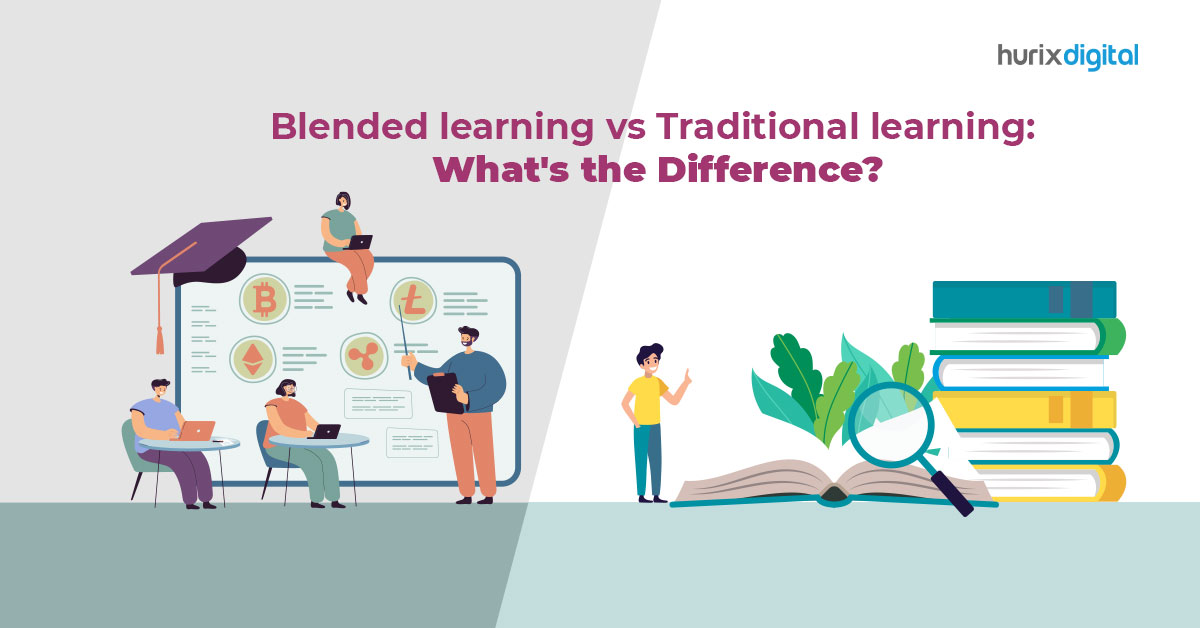
[vc_row][vc_column][vc_column_text]In the post-pandemic era, a mixed approach to schooling has emerged as the new standard. The landscape of education is rapidly evolving.  Education has seen a significant transformation in the last few years as a result of the 21st century’s technological advancements, the widespread adoption of digital technology in our educational ecosystem, and easy access to the internet.  The way that knowledge was previously taught to students has been fundamentally revolutionized through blended learning. Blended learning accelerates, simplifies, and expedites learning in contrast to the conventional method of teaching using a chalkboard.  60% of educators say that blended learning enhances students’ academic performance. Despite such advancements in learning, the debate of blended learning vs. traditional learning stays on.  This article is going to settle this debate by discussing both topics extensively.  The ABCs of Blended Learning: Concept, Importance, and More  As the name suggests, blended learning is a mixture of virtual and traditional methods of learning.  Virtual learning, or eLearning, allows students to complete their work at their own pace and in their own time. In contrast, traditional classroom learning takes place in a dedicated space with the student and teacher present.  Blended learning merges the two and creates a strategy that benefits both the learners and the educators. With blended learning, the emphasis is more on how teachers instruct their students, including the resources they employ and how they incorporate them into their lesson plans, as opposed to the situation or scenario. It enables learners to gain knowledge independently and in their own time. ‘ Furthermore, it provides instant feedback through evaluations and knowledge checks. Learners can easily assess the information they require at any time and location. It also offers content standardization and enables adaptive learning.  The blended learning method, just like the other learning methods, is utilized to achieve learning goals. This makes the impossible possible by offering functionalities that enable learning in ways that are hard to pull off in traditional classrooms.  Blended learning allows learners to understand what style of learning works best for them; it makes learning a fun experience for all kinds of learners with its interactive elements.  Blended Learning Vs. Traditional Learning: Which One Is Better? In the battle between traditional and blended modes of learning, the blended mode has acquired a lot of points so far for obvious reasons.  Blended learning is the perfect mix between traditional learning and eLearning and ensures that nothing comes in the way of a smooth learning experience for learners.  Here are more aspects that will settle the debate of ‘Blended Learning vs. Traditional Learning‘ for you. 1. Effectiveness and Flexibility Traditional learning follows the old ways of educating students, which are not always effective for the entire classroom because not all students learn at the same pace.  It’s hard for educators to keep track of the progress of every student in their classroom.  These issues don’t exist in blended learning; its curriculum is well-crafted and flexible for all kinds of students so that they can learn in their own space without any pressure.  As a result, learners make the most of their learning sessions and understand the concepts in depth.  2. Motivation Unlike traditional learning, blended learning provides instant feedback to learners regarding their progress.  This gives the learners sufficient time to work on the problematic areas and motivates them to push beyond their limits.  3. Personalized Education Not all learners have the same learning style and pace, and it’s hard for conventional learning methods to take good care of them all.  In blended learning, all kinds of learners get equal attention. The belief that there cannot be a training experience that syncs with the requirements of different students is strongly refuted by blended learning.  Moreover, while focusing on the study session, students can freely ask questions to the educators directly. When students do not feel pressurized by their teachers to perform well in every task they undertake in class, they give it their all. 4. Cost Efficiency Blended learning allows for significant financial savings for organizations. It eliminates the need for travel expenses while also allowing employees to continue with their regular work schedules, unlike traditional learning.  Students can learn everything their online tutor is teaching while sitting comfortably at their workstations. Ways You Can Incorporate Blended Learning in the Classroom Gone are the days when the concept of ‘one-size-fits-all’ was prevalent in the education sector. Educators nowadays focus heavily on making concepts clear to learners by incorporating blended learning methods, even inside traditional classrooms.  Here are four strategies you can follow to carry out study sessions effortlessly. 1. Utilize The Tools You Have You don’t need to spend a fortune on eLearning materials on day one; for starters, work with what you have, and the rest will fall into place. Try out new teaching techniques and find short videos related to your topic on the web.  Such small changes will make a big difference in the long run, and you will see the outcome in the student’s performance afterward.  2. Switch On The Smartphones If your traditional classroom has an anti-cell phone policy, it’s time to change that. If you use them wisely, you can easily eliminate distractions and make learning a fun activity.  You will see an increased amount of engagement from the majority of students present in class this way.  To take this further, you can ask your students to post tweets using their Twitter accounts based on the topics you have discussed in your class. Such activities will make them concentrate actively throughout to come up with the best results.  3. Assign Interesting Homework With the right actions, you can also make doing homework a fun activity for students. Start by assigning videos to watch at home or creating an online question set for them to solve before the next class.  In the next class, don’t forget to discuss the homework you’ve assigned. The students will be even more eager to get their work done if you stay consistent

webadmin May 22, 2023 No Comments

The Business Benefits of Accessibility for Publishers

[vc_row][vc_column][vc_custom_heading text=”What is accessibility?” font_container=”tag:h1|font_size:18|text_align:left” google_fonts=”font_family:Lato%3A100%2C100italic%2C300%2C300italic%2Cregular%2Citalic%2C700%2C700italic%2C900%2C900italic|font_style:900%20bold%20regular%3A900%3Anormal” css=”.vc_custom_1618227576507{margin-top: 0px !important;margin-bottom: 0px !important;border-top-width: 0px !important;border-bottom-width: 0px !important;padding-top: 0px !important;padding-bottom: 10px !important;}”][vc_column_text]Simply put, accessibility is a means to ensure that digital content is inclusive and accessible to all people, with or without disabilities. Accessibility ensures that people, especially those with disabilities have the same opportunity to acquire, engage and interact with information as people without disabilities. The Americans with Disabilities Act mandates all organizations and institutions to make reasonable accommodations to ensure that people with disabilities can fully, equally, and independently access content as people without disabilities. Publishers today can find web-accessible eBook development services and leverage digital technologies to design and develop accessible eBooks and other instructional content to ensure equal access to information for people with disabilities. There are various ways to make content accessible. For instance, adding assistive technologies is a means to empower students with dyslexia and limited abilities to view and hear the word at the same time. Similarly, adding screen reader technology will enable access to the blind. Simple strategies can make the online content ADA-compliant and thus, be accessible to all. Also Read: All You Need to Know to Ensure Web Accessibility[/vc_column_text][vc_custom_heading text=”How to make accessible content?” font_container=”tag:h2|font_size:18|text_align:left” google_fonts=”font_family:Lato%3A100%2C100italic%2C300%2C300italic%2Cregular%2Citalic%2C700%2C700italic%2C900%2C900italic|font_style:900%20bold%20regular%3A900%3Anormal” css=”.vc_custom_1618227646047{margin-top: 0px !important;margin-bottom: 0px !important;border-top-width: 0px !important;border-bottom-width: 0px !important;padding-top: 0px !important;padding-bottom: 10px !important;}”][vc_column_text]Accessible content offers maximum flexibility in terms of user experience for all readers and can be manipulated by people with or without disabilities. For any e-content to be accessible, it should include the following four aspects: Structurally-tagged content: Adding proper structure to content helps resolve many accessibility and usability issues. Easy navigation using built-in tools in Adobe Reader, Digital Accessible Information Systems (DAISY) players, and screen readers can reduce search time, eye strain, and repetitive strain injury (RSI), and ensure an easier overview of the content. It also enables a greater level of interpretation for the reader, helping to clarify the relationships between key concepts. Text-to-speech capability: Adding text-to-speech is a means to empower visually impaired users. To add text to speech, the text is tagged with structural and semantic markup and then clear navigation is added to the document. Screen reader tools then read the tagged content and provide audio navigation. Adding alternative text descriptions: These descriptions can explain images and illustrations to the readers. The key points of graphs, diagrams, and images are added as ALT Text descriptions and benefit all types of readers – both with and without disabilities. Font size, color, and style: These have a huge impact on the reading experience. The readers should be able to adjust the font size of the content for easy readability. Styles such as simple sans serif or typeface are specially designed for readers with visual impairment. These styles heighten the contrast between type and page and make reading comfortable for people with problems like age-related macular degeneration or dyslexia. Download Case Study: Hurix Delivers Content that Meets WCAG & Accessibility Standards[/vc_column_text][vc_custom_heading text=”The business benefits of accessibility for publishers” font_container=”tag:h3|font_size:18|text_align:left” google_fonts=”font_family:Lato%3A100%2C100italic%2C300%2C300italic%2Cregular%2Citalic%2C700%2C700italic%2C900%2C900italic|font_style:900%20bold%20regular%3A900%3Anormal” css=”.vc_custom_1618227716981{margin-top: 0px !important;margin-bottom: 0px !important;border-top-width: 0px !important;border-bottom-width: 0px !important;padding-top: 0px !important;padding-bottom: 10px !important;}”][vc_column_text]Listed below are some of the benefits of accessibility: 1. Avoid discrimination With the Internet and digital technologies becoming an integral part of our daily lives, it becomes important to ensure that people with disabilities can enjoy equal access to information and the associated opportunities. The Americans with Disabilities Act (ADA) makes it mandatory for places of public accommodation such as restaurants, movie theaters, and schools to provide equal access to people with disabilities. While the ADA does not specifically mention web accessibility, the legislation is interpreted to extend to the online arena. In fact, web accessibility is now an accepted feature across the world as a means to avoid discrimination and provide access to information to all. With accessibility, publishers can avoid discrimination lawsuits and at the same time accommodate people with disabilities. 2. Reach a wider audience With accessible content, publishers can reach a wider audience including people with disabilities across geographies. Improving the accessibility of your books and documents makes greater business sense. While it is near impossible to cater to people with all disabilities, a few modifications, some thought to design, and the use of assistive technologies is all it takes to make your content accessible.  Adding features such as transcripts and closed captions, support for mobile devices, and a clear, simple site design and navigation will benefit all readers and not just those with disabilities. 3. Build your brand In this age of digital activism, people are willing to support companies with an ethical brand image. A survey by Accenture Strategy shows that customers prefer to make purchases from businesses that take a stand on various issues and are likely to walk away if they are disappointed with the company’s attitude and actions. Ensuring accessible content will help you lay a strong foundation for your brand and initiate interaction and engagement with people with disabilities who are more likely to recommend you to their family, friends, and acquaintances. 4. Improve your SEO Accessibility doesn’t just increase your audience but also ensures that your content is properly indexed by Google, resulting in higher positioning in search results. Make your content semantic for both humans and machines. Search engine bots consume content in much the same way as people with disabilities who use assistive technology do. It allows Google to properly index your content, which leads to higher positioning in search results. 5. Future-proof your business Countries across the globe are introducing new laws or changing existing laws to improve accessibility. By making your content accessible, you can future-proof your business against lawsuits and fines.[/vc_column_text][vc_row_inner css=”.vc_custom_1572956227964{margin-top: 0px !important;margin-bottom: 0px !important;border-top-width: 0px !important;border-bottom-width: 0px !important;background-color: #dee7f0 !important;}”][vc_column_inner width=”2/3″ css=”.vc_custom_1572956198356{margin-top: 30px !important;margin-right: 0px !important;margin-bottom: 0px !important;margin-left: 20px !important;border-right-width: 0px !important;padding-right: 0px !important;}”][vc_column_text]White paper: WCAG – The Road to Making Businesses Accessible[/vc_column_text][/vc_column_inner][vc_column_inner width=”1/3″ css=”.vc_custom_1572956165932{margin-top: 30px !important;margin-right: 20px !important;margin-bottom: 30px !important;margin-left: 0px !important;border-left-width: 0px !important;padding-left: 0px !important;}”][button size=”mediumlarge_rd_bt” use_icon=”yes” icon_color=”#ffffff” t_color=”#ffffff” b_color=”#f55744″ b_hover_color=”#3ac77f” url=”https://www.hurix.com/whitepapers/wcag-the-road-to-making-businesses-accessible/” target=”yes” position=”ta_right” icon=”wb-download”]Download Now![/button][/vc_column_inner][/vc_row_inner][vc_custom_heading text=”In conclusion” font_container=”tag:h4|font_size:18|text_align:left”

webadmin May 20, 2023 No Comments

How to Make Accessible Courses for Higher Education Students

[vc_row][vc_column][vc_column_text]With technology, it is possible to design accessible courses for higher education students. That said, it is important to first understand the term accessibility. The term accessible in the context of accessible courses means that students with disabilities can engage and interact with the content in a way similar to the students without disabilities. In other words, people with disabilities should be able to obtain complete access to the content independently and equally as people without disabilities. Content developers can leverage assistive technology to design accessible courses for higher education students. For instance, videos should be captioned for those who suffer from hearing disabilities and there should be audio for the visually impaired.  Similarly, visually impaired students should be able to access content using screen reader technology. If the PDF is simply a scanned image, the screen reader technology will not be able to read it. Then again, students with dyslexia have limited abilities to read the printed word and need access to assistive technologies that allow them to view the word and also hear it at the same time. These are a few examples of challenges faced by children with special abilities and how technology can be used to overcome them while designing accessible courses for higher education students. The Americans with Disability Act (ADA) of 1990 also mandates inclusive accessibility including online educational opportunities. The Act, therefore, requires that all online courses for higher education students have to be accessible. Also read: How to Make Your Website ADA/WCAG Compliant While online instructors spend a lot of time designing courses that foster academic excellence in their subject area, they also need to be aware of the simple strategies that can make their courses ADA-compliant, and hence, accessible to all.[/vc_column_text][vc_custom_heading text=”In this article, we look at how to design accessible courses for higher education students.” font_container=”tag:h1|font_size:18|text_align:left” google_fonts=”font_family:Lato%3A100%2C100italic%2C300%2C300italic%2Cregular%2Citalic%2C700%2C700italic%2C900%2C900italic|font_style:900%20bold%20regular%3A900%3Anormal” css=”.vc_custom_1621348177101{margin-top: 0px !important;margin-bottom: 0px !important;border-top-width: 0px !important;border-bottom-width: 0px !important;padding-top: 0px !important;padding-bottom: 10px !important;}”][vc_column_text]Easy-to-read font Sans serif is the ideal font style to use to design accessible courses for higher education students. This is because unlike fonts such as Times New Roman and Palatino, Sans Serif does not have additional strokes attached to the letters. Sans Serif font style includes Arial and Helvetica. Once you have decided upon the font style, ensure consistency of use throughout the course.  This is because by minimizing font variation, or any other type of variation, you can ensure greater focus on the content. Color contrast for text  Another factor to consider is text design. For better usability and accessibility, use a dark colored font on a light background. Also known as high contrast, the ideal text design method is to use black font on a white background. However, you can use any other color – the only thing to keep in mind is to avoid the use of extremely bright background colors such as yellow and red. Other combinations to avoid are red and green, and yellow and blue. This is because students with color blindness would not be able to differentiate the text from the background. Also Read: 5 Reasons Why Enterprises Need to be WCAG Compliant Keep text formatting simple The next option to examine in designing accessible courses for higher education students is text formatting. The thumb rule is to follow the ‘less is more’ approach. Avoid unnecessary use of bold and italics. Also, only underline content that is to be hyperlinked. As with text design and font, variations will discourage students with disabilities to engage with the content. Besides, it will take away attention from the course. While formatting, ensure consistency on all pages of the course content. So, if you have placed images on the right side on one page, they should be similarly placed on all other pages. The same also holds true for page navigation, placement of buttons etc. Also, in case you have pop-up windows, buttons for call to action should be clear, especially the ‘X’ sign for closing the window. Avoid animated graphics Graphics are a powerful means to illustrate and exemplify online course content. To make accessible courses for higher education students, avoid animated and blinking images or graphics that put strain on the eye. The images should be relevant to the content and easily visible in high resolution. The next step in designing inclusive content is to add an alt tag or text to describe the images or graphics. Add audio/video files As with images and graphics, add clear audio and video content for students with reading and hearing disabilities. Ensure that the audio content is clear and has no background noise. Also include transcriptions of the audio and video lectures which students can access with assistive technologies. Use a format, for example, the MP3 (audio) or MP4 (video) file format, which is accessible on a universal audio or video player.    Searchable text All the text within a course should be searchable, allowing students to search for content within a document. Then again, tables and exhibits should have identifying labels, headers and summaries. Keyboard navigation It is important to keep in mind that not all students are comfortable with the touchscreen or a grip mouse. While designing accessible courses for higher education students, make sure that the course content can be accessed by keyboard alone or otherwise employ all accessible practices.[/vc_column_text][vc_row_inner css=”.vc_custom_1572956227964{margin-top: 0px !important;margin-bottom: 0px !important;border-top-width: 0px !important;border-bottom-width: 0px !important;background-color: #dee7f0 !important;}”][vc_column_inner width=”2/3″ css=”.vc_custom_1572956198356{margin-top: 30px !important;margin-right: 0px !important;margin-bottom: 0px !important;margin-left: 20px !important;border-right-width: 0px !important;padding-right: 0px !important;}”][vc_column_text]White paper: WCAG – The Road to Making Businesses Accessible[/vc_column_text][/vc_column_inner][vc_column_inner width=”1/3″ css=”.vc_custom_1572956165932{margin-top: 30px !important;margin-right: 20px !important;margin-bottom: 30px !important;margin-left: 0px !important;border-left-width: 0px !important;padding-left: 0px !important;}”][button size=”mediumlarge_rd_bt” use_icon=”yes” icon_color=”#ffffff” t_color=”#ffffff” b_color=”#f55744″ b_hover_color=”#3ac77f” url=”https://www.hurix.com/whitepapers/wcag-the-road-to-making-businesses-accessible/” target=”yes” position=”ta_right” icon=”wb-download”]Download Now![/button][/vc_column_inner][/vc_row_inner][vc_custom_heading text=”In conclusion” font_container=”tag:h2|font_size:18|text_align:left” google_fonts=”font_family:Lato%3A100%2C100italic%2C300%2C300italic%2Cregular%2Citalic%2C700%2C700italic%2C900%2C900italic|font_style:900%20bold%20regular%3A900%3Anormal” css=”.vc_custom_1621348853542{margin-top: 0px !important;margin-bottom: 0px !important;border-top-width: 0px !important;border-bottom-width: 0px !important;padding-top: 0px !important;padding-bottom: 10px !important;}”][vc_column_text]Technology has made it possible to bridge the divide between all types of inequalities. The same holds true for education as well. As classes go online, it is now possible to design accessible courses for higher education students. Following ADA compliance