Blog

How to Convert PDF to ePUB3? A Detailed Guide (2023)

[vc_row][vc_column][vc_column_text]Interactive storytelling is a growing need in the publishing world today. Consumers want to “listen” to books, engage through interactive multimedia content, and enjoy an immersive experience. eBooks are an important pillar in this journey. eBook revenues are expected to hit $14.21 billion by 2023. They are also expected to grow at a compound annual growth rate of 2.01 % to reach projected revenues of $15.39 billion by 2027.  In the early days, PDFs were used to produce eBooks, which essentially comprised text, static images, and hyperlinks that connected to related content on the Internet. However, PDF-based eBooks have limitations and may no longer serve the needs of a wide demographic of users.  Publishers, brands, authors, and social influencers bringing out eBooks are looking to bring more interactivity and accessibility through interactive eBook storytelling. They want to cut through language, readability, and cost barriers. This is where the feature-rich ePUB3 file format makes a difference. The use of ePUB3 instead of PDF is revolutionizing the world of eBooks as we know them.   In this blog, we delve into the growing relevance of ePUB3 and how businesses and influencers can convert PDF to ePUB3 seamlessly using an affordable, state-of-the-art digital publishing platform.  What is the Challenge Faced by Publishers, Authors, and Brands? Large-scale Conversion from PDF to ePUB3  One challenge faced by publishers, authors, and brands is that a large amount of existing content was produced in PDF format. Businesses may wish to produce newer editions of these eBooks. They may want to upgrade them, enhance them with multimedia content, and create access to a wider, more inclusive demographic.  For instance, they might wish to republish an eBook in a different language, add a read-aloud functionality, embed fresh multimedia content, and improve the readability of an eBook across multiple devices. With the arrival of ePUB3, all of these upgrades a possible. In addition, the arrival of digital publishing platforms makes it easy to convert PDF to ePUB3 eBooks seamlessly and distribute them at scale. But first, let’s understand the unique benefits of the ePUB3 file format.  What is an ePUB3 File? An ePUB file is an innovative format that enables reflowable text, unlike a PDF file. This means that the format of the content automatically adapts based on the screen resolution of the device used. PDFs also tend to be heavier files as compared to ePUB because ePUB extensions or files are stored in a zip file, using HTML to proceed.  ePUB3 is the latest version of ePUB. A key advantage is that it enables files to be embedded with videos, audio, and interactive multimedia elements. This innovation means that any content piece, such as an eBook produced with ePUB3, can be made more engaging.  This is great news for publishers, businesses, and content creators, who aim to produce high-quality, accessible content. ePUB3 has the potential to revolutionize the way we present eBooks, from books on food, and science textbooks, to children’s books. It helps publishers bring creativity to their storytelling while consumers get access to highly user-friendly eBooks.  ePUB3 Also Comes With Some High-Value and 3 Unique Features as Follows:  Consumers can leverage a spectrum of fonts and text styles, thus enabling more power over how they consume content.  It removes language barriers by enabling compatibility for multiple languages. It also allows for books to be written in languages like Arabic, which are traditionally written from right to left.   K-12 publishers especially can leverage the ePUB3’s capabilities for directly embedding MathML, or Mathematical Markup Language, an XML-based language used to describe mathematical notation. This is a useful feature when creating science, math, and engineering textbooks.  How to Convert eBooks from the PDF to ePUB3 Format  Today, a wide range of tools are available to convert PDF to ePUB3 files easily and cost-effectively. However, the most secure approach for businesses is to do it through credible digital publishing software, which enables files to stay secure, safe, and confidential. 6 Simple Step-By-Step Guide to ePUB3 Conversion: Step 1 – The first step is to register and create your account on the platform. Step 2 – The next step is to import your PDF file. Click on the “Import PDF” option, and select the relevant PDF document, which needs to be converted, when the PDF dialogue appears. Step 3 –  Select the fixed layout ePUB3 template or reflowable layout template per your needs. If you want the format to stay intact, then go for the fixed layout template so you have more control over the outcome.  Step 4 – You will need to choose the font of the text. You can either stick to the existing font, choose a similar font, or use fonts from a specific URL. However, the default choice is the font used in the PDF document.  Step 5 – You will now need to preview and edit the new file. Look out for the preview and edit buttons, and continue the process until you are satisfied with the results. You can add relevant links, videos, and images to enhance the storytelling. Step 6 – Once you are satisfied with the final PDF to ePUB3 copy, you are ready to publish the upgraded version. Click on the “Publish” button, and your eBook is ready to be distributed to your audience.  A professional digital publishing platform also comes with digital rights management, which enables the secure distribution of the eBook to authorized audiences. Hence, make sure that your PDF to ePUB3 conversion is done professionally, especially if you run a business and want to keep the content secure.   The Takeaway  The launch of ePUB3 has changed the game for publishers, who can leverage its features to redefine the eBooks of the future. This is an incredible marketing opportunity waiting to be tapped. However, the opportunity is not restricted to publishers. A growing number of brands and social influencers are also leveraging eBooks to build visibility and brand loyalty.  The usage of ePUB3 is expected to drive up the demand for

Manuscript Preparation: A Connecting Process Between The Editorial Team And An Editor

[vc_row][vc_column][vc_column_text]There’s nothing like a printed book; the weight, the woody scent, the feel, the look. ―E. A. Bucchianeri[/vc_column_text][vc_custom_heading text=”What is manuscript preparation?” font_container=”tag:h1|font_size:18|text_align:left” google_fonts=”font_family:Lato%3A100%2C100italic%2C300%2C300italic%2Cregular%2Citalic%2C700%2C700italic%2C900%2C900italic|font_style:900%20bold%20regular%3A900%3Anormal” css=”.vc_custom_1622800348437{margin-top: 0px !important;margin-bottom: 0px !important;border-top-width: 0px !important;border-bottom-width: 0px !important;padding-top: 0px !important;padding-bottom: 10px !important;}”][vc_column_text]A fully formatted book goes through a series of processes and involves the contribution of multiple teams before it finally hits the market. Formatting a book is also a time-consuming task. To make things easier for all the processes involved, it is necessary to prepare the book in a proper manner prior to formatting.  Manuscript preparation is a process that includes checking whether all the contents of the book, be it a first edition or a revised edition, are provided by the author, followed by appropriate call-outs for the artworks, placement of the tables, box elements etc. This helps the typesetter and other involved teams to proceed with the formatting process. Before the book goes into production, it is important to have a thorough check of all essential elements and permissions to avoid last-minute delays.[/vc_column_text][vc_custom_heading text=”Who is a preparer?” font_container=”tag:h2|font_size:18|text_align:left” google_fonts=”font_family:Lato%3A100%2C100italic%2C300%2C300italic%2Cregular%2Citalic%2C700%2C700italic%2C900%2C900italic|font_style:900%20bold%20regular%3A900%3Anormal” css=”.vc_custom_1622804461748{margin-top: 0px !important;margin-bottom: 0px !important;border-top-width: 0px !important;border-bottom-width: 0px !important;padding-top: 0px !important;padding-bottom: 10px !important;}”][vc_column_text]A book is transmitted from the hands of the Editorial to the Production team. A manuscript preparer is a person who is a link between the Editorial and the Production team. Before a book goes into production, the role of a manuscript preparer comes into play. A manuscript preparer checks whether all the contents of the book are available, provides proper call-outs for artworks and other elements of a book, checks for the table of contents and aligns them with the input chapters, and prepares book info sheet based on the data provided, to be transferred to production process which involves the role of a copy editor and a typesetter. A manuscript preparer receives files, usually in the form of a Word document, from the Editorial team, prepares the manuscript, resolves any discrepancies with the Editorial team and finally proposes the final transmittal notice.[/vc_column_text][vc_custom_heading text=”Processes in manuscript prepping” font_container=”tag:h3|font_size:18|text_align:left” google_fonts=”font_family:Lato%3A100%2C100italic%2C300%2C300italic%2Cregular%2Citalic%2C700%2C700italic%2C900%2C900italic|font_style:900%20bold%20regular%3A900%3Anormal” css=”.vc_custom_1622804547703{margin-top: 0px !important;margin-bottom: 0px !important;border-top-width: 0px !important;border-bottom-width: 0px !important;padding-top: 0px !important;padding-bottom: 10px !important;}”][vc_column_text]Manuscript preparation is categorized into two processes: Manuscript Prep Preparing Book Info Sheet Let us see what these processes are. Manuscript Prep: When a book is received for manuscript preparation from the Editorial team, firstly, the input is analyzed, checking whether the book is a first edition or a revised edition, and then it is cross-checked for all essential elements against the notes document that has been shared.  Steps in manuscript prep: Folder creation: Appropriate folder creation with the author name and edition, followed by sub-folder creation of all the inputs shared. Files that are to be transmitted to Production are the ones that will be placed in these folders.  File naming: A standardized file naming convention is followed, which helps in avoiding confusion during the production process. Checking table of contents: Table of Contents (TOC) is a very crucial element, which needs to match correctly with the chapters and contents of chapters in a book. Matching the contents from the chapters and creating a detailed TOC is the next important step in manuscript preparation.  Labeling/call-outs: Callouts for every piece of text in the manuscript will have a unique design treatment.  Credit line vs Source line: Checking permissions log for appropriate credit and source info is also a part of the Manuscript prep process. Any instruction to be added for the author, typesetter, Production Editor, or copy editor will be given near the content in a defined standard format.  Call-outs fall under the following two categories: New call-outs: Insertion of new figures, photos, tables will be called out under this category. Pick-up call-outs: Any figure, photo or table that needs to be used from a previous edition will fall under this category. Both types of call-outs have their own standard way of representation. Preparing Book Info Sheet After prepping the manuscript, the next step in the transmittal process is to fill out the Book Info Sheet and Castoff-o-matic in an Excel with the required template and design mentioned. This step involves tracking individual manuscript elements, estimating the number of MS pages that each MS file will take up, and calculating the final book length.[/vc_column_text][vc_custom_heading text=”Key Terms in Prepping” font_container=”tag:h4|font_size:18|text_align:left” google_fonts=”font_family:Lato%3A100%2C100italic%2C300%2C300italic%2Cregular%2Citalic%2C700%2C700italic%2C900%2C900italic|font_style:900%20bold%20regular%3A900%3Anormal” css=”.vc_custom_1622805069871{margin-top: 0px !important;margin-bottom: 0px !important;border-top-width: 0px !important;border-bottom-width: 0px !important;padding-top: 0px !important;padding-bottom: 10px !important;}”][vc_column_text]Some of the key terms and terminologies in manuscript prepping include the following: Transmittal A transmittal refers to delivering the input manuscript and all of its elements from the hands of Editorial into the hands of Production. It is the beginning of the production cycle, during which Production and Editorial work closely together to bring a book to life. The ideal transmittal is a complete manuscript, with all front matter, back matter, figures and artwork included, all photos selected and downloaded or requested, and all third-party permissions requested, if not already secured.  The next most ideal transmittal is one with fully prepped manuscript, that is, providing complete callouts for photos, figures, boxes, and other features; clear identification of items to come, that is, a permissions log as complete as possible; and available photos and figures/artwork provided and properly labeled.  Call-outs A callout is, in simple terms, an instruction that tells the typesetter where to place things in the book. The callout itself is not meant to appear in text, so it is usually flagged in red and in brackets to indicate that it is a set of instructions.  Permissions log A log that lists a book’s third-party content, whether permission is required to reprint that content, the dates on which permission was requested and obtained, and the credit line that should appear with the reprinted material. Credit lines Third-party material that is being reprinted exactly as it appears in a different publication needs a credit line. Photos always have credit lines. Figures get credit lines if someone else made them.  Source lines Any artwork made using data that the author did not create themselves needs a

How Can Video-Based Training Technologies Be Used To Provide Interesting Training Videos?

[vc_row][vc_column][vc_column_text]Training and updating your staff on new skills is crucial in today’s fast-paced business world. But how can you make this process more exciting and effective? Enter video-based training technologies, the ultimate training tools for employees. We’ll explore the benefits of video-based training, how to create engaging training videos, and the best practices involved. You’ll also learn how to measure the success of your training programs and take employee development to the next level.  Let’s dive in! The Importance of Training Tools For Employees The importance of employee training is critical to the success of any business. A company would want to invest in employee training for many reasons, but most importantly, it helps increase employee productivity and motivation.  Employee training should be ongoing throughout the year, not just once or twice yearly. You might be wondering how video-based training technologies can engage employees. Here are some ideas: Use video as a coaching tool during live training sessions Use microlearning techniques Create interactive games or quizzes requiring learners to answer questions before progressing through the course material. Types of Video-Based Training Technologies There are different types of video-based training technologies. They include: Animated videos are animated images or graphics that can be used to explain concepts and processes. These can be created using different software programs such as Adobe Photoshop or SketchUp Pro. Live-action videos are recordings of real people taking tutorials in real time. They can also be captured with unique cameras that record at high speeds. When played back at an average rate, it looks like the person is moving slowly or standing still while speaking in slow motion or pausing between sentences/words/phrases to create emphasis in training materials. Interactive videos allow users to click on certain parts of the screen where they want more information about something specific before continuing their learning journey. Virtual reality (VR) videos give viewers an immersive experience by allowing them to see what it would be like if they were physically present in a specific place/environment–for example, employees in simulations of a scenario using tools at work and attending meetings/conferences without leaving the comfort of your homes. Benefits of Video-Based Training Technologies Video-based training technologies provide extensive toolkits for creating engaging training videos that can be used for various purposes, such as improving productivity, increasing retention rates, and creating marketing materials for promoting an organization’s products or services, among others. Here are some of the benefits that video-based training solutions can offer: Improved employee engagement Video-based training solutions allow you to deliver content more engagingly than traditional learning methods like text or audio files. Employees will be more likely to retain information from their training sessions if they’ve been captivated by visually striking graphics/animations in the video or seen the event in real-time rather than read about it in an ebook or listen to audio recordings. Cost-effective and efficient They allow you to train employees on the job rather than sending them to a classroom or paying for outside trainers. This saves time and reduces costs associated with travel and other expenses related to learning new skills. Video-based training technologies allow you to create engaging and interactive videos that can be viewed anytime, anywhere in the world. They allow employees to train themselves with little to no help from others, thus saving your company money on employee training costs. Customizable and accessible You can add text, images, and other visual elements to help explain complex concepts more clearly. Video-based training technologies enable users to access their content anywhere with an internet connection or mobile device such as a tablet or smartphone. You can easily access YouTube or similar platforms where videos can be downloaded onto devices. You can also create courses that include multiple types of media such as text, audio, images, and video clips and other interactive features such as quizzes or polls that allow participants to take action right away after viewing a particular topic or concept covered in the course material. Creating Interesting Training Videos using Video-Based Training Technologies Video-based training technologies are a great way to provide interesting training videos. They allow you to convey complex information engagingly and memorably, but creating such videos is not always easy. Here are the steps on how to make your video training content more engaging: Setting clear objectives and defining the target audience This will help you determine what information needs to be conveyed and how best to do it. You need to find out what goals your audience wants to achieve and what challenges they face when trying to achieve these goals. By understanding these objectives, you can create a more engaging video training program that helps people reach their goals faster. Scriptwriting and storyboarding The purpose of this exercise is not just about conveying information — it should also engage learners so they not only broaden their skill sets by engaging in new learnings and reduce the gaps in understanding through learning and development initiatives. This means using persuasive language and phrases that capture attention and providing humor where appropriate (such as during transitions). Incorporating engaging visuals and sound effects Combining text with images makes the information easier to understand than if you were just reading what you need to know. You can also include sound effects in your video so that it feels more like a movie than just a series of slides or still images on your computer screen. In addition, if you have access to royalty-free music, you can incorporate music into your video for added interest for learners. Using gamification and interactivity to enhance the learning experience Gamification and interactivity help build engagement with learners, which is essential for effective learning. You can incorporate elements like badges and leaderboards into your video-based training by adding interactive questions at various points in your content to entice participants to stay attentive. You can also encourage participants to respond to what they’ve learned by sharing their thoughts and feedback on social media platforms such as Twitter or

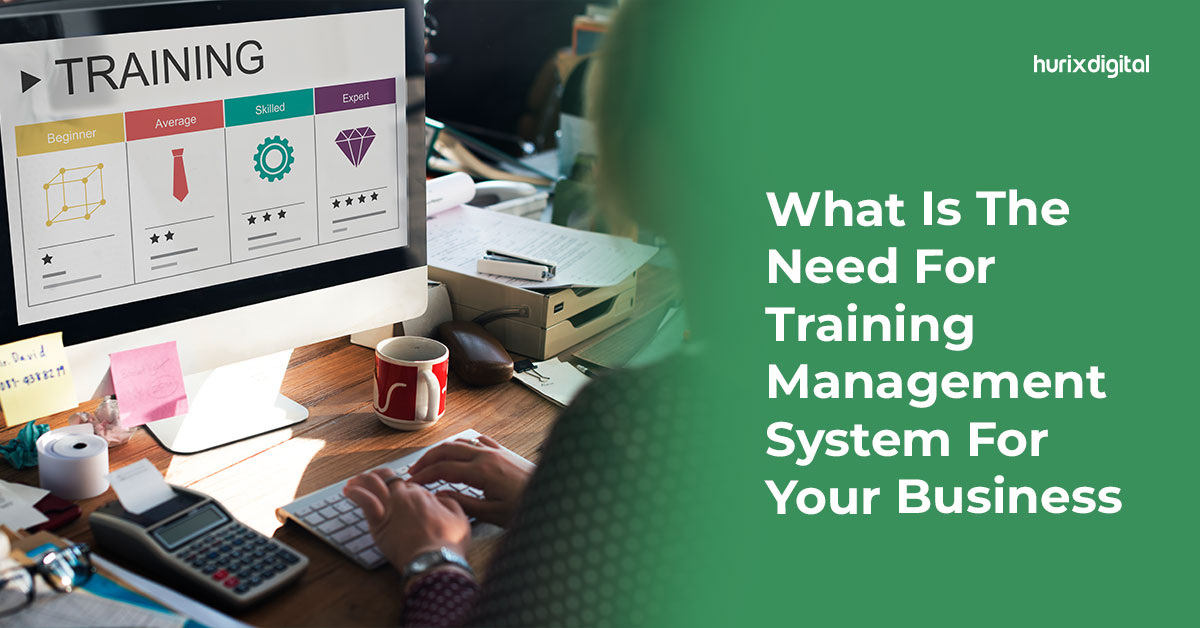
What Is The Need For Training Management System For Your Business

[vc_row][vc_column][vc_column_text]Any new employee, regardless of their skill, position, or workplace, needs time to fit in. This period involves learning about the company’s policies, ethics, and workflow. But did you know you can increase your training efficiency by up to 93%? Yes, implementing a training management system can work wonders for your company. In fact, 58% of employees prefer to learn at their pace. An efficient learning management system facilitates a seamless way for employees to learn and train for complex scenarios. That is why TMS as an industry is expected to reach a whopping $41 billion approx global value by 2029. Integrating an LMS can have a great impact on your business growth. It can make learning a habit for employees while providing them with every bit of information they need without investing additional human resources. However, businesses must completely understand training management systems before using them effectively. What Is A Training Management System? A training management system, or a learning management system, is a software app designed to provide e-training and e-learning. In an era where 82% of employees prefer to work from home, the system can be of utmost help. It not only trains the employees but also keeps track of their progress. The use case of an LMS can be tailored to suit the company’s needs. LMS groups across the globe use the system to sort, store, and share course materials with team members. The data on a training management system can be accessed, updated, and organized remotely.  In addition, it can help companies sustain growth, improve policy regulation, and organize processes. A TMS comes in handy, especially in large-scale organizations with niche positions and complex team dynamics. If needed, the system can be used by employees to share their feedback.  Features Every Training Management System Must Include Before implementing a company-wide TMS, it is crucial to understand what it must include.  Compatibility is a vital factor to consider while using a training management system. Given the increasing use of smartphones, it is crucial that your TMS must support different OSs and devices. An easy login feature also ensures that employees can quickly access the system. On the other hand, the TMS should focus on a data tracking feature for the company’s benefit.  The goal of integrating the system is to reduce human resources, so the TMS must remain secure and operational at every moment. Companies should ensure that their security protocols to keep the data safe must be multi-layered. Benefits Of Using A Training Management System Here are some important reasons why your business needs a training management system: Consistency In Training An LMS ensures that your employees are aptly and equally trained. Since it facilitates a self-paced learning experience, team members get a consistent chance to grow. At the same time, you maintain the same quality throughout the course. A trainer-led training course can differentiate based on the instructor’s ability to engage employees.  With a centralized training delivery, you can ensure that every employee gets consistent quality training via a single source.  Facilitates Cost Efficiency It is safe to assume that investment in high-tech software will increase the overall business cost.  However, a training management system is a cost-efficient tool in the long run. TMS software allows companies to minimize the funds spent on trainers and instructors. It also eradicates the need for renting facilities and communal costs for employees to learn. Yes, you need to program the TMS to suit your needs, but that is a one-time investment in most cases. Educating and training employees individually can burn a hole in your pocket.  That is why a TMS emerges as the ideal choice to train multiple employees at the place and time of their preference. Better Profits And Productivity A study by the American Society for Training and Development has shown that companies that invest in training reap 24% higher benefits than the rest. A learning management system facilitates the environment to achieve this. In addition, it ensures that the employees go through the training thoroughly. Quality training leads to better-educated members, who, in turn, help the company produce better results. Perfecting Employee Onboarding Want employees to retain complete awareness during the tedious onboarding process? Implementing a training management system will help you reduce the churn rate encountered by employees. The TMS can be used to track the hiring and training process with prepared courses, assignments, and tests. At the same time, an automated onboarding process helps both the company and the employee. Centralized Space For Information A training management system becomes the hub for information that can be accessed from anywhere, at any time, using any device. This availability of data can prosper critical decision-making. At the same time, it reduces the time consumed to retrieve data related to training progress, employee profile, etc. Improved Progress Tracking With a TMS, businesses can easily keep track of the trainees’ performance and progress. They can ensure that the employees have reached their goals and have been trained properly. Moreover, companies can use analytical tools to assess areas where the employees need betterment. If multiple trainees face issues in the same area, you can modify the lesson to make it more user-friendly. Quick Course And Compliance  Your company is bound to change its operations, policies, and goals over time. A training management system can be updated in minutes to address such changes. What’s more, is that it can be updated to meet the latest compliance and regulatory needs. Modifying the TMS and notifying employees through it is much simpler than sending everyone a copy of new policies.  In Conclusion Integrating a training management system is a necessity in today’s digital era. The system can help businesses save time, money, and resources while improving their training and onboarding efficiency. At the same time, a TMS has better chances of satisfying employees due to its self-paced learning potential. It tracks the progress and maintains it safely in one spot for anyone to access. However, choosing the best

Can Pre-Press Services Help Your Business To Save Time And Money

[vc_row][vc_column][vc_column_text]The advent of digital media has significantly altered the consumption of print media, throwing conventional publishing into disarray. Pre-press professionals, confronted with an increasingly digitized world, are geared for future challenges by resorting to the latest trends in publishing. Pre-press services continue to open new avenues, boost client retention, and generate higher revenues and are the pillar of high-quality commercial printing, a crucial component of the customer relationship strategy. The advancements in traditional pre-press services have revolutionized how publishers produce and distribute content, making it more appealing, efficient, and cost-effective. Publishers are harnessing the professional pre-press printing services available today to deliver high-quality and interactive content to their target audience with quicker turnaround times to magnify their digital content distribution channels and procure sales. Publishers can ensure their content is flawless and up to the highest standards. Pre-press services are an often-overlooked aspect of printing that can extend significant cost savings to businesses.  Pre-Press Services Explained Pre-press services refer to various procedures, including file preparation, color adjustment, proofreading, and imposition, performed prior to the final printing. Pre-press specialists ensure that the content’s caliber is upheld throughout the publishing process by detecting mistakes, inconsistent formatting, and other issues that could degrade the content’s overall quality. The process also incorporates all aspects of artwork correction by ensuring a high-quality outcome adhering to the customer’s specifications for size, font, and colors for a finished file that is perfect for print standards. Advantages of Utilizing Of Pre-Press Services Let’s delve into the advantages of pre-press printing services that improve employee workflow. 1. Quality Control When it comes to marketing and advertising, first impressions are crucial, and customers often perceive a company’s professionalism based on the appearance of its marketing materials. Impeccably designed printed materials convey that your company is dependable, competent, and dedicated to providing a pleasant customer experience. On the other hand, a business with poorly executed printed materials portrays a company as unreliable, sub-standard, or unable to pay attention to detail. Pre-press specialists conduct extensive quality control tests to produce a finished product of the highest printing standards. This level of attention to detail is essential when working in the printing industry, where even minor errors can be expensive. Investing in pre-press services assures high-quality printing and design, contributing to a positive image for your brand while improving your likelihood of attracting and retaining customers. Pre-press technicians harness specialized software to ensure the digital files are optimized for printing, appropriately formatted, and color corrected with a suitable resolution. 2. Streamlined process translates to quicker turnaround time As a digital publisher, you can’t afford to lose weeks of production time. Digital pre-press services are an excellent option for those who value their time and must swiftly produce high-quality printed materials. Pre-press technicians work closely to ensure the files are prepared for accurate printing. Outsourcing pre-press services reduces the time needed for setup allowing businesses to meet tight deadlines by delivering fast turnaround times. Streamlining the printing process reduces the time spent on reprints and allows a quicker turnaround time for printing jobs. Pre-press service companies are equipped with the necessary resources and expertise to produce quality content swiftly without compromising quality. Outsourcing pre-press services is the most effective technique to enhance a business’s reach to its clients and enhance its scalability. 3. Early error detection minimizes reprinting expenses The complete publishing process demands significant time, money, and resources, from developing engaging content to meeting timeframes for delivering the finished material to the intended audience. Pre-press services limit the cost of reprints by determining errors and rectifying them before printing, fetching you the best quality prints. They enable organizations to offload substantial expenses by eliminating the need for reprinting pages. Pre-press technicians may advise layout or design adjustments that can lower printing expenses by reducing paper waste and ink usage. For instance, they can recommend altering the layout to accommodate more copies onto a single sheet of paper or reducing the number of colors used to minimize the amount of ink required. Over time, these adjustments may amount to considerable cost reductions for enterprises. 4. Design Consistency translates to a positive brand perception Pre-press experts scrutinize the content for text overruns, disarranged text chunks, and text concealed behind images before finalizing the layout to ensure that the ultimate print-ready file contains no glaring mistakes. They ascertain that all files are uniform, with no disparity in the colors, fonts, or design components. The printed product’s quality is preserved across all materials, saving businesses time and money while enhancing organizational efficiency, thanks to this level of consistency and precision. Pre-press services’ capacity to uphold uniformity in design aids in developing a professional image for the company. The Bottom Line In a highly competitive business world, companies must seek ways to save time and money without compromising quality. The pre-press stage is crucial because any errors or issues that are not detected and corrected can lead to costly reprints and delays in delivery. Therefore, working with a reliable pre-press service provider with the expertise and technology to ensure printed materials are generated to the highest standards is vital. Printing accomplishes more than simply rendering a digital file tangible. It involves transforming your idea into print materials that accurately translate your client’s expectations on paper. For a quick turnaround and impeccable print quality, work with Hurix’s team of design professionals that offer each manuscript their undivided attention and ensure accurate reproduction of each text block and pagination. [/vc_column_text][/vc_column][/vc_row]

What Is The Need For Developing An Online Program In Universities?

[vc_row][vc_column][vc_column_text]Did you know that preference for online education has gone up post-pandemic? According to a survey, students’ positive views about online learning have increased from 86% pre-pandemic to 94% in 2022. In addition, 83% of students have said that they would prefer to learn online again in the future.  An increase in preference and positive attitude towards online learning creates a need for online program development in universities. Apart from them, other important reasons also create a need for the same. Read on to learn about them.  No Need To Relocate For campus-based education, students need to move closer to the campus, sometimes from another state or country, which can be very costly. Even the classes are scheduled at a specific time, and this rigidity can be challenging to deal with for students with work responsibilities.  Unlike campus-based education, online programs allow students to learn from their homes without relocation. They are flexible and allow students to learn at a time of their convenience, carry out their work duties, and maintain a work-study-life balance.  Apart from the students, the faculty can also teach from their homes in online programs. Cost-Effective Solution Physical college textbooks are becoming even more expensive, with a reported 7% increase in their prices from 2020-23. In this scenario, only online programs can reduce the burden of textbook expenses on undergrad students. Online programs allow students to opt for much cheaper online textbook alternatives. In addition, they help students save a lot of money associated with in-class education, like lab fees, commuting fees, hostel fees, parking fees, etc. Though online program development can be a costly investment for universities initially, it offers high long-term returns.  Comfortable And Personalized Experience In traditional classrooms, some students can feel anxious about speaking in front of people. However, online classrooms take away the stress and anxiety associated with public speaking. They provide students with a comfortable environment to share their views and participate in discussions easily. With online education, programs can easily be personalized to meet the learning needs of students. Personalized learning or education is a major attraction for students as it allows them to study at a convenient pace as per their preferred learning style.  Improves Communication And Collaboration Online programs can sometimes appear drab and boring, but the good thing is that they can be made interesting with the help of interactive activities, such as: Discussion Boards: On discussion boards, students put forth their ideas about a topic, which are then discussed by the entire class. Group Projects: In group projects, students team up to solve a case study, create an innovative product, or carry out research on a topic.  All these online activities will improve the interaction of students with their peers and professors and equip them with the ability to think critically and clearly communicate their ideas.  Improves Time Management Unlike traditional courses, where students need to attend classes on a scheduled day and time, in online courses, students are responsible for going through their course material. In addition, while students can work on assignments at their convenience, they still need to finish and upload them by the deadlines given by their professors.  Thus, online programs are helpful in inculcating the virtue of self-accountability, enriching knowledge, and sharpening students’ time-management skills. Promotes Diversity In 2021-22, 948,519 students from across the globe enrolled in a degree course in the US. This number will continue to increase in the coming years.  If you want to capture the market of international students, you will need to upgrade with time. Nowadays, online learning courses are in high demand, thanks to digitalization.  Having online courses will cultivate a diverse culture among students at your university. Students will gain knowledge about other cultures, which will broaden their perspectives. At the same time, they will have the opportunity to network with people from across the globe.   Refines Technical Skills In a typical classroom scenario, students have to sit for back-to-back classes, and this can be exhausting and make them feel not up to doing anything. Fortunately, breaks can be taken between classes, thus making attending online programs a refreshing experience.  When students aren’t tired, they feel up to learning new things. For example, students can work on their existing technical skills or learn new technical skills, which are pre-requisite for success in most jobs today.  Enhances Quality Of Courses You can easily update your online courses with new information with the help of a learning management system (LMS). Regularly updating gives you a competitive edge and ensures that the students in your university are up-to-date with the current developments in their field of study.  Online programs provide the faculty in your university with the means to attach additional study links to the course material. It also helps them supplement their lessons with other online educational resources.  Quick And Timely Feedback In traditional courses, students need to wait for weeks before they get feedback on their assignments. Unlike this, in online courses, students can upload their assignments online, and professors can check and review them and revert back with valuable feedback. Feedback allows students to know what they need to improve on, what they are getting right, and which topics they need to review again. It improves their understanding of concepts.  Review Lectures At Leisure Unlike physical lectures, online lectures can be recorded and made available on a common portal. As a result, students who miss some classes can catch up by going through the recorded lectures. Moreover, students can also view the recorded lectures to gain clarity in their understanding of concepts. Thus, online programs, unlike conventional programs, allow students to review lectures at their leisure.  The End Note Online programs can enhance the faculty’s overall teaching experience and students’ learning experience. They can make your university stand out from the competition, achieve academic excellence, and widen its reach to international horizons.  All the above reasons and benefits necessitate the need for online program development in your university. Since online program development

How Are Online Learning Platforms Changing The Higher Education System?

[vc_row][vc_column][vc_column_text]eLearning is revolutionizing the way people learn. According to Forbes, the eLearning market will have risen to $325 billion in global value by the end of the next three years. Especially in the case of higher education, online learning platforms provide better opportunities for students to improvise and customize their learning. This blog will discuss how online learning platforms for higher education are transforming traditional learning and why they have become exceedingly popular. 5 Ways Online Learning Platforms are Changing Higher Education Online learning has five revolutionary applications for the higher education system: 1. Collaboration and adaptive learning One of the most important aspects of education and the learning experience is the collaboration between teachers and students. Classrooms create learners’ communities led by educators, where all the participants contribute and exchange information. These platforms facilitate resource sharing and cooperation over digital and interactive interfaces, which allows learners and educators to “come together” with all the materials. When a physical presence cannot be facilitated, online and virtual classrooms more than fill the gaps and establish teacher-student communication, which is essential for effective learning. Furthermore, learning communities provide a way to socialize and interact where physical presence is challenging to arrange. 2. Technological familiarity In today’s digital era, the traditional education system is also adapting itself to a more technological familiarity. Digital educational tools can now be deployed over any compatible device, like laptops, mobile phones, tablets, etc., and accessed at the student’s convenience. Modern learners are more comfortable leveraging technology for flexibility benefits, which makes eLearning platforms pivotal for teaching efficacy. Statistics show that 46% of students use mobile phones to view eLearning material before sleeping. Furthermore, live classrooms and note-taking apps have made it simpler to stay attentive in classes without needing any concept to be repeated. Technology-enhanced learning has also enabled inclusivity through eLearning tools. For example, technologies like text-to-speech incorporated into learning modules have enabled visually challenged learners to participate in regular classrooms, encouraging participation and confidence in themselves. 3. Global Connectivity Global student exchange and cultural education have been integral to higher education. Through online learning platforms, educators can finally establish a connection between students with similar interests. In the process, they enable a global interaction between people of different cultures and backgrounds, enhancing exposure levels for the learners. By creating global access courses, a community of learners of the same subject facilitates virtual social interactions that otherwise would be difficult to achieve. It also helps to level the playfield for economically challenged learners by bringing a global community and improved resource access within affordable reach. 4. Supplementary Courses As schools and universities move towards adopting technologies into their regular curriculums, a parallel stream of supplemental courses can be conveniently accessed by students. Third-party eLearning platforms have become industry-leading solutions for students seeking knowledge over and above their school curriculums. For students with a penchant for supplementary or parallel skills and subjects, these online learning platforms have made it possible to access their interests at any time, pace, and level of difficulty they like. The customizability of supplementary courses is nothing short of extreme – with AI-based learning prompts for challenging concepts. Additionally, school faculty and staff can benefit from online learning platforms by publishing their own supplemental courses for students around the world who are interested. 5. Hybrid Learning Most higher education institutions have now reopened or are opening with selective attendance. However, with the convenience, customization, and benefits of online learning platforms, it is difficult for students to return to traditional schooling methods. The same online learning platforms also allow educational institutions to establish a hybrid school environment. This is a model where the lectures and lessons that can be understood better in person would require attendance at school. Every other lesson could be delivered through the school eLearning platforms or apps. Reasons Why eLearning is Popular in Higher Education The popularity of eLearning platforms in higher education can be attributed to several reasons: Online learning is inherently flexible, customizable, and accessible. Learners don’t need to be in a restrictive classroom environment to learn and can engage through interactive online content, including animated explanations of concepts and descriptive media. Students get access to multiple courses simultaneously and at any time that suits them. There is no formal classroom schedule that forces productivity or attention on students; instead, learners get to utilize their most attentive hours and productivity to learn the most challenging concepts. Online learning platforms retain a repository of learning resources and materials, eliminating the need for students and teachers to take notes or make physical copies of learning materials. It helps save on paper and printing costs while ensuring all learners can access the resources. The biggest reason eLearning is popular is because it can be delivered over various channels. It doesn’t matter whether or not a student has access to a laptop; digital courses work even over mobile phones, which a majority of the population possesses. This drastically improves the penetration of education into the societal fabric. Wrapping Up Online learning platforms for higher education are cost-effective, enable better learning experiences, and are inclusive and sensitive to the needs of every student individually. Hurix Digital empowers higher education institutions with their eLearning and digital technologies to ensure that the benefits of online learning platforms for higher education are translated effectively. To understand how Hurix Digital can help your educational institution, visit the website.[/vc_column_text][/vc_column][/vc_row]

Why Is It Essential To Get the Right Digital Assessment Tool?

[vc_row][vc_column][vc_column_text]Over the last decade, online educational technologies have gained immense traction, with more and more educational institutions using digital assessment tools for summative and formative assessment. The global eLearning market is projected to reach around $325 billion by 2025 with a CAGR (Compound Annual Growth Rate) of 7%. As an increasing number of students are comfortable using them, paper testing is losing its significance when it comes to knowledge assessment. Investing in the software will future-proof your online assessment strategy. Choosing the tools that align with your strategy will not only help in solving current issues but also assist in solving future problems. Let’s dig deeper into how digital assessment tools can help you take the learning environment to the next level. Understanding Digital Assessment Tools Digital assessment tools help evaluate students’ behaviors, abilities, and characteristics through online questionnaires, tests, and quizzes. They enable teachers to track students’ progress effectively and recognize opportunities to motivate and encourage them to excel in their assessments. The major goal of digital assessment is to reduce faculty members’ workload, improve the system’s efficiency, and provide examination flexibility. You must choose technology that meets your requirements rather than trying to match your needs with the technology that’s already available.   How Teachers Leverage Digital Assessment Tools To Provide Exceptional Learning Experiences Reviewing, evaluating, and grading assessments can be a highly hectic addition to the routine work of a teacher. But with the advancement in technology, educators can now assess students’ performance easily and quickly, saving significant time for actual learning. Thanks to feedback tools and learning management systems, students get fair and quick assessment results right after taking a test. The software provides an evaluation report, including students’ grades and feedback. This allows the educator to assess student’s learning progress in different subjects easily.    Importance Of Digital Assessment Tools In Education The main aim of educators is to help students grasp and learn various concepts and hone their skills. Here’s how digital assessment tools can help in judging and tracking the knowledge level of students in a hassle-free way: 1. Offers Flexibility To Students Flexibility is one of the most significant benefits of digital assessment tools. Your students enjoy the liberty to attend their examinations from anywhere at any time. The best part is that online assessment tools allow you to personalize the exam settings in case your student wishes to appear for the test at a specific interval of time. Students living far away or in another country can get the best perks based on location. Even students with physical disabilities can leverage digital assessment tools.   2. Easy To Set The Exam Guidelines And Rules With digital assessment tools, setting exam guidelines and rules has become easier than ever before. You can now schedule digital skills evaluation tests for tens of thousands of students – year-wise, class-wise, and section-wise. This can save you significant time and effort. From fixing the marks of each question to the total exam time to deciding some criteria such as bonus points and negative marking, you get full liberty to conduct and organize the online assessment process.     3. Various Assessment Formats With Proctoring Technology To focus on students’ skill development, it’s important to frame questions in different formats. That’s exactly what digital assessment tools can help you with. Whether you want a descriptive test pattern or MCQs, they can help you in conducting the online assessments in a format that meets your goals. What’s more, with the help of proctoring technology, you can monitor students while they attend the digital assessment to ensure nil malpractices. As the grades are auto-evaluated, you can refer to the question-wise student performance report for detailed analysis. 4. Interactive, Engaging, And Fun Multimedia Sessions Gone are the days when exams were conducted on boring black-and-white papers! The thought of holding the question paper in hand during the test was nothing short of a nightmare for many. The good news is that modern assessment tools allow you to frame questions with fun multimedia audio and videos that help students to focus better rather than being nervous. Students with physical disabilities can leverage voice-to-text converters to carry out their online examinations.    5. Gamification Of Answers Some digital assessment tools allow teachers to develop the learning process in the form of a game by framing MCQs or utilizing the existing games. The teachers can upload images and media files to build a different game or use ready-made formats. Although this test requires students to use their desktops, it also creates the perfect opportunity for a group activity. The questions are displayed on a shared screen, and students can discuss them among themselves if required. This format ensures 100% class engagement as students try to give their best in a competitive atmosphere. 6. AI-Powered Analysis The digital assessment tool leverages AI (Artificial Intelligence) technology for in-depth analysis of the evaluation report. With AI-based analysis, teachers can improvise their teaching methodology to achieve better learning results. Additionally, the system also allows the stakeholders to make data-driven decisions. What’s even better, it facilitates the graphical representation of data in multiple forms, such as graphs, tables, and pie charts.    7. Accurate Assessment Reports From drafting question papers, and evaluating answer sheets, to invigilating students, teachers were responsible for all these duties under the traditional examination method. But thanks to the digital assessment method, all the hectic and manual work has been reduced to a significant extent. You can now get highly accurate and automated reports in various formats such as Word, PDF, and docs under the online assessment system. This not only helps the teachers to identify students’ problems but also brings down the institutes’ expenses considerably.    8. Technology Integration The digital assessment tool can be integrated with other technologies like student information systems, admission management software, and learning management software to ensure seamless workflow and functioning of all institute’s operations. This data can be stored, accessed, retrieved, and managed by various departments and faculty members of the institute at the

Tips And Best Practices For Converting Content Formats From Print To Digital

[vc_row][vc_column][vc_column_text]Digital technologies have changed the way people consume information today. Owing to it, many organizations are converting their content format from print to digital. But not everyone is finding the journey easy. This is because digital content transformation is not as simple as uploading a PDF file online. Businesses must carefully plan their content conversion strategy to make the content engaging and accessible across devices and platforms. This article will explore some best practices for converting content formats from print to digital. Following these tips, you can successfully transform your print assets into high-quality digital content that resonates with your audience. Benefits Of Converting Content From Print To Digital Before we talk about the ‘how,’ let’s understand the ‘why’ of digital content conversion:  Digital Content Is More Accessible People with different abilities can access digital content more easily than printed materials. With videos, sounds, al texts, transcripts, and screen readers, a much wider audience can consume your content. Digital Content Is Portable You can easily transport and access digital content from any part of the world. This feature of digital content makes it convenient for users to access it from different locations, even on the go. Digital Content Is Searchable With digital content, the information is right there for users whenever they need it. They can access the content anytime with a simple search. Since online experiences begin with a search for most, it’s crucial for businesses to make their content easily searchable. Creating Digital Content Is Cost-Effective It’s a lot cheaper to create digital content than print content. No money is spent on printing, shipping, or storing physical copies of the content. Digital media also allows for easier updates and revisions without having to reprint time and again. Digital Content Is More Interactive You can also include multimedia like video, audio, animations, and other interactive elements to digital content, providing a more wholesome and engaging reading experience. Digital Content Is Easier to Track With digital content, you can track metrics like how many people viewed your content, how long they engaged with it, what action they took after reading, etc. They help you identify what works for you and what needs improvement. Tips To Convert Content Formats From Print To Digital Now that you know the benefits of digital content, you’re probably ready to turn your print collateral into digital content. But before you jump the gun, consider these tips to make the content transformation process smooth and fruitful: Know Your Audience Your digital audience can be very different from your print audience. So before you start the content transformation, it’s important to understand your audience. What is the demographic of your target audience? What are they looking for from your content? This knowledge will help you determine what information to provide your audience and the most effective format to present that information. Choose The Right Digital Format A downloadable PDF is believed to be the most convenient method for digitizing custom publications,  annual reports, and promotional materials. But while PDF content transformation is faster and easier, you may miss out on key digital elements such as mobile-friendliness, interactivity, and SEO. The World Bank learned it the hard way a decade ago when it found that almost one-third of its PDF report was not downloaded once in five years. This was not because the content was unimportant but because PDFs do not provide a good web reading experience. Hence, choosing the right content conversion format is crucial for all businesses. Depending on your audience, you can convert print content to ebooks, web pages, and mobile apps. You can even consider infographics for annual reports or data sheets. Their strong visuals and readability make them more engaging than traditional text-turned-PDF. No wonder 67% of B2B marketers used infographics in their digital content in 2020. Design For Digital Content transformation is not just about copying the content from print media and pasting it to digital media. Digital content requires a different approach than print media. You must consider the appropriate layout and ensure they are easy to navigate on digital devices. Today, many people prefer to consume content on mobile devices. Therefore, selecting a publishing tool compatible with mobile devices,  such as smartphones and tablets, and desktops, is important. Further, ensure that the display and layout of your content are optimized for different screen sizes and resolutions so users can get a superb experience no matter which digital device they use. Use Multimedia Elements If you want the content to work for you, you should also endeavor to make it more engaging and interactive. Use multimedia elements, such as images, animations, and videos, to add a fresh breath of air to your old print assets. Optimize For Search Engine According to recent research, nearly 53% of a website’s traffic comes from organic search. Hence, to improve your website traffic with digital content, you need to optimize it for search engines. You can do this by following the SEO best practices, like using relevant keywords and adding metadata. It will make your content appear higher in search engines, so your users can easily discover it. Consider Accessibility When converting content from print to digital, keep accessibility in mind. Your digital users can be people with different abilities. It’s important you use elements such as alt texts for images, transcripts for videos, navigation aids, etc., to make your content easier to consume for everyone. Check out the detailed list of do’s and don’ts for creating accessible content. Update Regularly Unlike print content, you can edit and update digital content as often as you like. Make the most of this advantage to keep your content fresh and relevant. Monitor user engagement and analytics to optimize and improve your content over time. Final Words Converting content from print to digital can bring numerous benefits of better accessibility, portability, searchability, interactivity, and cost-effectiveness. However, it is essential to consider various aspects of digital content to make your content transformation successful and effective. Follow the best