Blog

How to Design Responsive eLearning Courses Using Authoring Tools?

[vc_row][vc_column][vc_column_text]The popularity of eLearning has skyrocketed in the last few years due to the outbreak of the COVID-19 pandemic. Even though eLearning was still quite popular among learners before that, 2020 was the year that made educators and learners of all age groups understand how beneficial online learning can be. Things have come a long way ever since. New technologies are being introduced regularly to improve the learning experience online. By 2025, the market for eLearning, presently worth several billion dollars, is expected to rise significantly and reach $350 billion.  All kinds of learners, even the kinetic ones, have enjoyed the benefits of eLearning. eLearning courses have grown very popular in the education sector as well as the corporate sector. Due to high demand, experts strive to make eLearning courses an exceptional experience for learners. And to make that happen, they need access to the best eLearning authoring tools. In this article, we’ll discuss the top five features of an ideal responsive design eLearning authoring tool and how one can create great courses for learners using them.  What Makes Responsive Design eLearning Authoring Tools Worth The Hype? It goes without saying that with each passing day, learners’ expectations increase when it comes to eLearning courses. About 81% of college students in the United States claim that eLearning technology helps them raise their GPAs.  That’s because the curriculums used in eLearning courses are thoroughly researched to meet today’s learners’ expectations. Here are a few of the many reasons why responsive design eLearning authoring tools are beneficial: Learner Can Learn At Their Convenience In the fast-paced world that we live in today, it’s not always possible to follow a routine every day. Keeping that in mind, responsive authoring tools make it possible for learners to learn on any device of their choice at any time. A smooth interface can be guaranteed on any device with a responsive authoring tool and cross-device compatibility so that nothing gets in the way of learning.  Learners Can Customise Their Course Layout Another great thing about authoring tools is that they allow learners to take control of their learning. Learners can customize their learning materials based on their requirements and make their learning experience worth remembering. Some platforms also offer a wide range of pre-designed templates for learners to pick the right one for themselves. This makes them more eager to participate and retain information more effectively. Cost Saving Unlike traditional courses, eLearning courses are way more cost-effective. The user and eLearning course developer save money in the process, enhancing the learning experience on a budget. Working from home also helps trainers and trainees save money on transportation costs.  Allows Course Creators To Preview Their Work When we put hours of hard work into something, we want to ensure it’s working without fail – eLearning courses are no different. It can take creators months to design the perfect course for students, and authoring tools can be their best friend. That’s because authoring tools give creators all kinds of support they need to make the impossible happen – creators can check how well their course works on multiple devices and even collect user feedback. Previewing the course before sending it live is crucial to avoid getting into trouble later on – this leaves a great impression on course learners and keeps them coming back.  Offers Improved Accessibility Features As discussed earlier, all kinds of learners benefit from eLearning courses. Learners with disabilities can pick their perfect mode of learning minutes after enrolling for their course – text-to-speech, interactive video content, or audio – responsive design takes care of everything. Futuristic Design In a world where trends come and go quickly, creators need to ensure that the eLearning courses they are coming up with are relevant in the long run. eLearning courses designed with the help of authoring tools ensure creators have all the features they can use for the benefit of educators and learners for an enhanced learning experience.  How Can One Design Highly Responsive eLearning Courses With Authoring Tools? Now that we are well-acquainted with the benefits of authoring tools, it’s time to understand how creators can make the most of them. The steps associated with the process of creating highly responsive eLearning courses with authoring tools are: Step-1: Understand What Kind Of Audience Will Benefit From Your Course And What Their Learning Goals Are The first step to success is understanding what works for your target audience. Before making big moves, take a pen and paper and plan what your target audience is searching for in an eLearning course. Once you finish the research, check if you can provide them with what they want.  Step-2: Pick An Authoring Tool That Accommodates Responsive Design Once you have a solid plan, it’s time to shop around for authoring tools to make your vision come to life. With the right authoring tool, you can complete hours of tasks in minutes and get the desired outcomes. Therefore, make your decision wisely and ensure that the authoring tool you choose ticks all the boxes for you.  Step-3: Form A Storyboard And Get To Work Once you are done with step-2, consider your job half done – because all you need to do now is form an outline of your project and get to work. Take your time creating the storyboard so that nothing gets in the way while you materialize your vision. The best eLearning authoring tools will provide you with videos, audio, images, and many other interactive elements.  Step-4: Test Out Your Outcome On Multiple Devices Your job does not end after creating the course – you have to ensure it’s functioning properly on all kinds of devices before you publish it on the market. Carrying out this step will help you detect all the potential risks associated with your course and give you a chance to fix them.  Step-5: Publish Your Course After you’re done carrying out all the aforesaid steps, it’s time to publish your eLearning course

How To Craft Compelling Content Using E-Content Design And Development

[vc_row][vc_column][vc_column_text]Creating compelling content is crucial to ensuring it leaves a mark and has the potential to influence individual behavior. This becomes especially important in the case of e-learning content, as the student’s ability to absorb this content and learn from it depends on how engaging it is.  While education systems worldwide have continued to explore ways to create compelling content, a lot still remains to be desired. If you want to create compelling content using e-content design and development, this guide presents some of the most important and impactful strategies to keep in mind.  5 Ways To Create Compelling E-Content Using E-Content Design And Development   Understand Who Your Target Audience Is  The very first step organizations in the e-learning industry must keep in mind before they even start creating content is identifying and understanding their target audience. Whether it’s for a school’s K12 curriculum, for a university, or the employees in a certain sector, knowing who your target audience is crucial.  This is true for various reasons. For starters, knowing who your audience is, how old they are, and how deep a background they have in the subject will dictate the content’s complexity.  Secondly, while content for all ages must be engaging so as to ensure maximum involvement and impact, this is especially so when dealing with younger students in schools whose attention spans often tend to be much shorter.  As a result, when e-content companies design their content with the target audience in mind, they’re more likely to create content that’s compelling and engaging and leaves a mark.  Present Your Content Attractively  What your content consists of is just as important as how it’s packaged. This is true especially today when human beings are spoilt by the best of visual aesthetics in every aspect of their lives and have come to expect it at all times. This is only justified by the fact that several studies have proven the impact of visuals in making e-learning content more engaging and that 65% of people, on average, are visual learners.  There are several simple ways in which content designers can package content more engagingly. These include:  Shortening long paragraphs into smaller, bite-sized points that are easier to understand and remember.  Make use of section headers to help users navigate content easily and give them a hook to remember key points.  Highlight points that are of crucial importance so they stand out.  Don’t shy away from white spaces, as they help break the monotony resulting from large blocks of continuous text.  Make Your Content Accessible  Many believe that creating engaging content is simply about making it look attractive, but they often forget that content is also engaging when it’s easy to access. This ease of accessibility promotes a willingness to learn more, as compared to if users had to navigate complex interfaces to get to the next part of their content.  This is where several Learning Management Systems (LSM) often fall behind, as they can tend to be cluttered and often a little outdated in their design. Not being able to find the content you’re looking for (just like not being able to find your vehicle in a parking lot or your favorite socks) can lead to frustration. As a result, e-learning content companies must consider a more holistic approach to making their content engaging rather than a more narrow one.  Follow A Uniform Structure When Creating Content  There’s a reason why the news is often easy to read and understand, and this is the result of what’s known as the journalistic style of writing. This style follows a specific structure, where the five Ws of the content come first, followed by a lead or an introduction, the supporting facts, and finally, the conclusion.  Following such a structure across all your content can help users understand what a certain concept is about with a lot more ease while also ensuring a sense of familiarity, as users will then know where to look for certain details even when they’re skimming over the content.  Aside from ensuring uniformity in the content, it’s also essential that it is kept simple and easy to understand. It’s always best to omit long sections of text, cut down on unnecessary jargon, and so on to ensure readers have a better chance of understanding and retaining the content for a longer time. If this isn’t possible in-house, it’s always best to outsource your e-content development to a reliable organization.  Make The Reader Care  Last but not least, and probably also most importantly, the success of any form of content is ensured when it makes the reader care about it. When it comes to a learning strategy that incorporates this big criterion, it’s essential that the content make the reader the centerpiece.  This is where it becomes crucial to analyze who your target audience is, their demographic details, and other important factors so that you can tailor your content to their preferences as closely as possible.  Another way of making the reader care is by acknowledging that the content is complex in nature. Talk to your readers through your content. Acknowledge that a lot of what the content consists of is, in fact, extremely complex, and then lead them to understand key pieces of information that can help them uncover more details. This can be done by sharing tools that can help them find the information they’re looking for rather than ensuring they can recite every sentence they’ve learned.  Lastly, the use of stories and real-life examples can go a long way in bridging the distance between the reader and the content itself. Human beings are more likely to understand something they can relate to or picture or when it’s taught using examples or situations rather than as complex concepts.  In Conclusion  E-content design and development are crucial to creating content that engages your reader and helps them retain the information they consume. While there are countless steps and techniques that can be used to achieve this, all

HUED – The Complete Developmental Tool for An Editor’s Requirement

[vc_row][vc_column][vc_column_text]The first draft is black and white. Editing gives the story color —Emma Hill Every organization wants to stand ahead in this competitive world and are trying to put in their best possible efforts to bring in new innovation for faster and efficient output. Editing is an art and an editor is an artist, a truth that every editor believes in.  Automation with greater efficacy and quick turnaround is the need of the hour. And therefore, Hurix developed an AI developmental tool for its editors: HUED, to deliver efficient and high quality editorial service.[/vc_column_text][vc_custom_heading text=”What is HUED?” font_container=”tag:h1|font_size:18|text_align:left” google_fonts=”font_family:Lato%3A100%2C100italic%2C300%2C300italic%2Cregular%2Citalic%2C700%2C700italic%2C900%2C900italic|font_style:900%20bold%20regular%3A900%3Anormal” css=”.vc_custom_1625670169282{margin-top: 0px !important;margin-bottom: 0px !important;border-top-width: 0px !important;border-bottom-width: 0px !important;padding-top: 0px !important;padding-bottom: 10px !important;}”][vc_column_text]HUED stands for HUrix EDitor. HUED is a custom-designed AI tool primarily developed to ease pre-editing and copy editing processes and to enable a copy editor to focus more on the language front. It is a platform that automates the tasks for varied requirements.[/vc_column_text][vc_custom_heading text=”Who can use HUED?” font_container=”tag:h2|font_size:18|text_align:left” google_fonts=”font_family:Lato%3A100%2C100italic%2C300%2C300italic%2Cregular%2Citalic%2C700%2C700italic%2C900%2C900italic|font_style:900%20bold%20regular%3A900%3Anormal” css=”.vc_custom_1625670243606{margin-top: 0px !important;margin-bottom: 0px !important;border-top-width: 0px !important;border-bottom-width: 0px !important;padding-top: 0px !important;padding-bottom: 10px !important;}”][vc_column_text]HUED tool is customizable to the requirement put forth by the editorial team. Any additional needs of an editor can be automated with this tool. The two main Editorial modules of HUED tool include: Pre-editing Copy editing Pre-Editing Tools Pre-editing is the first step in the copy editing process. The raw manuscript will have unwanted spaces and breaks. Many authors submit references in a non-standard format which needs to be set as per the in-house publisher style, with regard to punctuation and placement of different elements. The following are the processes involved in pre-editing: Clean-up process: Unwanted Tabs/Enter marks/links, spaces, etc., are removed. Document structuring: Insertion and checking of Digital Object Identifier, addition of running heads, styling the article title and author names, and setting the heading levels, paragraphs, figure caption, and table caption. Reference structuring: The HUED platform covers more than 500 reference patterns and automatically structures the references based on these patterns. Online verification: References are cross-checked in PubMed Platform, and PubMed references are inserted in the document upon user’s confirmation. Finding duplicate references: HUED checks for identical references and throws a warning message if duplicate references are provided in the manuscript. Finding incomplete references: Incomplete references without volume numbers/page numbers, publisher information, etc., are highlighted in the manuscript. Sorting of references: References in the reference list are sorted in alphabetical order with track changes. Linking of reference citation: HUED automatically links in-text reference citations with the corresponding references in the reference list and throws an error if there is any missing citation. Linking for float elements citation: Citations of float elements (Tables, figures, notes, etc.) are automatically linked with the respective captions, and a warning message is displayed in case of missing citation. Author citation mismatch: For numbered references, the number of authors in the list and the authors mentioned in the citation for the corresponding citation is cross-checked and any mismatch is highlighted. Copy Editing Tools A variety of common style elements that can be automated are validated via the HUED tool. Here are some of the key tool elements developed and utilized effectively by the editors: US-UK spell checker: Lists the US/UK spelling available in the document. The spell checker is directed to the respective dictionary that has been followed for checking the spelling. Hyphenation consistency checker: Lists out hyphenated words with/without spaces and highlights if there are any inconsistencies. The corresponding dictionary is directed with the click of the dictionary option chosen. Numeral expansion: Based on the style, numerals could be changed to expanded form, and vice versa. Units checker: Lists out units for consistency checking. Abbreviation checker: Lists out acronyms in the manuscript and rechecks with the database. Floats abbreviation checker: Lists out the available acronyms in the captions of float elements. Author query palette: Lists the author query template to insert queries in the standard format. Any new standard queries can be added to the database for sending standardized queries. Checklist validation: Validates the checkpoints and generates the report based on specific instructions (client/style). Separate heading levels: Different heading levels are segregated and a report is generated to be cross-checked with the input In-house style specific inputs: Setting specific variables with relevant emphasis [Italics/Roman, lower case or upper case], retaining or deleting leading zeros, required mandatory elements in front matter and back matter etc., are validated and inserted upon the option chosen. Specific preferred glossary of terms can be modified based on the necessity. [/vc_column_text][vc_custom_heading text=”In conclusion” font_container=”tag:h3|font_size:18|text_align:left” google_fonts=”font_family:Lato%3A100%2C100italic%2C300%2C300italic%2Cregular%2Citalic%2C700%2C700italic%2C900%2C900italic|font_style:900%20bold%20regular%3A900%3Anormal” css=”.vc_custom_1625670379142{margin-top: 0px !important;margin-bottom: 0px !important;border-top-width: 0px !important;border-bottom-width: 0px !important;padding-top: 0px !important;padding-bottom: 10px !important;}”][vc_column_text]With newer ideas and requirements arises every new technological development. In line with that, Hurix continuously strives to implement new and rapid innovation tools for its clients to render competent outcomes.  At HurixDigital, we work with global publishers and institutions, providing content and technology solutions. We have recently helped one of the world’s leading international book publishers with customized automation in pre-editing and copyediting services with the aid of the Hued tool, delivering a high-quality output. [/vc_column_text][/vc_column][/vc_row][vc_row][vc_column][vc_column_text] Need to know more about our Products & Services? Drop us a note at marketing@hurix.com [/vc_column_text][/vc_column][/vc_row]

Hurix May 18, 2023 No Comments

Top 8 Best Practices in Cloud Monitoring

[vc_row][vc_column][vc_column_text]Gone are the days when enterprises kept their software and hardware in data centers on-premise. A highly globalized and dispersed workforce has necessitated businesses to shift their applications to the cloud to allow 24X7 access from all locations using the Internet. So what is a cloud? The term refers to any web-hosted application that stores and allows authorized access to data over the Internet instead of the hard drive of a computer. Some common examples of cloud apps include our email accounts and Dropbox, which we use to store and transfer files. Enterprises use the cloud as a Software as a Service (SaaS) option to subscribe to business applications or rent server space to host proprietary apps. What are the Major Cloud Monitoring Challenges? While cloud computing has several positive impacts, its implementation brings in its share of challenges for the development and operation of apps. These challenges present opportunities for developers to rethink the way of developing, monitoring, and maintaining the cloud environments. Cloud monitoring is much different than on-premise monitoring, a fact which most organizations are learning the hard way. A report by Gartner shows that 80% of the enterprises they surveyed were either completely ignorant or had significant gaps in monitoring their cloud-based solutions. So the question arises – how do you monitor the cloud and avoid the associated pitfalls? There are 6 key challenges that businesses may face when it comes to cloud monitoring: 1. Complexity With the increasing adoption of hybrid and multi-cloud environments, it can be challenging for businesses to effectively monitor their entire infrastructure, as they may have to deal with multiple tools, dashboards, and data sources. 2. Visibility Businesses need help to get a complete and accurate view of their cloud environment, especially if they have a large and distributed infrastructure. 3. Alert fatigue With many alerts generated by various monitoring tools, it can be overwhelming for IT teams to identify and prioritize the most critical issues. 4. Cost Monitoring tools and services can be expensive, and businesses may have to invest significant money to ensure that their cloud infrastructure is being monitored effectively. 5. Security Ensuring the security of cloud infrastructure and data can be a challenge, as businesses may have to deal with threats such as cyber-attacks, data breaches, and insider threats. 6. Compliance Businesses may have to adhere to various compliance requirements, such as GDPR and HIPAA, which can be challenging to monitor and enforce in the cloud.[/vc_column_text][vc_column_text] Cloud Monitoring and Management Tools Cloud monitoring is done using a set of tools that supervise the servers, resources, and applications. These can be in-house tools offered by the cloud provider as part of the service. Since they are part of the package, they don’t require any separate installation, rather, they are integrated seamlessly with the cloud. So when cloud activity increases, the cloud monitoring tools scale quite seamlessly. Then, you can also use tools from any independent Software as a Service (SaaS) provider who may be different from your cloud service provider. Both these types of tools offer data on security, performance and customer behavior. Cyber security is extremely necessary. The IT teams must be equipped to bridge breaches and vulnerabilities before they get out of control. By performing cloud computing testing at regular intervals, organizations can detect errors on time and rectify them to mitigate any damage to performance, and thereby improve customer experience. Another crucial feature of cloud monitoring is the speed. Data on speed metrics can help organizations to optimize their websites and applications and improve customer satisfaction. No matter what your cloud journey, it is important to follow cloud computing best practices before, during and after moving to the cloud to realize its full benefits. Know more about cloud management tools here![/vc_column_text][vc_column_text] 8 cloud monitoring best practices with 4 major ones explained! Perform these 8 cloud monitoring best practices for the best results: 1. Use a managed service provider (MSP) 2. Use a cloud-based monitoring tool 3. Use a self-service portal to receive alerts and report issues 4. Monitor your cloud infrastructure across multiple points of contact, including through social media channels 5. Ensure that you’re monitoring the right things in the right way 6. Have someone on staff who is responsible for keeping an eye on system health and reporting any issues to appropriate parties 7. Make sure that all of your endpoints are protected by antivirus software, firewalls, and other security measures 8. Make sure you have a backup plan for your cloud infrastructure Let’s explain a compiled version of 4 cloud monitoring best practices: 1. Use a Single Platform to Monitor The Cloud And On-Premise Infrastructure It is often seen that businesses have an on-premise infrastructure and so when they opt for the cloud, it is important that this infrastructure is integrated with the new cloud environment. The first cloud monitoring best practice is to use a cloud monitoring platform that can integrate metrics collected from your existing systems via SLA, SNMP, IP, or other standard protocols with those collected from the cloud via the API. The software should be able to normalize the cloud data alongside the traditional metrics and treat these metrics the same way as data from other sources. When your data is uniform across all devices and objects you are monitoring, you will have complete visibility into your apps and network. 2. Monitor Consumption Levels It is important to monitor the consumption levels and the impact of the cloud services on the rest of your IT infrastructure. You also have to ensure that your cloud resources evolve with your business requirements. One metric that you need to monitor is the billing charges; this will help you keep billing under control. By monitoring this metric the cloud monitoring platform informs you of your estimated credit balance, credit usage and estimated charges accrued for the current billing period and the previous time of collection. Your cloud monitoring platform should allow you to set alerts for any kind of spike or

Hurix May 18, 2023 No Comments

The Role of Artificial Intelligence (AI) in Custom Application Development

[vc_row][vc_column][vc_column_text]Today’s technological advancements are a yardstick that tells us how far we have come and predicts the course of our journey ahead. When talking about futuristic technologies, discussing the promising outcomes of advancements made by the likes of Artificial Intelligence (AI) in the realm of custom application development is pivotal. That’s primarily because we have long departed from an era of humble technologies and generic services toward a highly machine-driven world where the focus is on personalization. Today, AI and its allied disciplines like machine learning (ML), deep learning are at the heart of every mobile application we work with. From food delivery apps that suggest us food and restaurant choices based on our past purchases to cab-hailing apps that offer real-time location updates, so many of our day-to-day interactions with these applications are driven by AI, which makes it extremely pertinent to grasp the role of AI in the app development process. Table of Contents What is AI? How Does AI Help in Custom Application Development? 5 Ways AI Can Help in Improving the Outcomes of the App Development Process 4 Benefits of Using AI for App Development Final Thoughts [/vc_column_text][vc_custom_heading text=”What is AI?” font_container=”tag:h2|font_size:18|text_align:left” google_fonts=”font_family:Lato%3A100%2C100italic%2C300%2C300italic%2Cregular%2Citalic%2C700%2C700italic%2C900%2C900italic|font_style:900%20bold%20regular%3A900%3Anormal” css=”.vc_custom_1684397482364{margin-top: 0px !important;margin-bottom: 0px !important;border-top-width: 0px !important;border-bottom-width: 0px !important;padding-top: 0px !important;padding-bottom: 10px !important;}” el_id=”what”][vc_column_text]Before we delve into the role AI plays in custom application development, let us first understand what this technology is all about. Artificial intelligence or AI is a broad-spectrum computer science branch involved with creating smart machines and software applications with the capability to perform tasks that traditionally required human intelligence. This interdisciplinary science uses a mix of technologies such as machine learning (ML), natural language processing (NLP), and deep learning, and approaches to augment the performance abilities of the tech industry. AI equips machines and software applications to learn from experience, adjust their performance as per new inputs, train themselves on the job, and perform human-like tasks.[/vc_column_text][vc_custom_heading text=”How does AI Help in Custom Application Development?” font_container=”tag:h1|font_size:18|text_align:left” google_fonts=”font_family:Lato%3A100%2C100italic%2C300%2C300italic%2Cregular%2Citalic%2C700%2C700italic%2C900%2C900italic|font_style:900%20bold%20regular%3A900%3Anormal” css=”.vc_custom_1684397492260{margin-top: 0px !important;margin-bottom: 0px !important;border-top-width: 0px !important;border-bottom-width: 0px !important;padding-top: 0px !important;padding-bottom: 10px !important;}” el_id=”how”][vc_column_text]After making an impact in the world of computers, automobiles, and retail, AI has made in-roads in the world of applications as well, opening up this sector to a whole new world of possibilities. Leveraging AI in custom application development can result in more intuitive and responsive products capable of delivering a seamless, personalized, and engaging user experience. Statistics indicate that 72 percent of business leaders who have incorporated AI in their mobile applications view it as a strategic tool to gain a business advantage. Also Read: Top 8 Cloud Security Best Practices[/vc_column_text][vc_custom_heading text=”Here’s how AI can help in improving the outcomes of the app development process:” font_container=”tag:h2|font_size:18|text_align:left” google_fonts=”font_family:Lato%3A100%2C100italic%2C300%2C300italic%2Cregular%2Citalic%2C700%2C700italic%2C900%2C900italic|font_style:900%20bold%20regular%3A900%3Anormal” css=”.vc_custom_1684397501838{margin-top: 0px !important;margin-bottom: 0px !important;border-top-width: 0px !important;border-bottom-width: 0px !important;padding-top: 0px !important;padding-bottom: 10px !important;}” el_id=”ways”][vc_column_text] 1. User-Centric Experience  The prime role of AI in applications is to gather and process user-specific data and use it to augment the user experience. An example of this would be the recommendations you see on your Netflix account, complete with the percentage that a new show or movie matches your viewing interests. AI remembers and uses its memory to create an experience that places the user at its core. 2. Time-Effective Development Process  Deploying AI in the custom application development process helps speed up the process, allowing developers to build robust devices in smaller time frames and with greater efficiency. 3. Algorithms That Engage Users  Another key role of AI in applications is to use its algorithms to keep the users productively engaged. Businesses today are leveraging this aspect by integrating identical AI algorithms into a broad range of products for a more uniform, incentive-based, and well-rounded approach. This is made possible by leveraging inputs from various data points such as online traffic, mobile devices, and point-of-sale machines, and then strategically using these to offer a more comprehensive user experience. 4. Integrating Hardware Tech into Application Processes  Smartphones today come loaded with a range of advanced hardware technologies such as GPS, cameras, microphones, voice notes, and so on. AI facilitates the collection of data from these hardware features to make applications more personalized and relevant in their outcomes. 5. Building Upon Personalization  Another smart way AI improves the application performance and outcomes is by building upon the element of personalization using users’ commands to their devices. For this, features such as a voice-based search can be embedded in the app to make the user experience more seamless. Similarly, past behavior patterns can be used to predict future actions and assist the user in taking those actions with relevant suggestions. In addition to this, blending AI with machine learning to include features such as chat-bots can be used for custom application development aimed at making a lasting impression on the user.[/vc_column_text][vc_custom_heading text=”Benefits of Using AI for App Development” font_container=”tag:h2|font_size:18|text_align:left” google_fonts=”font_family:Lato%3A100%2C100italic%2C300%2C300italic%2Cregular%2Citalic%2C700%2C700italic%2C900%2C900italic|font_style:900%20bold%20regular%3A900%3Anormal” css=”.vc_custom_1684397697982{margin-top: 0px !important;margin-bottom: 0px !important;border-top-width: 0px !important;border-bottom-width: 0px !important;padding-top: 0px !important;padding-bottom: 10px !important;}” el_id=”benefits”][vc_column_text]The potential of AI to transform the process of custom application development and the ensuing user experience is one that holds a lot of promise. This is best reflected in these benefits of AI in the application tech: 1. Completing Repetitive Tasks Swiftly  Performing the same tasks repeatedly can become tedious and off-putting. Given its ability to perform human-like tasks, AI can take over mundane, repetitive tasks, freeing up human capital to focus on adding more finesse to the product and solving problems in the app development process in real-time. 2. Accuracy and Robustness  AI can go a long way in minimizing the element of human error and developing apps with greater precision and accuracy. This results in more robust products that deliver on customer expectations. 3. Improved Customer Retention  The modern-day marketplace is fraught with a constant fight for survival. In this milieu, something as simple as an AI-powered app can mean the difference between thriving and perishing. Customers today seek hyper-personalized experiences and want to discover the right things at the right moment without having to search for them. The data gathering and processing abilities of AI

Digital Conversion Services for Every Publisher

[vc_row][vc_column][vc_column_text]The measure of intelligence is the ability to change —Albert Einstein This is the digital era where everyone is migrating to a digital environment. In order to stay competitive, every organization must adapt to the latest developments and technologies to be of service to the respective community. This blog is all about Digital Conversion Services that Hurix has been offering to their clients over the years. Hurix always looks at improving skill-set and technology to stay competent by challenging their own growth and talent pool. We believe even if there is a micro-sized experimentation, a macro-sized outcome is possible. We look for opportunities to satisfy diverse client requirements and have been providing Digital Conversion Services to our renowned clients for many years. The major digital conversion service renderings include the following: XML Conversion Reflowable ePUB conversion Content Ingestion Accessible PDF Creation [/vc_column_text][vc_custom_heading text=”XML Conversion” font_container=”tag:h1|font_size:18|text_align:left” google_fonts=”font_family:Lato%3A100%2C100italic%2C300%2C300italic%2Cregular%2Citalic%2C700%2C700italic%2C900%2C900italic|font_style:900%20bold%20regular%3A900%3Anormal” css=”.vc_custom_1628573464107{margin-top: 0px !important;margin-bottom: 0px !important;border-top-width: 0px !important;border-bottom-width: 0px !important;padding-top: 0px !important;padding-bottom: 10px !important;}”][vc_column_text]As is well-known, XML is the leading digital publishing format which displays and stores information online. Any type of formatted documents are turned into pure information, ready to be displayed virtually anywhere, making it expandable and reinterpretable across several output media. We have immense experience in developing XML Workflow for Books and Journals for leading publishers. Some of our XML-related conversion services include the following: (1) XML Conversion from various source files like Hard Copy, Scanned Pages, PDF, Word, InDesign, Quark, XML,HTML etc. (2) DTD, XSL Development (3) XML to PDF, HTML, Word, ePub, Mobi Conversion (4) Online XML QA Services in HWX, Atypon Platforms etc., (Hosting, QA and Corrections). We have also dealt with varied DTD/Schemas based on client requirements for a number of publishers, and some of the services include (a) JATS Standard, (b) NLM Standard, (c) DocBook Standard, (d) NIMAS-XML Standard, (e) Atypon DTD, (f) Relax NG, (g) Client Specific DTD/Schemas. We offer online hosting services by ingesting and approving the content in the High Wire platform. The systematic stepwise uploading process includes- (1) Uploading the final XML package (Full Text/Header) to the online platform (e.g., HWX Platform/Atypon etc.)  (2) Performing an online QA check in hosting platforms and ensuring the package is ready to be made live (3) Using multiple levels of validation processes, which include parsing, in-house validation (client specification), schematron validation, PMC validation, consistency checking, and package validation to ensure 100% accuracy in first-time upload (4) Finally, uploading the xml package on the platform and making it live within 24-48 hour time from the time of print PDF approval. Also read, 6 Must-Have XML Add-ons and Integration Tools for Better Productivit[/vc_column_text][vc_custom_heading text=”Reflowable ePUB Conversion” font_container=”tag:h2|font_size:18|text_align:left” google_fonts=”font_family:Lato%3A100%2C100italic%2C300%2C300italic%2Cregular%2Citalic%2C700%2C700italic%2C900%2C900italic|font_style:900%20bold%20regular%3A900%3Anormal” css=”.vc_custom_1628573584547{margin-top: 0px !important;margin-bottom: 0px !important;border-top-width: 0px !important;border-bottom-width: 0px !important;padding-top: 0px !important;padding-bottom: 10px !important;}”][vc_column_text]Hurix has helped reputed publishers globally in the conversion of Hardcopy/Scanned Images/Editable PDFs/Word documents into Reflowable ePub & Mobi, Fixed layout ePub & Mobi and XML formats. Our well-knitted team has the skill-set of converting any type of content to XML, ePub and Mobi format (Application files, Word document, scanned pages, hard copy, PDF documents, custom XML).  Till date, the conversion team has converted more than 20 million pages of content into Reflowable ePUB & Mobi formats and around 50 million pages of content in XML format based on various DTD/Schema. The key conversion projects that we have undertaken include ePUB conversion, ePUB enrichment, and eStore uploading.  ePUB Conversion Conversion services emphasize on  (1) conversion of ePUB 2.0, ePUB3 and Mobi formats from hardcopy, scanned images, print PDF, InDesign and XML;  (2) including ePUB3 features such as video, audio, font embedding, simple interactivities and Media Overlays;  (3) ability to handle content in different languages such as English, Spanish, French, German, and many more.  ePUB Enrichment ePUB enrichments classify font embedding, video and audio embedding, word-level audio syncing, multiple-choice question, true/false activities, image popup, image slideshow, and more. eStore Uploading We also have experience in uploading the PDF and ePUB files in CoreSource platform. Our tracking platform shows more than 1000 titles uploaded to the CoreSource platform.  The process of uploading to eStore involves the following steps: (a) uploading Final ePUB and PDF files to CoreSource URL/FTP (b) checking for any errors while ingestion (c) sending the ID to Production Editor; and (d) validating ePUB3 using ePUB checker Also read, What is Epub3 conversion?[/vc_column_text][vc_custom_heading text=”Content Ingestion” font_container=”tag:h2|font_size:18|text_align:left” google_fonts=”font_family:Lato%3A100%2C100italic%2C300%2C300italic%2Cregular%2Citalic%2C700%2C700italic%2C900%2C900italic|font_style:900%20bold%20regular%3A900%3Anormal” css=”.vc_custom_1628573983645{margin-top: 0px !important;margin-bottom: 0px !important;border-top-width: 0px !important;border-bottom-width: 0px !important;padding-top: 0px !important;padding-bottom: 10px !important;}”][vc_column_text]We have been successfully ingesting the relevant content into online Learning Management Systems (LMS), developing complex equations with MathML or LaTex/Tex coding, creating question banks and companion sites.[/vc_column_text][vc_custom_heading text=”Accessible PDF Creation” font_container=”tag:h2|font_size:18|text_align:left” google_fonts=”font_family:Lato%3A100%2C100italic%2C300%2C300italic%2Cregular%2Citalic%2C700%2C700italic%2C900%2C900italic|font_style:900%20bold%20regular%3A900%3Anormal” css=”.vc_custom_1628574133542{margin-top: 0px !important;margin-bottom: 0px !important;border-top-width: 0px !important;border-bottom-width: 0px !important;padding-top: 0px !important;padding-bottom: 10px !important;}”][vc_column_text]We have a separate team supporting PDF creation from various formats. Some of the key areas include – Creating WCAG 2.1 AA complaint accessible PDF from InDesign and PDF formats Performing quality check for the files using NVDA and JAWS Validating the accessible PDF files by Adobe Acrobat DC Accessibility Checker, PAC (PDF Accessibility Checker), etc. ALT Text creation for photos, graphs, charts, and equations and inserting alt text into PDF Know more, what is PDF remediation and why is it Important[/vc_column_text][vc_custom_heading text=”To conclude” font_container=”tag:h3|font_size:18|text_align:left” google_fonts=”font_family:Lato%3A100%2C100italic%2C300%2C300italic%2Cregular%2Citalic%2C700%2C700italic%2C900%2C900italic|font_style:900%20bold%20regular%3A900%3Anormal” css=”.vc_custom_1628574198149{margin-top: 0px !important;margin-bottom: 0px !important;border-top-width: 0px !important;border-bottom-width: 0px !important;padding-top: 0px !important;padding-bottom: 10px !important;}”][vc_column_text]At Hurix, we believe working with dedication and passion helps in expansion of opportunities. We have been the preferred partner for conversion services for many of our clients, the key reasons being quality and on-time delivery. Our ability to deliver projects successfully with high quality sets us apart from the competition. Get in touch with us if you want to leverage any of our digital conversion services.[/vc_column_text][/vc_column][/vc_row][vc_row][vc_column][vc_column_text] Need to know more about our Products & Services? Drop us a note at marketing@hurix.com [/vc_column_text][/vc_column][/vc_row]

Revolutionizing ELearning: The Benefits Of 3D Modeling And Animation In Course Development

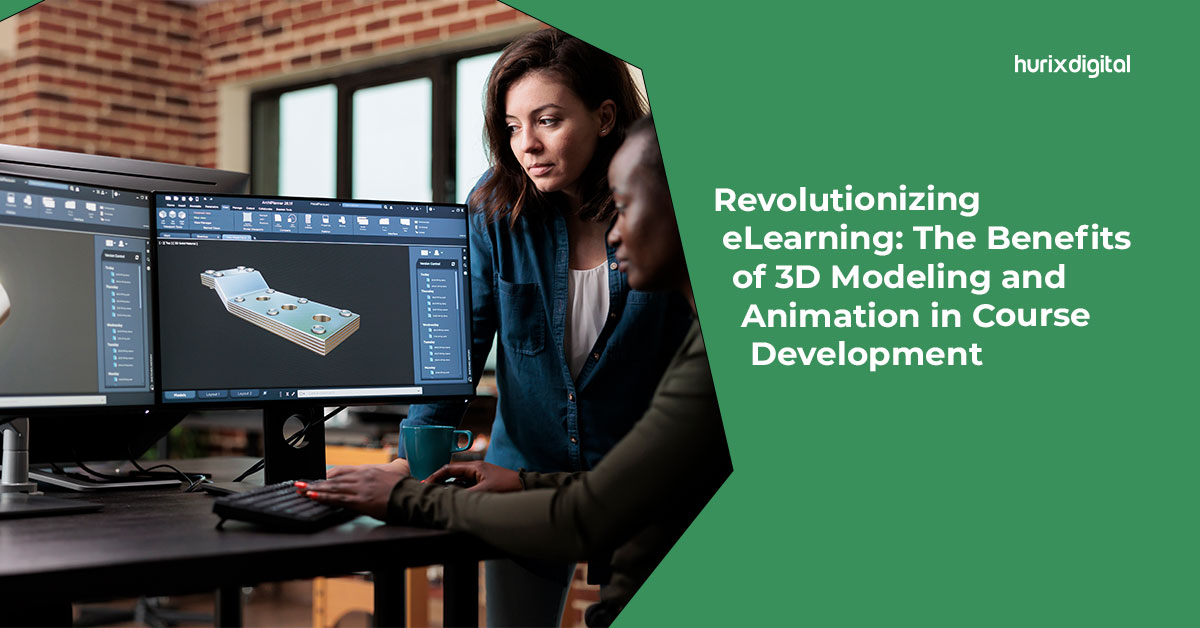
[vc_row][vc_column][vc_column_text]The pandemic has transformed the education sector in several ways. One of the most paramount changes in the education sector was the rise of e-learning and e-learning platforms. Since most of the world was in a complete lockdown, online learning became an indispensable tool for institutions and teachers to ensure uninterrupted education and engage with students remotely. However, e-learning course development had its unique shortcomings. One of the most common was that e-learning courses were less interactive and engaging than classroom programs. To overcome these problems, many organizations use animations and 3D modeling in their online program development to make them more engaging and fun. In this blog, we will see how animation and 3D modeling have revolutionized e-learning and the benefits of using them during course development. The Need For 3D Modeling And Animation In E-Learning Course Development The thing about online e-learning course development is that it lacks physical stimulation. Without proper physical stimulation and a lack of face-to-face interaction, learners may experience challenges in developing practical skills. This may also hinder their ability to build interpersonal connections. To overcome this issue and to make e-learning in higher education more interactive, fun, and relevant, digital aspects like 3D modeling and animations are incorporated into the course development. 3D modeling is the three-dimensional representation of pictures, figures, and objects. Similarly, 3D animations make all the pictures, figures, and objects come to life by creating an illusion that they are moving. 3D modeling is the initial step that can eventually be transformed into 3D animations to create realistic moving structures. Using such interactive objects in e-learning course development improves the quality of e-learning. Furthermore, they drive the learners’ attention quickly and get the most out of it efficiently. Benefits Of 3D Modeling And Animation In Course Development 3D modeling and animation have become essential tools for e-learning course development. It is becoming increasingly popular among organizations to use digital objects to create surreal learning experiences for their students. According to Statista, the global 3D animation modeling market is valued at 8.1 billion dollars in 2023. It is further expected to be valued at 11.6 billion dollars by 2026. These numbers depict the global growth of the 3D modeling and animation industry.  Let’s look at the key benefits of incorporating 3D modeling and animations in online program development. And why you should not miss it too! 1. It Creates Engaging Learning Experiences According to a study conducted in 2019 in the Czech, it was concluded that digital elements like 3D modeling and animations positively impact student learning experiences. The use of these resources also motivated students to learn about natural sciences.  Furthermore, learners are more likely to stay focused and engaged when exploring 3D visuals and animations. 2. It Enhances Visual Memory According to research by the American Physiology Society, decorative animations can improve visual memory by providing learners with an engaging visual experience. Learners are more likely to remember visuals from 3D objects and models than from traditional text-based course material. This way, they would be able to retain more and break the monotony of regular text-based learning materials. 3. It Creates An Interactive Environment 3D modeling and animation allow learners to interact more with the course content. This helps them better understand the material and allows them to ask questions and get feedback from the instructor. Furthermore, 3D modeling and animation can be used to create quizzes, assessments, and other interactive elements in the course, making the learning experience more effective and efficient. 4. Cost-Effective Solution Online 3D design courses and animation courses are relatively easier to produce and do not break the bank. Furthermore, the wide availability of online tools and resources, such as animation courses online, has made producing animations even easier. This makes animation and 3D modeling great options for businesses looking to create highly interactive and fun training programs and instructional videos.    How To Use 3D Modeling And Animation In Course Development? Now that you all know the perks of incorporating animations and 3D modeling into the course to enhance the e-learning experience, it is now time to understand how to structure an online course and what are some good practices to incorporate these digital objects into your course. Here are some Dos and Donts to keep in mind while adding animations and 3D modeling in courses: Dos Do use animations and 3D modeling to enhance the learning experience and strengthen the key concepts. Do make sure that the animations and 3D models are relevant to the course content and align with the learning objectives. Do keep the animations and 3D models visually appealing, engaging, and interactive to capture learners’ attention. Do test the animations and 3D models across different devices and platforms to ensure compatibility and smooth functionality. Do provide clear instructions or guidance on interacting with the animations or manipulating the 3D models, if applicable. Do consider accessibility by providing alternative text or descriptions for learners with visual impairments. Don’ts Don’t overload the course with excessive or unnecessary animations and 3D models that may distract or confuse learners. Don’t rely solely on animations and 3D models to deliver information. You can use them as supplements to text-based content. Don’t use animations or 3D models that are overly complex or difficult to understand, as they may confuse the learners. Don’t compromise on the quality of the animations or 3D models. Poor visuals can compromise the credibility and quality of the course. Don’t assume that all learners will have access to high-end devices or internet connections capable of running complex animations or 3D models. Consider different user scenarios and optimize the course accordingly. Don’t forget to provide clear navigation or instructions on how to navigate through the animations courses online. Also, make sure that learners can easily explore and interact with them. By considering these dos and don’ts, you can effectively incorporate animations and 3D modeling into e-learning course development to create engaging and impactful learning experiences for your students. Final Thoughts Using 3D

Why Your Online Training Course Development Needs Gamification

[vc_row][vc_column][vc_column_text]Gamification in learning is the addition of game elements to content to enhance the material and make it more engaging. It involves applying game thinking to instructional or educational content. Gamification is particularly prevalent in online training courses, opening up more possibilities for gamification in corporate training. It is a popular strategy used in e-learning and corporate training to make online training more interactive.  A report by Gartner predicts that more than 70% of the leading 2000 global companies have adopted gamification as a strategy.  The global market for gamification strategies is projected to reach $58.8 billion by 2028, with education emerging as the top segment.  What is gamification in education? Adding game elements to educational content makes the learning process more game-like. Game elements could include points, rewards, and leaderboards.  You could also add story elements to a course, present learners with a challenge, or create a character to narrate content in an online course.   What Are Gamification Techniques? Gamification is about enhancing learning material to make it more fun, not designing an entire game.  How to gamify learning? Gamification involves many different techniques to make the learning process more participative. Tests and Quizzes Tests and quizzes are simple but effective techniques to assess learner performance, boost engagement, and reinforce concepts learned. Challenges Challenges are another technique that requires the learner to complete a specific task based on the learning material.  Other Gamification Techniques These include points, tracking progress, badges, leaderboards, and levels, to help learners stay motivated. They can also include other rewards in addition to badges and leaderboards. You can also add characters or other story elements like scenarios and branching options.  Why Online Training Needs Gamification  Since online training often lacks face-to-face interaction, keeping learners motivated and engaged can be hard. Integrating gamification in learning offers several benefits for online training courses.  Makes your lessons interactive Gamified learning experiences make lessons more interactive. Features like flip cards, quizzes, puzzles, matching exercises, discussion boards, and other activities make the lessons more fun. Adding a timer to a lesson can help make it more gamified and improve learner focus.  Tracks progress and points Gamification is a great way to track progress through points, scores, levels, and badges. It can also mark key learning milestones. Additionally, you can use e-learning technology to enable learners and administrators to track progress. Makes training fun and engaging Gamification makes online training enjoyable and brings in a playful element. It replaces traditional training methods with participative activities and motivating factors. Making the training experience more engaging can boost workplace morale and make employees more open to training. Improves knowledge retention A more engaging training course helps learners retain information better. Adding an element of competition through points and leaderboards motivates employees to learn better because it helps them stay actively involved.  Encourages participative learning Features like quizzes and tests can help make learning more participative. They can also motivate learners to complete the training and develop a habit of active learning. Further, gamification in learning makes it feel less like a responsibility or chore and more like an activity.  Allows for easy performance assessment Gamified learning allows a learner’s performance to be easily assessed with the help of features like levels or other markers of experience. Levels can indicate the extent of a learner’s progress, while points and badges can indicate progress and experience gained. Scores on tests, quizzes, and assignments allow trainers to assess a learner’s performance more precisely. Leaderboards can help gauge a learner’s progress and performance relative to others, which is helpful for trainers. They can show which learners are performing best and which learners may need assistance.  How to Design Gamification  Make it personalized  There are many ways to personalize games. One way is to allow learners to have their online persona to represent themselves. This could take the form of a personal user id color or an avatar that will be used in the content, including the leaderboards. You can also have branching options that enable them to choose their learning path instead of following a prescribed path.  Add levels  Very easy or difficult activities can cause the learner to lose interest in the gamified content. By adding different levels of content, you can include more challenging material in stages to keep the learner engaged and involved. This pushes learners to understand the material better and pass it to the next level. It also allows learners to go at their own pace.  Add a variety of activities The online training course can have a range of different interactive activities such as tests, challenges, mini-games, and competitions between learners. This creates variety in the training course and prevents it from becoming repetitive or monotonous.  Add rewards Rewards are a great way to motivate learners and make the course more absorbing. Learners enjoy content with rewards and the ability to “win.” This provides an incentive through the learning process and encourages them to progress through the course. Rewards and levels give learners a sense of accomplishment after completing certain tasks. They also provide a way to assess the learner’s performance.  Give badges  Add badges for certain accomplishments and pin them to learner profiles to boost their sense of achievement. Connect badges to particular skills or topics to encourage learners to reach specific goals.  Have a leaderboard system A leaderboard is a scoreboard that displays the names and current scores of competing learners. This motivates learners to progress and learns better to score more points and do better on the leaderboard.  Test the gamified features When adding gamified features to training, it’s a good idea to check that the game mechanics are functioning well by testing them thoroughly. Check that features like rewards and points are working properly and that the relevant content is present along with the related game features.  Summing Up  Gamification in learning is a great way to make your online training course more interactive and effective and keep learners involved and motivated.  Hurix offers online learning

Why Curriculum Integration Should Be A Priority In Education

[vc_row][vc_column][vc_column_text]Have you heard about academic disciplines like neuroscience, digital humanities, bioethics, etc? These disciplines can be described as interdisciplinary or multidisciplinary disciplines as they combine two or more disciplines to create a new field of study. Environmental studies, for instance, combines science, policy, and social science to address environmental issues. To provide more holistic education to students, this method of combing different subjects to create a new discipline can be undertaken to create a new curriculum. This process refers to curriculum integration, a relatively new and unique learning technique. Educators and curriculum providers are right in their claim that curriculum integration should be made an utmost priority in education. What Is Curriculum Integration? Curriculum integration can simply be understood as the process of creating a new curriculum that comprises a diverse range of subject areas and disciplines. This allows students and learners to draw connections between the various subjects giving birth to a holistic and broad worldview. Additionally, curriculum integration also helps to foster critical thinking skills and creativity, as students and learners are encouraged to explore and make associations between different ideas and concepts. Steps Involved In Curriculum Integration Here are some general steps you must keep in mind while creating an integrated curriculum for the benefit of the students and learners: Step 1 – Aims And Objectives You must begin by identifying the learning objectives. The pertinent question to be asked here is what will the students acquire from this curriculum? Identifying the concepts, skills, and knowledge you want the students to learn will also be beneficial. Step 2 – Subject Areas Once the aims and objectives have been concretized, decide the subject areas to be included in the curriculum. For instance, if you want students to learn together about computer science, artificial intelligence, and philosophy, along with gaining analytical skills, you can include digital humanities. Ensure that the subject areas properly align with the aims and objectives. Step 3 – Activities And Assessment You must incorporate some comprehensive assessments and fun activities in the curriculum to ensure the students get an opportunity to learn creatively. This can involve creating hands-on projects, collaborative group work, or cross-curricular writing assignments. Step 4 – Implementation Now is the time to implement the integrated curriculum in the classroom. During the implementation, it will become clearer to you whether the curriculum properly aligns with the aims and objectives. Step 5 – Evaluation And Feedback One way to evaluate the effectiveness of the curriculum is by checking whether students can draw connections between the various disciplines. Additionally, it is also important to collect feedback from each student to further refine and improve the curriculum. Levels Of Curriculum Integration Apart from following the above-mentioned steps, you can also keep in mind the various level of curriculum integration to create a more cohesive and interconnected curriculum. These levels include: Multidisciplinary Integration At a multidisciplinary level, you can bring together two disciplines to create a new field of study. You can choose to teach both disciplines separately and then gradually integrate them. Interdisciplinary Integration At an interdisciplinary level, you can integrate two or more disciplines. This involves implementing various teaching and learning techniques to ensure all the disciplines are properly covered. Transdisciplinary Integration Transdisciplinary integration does not just involve combining two or more disciplines but also a holistic and interconnected approach to learning. A few methods involved in holistic education are mindfulness and meditation, project-based activities, physical activities, service learning, etc. Metadisciplinary Integration The meta-disciplinary level involves exploring the underlying principles of each discipline of the curriculum in more depth. A comprehensive connection must be made within all the disciplines to find a common theme. However, it is important to note that each of these levels builds on to the previous one. As curriculum providers and educators, you cannot directly jump to the meta-disciplinary level. You must move ahead one step at a time to provide the students with a meaningful learning experience. Types Of Integrated Curriculums Now that you know about the steps and levels involved in curriculum integration, it will also be beneficial for you to know about different types of curriculum integration. Some major types of curriculum integration are: Theme Based Curriculum In a theme-based curriculum, all the disciplines integrated are decided, keeping in mind a common theme. For instance, if the theme is social justice, then disciplines will be picked from social sciences and humanities like social studies, environmental studies, language arts, etc. STEAM Curriculum This is a very holistic curriculum involving science, technology, engineering, art, and mathematics. The students can get an opportunity to indulge in topics ranging from online machine learning to English literature and much more. Place-Based Curriculum Place-based integrated curriculum is designed around the local community or environment, with students learning about the history, culture, and natural resources of their community. Project-Based Curriculum In a project-based curriculum, each student is required to work on a project to gain knowledge. Activities like research, analysis, presentations, and oral assignments are given as projects to help the students develop skills from various disciplines. Inquiry-Based Curriculum In an inquiry-based curriculum, students are encouraged to ask questions. Students learn through exploration and discovery, with teachers guiding them to use multiple subject areas to find answers to their questions. Advantages Of Curriculum Integration It is safe to say that curriculum integration can play a major role in revolutionizing the education sector. Here are some advantages of curriculum integration: Enhanced improving outcomes Collaborative and communicative learning Efficient use of time Increased student engagement and interaction Relevant learning Increased creativity Problem-solving and critical analysis skills Increased teacher collaboration Some examples of integrated curriculum activities that have proven to be highly advantageous are science and art collage-making competitions, physical education and health nutrition planning debates, math plus music, songwriting, romance, and science fiction book club, etc. Closing Thoughts You must be convinced that curriculum integration is the right way forward. If you are now looking for integrated K12 curriculum development companies, then you can reach out

10 Benefits of Curriculum Mapping

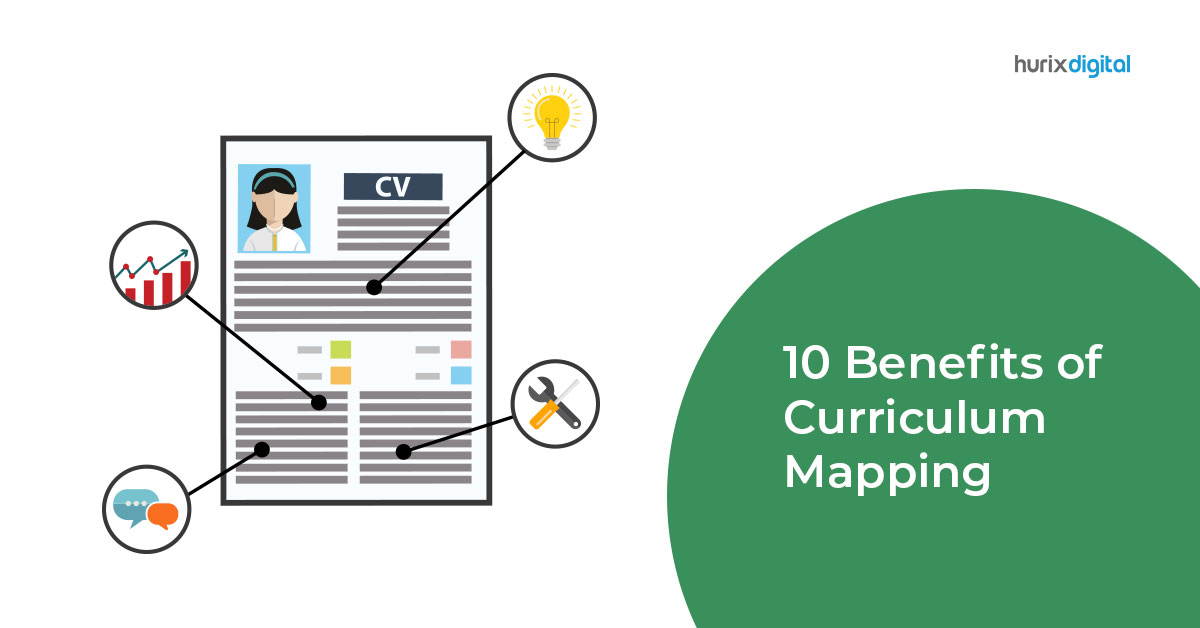
[vc_row][vc_column][vc_column_text]For teaching to be effective and impactful, educators need to have a clear idea and visibility of where a course is going. Courses don’t simply comprise learning materials; they have several other resources, techniques, pedagogies, and methodologies that make them effective. Teachers must ensure that the lessons are well-planned and engaging to boost the value delivered from each learning course to the students. A report that studied the scenario of K-12 education found that 92% of the teachers agreed that engagement was key. Using curriculum mapping, teachers can improve student engagement and deliver the course more effectively. What is Curriculum Mapping? Curriculum mapping is aligning all the aspects, resources, and education techniques into a program to enable efficient delivery, better engagement, and higher value from a course. The cornerstone of curriculum mapping is the process of blueprinting every detail of a course, including educational reforms, philosophies, pedagogies, instruction, assessments, and the activities involved. It may sound like creating a highly detailed lesson plan; however, there are key differences between the two that set them apart. While a lesson plan outlines the subject matter of a course, a curriculum map provides a more in-depth perspective, including goals and objectives. Curriculum Mapping Process The curriculum mapping process comprises five major steps to ensure that the education program is aligned properly with the curriculum: Decide Program Goals: In this step, the educators must identify goals specific to the course that is being mapped. It helps to keep the curriculum on track. Decide Course Objectives: Course objectives are the milestones or achievements you aim for your students to complete by the end of the curriculum. These need to be aligned with the goals. Gather Instructional Support Materials: These are the resources that will aid the students in achieving course objectives. Plan Formative Course Assessment: These are the materials and activities that help students self-assess their progress. Plan Summative Course Assessment: These are more formal assessments designed to measure student progress through a curriculum. What is the Importance of Curriculum Mapping? The importance of curriculum mapping is reflected in the fact that the better a curriculum is delivered to the learners, the better prepared they are for the future. It enables a program to be coherent, well-organized, timely, and intentional. It helps teachers deal with common course problems like information misalignment, locating lesson delivery bottlenecks, and improving lesson timing. Educators can plan the delivery of concepts, materials, activities, assessments, and other aspects of the course at the right time to help with retention and understanding. Curriculum mapping also ensures that the methods used for teaching are advanced and resonate with the learners’ preferred modes of consuming content. What is the Purpose of Curriculum Mapping? The purpose behind curriculum mapping for educators is to standardize their courses according to national or international standards. This enables them to deliver the lessons better and in a more organized way. Curriculum mapping is like a tool in instruction that enables educators to inform their future education strategy for a course, to compare their courses with others, and to achieve better organization and output from their curriculum. It helps the teachers to understand where they can reinforce learning in the curriculum and where it can be eased up a little to allow room for creativity or improvisations. Benefits of Curriculum Mapping for Teachers There are ten major benefits of curriculum mapping for teachers: Improved collaboration A curriculum map helps establish a communication bridge between teachers and students. The teacher can holistically gauge student progress before moving on to the next course modules. Teachers can compare their respective course progress when the curriculum is mapped. Simplified resource sharing A well-mapped curriculum helps educators refer to each other’s curriculums to pinpoint the right resources to share with students. Resource selection is made easier, and teachers save time searching for activities, media, books, etc., relevant to the course by enabling resource sharing. Benchmarks the course delivery Curriculum mapping is pivotal in helping educators achieve a standardized flow of the course. It establishes familiarity with the curriculum with the students and enables teachers to better align their materials with a variety of certified methods and pedagogies. It helps make the course more efficient. Improves student engagement A well-delivered course keeps students engaged throughout. By ensuring that teachers don’t begin new concepts without prior familiarity and removing redundancies, the subject matter remains interesting for students. Combined with advanced delivery methods, teachers can significantly improve engagement. Brings organization to a course Mapping a curriculum is like creating a roadmap of the entire course, complete with directions, logistical details, and travel information. It organizes the course delivery down to the last detail and helps teachers save precious time searching for materials, technologies, activities, etc., in the last moments. Helps gauge student progress The assessment modules in curriculum mapping help the teachers lay down the parameters and concepts that need special attention for assessment even before the course starts. It helps emphasize areas where more time needs to be dedicated to assisting students to progress better. It is a reflective practice tool Year after year, as teachers refine their curriculum mapping, they learn from past mistakes and reinforce the methods that deliver exceptional results. It helps them see how a curriculum needs to be designed to be effective, engaging, and efficient. Reflection on past curriculums also enables the teachers to align their courses to student expectations better. Delivers a better learning experience Curriculum mapping helps teachers highlight the ideal lesson delivery methods – like interactive, digital, or in-person – for specific concepts or modules in the course. It enables a better learning experience when concepts are easy to understand, and the course is aligned with student expectations. It defines an educator’s standards A good curriculum map enables teachers to deliver exceptional learning experiences and courses to students. This helps them create their own identity in the niche, helping them propagate good pedagogies and education practices to the masses. It helps create a resource library Many curriculum mapping